


ODOO'S FUNCTION
Standard Odoo maintains a single, continuously updated allocation record per employee, providing only a running total of their current leave balance as time accrues.
CLUEDOO'S FUNCTION
CLuedoo enhances the standard allocation process by introducing:
1️⃣ Allocation Lines: Provides an option to generate a separate, distinct allocation line every time an accrual plan runs, creating a permanent and detailed audit trail rather than just a running total.
2️⃣ Advanced Access Rights: Introduces new managerial permissions that allow authorized users to easily reset to draft or refuse existing time-off requests.
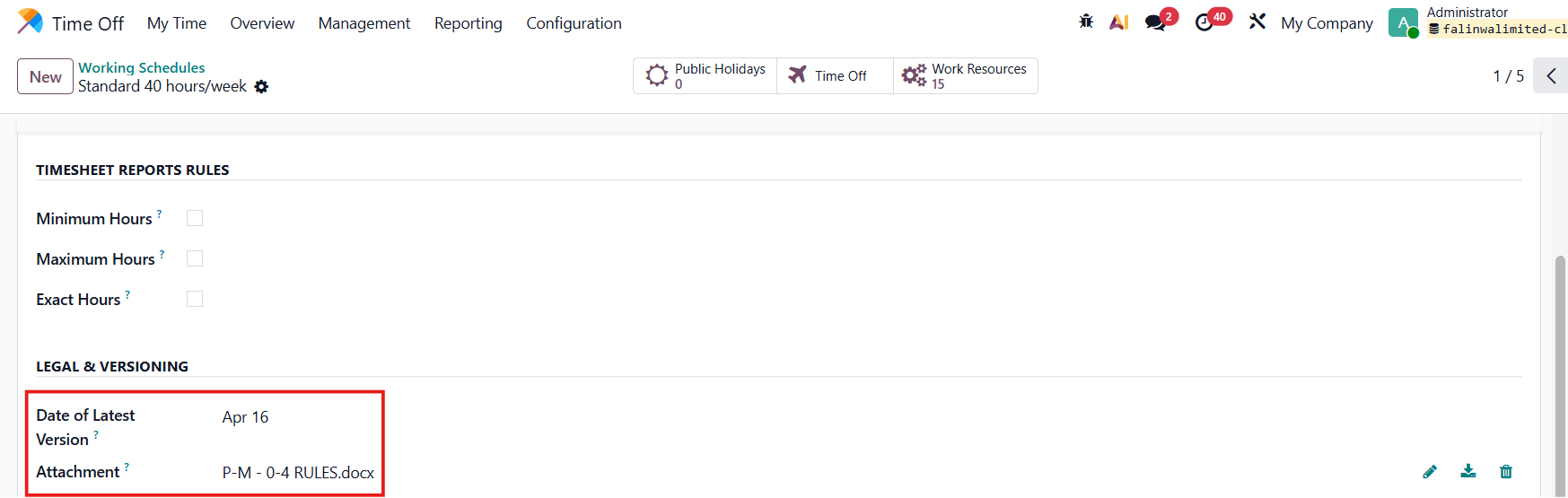
3️⃣ Working Schedule Attachments: Adds the ability to upload and store file attachments directly within an employee's Working Schedule for better record-keeping.
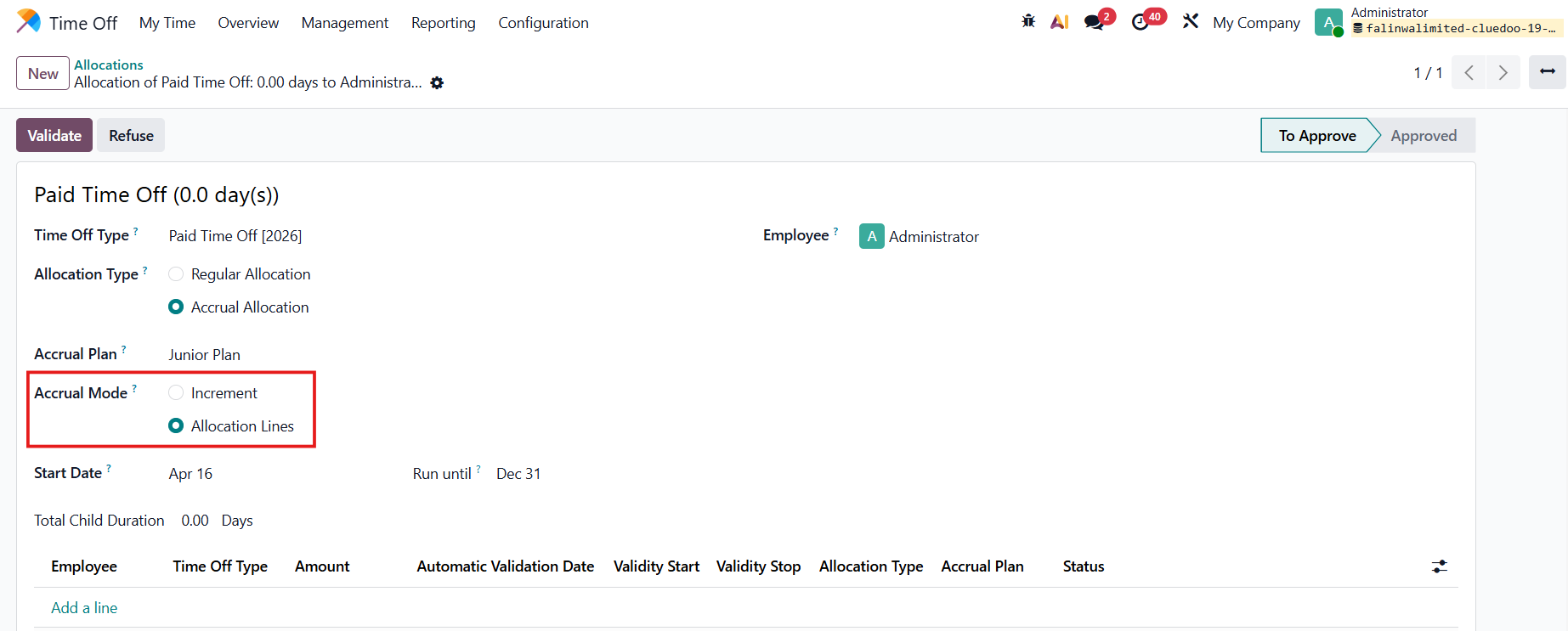
ACCRUAL MODE: ALLOCATION LINESGo to Time Off > Management > Allocations > New to create a new allocation If Allocation Type: Accrual Allocation is chosen, a field Accrual Mode, will automatically appear:
Choose Allocation Lines > Fill in the duration > Validate |
|
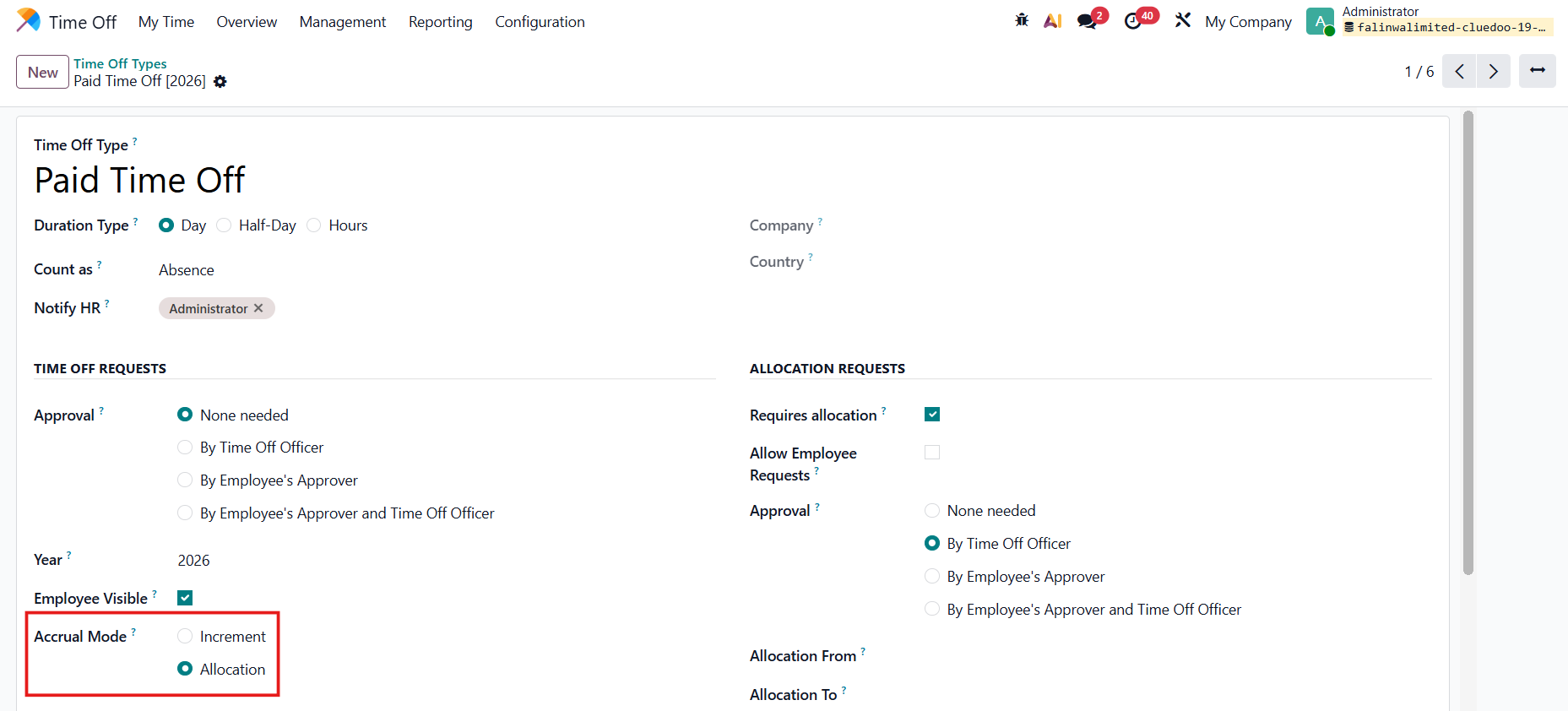
Alternatively, go to Time Off Types > Choose Accrual Mode: Allocation so the mode is automatically selected with type Accrual Allocation. |
|
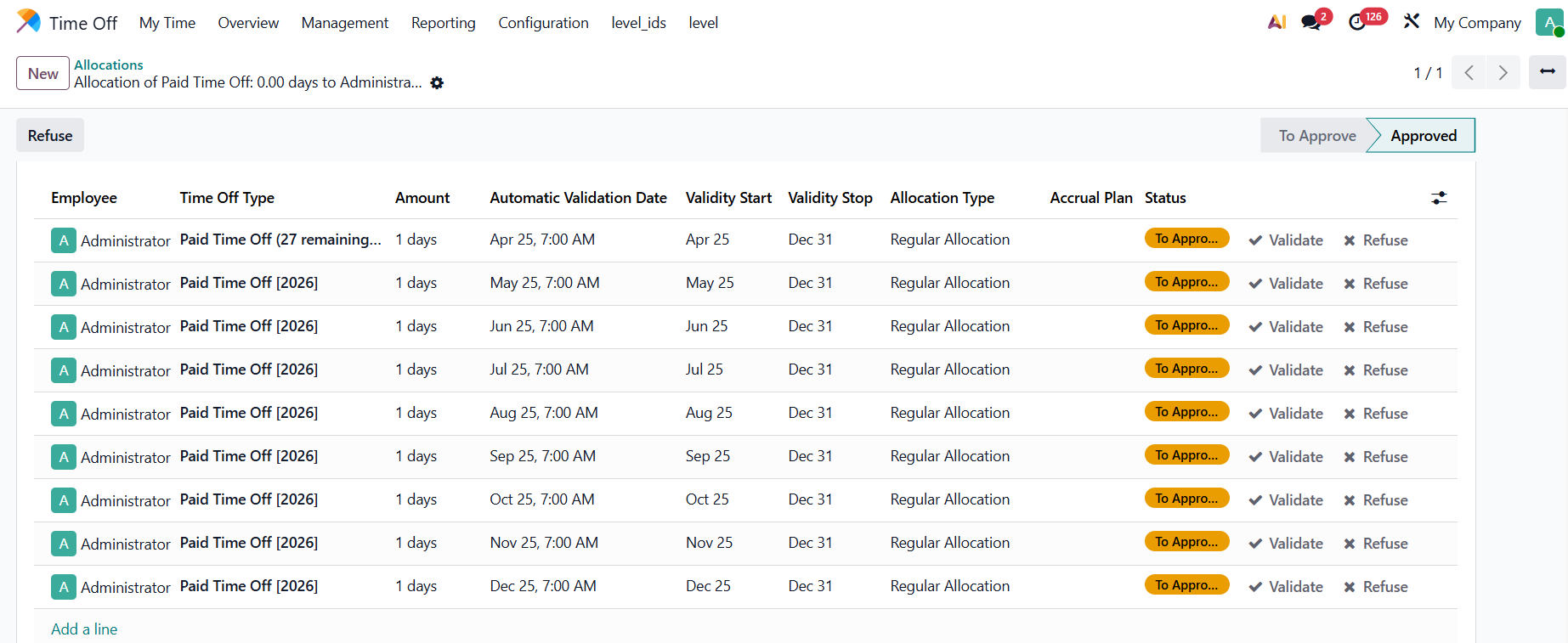
Result: The allocation lines are automatically created. |
|
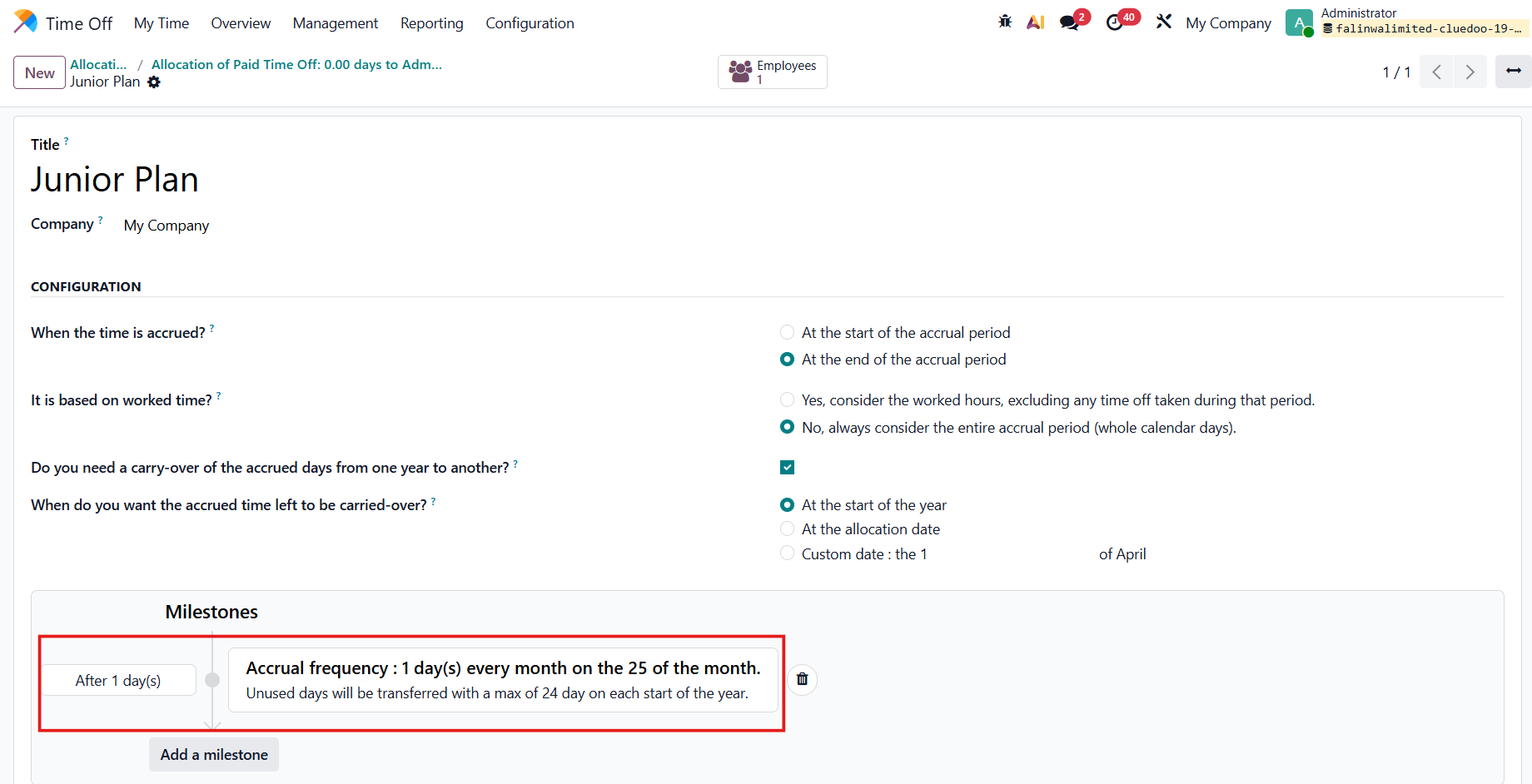
The allocation lines are created based on the Accrual Plan. e.g., Junior Plan
|
|
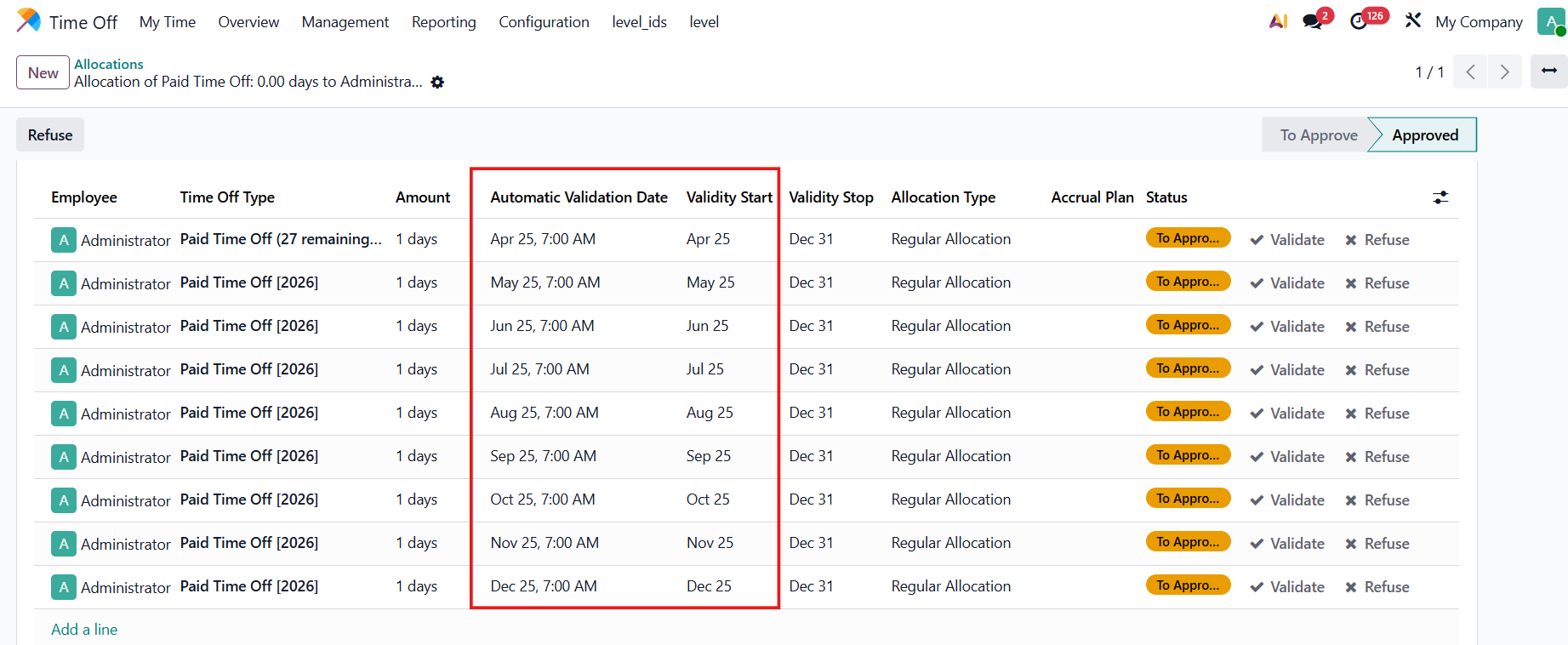
AUTOMATIC VALIDATION DATE / VALIDITY STARTThe Automatic Validation Date = Validity Start = the day the allocation is approved. e.g., based on the chosen plan, the approved date is the 25th of each month. |
|
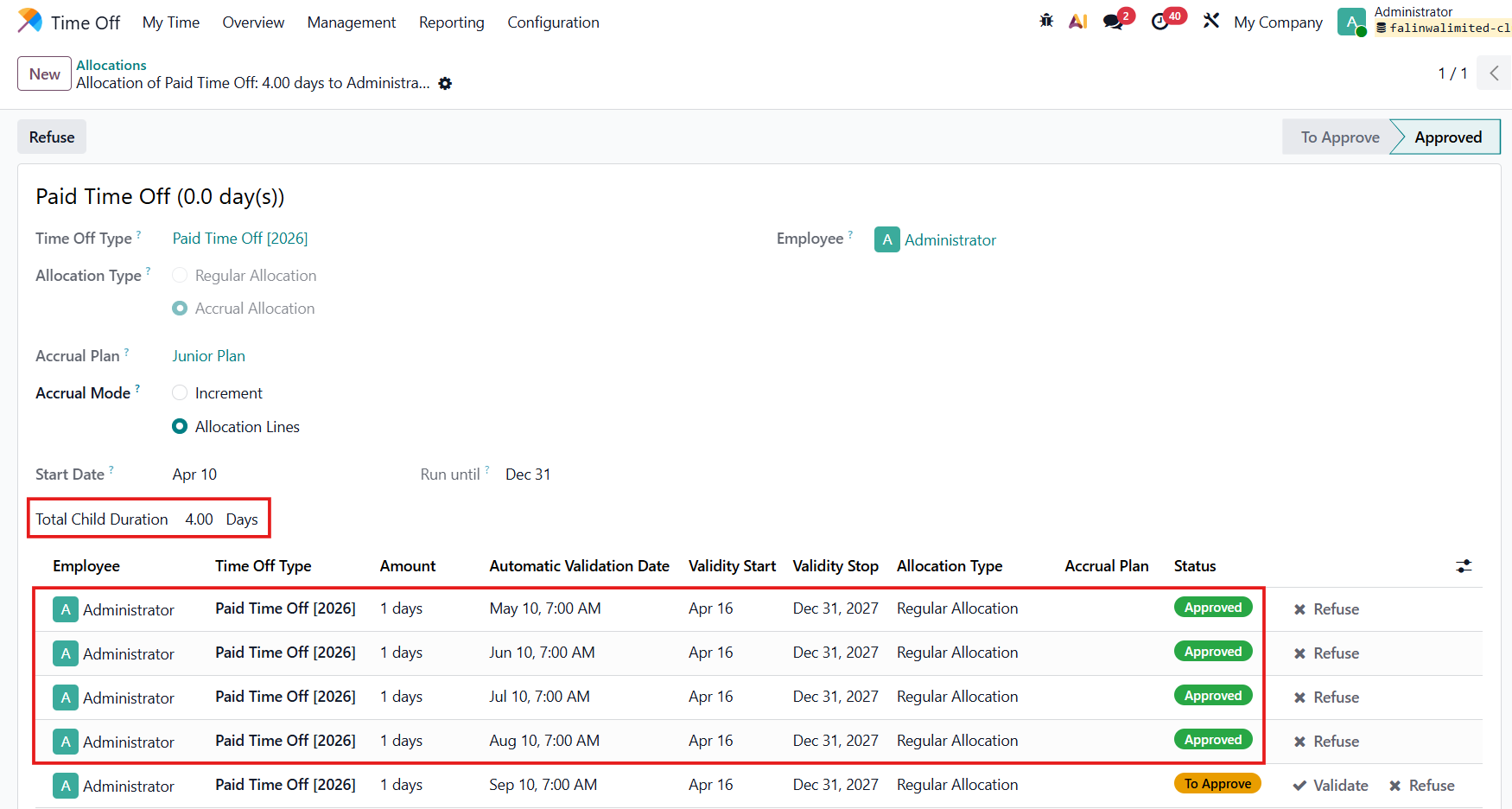
TOTAL CHILD DURATIONThe total child duration = the total approved allocation lines. |
|
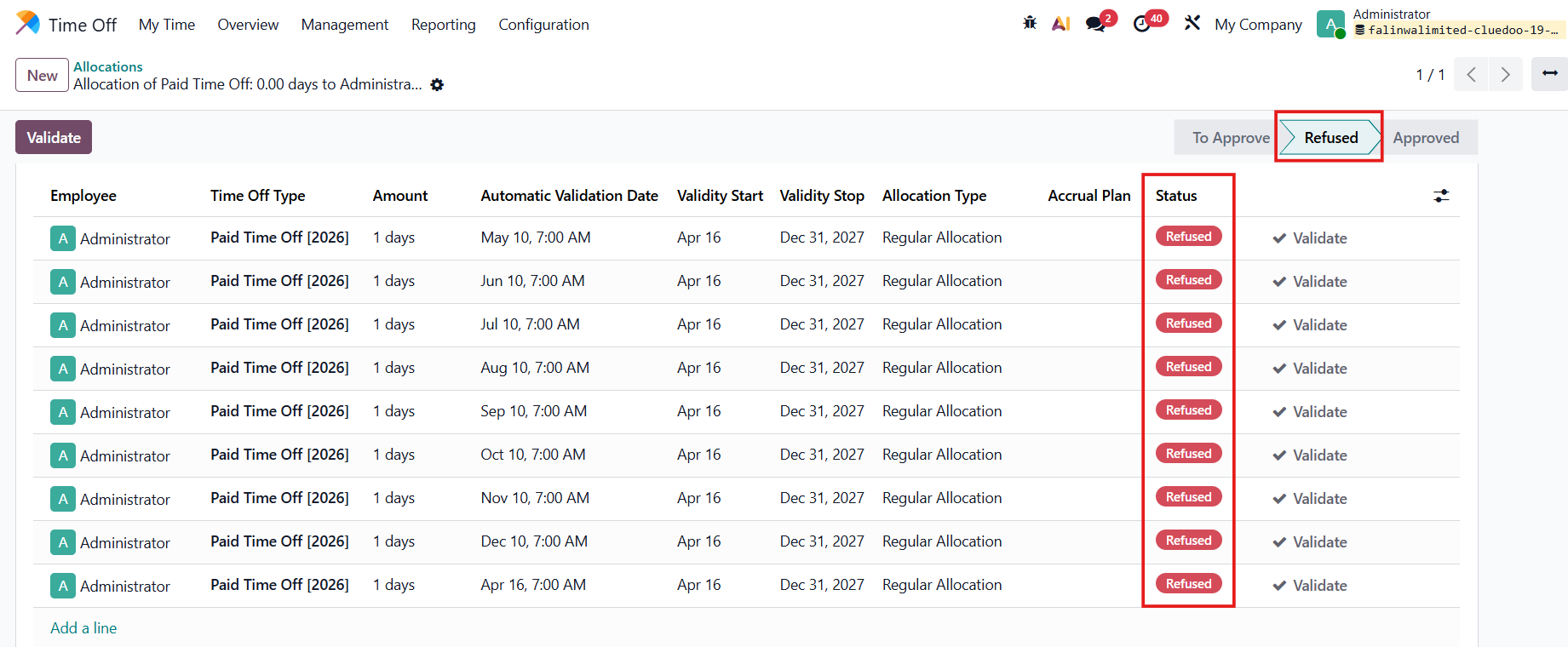
If the main allocation is refused > all the child allocations will be refused as well. |
|
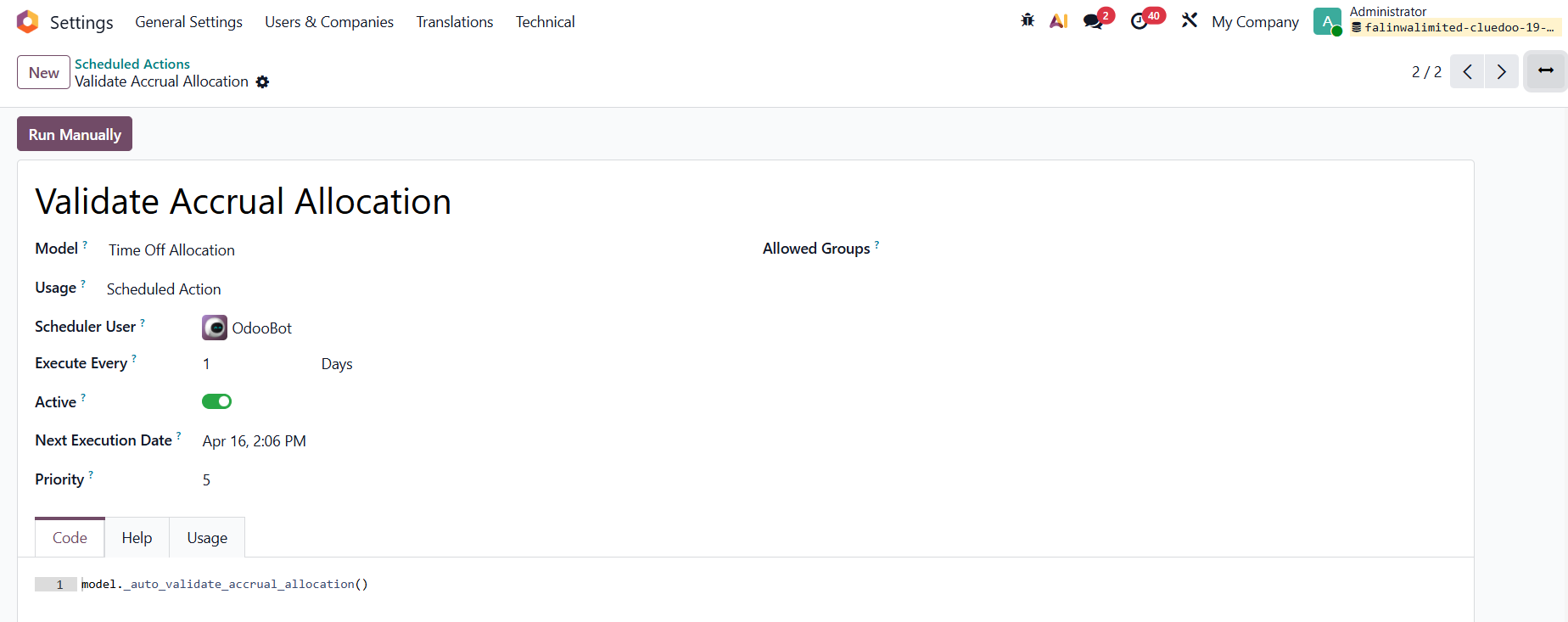
SCHEDULED ACTIONGo to Settings > Technical > Scheduled Actions Search for Validate Accrual Allocation > We have this action to approve the allocation lines. |
|
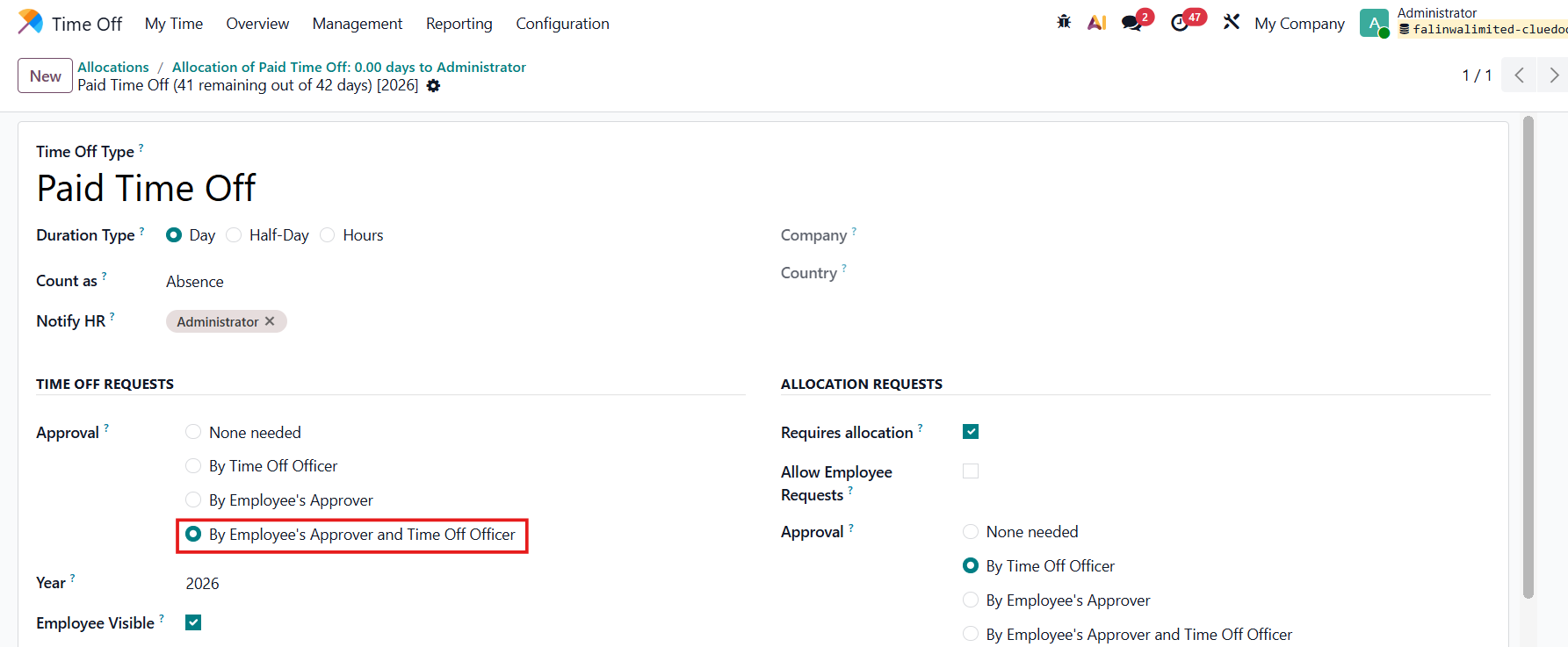
Note that it only works if the Time Off Type has Approval Validation by Employee's Approver and Time Off Officer. |
|
WORKING SCHEDULESGo to Time Off > Configuration > Working Schedule > Create new or choose an existing one We have 2 new fields:
|
|