


ODOOの機能
標準 Odoo は、従業員ごとに連続的に更新される単一の allocation レコードを保持し、時間が経過するにつれて現在の休暇残高の累計のみを提供します。
CLUEDOOの機能
CLuedoo enhances the standard reconciliation process by introducing:
1️⃣ Allocation Lines: Provides an option to generate a separate, distinct allocation line every time an accrual plan runs, creating a permanent and detailed audit trail rather than just a running total.
2️⃣ Advanced Access Rights: Introduces new managerial permissions that allow authorized users to easily reset to draft or refuse existing time-off requests.
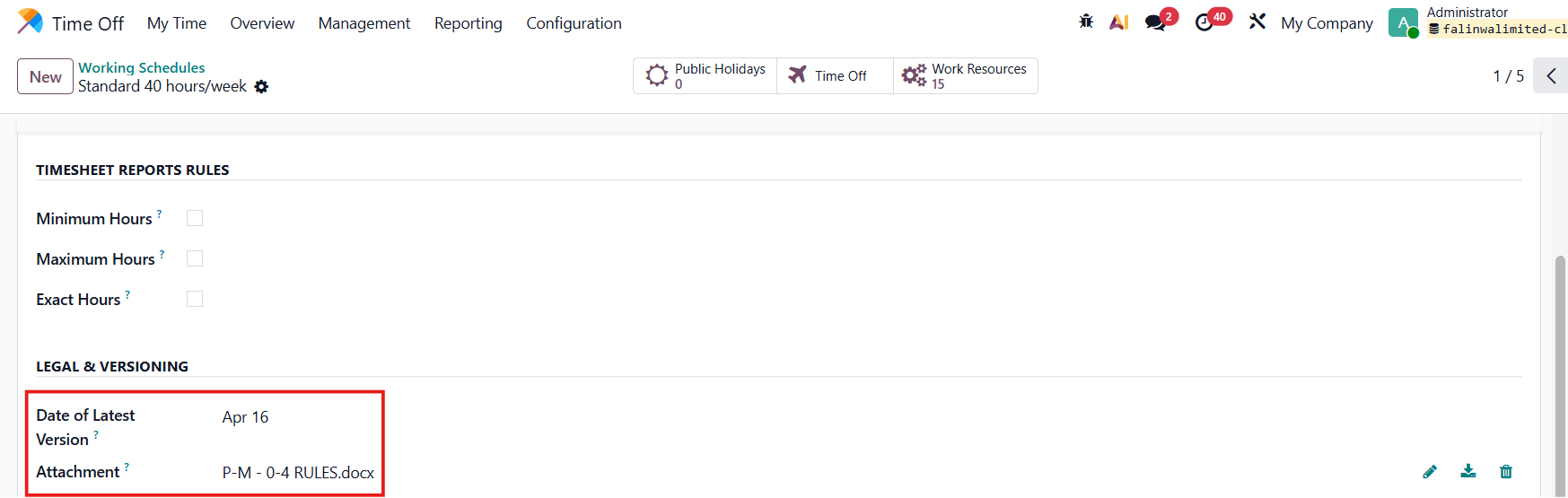
3️⃣ Working Schedule Attachments: Adds the ability to upload and store file attachments directly within an employee's Working Schedule for better record-keeping.
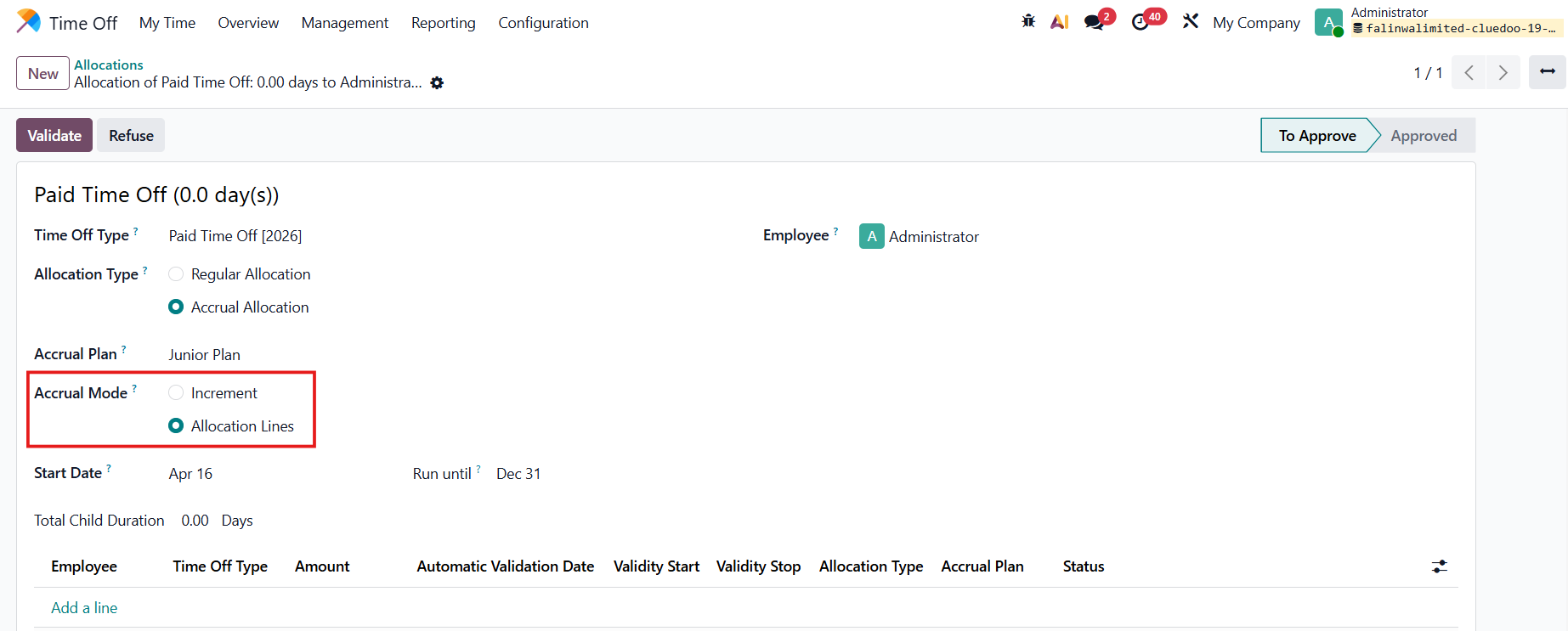
ACCRUAL MODE: ALLOCATION LINESTime Off > Management > Allocations > New に移動して新しい allocation を作成 Allocation Type: Accrual Allocation を選択した場合、Accrual Mode フィールドが自動的に表示されます:
Allocation Lines を選択 > 期間を入力 > Validate |
|
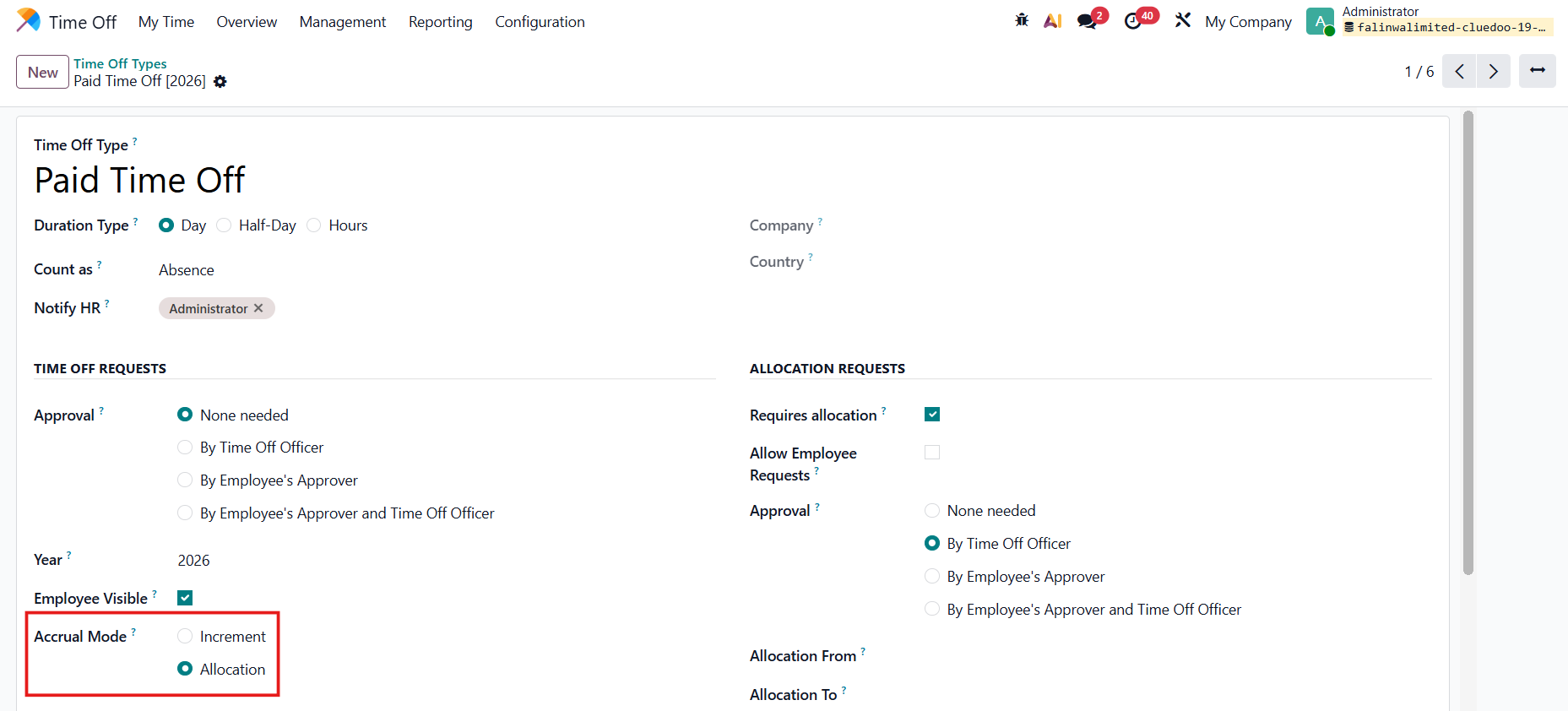
あるいは、Time Off Types > Accrual Mode: Allocation を選択して、モードが Accrual Allocation タイプで自動的に選択されるようにします。 |
|
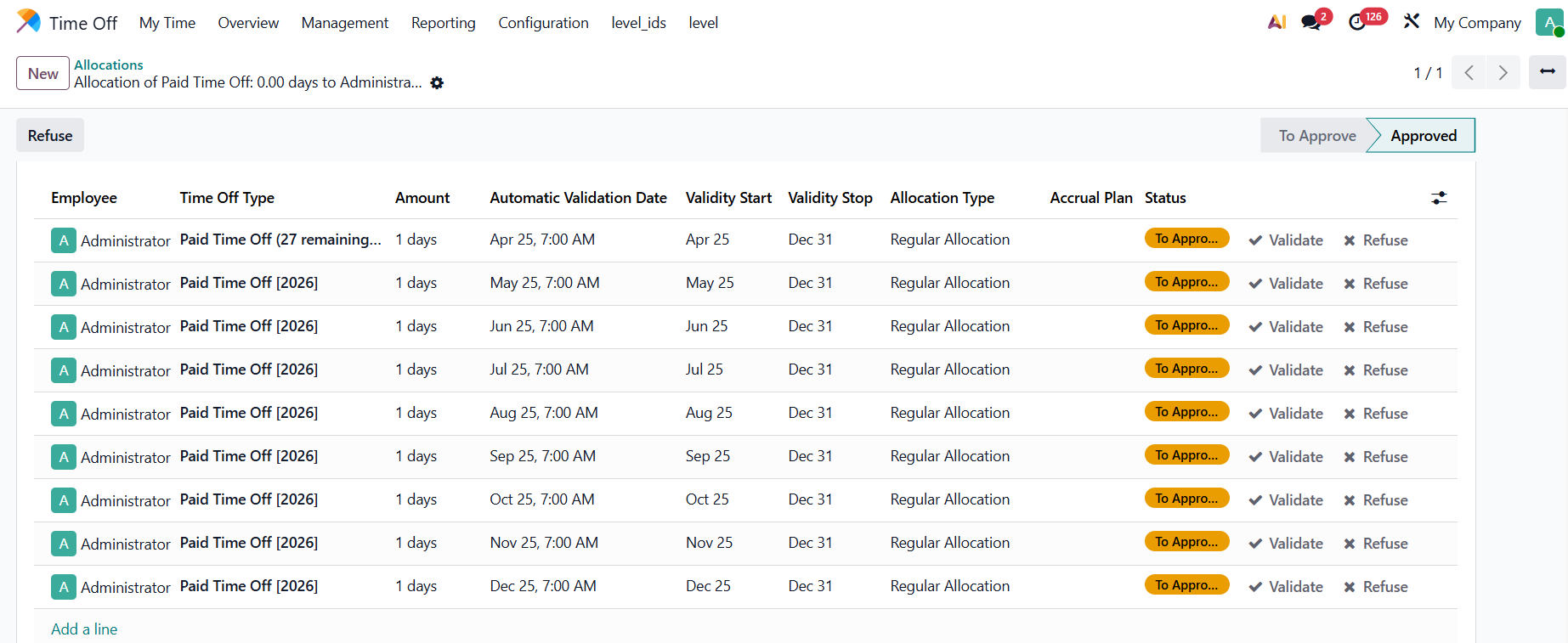
Result: The allocation lines are automatically created. |
|
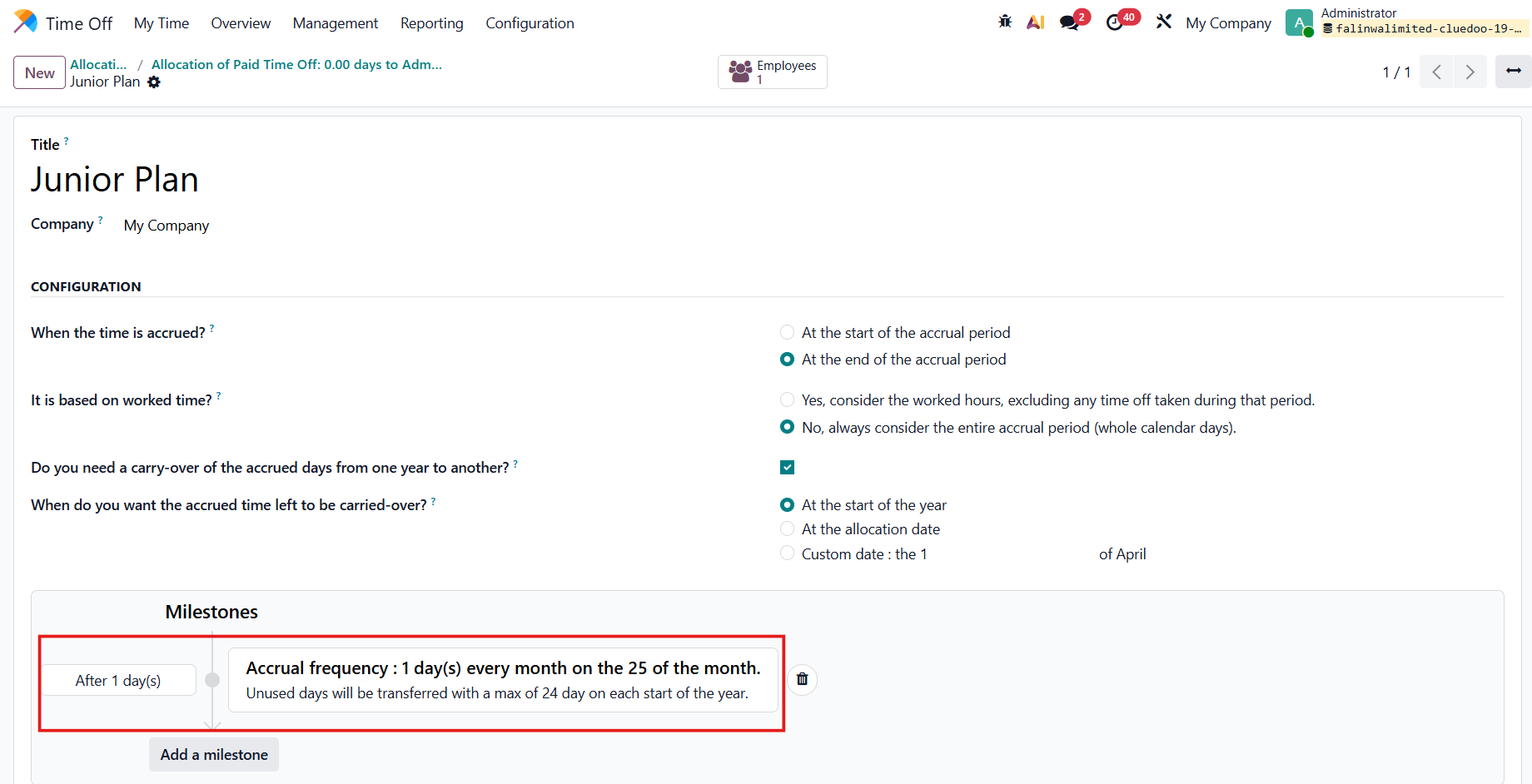
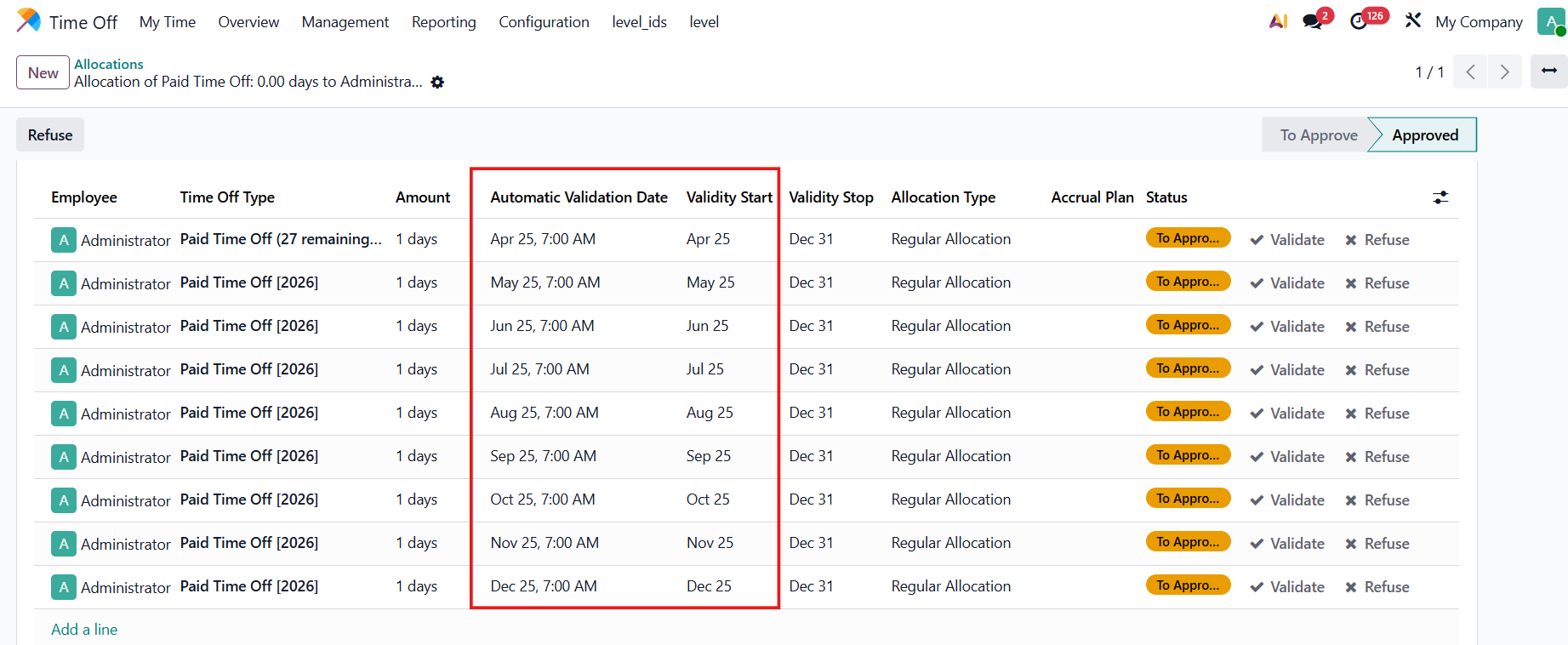
allocation lines は Accrual Plan に基づいて作成されます。 例:Junior Plan
|
|
AUTOMATIC VALIDATION DATE/VALIDITY STARTAutomatic Validation Date = Validity Start = allocation が承認された日。 例:選択されたプランに基づいて、承認日は毎月25日です。 |
|
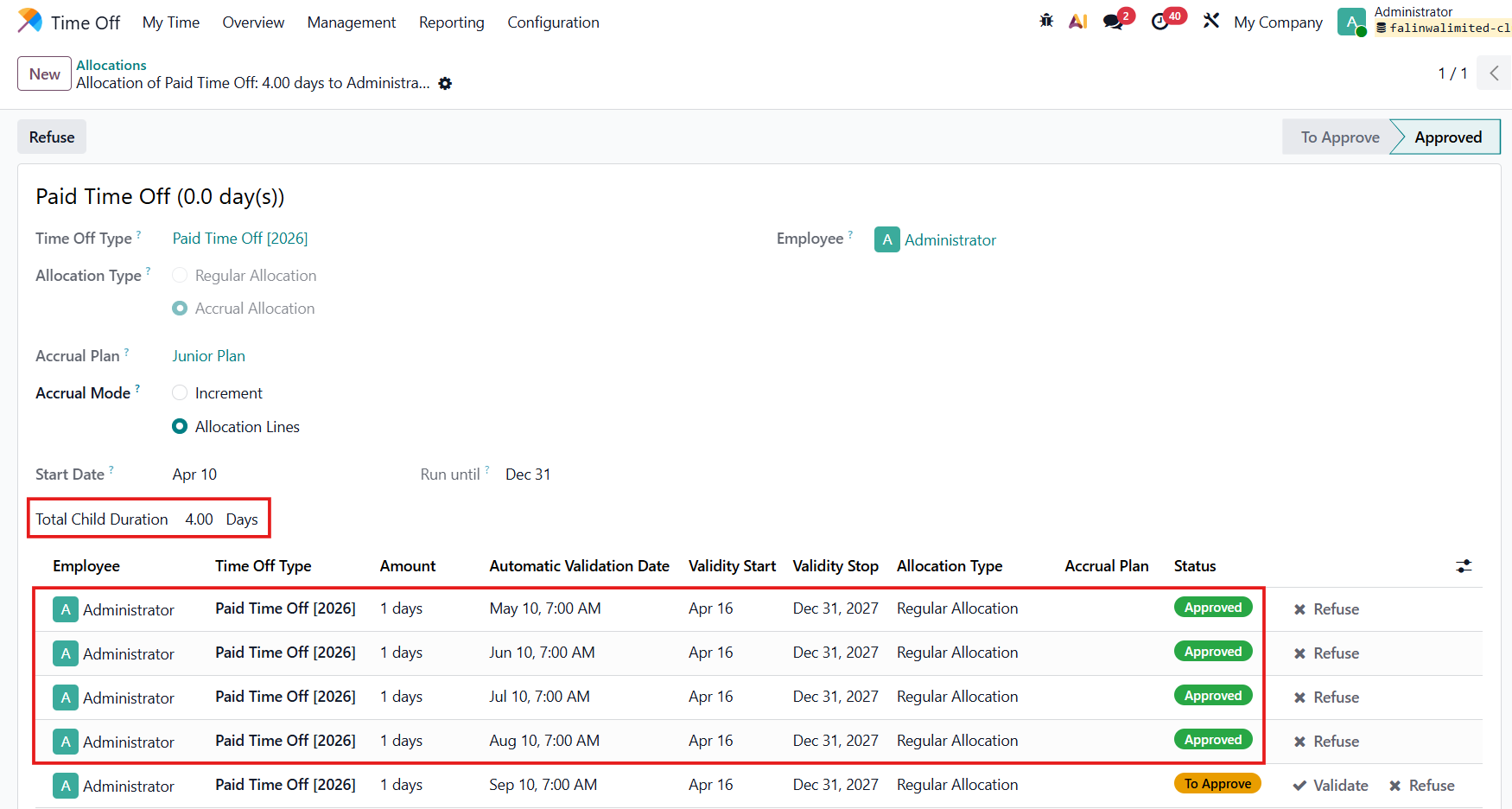
TOTAL CHILD DURATIONtotal child duration = 承認された allocation lines の合計。 |
|
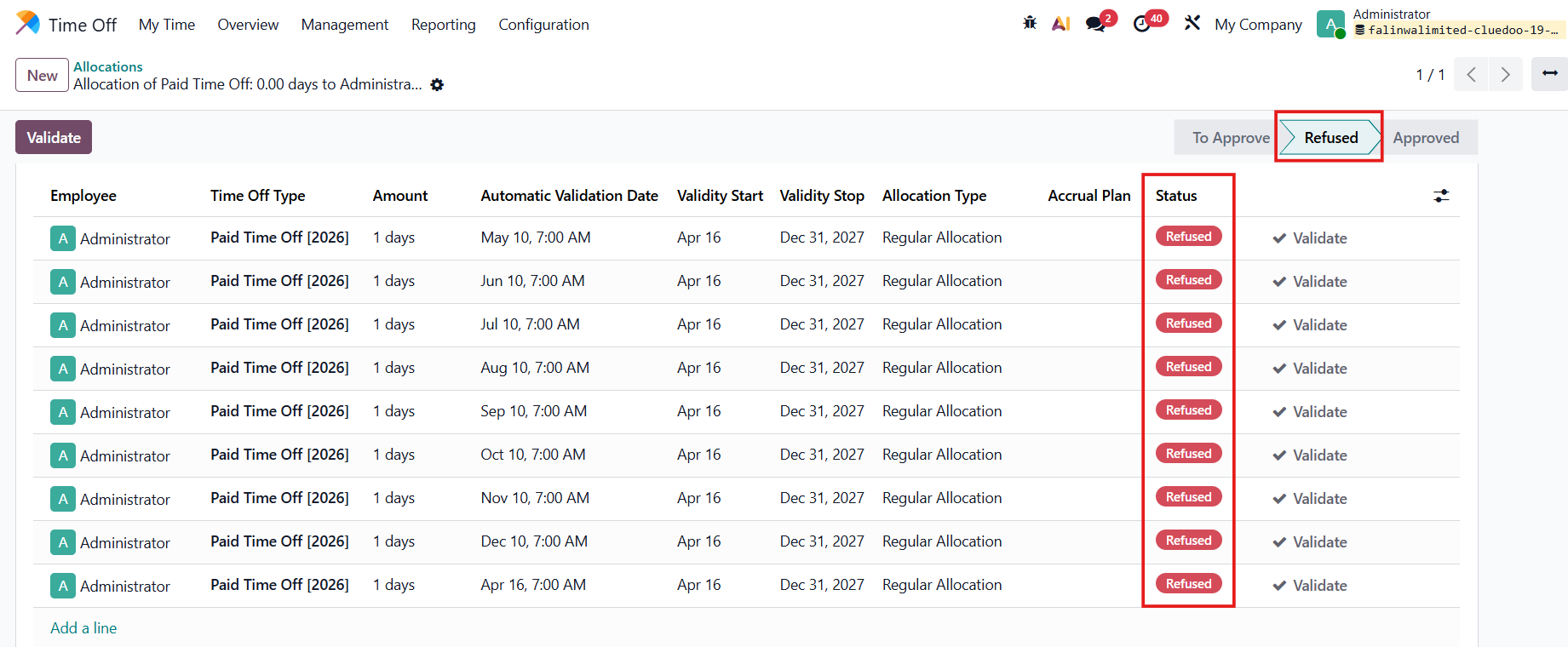
メインの allocation が拒否された場合 > すべての child allocations も拒否されます。 |
|
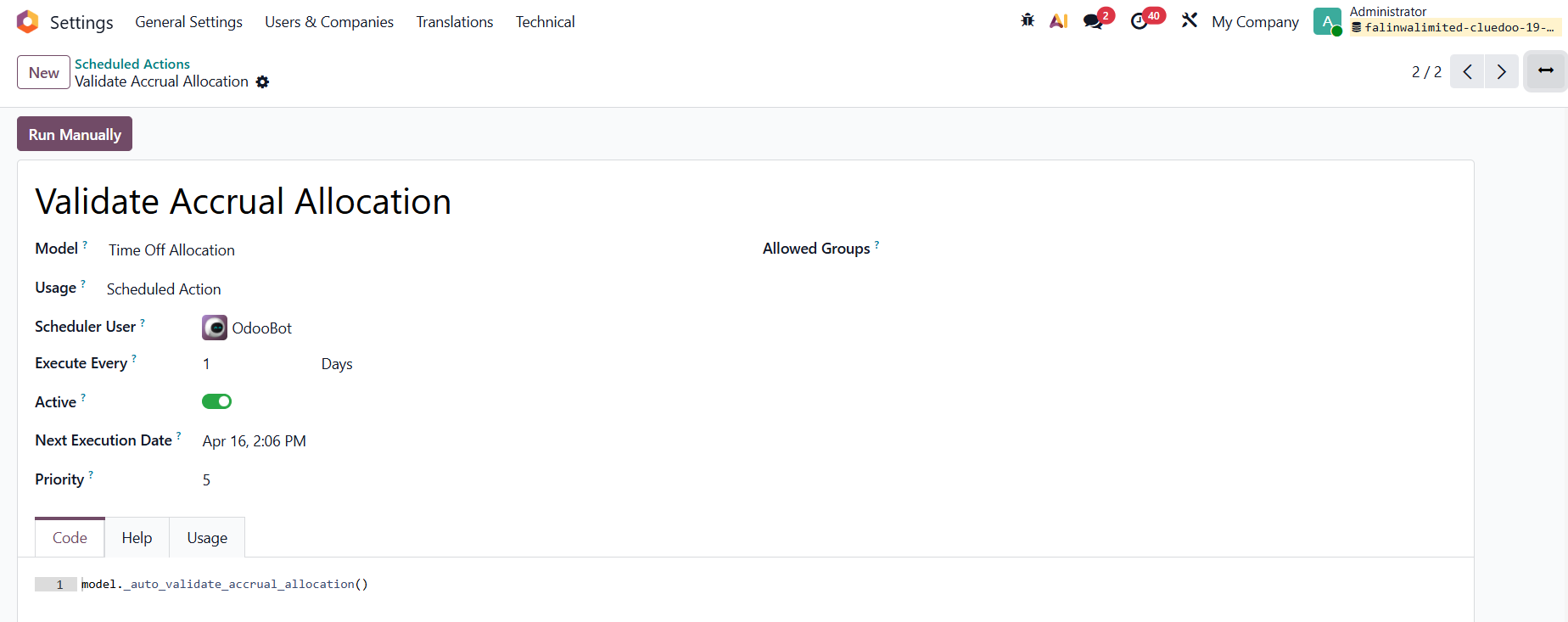
SCHEDULED ACTIONSettings > Technical > Scheduled Actions に移動 Validate Accrual Allocation を検索 > allocation lines を承認するこのアクションがあります。 |
|
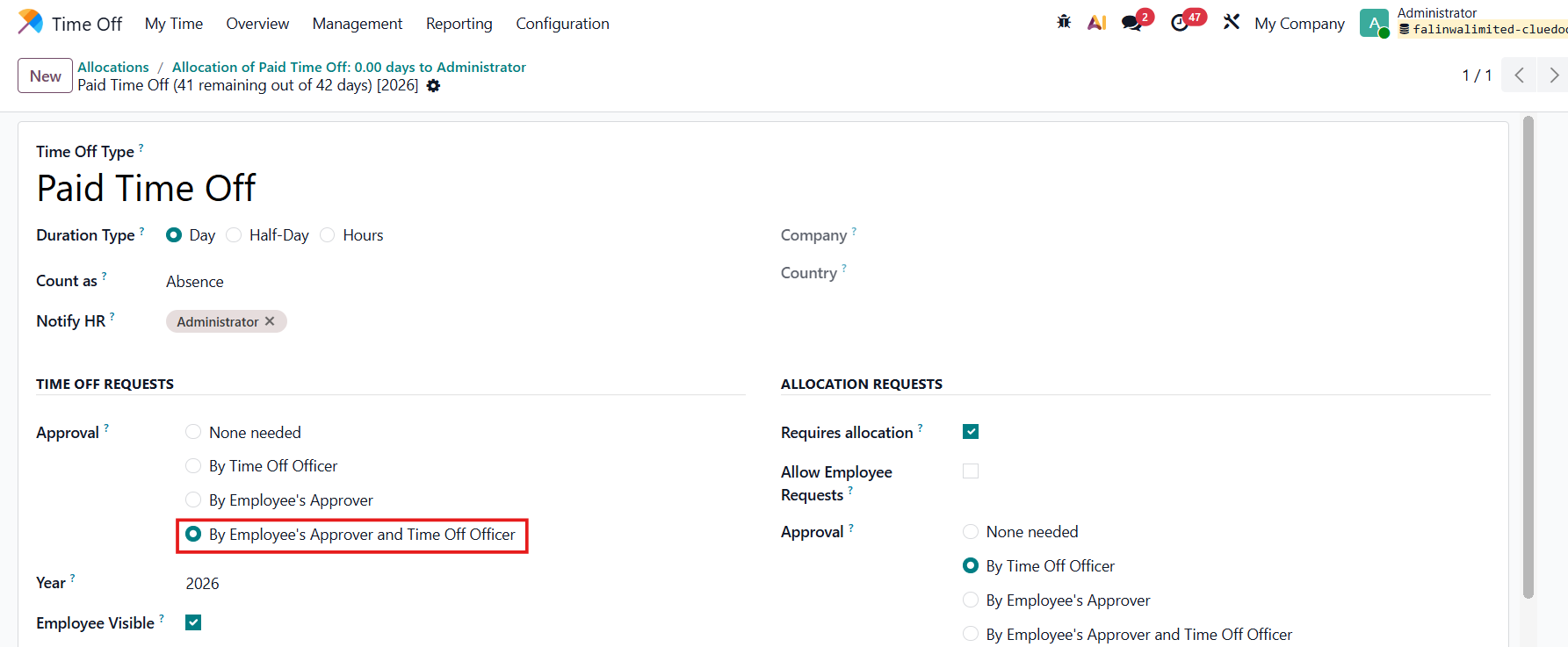
Note that it only works if the Time Off Type has Approval Validation by Employee's Approver and Time Off Officer |
|
WORKING SCHEDULEGo to Time Off > Configuration > Working Schedule > Create new or choose an existing one 2つの新しいフィールドがあります:
|
|