ODOO'S FUNCTION
Standard Odoo lacks a built-in way to trace user actions when an issue occurs, making it hard to identify who changed what and when.
CLUEDOO'S FUNCTION
CLuedoo equips administrators with a full audit trail — logging every create, write, delete, and export operation performed on data models, complete with Python traceback for deep investigation.
CONFIGURATION | |
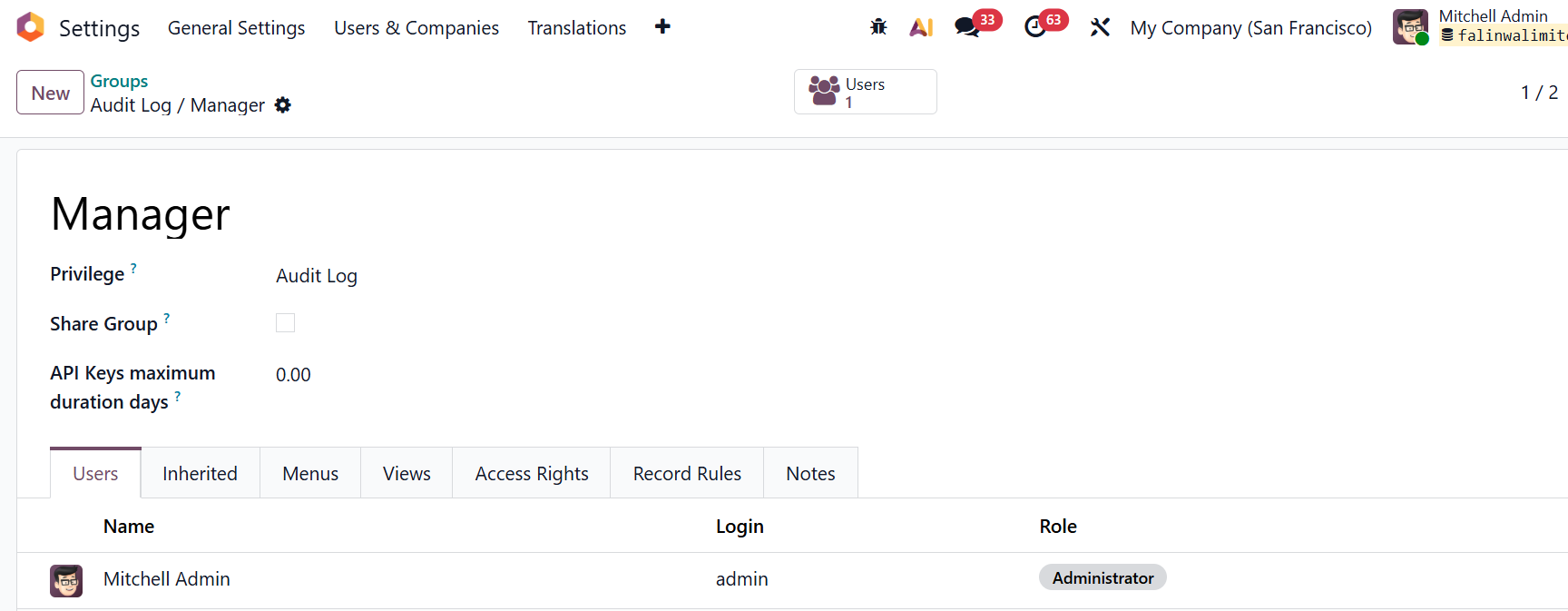
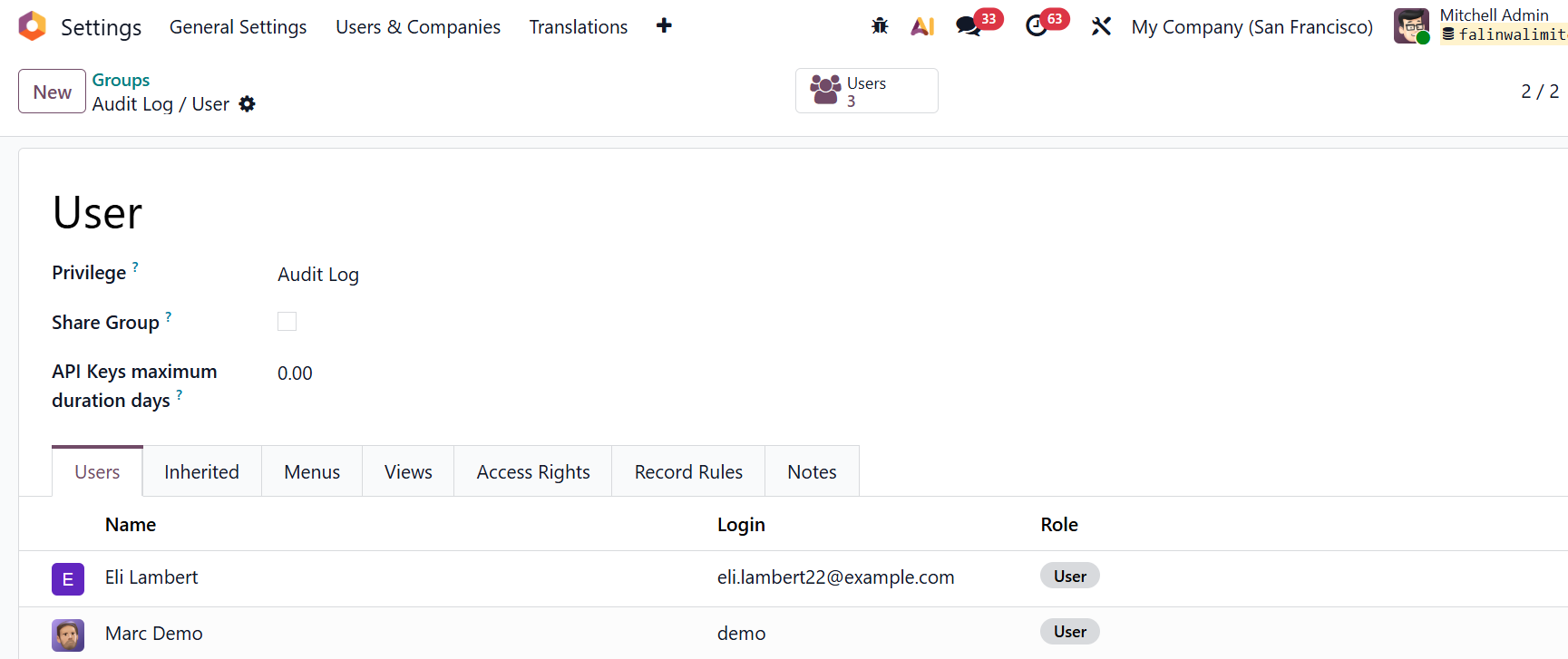
Step 1: Assign user groups Go to Settings > Users & Companies > Groups > We can see 2 groups for Audit Log:
Add the relevant users to each group accordingly. |
|
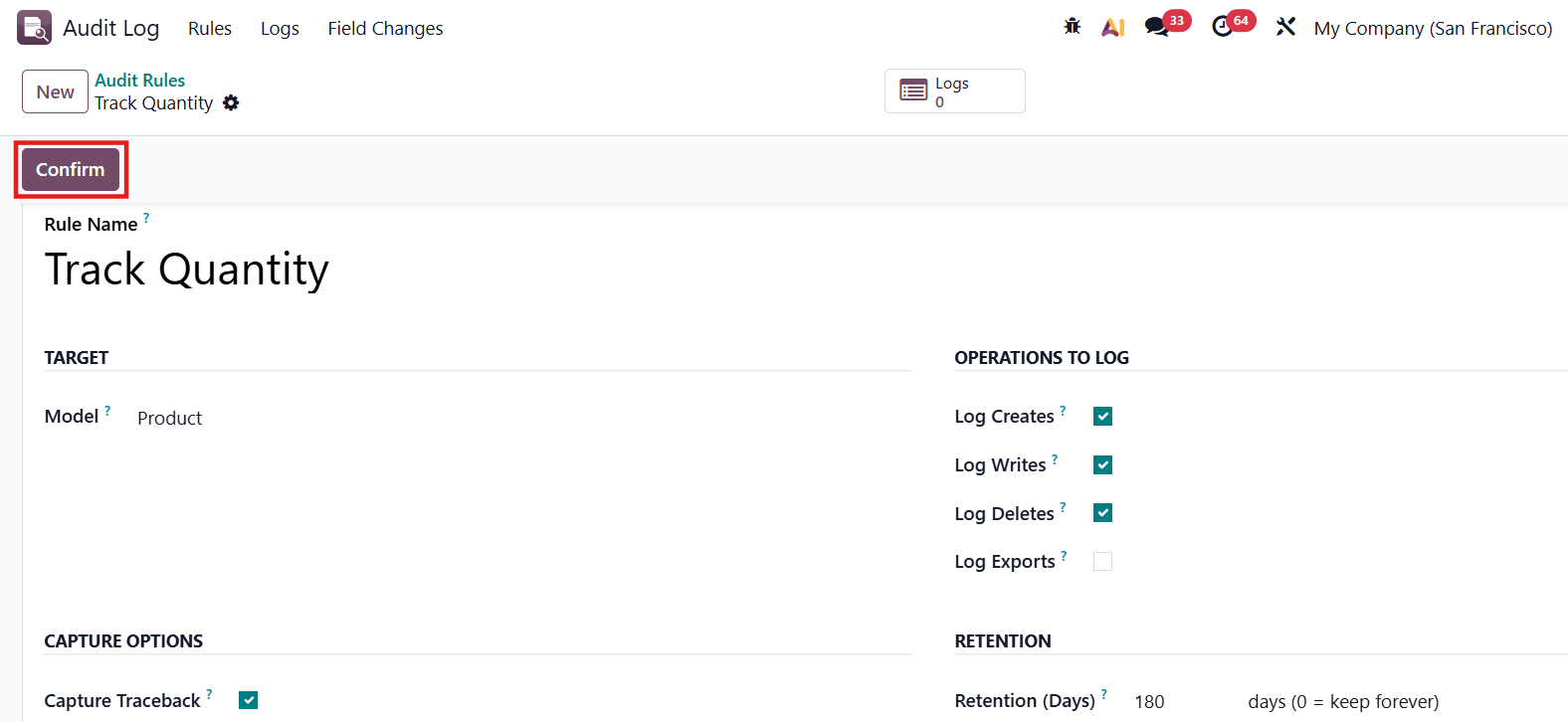
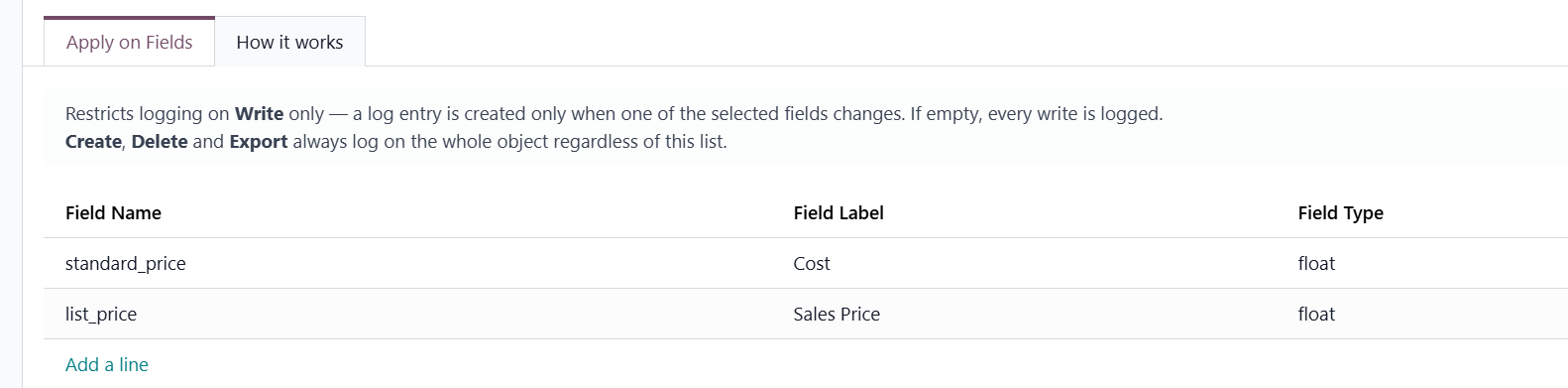
Step 2 - Create an audit rule Navigate to Audit Log application> Click New to create a new rule > Fill all the necessary information and Confirm Key notes when setting up a rule:
|
|
USAGE | |
Once a rule is active, every tracked change generates a log entry recording the modified fields | 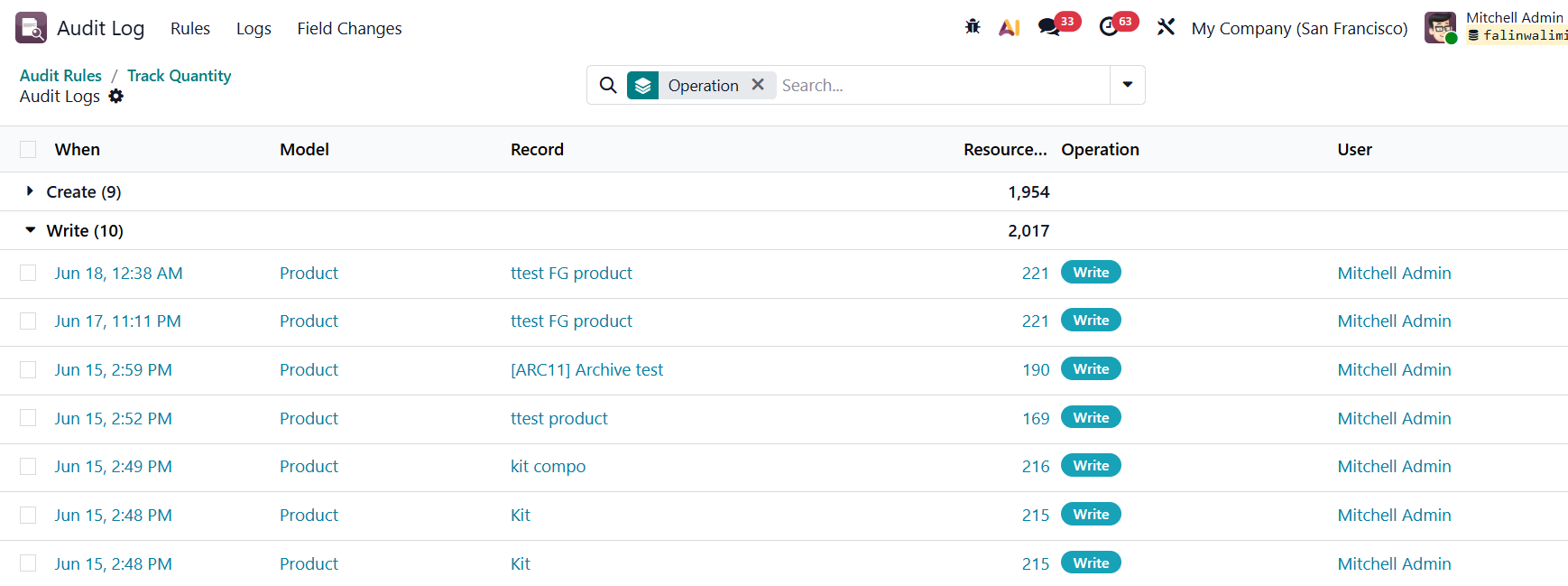 |
We can view the all the detailed changes in the Audit Logs view which shows a summary list with timestamp, model, record name, operation type, the user who performed it and the exact technical field name, description, old value, and new value side by side. | 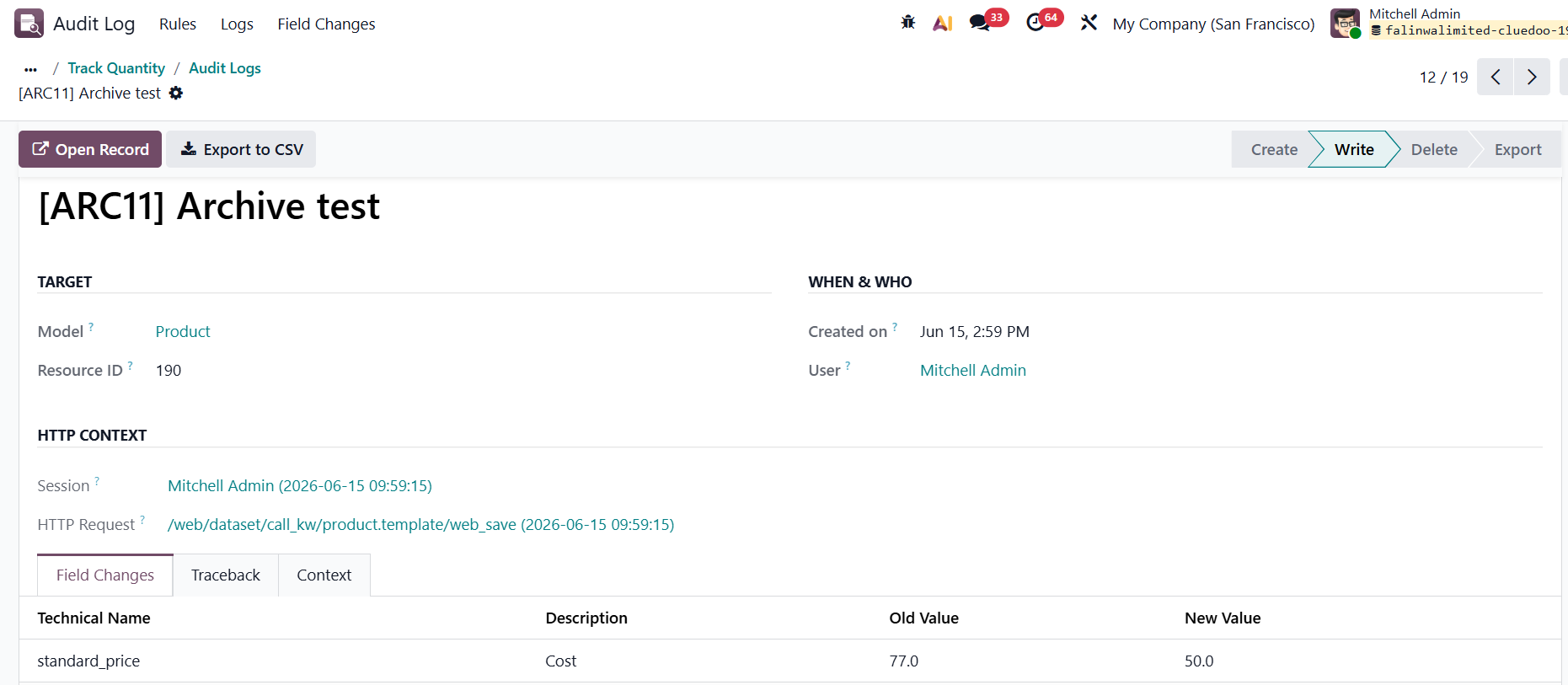 |
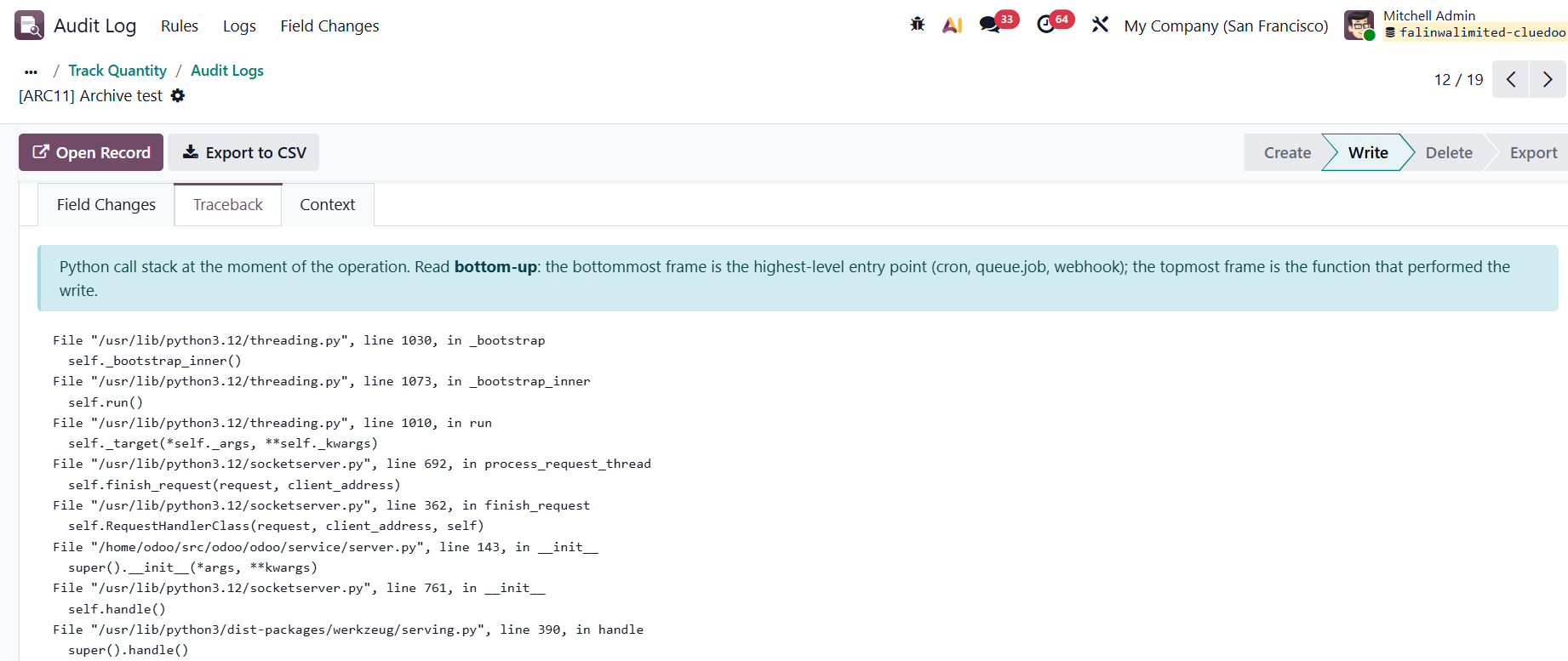
or view the full Python call stack to trace exactly where in the code the operation was triggered. |
|