ODOO'S FUNCTION
Standard Odoo lacks a built-in way to trace user actions when an issue occurs, making it hard to identify who changed what and when.
CLUEDOO'S FUNCTION
CLuedoo equips administrators with a full audit trail — logging every create, write, delete, and export operation performed on data models, complete with Python traceback for deep investigation.
CONFIGURATION | |
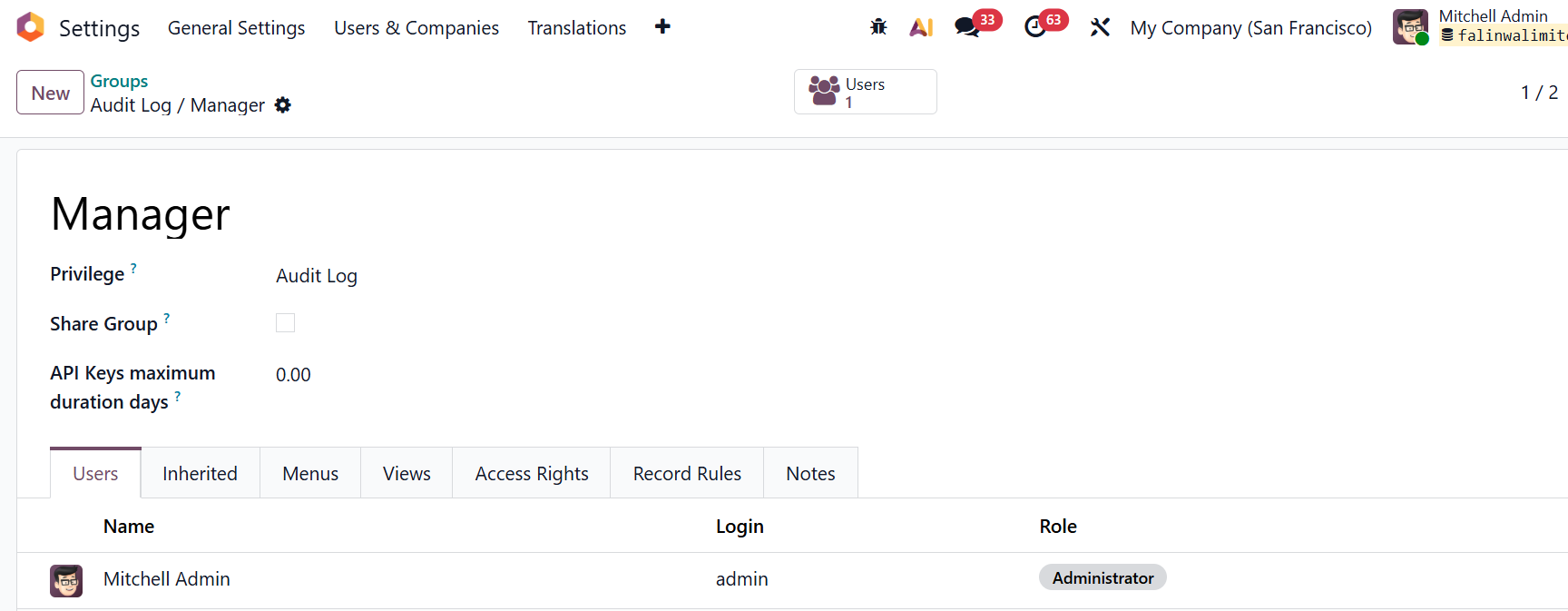
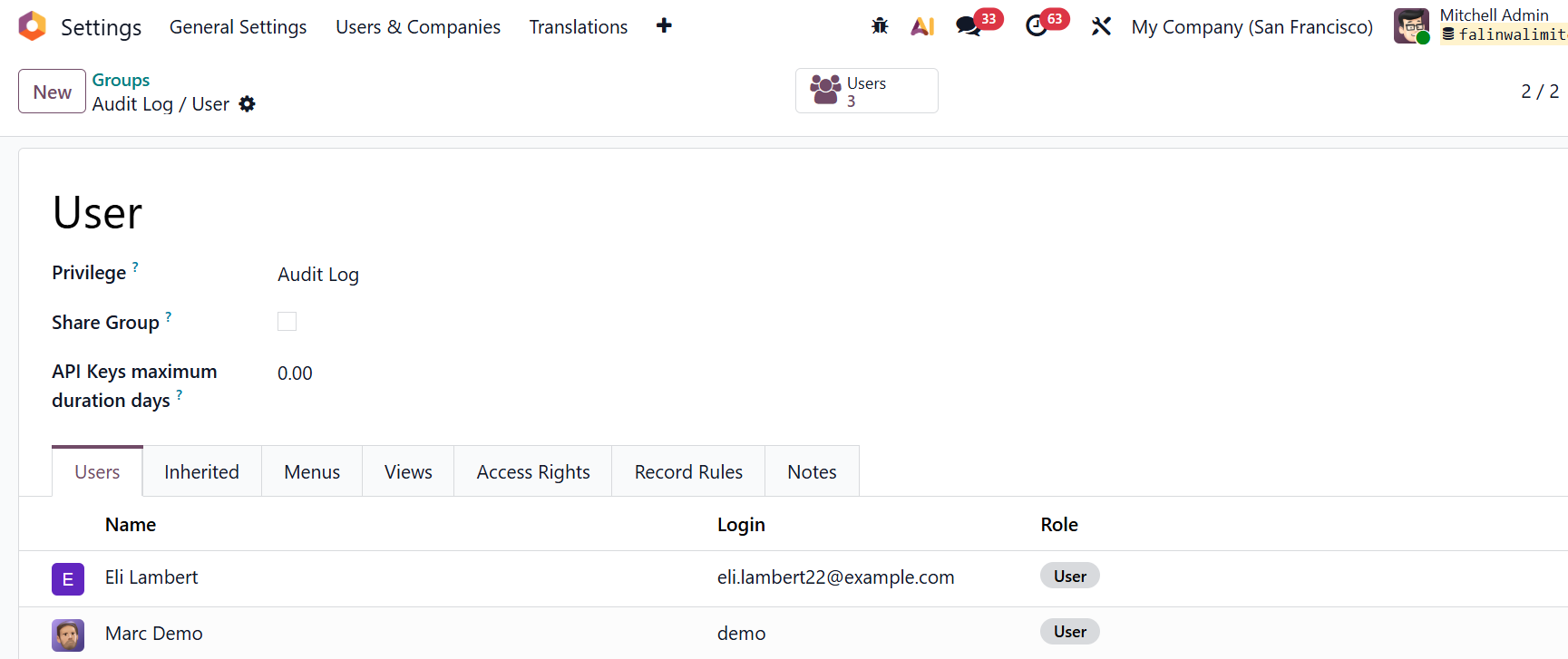
Step 1: Assign user groups Go to Settings > Users & Companies > Groups > You can see 2 groups for Audit Log:
Add the relevant users to each group accordingly. |
|
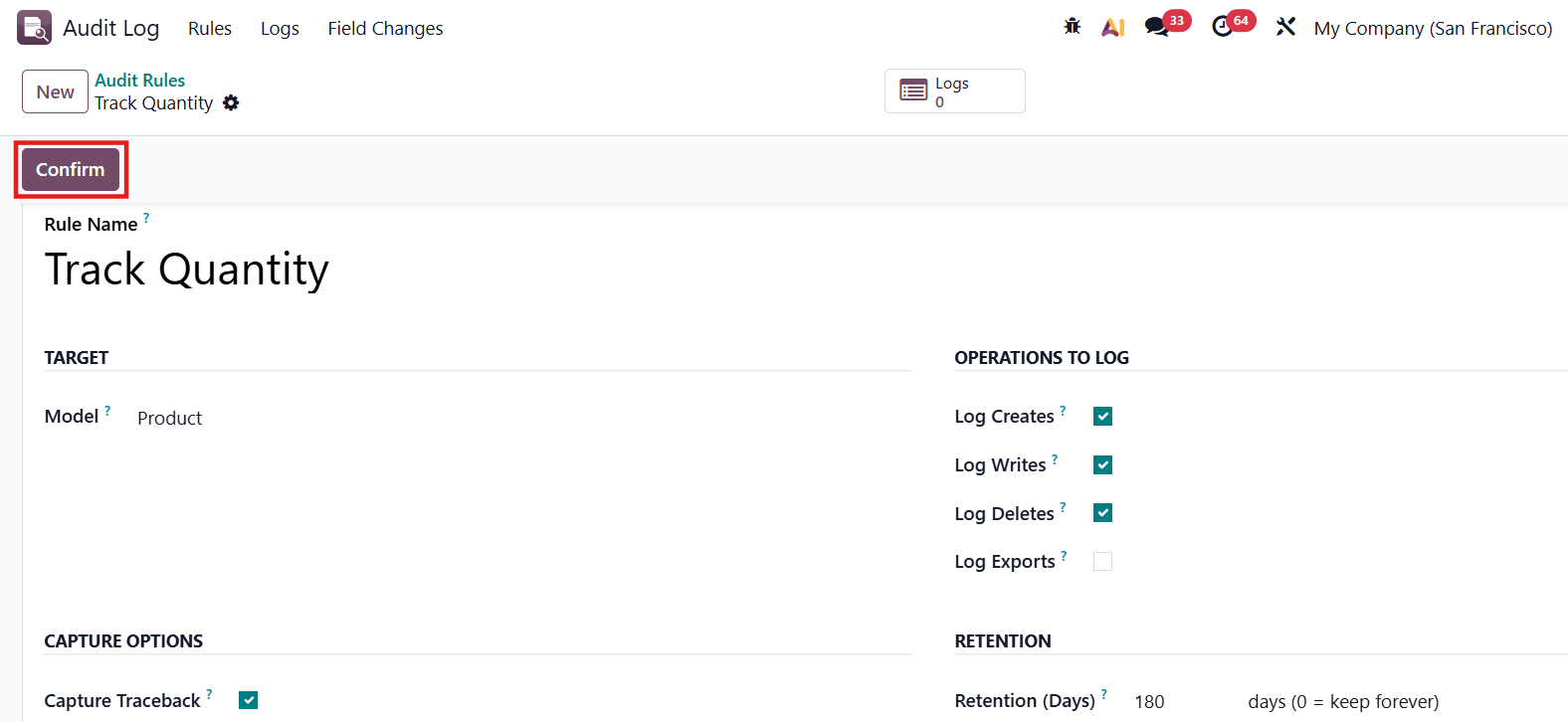
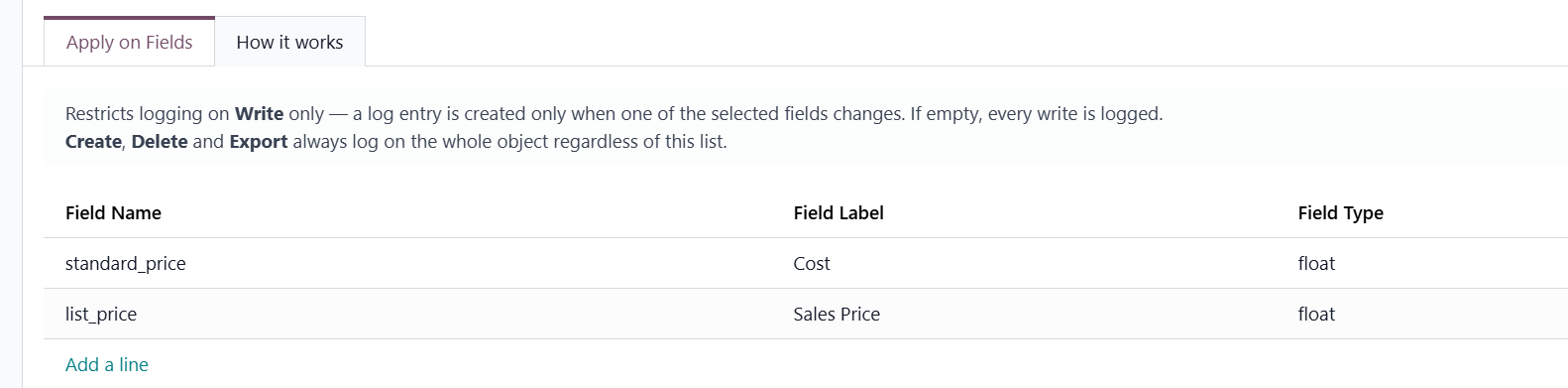
Step 2 - Create an audit rule Navigate to Audit Log application> Click New to create a new rule > Fill all the necessary information and Confirm Key notes when setting up a rule:
|
|
USAGE | |
Once a rule is active, every tracked change generates a log entry recording the modified fields | 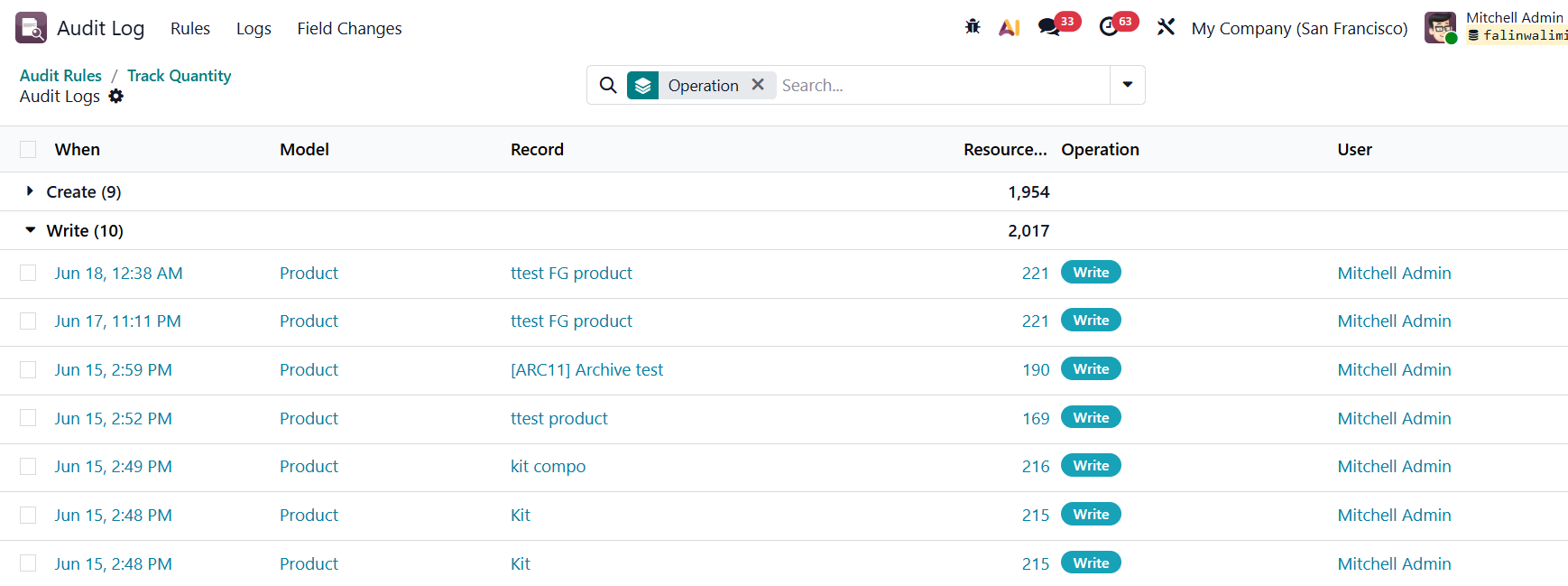 |
We can view the all the detailed changes in the Audit Logs view which shows a summary list with timestamp, model, record name, resource ID, operation type, the user who performed it and the exact technical field name, description, old value, and new value side by side. | 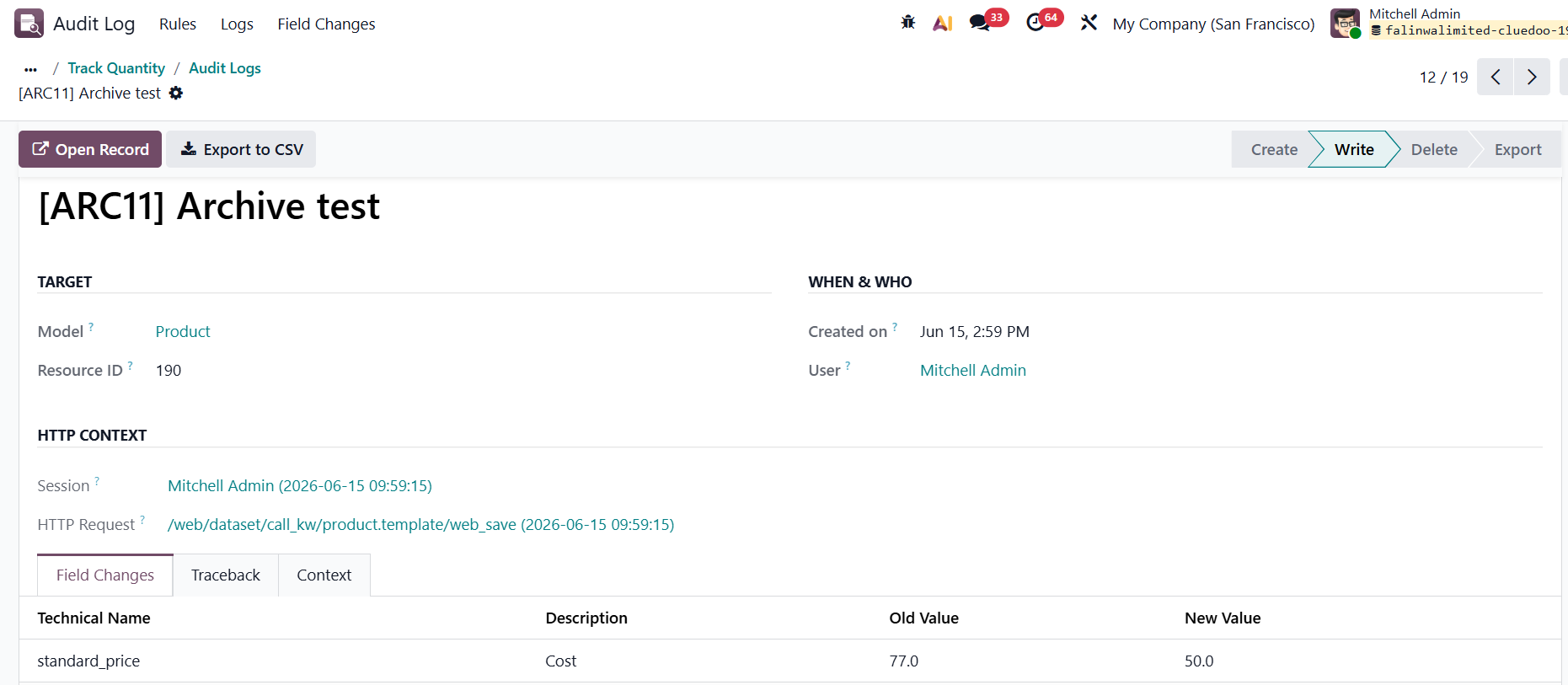 |
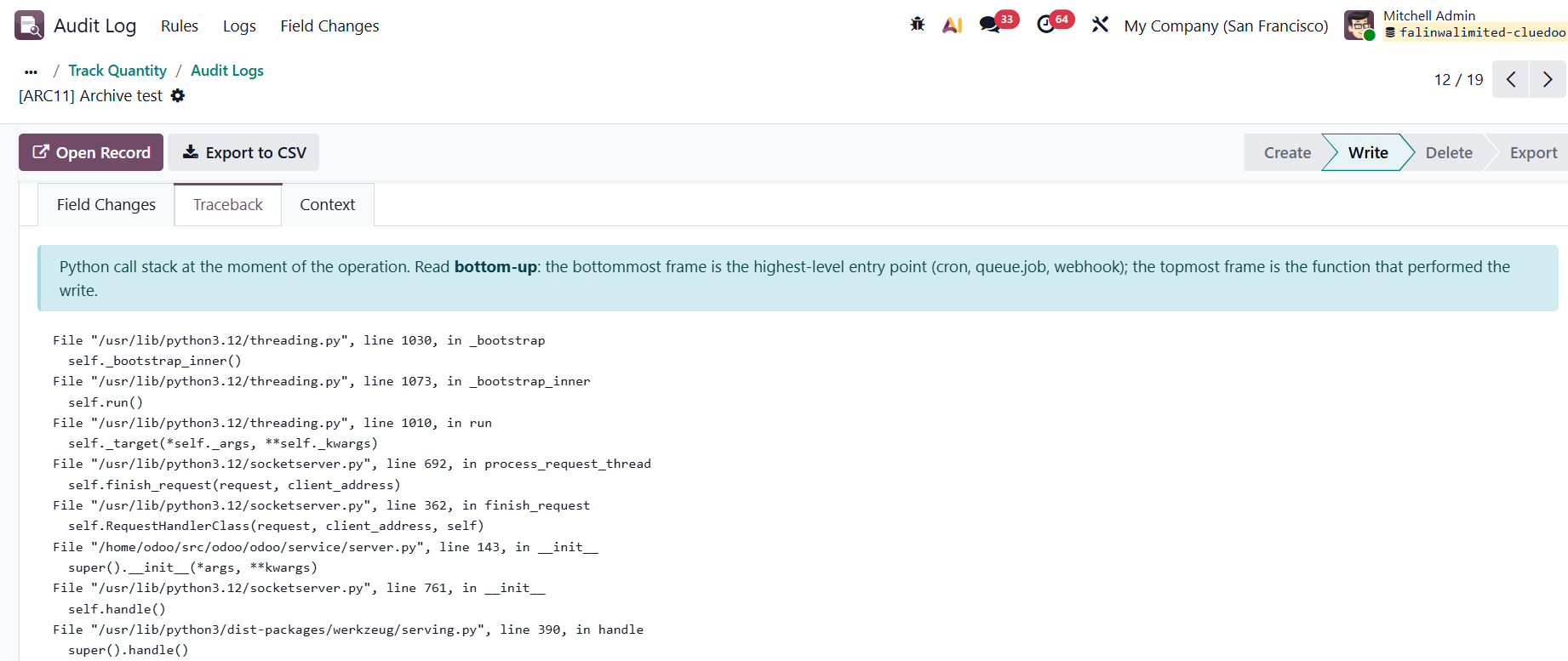
or view the full Python call stack to trace exactly where in the code the operation was triggered. |
|