



ODOO'S FUNCTION
In Odoo, when the Operation Type of a Product is set by both creating new and using existing Lot/Serial Numbers, the system permits users to modify the Expiration Date for both of them. This lack of restriction creates a risk, as users can accidentally overwrite the established expiration date of an existing product during a routine transfer.
CLUEDOO'S FUNCTION
Cluedoo enhances expiration date management by introducing:
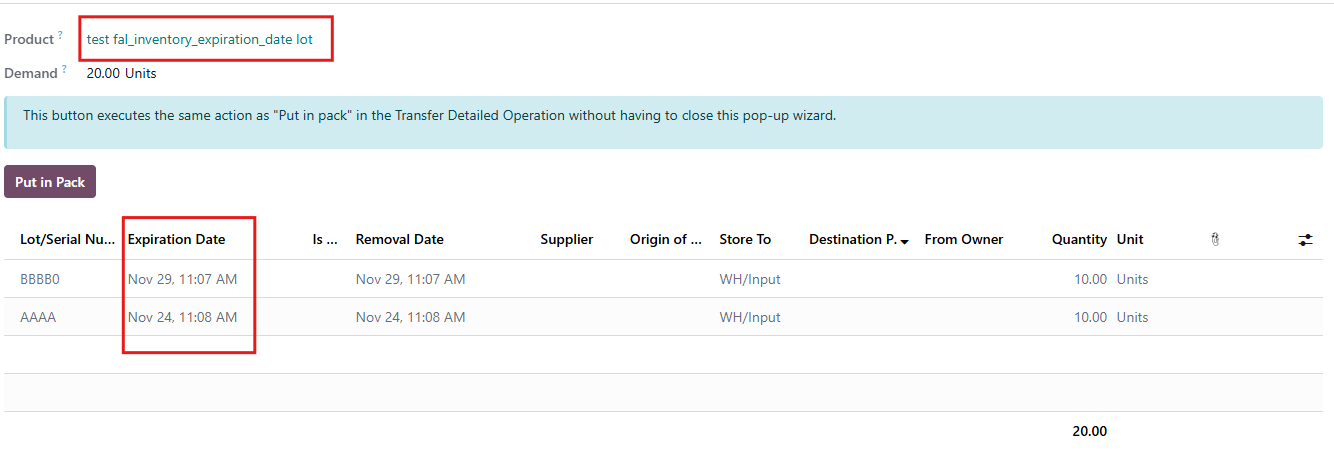
1️⃣ The ability to edit the Expiration Date only when creating a New Serial Number.
2️⃣ A Read-only restriction on the Expiration Date when selecting an Existing Serial Number (forcing inheritance of the original date).
This allows users to correctly assign dates to new incoming stock while protecting the data integrity of existing inventory, ensuring that established expiration dates cannot be accidentally altered during transfers.
1. On Settings > Inventory Ticked Lots & Serial Numbers and Expiration Dates | 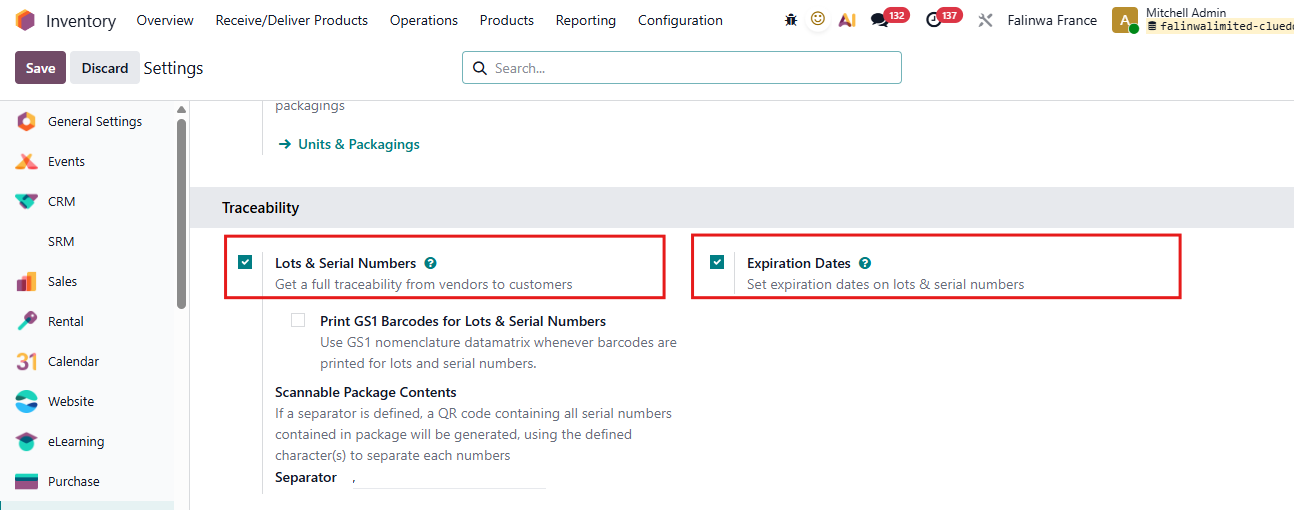 |
2. Go to Inventory > Product Choose or Create a Product (which is tracked by Lot/Unique Serial Number) On Product Inventory Field > Traceability Tick Expiration Date Then field Date appears | 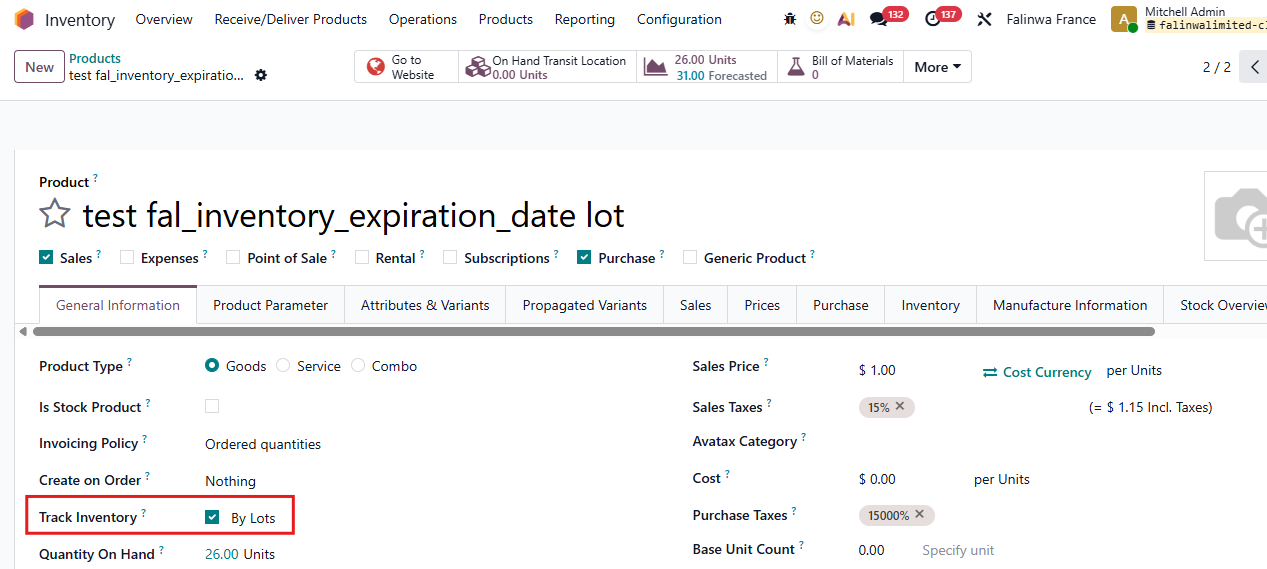 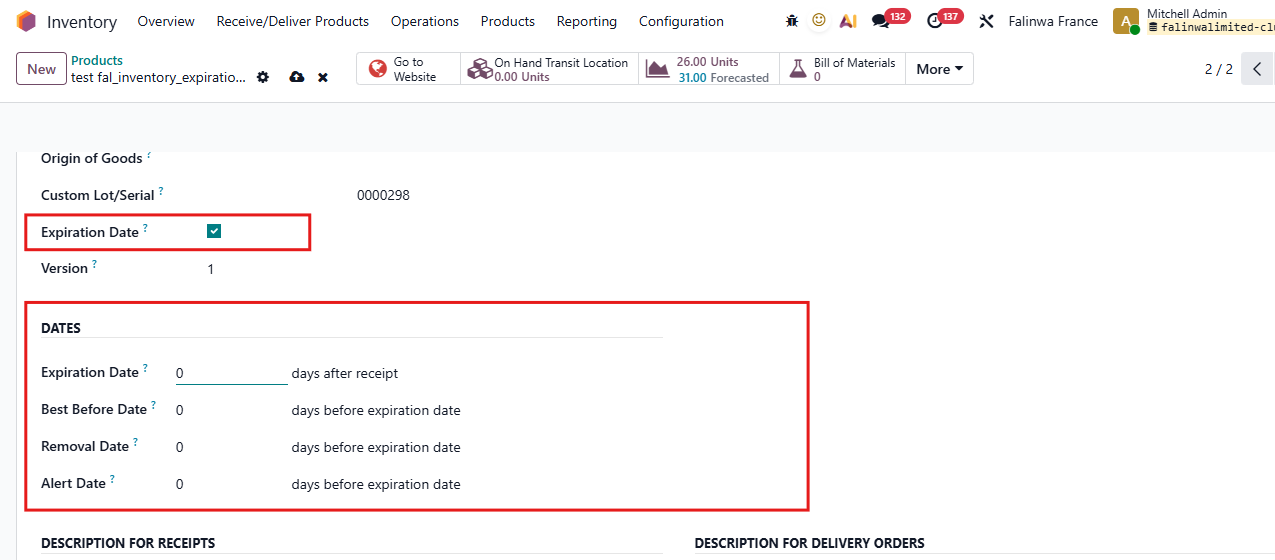 |
3. Fil the Expiration Date For example, 5 days | 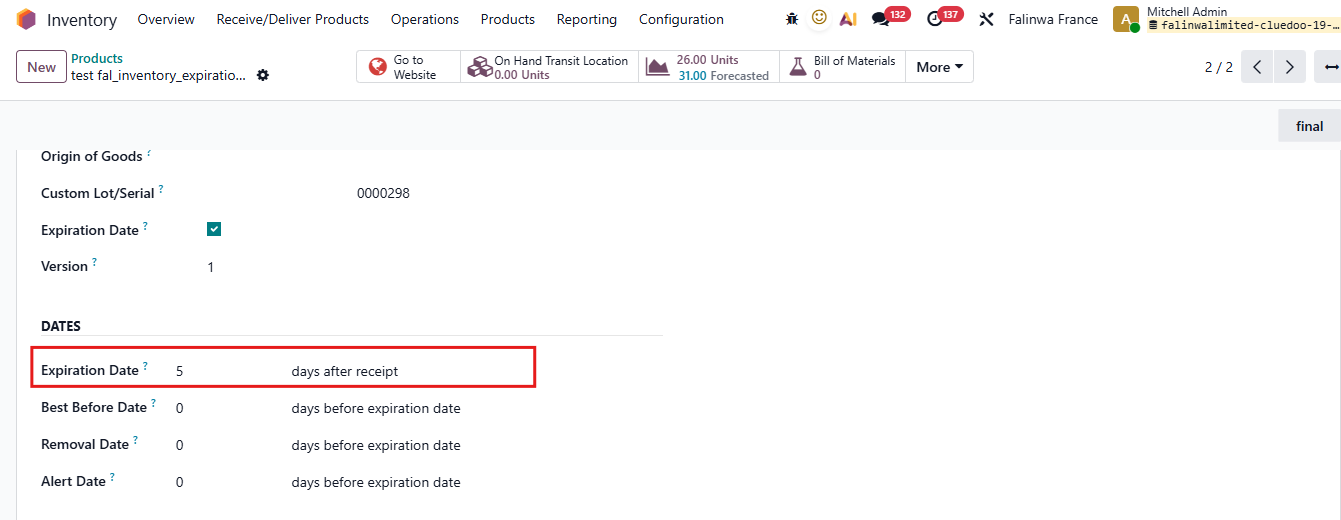 |
4. Create new Receipts with the product that you set up Click View | 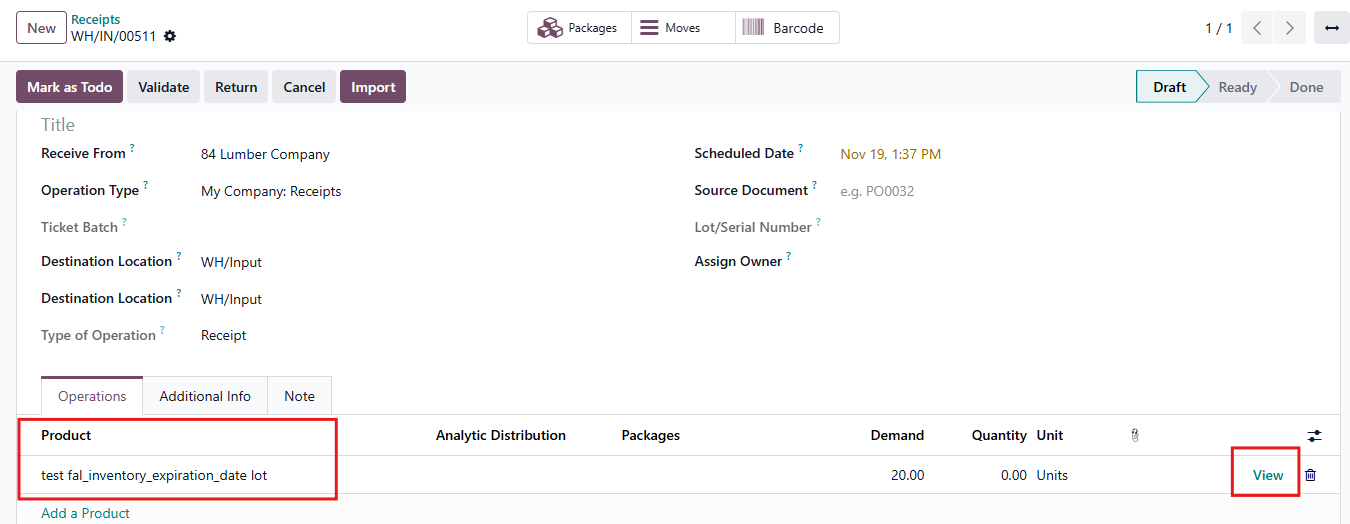 |
5. In Operations, assign new Lot/Serial numbers or Choose existing one There are 2 cases:
For example,
|  |