


ODOOの機能
Odoo では、backorder を作成する際、ユーザーは Transfer で直接作成するオプションがなく、ウィザードでの作業に時間がかかり、ナビゲートが困難になります
CLUEDOOの機能
CLuedoo では、ユーザーがウィザードを通じて backorder の数量を直接入力したり、エクスポート/インポートを通じて backorders に数量を一括入力したりできるため、一括管理および更新が容易になります。さらに、CLuedoo は stock.picking のパッケージウィザードを拡張して backorder 作成をサポートし、Excel から Odoo に backorder データを直接コピー&ペーストすることを容易にします。
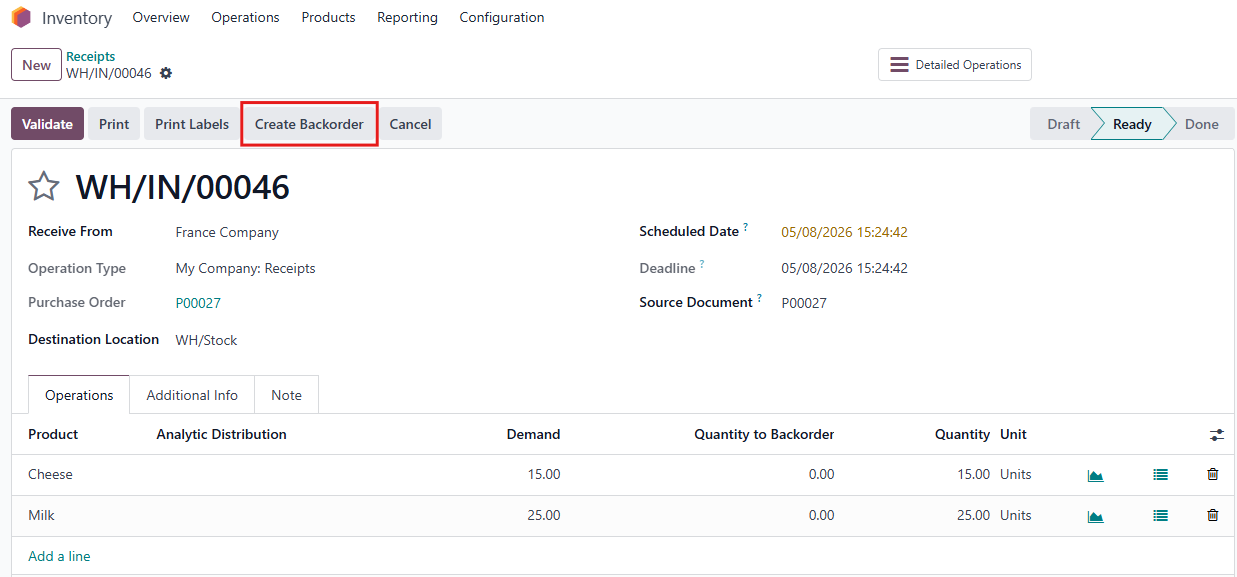
1. 複数の製品で Purchase Order を作成 > PO を Confirm > Receipt スマートボタンをクリック | 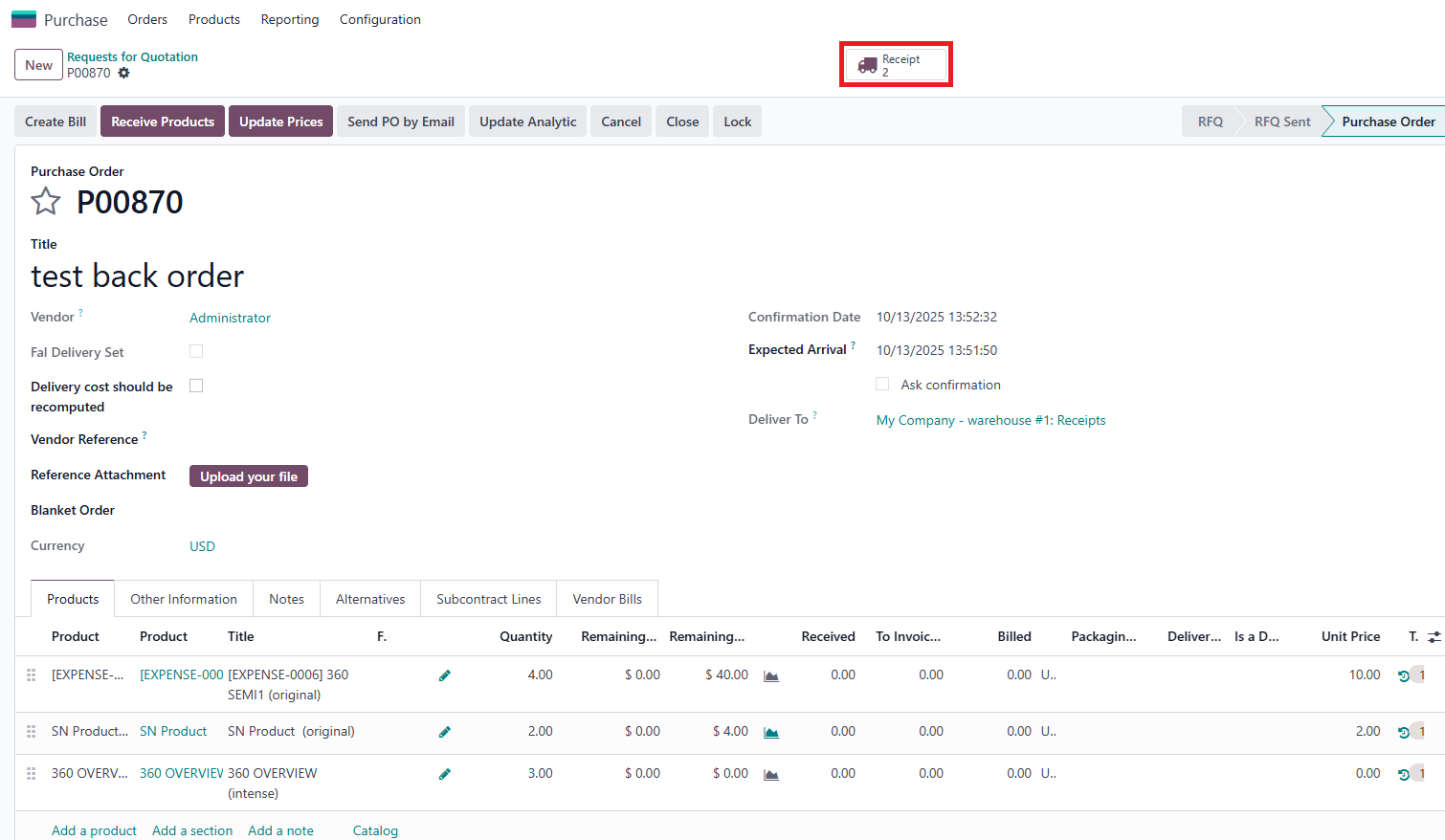 |
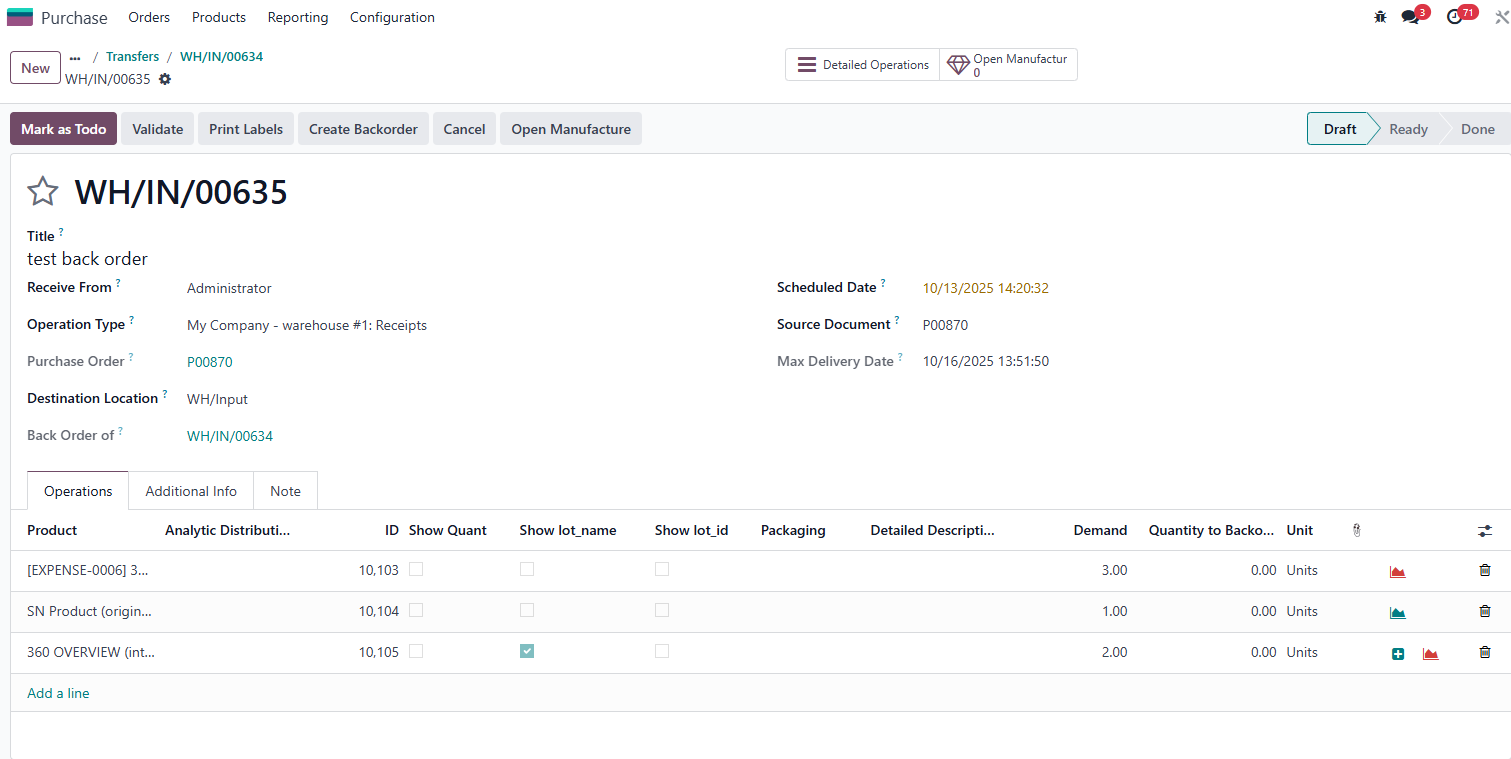
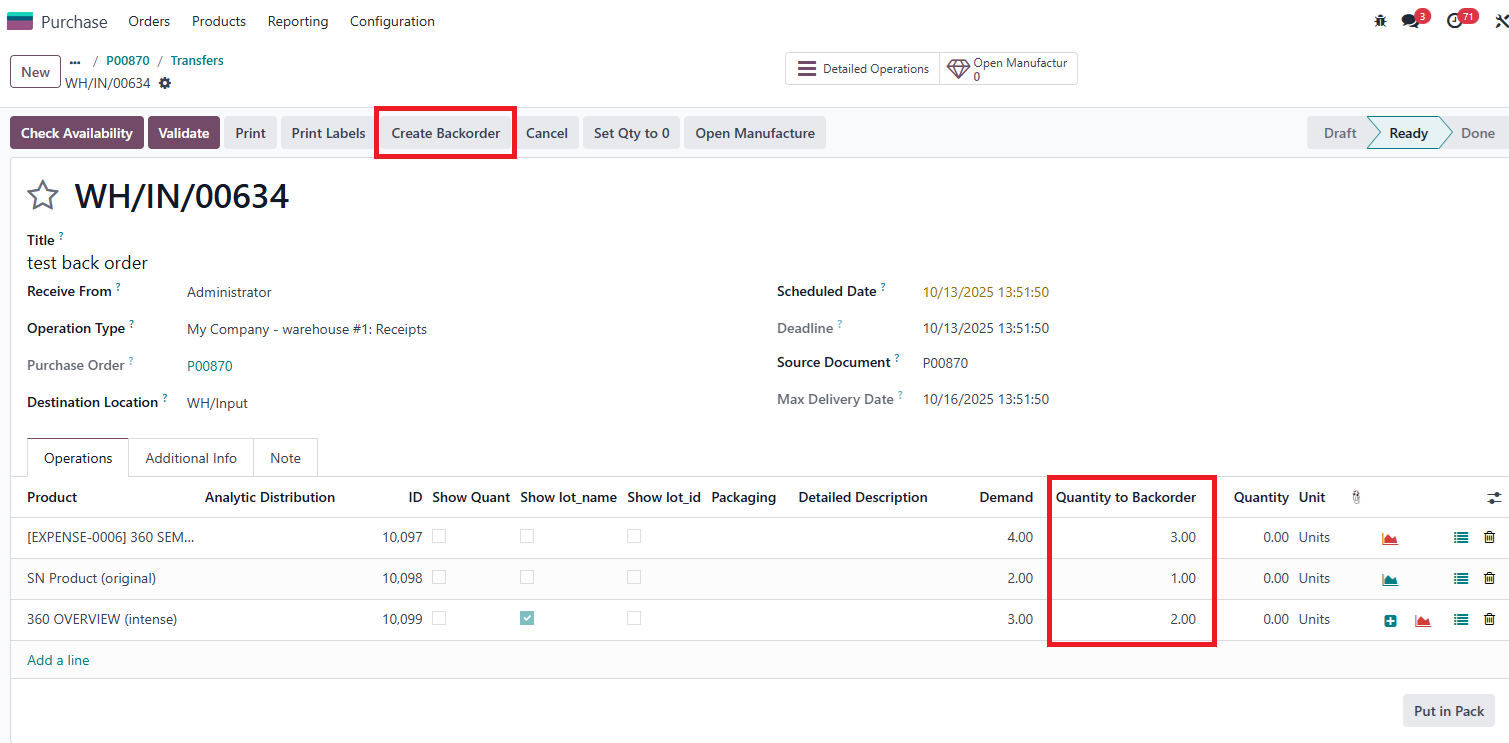
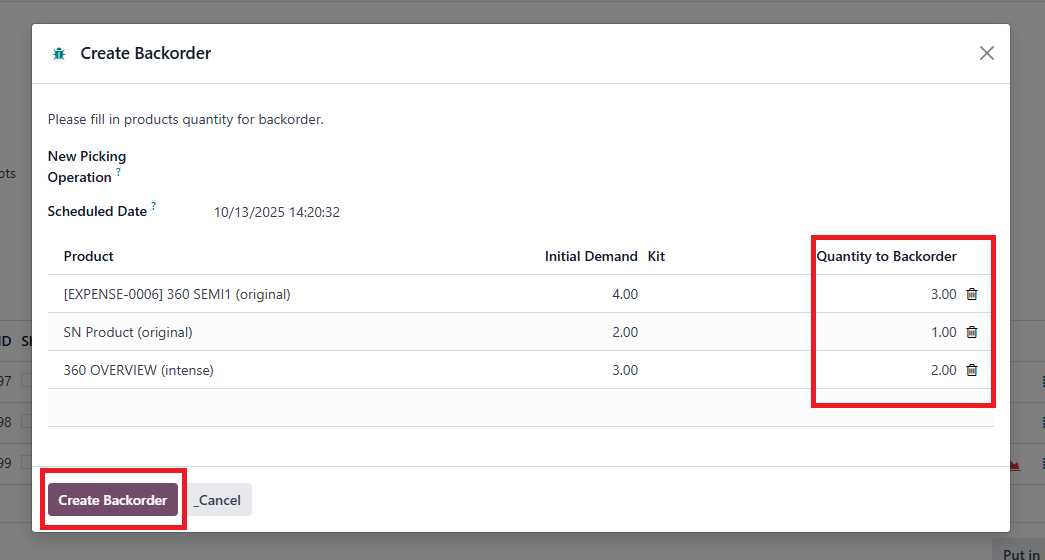
2. Create Backorder ボタンをクリックし、Wizard で Backorder 数量を入力 > Create Backorder をクリック | 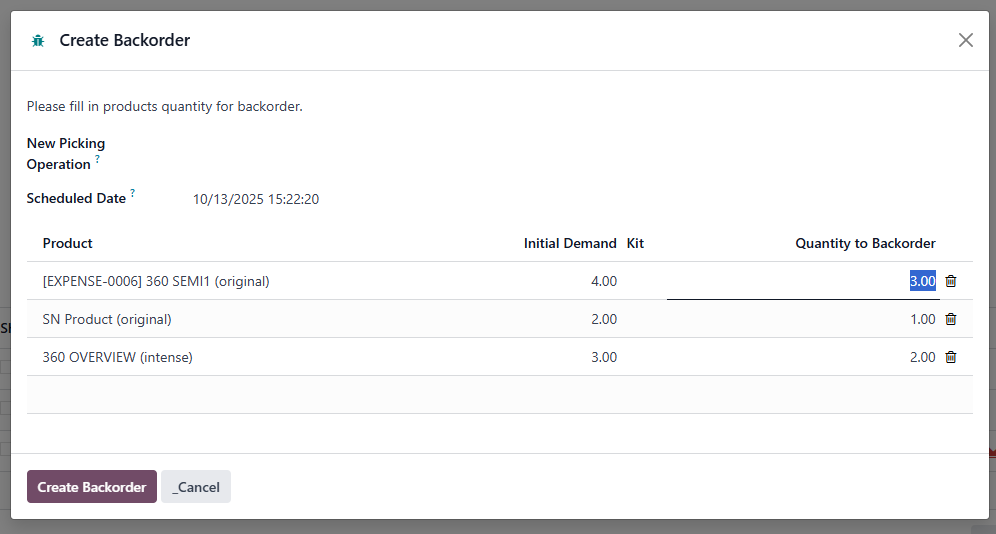 |
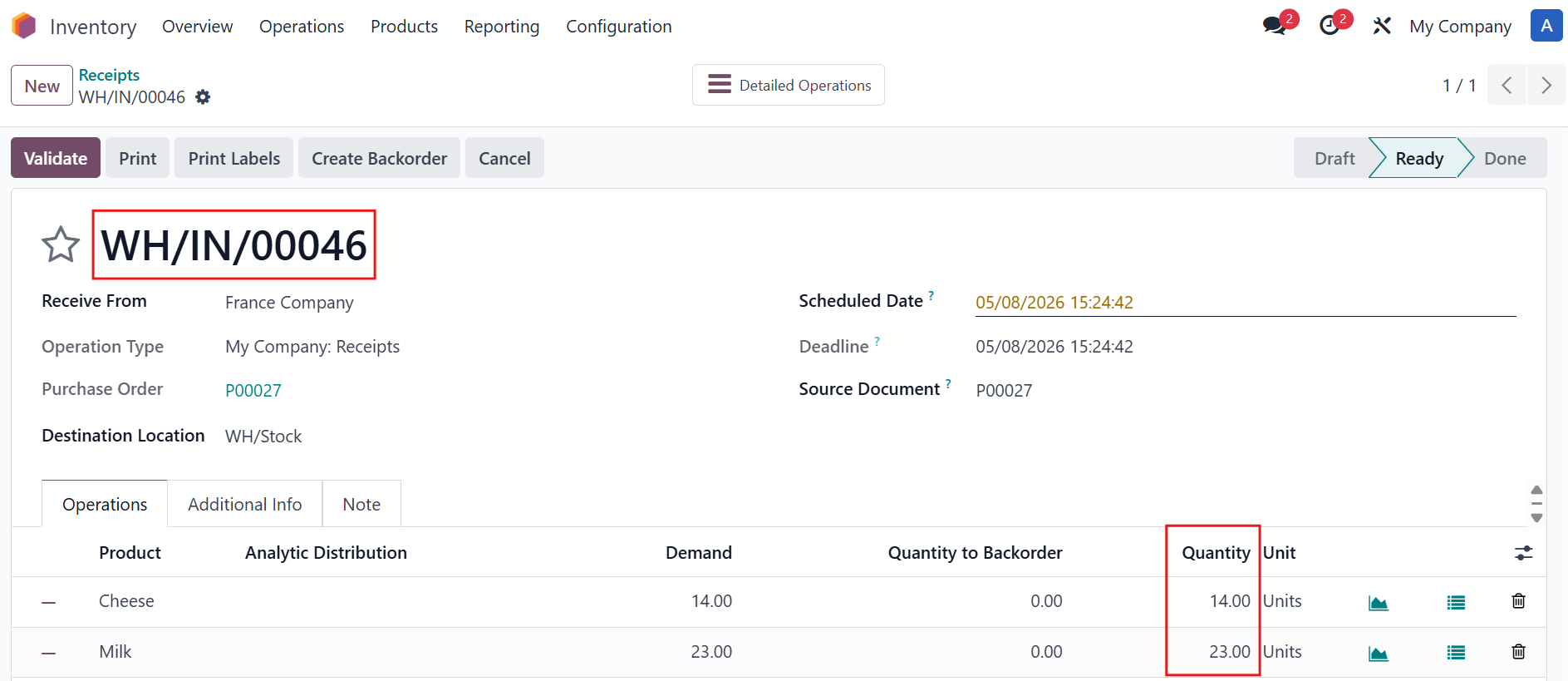
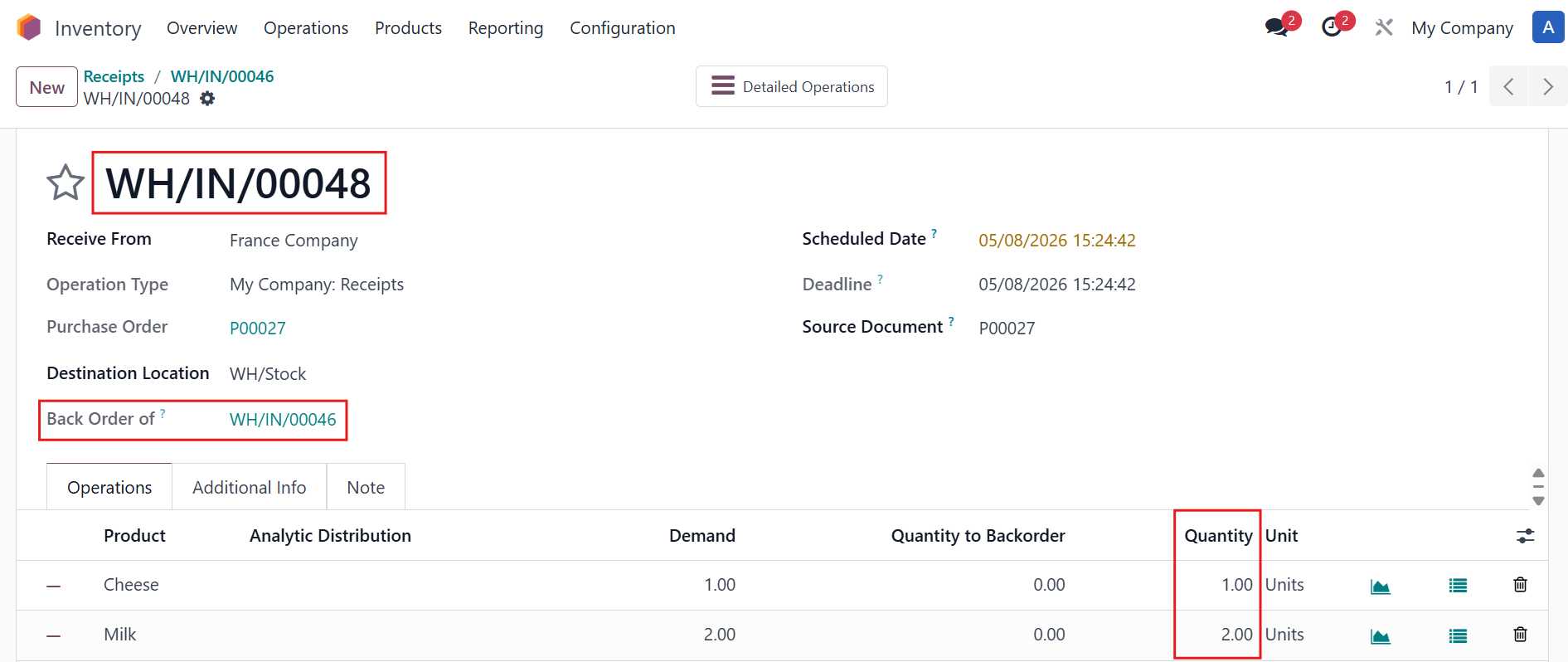
3. 新しい Backorder が作成され、chatter でその番号を見つけることができます 現在のもの(元の transfer)の数量も更新されます | 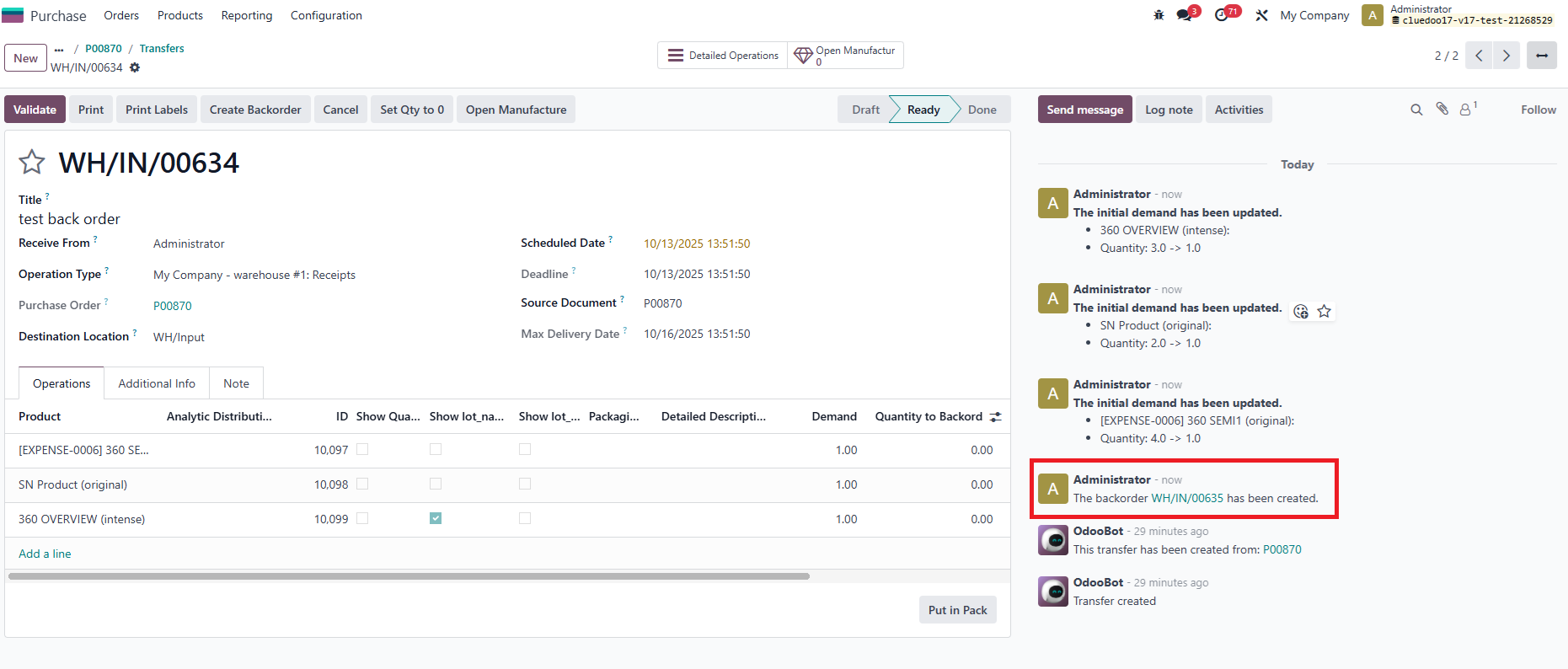 |
結果: |
|
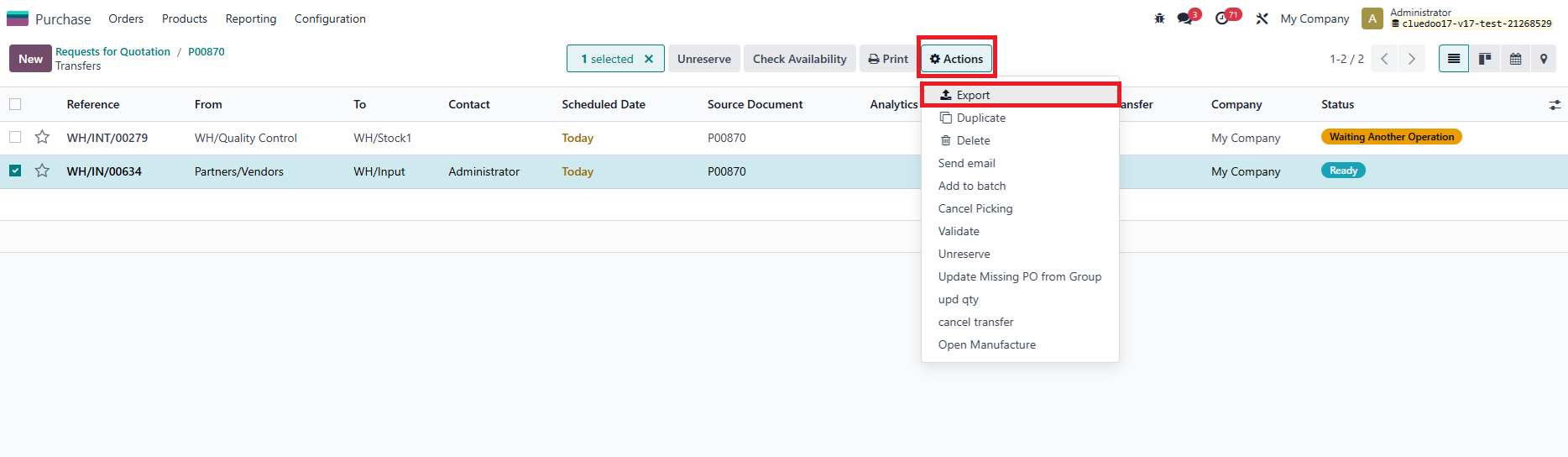
Backorder 数量の一括インポート 1. Transfer を選択し、Actions ボタンをクリック > Export |
|
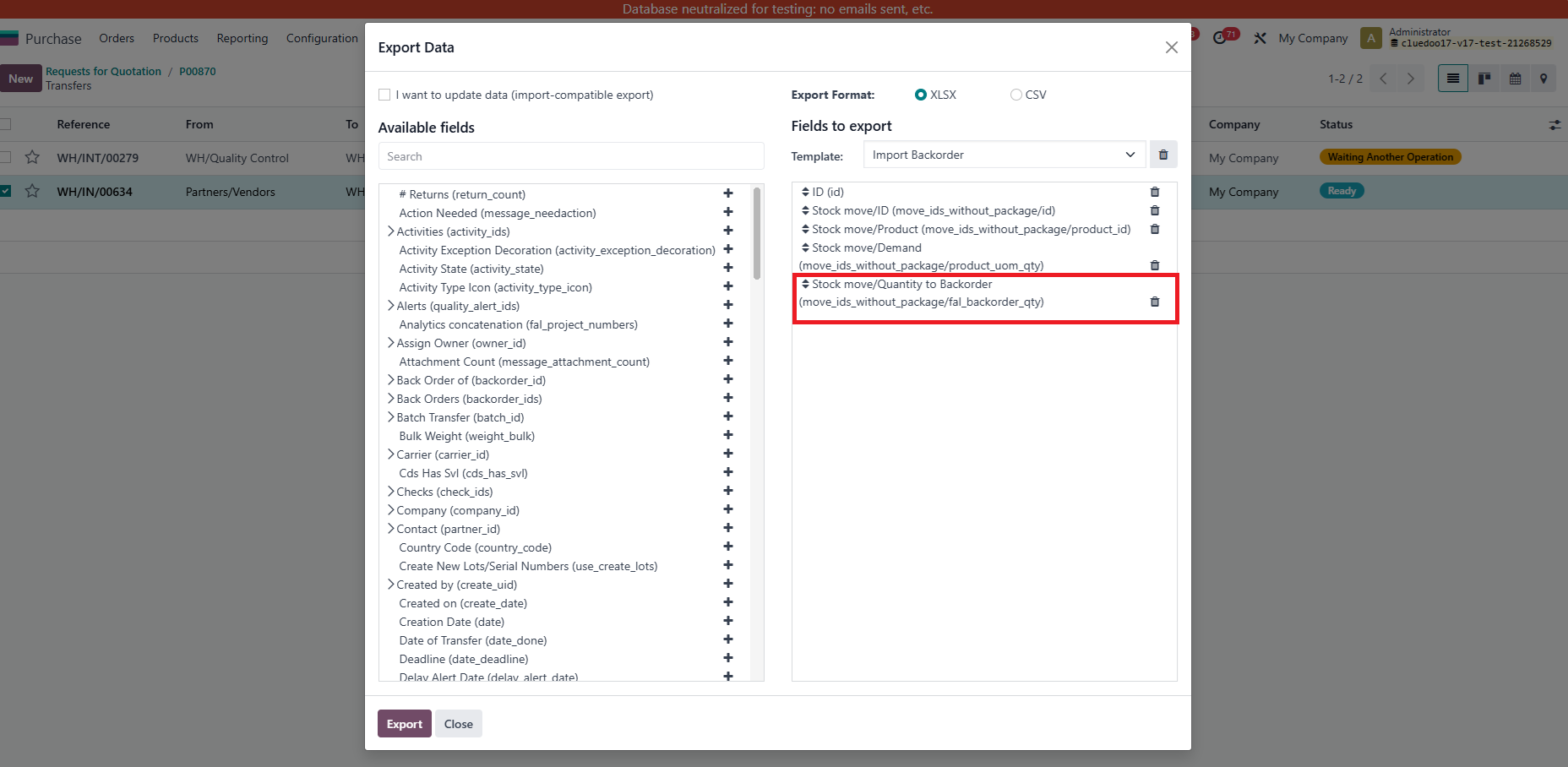
2. Create a new export template or use your existing one but add in new field Stock move/Quantity to Backorder (move_ids_without_package/fal_)backorder_qty) Export をクリック |
|
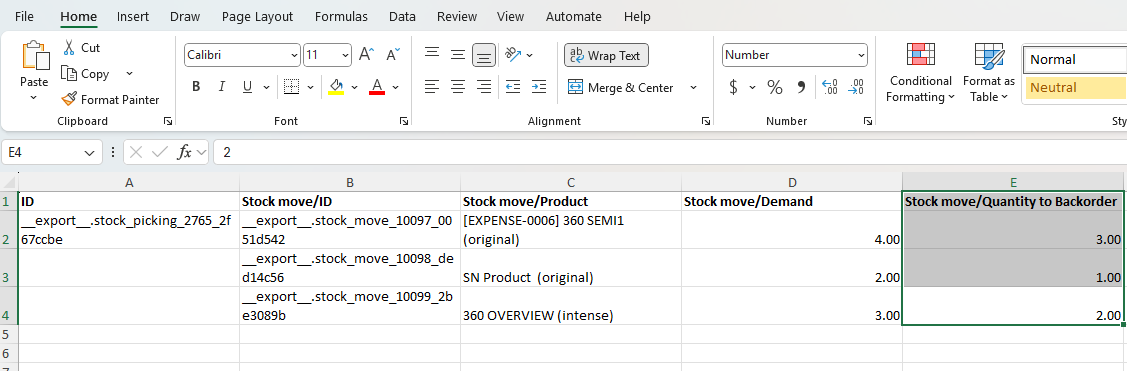
3. ダウンロードした Excel ファイルレポートで、Back order に数量を入力します |
|
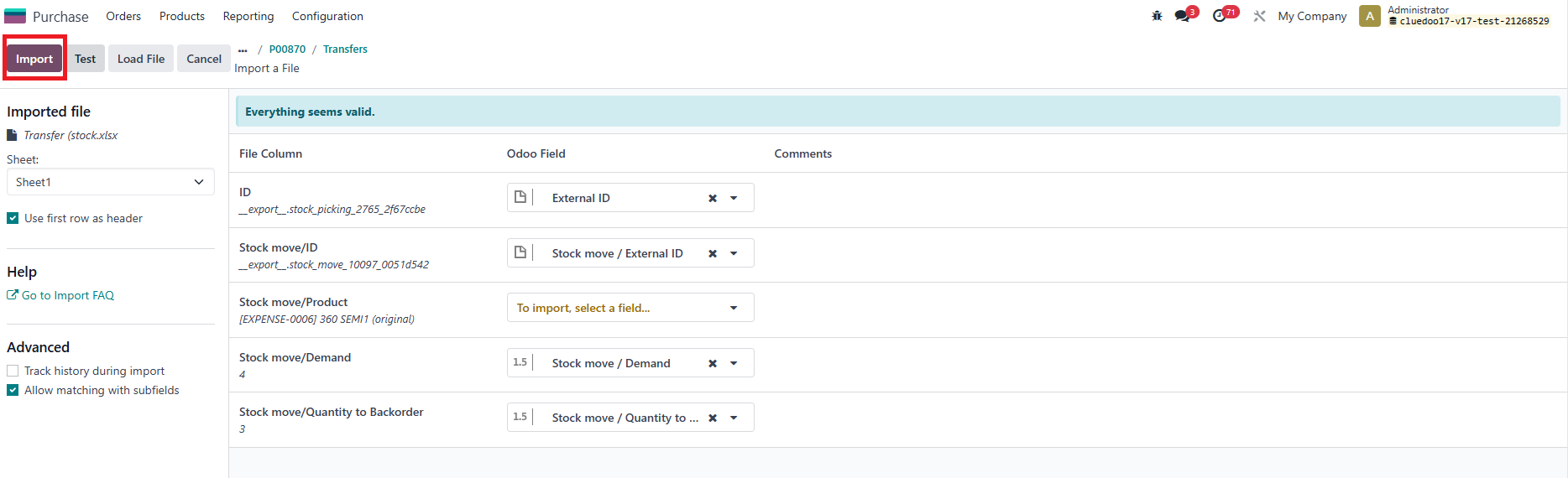
4. Back to Receipt > Import records > Upload the edited Excel file > Import |
|
5. You can see all the Quantity to Backorder is now filled > Click on Create Backorder |
|
6. In the wizard, the Quantity to Backorder is also filled > Click on Create Backorder |
|
7. 新しい Backorder が作成され、chatter でその番号を見つけることができます 現在のもの(元の transfer)の数量も更新されます |
|
結果: |
|
EXCEL から ODOO へ BACKORDER の内容をコピー | |
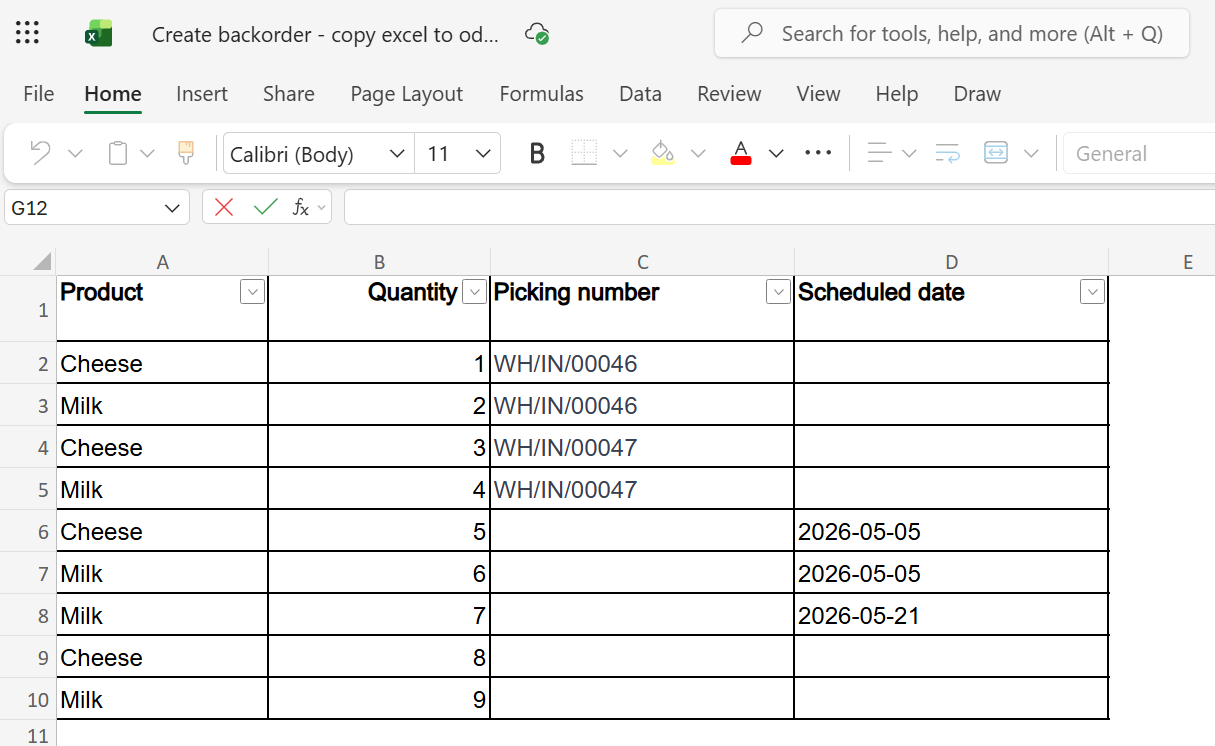
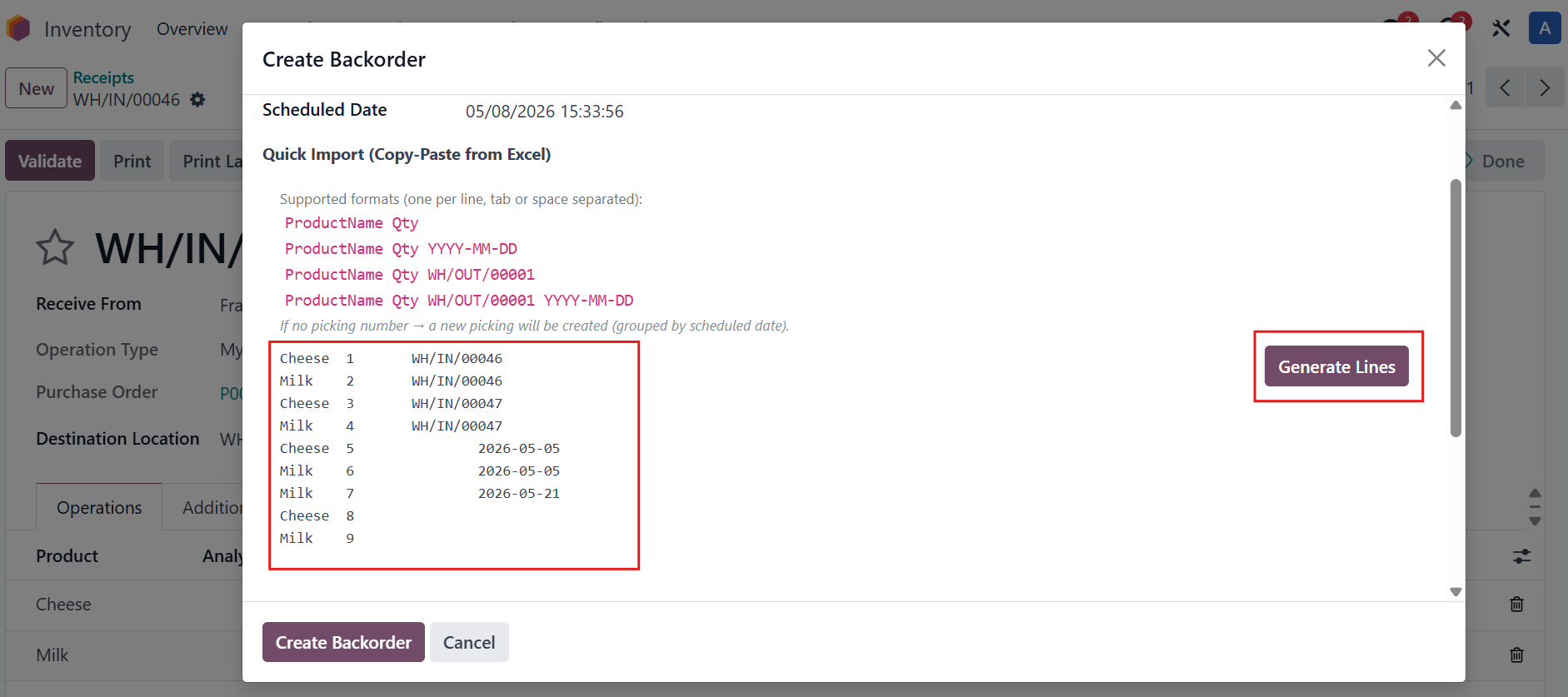
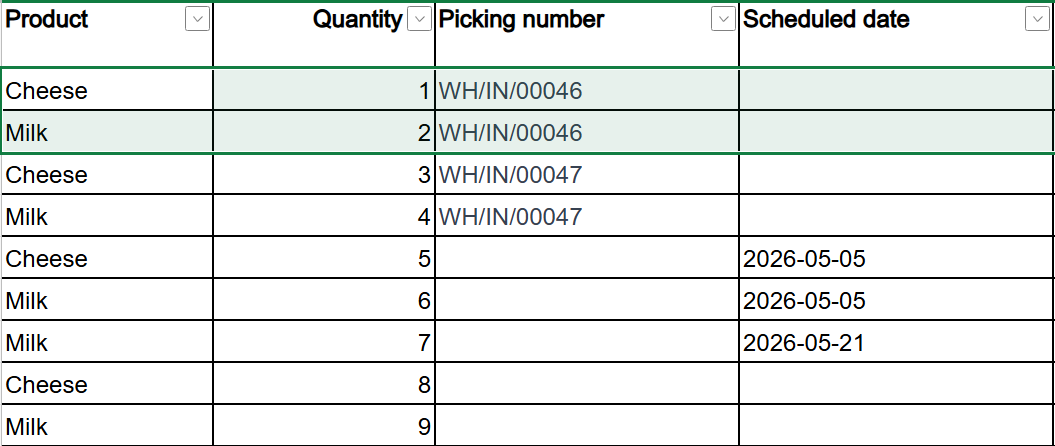
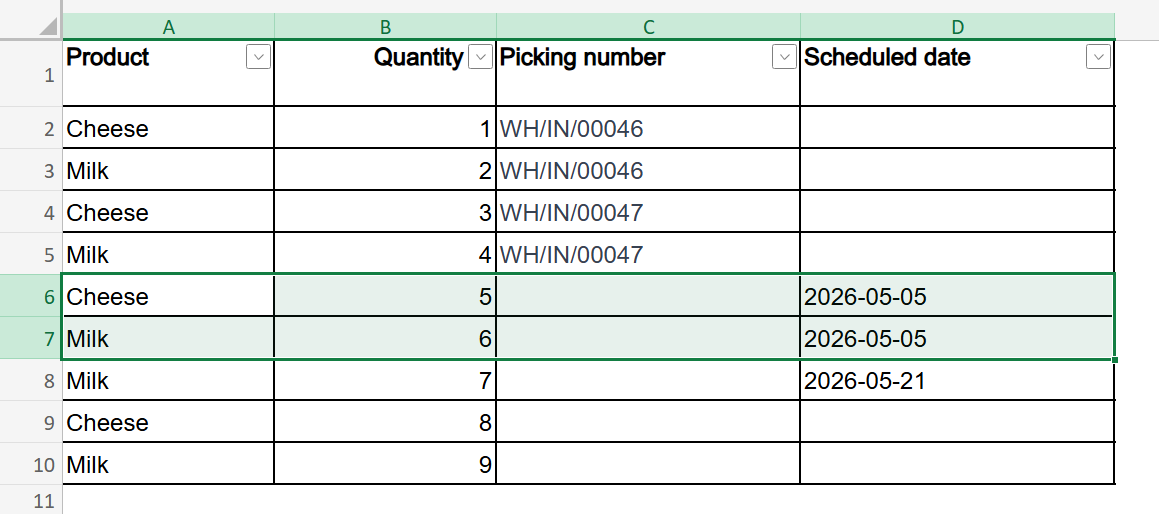
例えば、製品、数量、Picking 番号、Scheduled Date の列を含む backorder 情報の Excel ファイルがあるとします。 |
|
まだ完了していない(Done 状態ではない)transfer を開き、Create Backorder をクリックします。 |
|
In the wizard that opens, copy the data from your Excel file and paste it into the Quick Import field. Then click Generate Lines to parse the data. |
|
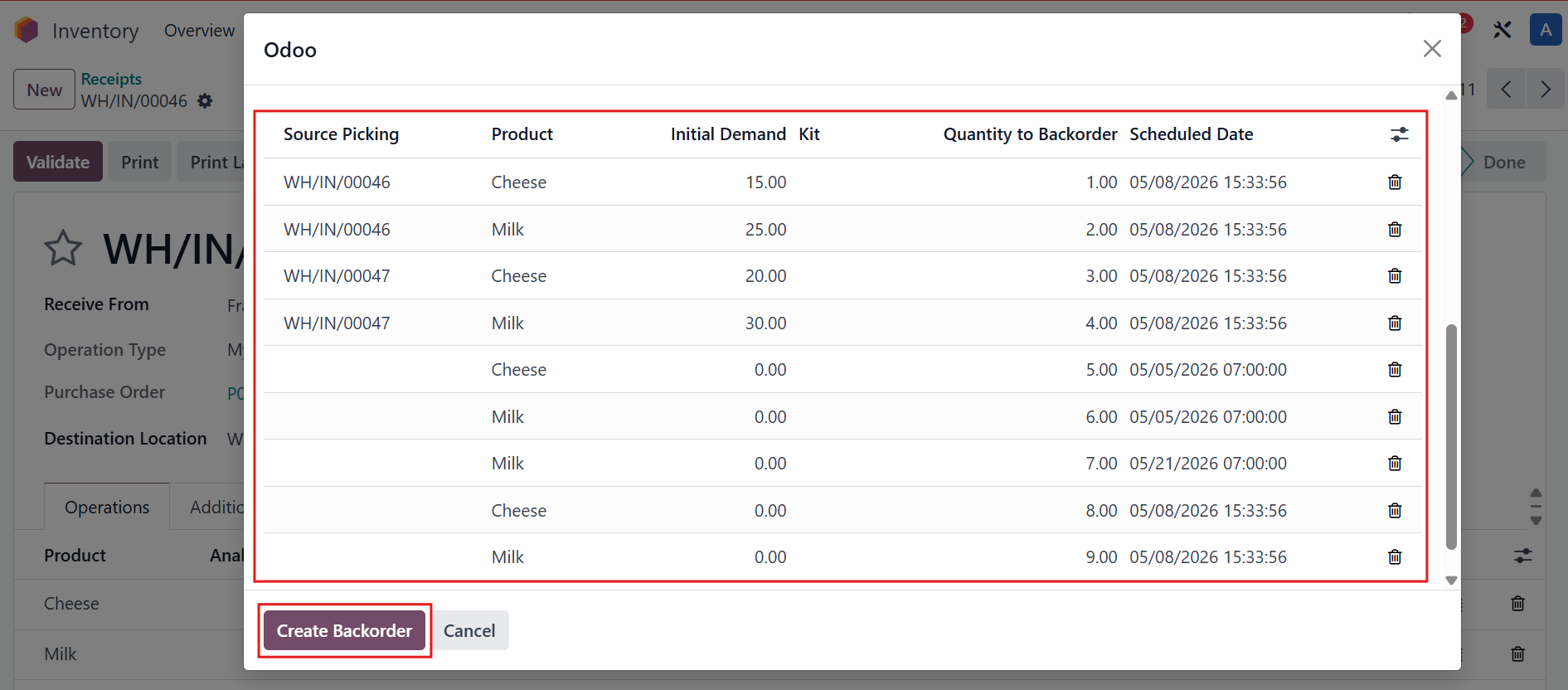
システムはすべてのインポート情報を表示します > 詳細を確認し、Create Backorder をクリックして確定します。 |
|
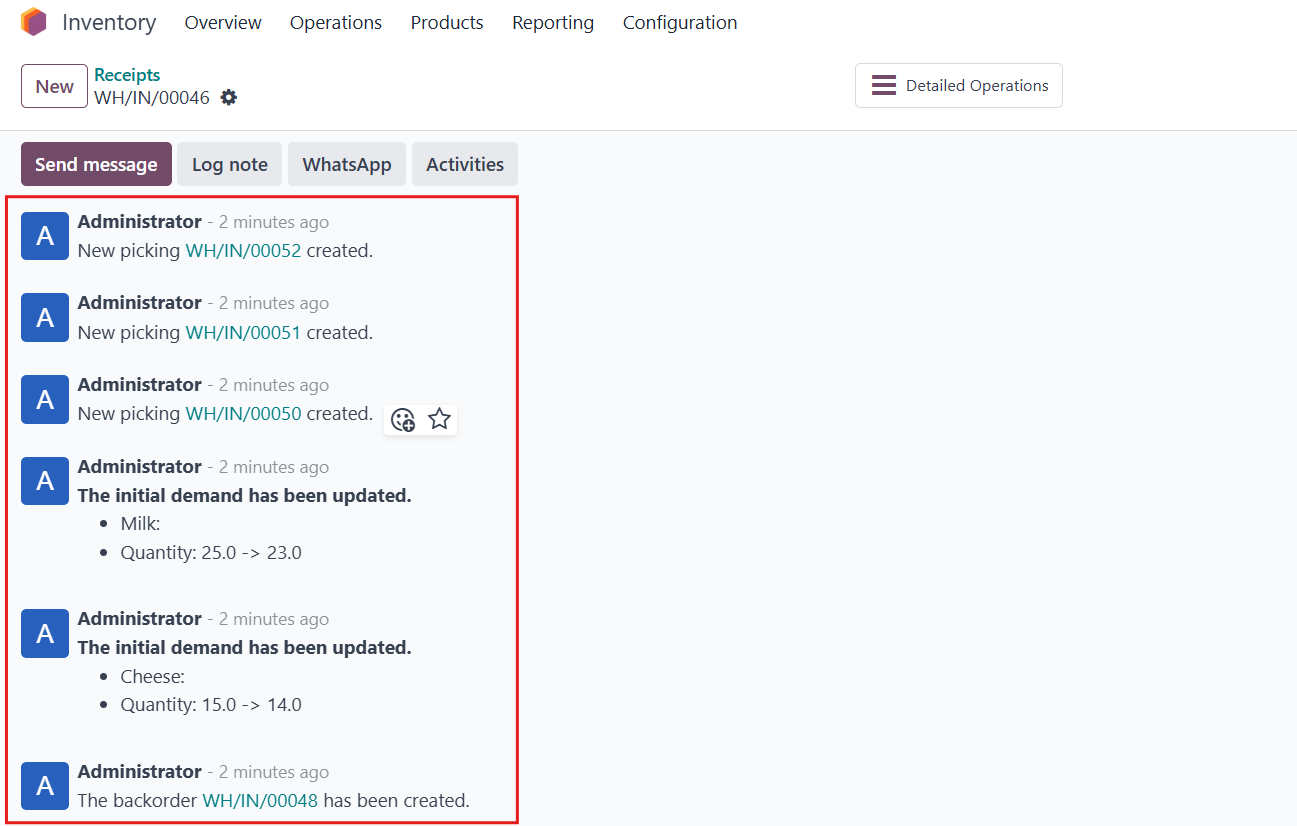
The newly created backorders and pickings are also logged in the chatter for easy tracking. 注意:
|
|
例えば、WH/IN/00046 の数量は 元の数量から backorder 数量を引いたもの に更新されます。
At the same time, WH/IN/00048 is automatically created as a backorder of WH/IN/00046. |
|
New picking WH/IN/00050 is created and grouped by scheduled date 2026-05-05 |
|