
ODOO'S FUNCTION
In Odoo, the Accounting accounts used for Customer Invoices and Credit Notes, or Vendor Bills and Vendor refunds are the same, which limits flexibility since some businesses want to use different accounts for different accounting journals
CLUEDOO'S FUNCTION
Cluedoo improves this by adding additional configuration fields for accounts for Credit Notes and Vendor Refunds, where users can set specific accounts used for Credit Notes and Vendor Refunds
CONFIGURATION | |
Go to Product Categories, you can see a new Account configuration for Credit Notes (Customer Refund) and Vendor Refunds. | 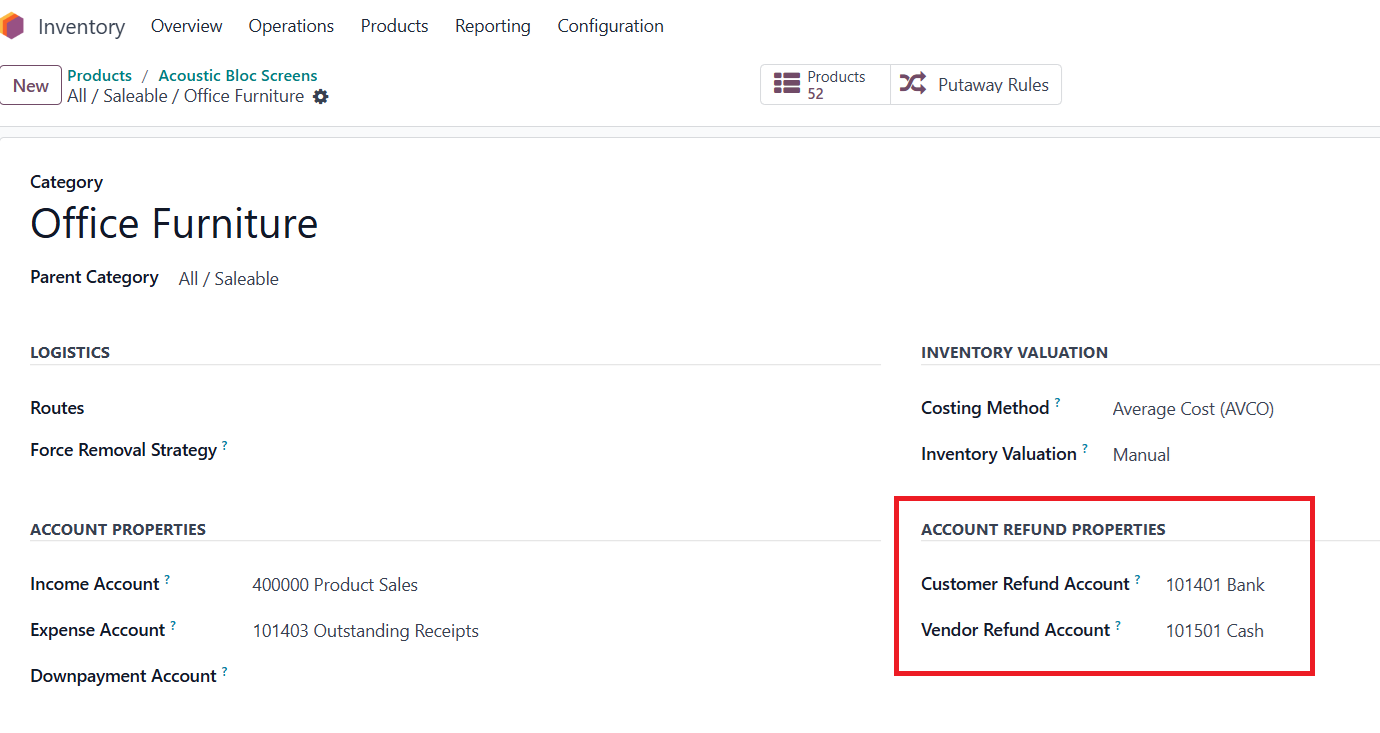 |
USAGE | |
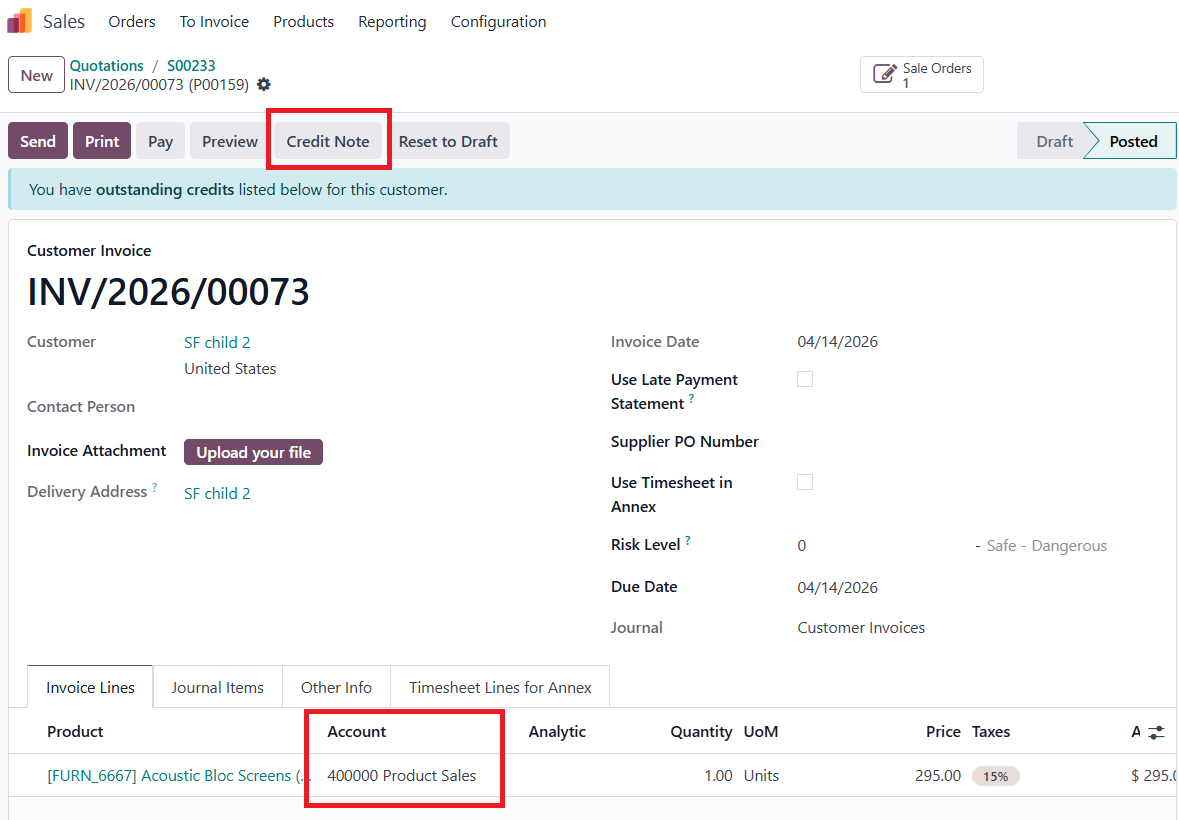
FROM INVOICE/BILL/SCRATCH1. Create an Invoice manually or from Sales Order with the product, you can see the Account is the Income Account in Configuration (this is Odoo Standard). 2. Click on Credit Note button to create a Credit Note.
|  |
3. In the Credit Note, you can see the Account is different from the Invoice, and is the same as the Customer Refund Account that has been configured in the Configuration. Same flow with Vendor Bills and Vendor Refunds | 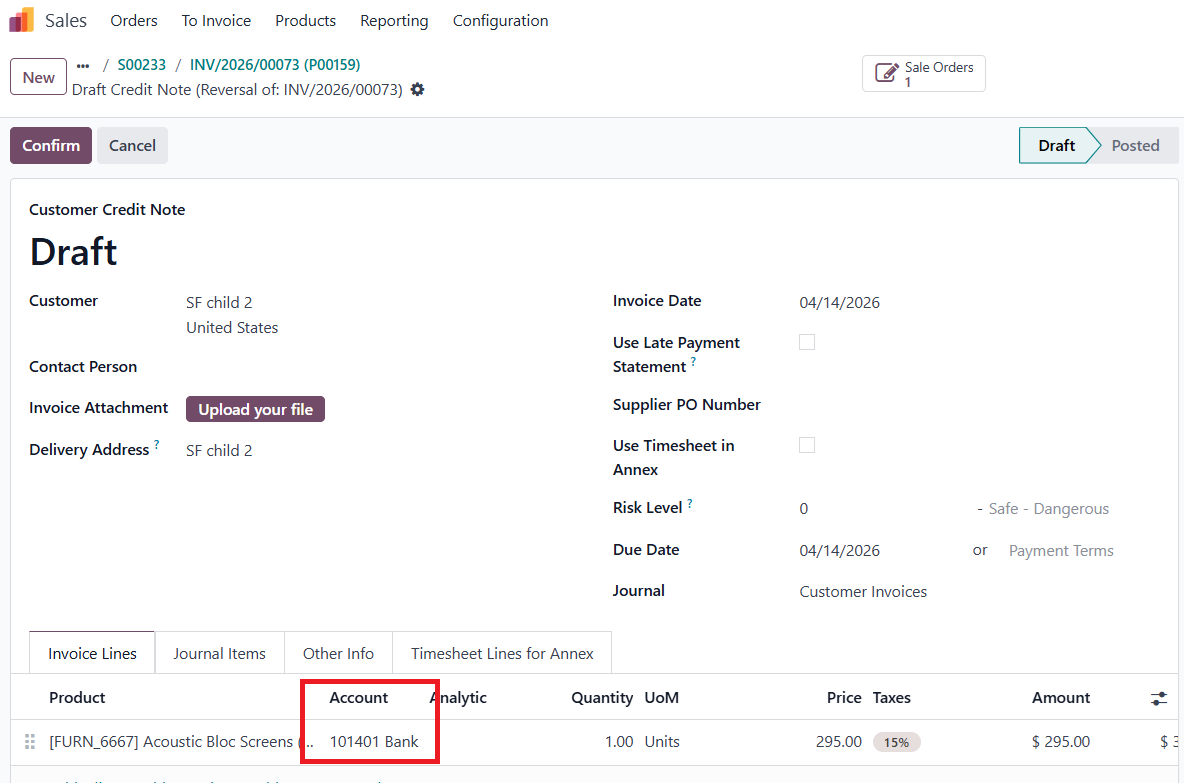 |
WITH FISCAL POSITIONSFiscal Position | 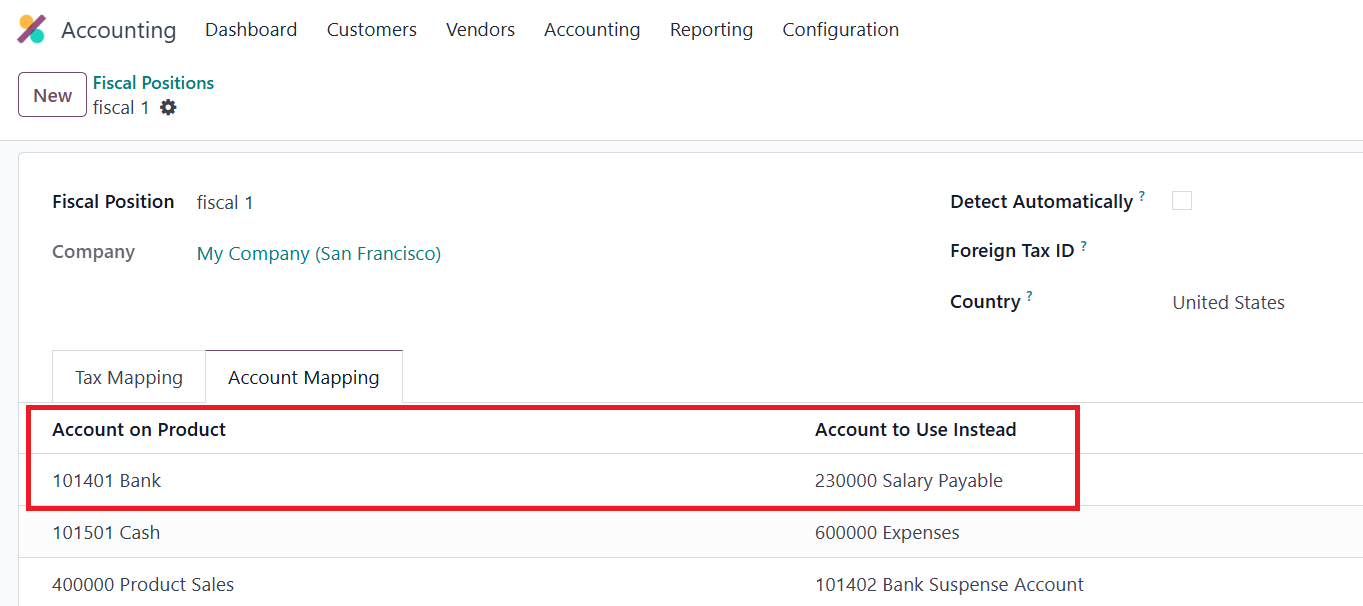 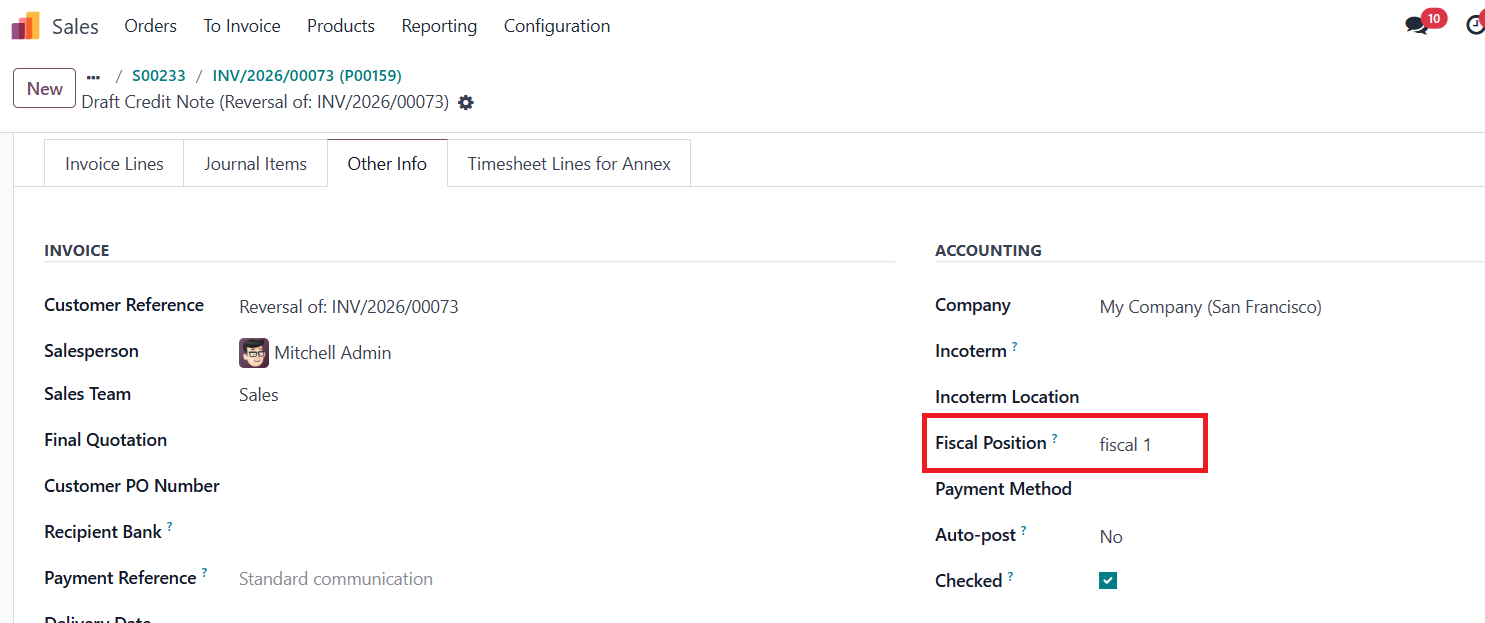 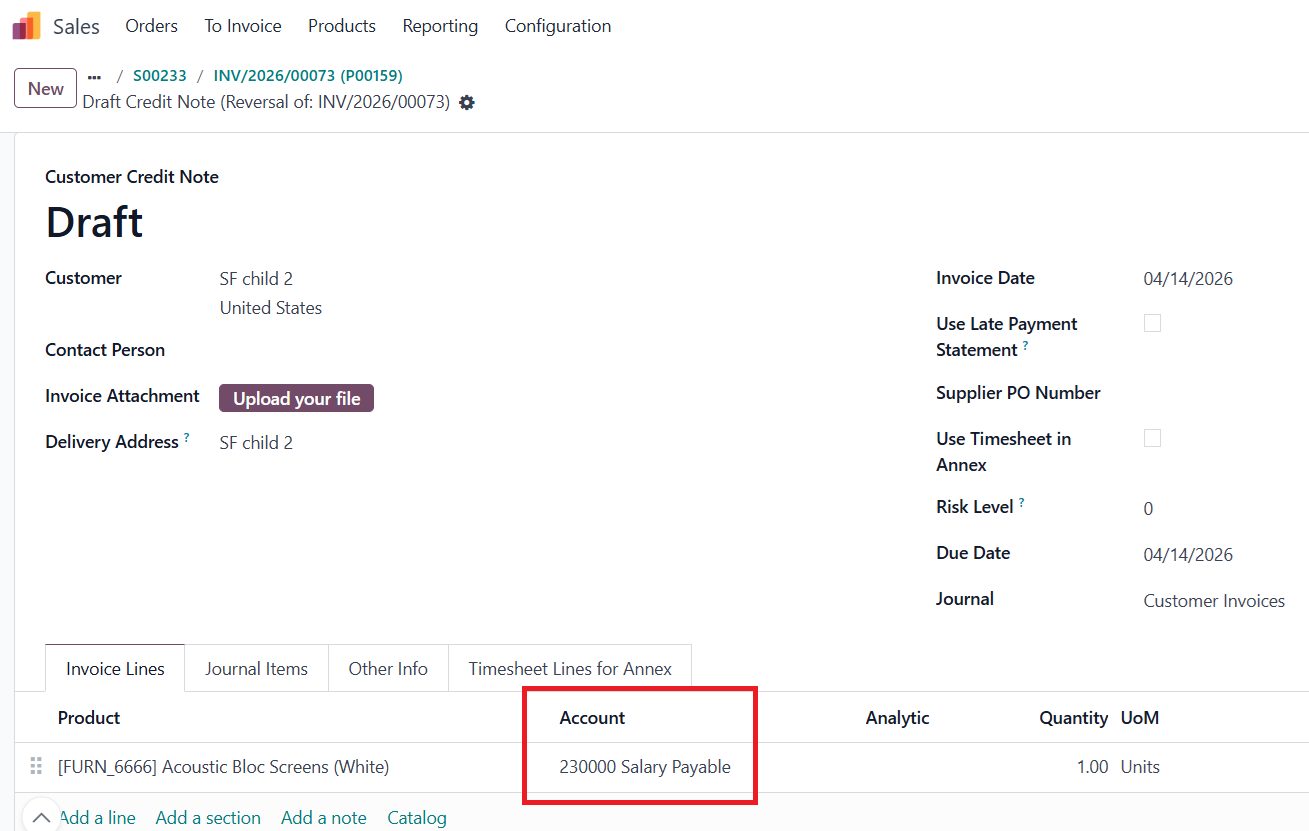 |