


FUNGSI ODOO
Odoo menangani nomor serial, tetapi belum memiliki format stiker yang langsung dapat dicetak pada produk akhir. Format ini biasanya berisi nomor serial, informasi perusahaan, detail tetap, dan dapat disesuaikan untuk menyertakan barcode atau QR code sesuai kebutuhan.
FUNGSI CLUEDOO
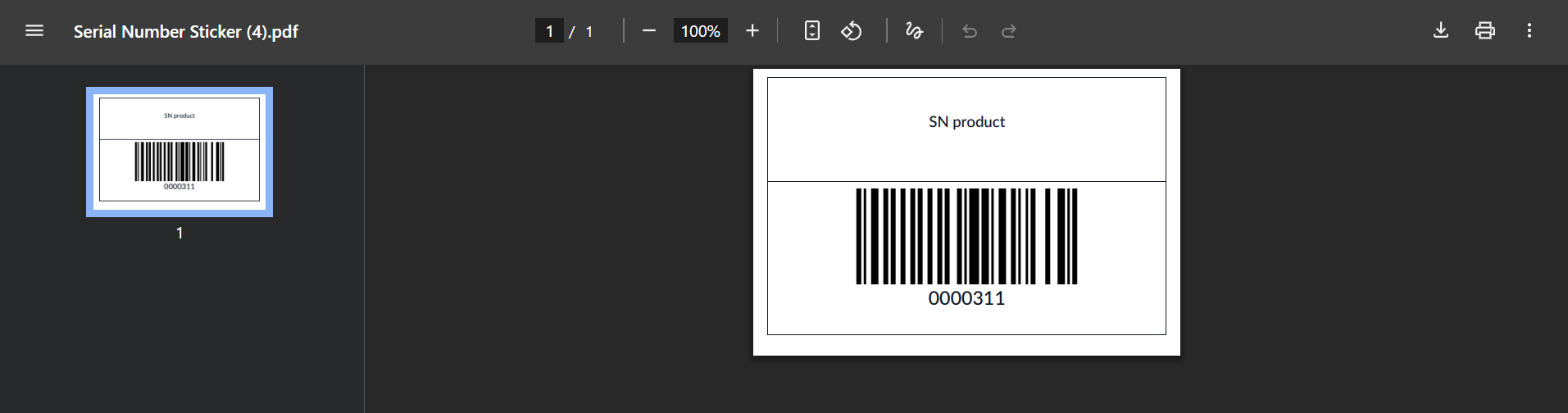
Jika Anda menggunakan nomor serial, penting untuk menempelkan stiker nomor serial—biasanya dalam format barcode/QR-code klasik—pada semua produk jadi Anda. Cluedoo menyediakan format stiker standar serta opsi mencetaknya dari satu stock move maupun dari daftar stock move, sehingga memungkinkan pencetakan massal bila diinginkan.
1. Before testing the module, ensure that "Show Detailed Operations" is enabled in the operation type settings. Note that from v17, no need to select "Show Detailed Operations" in Operation Types and this option is hidden. |  |
2. Go to your transfer and click the Print Serial Number button. |  |
From v17, we can click the Moves button at the top of the transfer and then Print Serial Number. Tidak perlu memvalidasi transfer sebelum mencetak. | 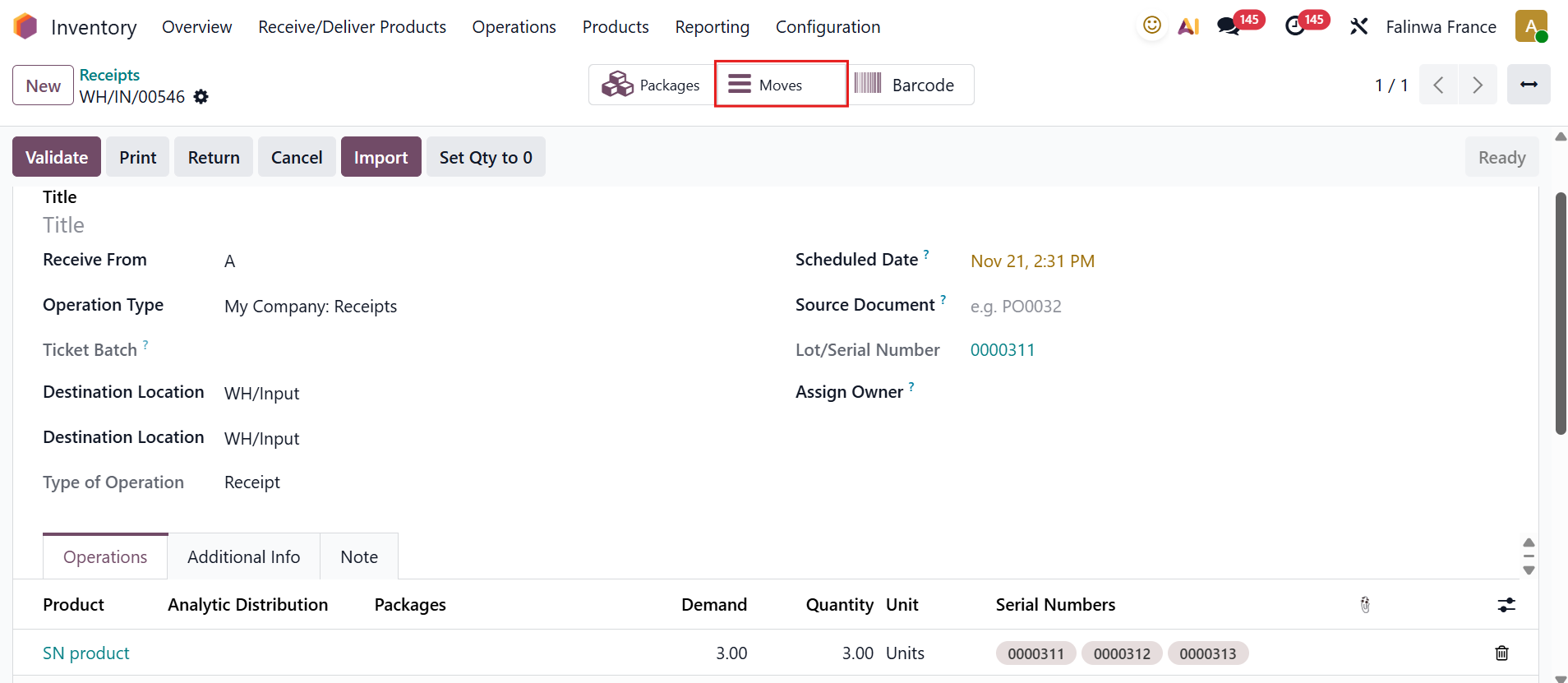 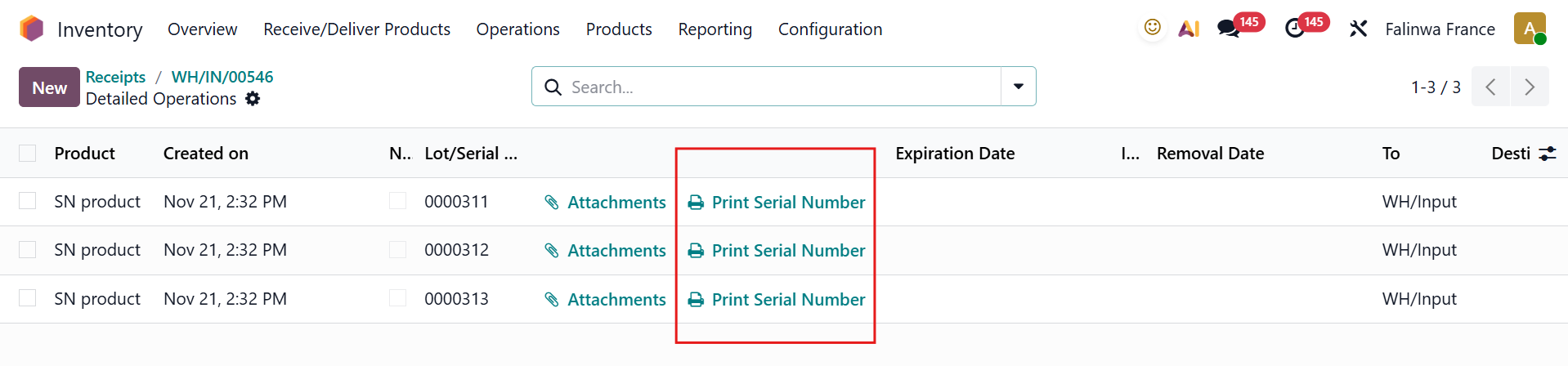 |
3. The serial number sticker will be printed in PDF format. |
|