



ODOO'S FUNCTION
Odoo provides the means to manage deferred revenue, but does not provide any solution for deferred costs or provision revenue and expense.
CLUEDOO'S FUNCTION
CLuedoo extends the Odoo allocation engine by providing options for deferred cost, provision cost, provision revenue.
1. Go to Accounting → Configuration → Provision Models. Create a new provision model. | 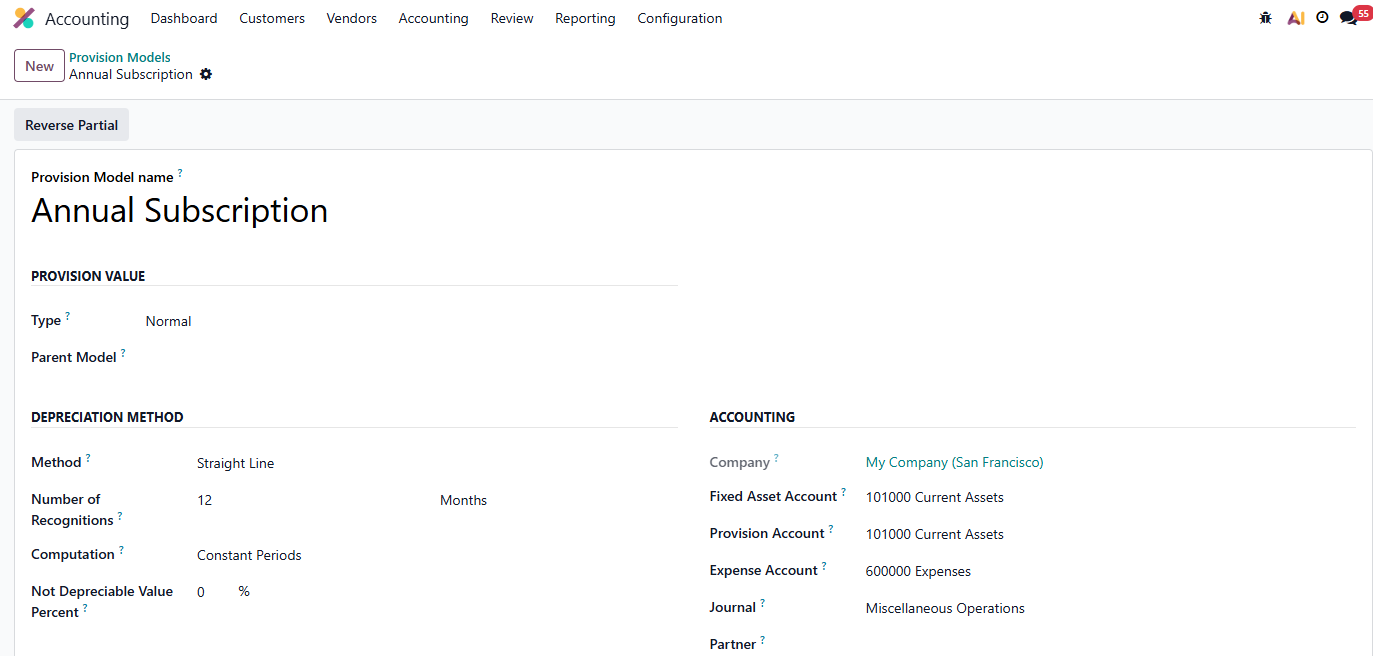 |
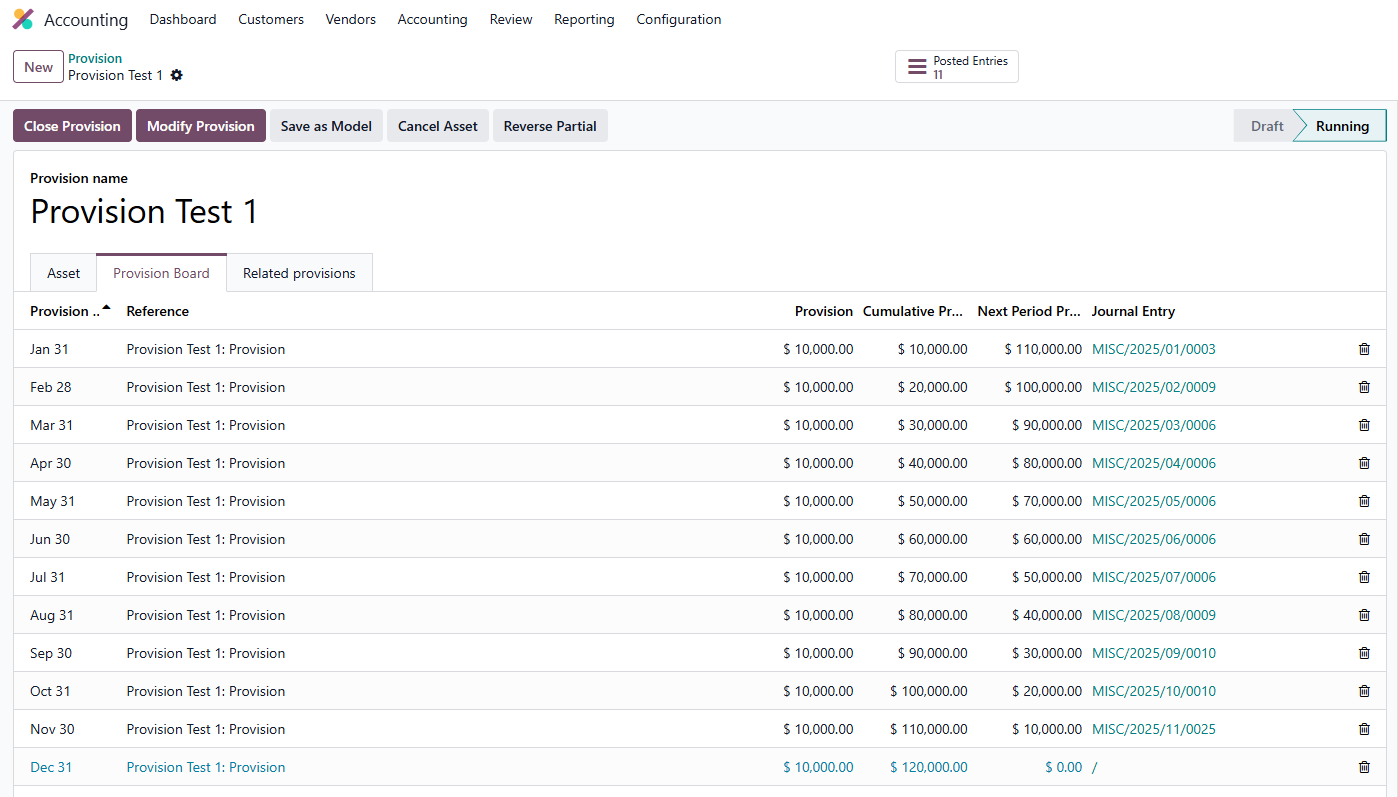
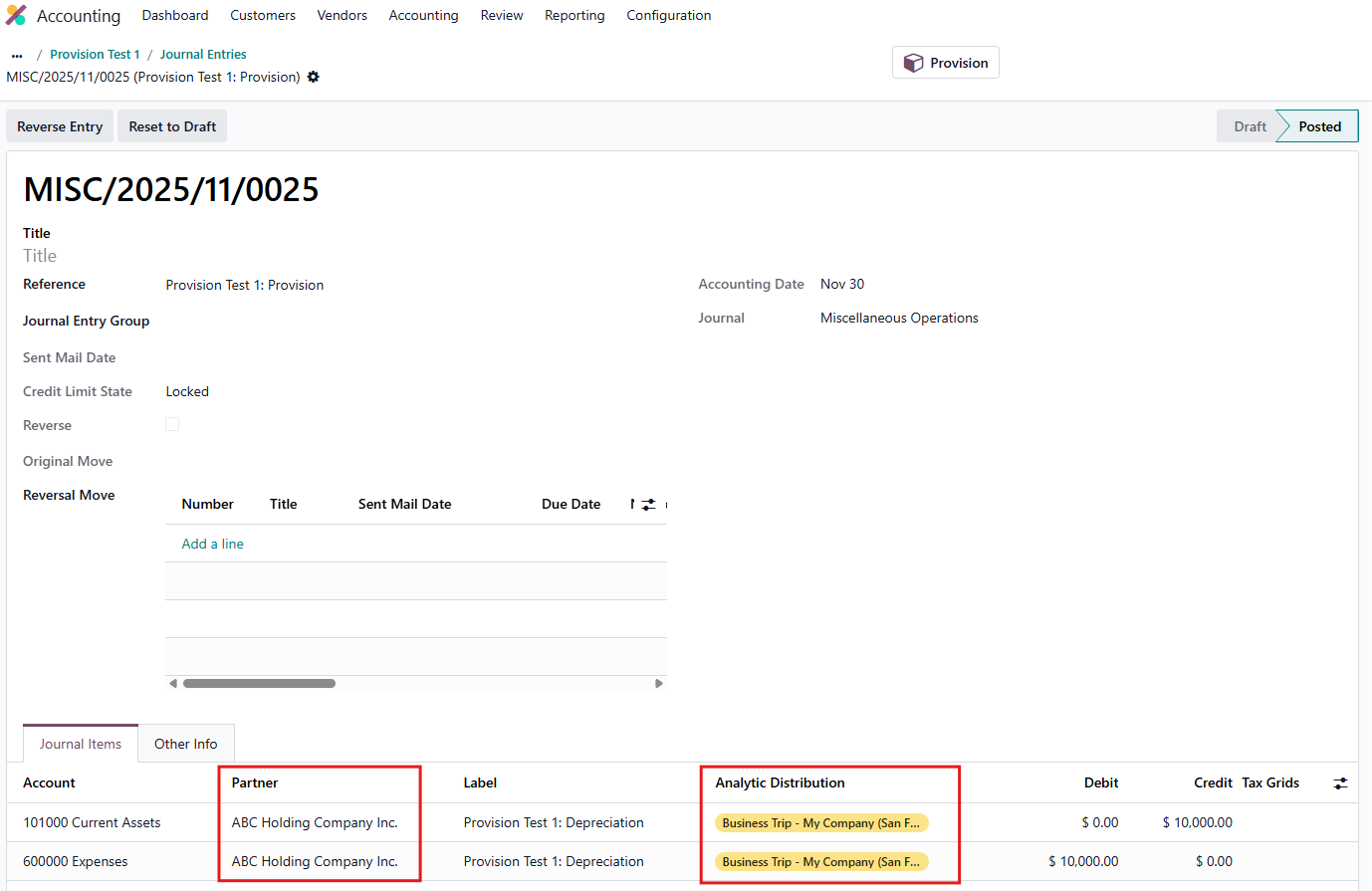
2. Go to Accounting → Assets & Liabilities → Provision. Create a new provision > Compute Provision > Confirm You may choose to apply a preconfigured Provision Model or proceed without one, depending on your requirements. | 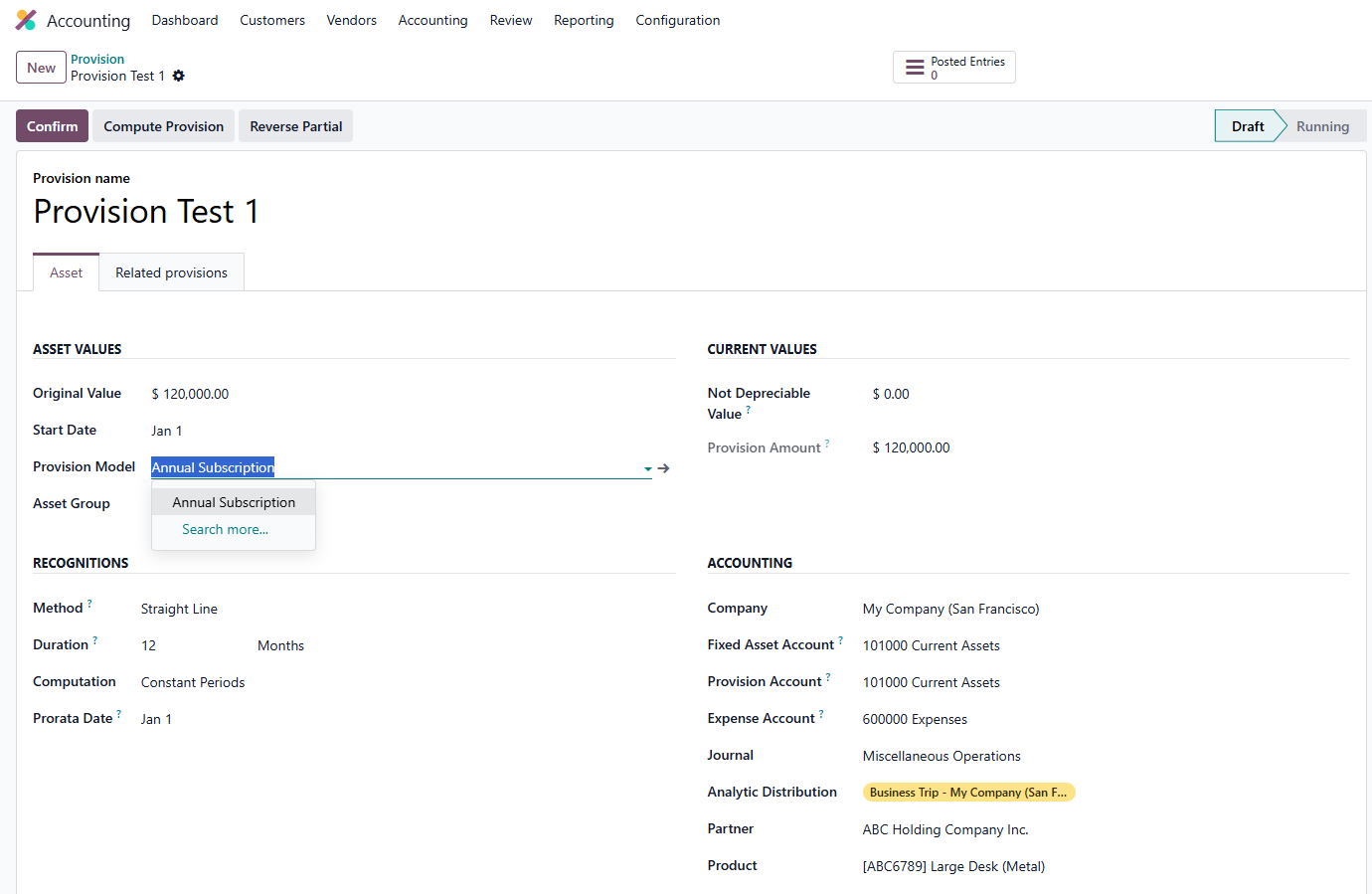 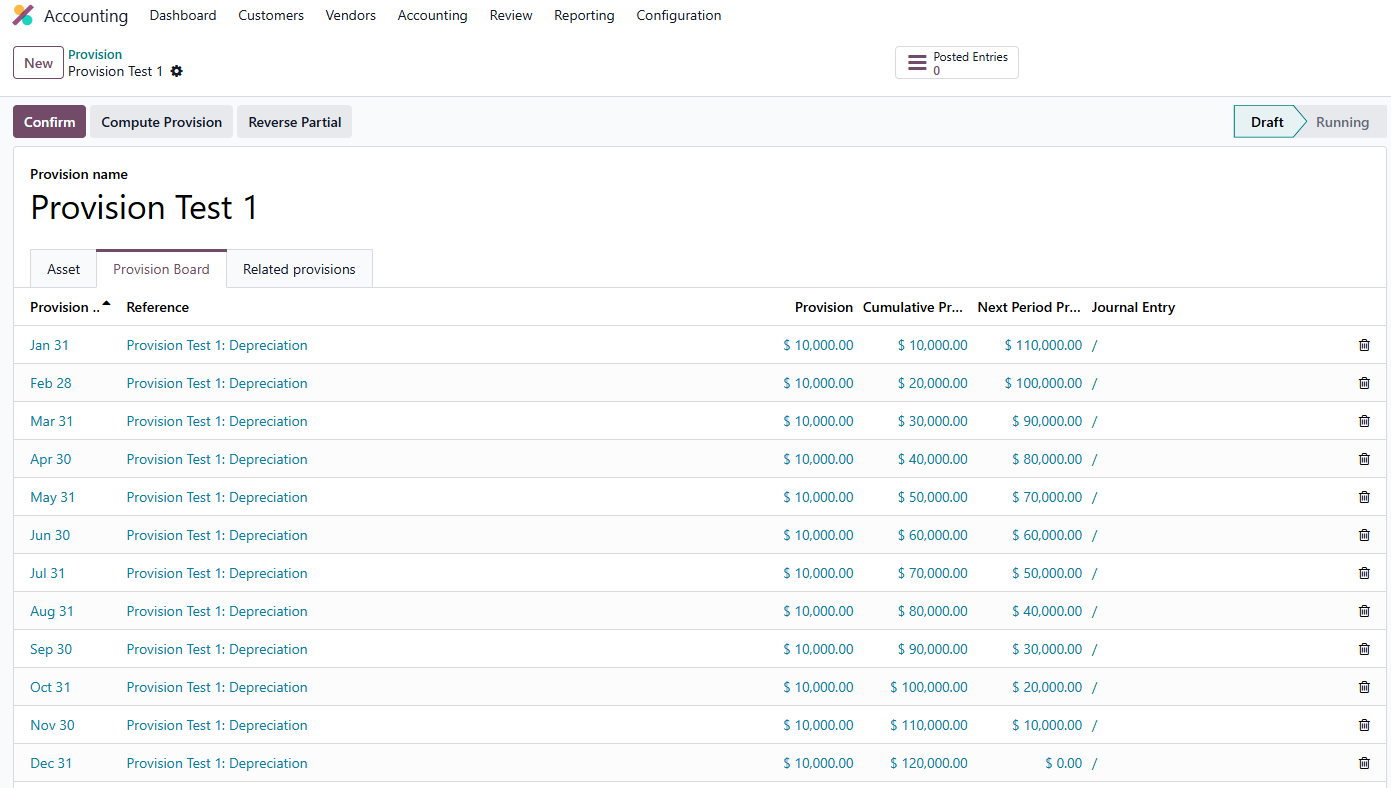 |
Notes:
|   |
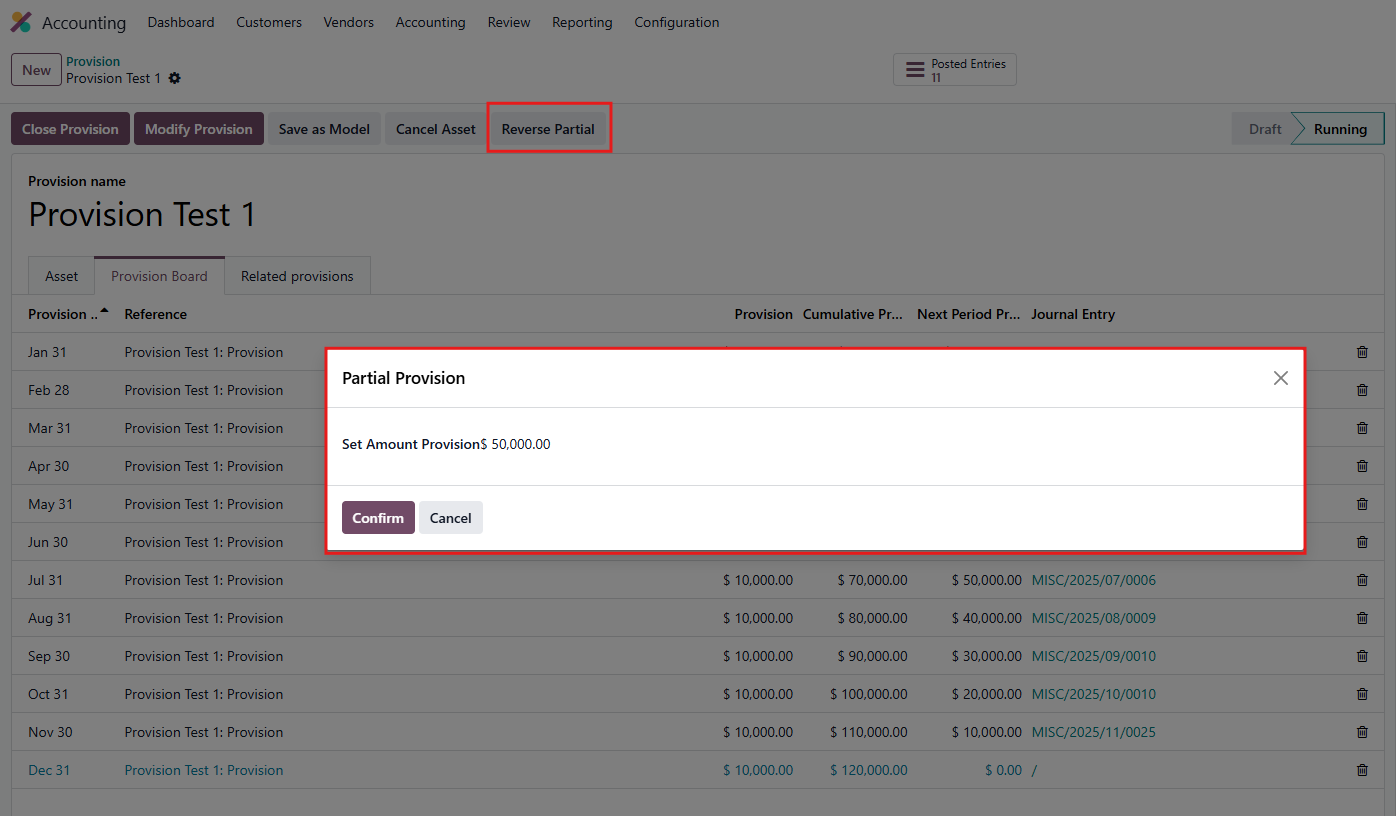
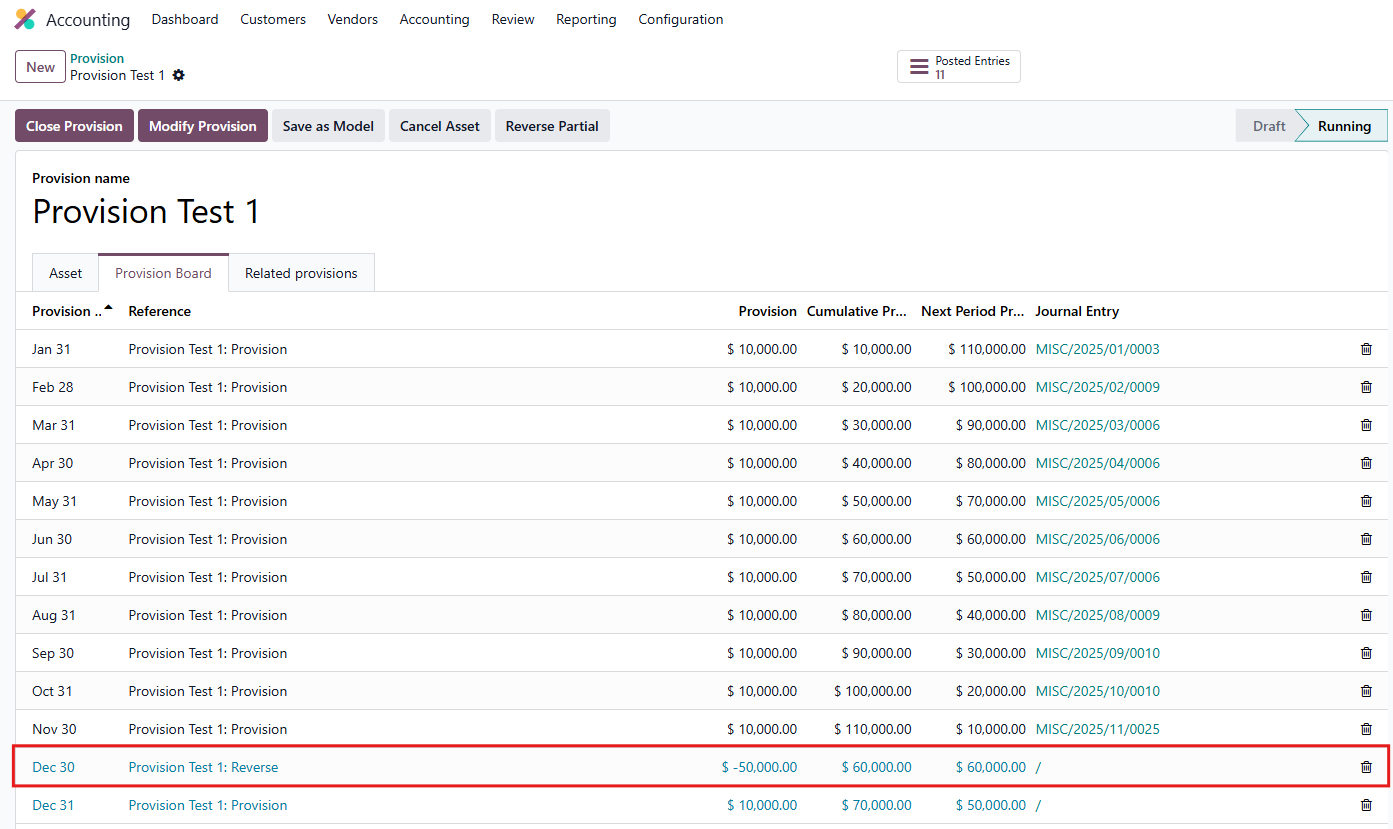
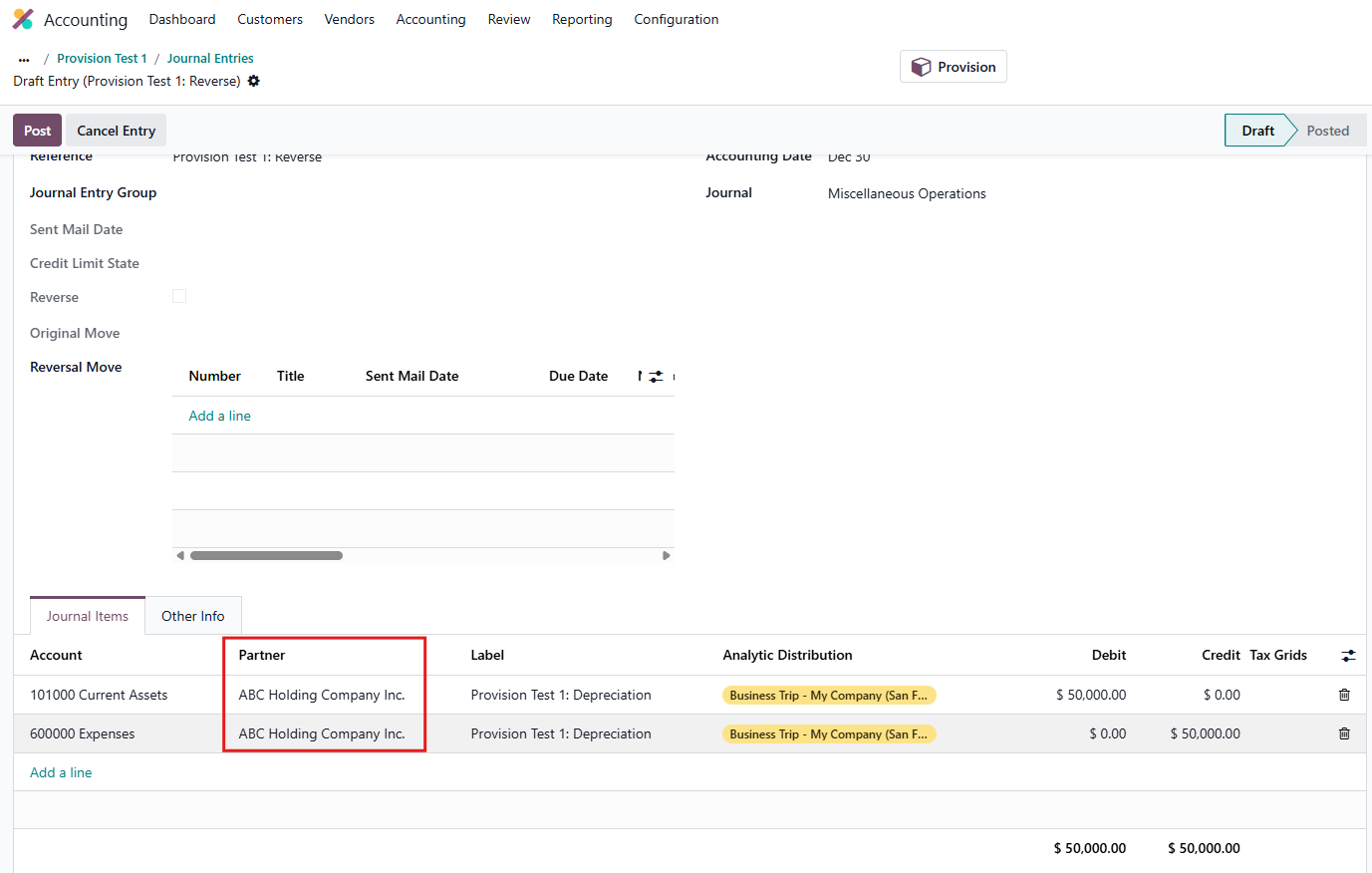
3. Click Reverse Partial and define the desired partial reversal amount. Notes:
|    |
4. You can also close or modify the provision, and save the model as well. Note that when Close provision, all the future entries will be deleted. | 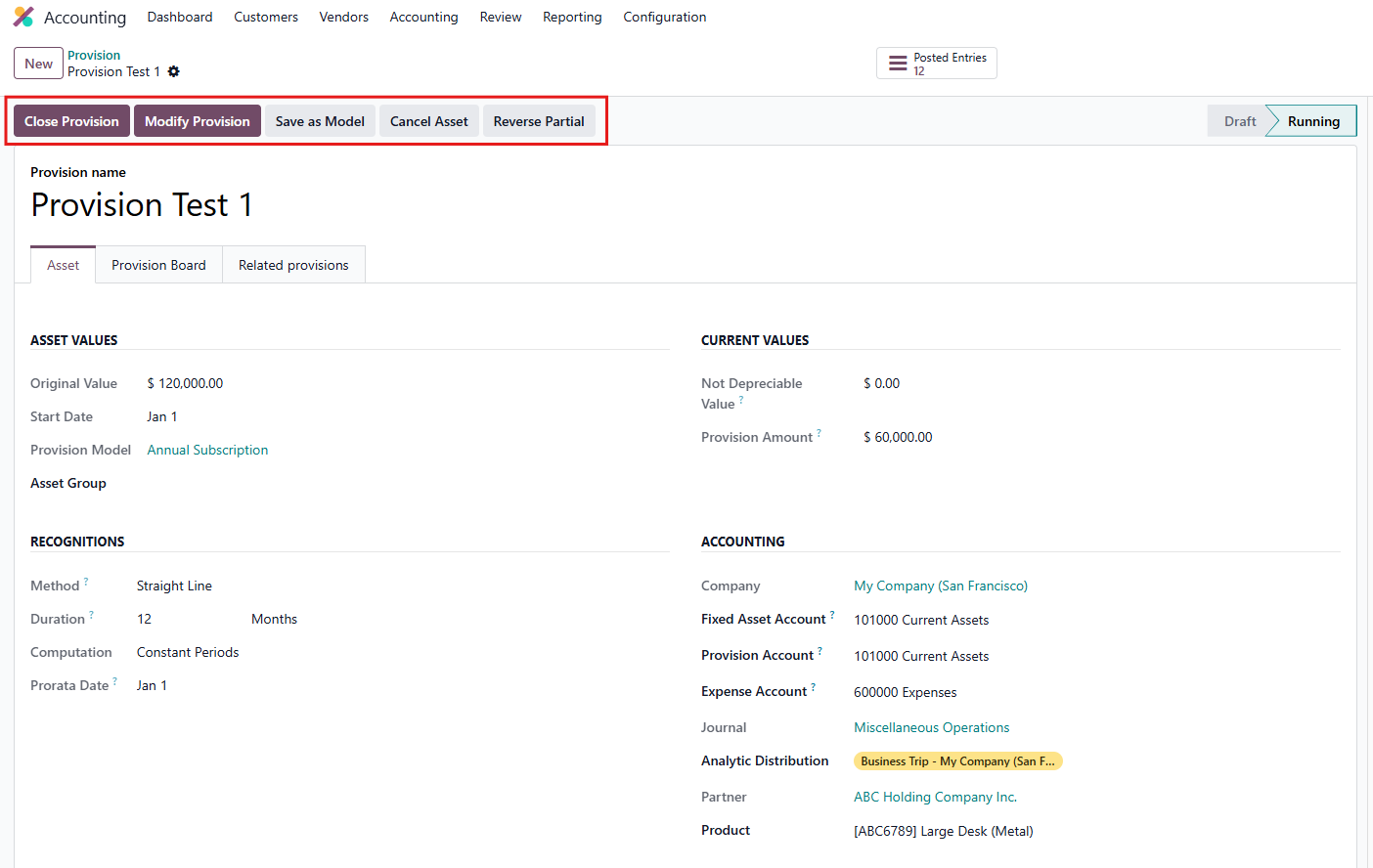 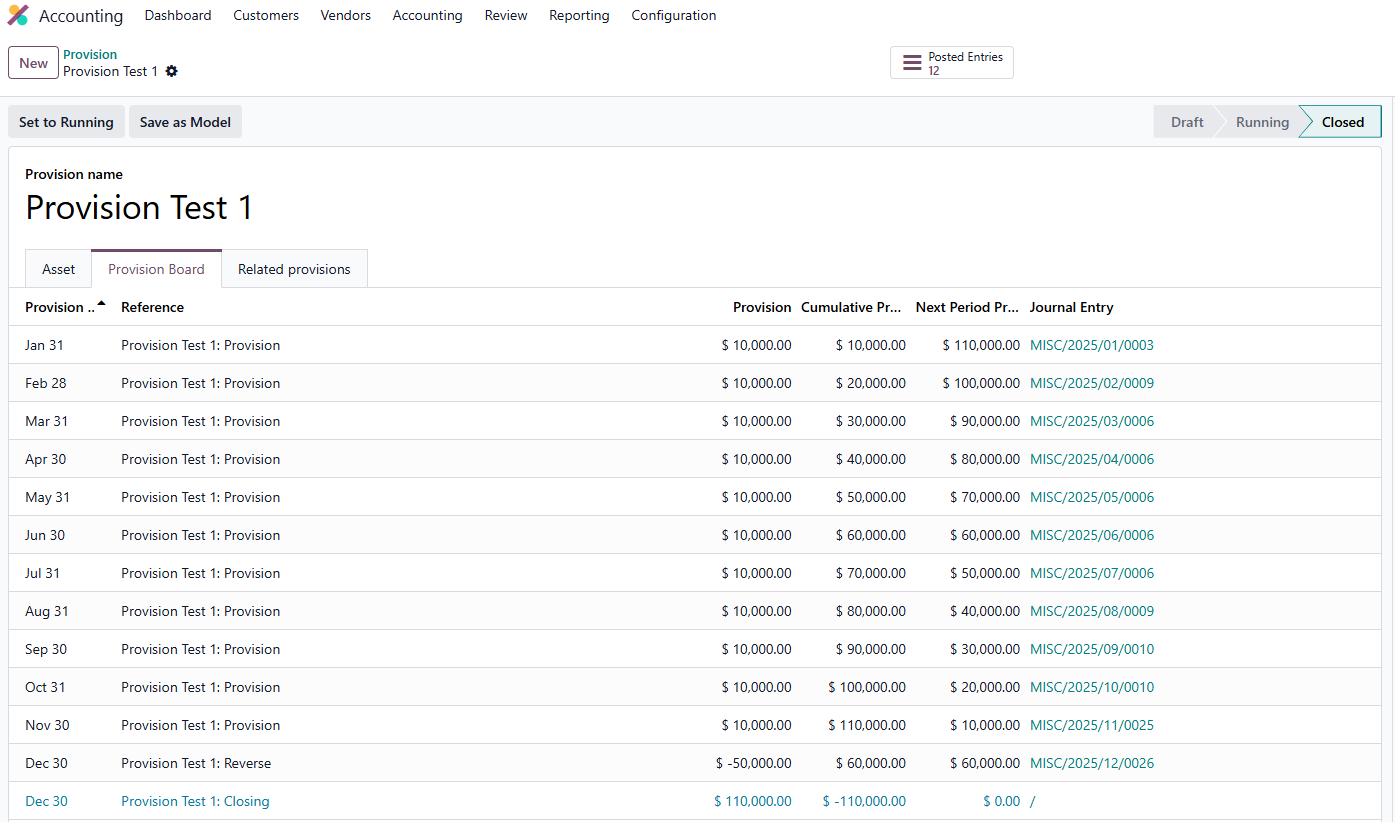 |