


Se rendre au contenu

Cost Repartition (Provision)

Create automatic engine to generate your monthly provisions for audit fees, bonus,...
128,87 € 128,87 € (Hors taxes)
US$ 150,00 (Hors taxes)

  • Versions
Conditions générales
Garantie satisfait ou remboursé de 30 jours
Livraison : 2-3 jours ouvrables


ODOO'S FUNCTION

Odoo provides the means to manage deferred revenue, but does not provide any solution for deferred costs or provision revenue and expense.

CLUEDOO'S FUNCTION

CLuedoo extends the Odoo allocation engine by providing options for deferred cost, provision cost, provision revenue.  

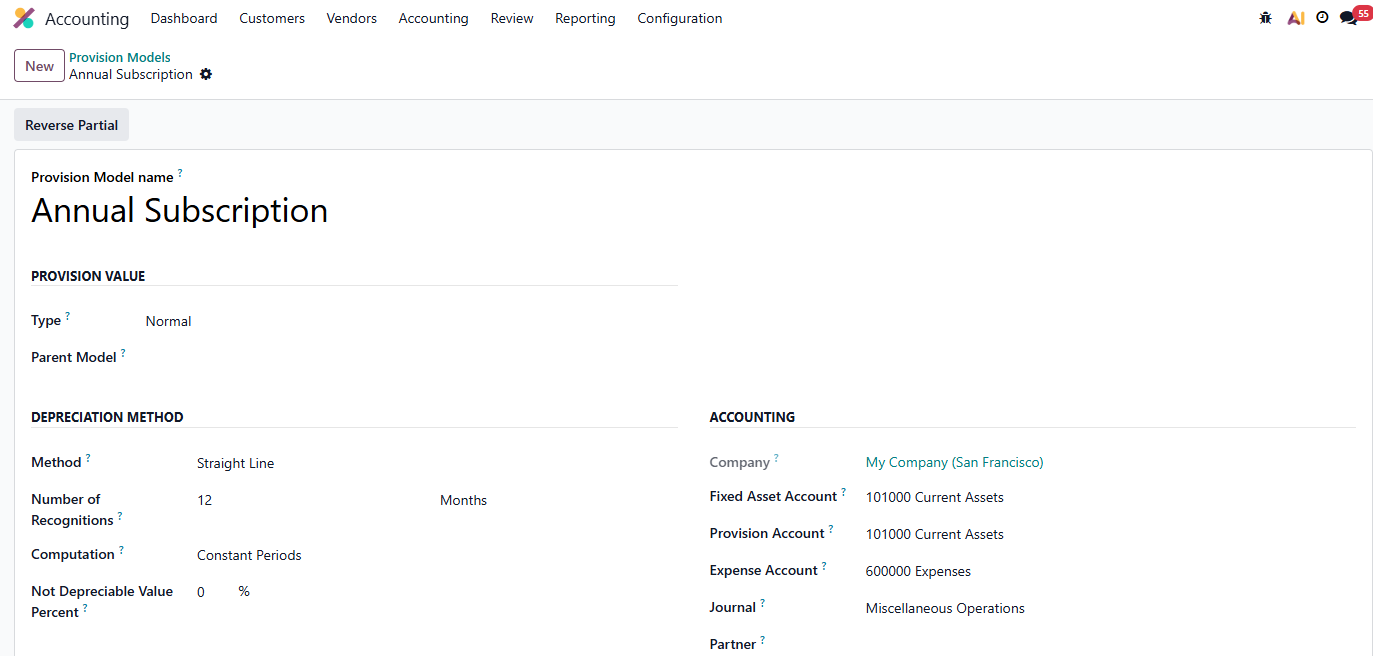
1. Go to AccountingConfigurationProvision Models. Create a new provision model.


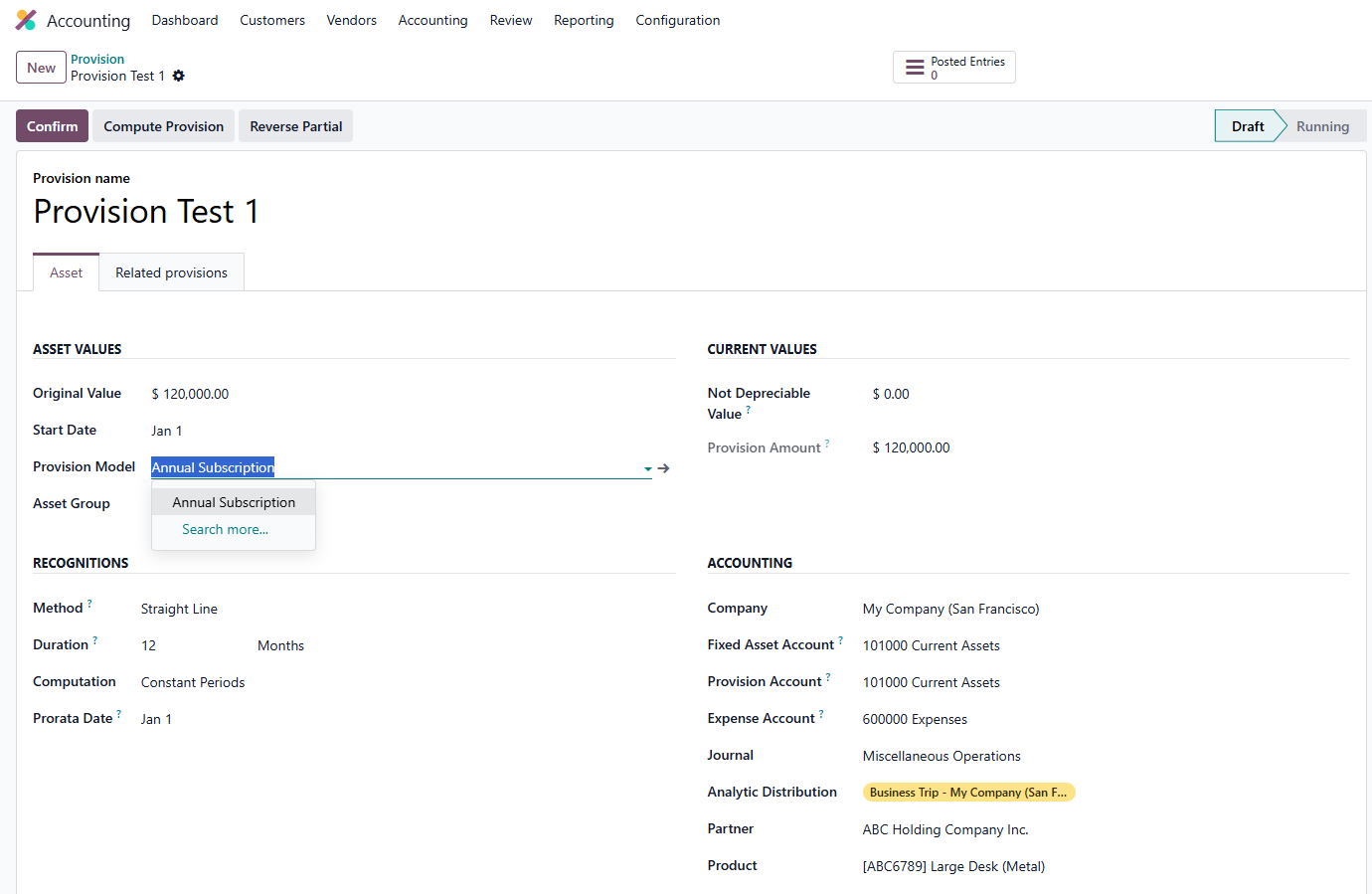
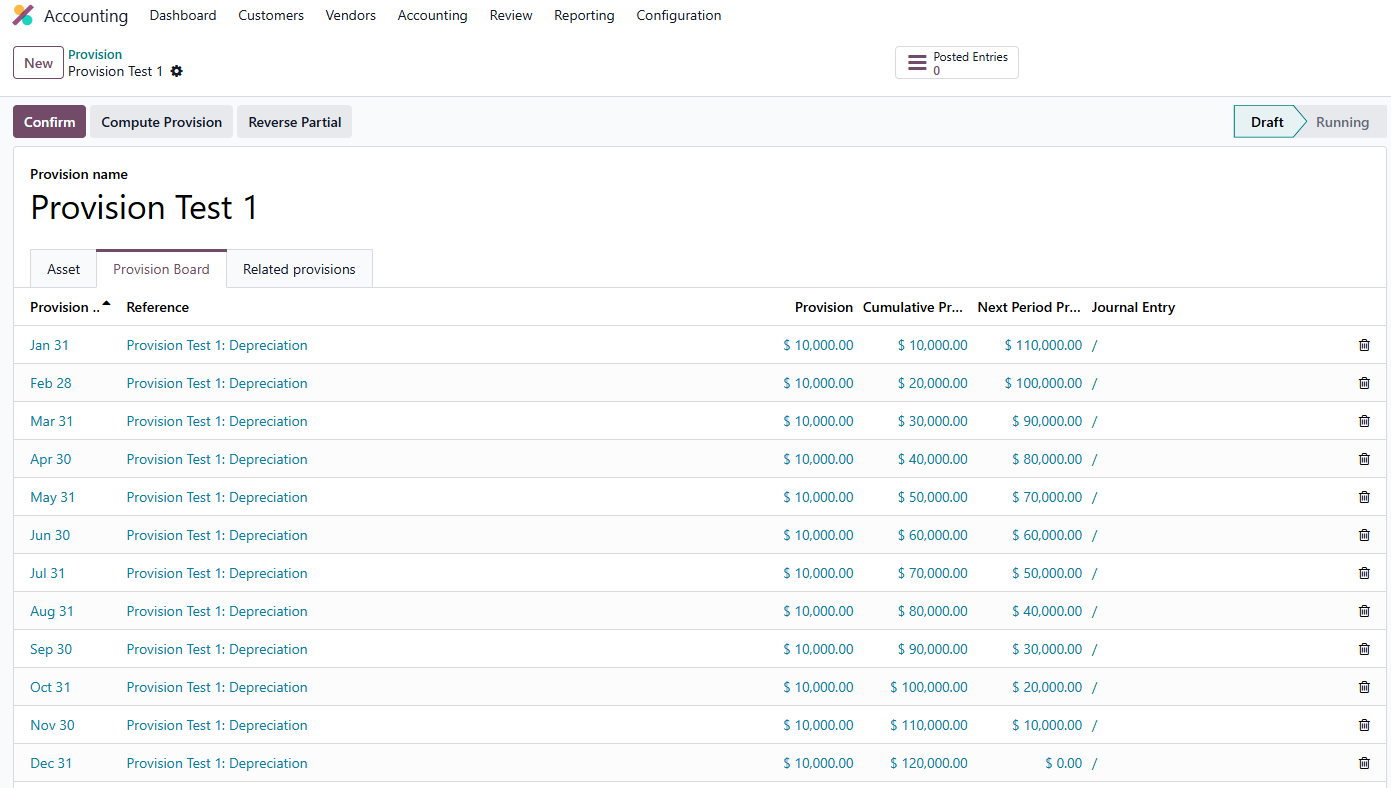
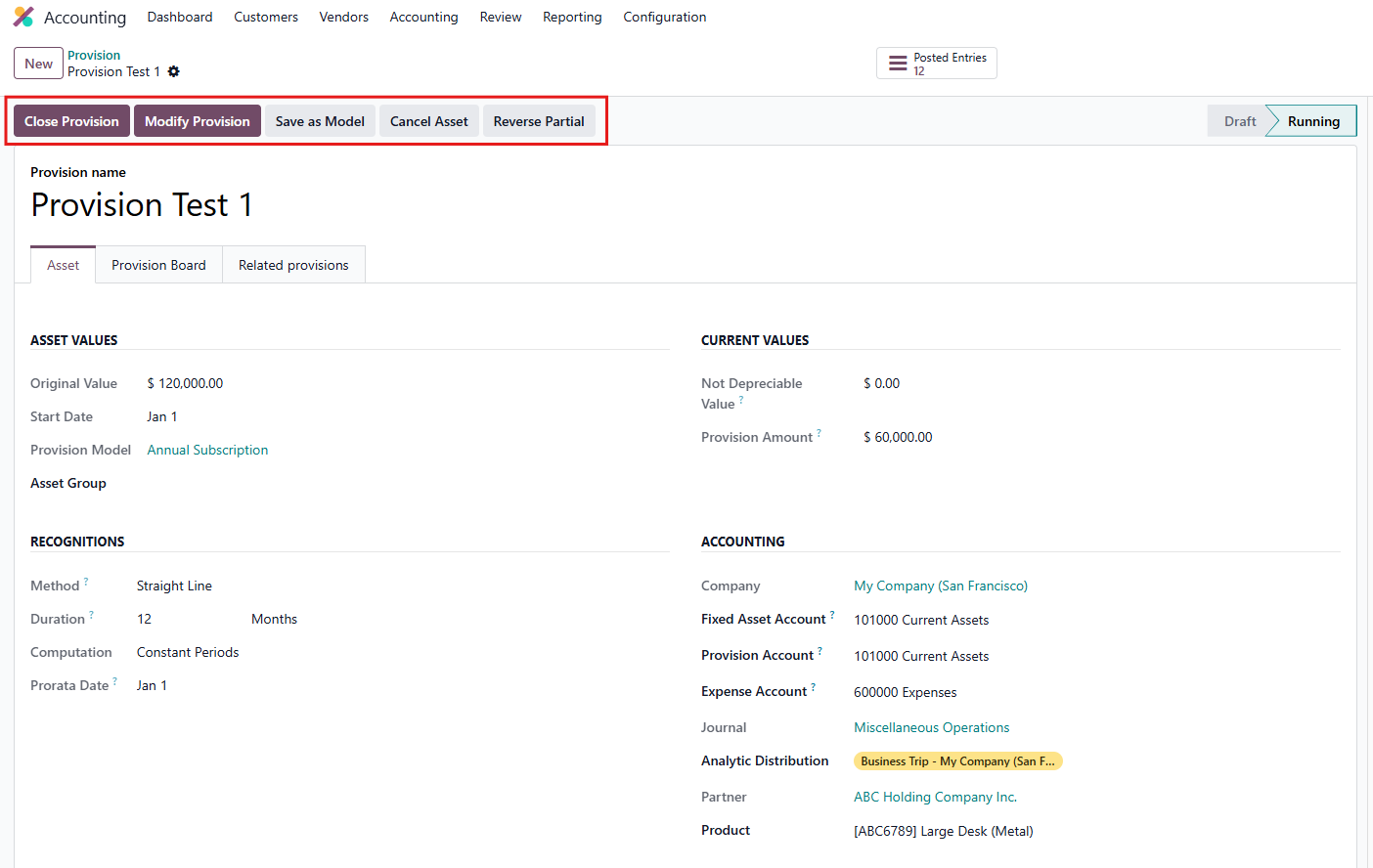
2. Go to Accounting Assets & Liabilities Provision. Create a new provision > Compute Provision > Confirm 

You may choose to apply a preconfigured Provision Model or proceed without one, depending on your requirements.


Notes:
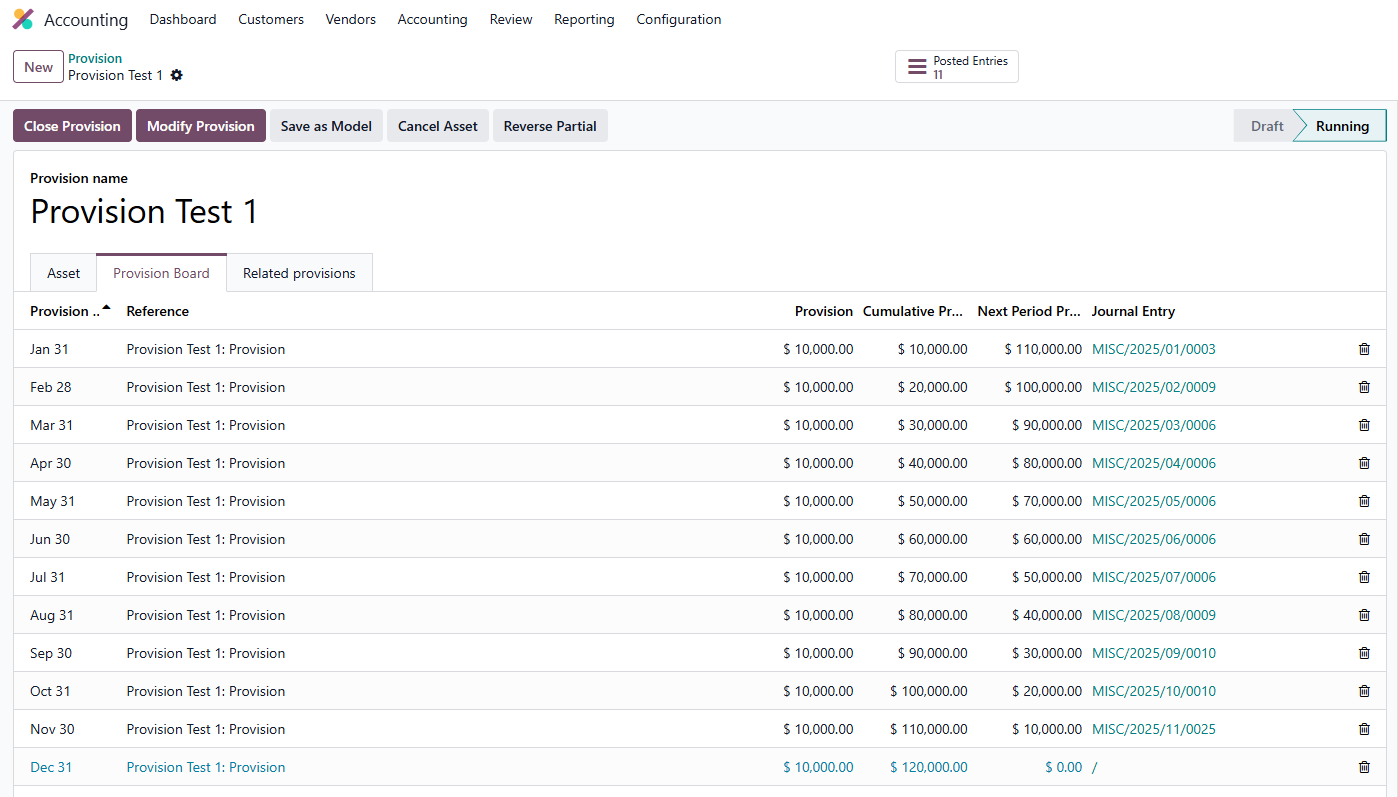
  • Upon confirmation, journal entries with a Provision Date earlier than the current date will be automatically posted


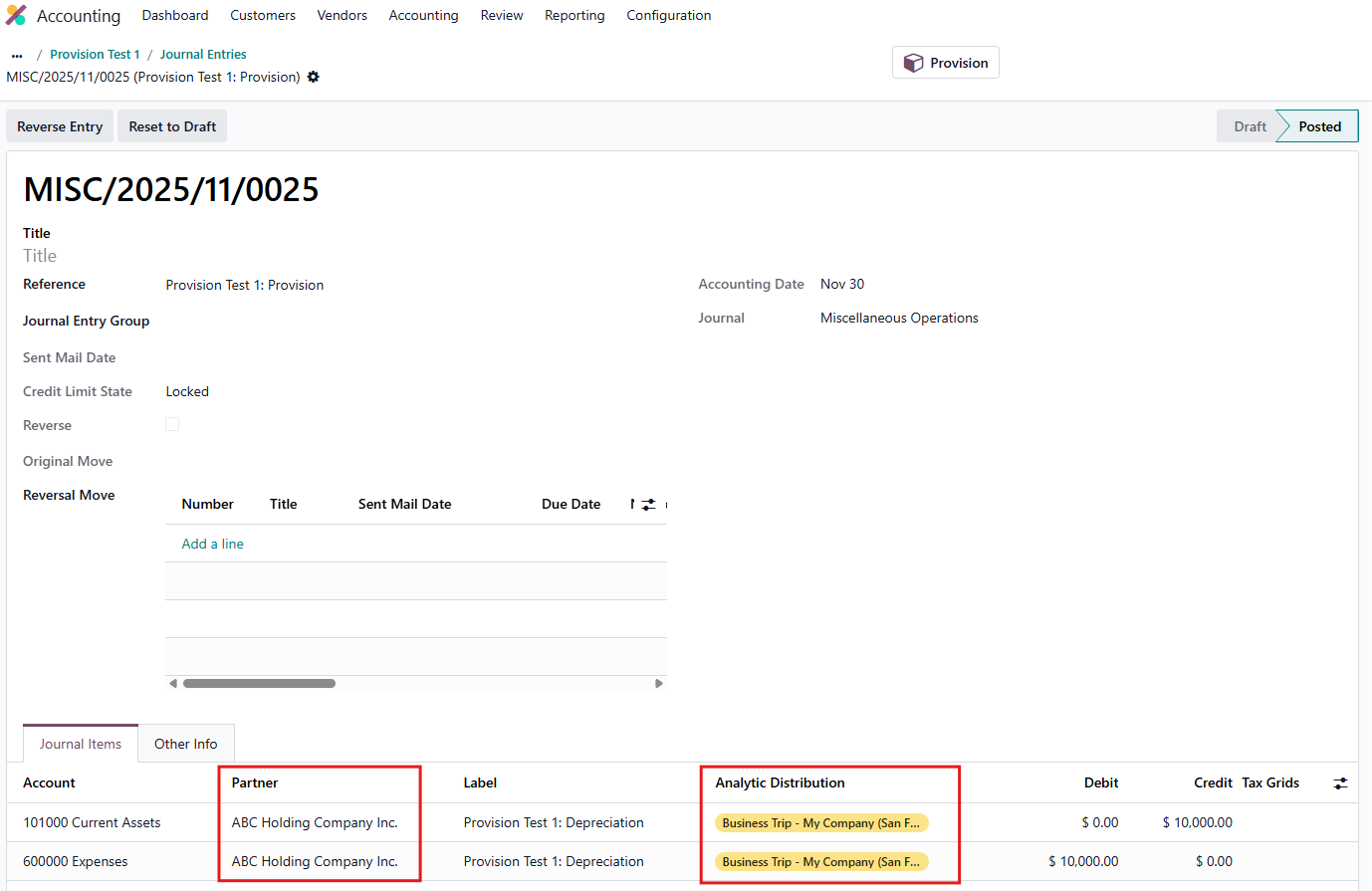
  • The Partner and Analytic Distribution values will be inherited from the configuration defined in the provision.

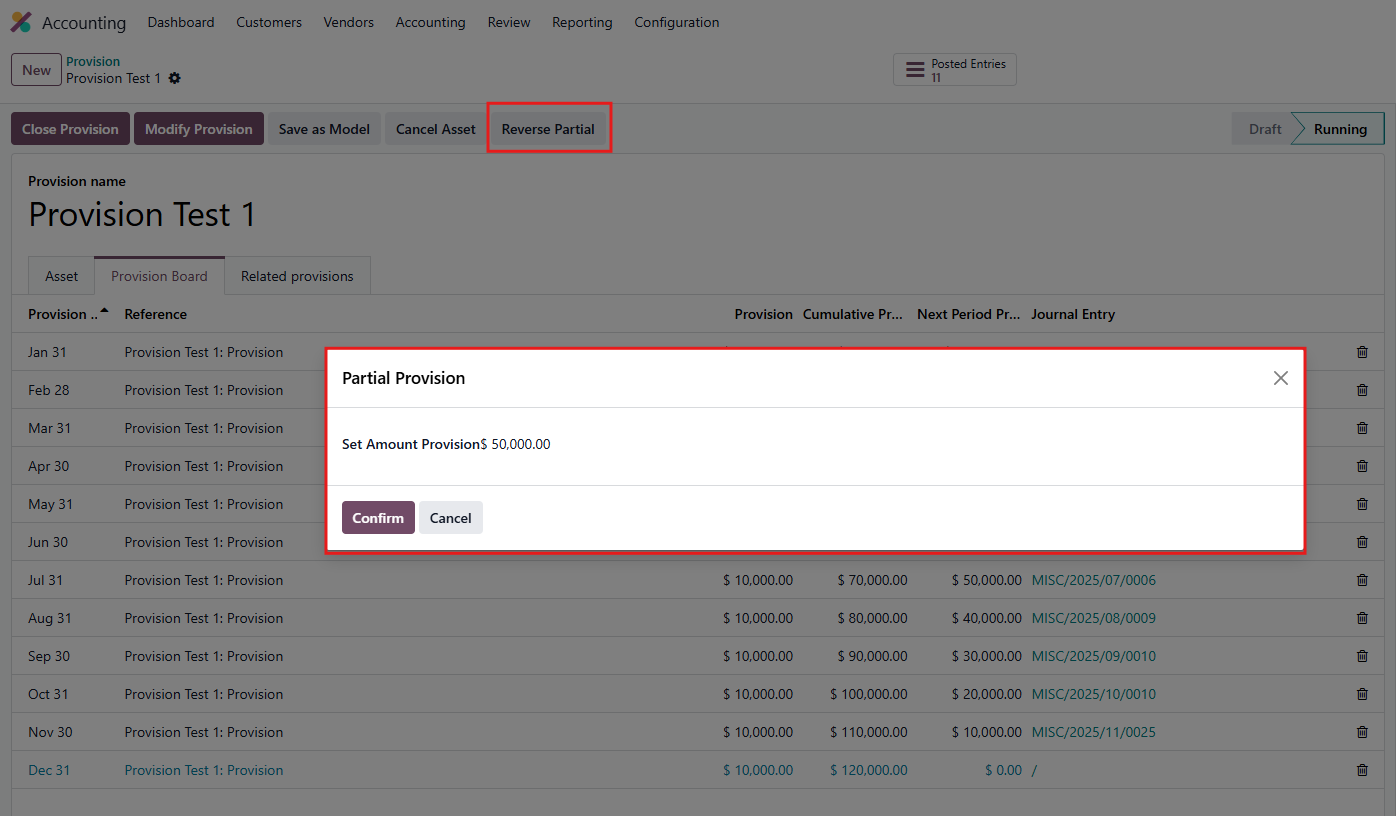
3. Click Reverse Partial and define the desired partial reversal amount.

Notes:
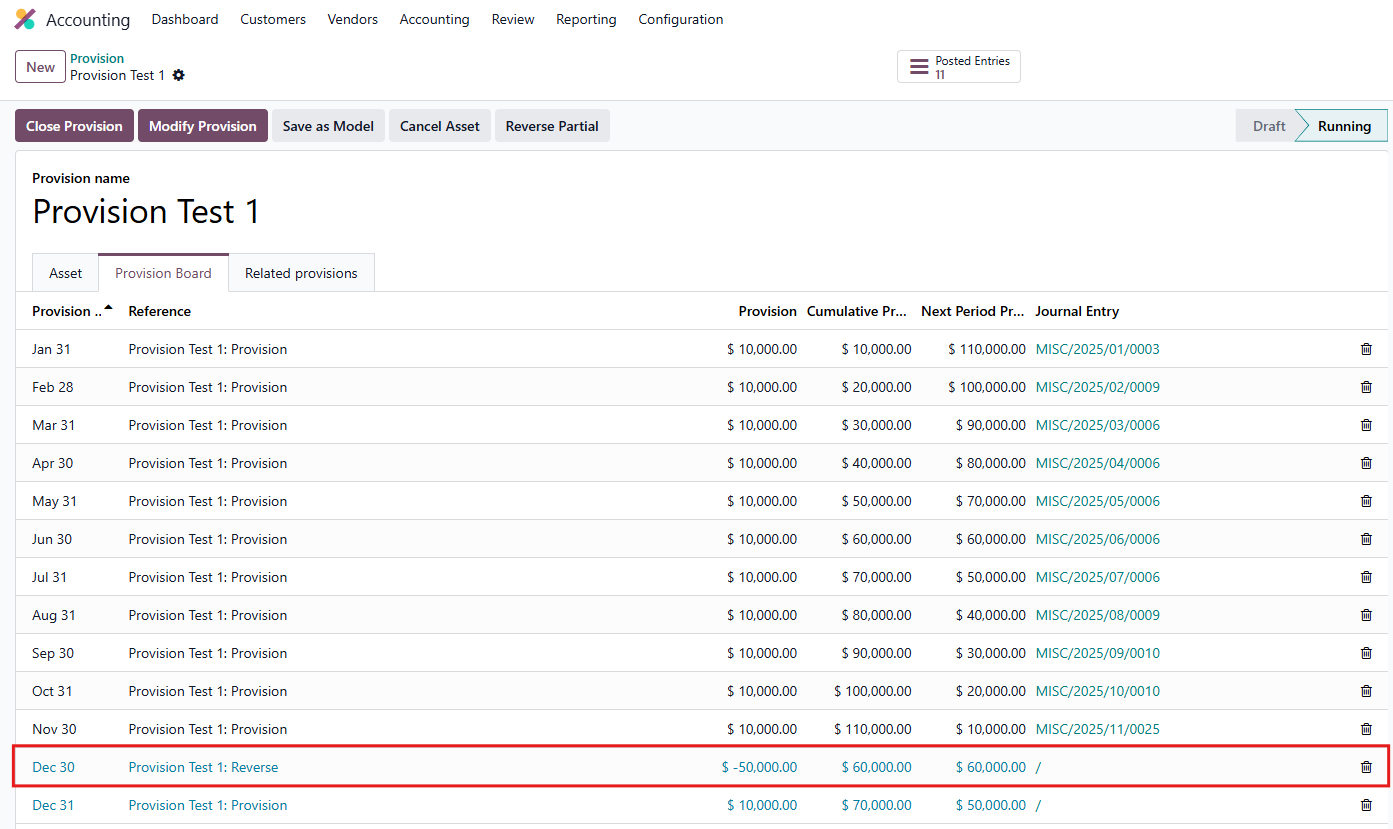
  • The Reverse Provision Date will automatically set to the current date
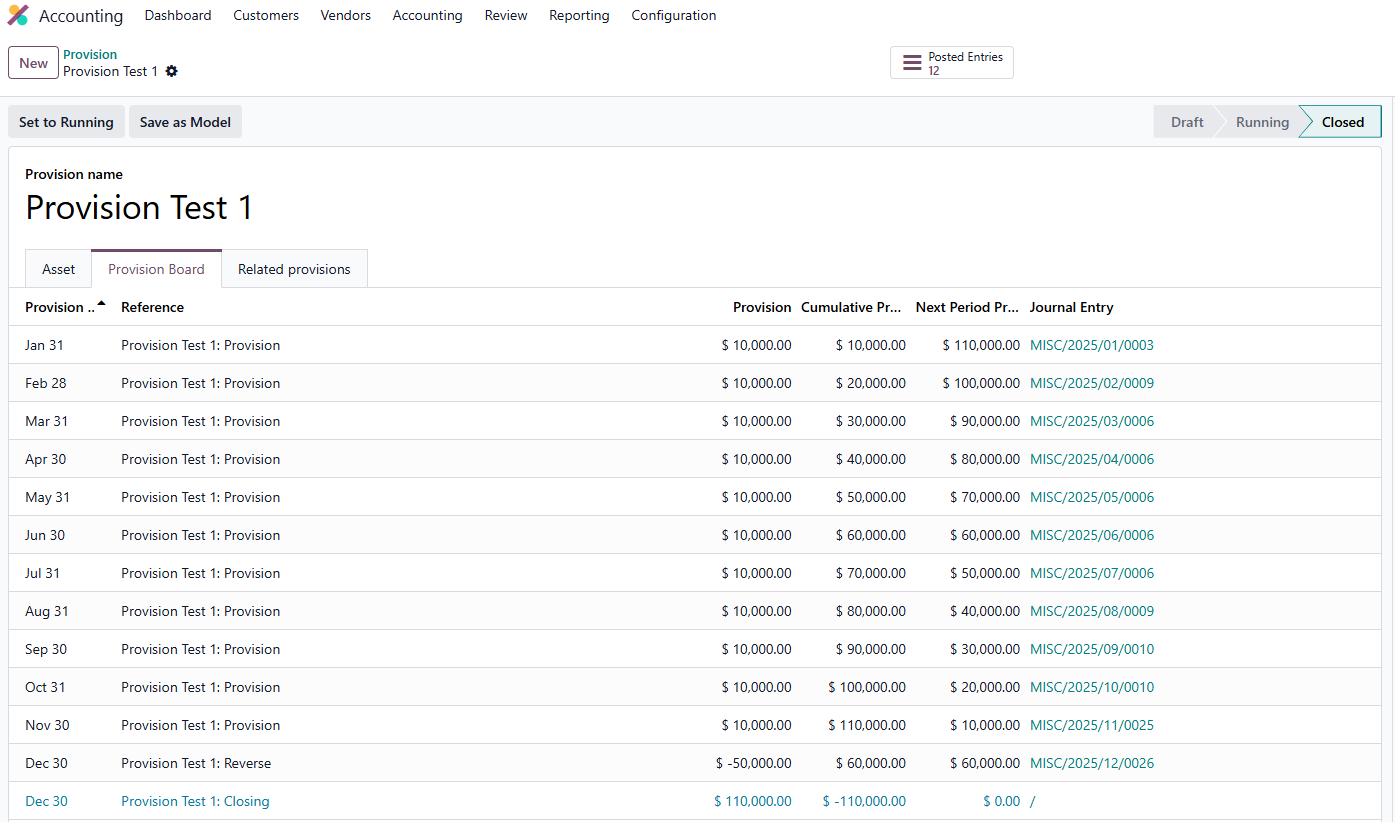
  • The reverse data will not affect the next provision entry amount
  • The reversal entry will  displayed with a negative amount
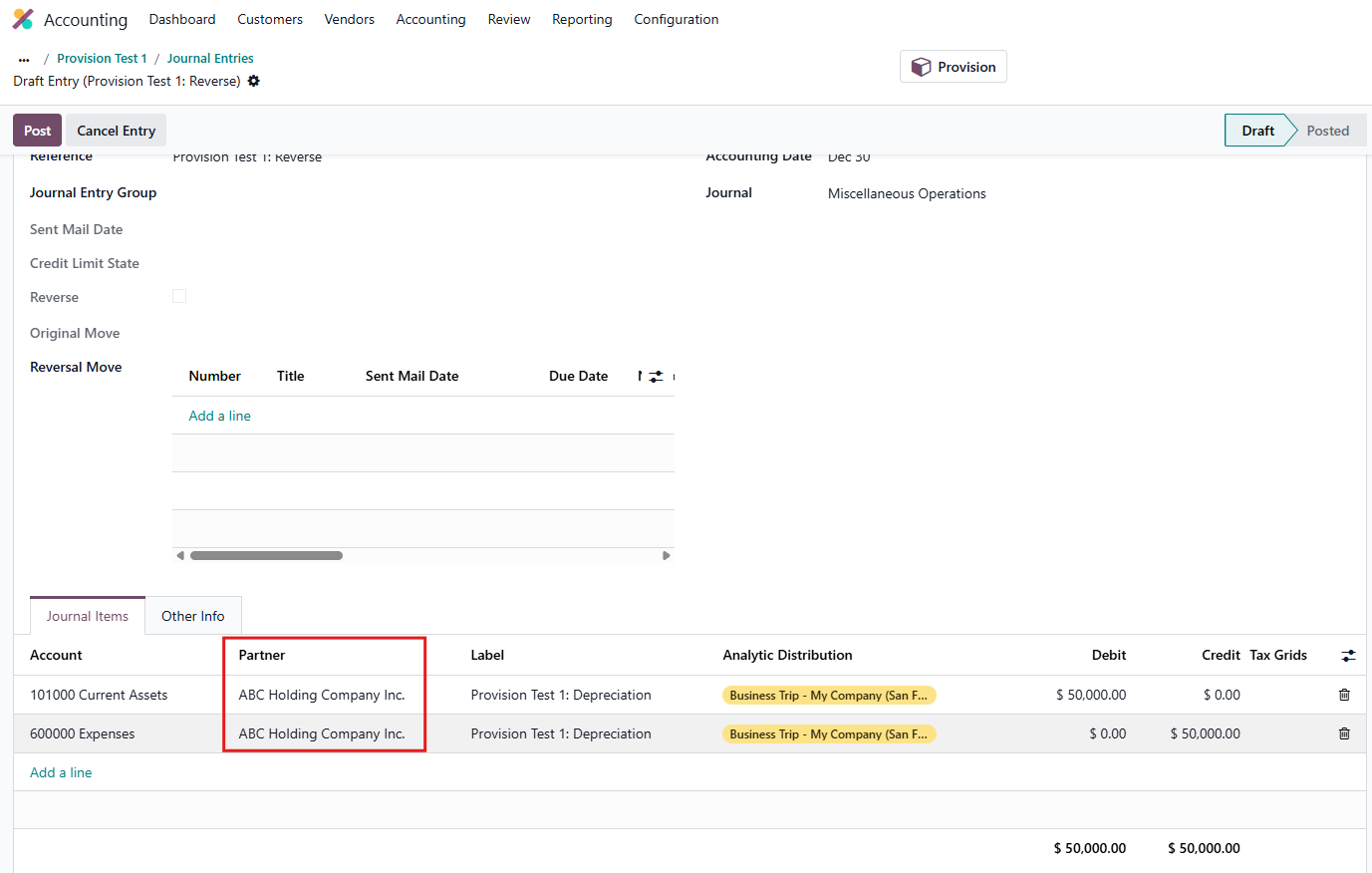
  • The Partner and Analytic Distribution values are inherited in the partial reversal entries.
  • You can partial reverse when all entries are posted but the provision is not closed yet
  • You cannot partial reverse provision when provision is closed


4. You can also close or modify the provision, and save the model as well.

Note that when Close provision, all the future entries will be deleted.