


ODOO'S FUNCTION
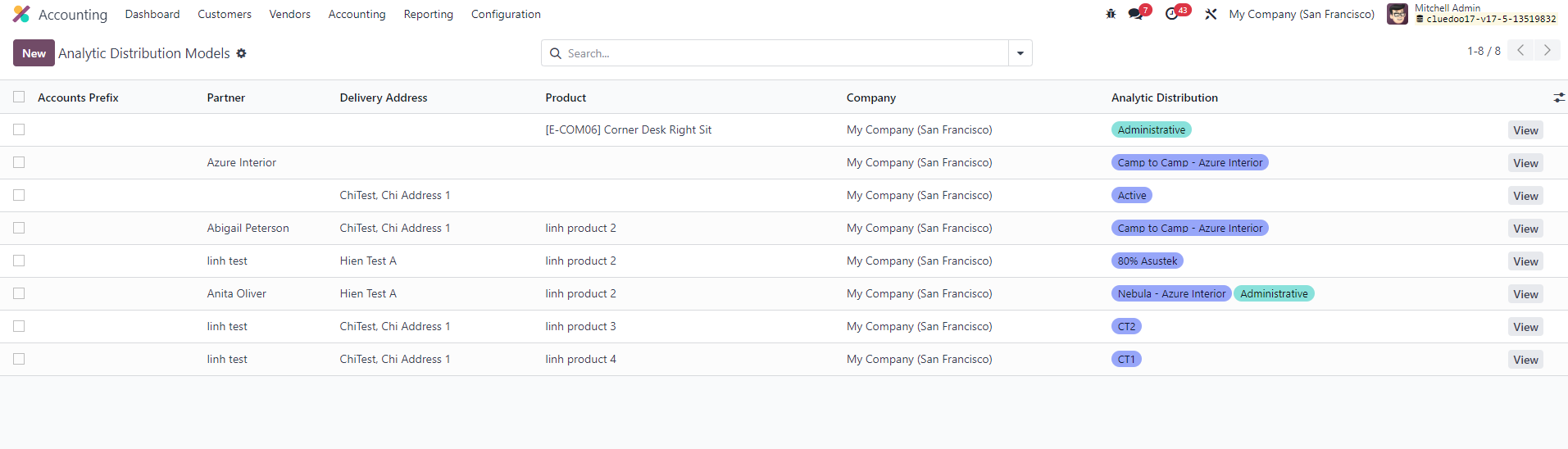
Odoo natively helps users define Analytic Distribution Models in the Accounting module to automatically track costs and revenues by product, partner, or company, making financial management much more convenient.
CLUEDOO'S FUNCTION
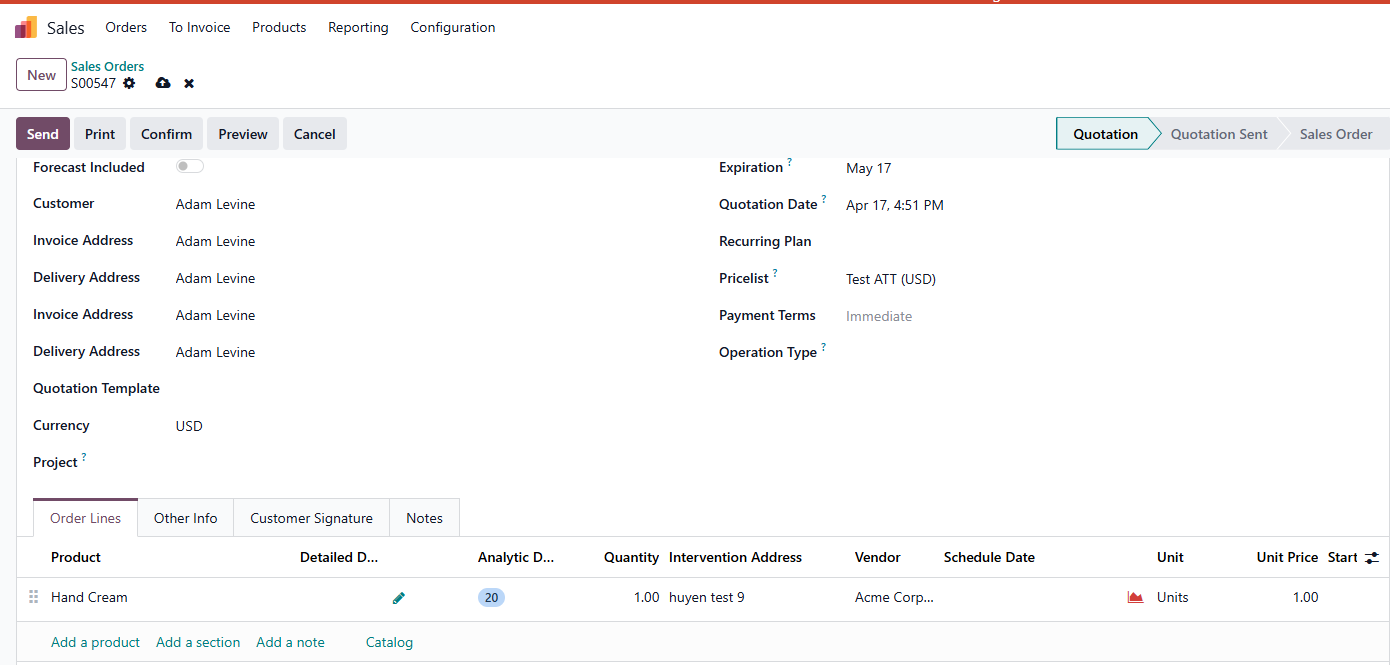
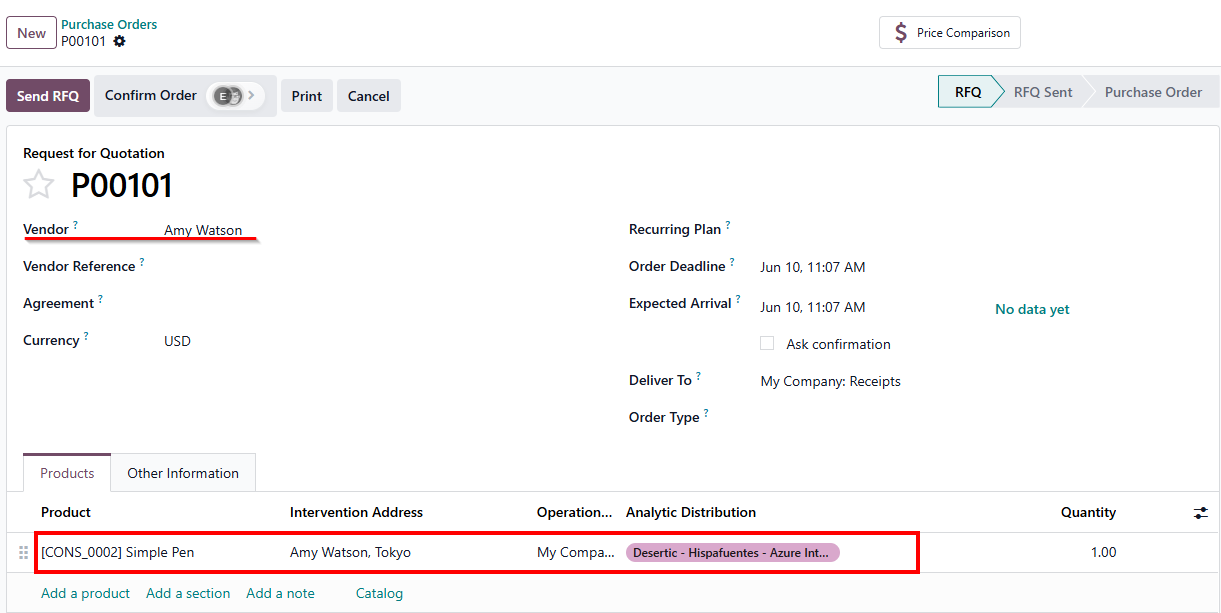
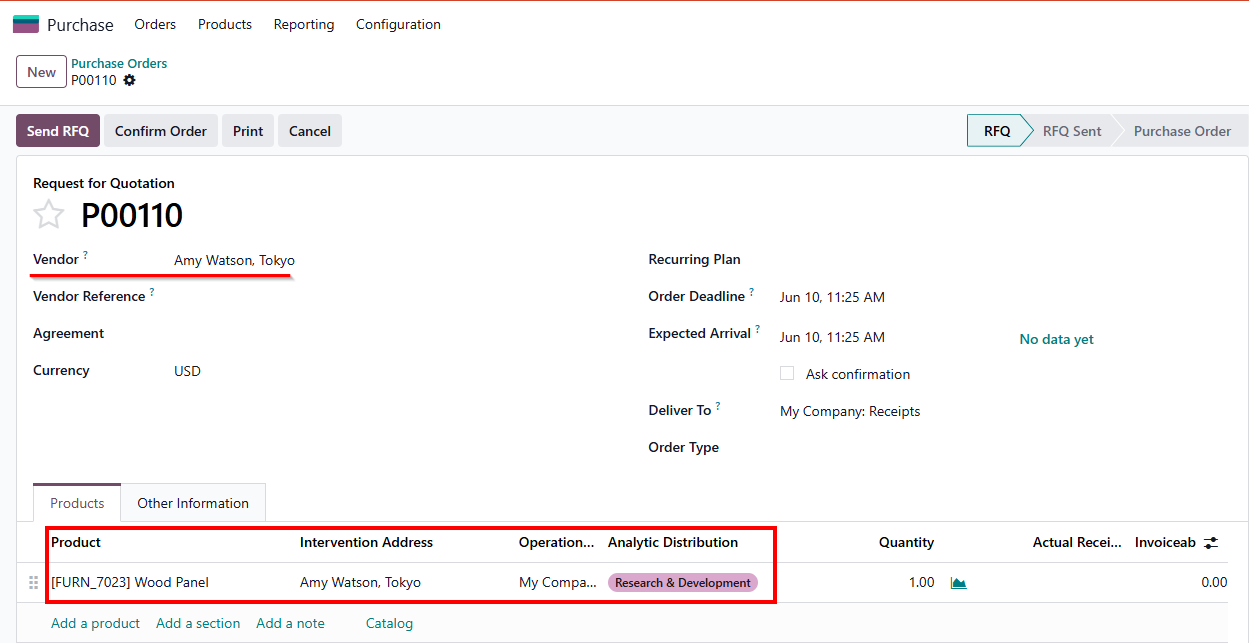
Cluedoo extends this capability by allowing users to set a default analytic account based on the delivery address. The system automatically distributes financial data using either the main delivery address on the Sales Order or Purchase Order header, or the specific delivery address designated on each individual order line.
CONFIGURATION | |
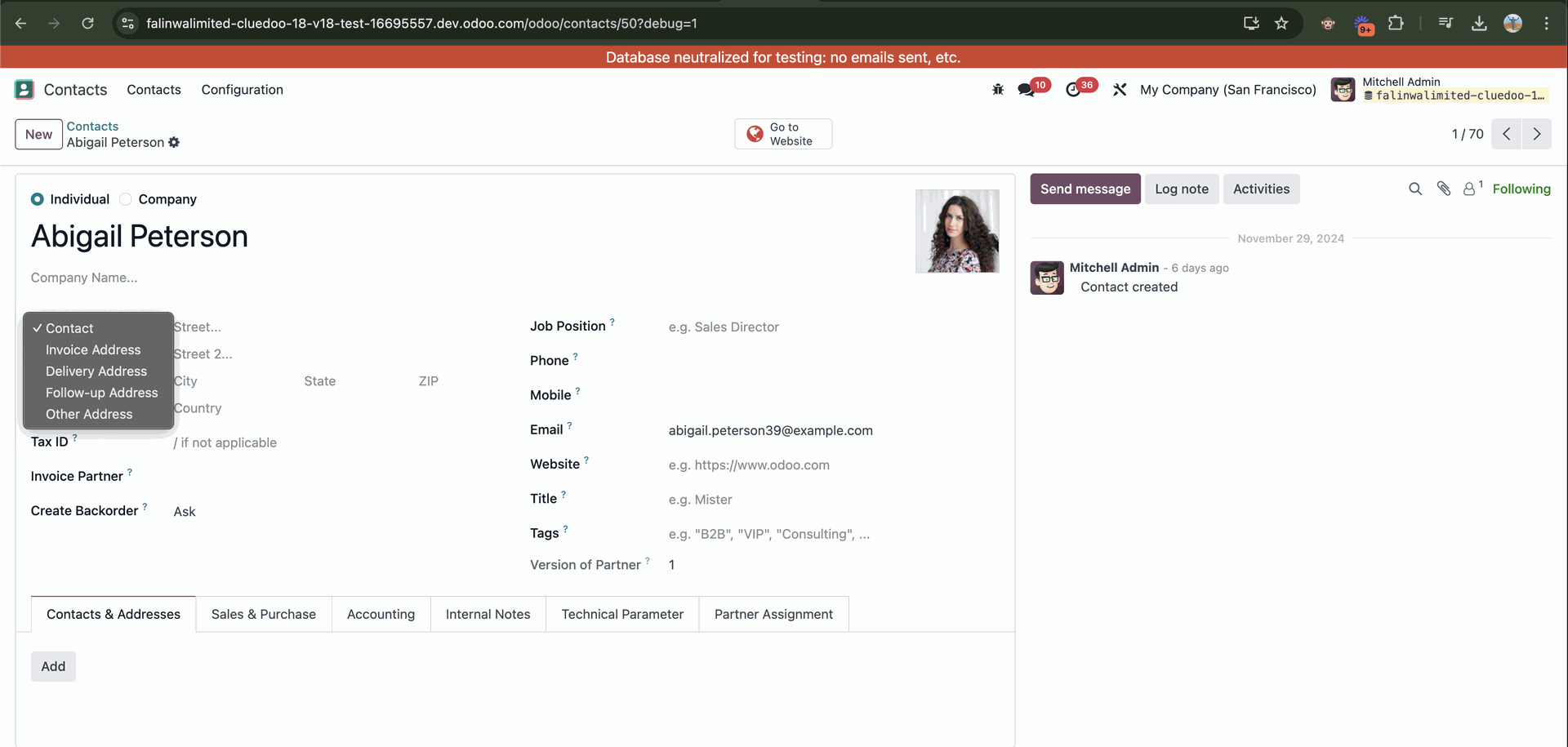
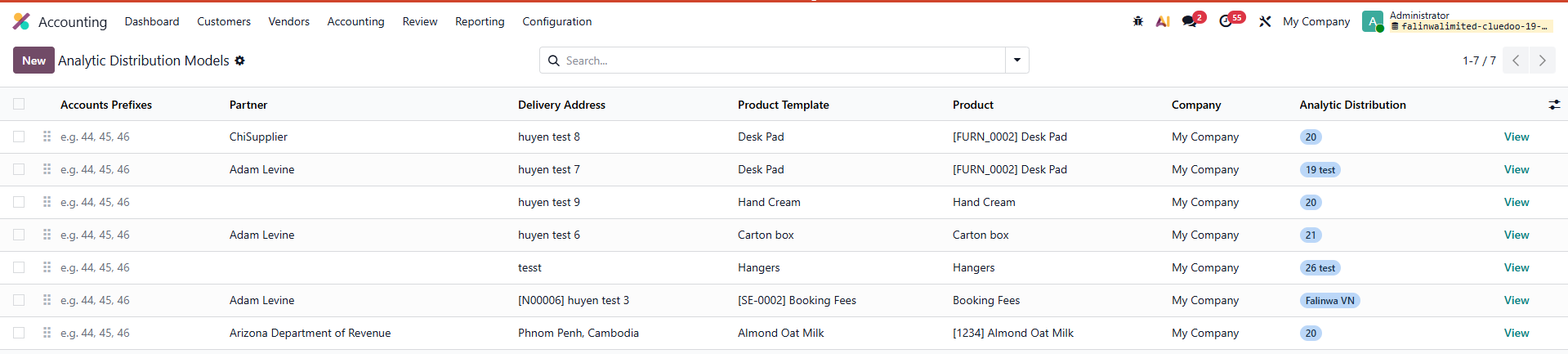
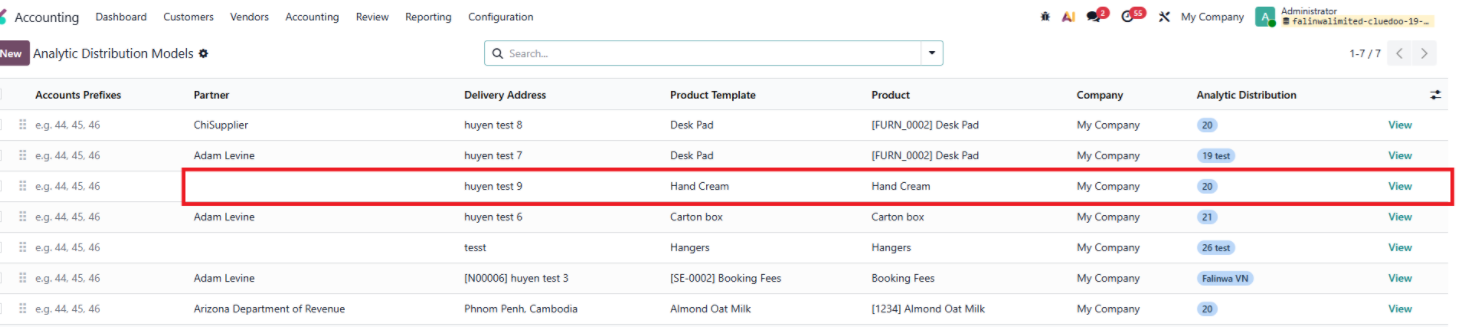
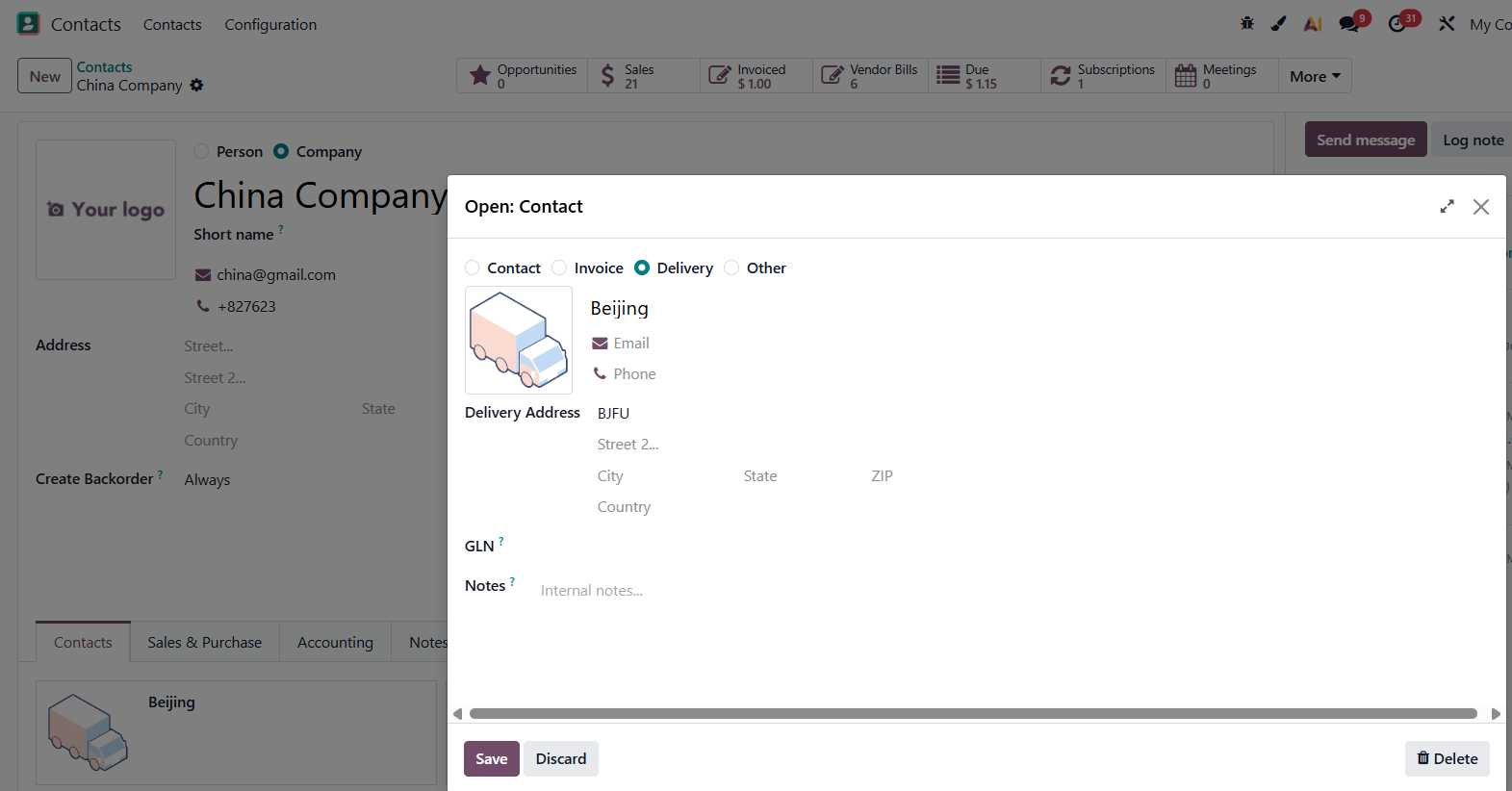
Go to Accounting > Analytic Distribution Models > Create new or use existed one. We have a new field to set the Delivery Address. Note: you have to set Delivery Address in Contacts in order to choose delivery address. |
|
USAGE | |
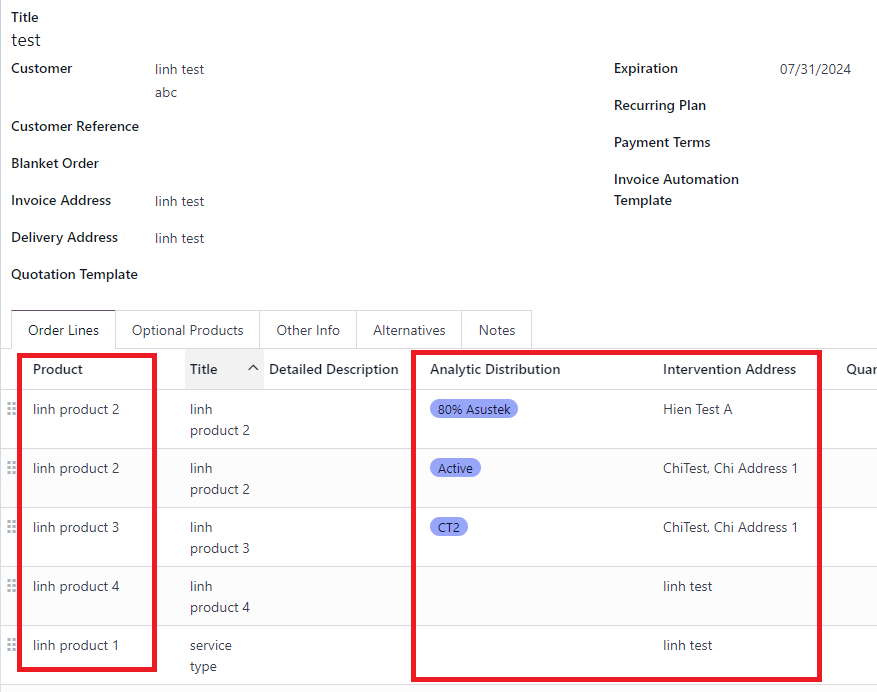
1.Rule Application Priority on Orders
|   |
|   |
|  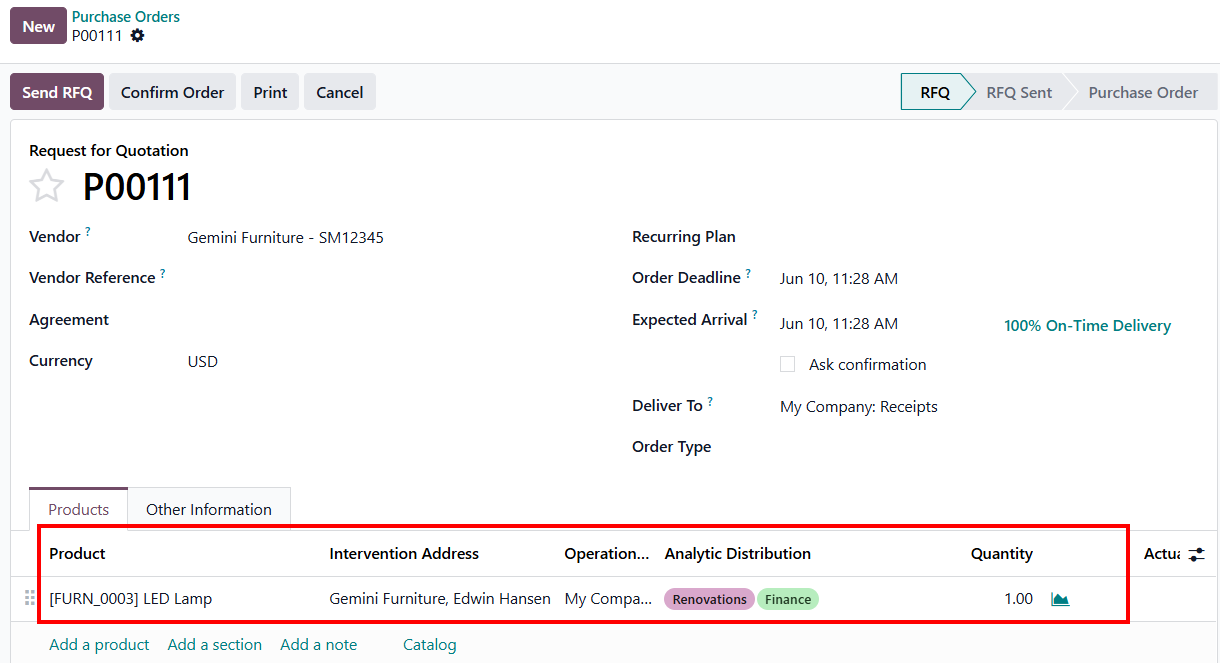 |
|  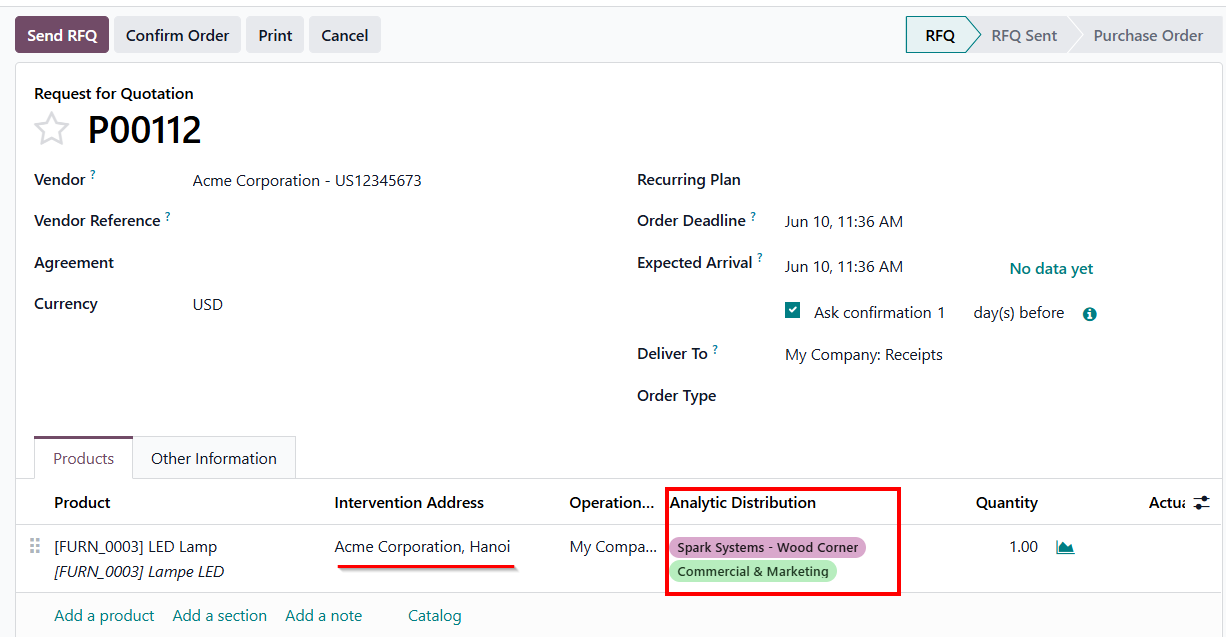 |
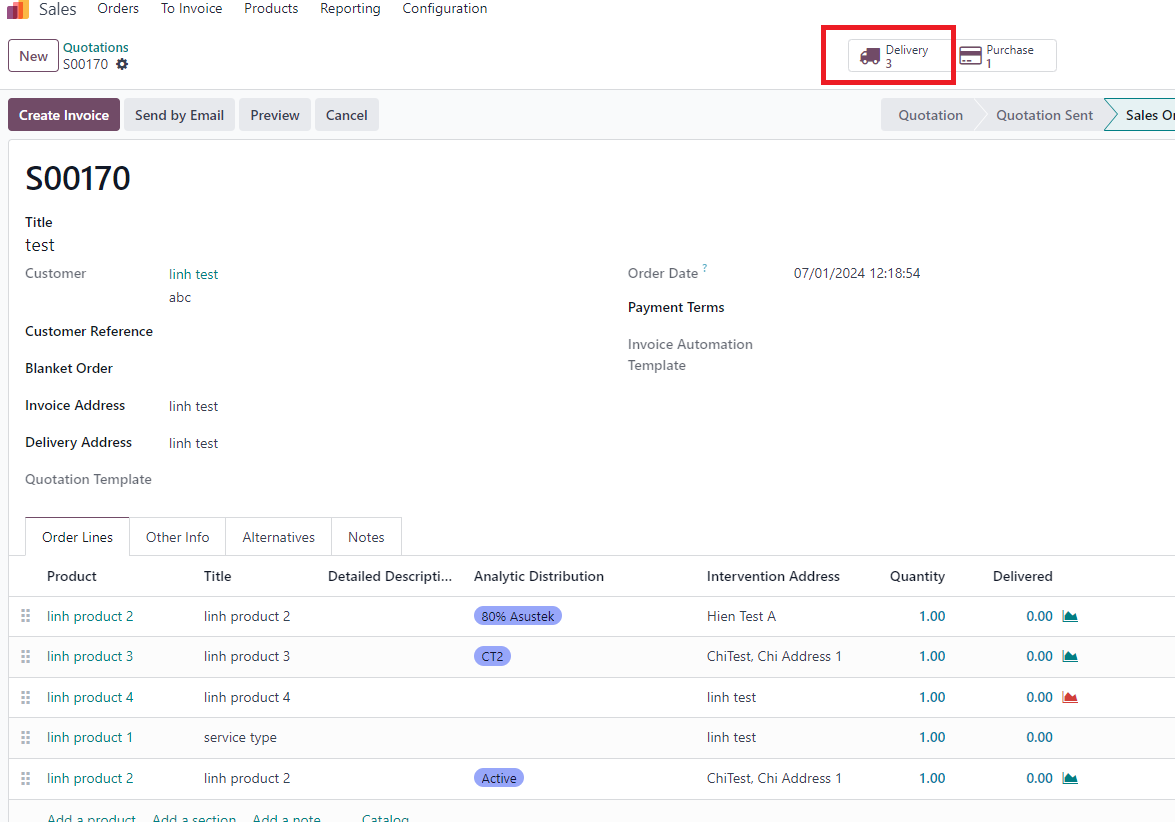
2. Order Confirmation and Deliveries
|

STORY BEHIND THE FEATURE
ODOO'S FUNCTIONS
Odoo help us define Analytic Distribution Models in Accounting in order to manage product more convenience.
CLUEDOO'S FUNCTIONS
CLuedoo gives the possibility to define default analytic per delivery adress (SO/PO delivery address OR SO line/PO line delivery address).
CLUEDOO RECOMMENDATION
Install this template in 100% of your databases.
HOW TO USE THIS MODULE
1. Go to Accounting > Analytic Distribution Models > Create new or use existed one. We have a new field to set the Delivery Address. Note: you have to set Delivery Address in Contact in order to choose delivery address. |
|
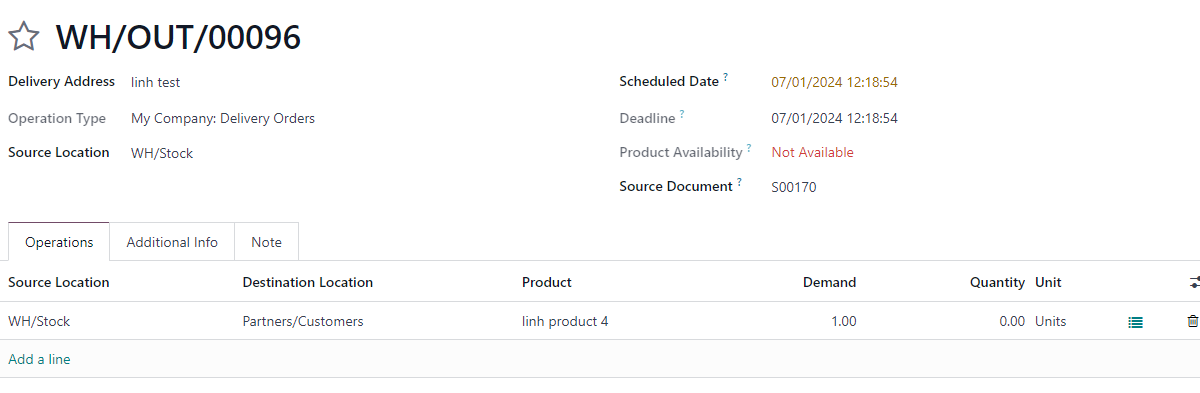
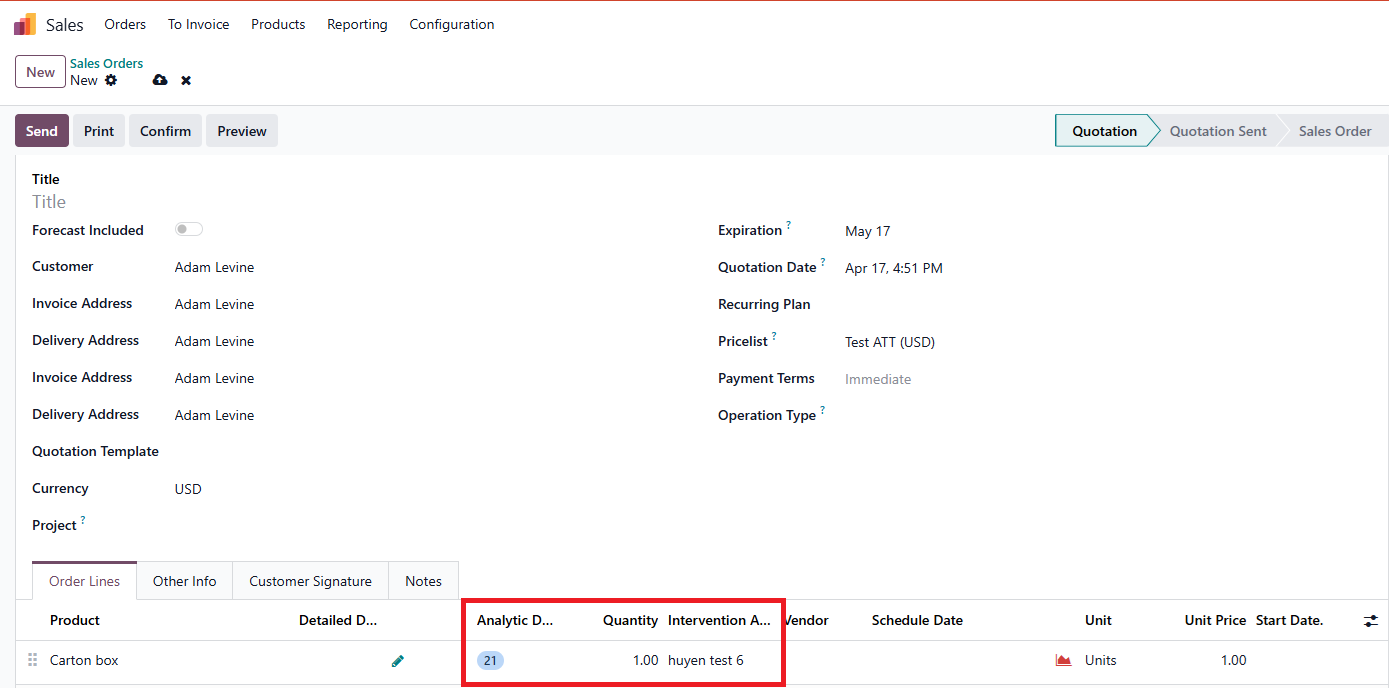
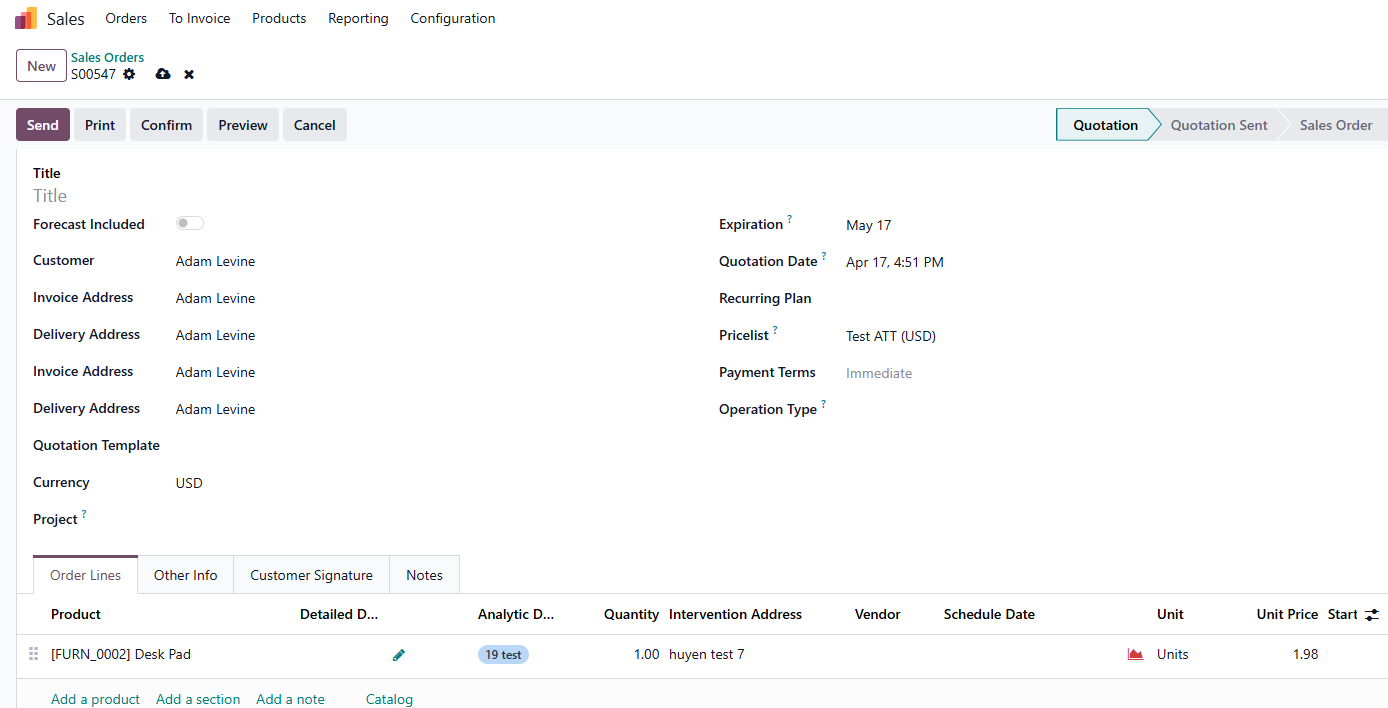
2. Create new SO or PO > Fill the vendor and product > Then choose Intervention Address > Column "Analytic Distribution" automatically filled based on your set up > Confirm For ex: Vendor: linh test With product "linh product 4" and intervention address is "linh test" not exist in Analytic Distribution Models so there's no Analytic Distribution same as "linh product 1" |
|
3. After confirmed > There're 3 deliveries created based on 3 Intervention Address (hien test A, Chi Address 1, linh test) Note: product with service type not create transfer (linh product 1) |
|
Additional test case Test case 1: Set up product and it's customer in ADM. Go to SO, choose this customer and this product > Analytic distribution appears correctly (same as set up in ADM) |
|
Test case 2: Set up 2 ADM with the same product but different partners and Analytic distribution. Go to SO, pick 1 of 2 customer above, choose this product > the analytic distribution appears align with the previous setting |
|
Test case 3: in ADM, set up product without partner |
|