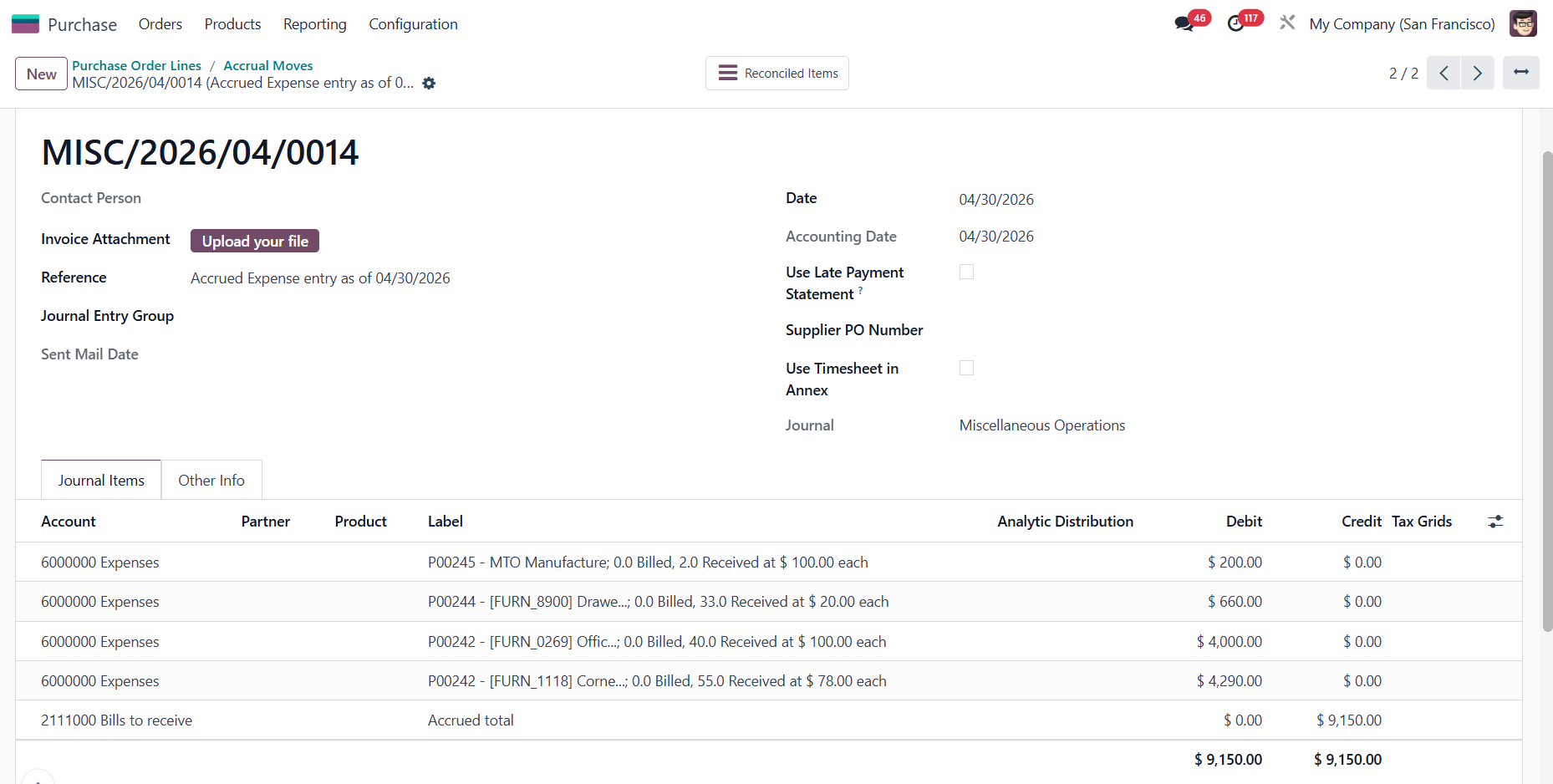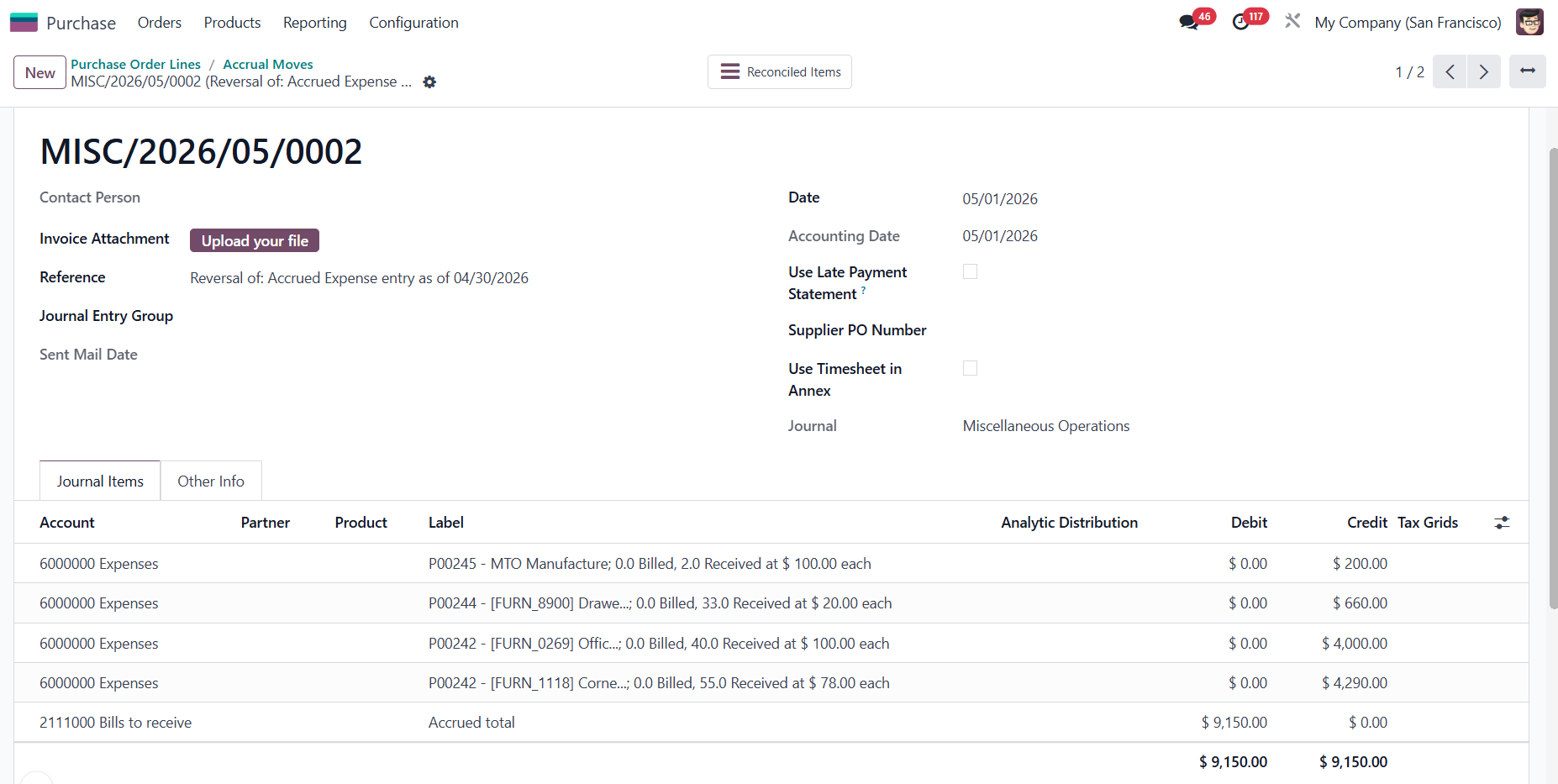
ODOO'S FUNCTION
Odoo’s native accrual engine allows you to generate Accrued Revenue entries directly from a Sales Order (SO). The limitation, however, is that this action applies to the entire document - you currently cannot pick and choose specific Sales Order Lines (SOL) to accrue independently.
CLUEDOO'S FUNCTION
CLuedoo upgrades the standard process by extending the accrual engine to the individual Sales Order Line (SOL) level, enabling precise, line-by-line accruals. Furthermore, it introduces flexible accounting controls by giving you the option to group or ungroup distinct Journal Entries (JEs) for different Sales Orders.
CONFIGURATION | |
Go to Purchase > Open Studio > Edit Menu > Add a new menu for Purchase Order Lines > Close | 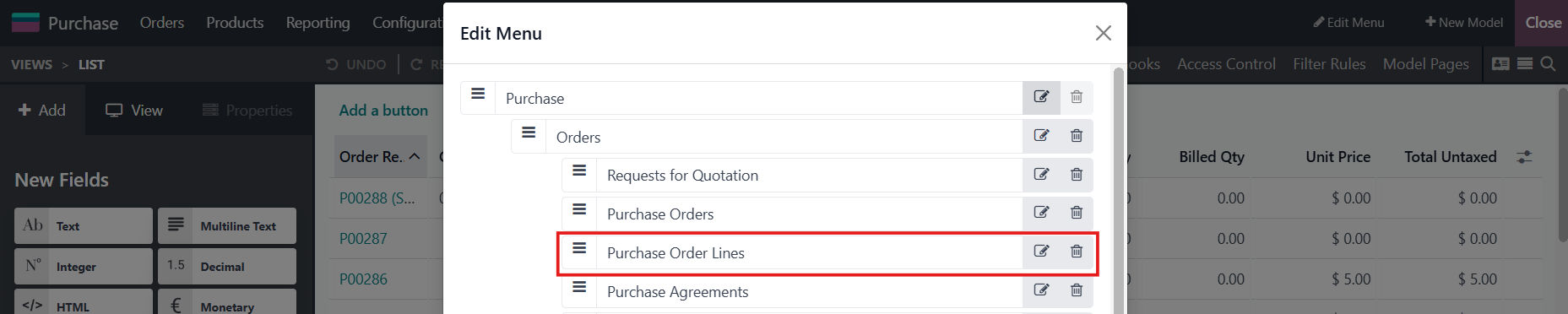 |
USAGE | |
1. Go to Purchase > Access the Purchase Order Lines menu that you just created > Choose some POLs from different POs > Actions > Accrued Expense Entry | 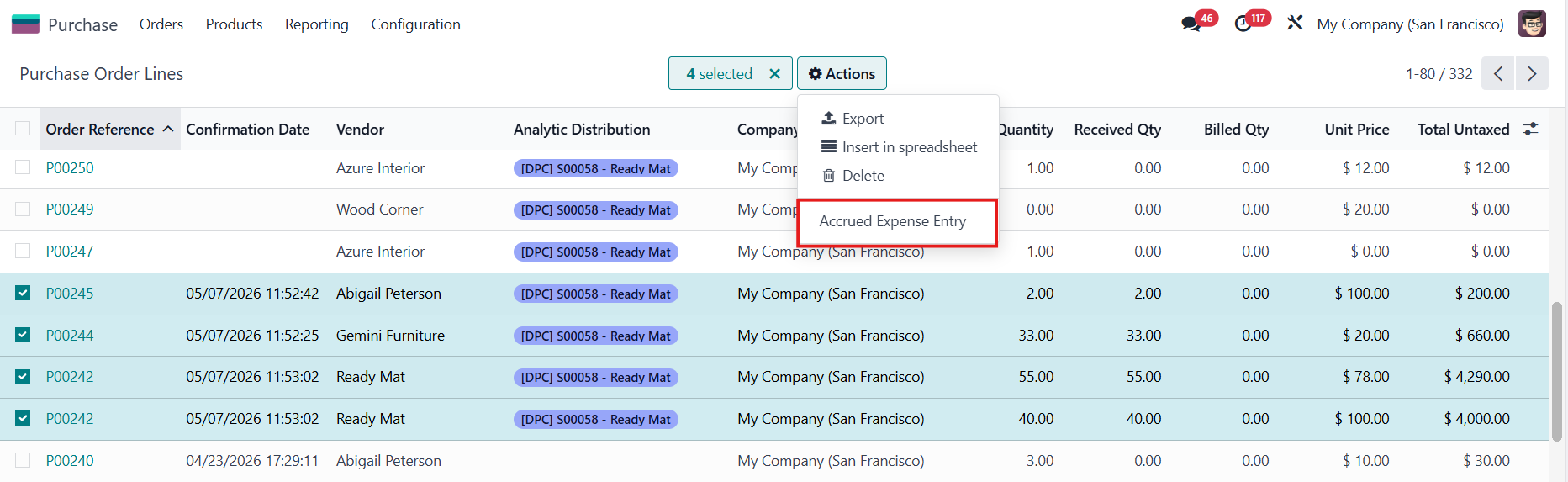 |
2. Choose the Accrual Account and check the Group Entries by Order if needed > Create Entry | 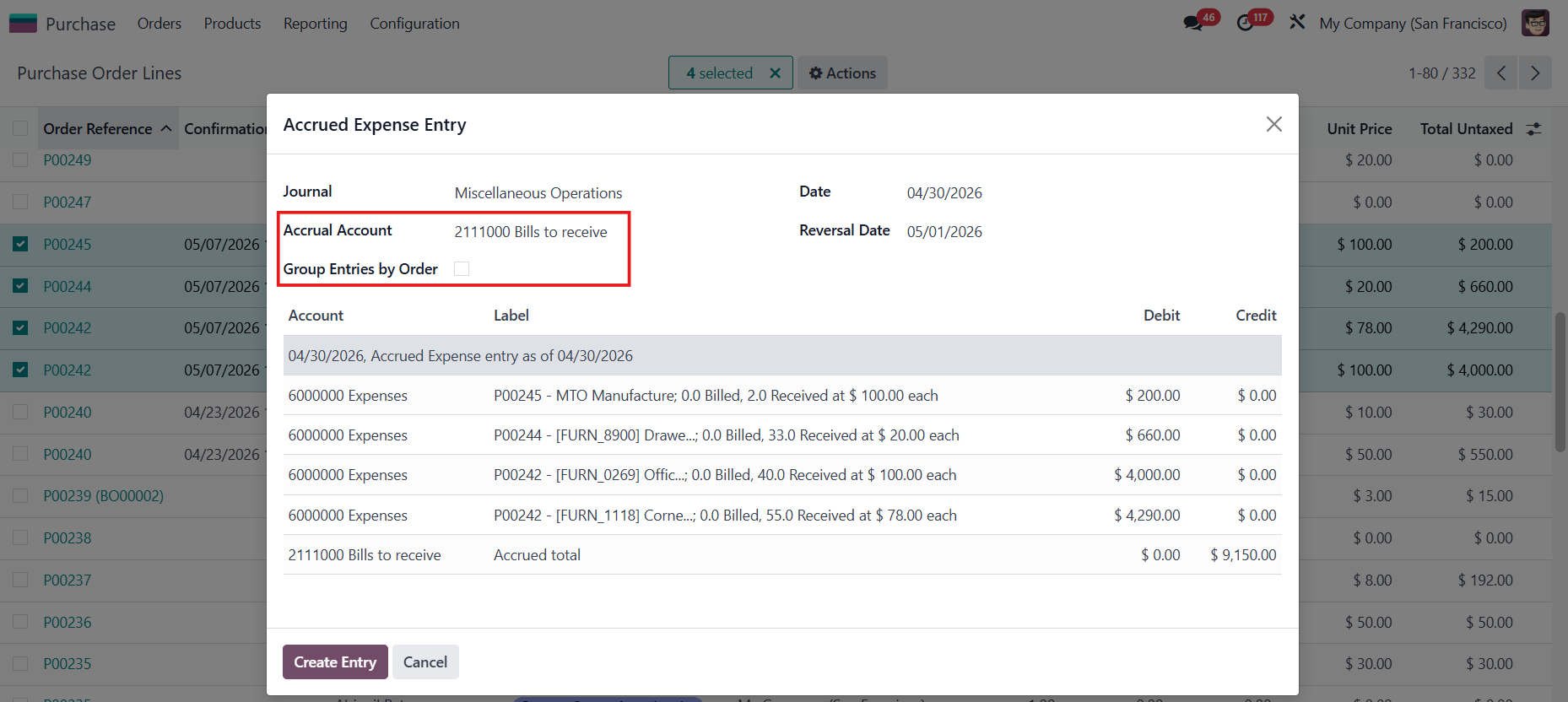 |
"GROUP ENTRIES BY ORDER" UNCHECKEDThe JEs from different SOs are grouped into one. | 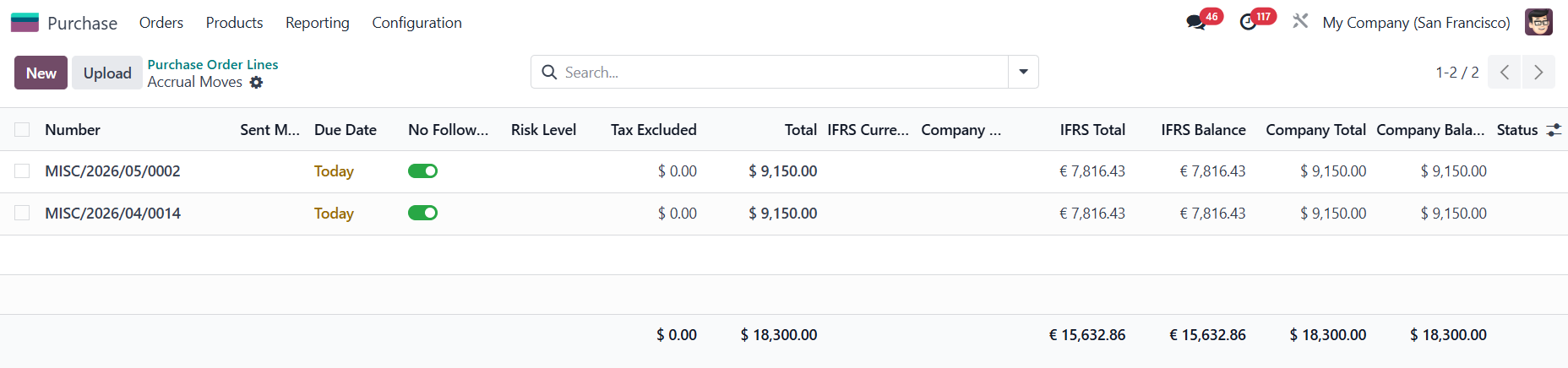 |
| |
"GROUP ENTRIES BY ORDER" CHECKEDThe JEs are generated separately for each individual SO. | 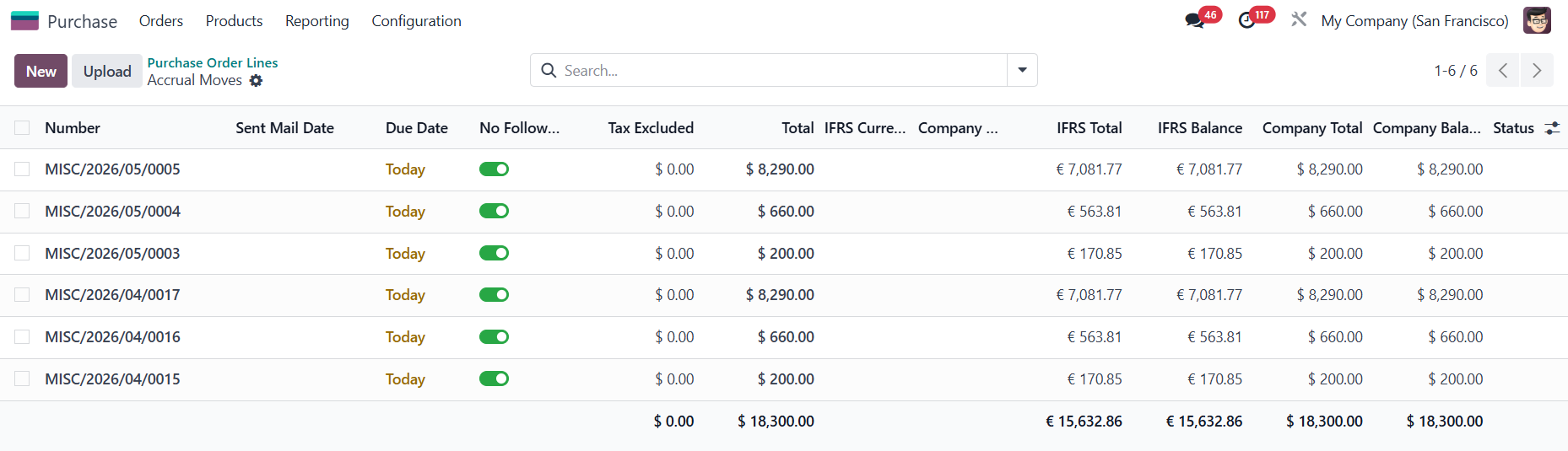 |