


STORY BEHIND THE FEATURE
ODOO BEHAVIOUR
In Odoo, we don't have the Component tab in Lots/SN, so we can't track the list of components with L/SN.
CLUEDOO BEHAVIOR
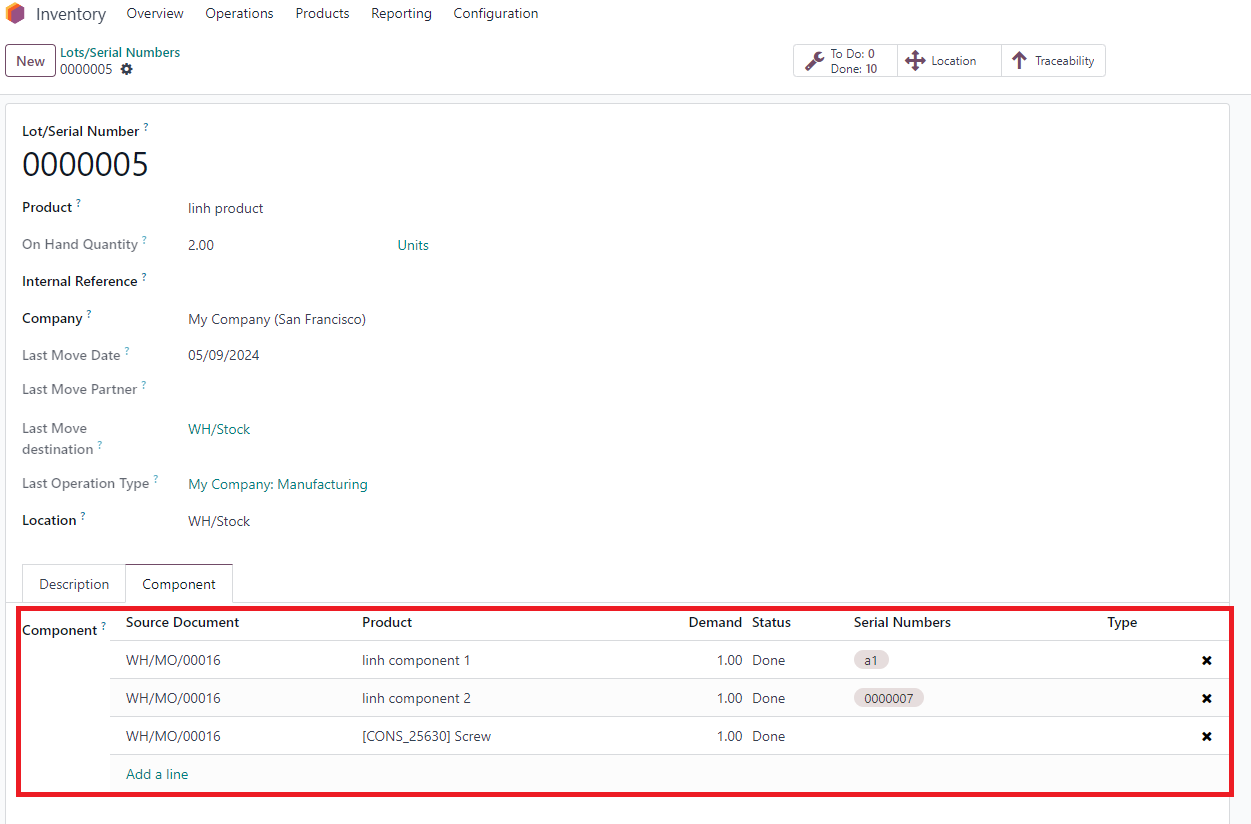
Cluedoo extends this feature: on the L/SN model, add the list of main components with their information directly on the form view, under the Component tab.
CLUEDOO RECOMMENDATIONS
Install this template in 100% of your databases as a useful tool for user creation and management.
HOW TO USE THIS MODULE
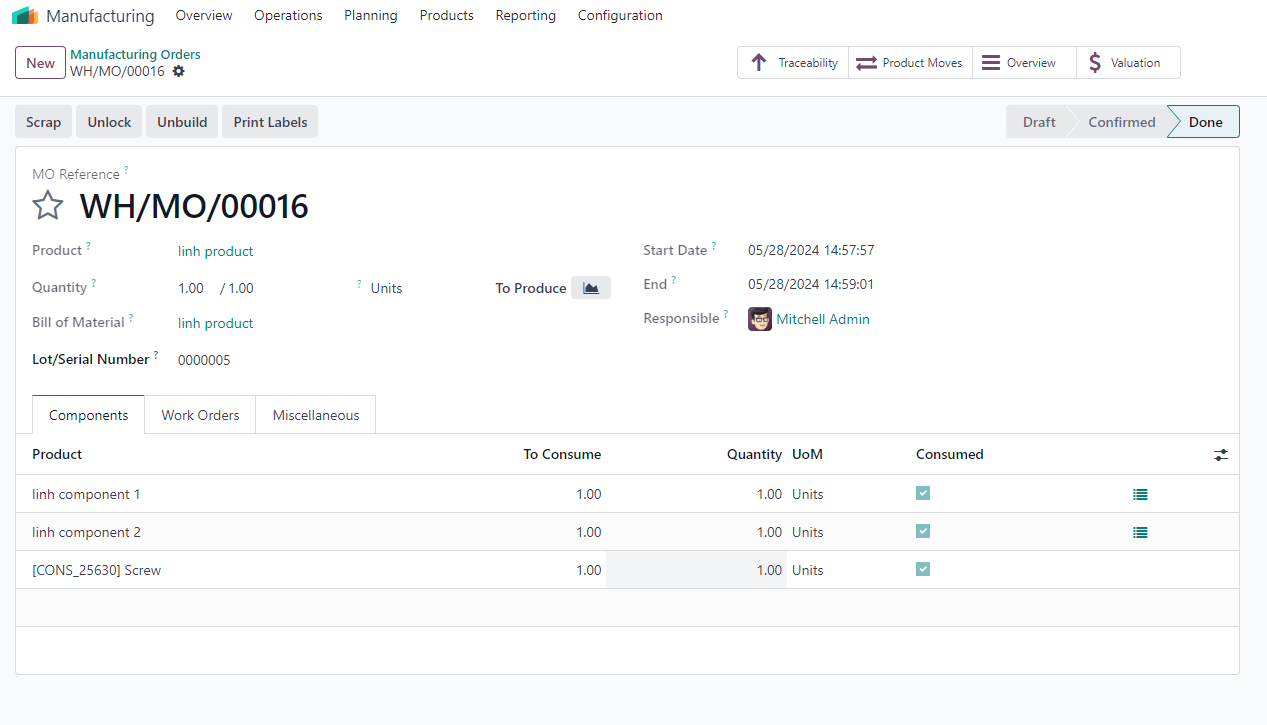
1. Create new MO > Set L/SN for the finished product > Confirm > Produce All |
|
2. Go to Lots/Serial Numbers > Choose the L/SN that has just been assigned to the MO > In the Component tab > you will see the components of the finished product from the MO that uses this L/SN Note: If your components have L/SN, it will be inherited to this field as well |
|