ODOO'S FUNCTION
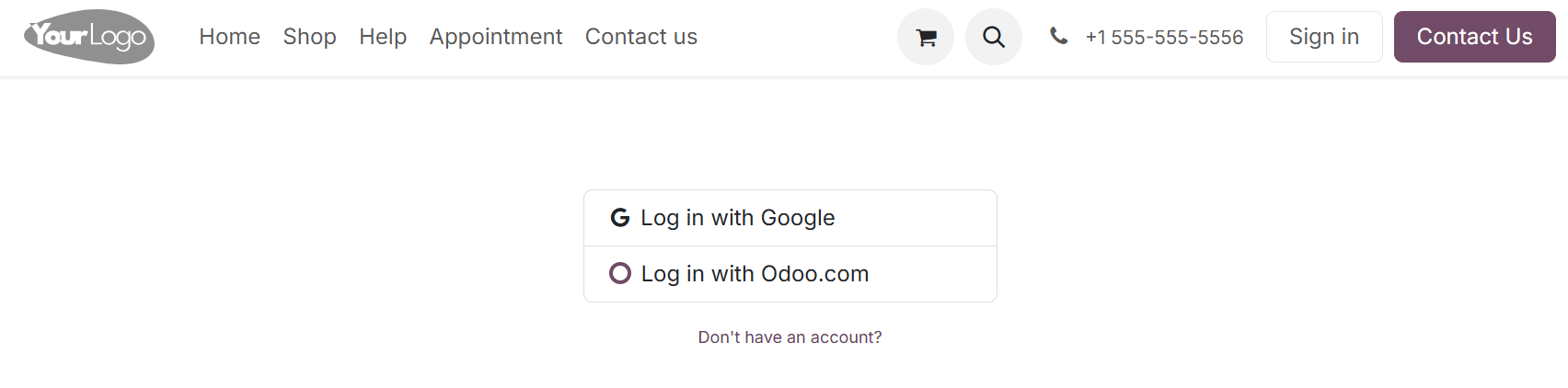
In standard Odoo, authentication supports both password-based login and OAuth (SSO) at the same time, allowing users to choose either method. The login page always displays the login/password fields. As a result, SSO cannot be strictly enforced, which may lead to inconsistent authentication practices and potential security risks.
CLUEDOO'S FUNCTION
CLuedoo extends Odoo’s authentication mechanism to enforce OAuth-based Single Sign-On (SSO) and restrict the usage of traditional password-based login.
1. 1. Go to Settings > Users & Companies > OAuth Providers > You can view the list of existing providers or click New to create a new one. If no OAuth provider is active, the module remains inactive and standard Odoo behavior is preserved. | 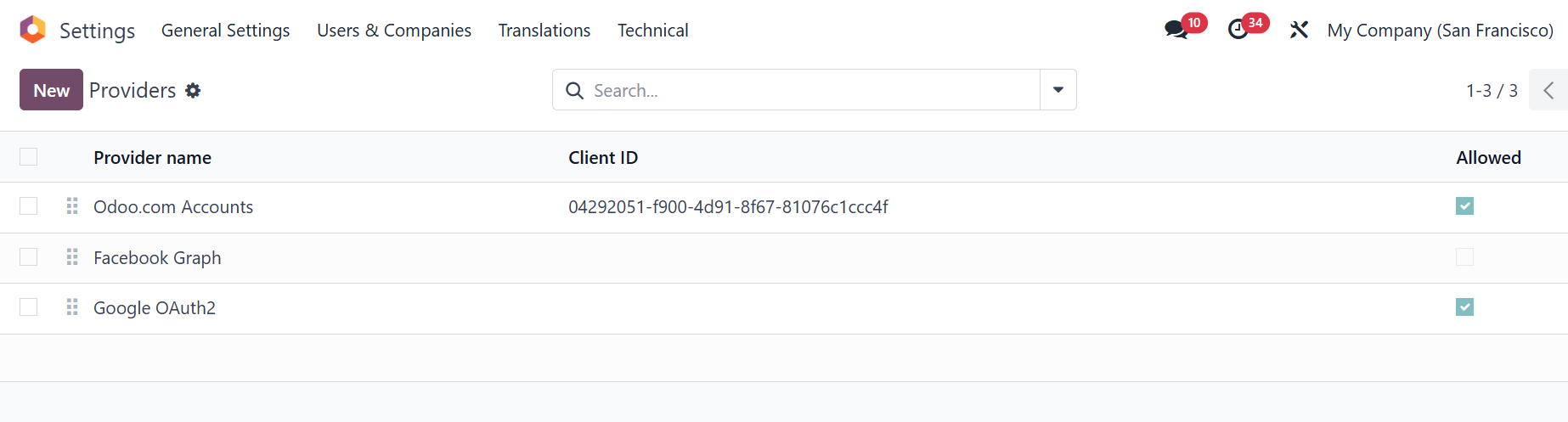 |
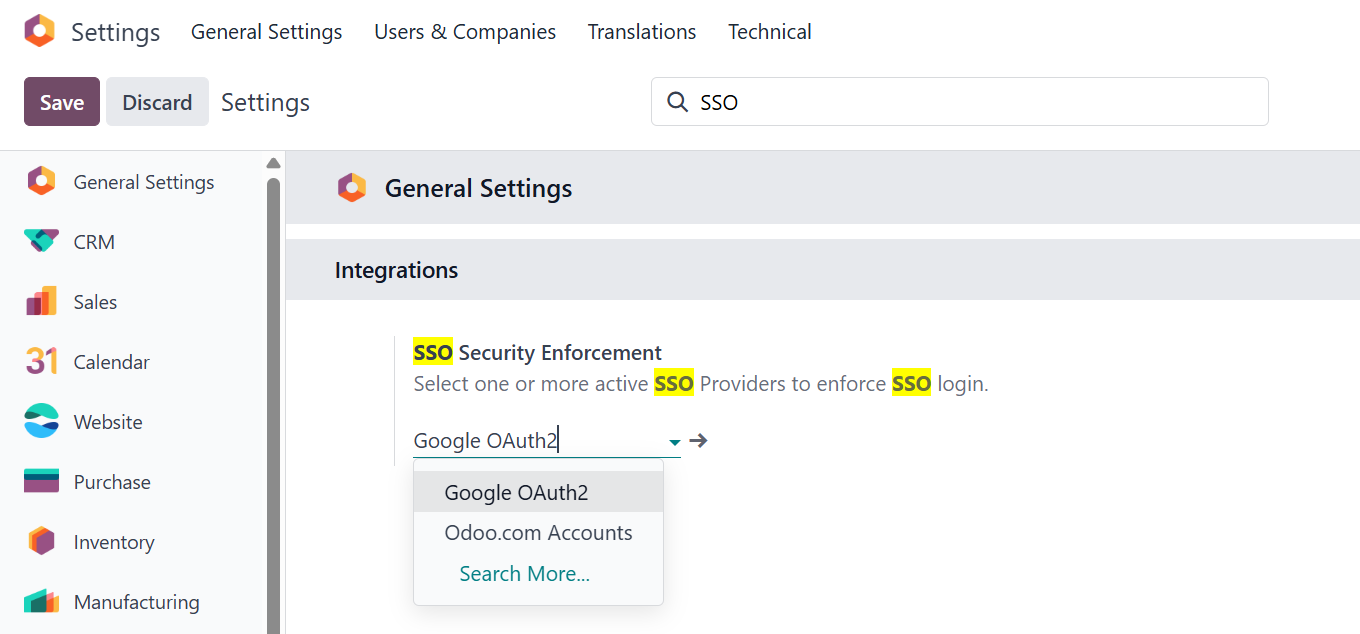
2. 2. A configuration option is added in the Settings panel to define an active OAuth Provider. |
|
3. 3. Once an OAuth provider is selected:
|  |
Note: If providers such as Google or Odoo.com are enabled but no provider is selected in the SSO settings, the enforcement will not be applied. | 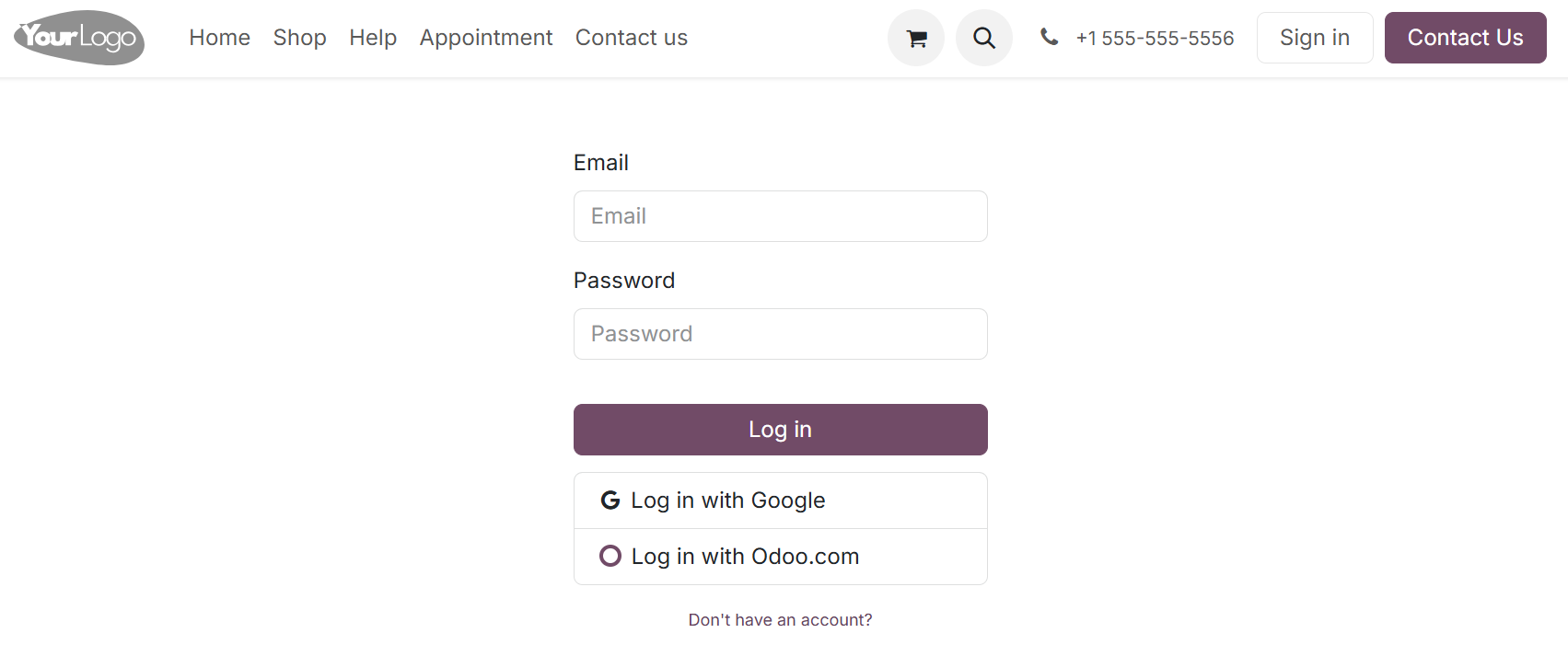 |
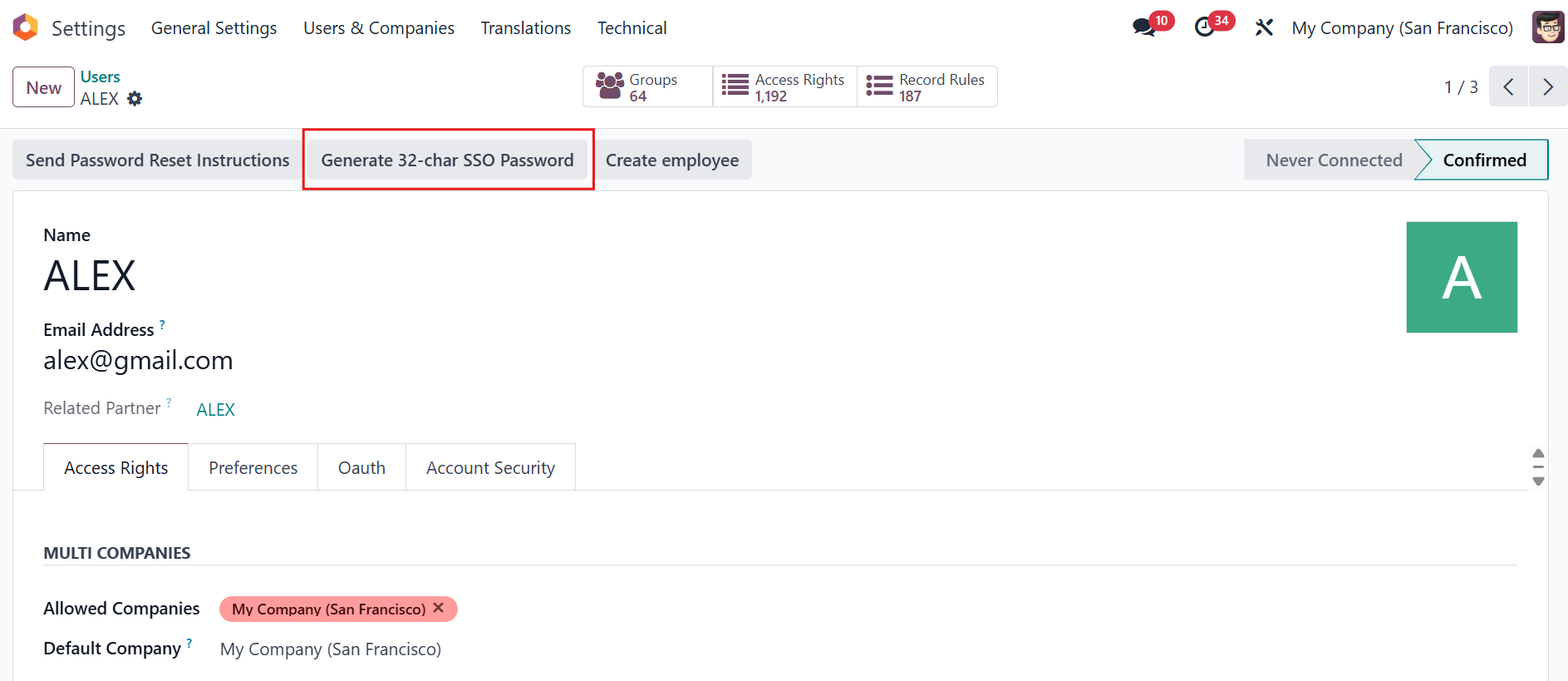
4. 4. Go to Settings > Users > You can see the action to generate 32-char SSO password. Once this password is generated, any previously set password becomes invalid and can no longer be used |
|