



ODOO'S FUNCTION
In Odoo, the sales description is defined at the product template level. This means all variants share the same description, so changing the sales description for one variant automatically affects every variant of that product.
CLUEDOO'S FUNCTION
CLuedoo allows sales descriptions to be managed at the product variant level by unlinking the description between the product template and its variants (activated via a checkbox in the product category). Sales order lines will then use each variant’s individual sales description as the title.
1. Go to a product's Product Category > Under the Sales Description section, uncheck the Link Sale Description to Template field If you keep this checked, it will follow ODS. | 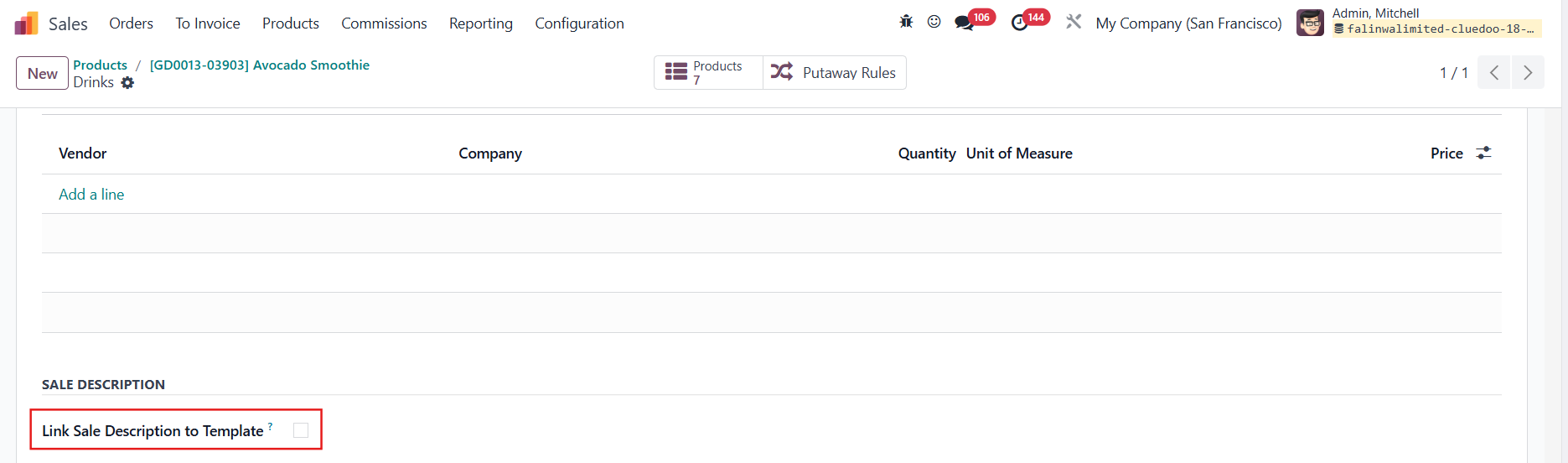 |
Make sure the chosen product has some variants. | 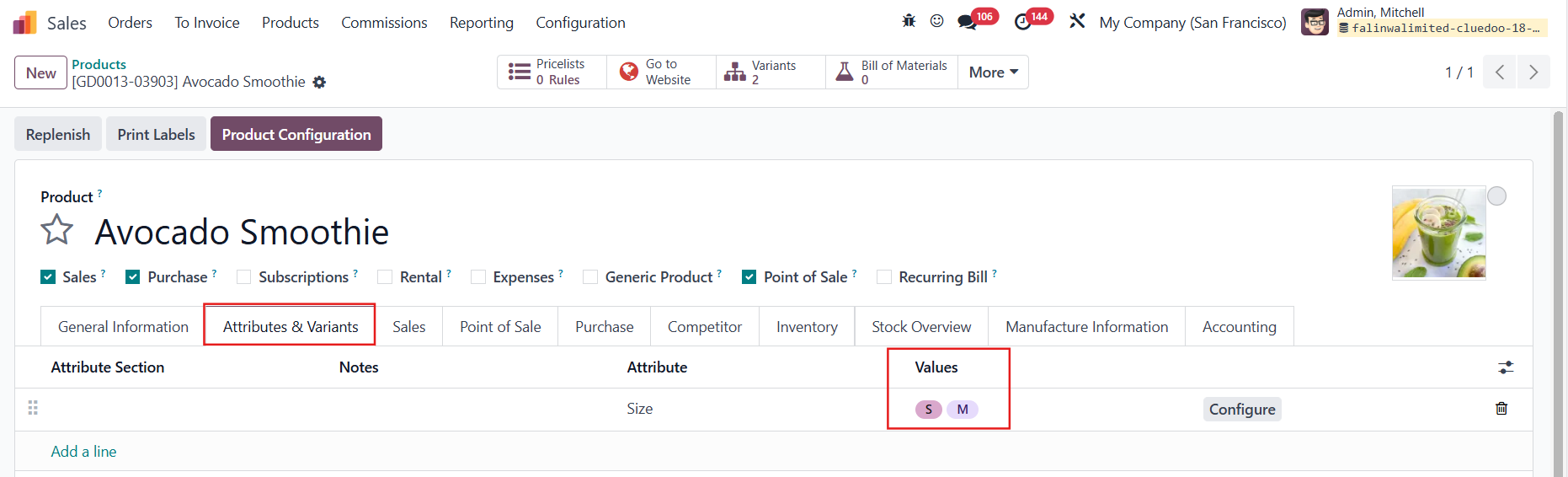 |
2. You can now add different Quotation/Sales Descriptions to the product variants | 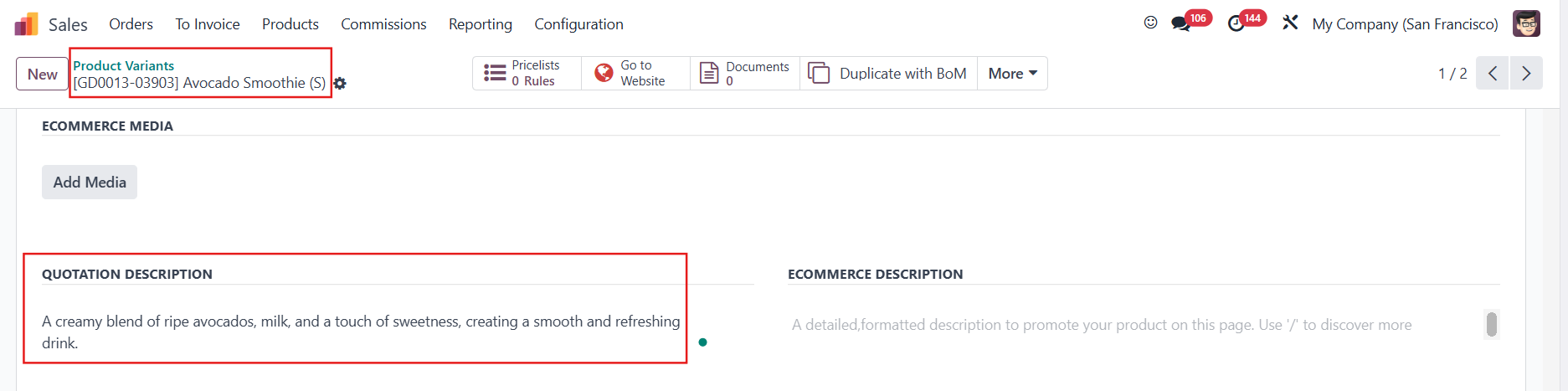 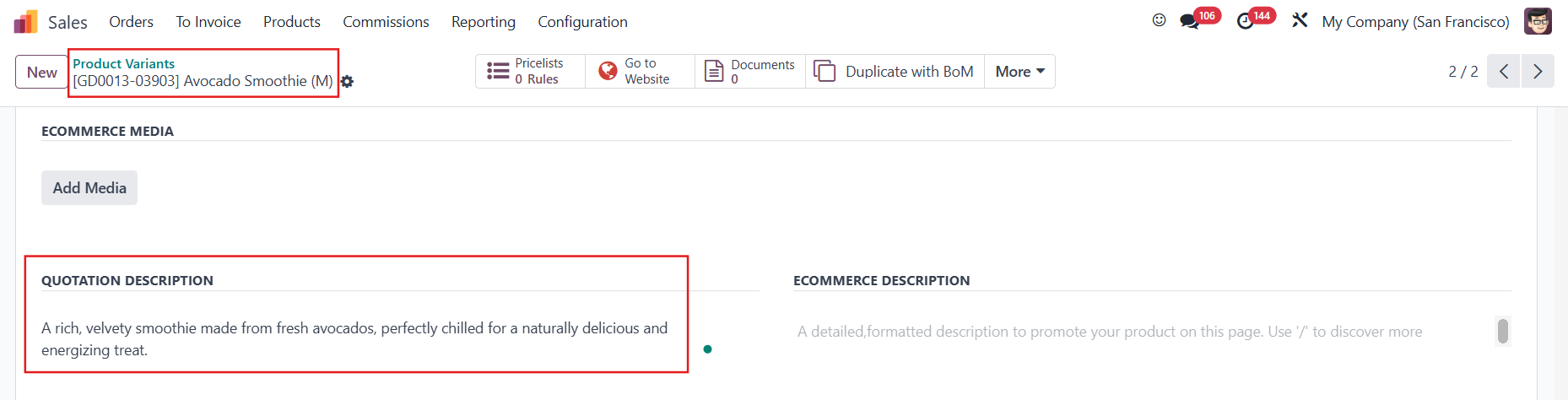 |
3. Create a Sales Order and choose a product variant | 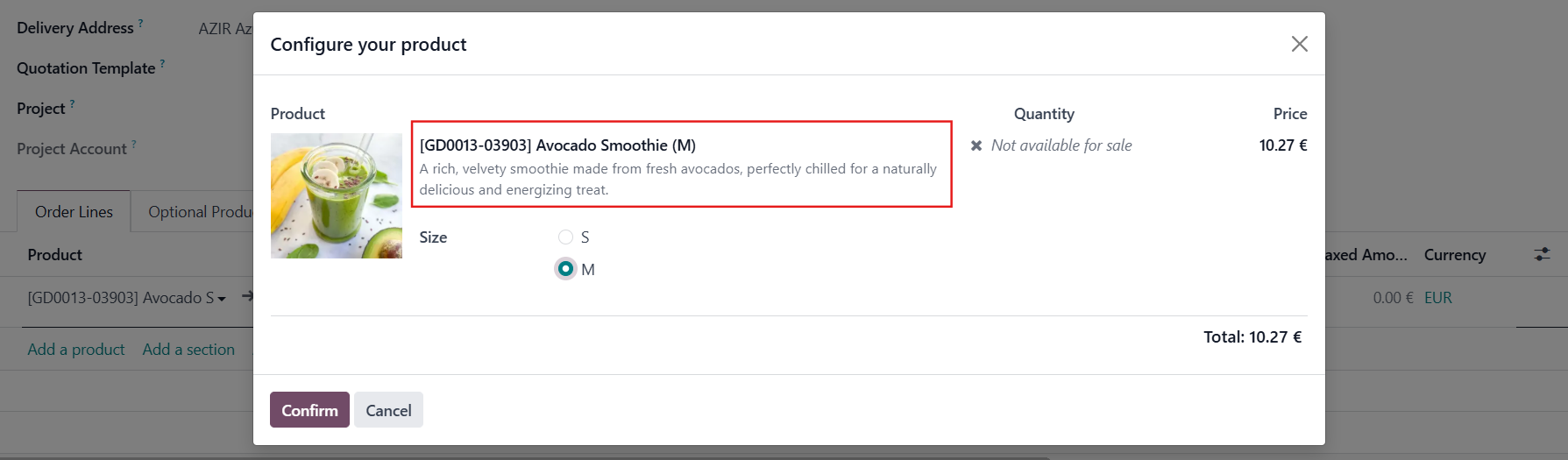 |
When a product variant is selected, its own sales description will appear as the product's title in the sales order line. | 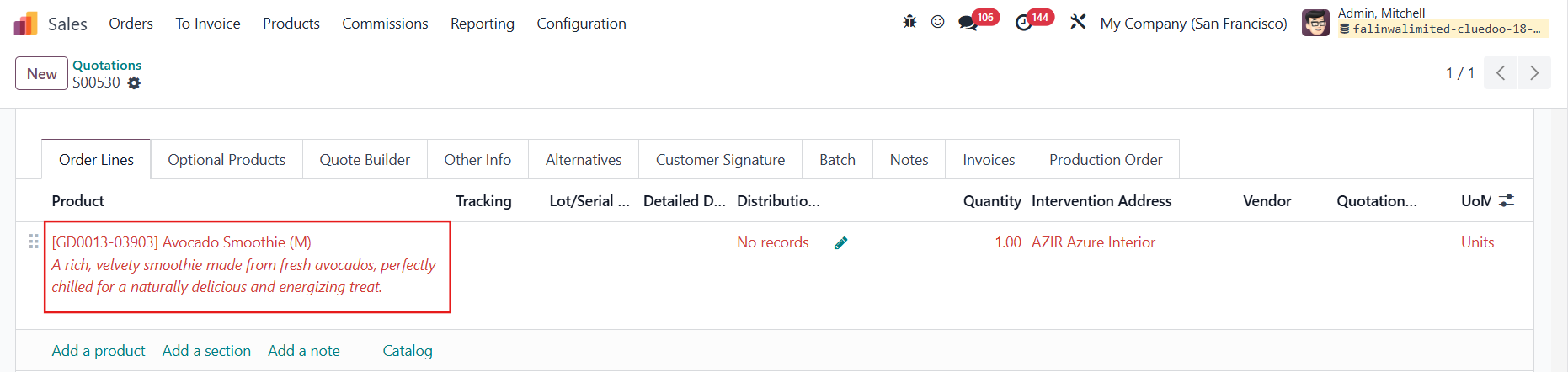 |