


STORY BEHIND THE FEATURES
ODOO'S FUNCTIONS
On transfer, Odoo gives user access to all the Serial Numbers on every locations.
CLUEDOO'S FUNCTIONS
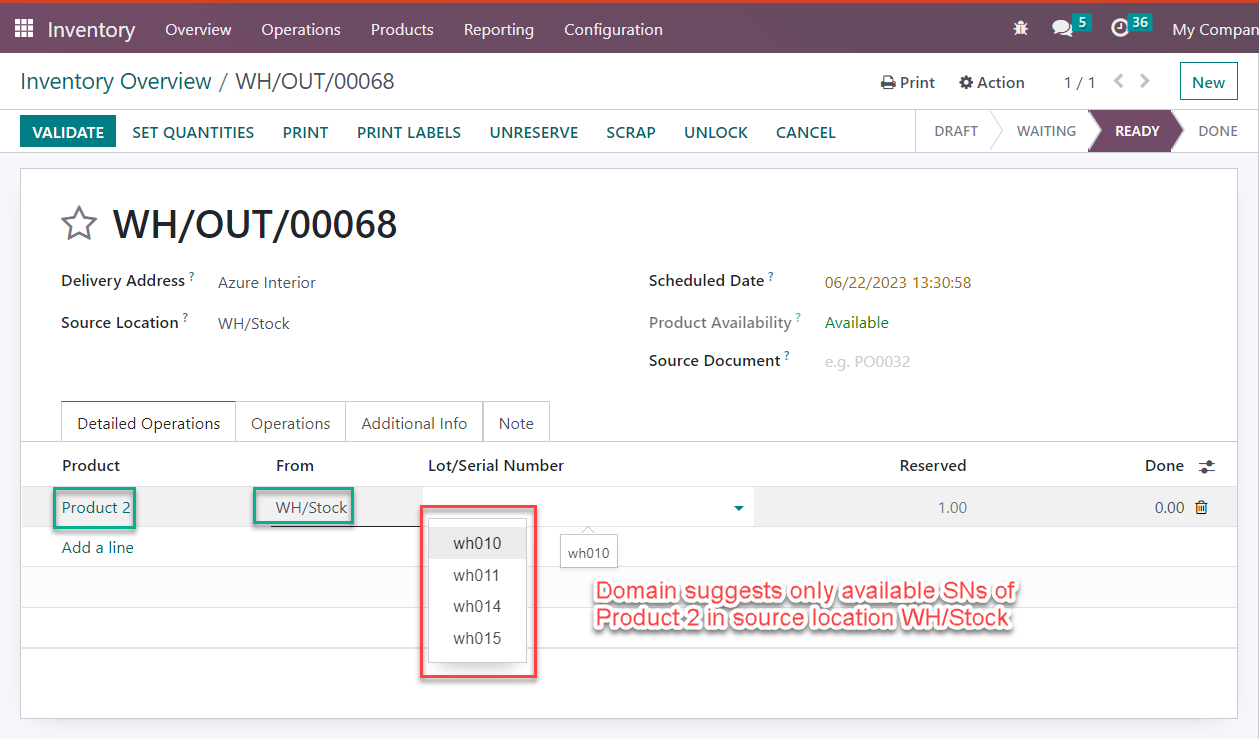
With Cluedoo - users can only select the Serial Numbers/Lot available in the source location of the stock move. If it's not available, user cannot select - and it needs to be available in the source location before being transferred to another location.
CLUEDOO RECOMMENDATIONS
To be installed for all the database using Lot/Serial numbers.
HOW TO USE THIS MODULE?
1
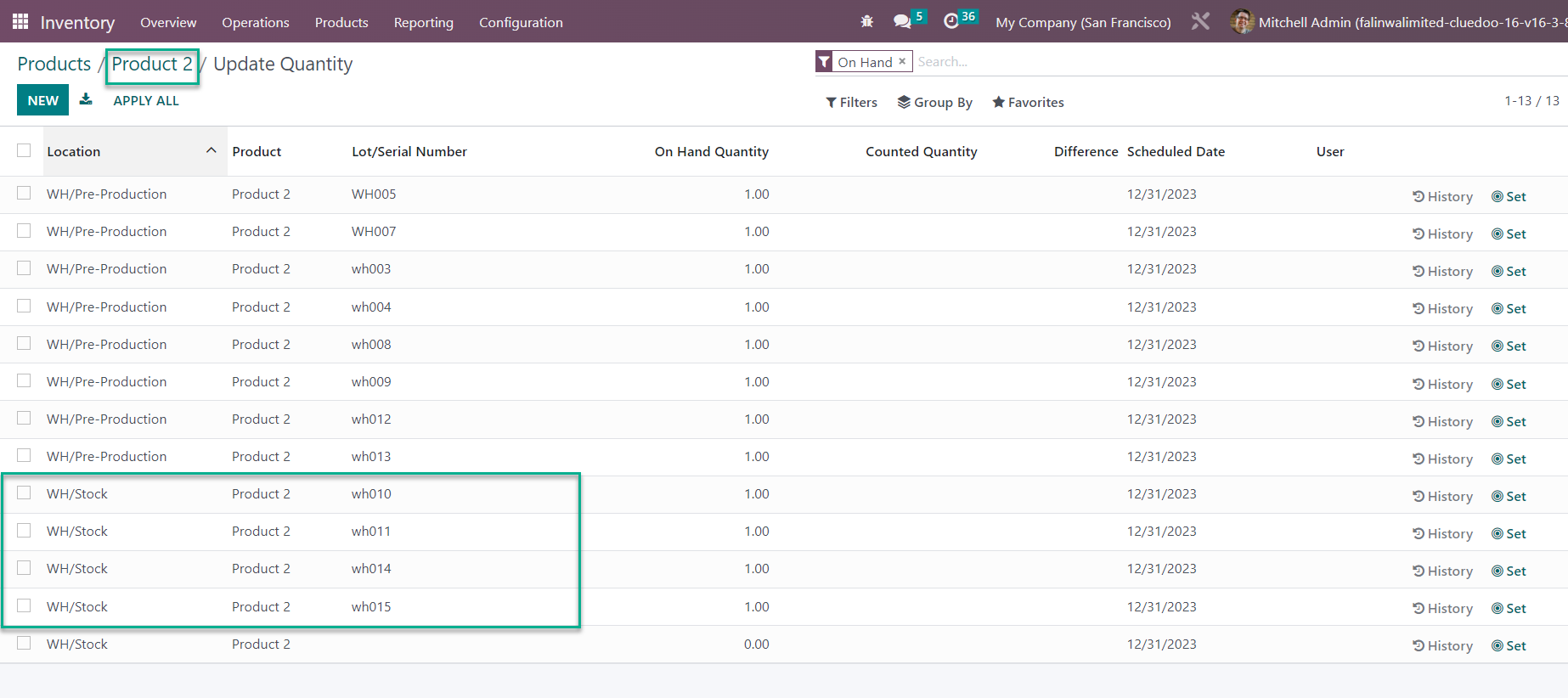
On Transfer, choose Detailed Operation tab it can be suggested with Lot/ Serial number on selected location only.
Note:
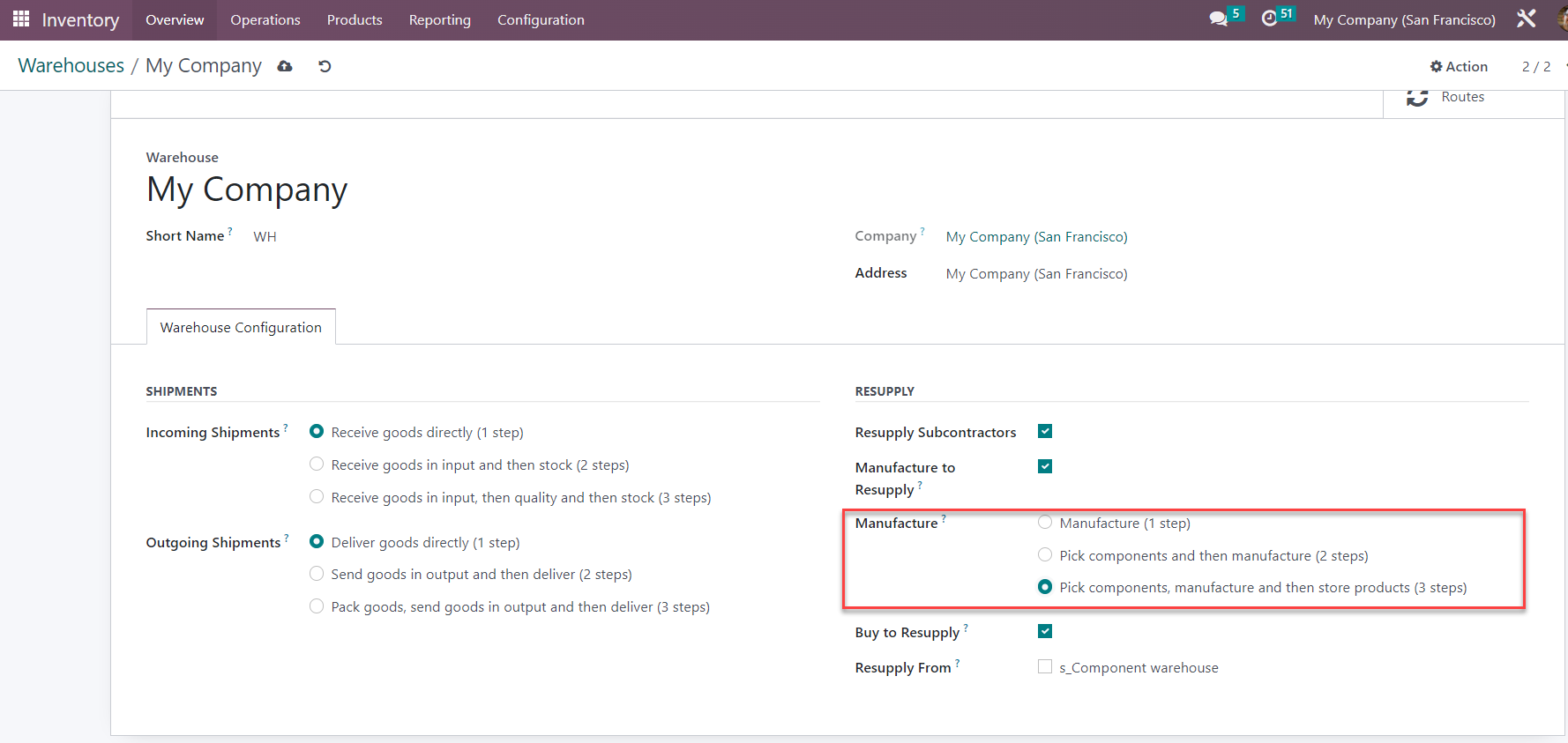
Suggested "Lot/Serial Number" will be suggested accordingly to warehouse configuration:
- If picking is disabled on warehouse: Receive goods directly (1 step): All lot / serial will be suggested.
- If picking is enabled on warehouse: Receive goods in input, then.. Only the lot / serial that is being picked will be suggested.
2
This module works on all Operation Types e.g. Receipts, Delivery Orders, Internal Transfer, etc.
3
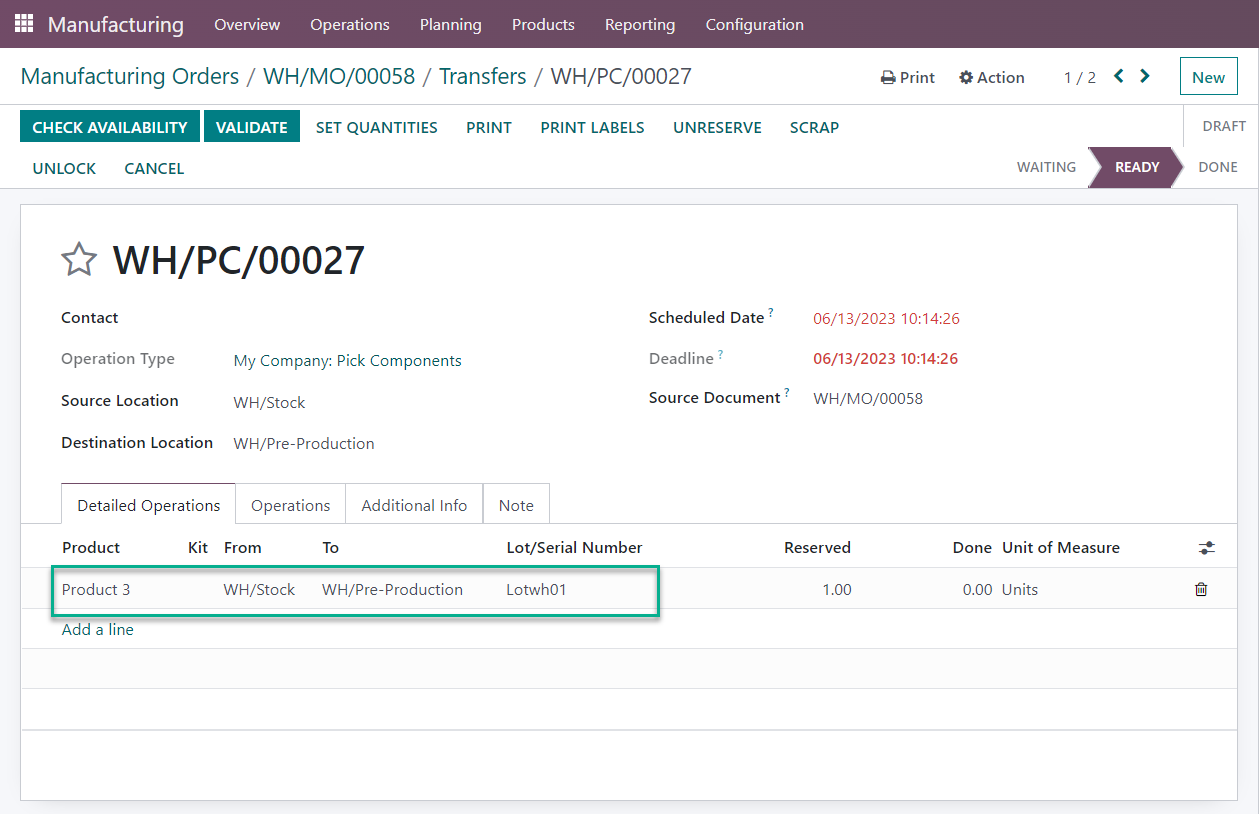
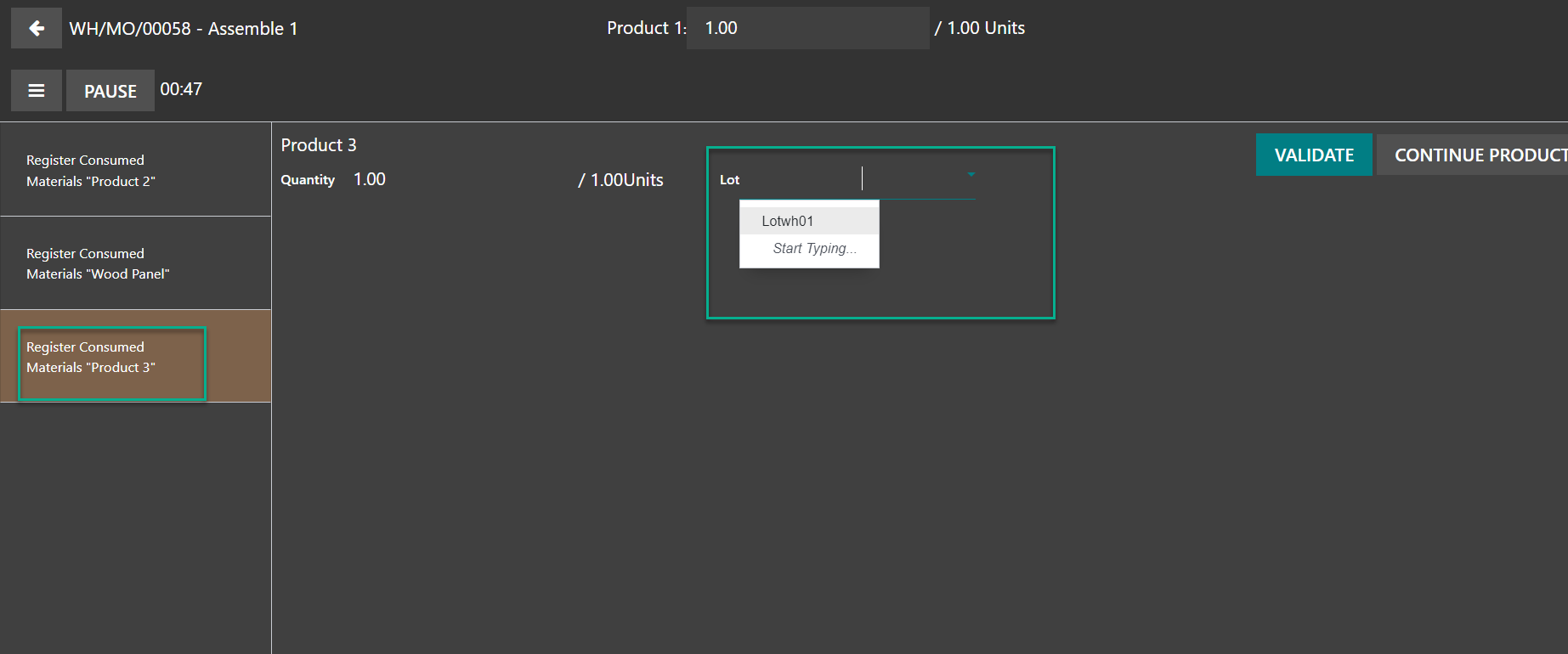
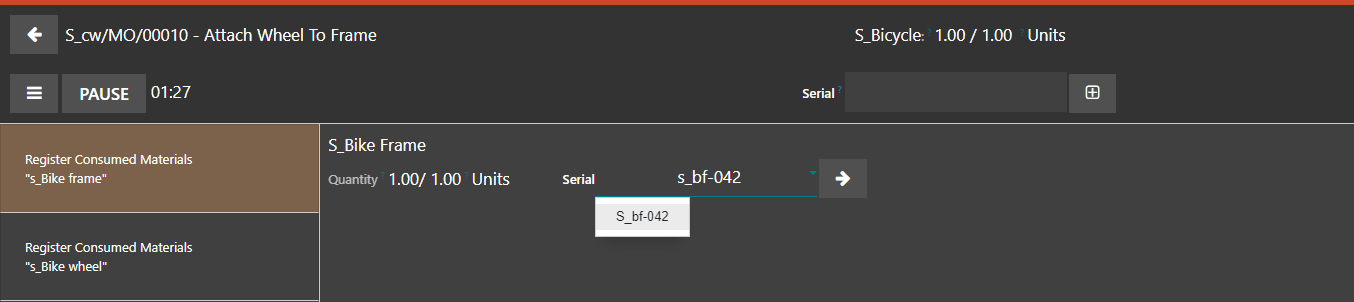
This module also works on Manufacturing Order/Tablet mode.
The suggested lot / serial number will be shown.
4
Note:
Suggested "Lot/Serial Number" will be suggested accordingly to warehouse configuration:
- If warehouse is Manufacture (1 step): All lot / serial available at source location will be suggested on tablet view.
- If warehouse is "Pick components and then manufacture (2 steps)" or "Pick components, manufacture and then store products (3 steps)": Only the lot / serial that is picked for the MO's transfer will be suggested on tablet view.