



ODOO'S FUNCTION
By default, Odoo only links one transfer to the PO in multi-step transfer, limiting traceability.
CLUEDOO'S FUNCTION
Links all direct and indirect transfers to the original PO, enabling easier tracking and better warehouse control.
1. Go to Warehouses > Create a new warehouse > Under Warehouse Configuration tab, choose Receive goods in input, then quality and then stock (3 steps) | 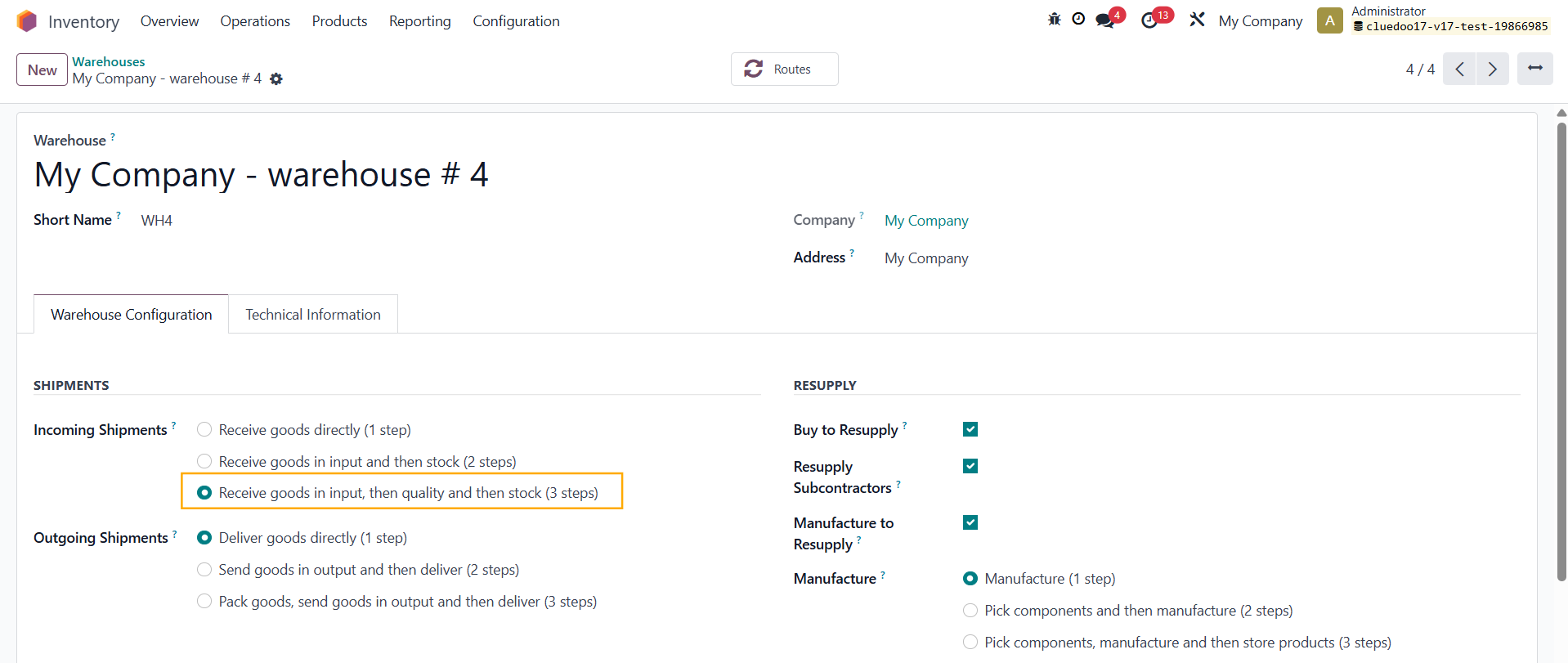 |
2. Create a product and choose its Routes | 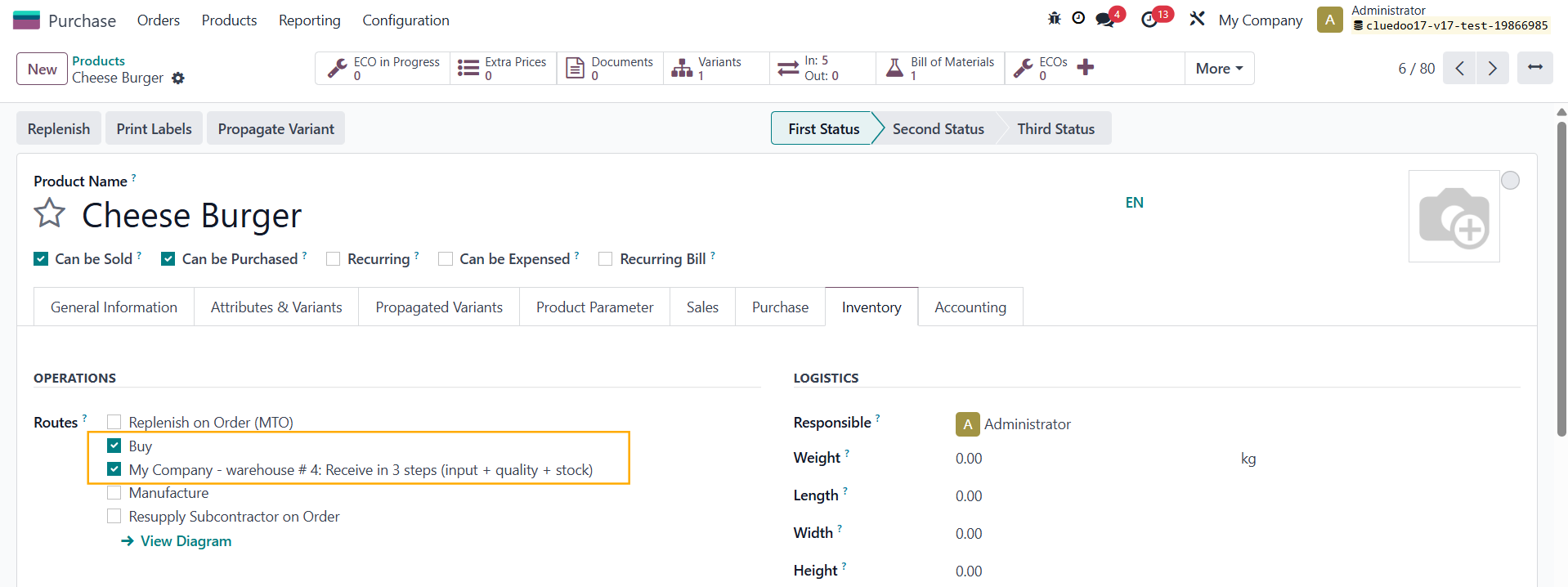 |
3. Create a Purchase Order > Choose the correct warehouse to Deliver To and the product > Confirm Order > All 3 receipts will be shown in the smart button, whether they are validated or not Note: In v18, the 3 transfers will not appear at once, but will appear one by one when the previous transfer has been validated | 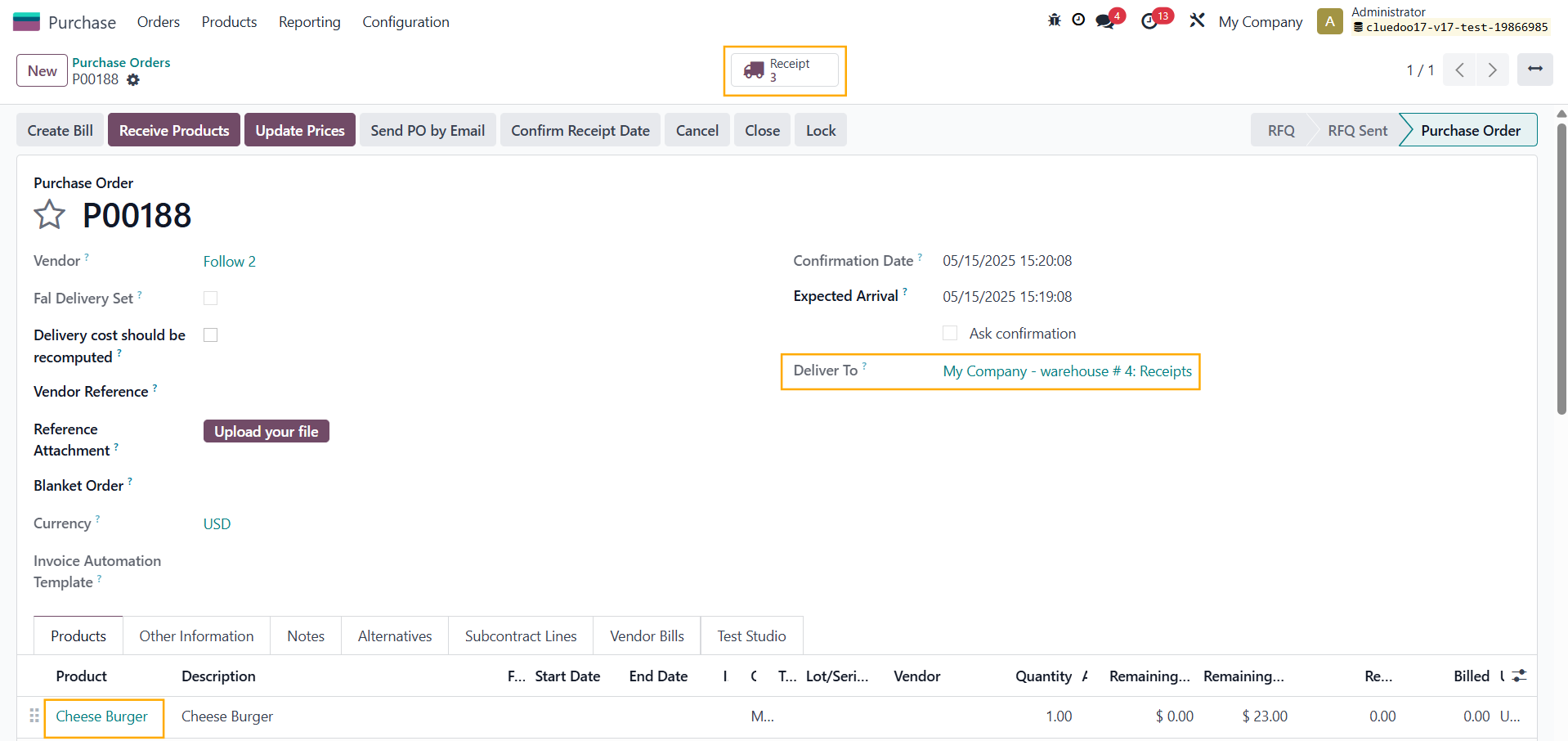  |
4. In all the transfers, they have a link to the original purchase order in the Purchase Order field. | 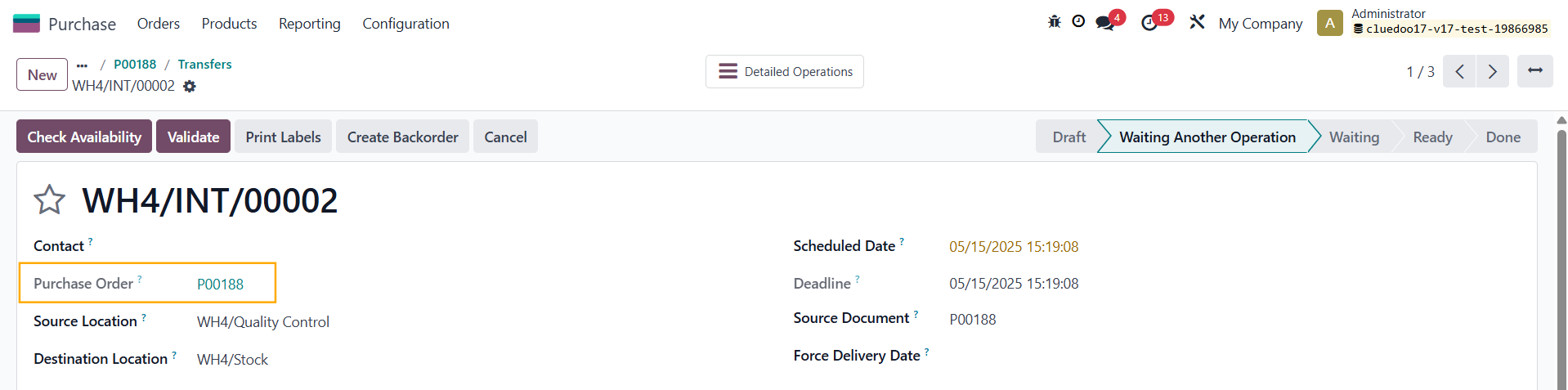 |