


Bỏ qua để đến Nội dung

MPS: Routes selection to drive Indirect Demand

Ability to select a specific route when adding a product to the MPS
85,91 € 85,91 € (Chưa gồm thuế)
US$ 100,00 (Chưa gồm thuế)

  • Versions
Điều khoản và điều kiện
Đảm bảo hoàn tiền trong 30 ngày
Giao hàng: 2-3 ngày làm việc

STORY BEHIND THE FEATURES

ODOO'S FUNCTIONS
Odoo's Master Production Schedule (MPS) helps you manage your materials and keeps your production going smoothly.

CLUEDOO'S FUNCTIONS

The Cluedoo MPS enhancement module introduces advanced planning and sorting capabilities to streamline manufacturing processes:

  • Allows users to select a specific supply route when adding a product to the MPS, enabling precise control over sourcing (e.g., from different warehouses).

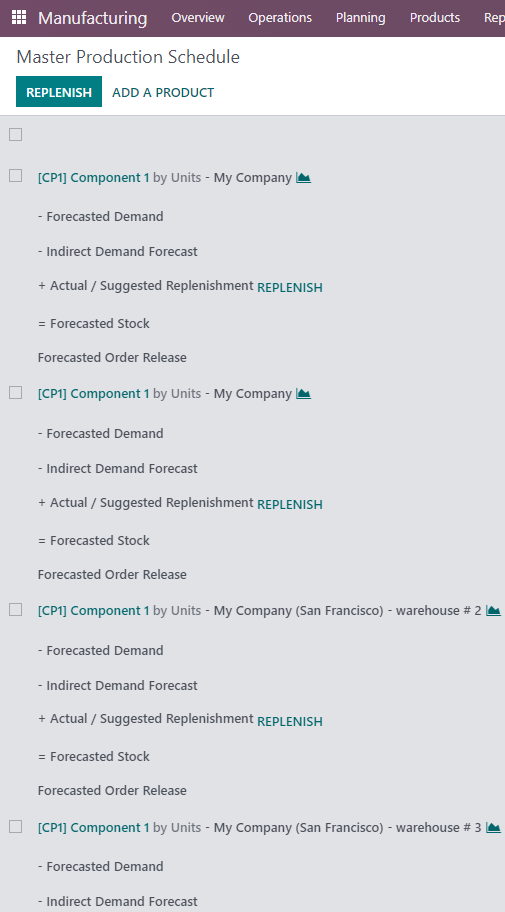
  • Supports products with multiple routes, creating separate MPS entries for each route and warehouse combination.

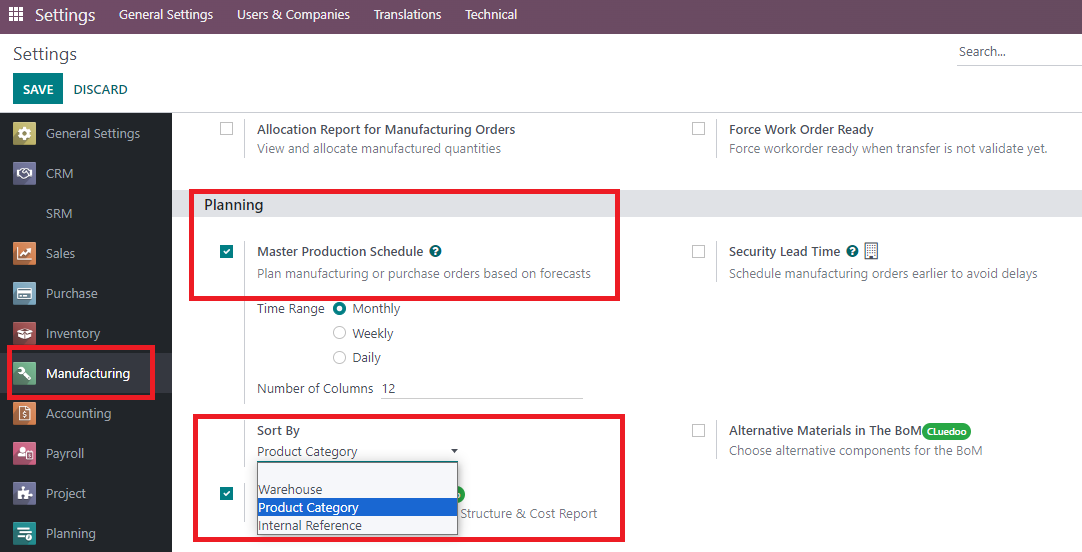
  • Provides configurable sorting options under Settings > Manufacturing, allowing users to sort MPS data by Product Category, Warehouse, or Internal Reference.

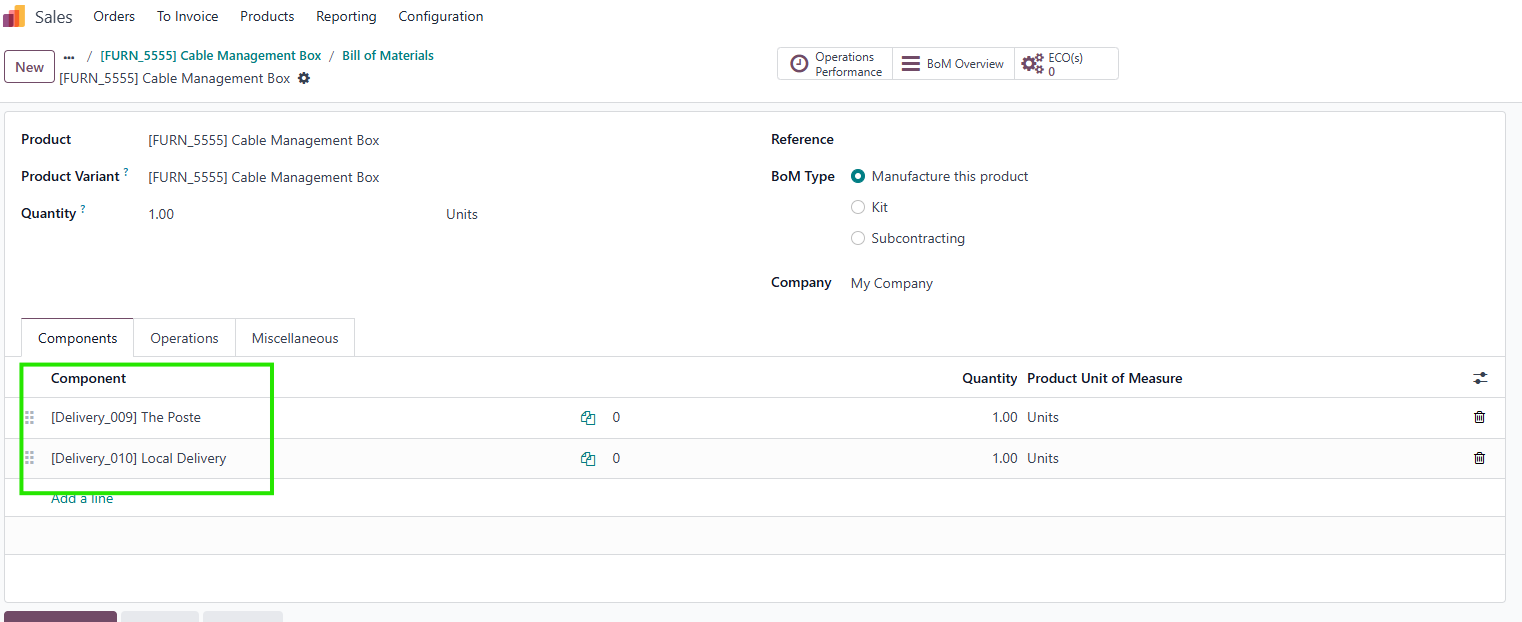
  • Enables sorting by production hierarchy in the MPS view, ordering entries as Finished Product > Sub-Material > Base Material based on the product’s BOM when a product and its BOM are added.

MODULE +

In multi-warehouse production setups, materials are often purchased from warehouse A but utilized in warehouse B. Although Odoo initially registers demand at warehouse A (as the purchasing entity), the actual demand originates from warehouse B. To address this, route selection in Odoo plays a crucial role in accurately defining and managing these indirect demands. Sorting by Product Category, Warehouse, or Internal Reference helps production managers organize and prioritize planning tasks, especially in large-scale operations. The hierarchical sorting by finished products, sub-materials, and base materials is particularly valuable for businesses with multi-level BOMs, as it streamlines production planning by clearly visualizing the production hierarchy, reducing errors, and improving efficiency.
CLUEDOO RECOMMENDATIONS

This module should be installed if you have a multi-warehouse production system. 

HOW TO USE THIS MODULE

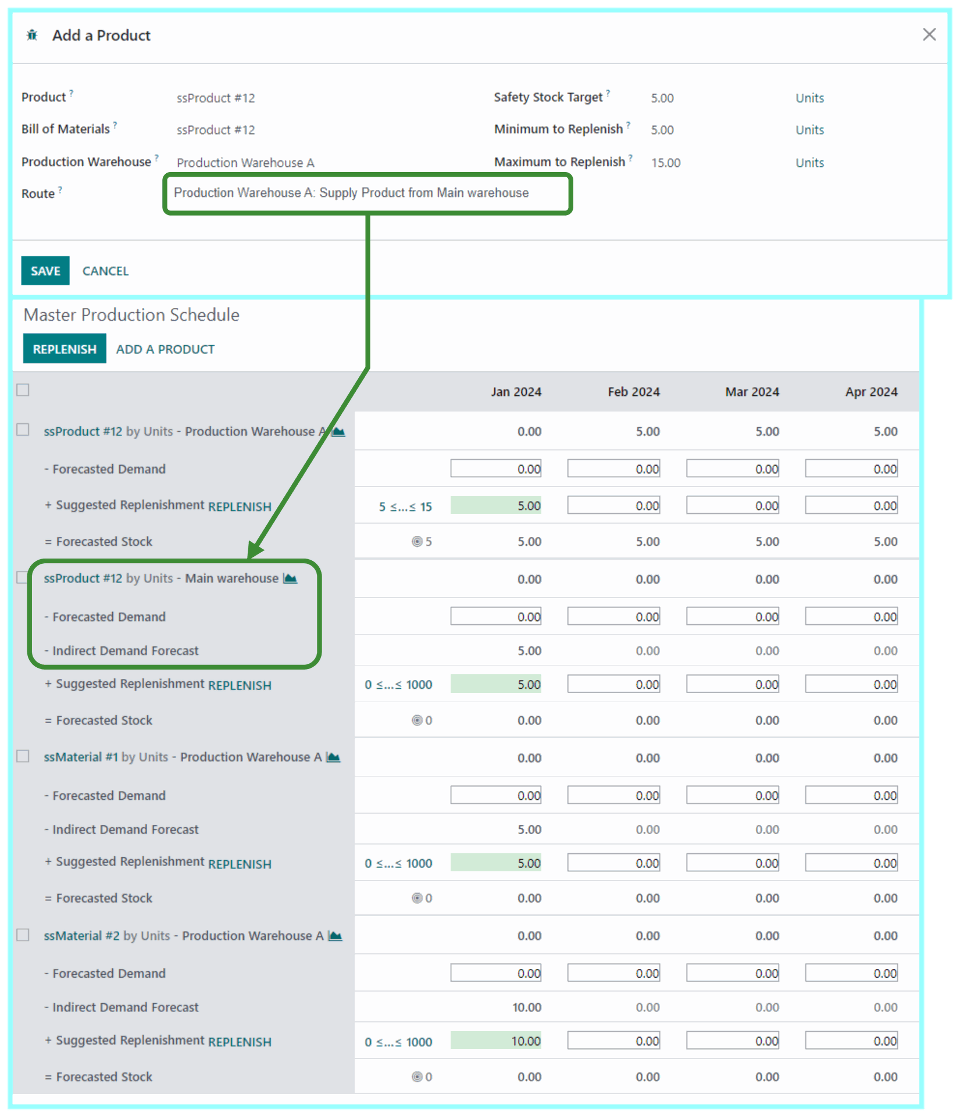
1.Selecting route when adding a product 

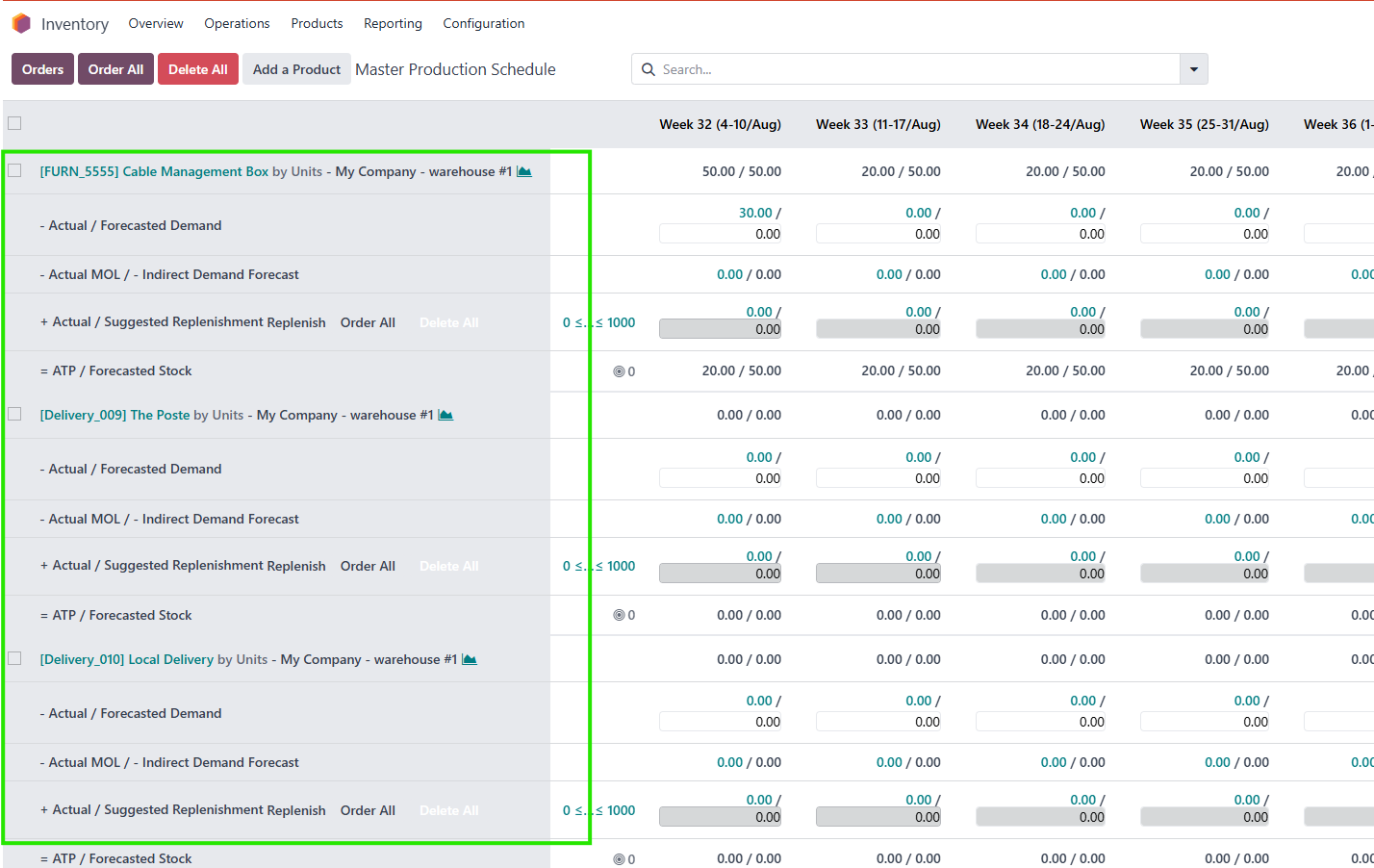
Add a new product to the MPS and choose its route.

The MPS will now add and display the "Indirect Demand Forecast" for the first warehouse.

2. Product with multiple routes

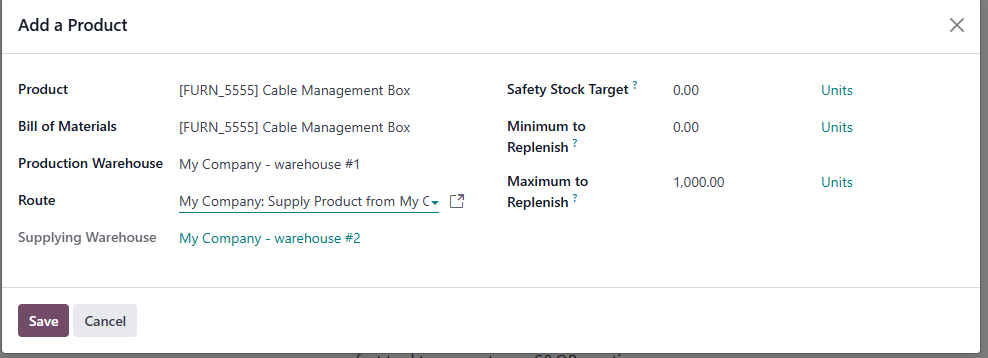
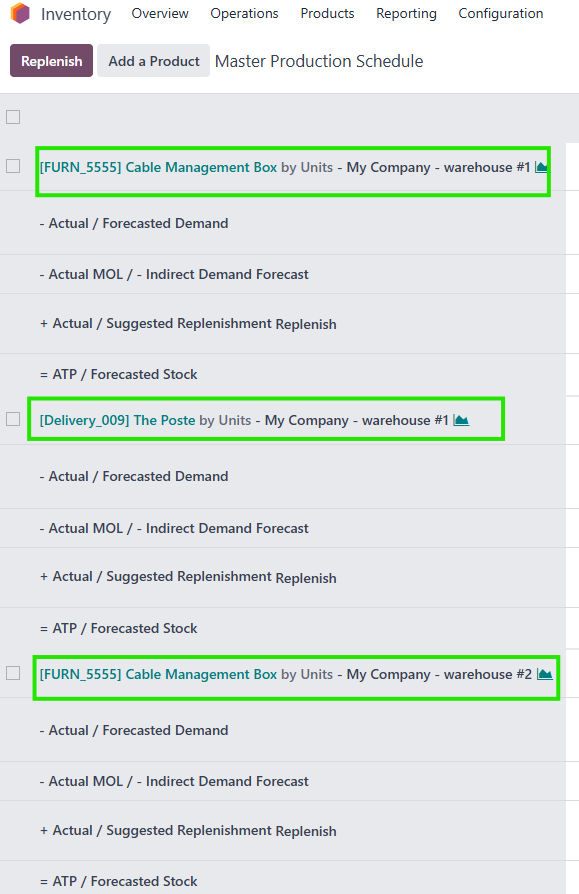
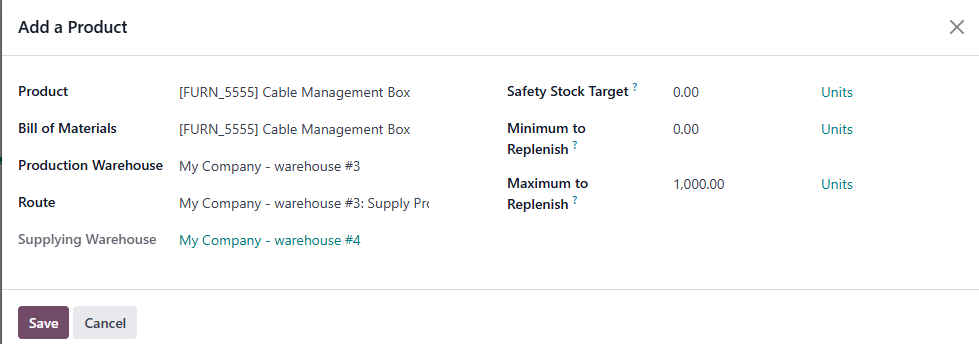
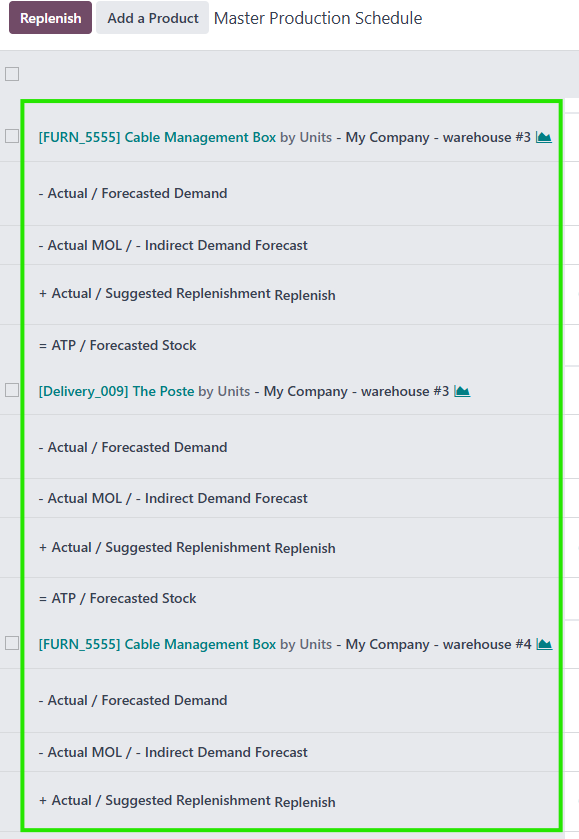
If I add product Cable Management Box (warehouse 1) with Route 1 (supply from W2) and warehouse 3 with Route 3 (supply from W4) --> in MPS I have:
  • CMB W1 supply from W2
  • CMB W2
  • CMB W3 supply from W4
  • CMB W4

3. Sort by product category, warehouse and internal reference

  • Go to settings > Manufacturing > There are 3 options to choice 
  • For ex: Sort by Warehouse > In MPS will show all results related to 1 warehouse first.

4. Sort by finished product and material

  • Go to MPS > Add a product and it's BoM > MPS will sort the order of MPS view by this order:  Finished product -> Submaterial -> Base material