



ODOO'S FUNCTION
Odoo’s payroll structure lacks support for allowances and base salary configurations, and users cannot see the Employee rate and the Employee total on the payslip.
CLUEDOO'S FUNCTION
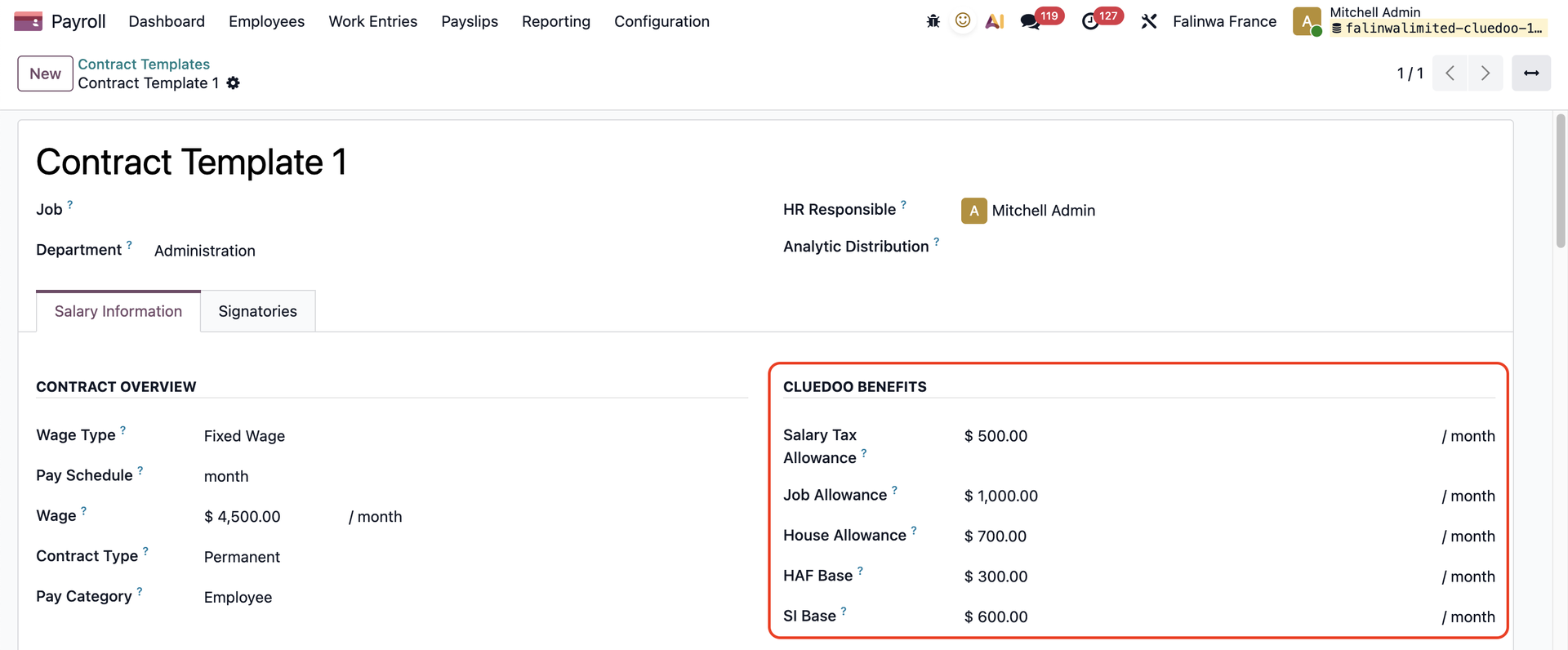
1️⃣ Introduces new fields in the employee contract (such as SI base and allowance)
2️⃣ Adds a manual override mechanism that allows users to replace formula-based payroll rule values with custom amounts defined in an override list
3️⃣ Enhances payslip management by automatically deleting the related journal entries when a payslip is canceled, ensuring cleaner and more accurate accounting.
CLUEDOO BENEFITS1. Go to Contract Templates > Create a new template or choose an existing one > We have additional fields under the CLuedoo Benefits section
|  |
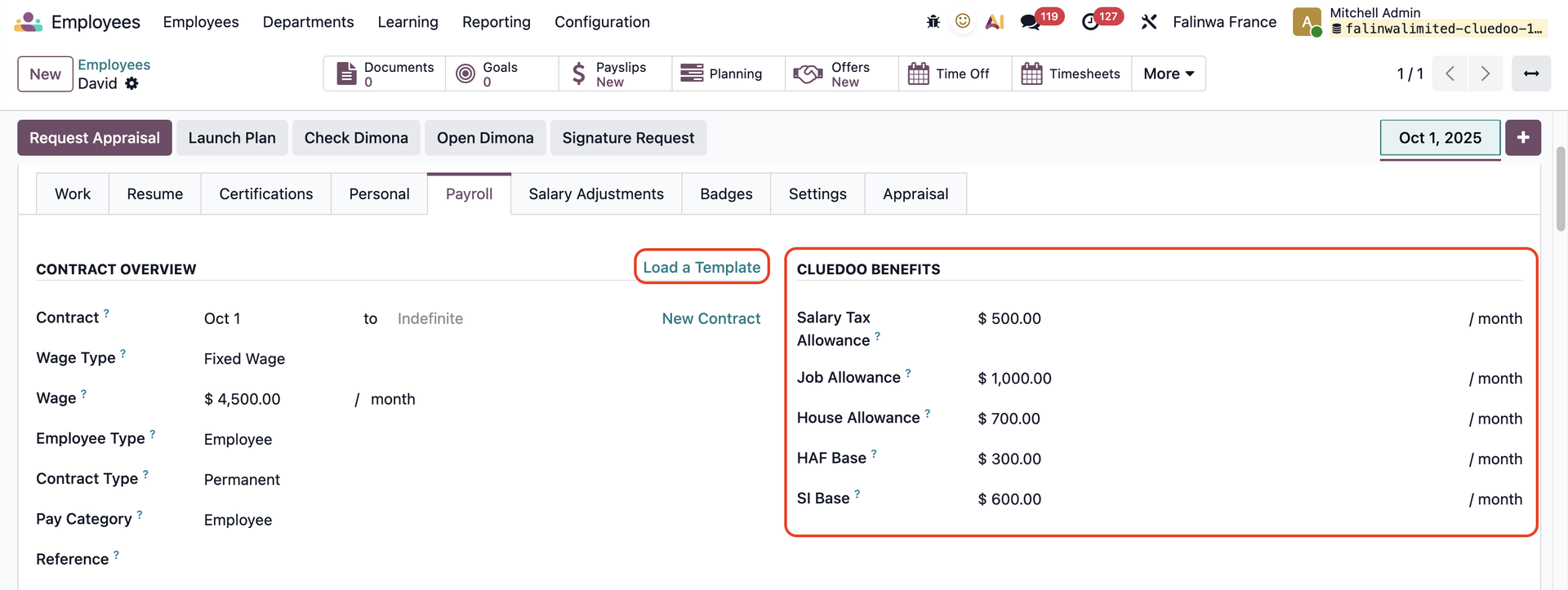
2. Go to Employees > Choose an employee > Under the Payroll tab, click Load a Template and choose the contract template you just created > The CLuedoo Benefits will be inherited
|  |
MANUAL OVERRIDEGo to Payroll > Employee Payslips > Create a payslip for the chosen employee > Compute Sheet > The payslip information will be generated. | 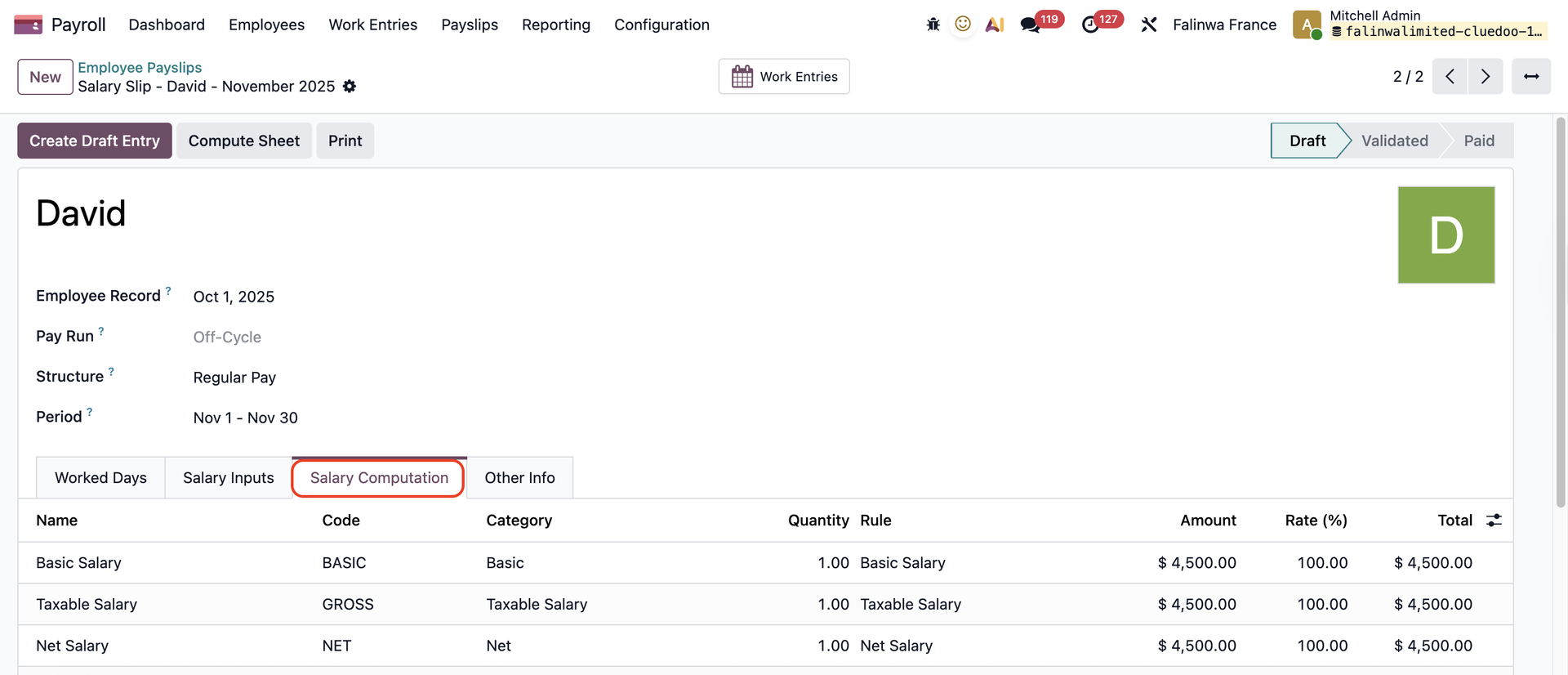 |
Under the Salary Inputs tab, input some values in the Manual Override section > These values will replace the calculated salary values after clicking Compute Sheet For example: I input a new value for the Basic Salary computation | 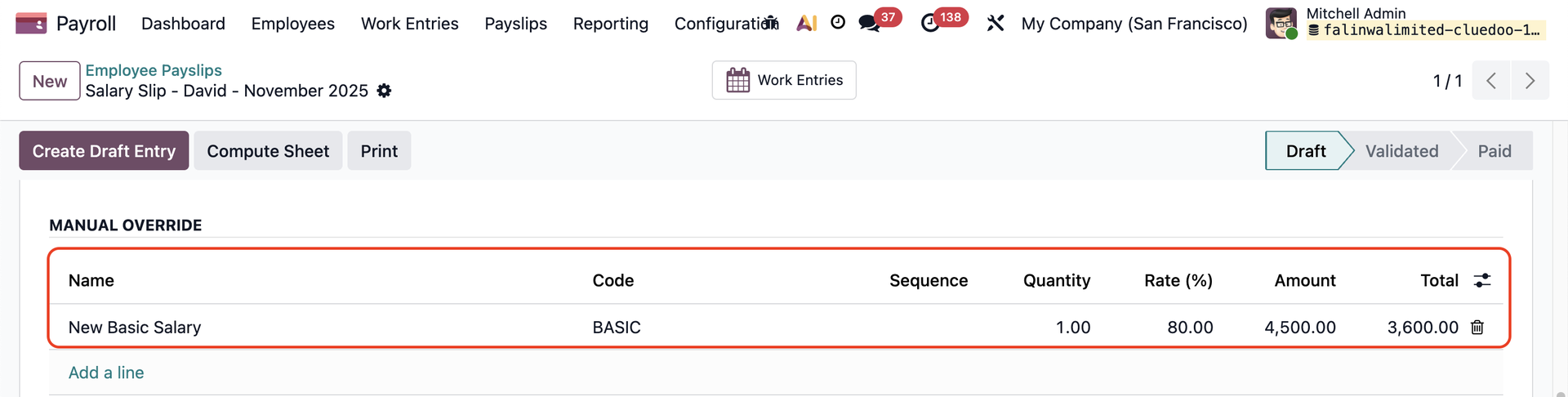 |
Note that the Code has to be the same as the value you want to change | Original Value 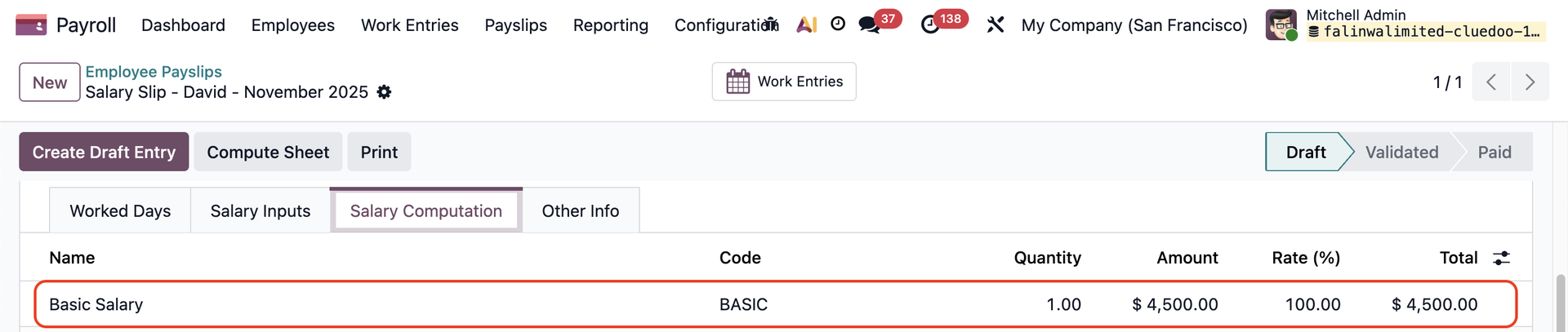 Overided Value 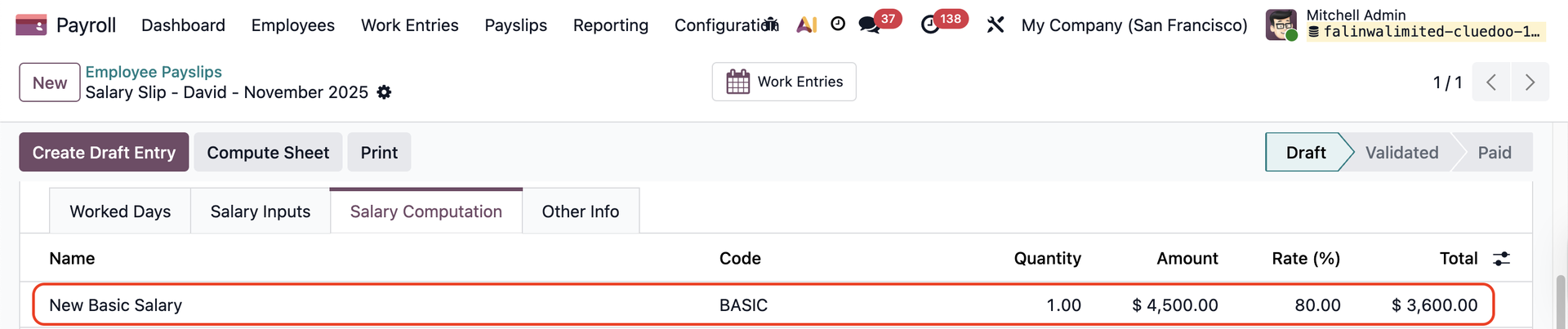 |
PAYSLIP CANCELLATIONPost Draft Entry > A draft journal entry will be created and linked to the smart button | 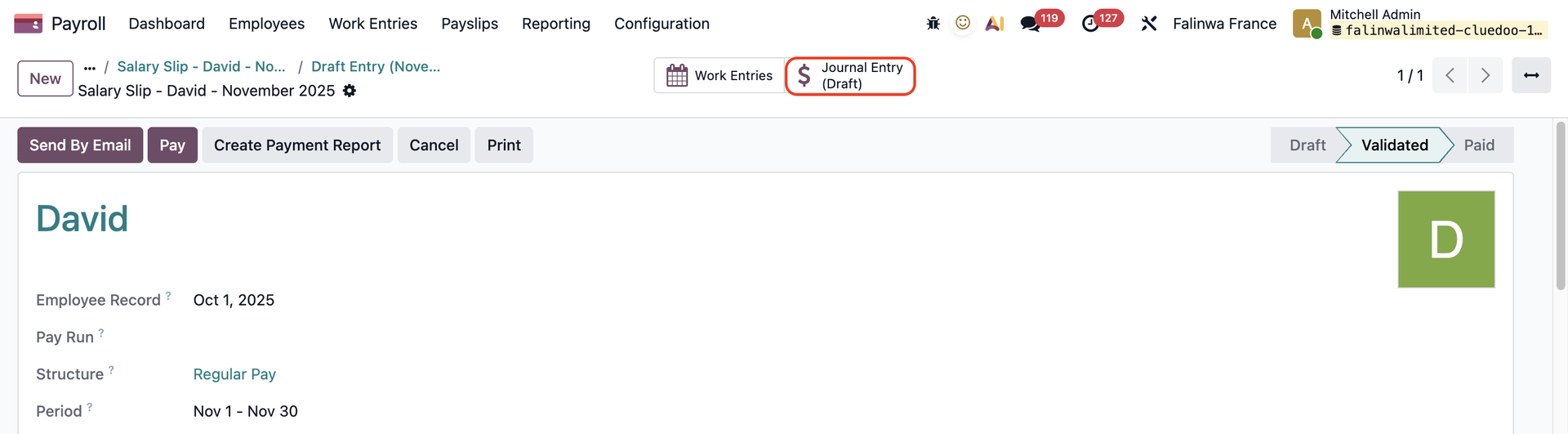 |
If you cancel the payslip > the draft journal entry will be deleted as well | 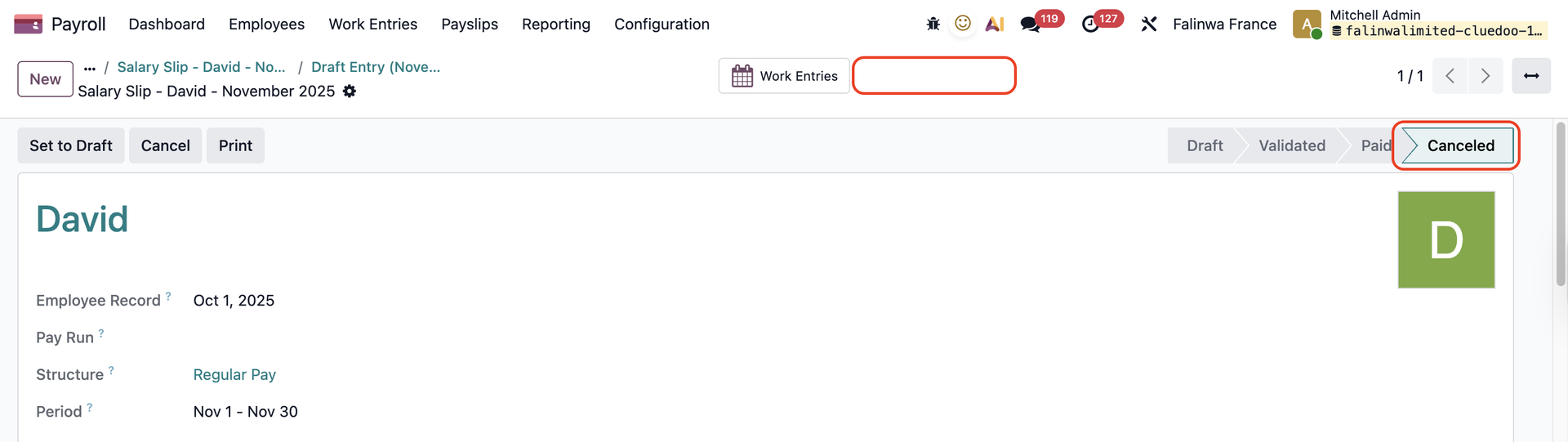 |