


CHỨC NĂNG CỦA ODOO
Odoo allows users to configure products and select variants directly from a Sales Order. Odoo provides a built-in configuration engine that allows users to configure products and select variants directly from the Sales Order.
CHỨC NĂNG CỦA CLUEDOO
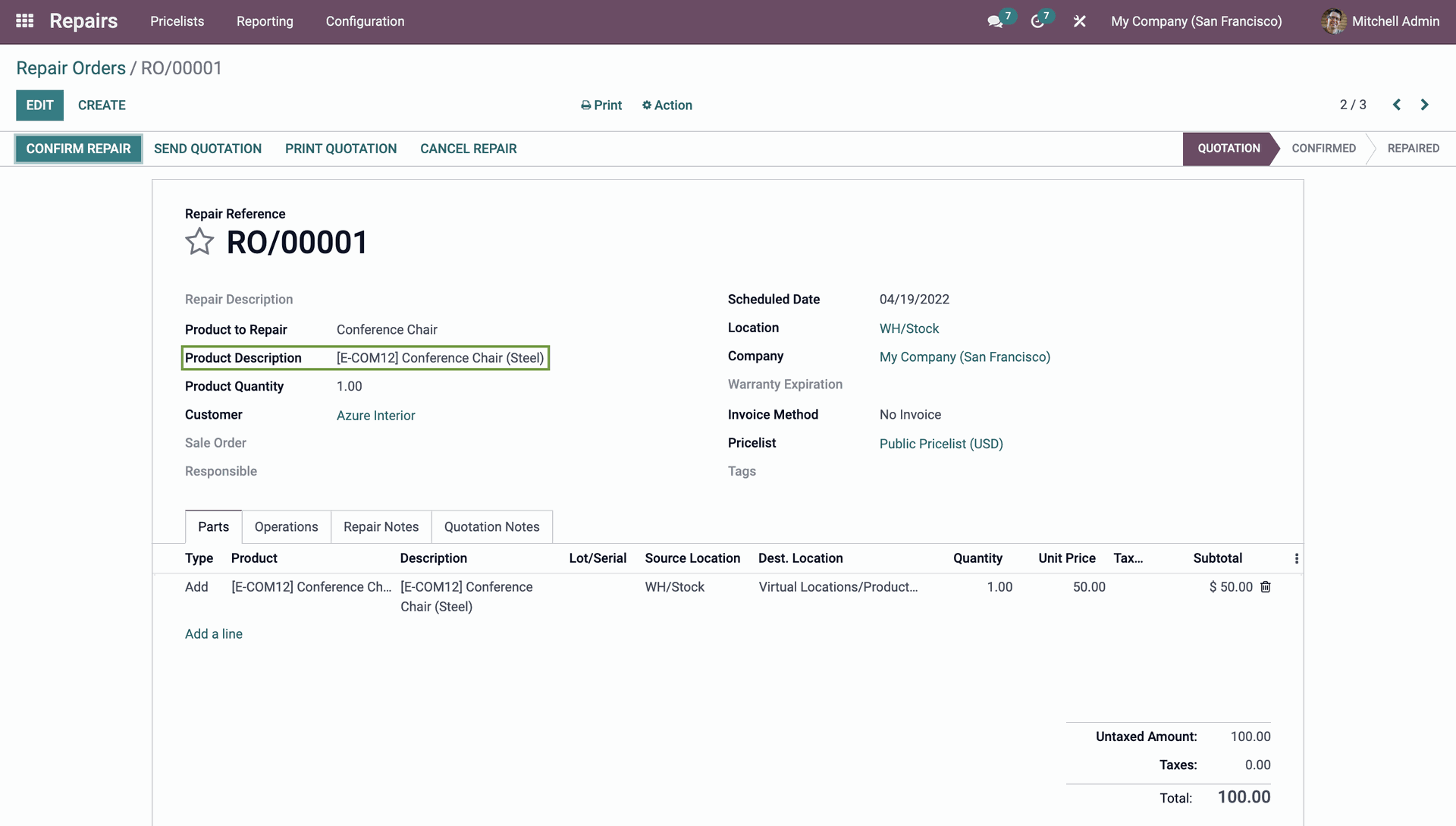
Cluedoo extends this capability beyond Sales Orders by enabling product configuration and variant selection directly from the Repair Order, bringing the same flexibility and efficiency into repair workflows.
Assign analytic distribution to Sales order line. |  |
If analytic distribution exceeds 100%, the system will automatically give a warning, and the analytic distribution will not be saved. |  |
Users access rights |  |
Without these rights, users will be able to view analytic distributions but not make any changes. |  |
CÂU CHUYỆN ĐẰNG SAU TÍNH NĂNG
HÀNH VI CỦA ODOO
Odoo provides an engine to configure the product and choose the variant directly from Sales Order.
HÀNH VI CỦA CLUEDOO
We extend this function and let you configure your product from Repair Order.
GIÁ TRỊ CỘNG THÊM (MODULE +)
Add the flexibility to quickly set the product from multiple places.
KHUYẾN NGHỊ TỪ CLUEDOO
To be installed 100% if you manage your products by variants.
TÍNH NĂNG CỦA CHÚNG TÔI LÀ GIẢI PHÁP
Add product configuration in Repair
CÁCH SỬ DỤNG MÔ-ĐUN NÀY?
Dependencies
Advanced Product Configurator
1
Go to Repair → Repair Order – Create new repair order, choose a product and configure the product. It will be shown in the product description.