



ODOO'S STANDARD
Odoo establishes the sales price on the product form view as global. This means that if you have diverse entities with distinct catalog sales prices, influenced by currencies and localization factors, the management of this variation is required through pricelists. However, this approach is neither intuitive nor convenient.
CLUEDOO'S FUNCTION
CLuedoo enhances Odoo's function by:
1️⃣ providing the flexibility to set a local sales price dependent on the currency of the logged-in entity.
2️⃣ allowing for distinct sales product values to be set per company
3️⃣ having a change currency option on a product
1. In the Sales Settings, CLuedoo allows you to configure the User Company Currency as the default Product Sales Price Currency by ticking the Sales Price Option checkbox. If the checkbox is not ticked, you can switch between the Company Currency and the Cost Currency (if they are different). | 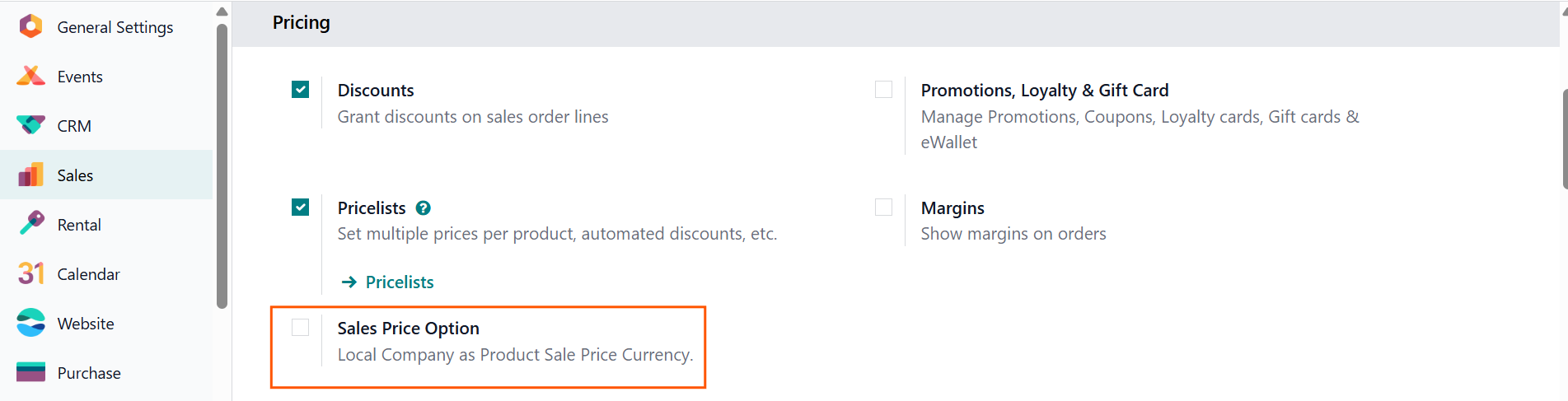 |
For example, the Company Currency is ¥
| 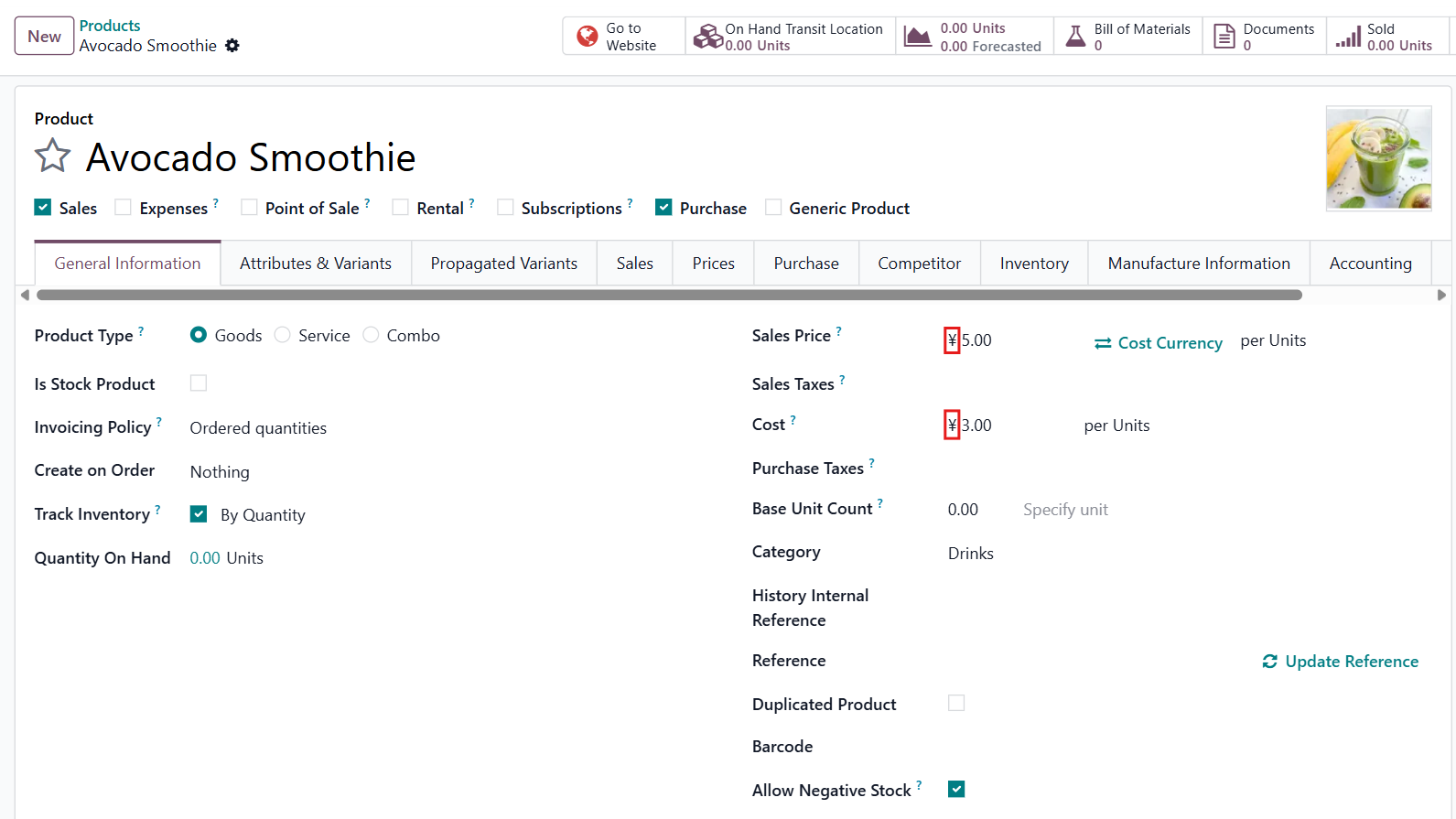 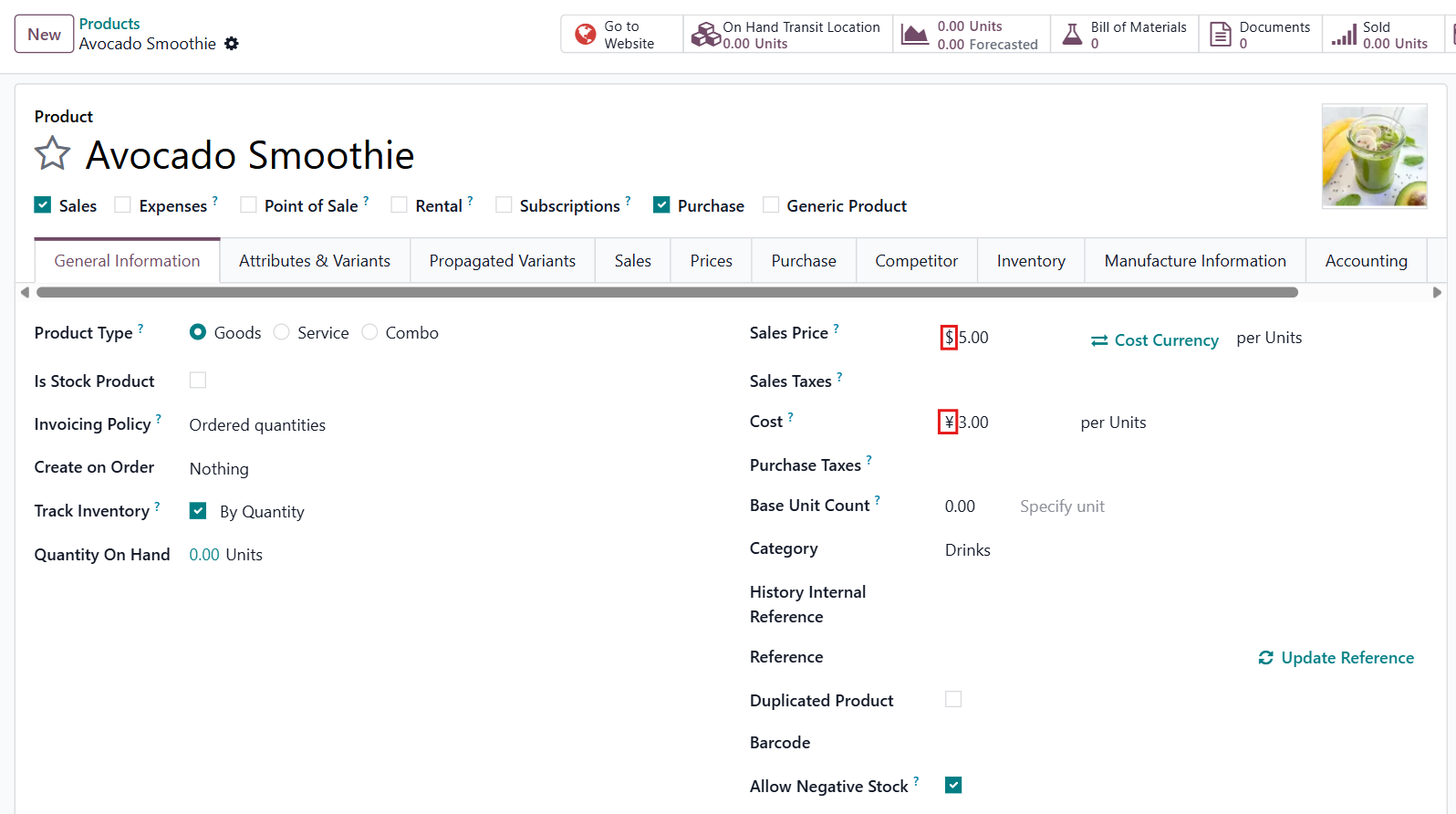 |
2. This CLuedoo module also provides an option to change Sales Price Currency to Cost Currency if they are different. | 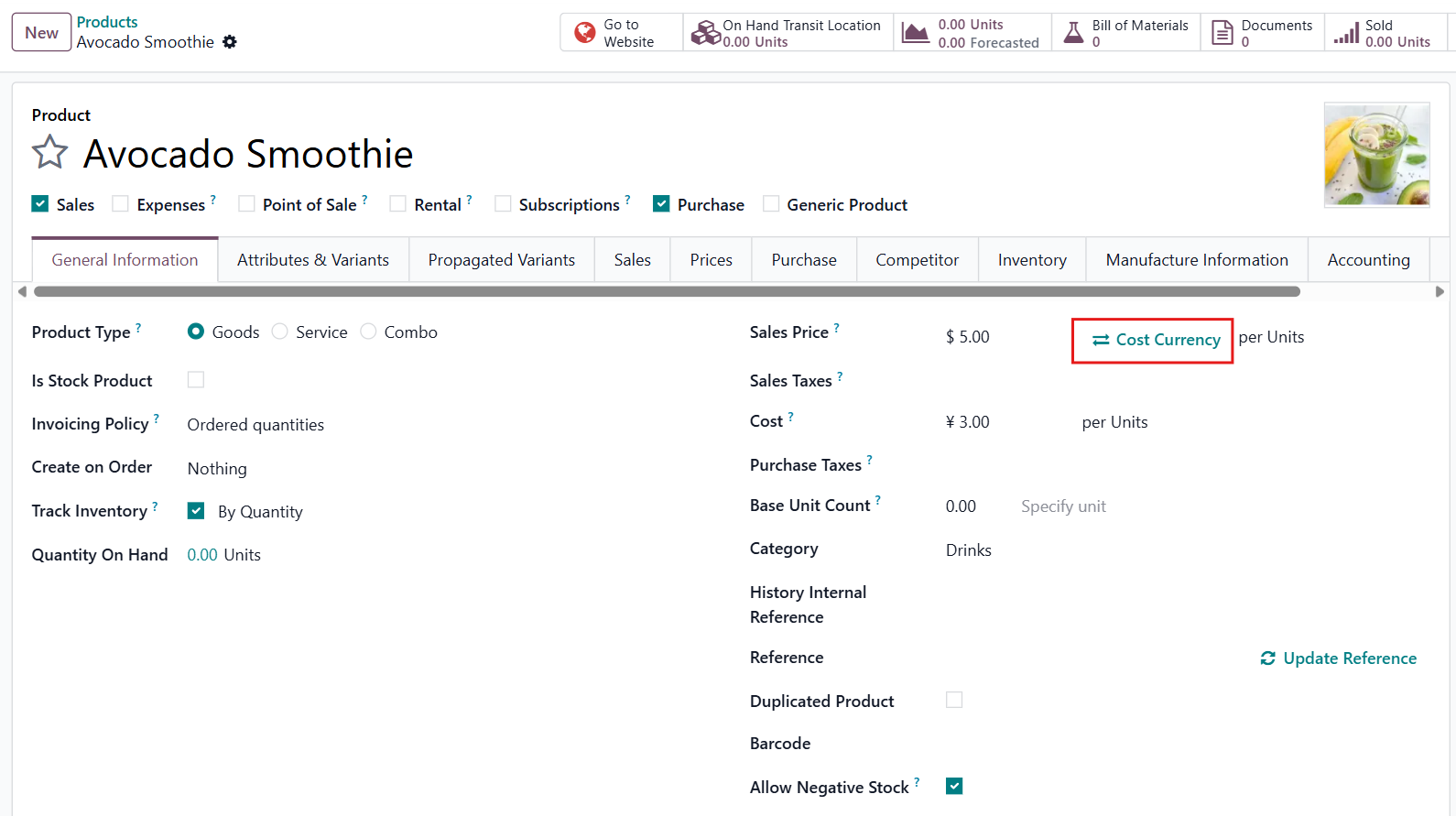 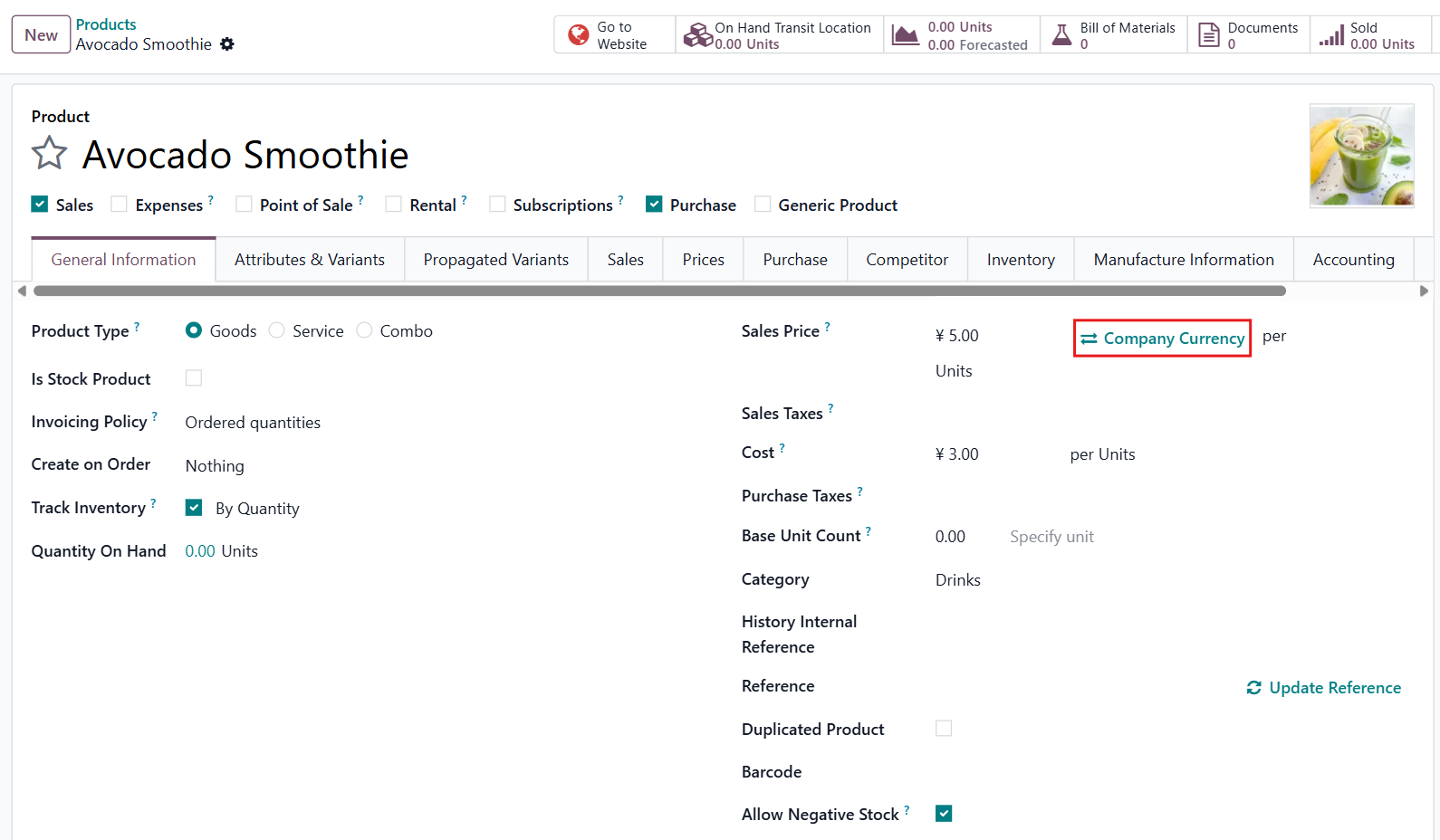 |
3. Additionally, you can set and view different sales price values and currencies per company. |   |