


STORY BEHIND THE FEATURE
ODOO BEHAVIOUR
Odoo’s Activity system allows:
- Scheduling of tasks/reminders per user.
- Associating activities with records like tasks, leads, or projects.
❌ However, Odoo does not:
- Log activity updates (e.g. if the activity is modified, reassigned, or removed).
- Display a history of completed, edited, or cancelled activities.
- Provide visibility into who made the change and when.
CLUEDOO BEHAVIOUR
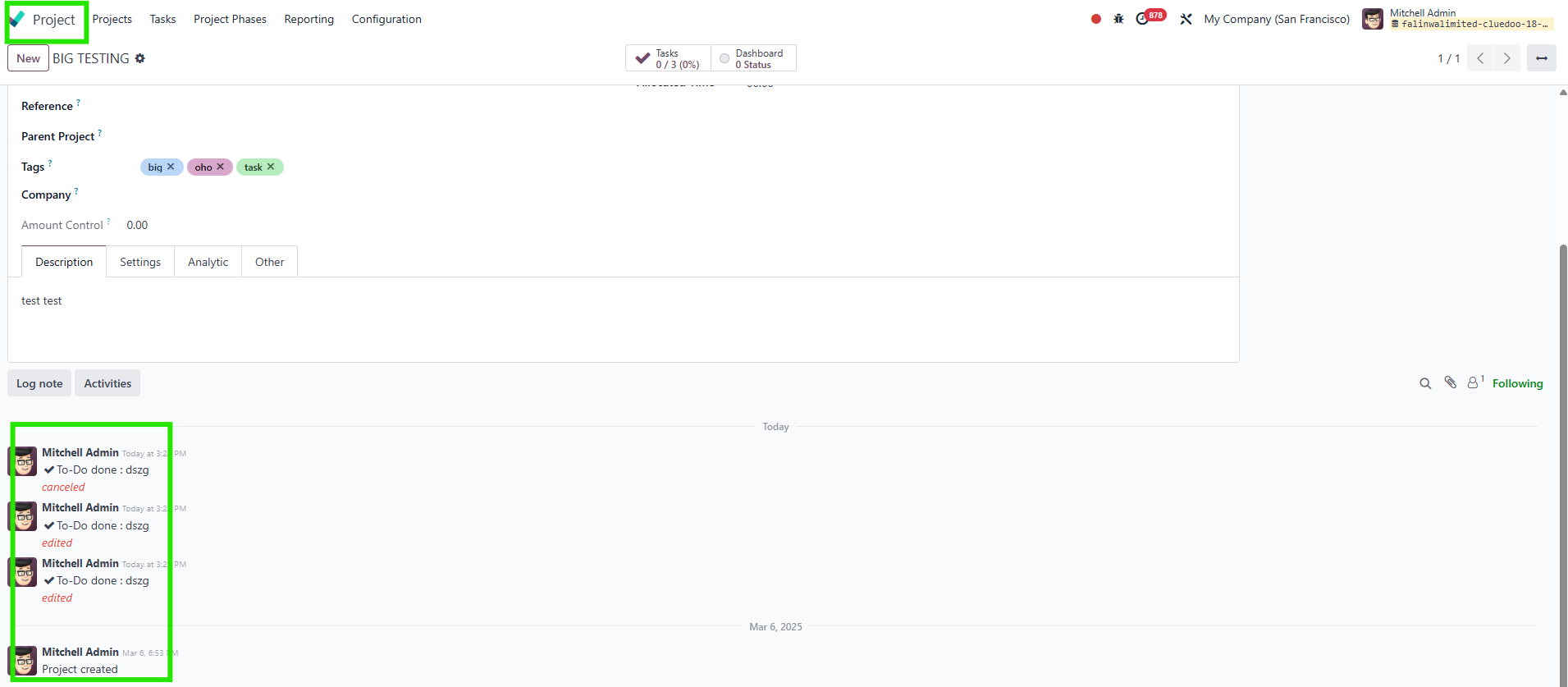
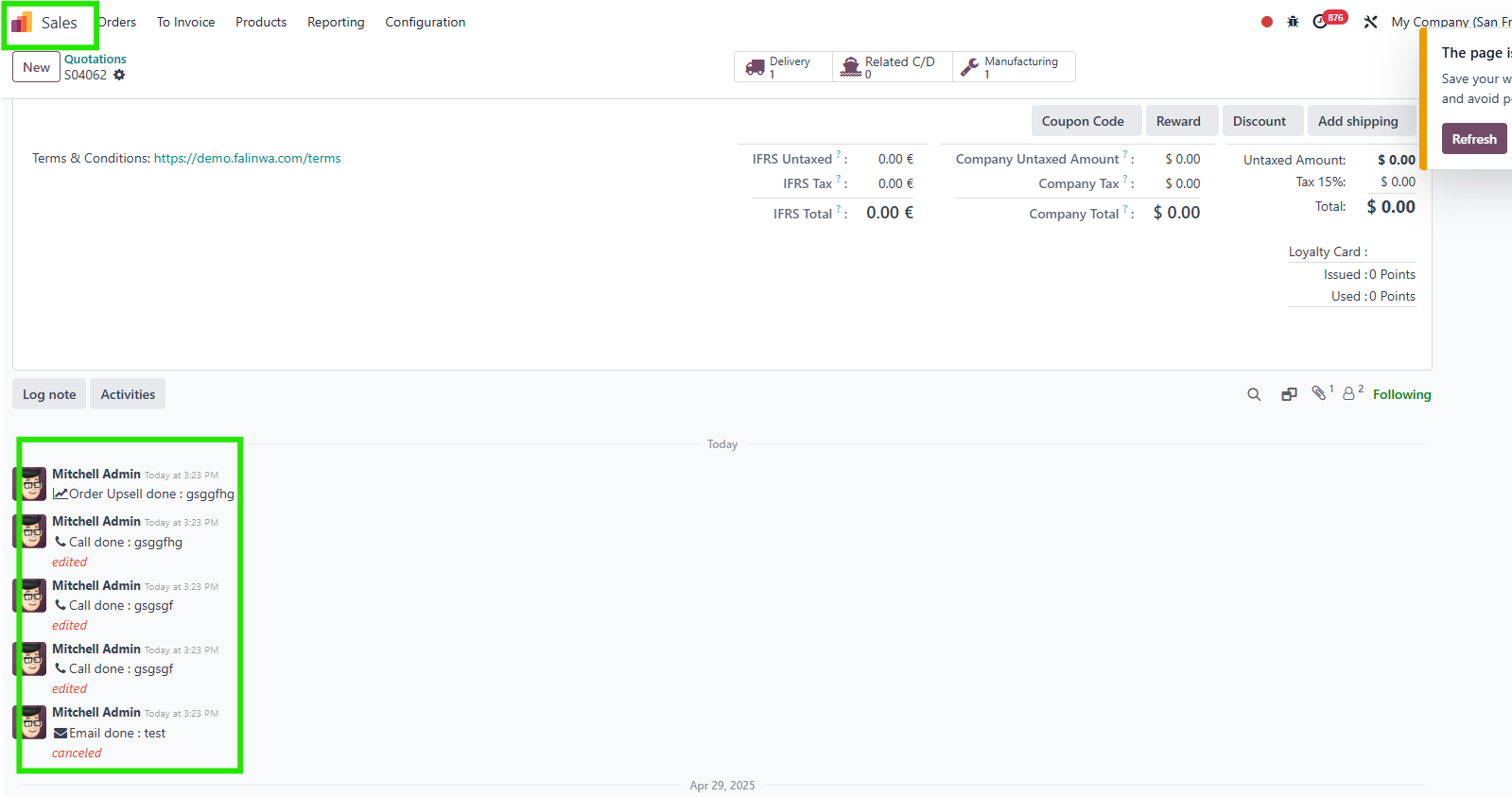
✅ Automatically tracks and logs:
- Creation, edition, completion, and cancellation of activities.
- User actions related to each update.
- Full historical visibility through the Chatter log (message thread).
✅ Maintains an activity timeline per record, enabling users to review past actions.
✅ Supports project-level and task-level auditing, improving task accountability and progress tracking.
COMPARISON: ODOO AND CLUEDOO
Odoo:
- ✅ Allows users to create and assign activities.
- ❌ No logging of activity changes (edit, cancel, done).
- ❌ No historical view of who made changes to activities.
- ❌ Activity updates are not visible in Chatter.
- ⚠️ Limited traceability and weak audit trail.
Cluedoo:
- ✅ Tracks and logs every activity change (create, edit, done, cancel).
- ✅ Records the user who performed the action and the timestamp.
- ✅ Displays updates directly in the Chatter (Message Thread).
- ✅ Provides a complete activity history per task/project.
- ✅ Enhances transparency and accountability in project workflows
BUSINESS CASE
For teams managing projects with many collaborators, the ability to track who did what, and when is crucial.
OUR FEATURES AS SOLUTIONS
Provides a project history of activities
Required module:
Project activity report:
fal_project_activity_report
HOW TO USE THIS MODULE
1
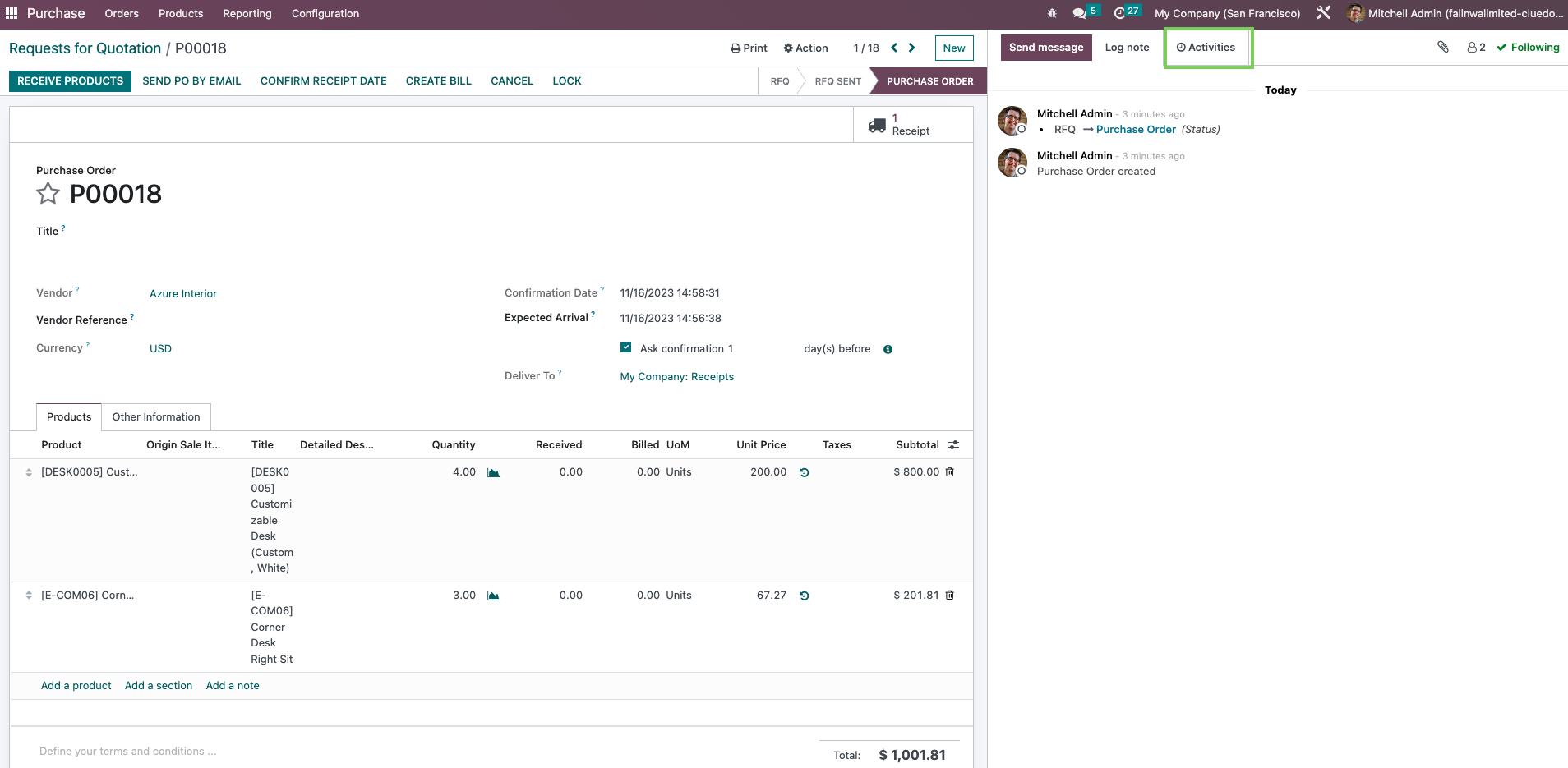
Create an activity.
2
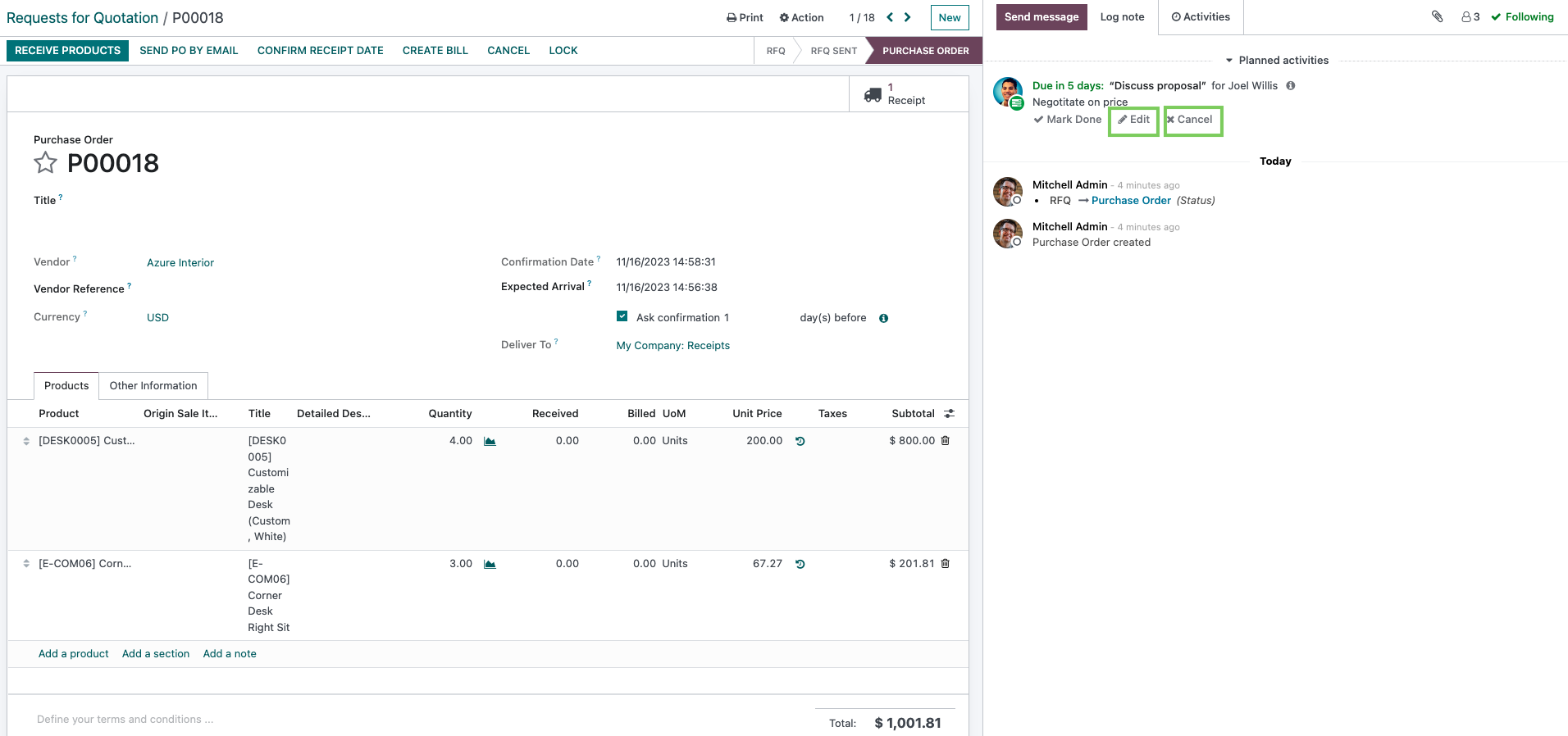
Choose to edit or cancel the task.
3
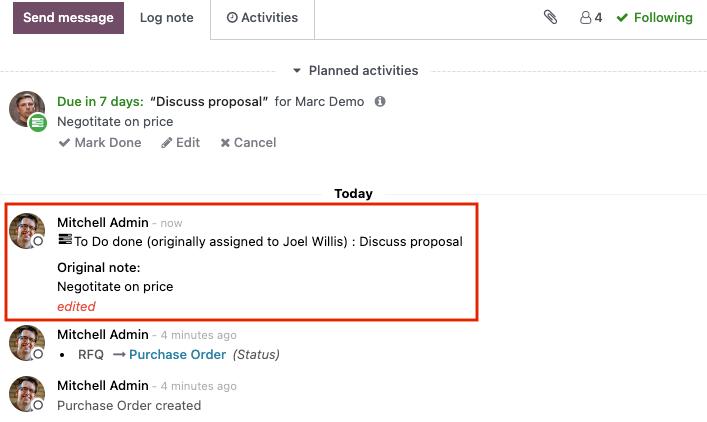
Once edited, there will be an update on the activity within the log note column. The updated version will be present as well as the original version.
4
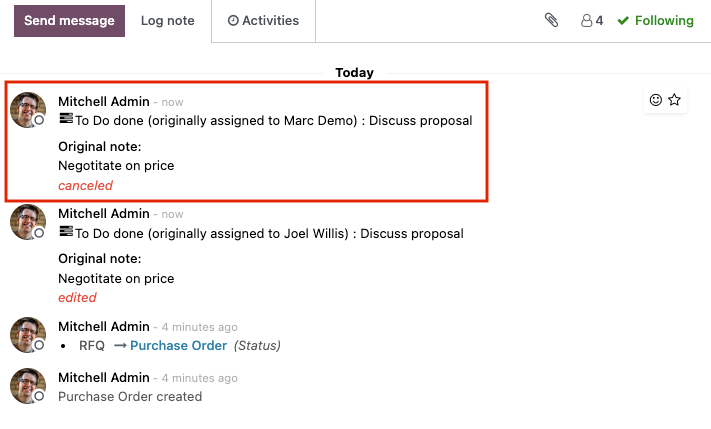
Similarly, there will also be an update if the task is canceled.

5.
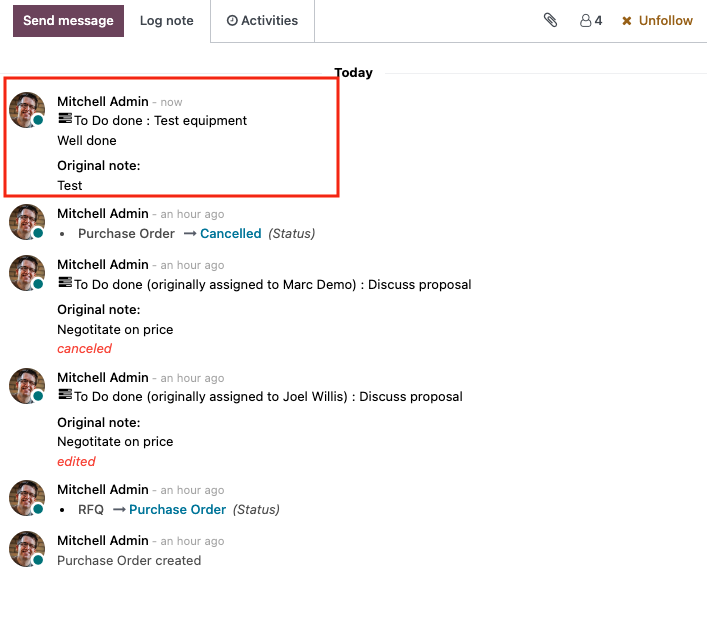
When a task is completed, there will be an immediate update in the log note.
6.
This module applies to all apps that have activities.