


ODOO'S FUNCTION
The Master Production Schedule (MPS) is a key tool for planning manufacturing and procurement based on anticipated demand and internal planning. However, in standard Odoo, updating Suggested Quantity or Forecasted Demand in bulk or directly via action is not supported.
CLUEDOO'S FUNCTION
✅ Adds actions to set Suggested Quantity and Forecasted Demand directly from the MPS view.
✅ When you set Forecasted Demand, the system automatically aligns Actual Demand = Forecasted Demand.
✅ When you set Suggested Quantity, MPS computation reflects the updated suggested plan instantly.
✅ Speeds up the planning process and allows proactive production scheduling.
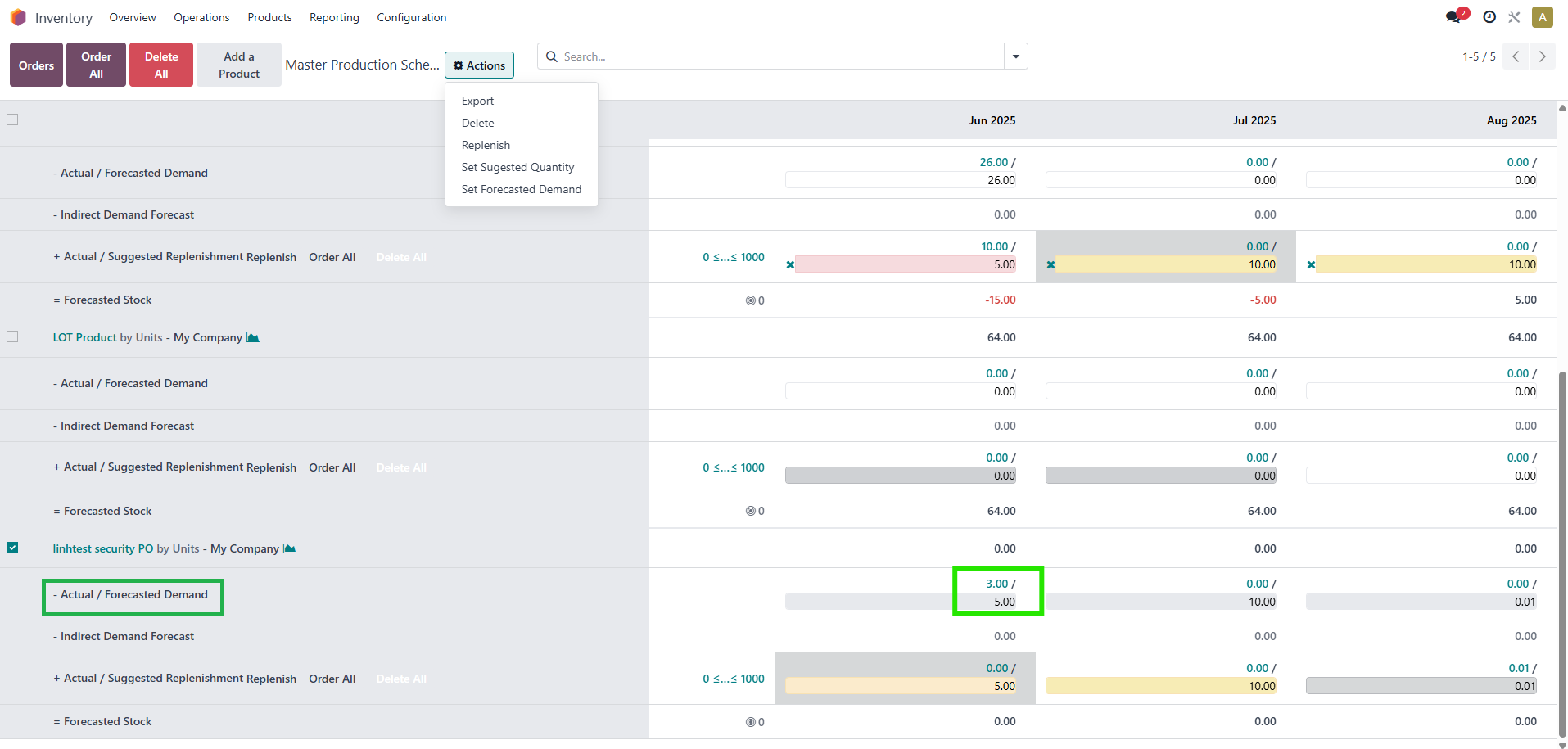
Go to Inventory > Operations > Master Production Schedule > Choose or add your product > Actions > you can Set Suggested Quantity or Set Forecasted Demand for the product. | 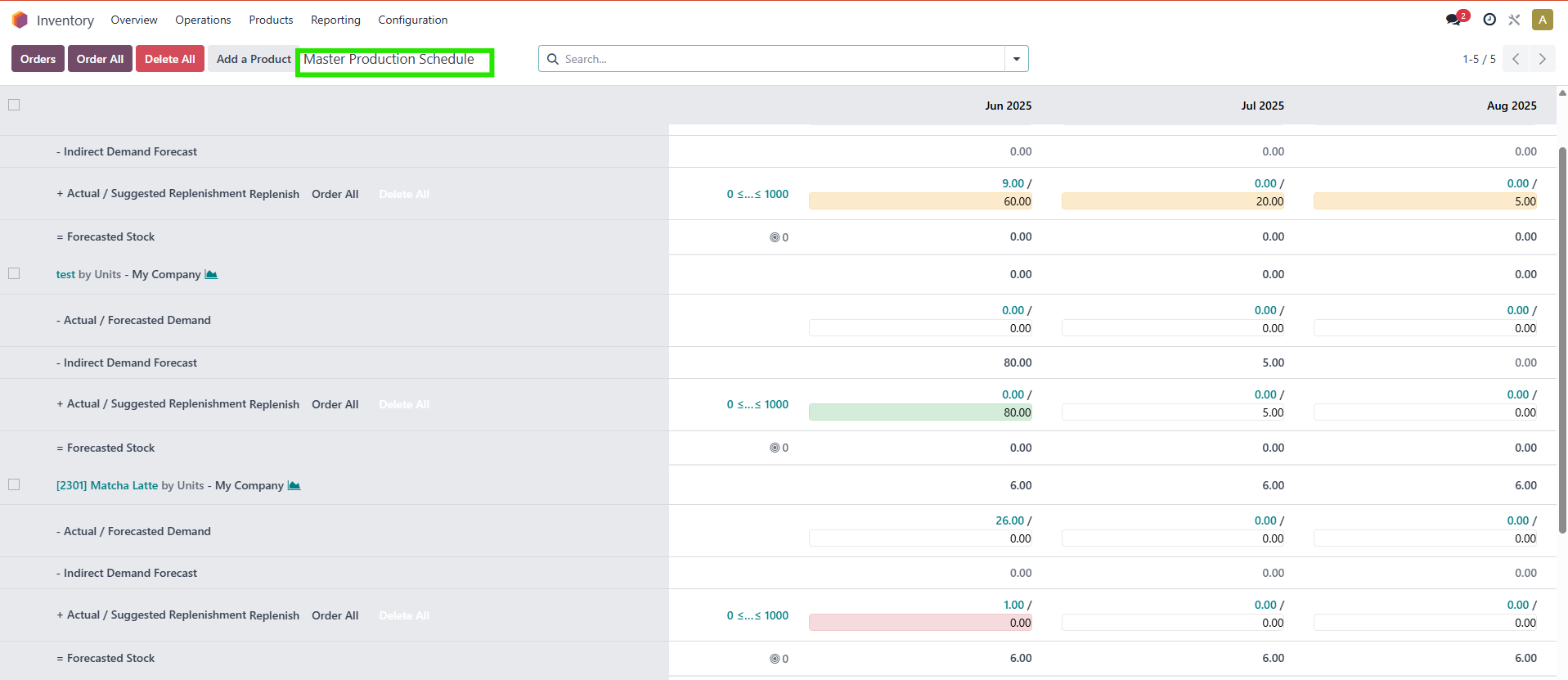 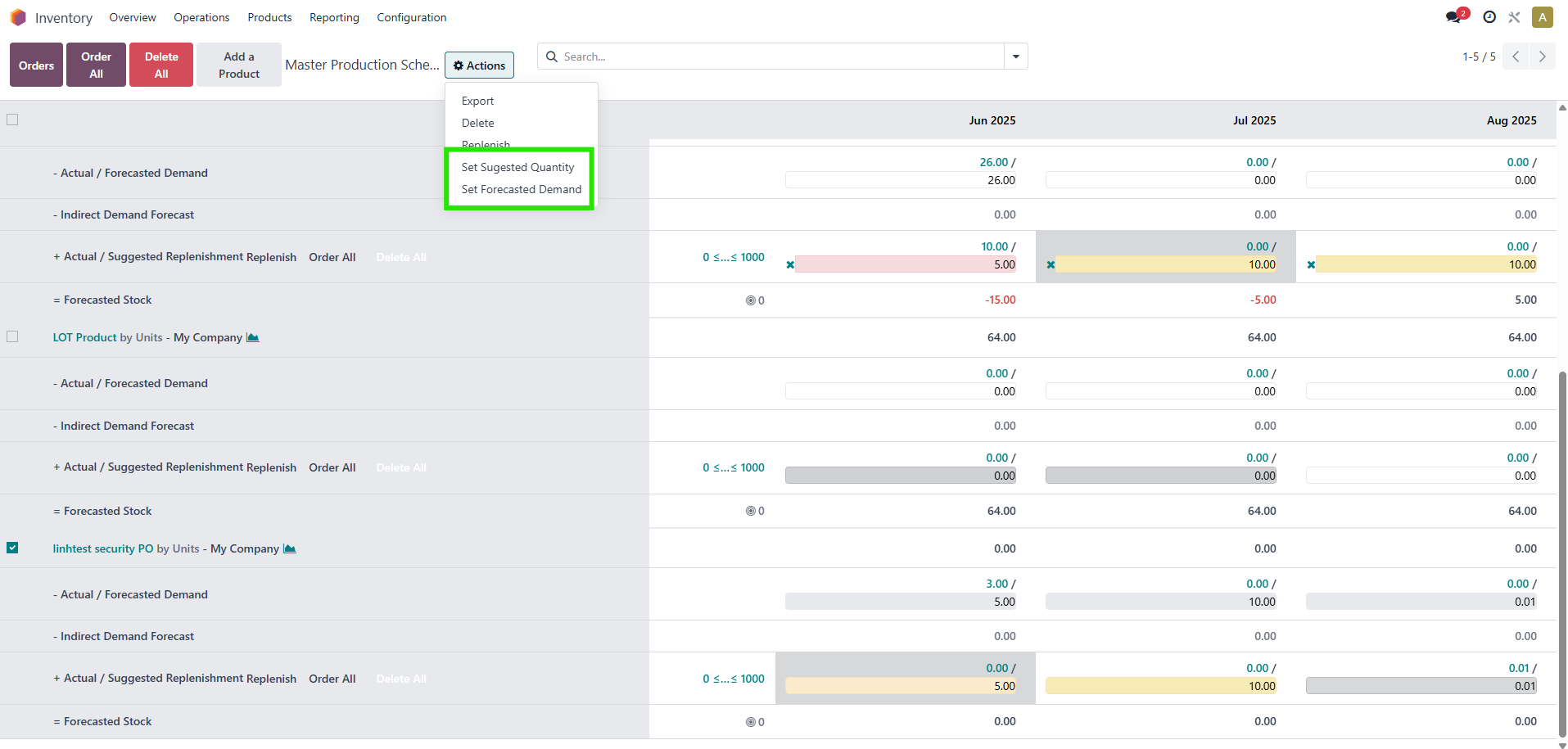 |
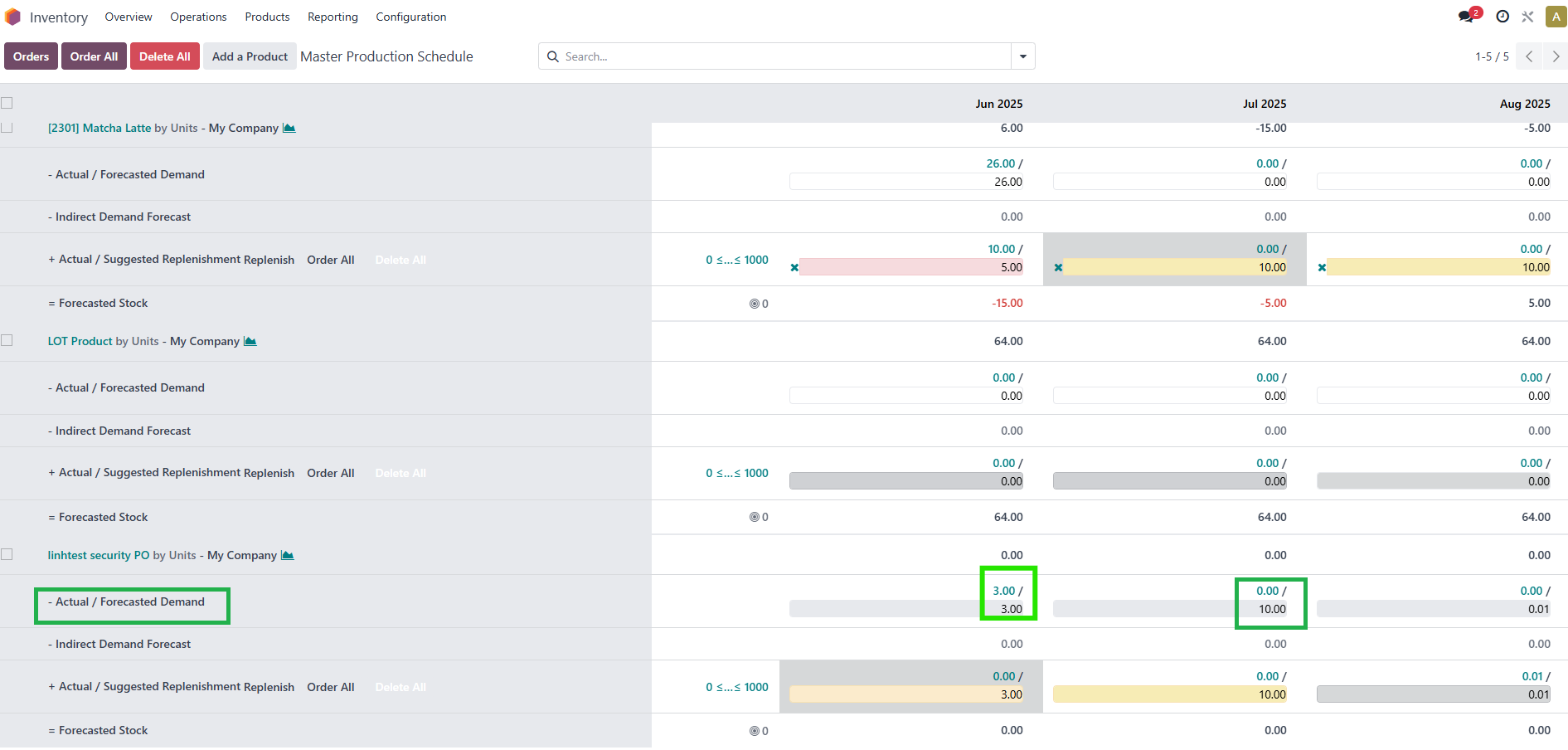
SET SUGGESTED QUANTITYThis will copy the value from Actual Demand into the Forecasted Demand field. | Before running action |
| After running action |
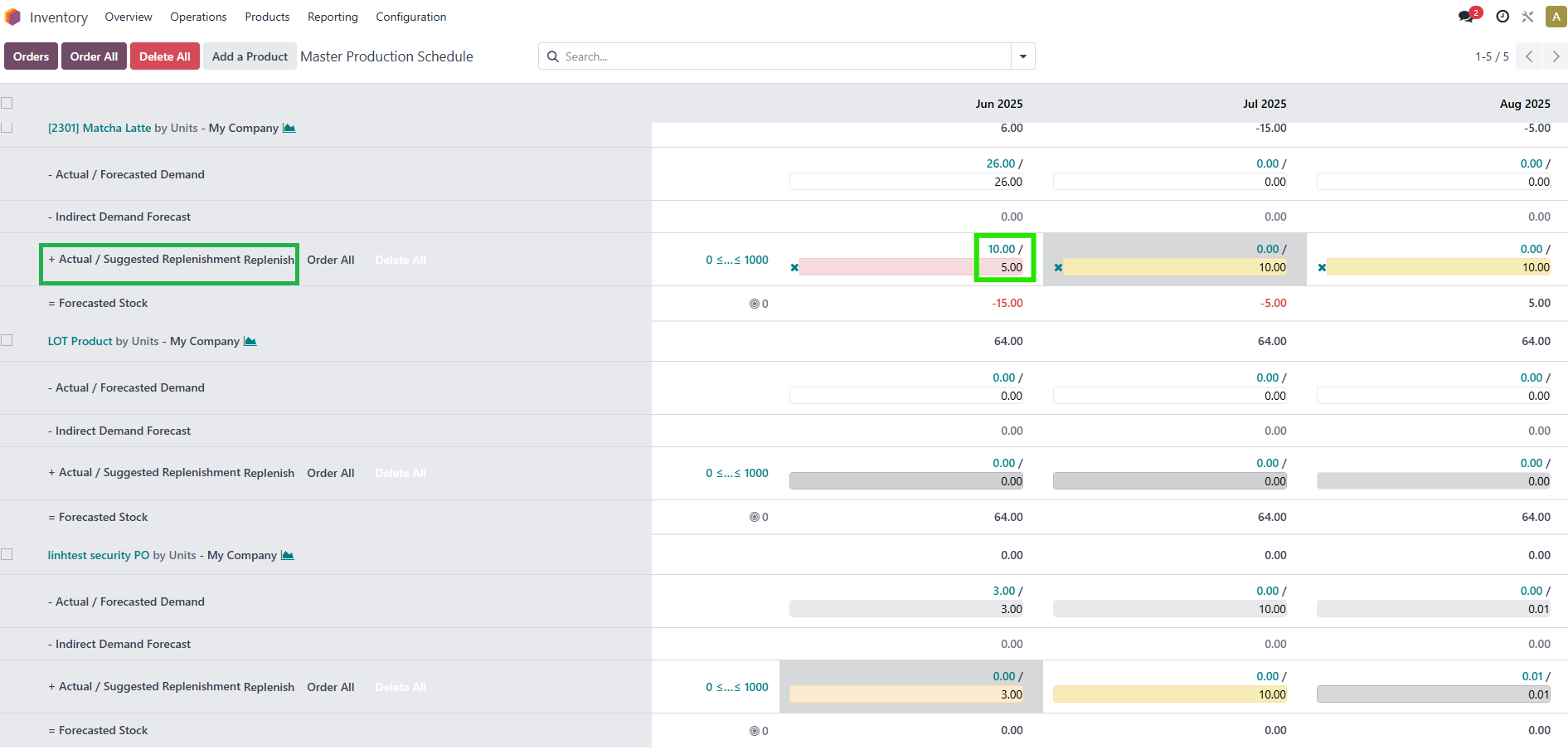
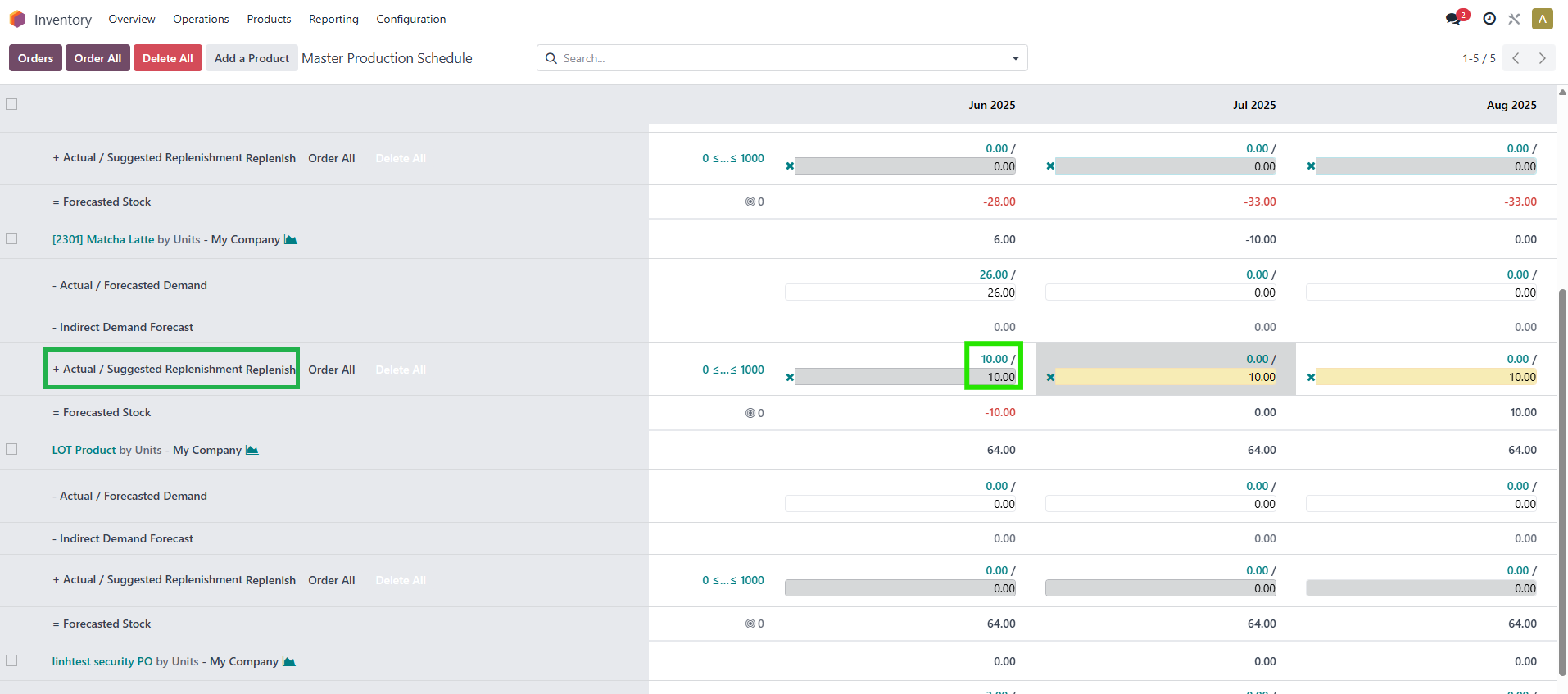
SET FORECASTED DEMANDThis will copy the value from Actual Replenishment into the Suggested Replenishment field. | Before running action |
Note: If Actual is 0, Suggested Replenishment/Forecasted Demand will also be 0. | After running action |