


ODOO'S FUNCTION
In Odoo, while the Online Signature feature is available for Sales Orders, no built-in functionality allows vendors to sign Purchase Orders (PO) or Requests for Quotation (RFQ) directly within the system.
CLUEDOO'S FUNCTION
Cluedoo introduces the Accept & Sign button for Purchase Orders and Requests for Quotation. With this feature, vendors can easily review, accept, and electronically sign Purchase Orders or RFQs within the system.
This enhancement streamlines the procurement process, eliminating the need for manual signatures or external signature solutions, and ensures that all purchase agreements are legally binding and efficiently managed within Odoo.
1 On the Request for Quotation/ Purchase Order, we click on "Send by Email" button
|
|
2 Vendor (as portal user) can sign the document. Note: Portal users are only allowed to sign once => the button will be hidden after signing |
|
3 On the RFQ/ Purchase Order, the internal user can see the detailed information about signature after the portal user signs. |
|
4 On the chatter, we can see the history of the signed recored as well |
|
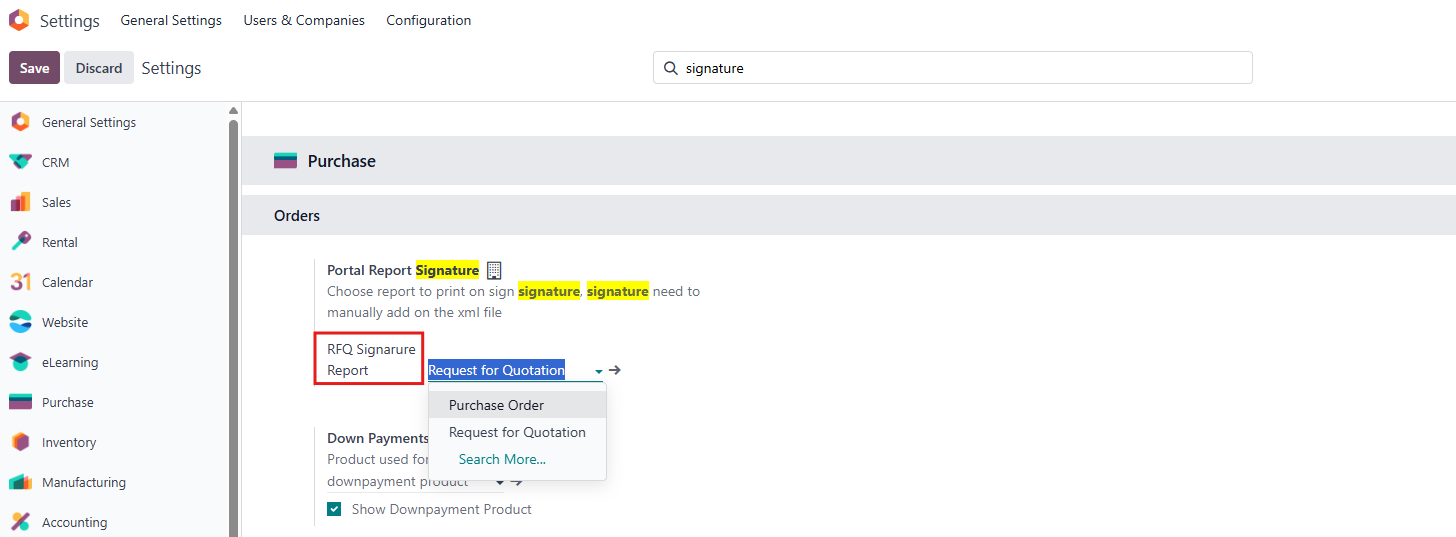
Note that in v18, there is an option to select the report to print. This functionality will apply when we have different Purchase Order formats. |
|