



ODOO'S FUNCTION
Product is the foundation of your Odoo database, and includes a lot of properties, options, flexibility in Odoo.
With using experience, some standard options are missing in Odoo Standard and covered by Cluedoo.
CLUEDOO'S FUNCTION
This module covered all the extra fileds proposed by Cluedoo on the product template.
Feature 1: In Stock
In Stock property allows to organize your storable products between storable products tracked in stock and storable products not tracked in stock. Indeed, in a lot of companies - and especially in factories - only one part of the storable products are tracked in stock. Other parts are directly delivery in & consumed or produced & delivery out without going into the stock, or are in the master data for info but not tracked into the stock.
Feature 2: Generic Product
Odoo does not consider the notion of generic product, ie a product which gives a name, a product category and a ledger account but nothing more - not price, not technical properties,... because it does not correspond to an exact and fully defined product with technical properties.
Cluedoo proposes the notion of generic product in order to properly organize your database between fully defined products, which corresponds to an existing product, and generic products, which corresponds to a family / a kind of products.
Feature 3: Copy Product => Some extra fields are copied when you duplicate a product.
Generic Product Checkbox 1. On Products, we have a Generic Product checkbox. | 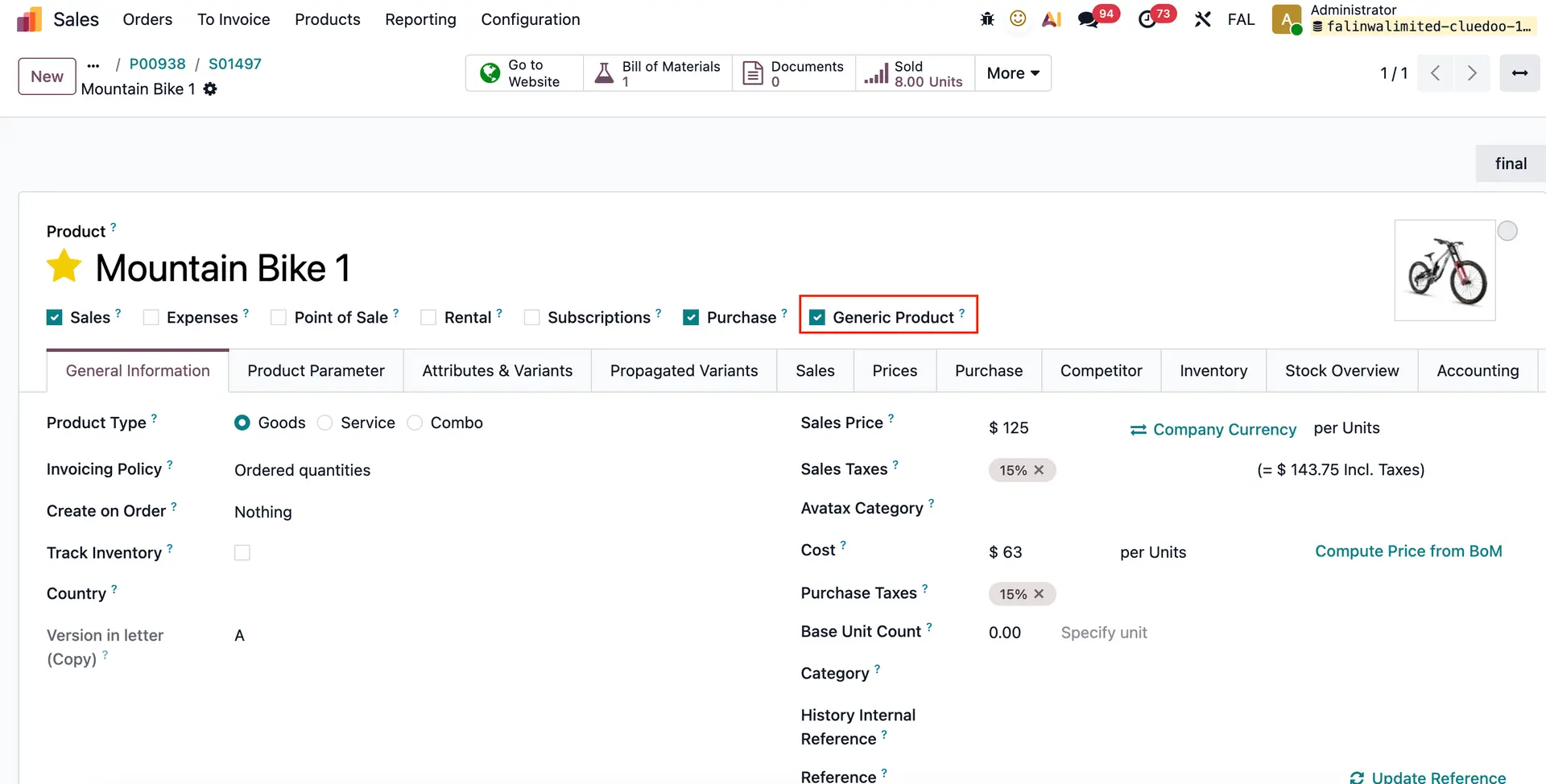 |
2. Create a sales order with generic product (with route MTO and Buy), then change the description on order line | 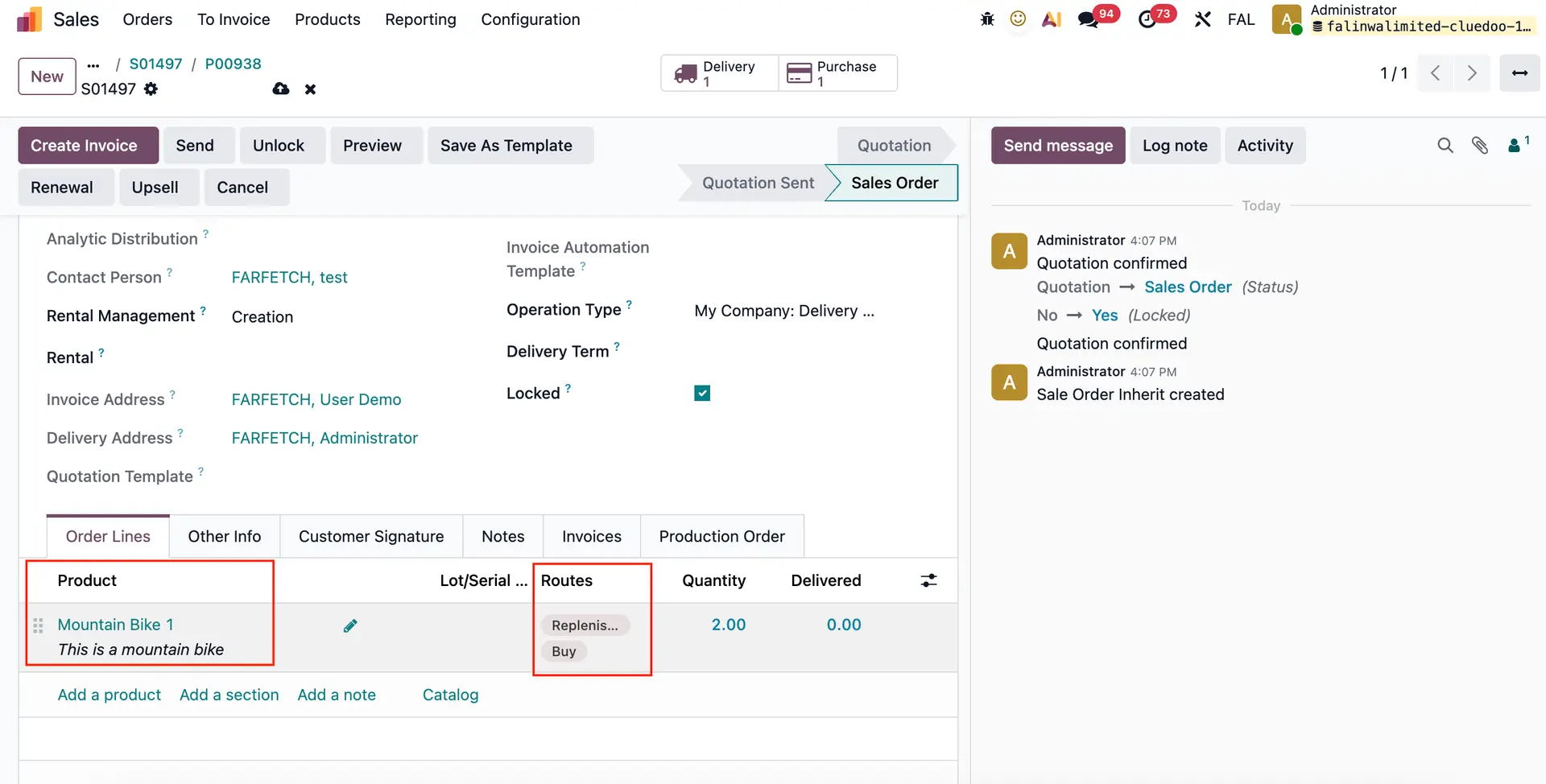 |
3. In RFQ, the product description will automatically follow the order line product description. If the generic product is not checked, the product description will remain the same as the product. | 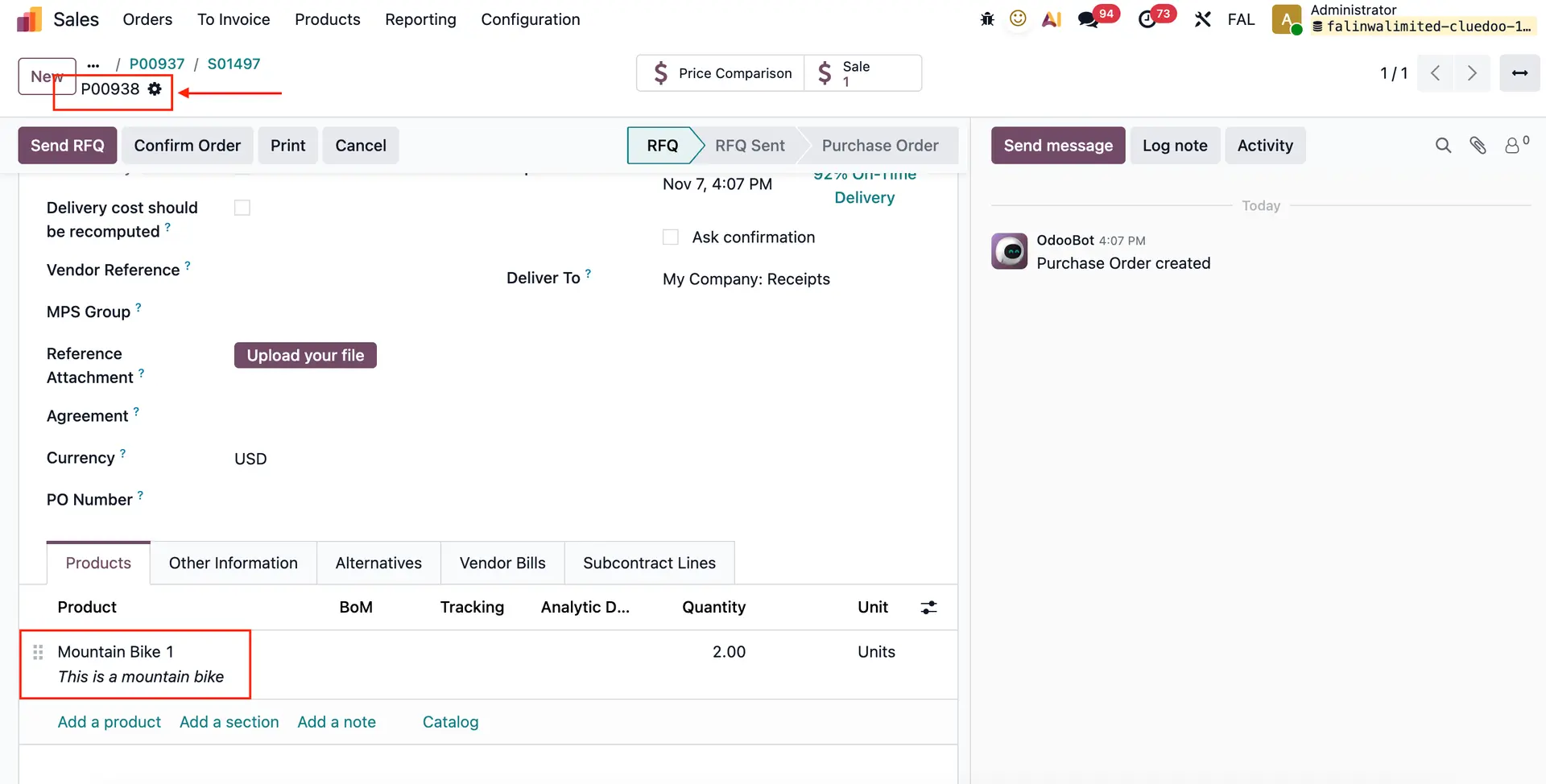 |
| INTERCOMPANY TRANSACTIONS Create a Sales Order with route MTO + Buy > Choose the other entity as the Customer > change the description on order line > Confirm | 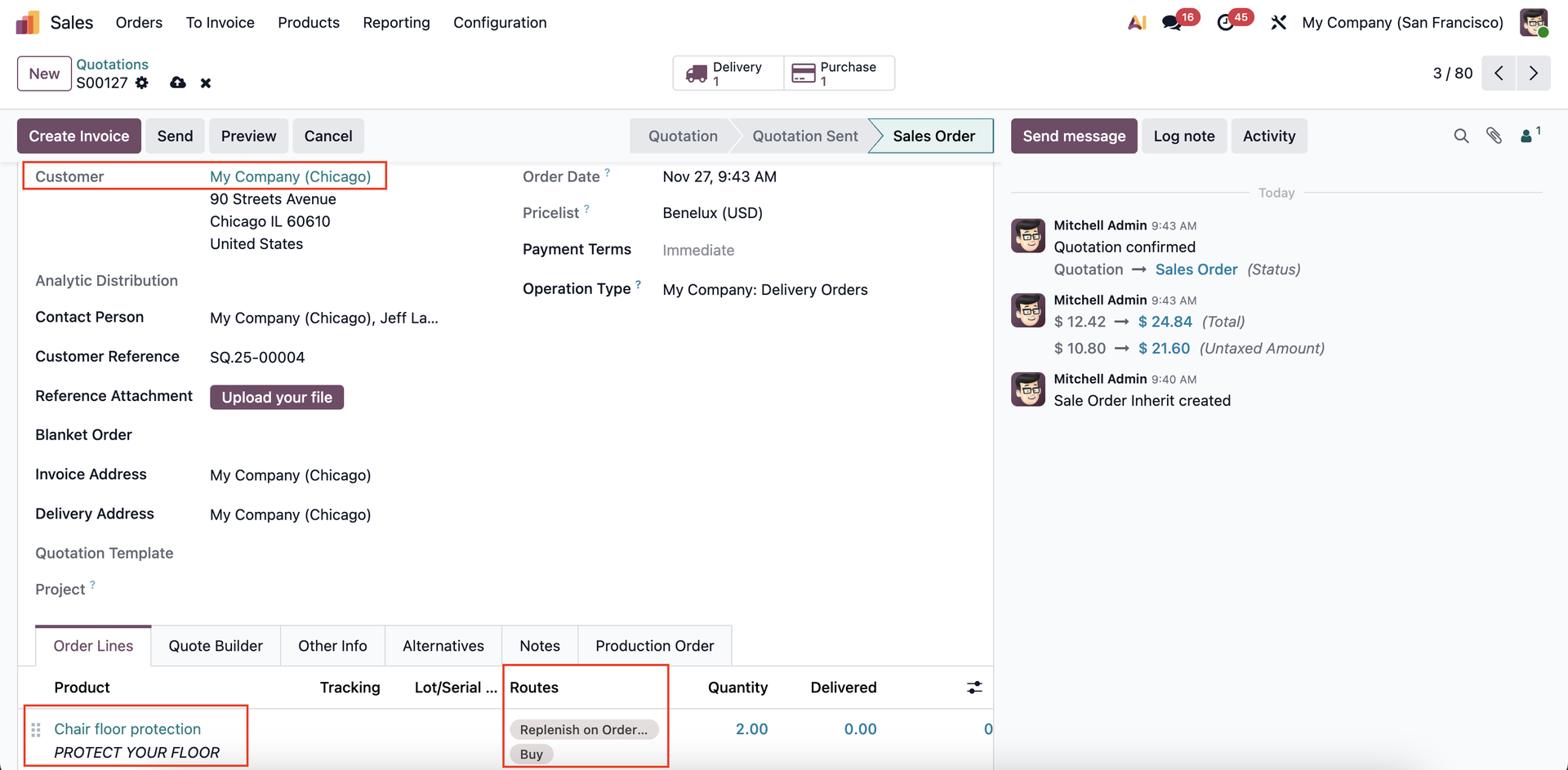 |
In the other entity, you will receive an RFQ - the product description will automatically follow the order line product description | 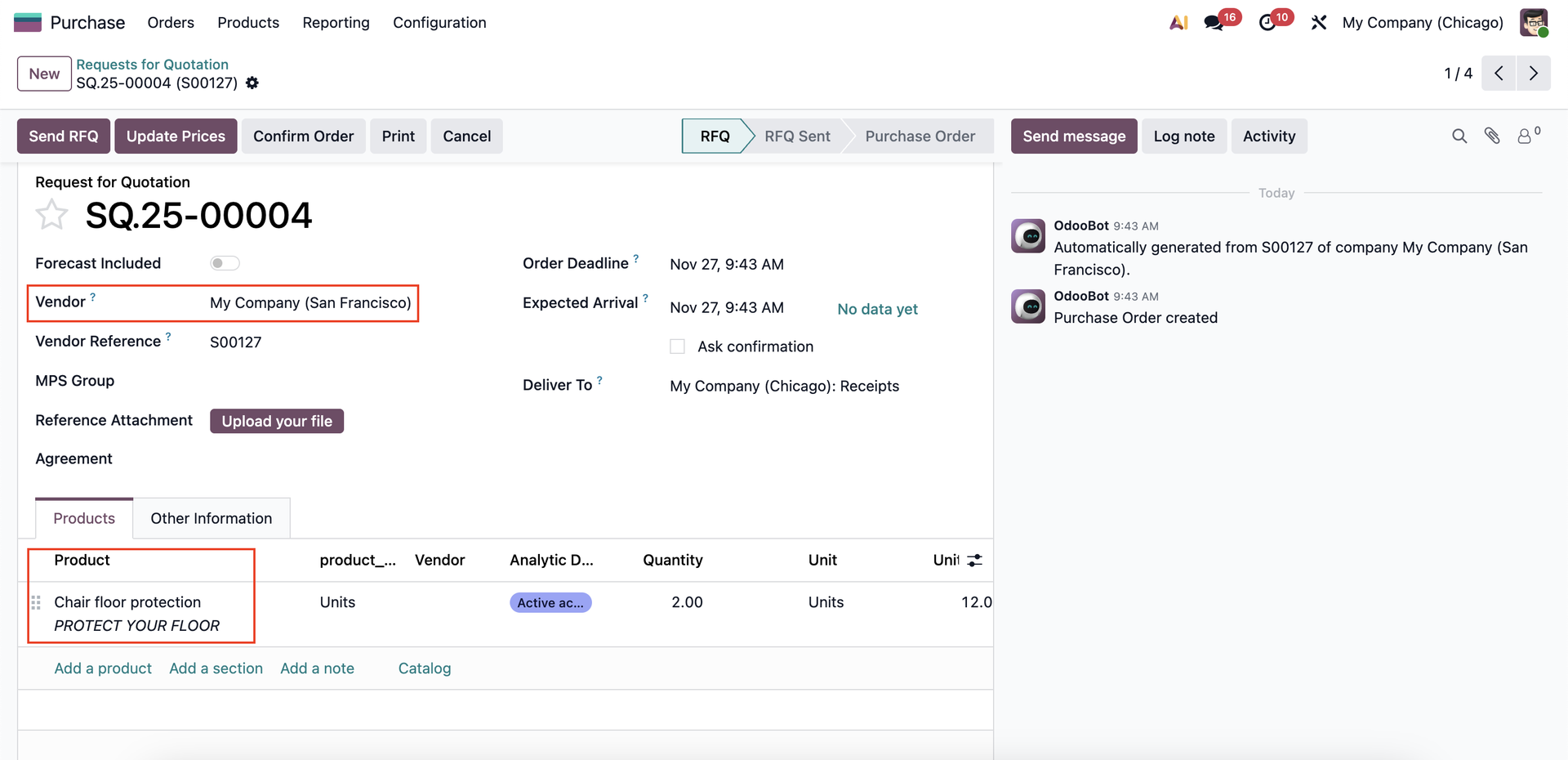 |
"Is Stock" Checkbox 1. Check the "Is Stock Product" for storable product. | 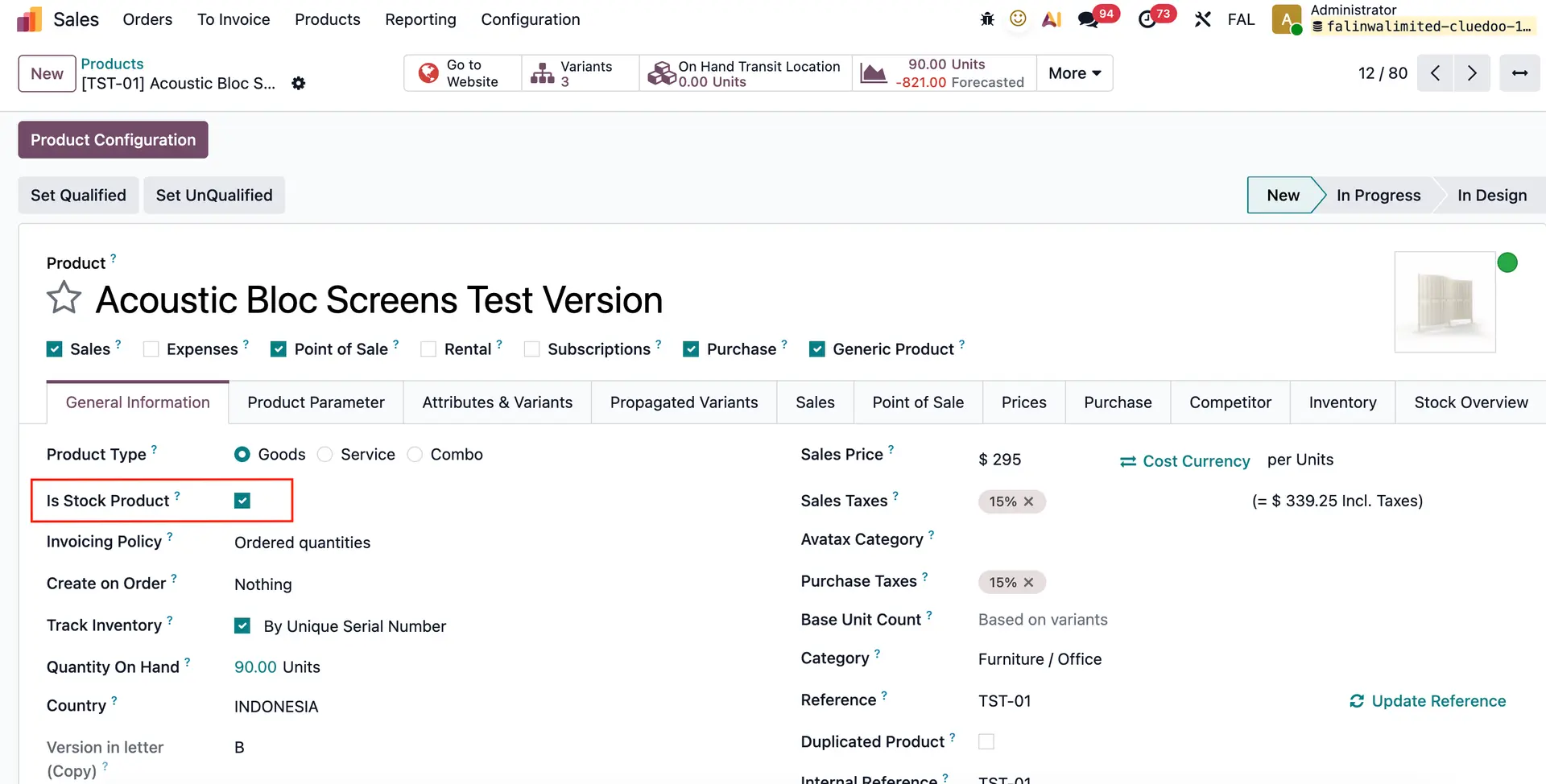 |
2. If "Is Stock Product" is checked, we can filter the product using "In Stock Product filter" | 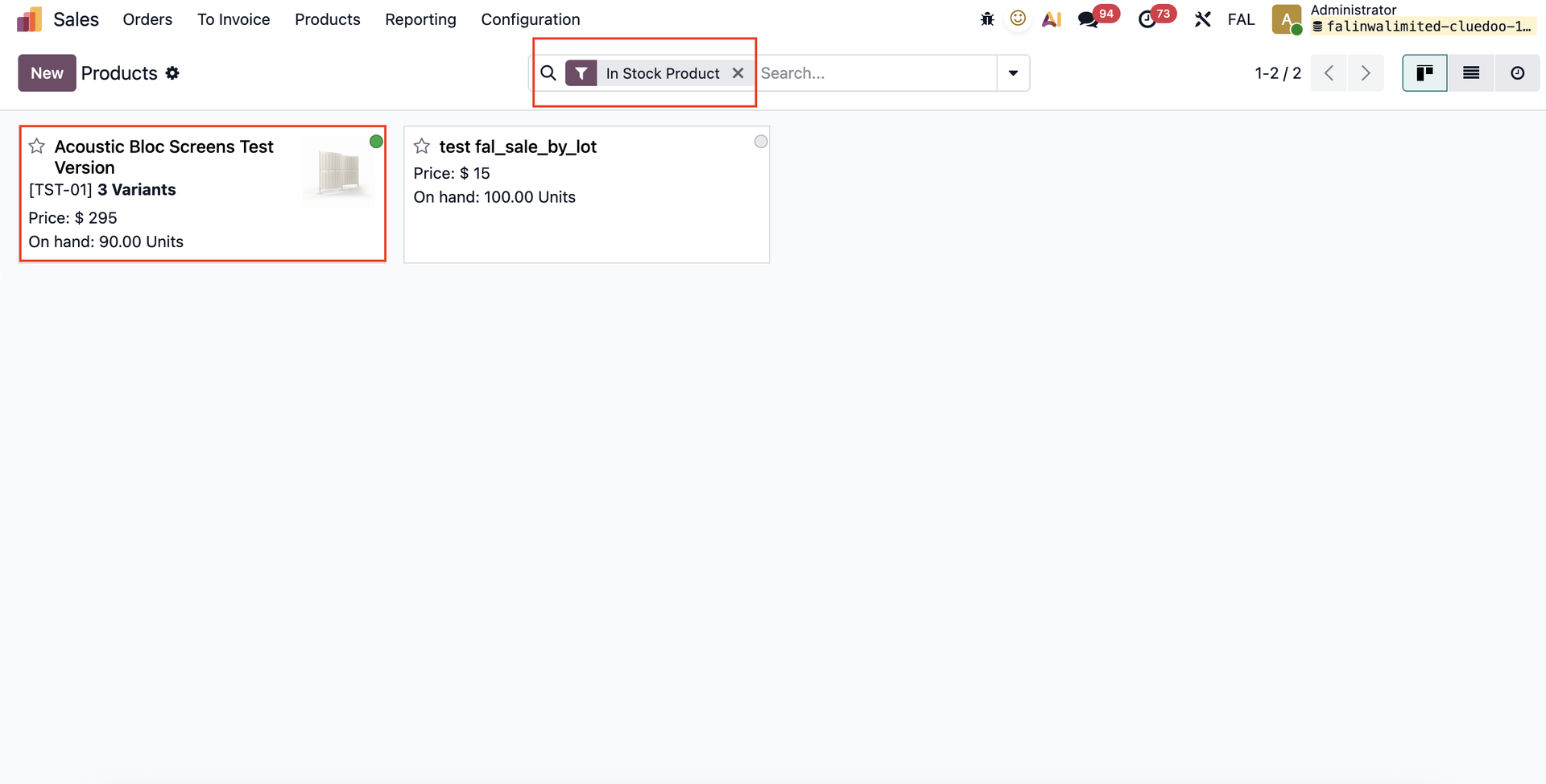 |
3. In product list view, there are Incoming and Outgoing columns. | 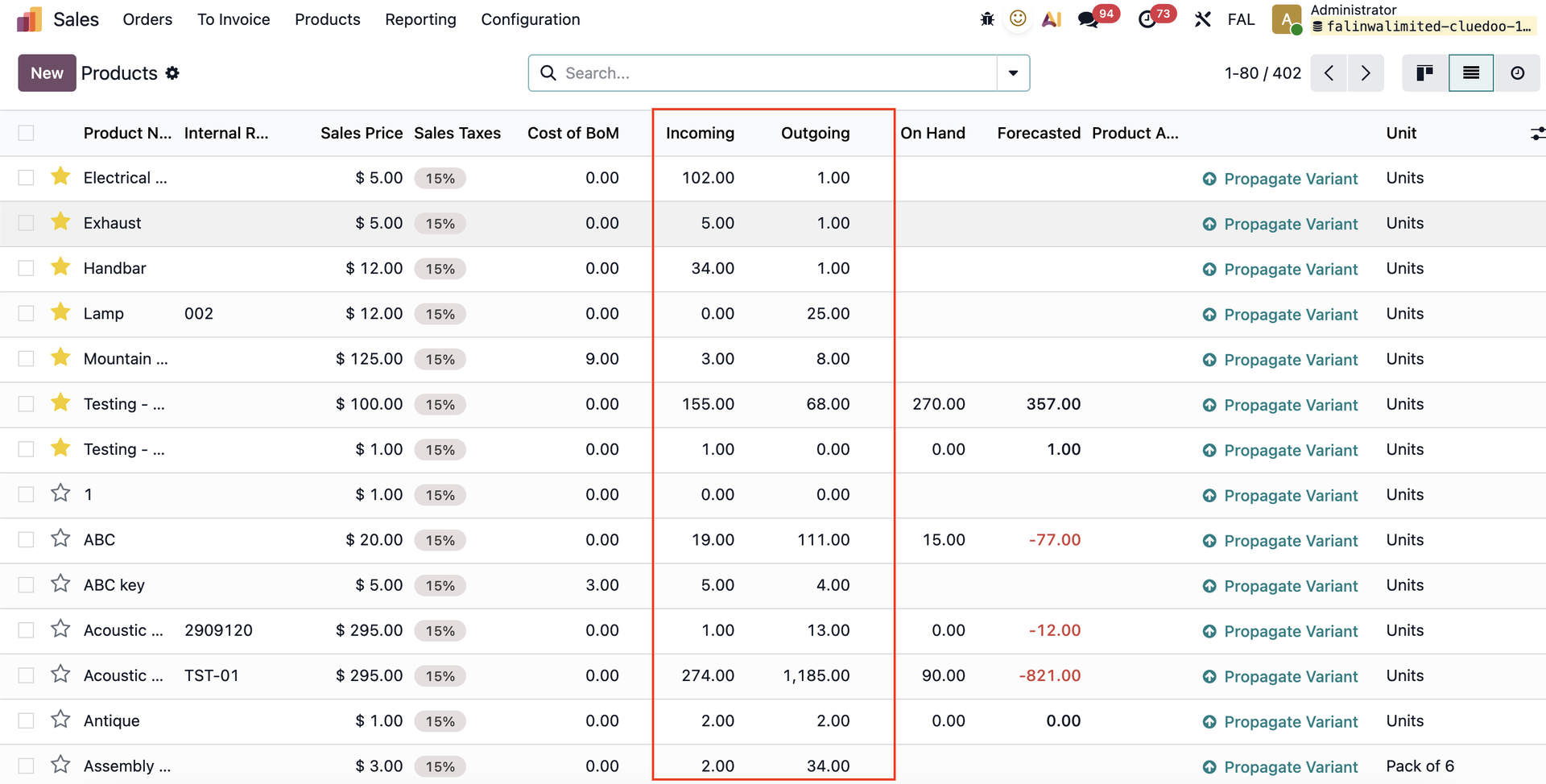 |