



ODOO'S FUNCTION
In Odoo, expense lines in the expense reports do not automatically apply taxes based on product category. Taxes must be selected manually or configured individually on each expense product.
CLUEDOO'S FUNCTION
Cluedoo extends tax automation by applying taxes on expense lines based on the tax settings defined in the product category. This ensures consistency in tax application for employee expenses and reduces manual input.
1. Go to Expense Categories → Create a new product and choose its Category and Purchase Taxes. | 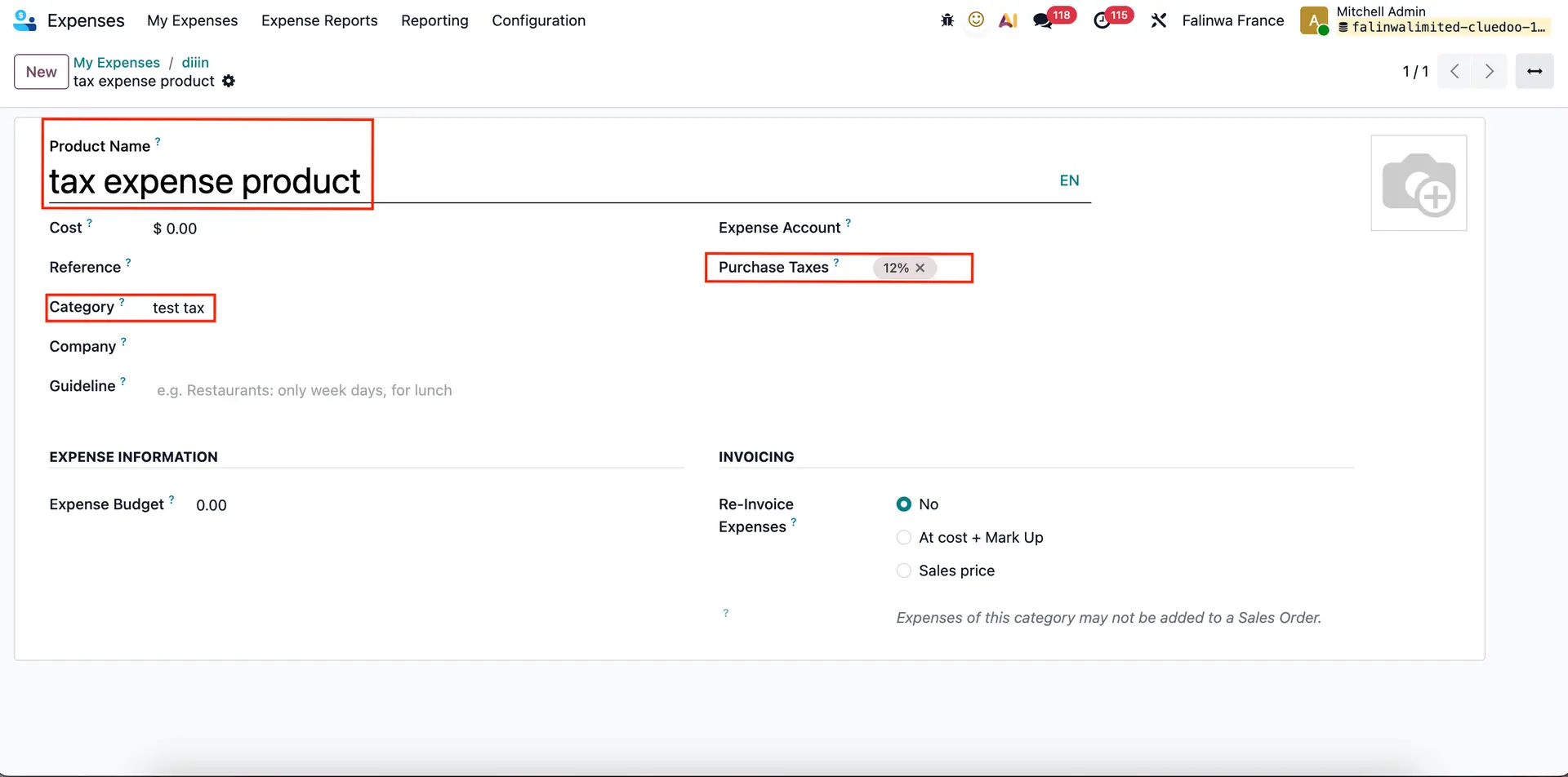 |
Make sure you set the Vendor Taxes in that category |  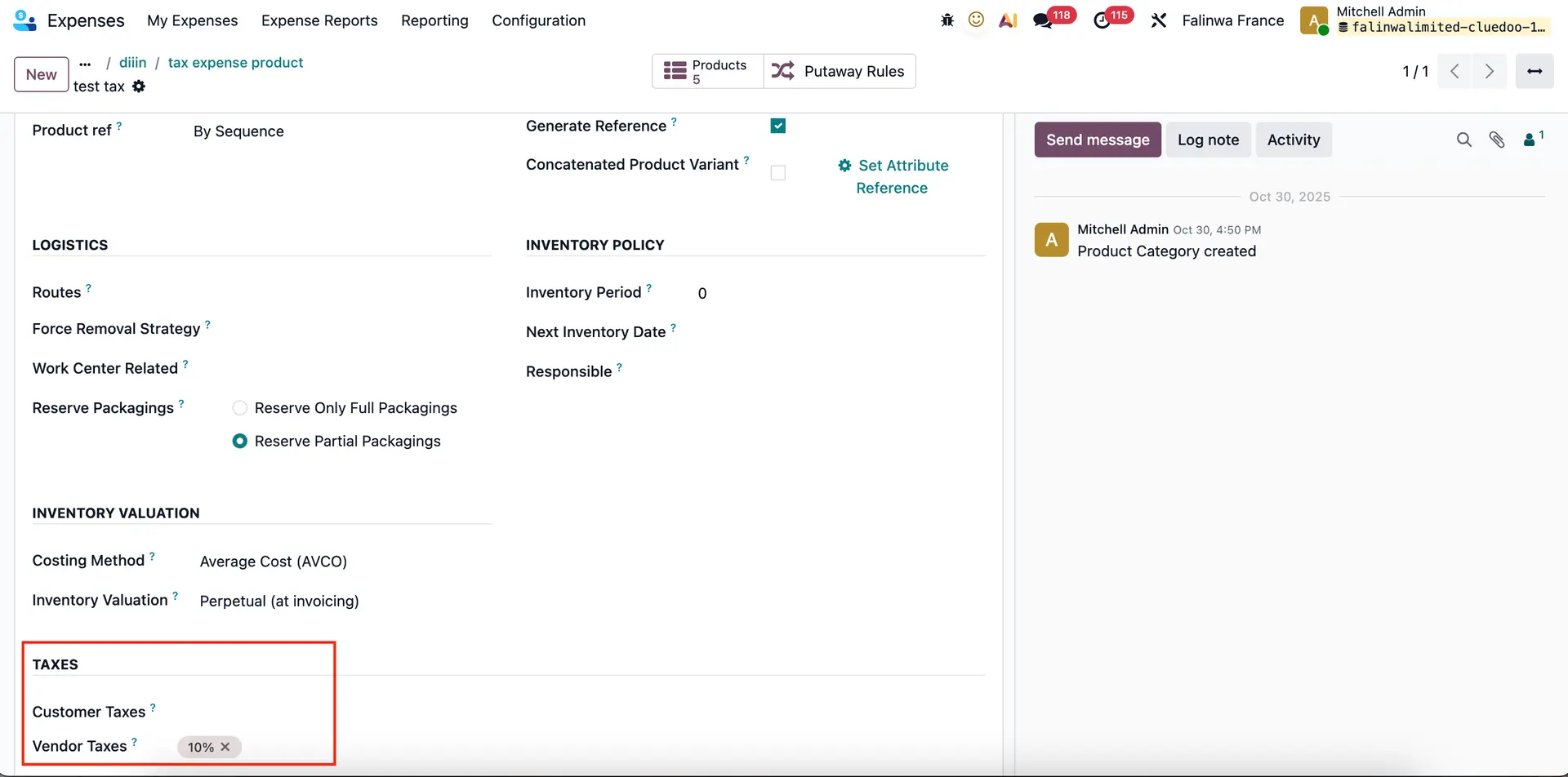 |
Alternatively, you can also create a product from Sales/Purchases Remember to tick Expenses so it can be added to an expense | 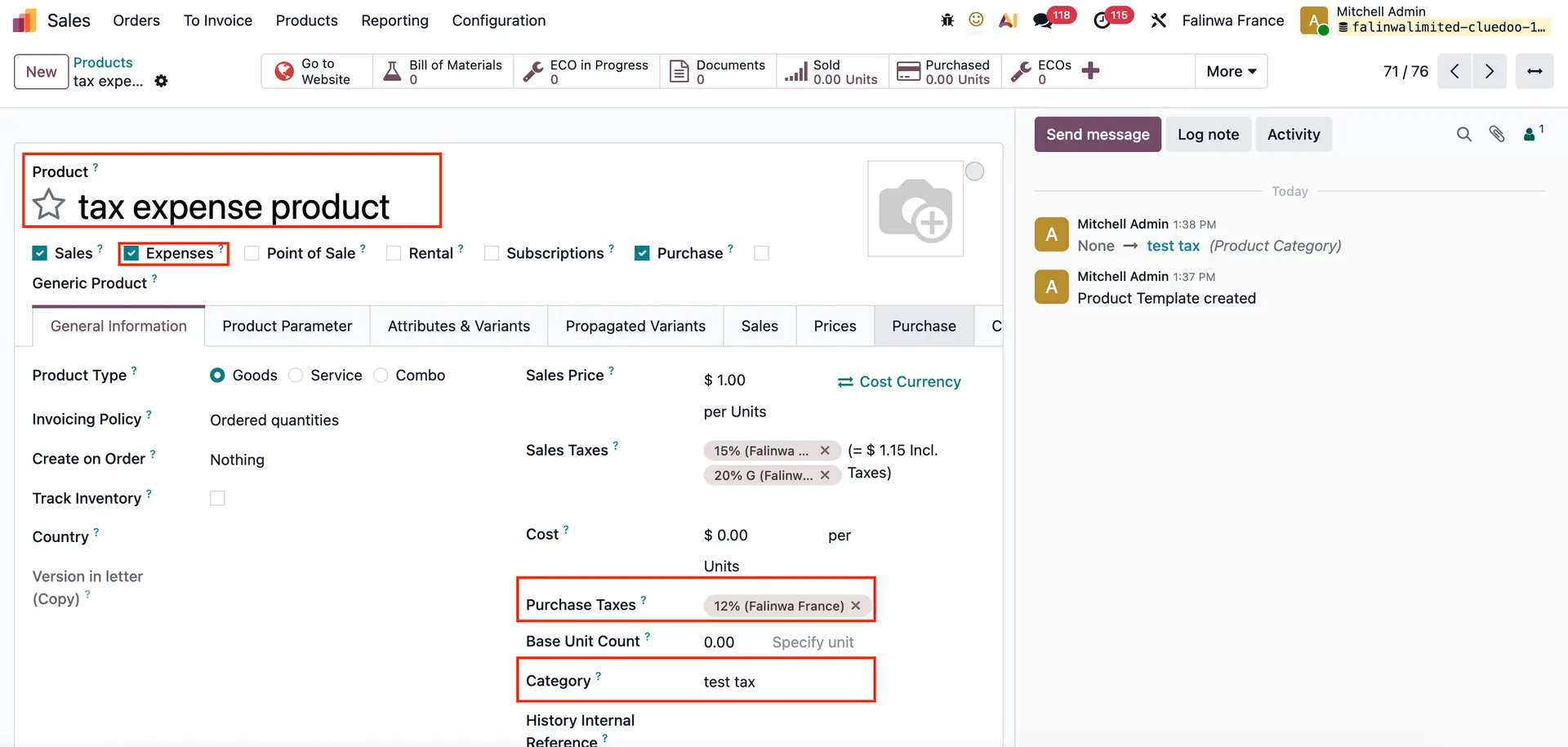 |
2. Go to Expenses → Create a new Expense Order and choose the product you just created → The taxes will be added automatically. Note: If the product has a purchase tax, this tax will be applied to the expense. | 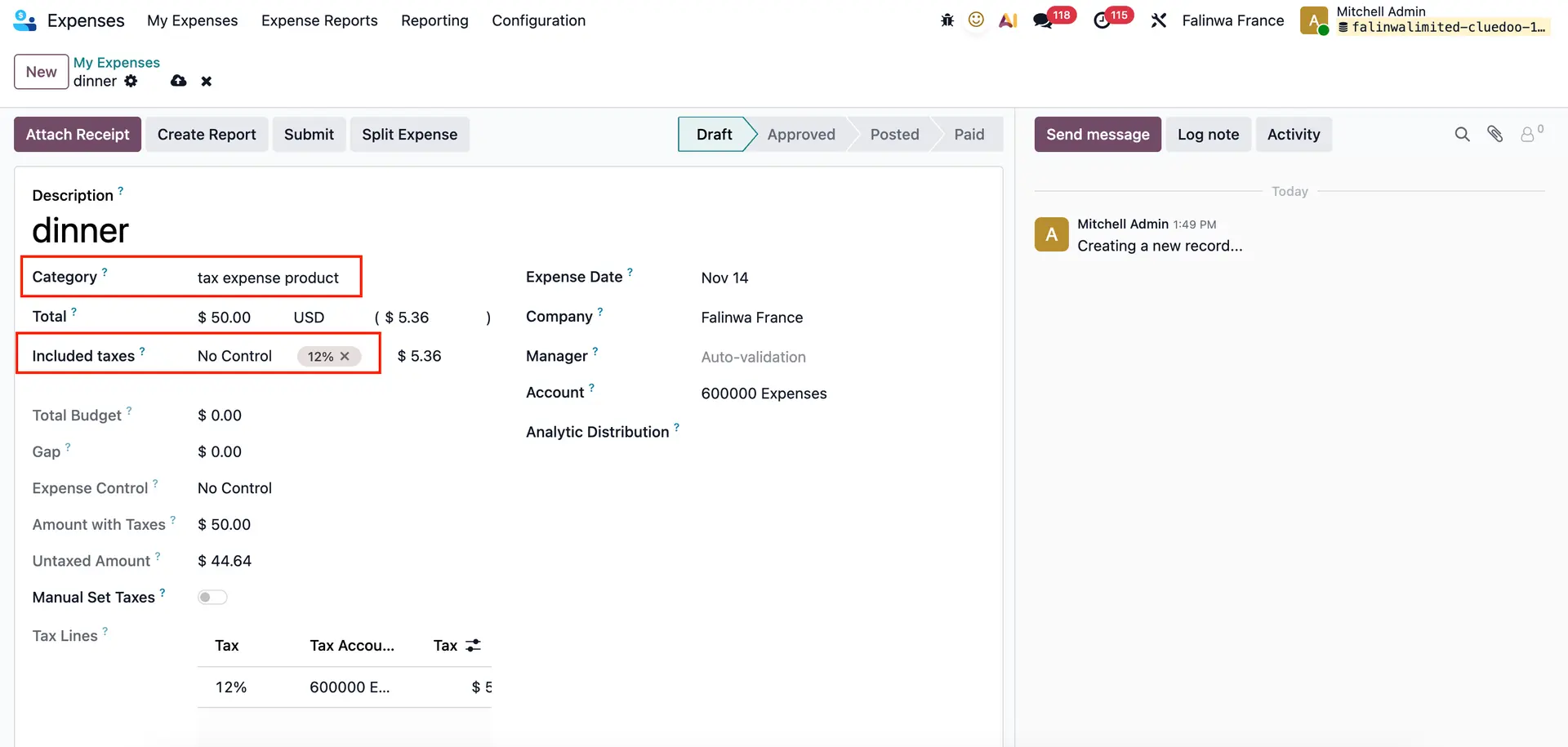 |
If the product does not have a purchase tax, the tax is instead taken from the vendor tax in the product category. | 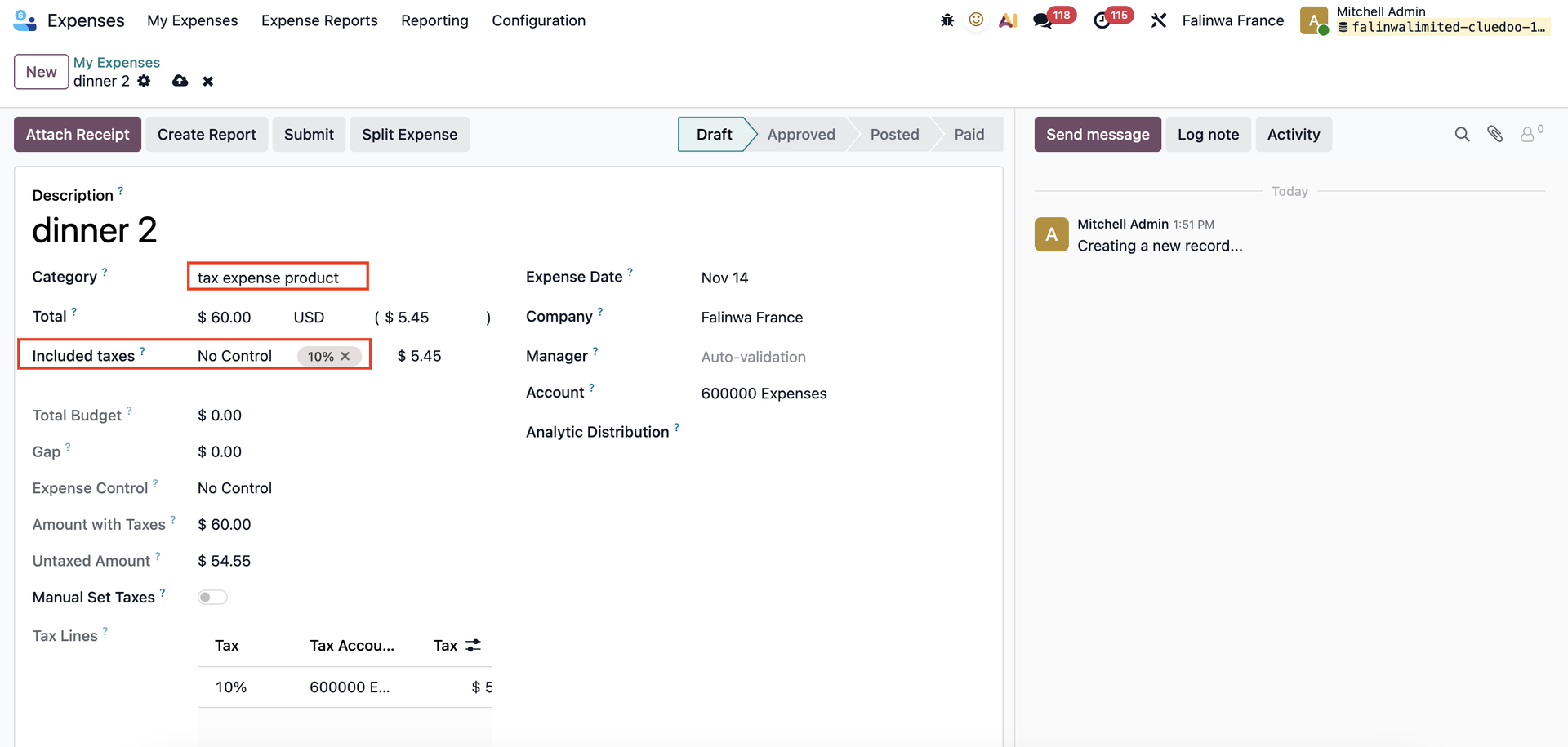 |
3. Create Report → Taxes will propagate in the Expense Report. | 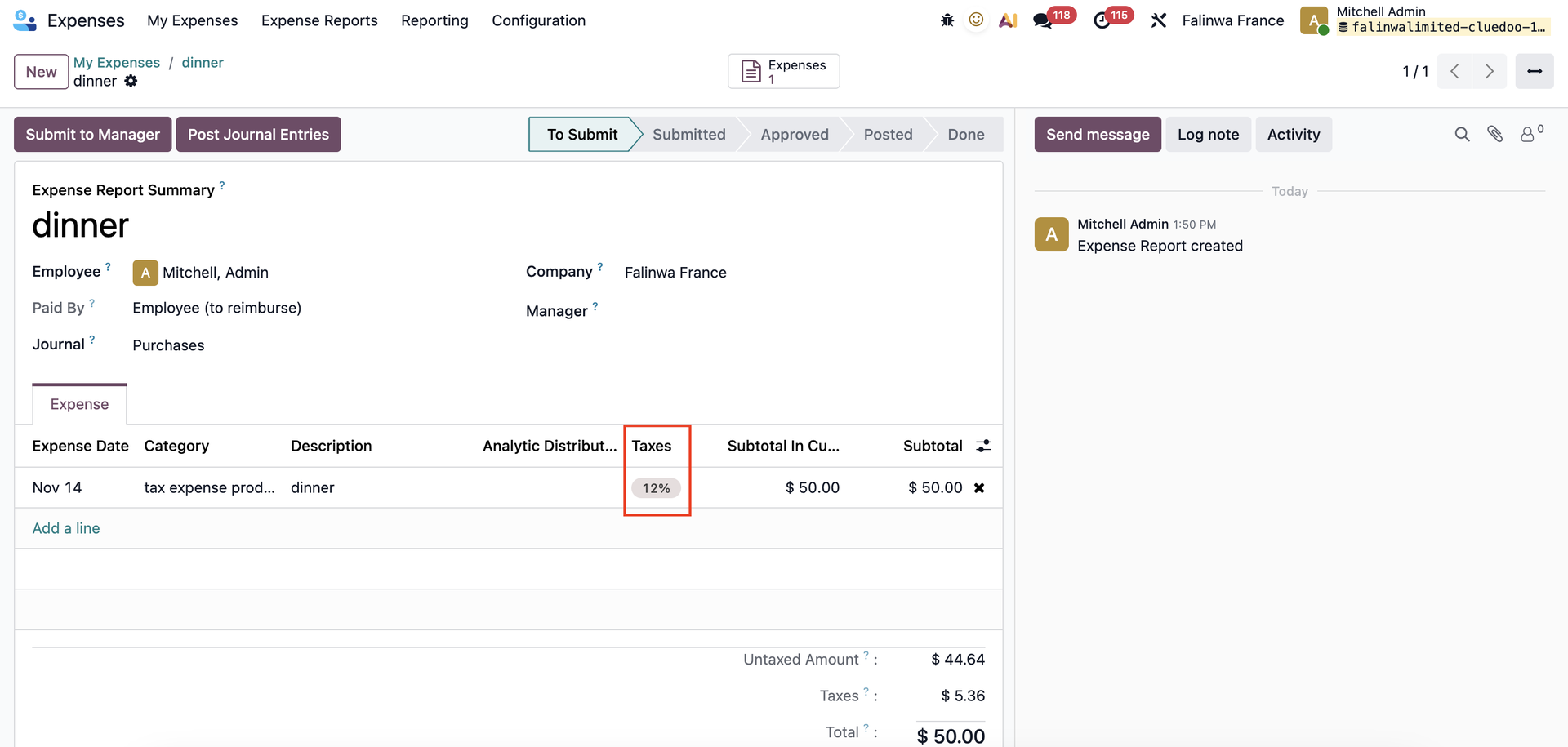 |
Post Journal Entries → Taxes will propagate in the Journal Entry as well | 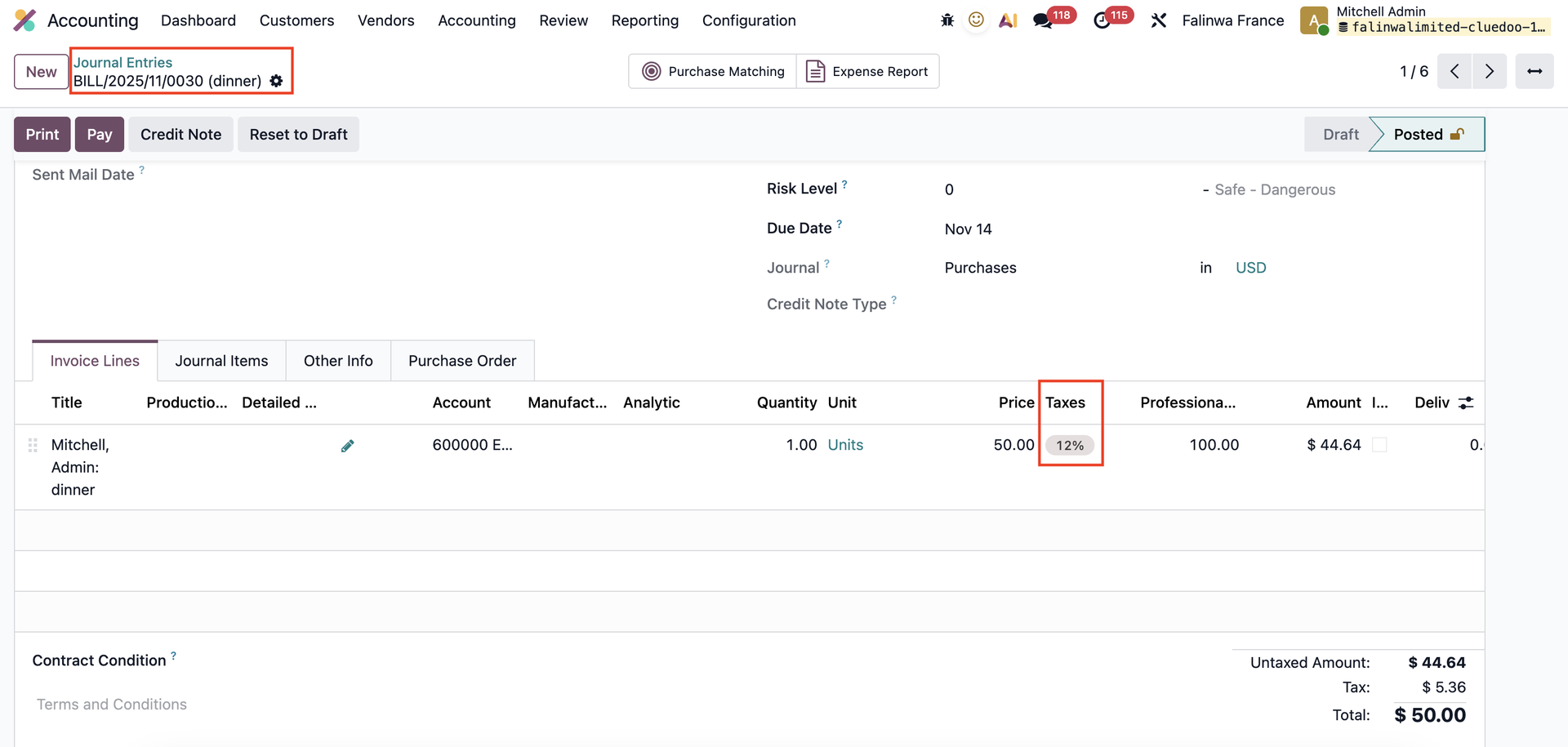 |