



ODOO'S FUNCTION
Odoo allows you the possibility to link an opportunity with quotations, but the expected revenue will not be automatically generated based on those quotations. This makes it quite limited for multi-currency management.
CLUEDOO'S FUNCTION
Cluedoo enhances the expected revenue calculation for multi-currency environments by introducing:
1. The automatic calculation of Expected Revenue in IFRS / Group Currency.
While the dependency module handles the basic calculation, this extension allows you to select a specific currency for a given opportunity and view the expected revenue in that standardized currency. This ensures that managers can view a consolidated pipeline value across different entities and currencies.
Note: Have to install module fal_expected_revenue_crm before.
1. Go to Settings > Users & Companies > Companies Choose your company In field IFRS Currency, choose currency you want to set. |  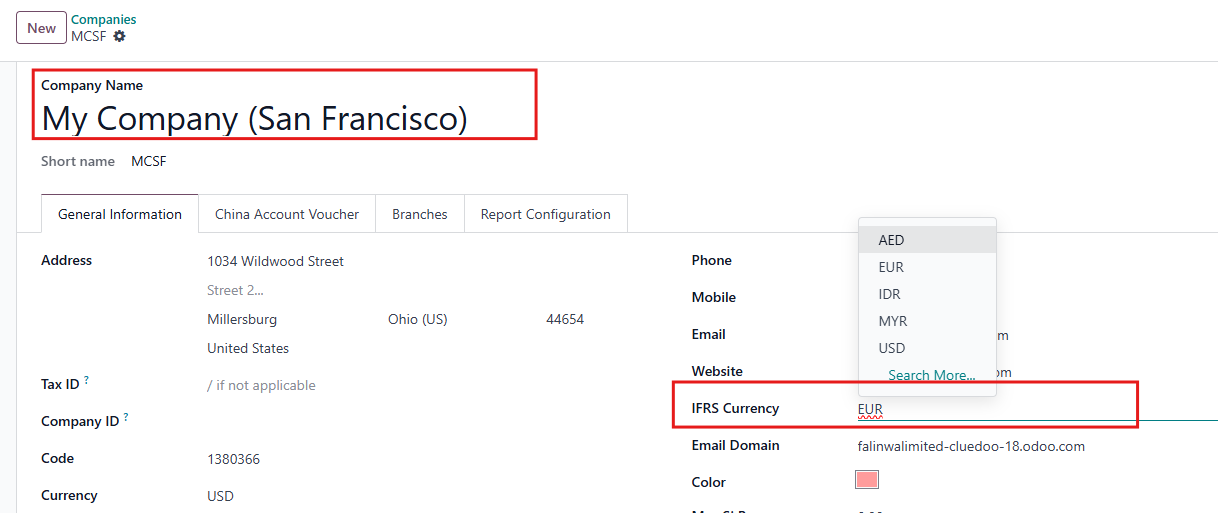 |
2. Go to CRM In a Pipeline, you can see two fields:
These fields is calculated the Revenue in currency you set in Step 1. | 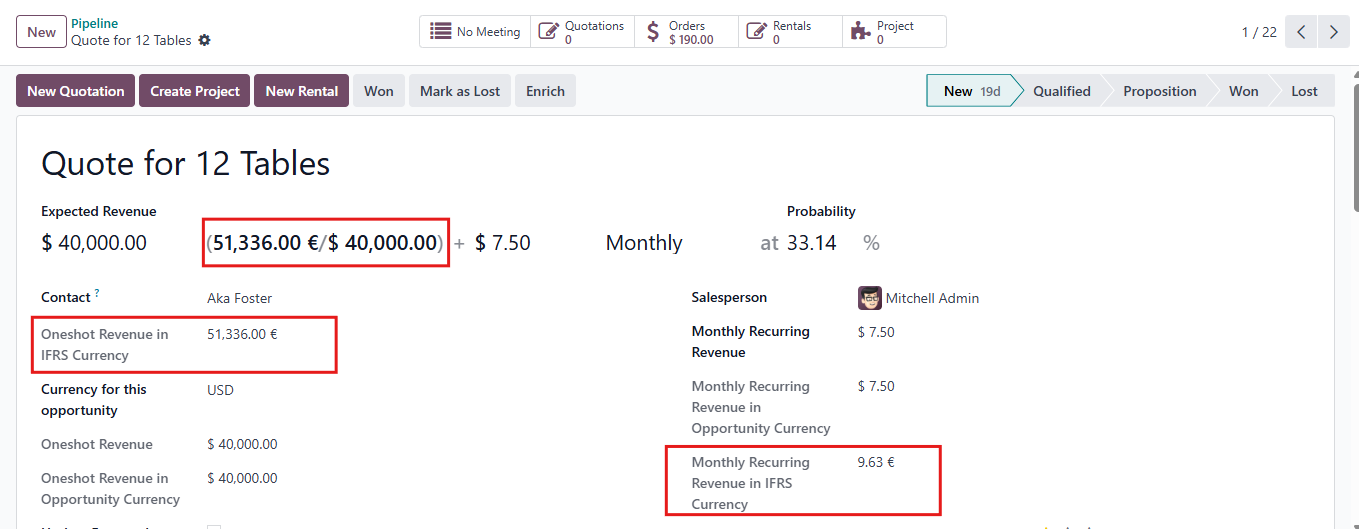 |
3. Go to CRM > Pipeline In Kanban view, you can see the Revenue in IFRS Currency. | 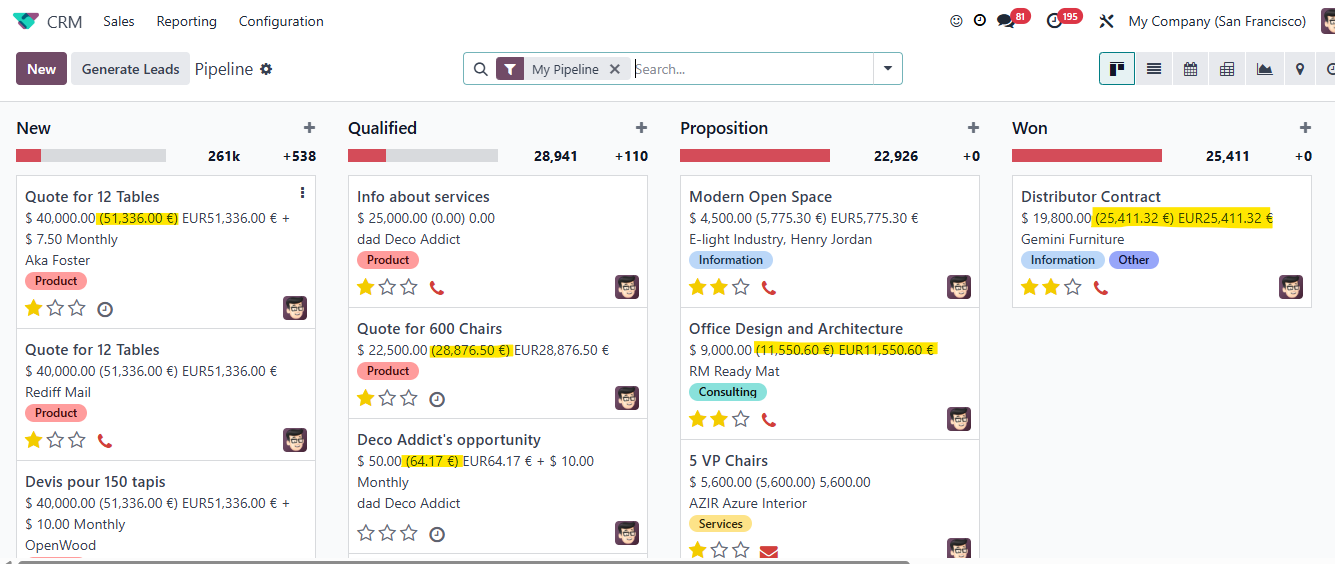 |