
STORY BEHIND THE FEATURES
ODOO BEHAVIOUR
By default, Odoo provides basic data management for objects like Contacts, Leads, or Employees across various modules, but it lacks a centralized interface to track and manage user-related data with detailed configurations such as identification details, labels, or weight definitions. There is no native support for structuring data sources with fields like Model ID, Source Model, or Related IDs, nor does Odoo offer built-in tools to anonymize data for GDPR compliance directly from a unified interface.
CLUEDOO BEHAVIOUR
The Cluedoo Data Source Template module introduces a centralized interface for managing user-related data and ensuring GDPR compliance:
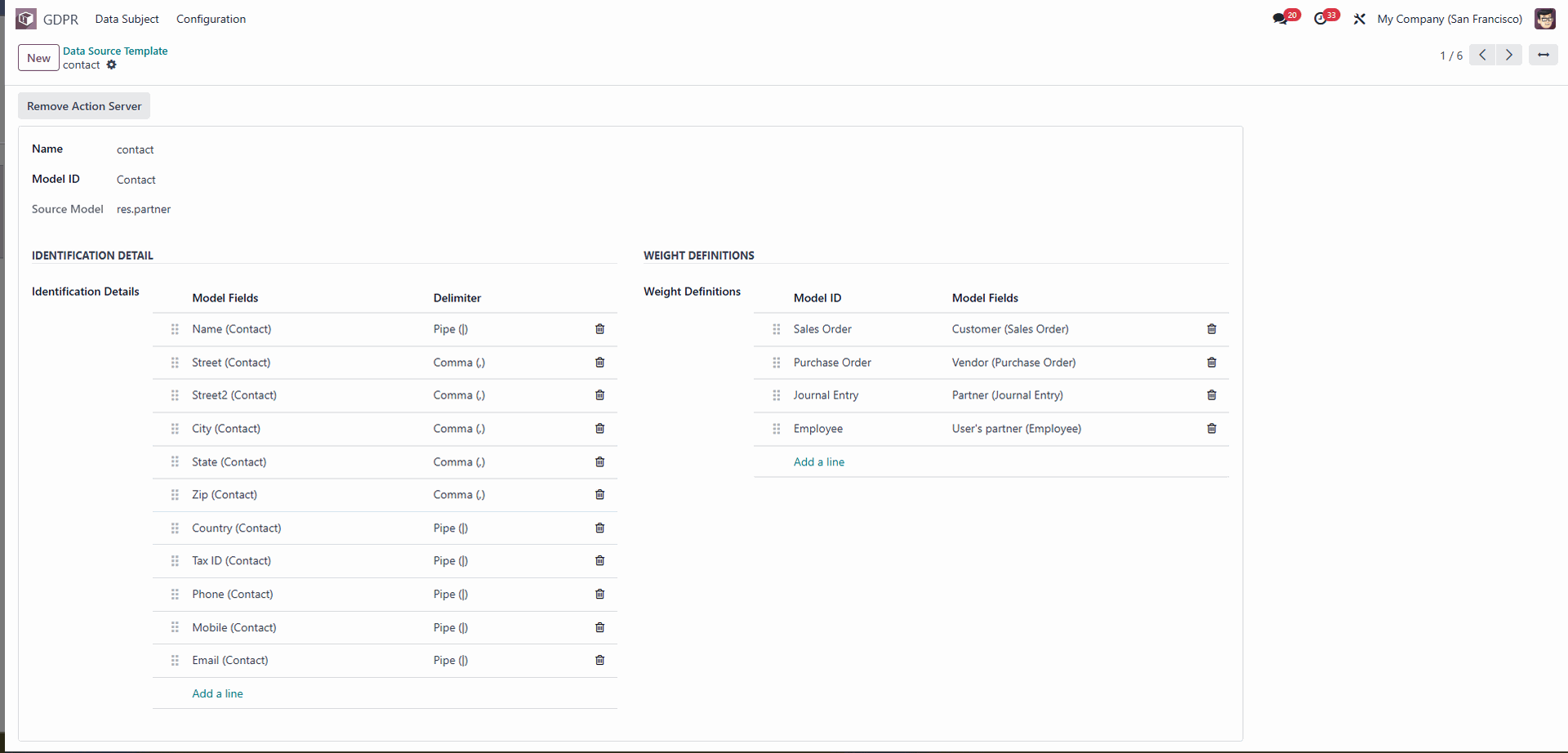
Provides a Data Source Template to configure data sources with fields like Name, Model ID, Source Model, and Identification Details (e.g., Email, Address).
Supports adding Related IDs and Weight Lists to link objects to associated models (e.g., Sales Orders, Purchase Orders) with configurable weights and fields.
Allows creation of GDPR-compliant data management processes, including anonymization of selected model fields (e.g., Activity).
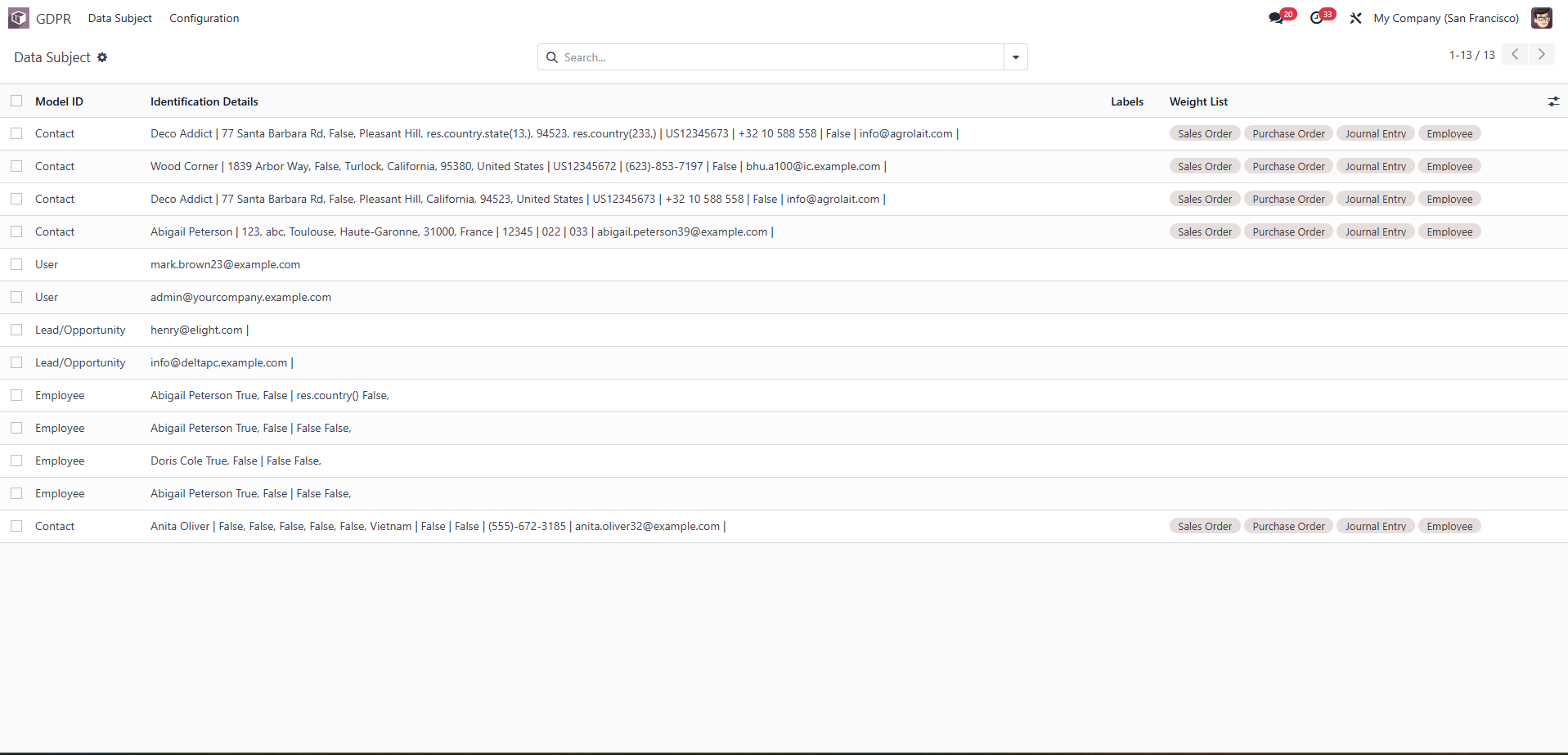
Offers a searchable, filterable, and sortable list view of objects with details like Model ID, Labels, Weight List, Created Date, Update Date, Duration, and statuses (Deleted, Archived, Anonymous).
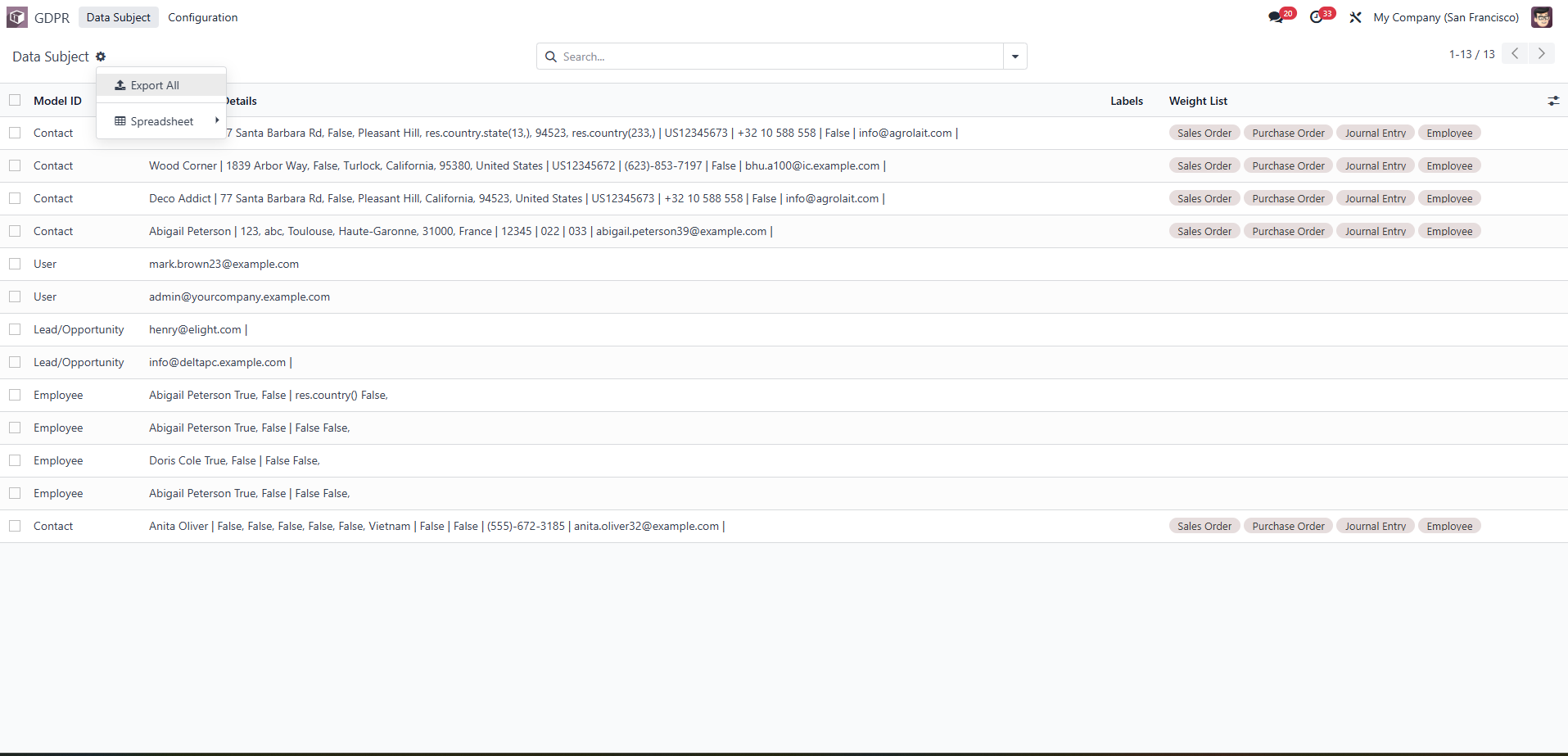
Enables bulk actions such as duplicating or deleting templates and exporting data to Excel for reporting.
Supports linking data to spreadsheets via a menu for enhanced data analysis.
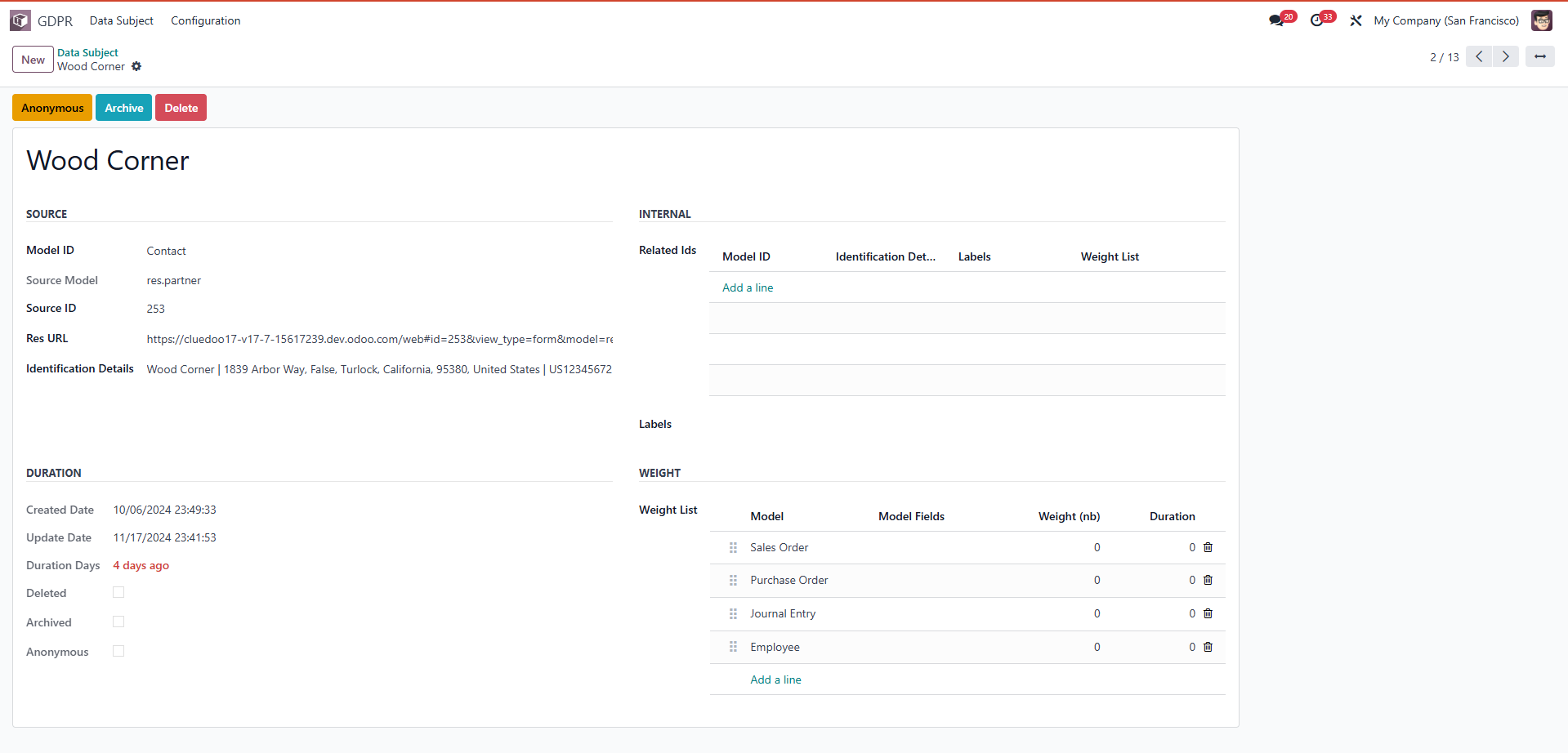
Includes sections for Source (Model ID, Source Model, Source ID, Res URL, Identification Details), Internal (Related IDs, Labels, Weight List), Duration (Created Date, Update Date, Duration Days), and Weight (Model, Model Fields, Weight, Duration) for comprehensive data management.
MODULE +
This module is ideal for businesses that need to manage and track personal data across multiple Odoo models (e.g., Contacts, Leads, Employees) while ensuring GDPR compliance
CLUEDOO RECOMMENDATION
Install on 100% of the database.
OUR FEATURES AS SOLUTION
Create Product Catalogue
HOW TO USE THIS MODULE ?
In the data source template, you can see the data source from users is divided based on fields such a contact information, bill of material, bank account |
|
Name: The designation of the data source, such as Lead. Model ID: The unique identifier for the related data model, for example, Lead/Opportunity. Source Model: The full title of the data model in the system, like crm.lead. Identification Details: Model Fields: The fields within the model that are utilized for identification, such as Email (Lead/Opportunity). Delimiter: The character used to separate values in the field, for instance, Pipe (|). Weight Definitions: Weight Definitions: Configure weights as necessary. Model ID: The unique identifier for the corresponding model. Model Fields: The fields that are part of the data model. The "Add a line" section in both sections allows users to add new rows to configure additional information. |
|
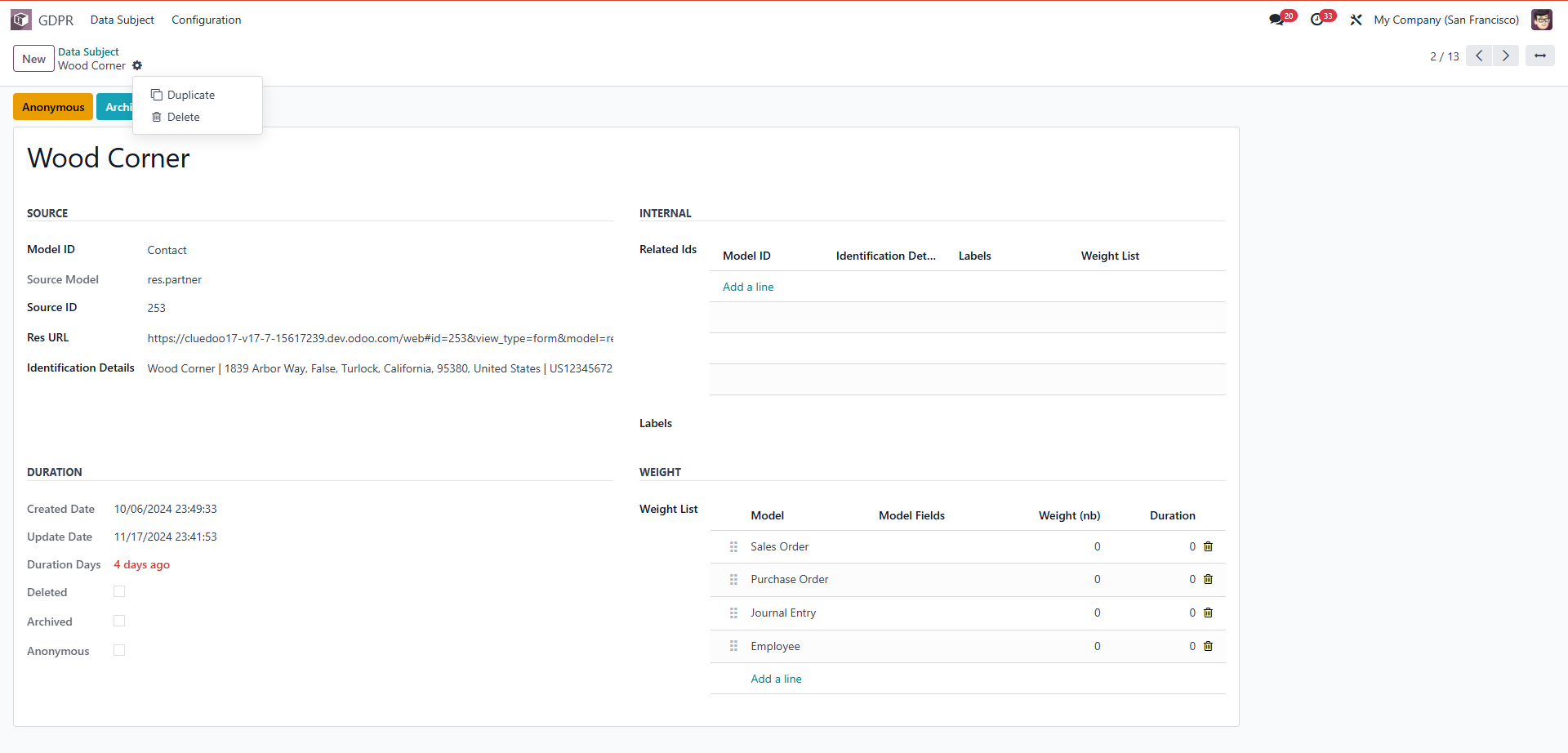
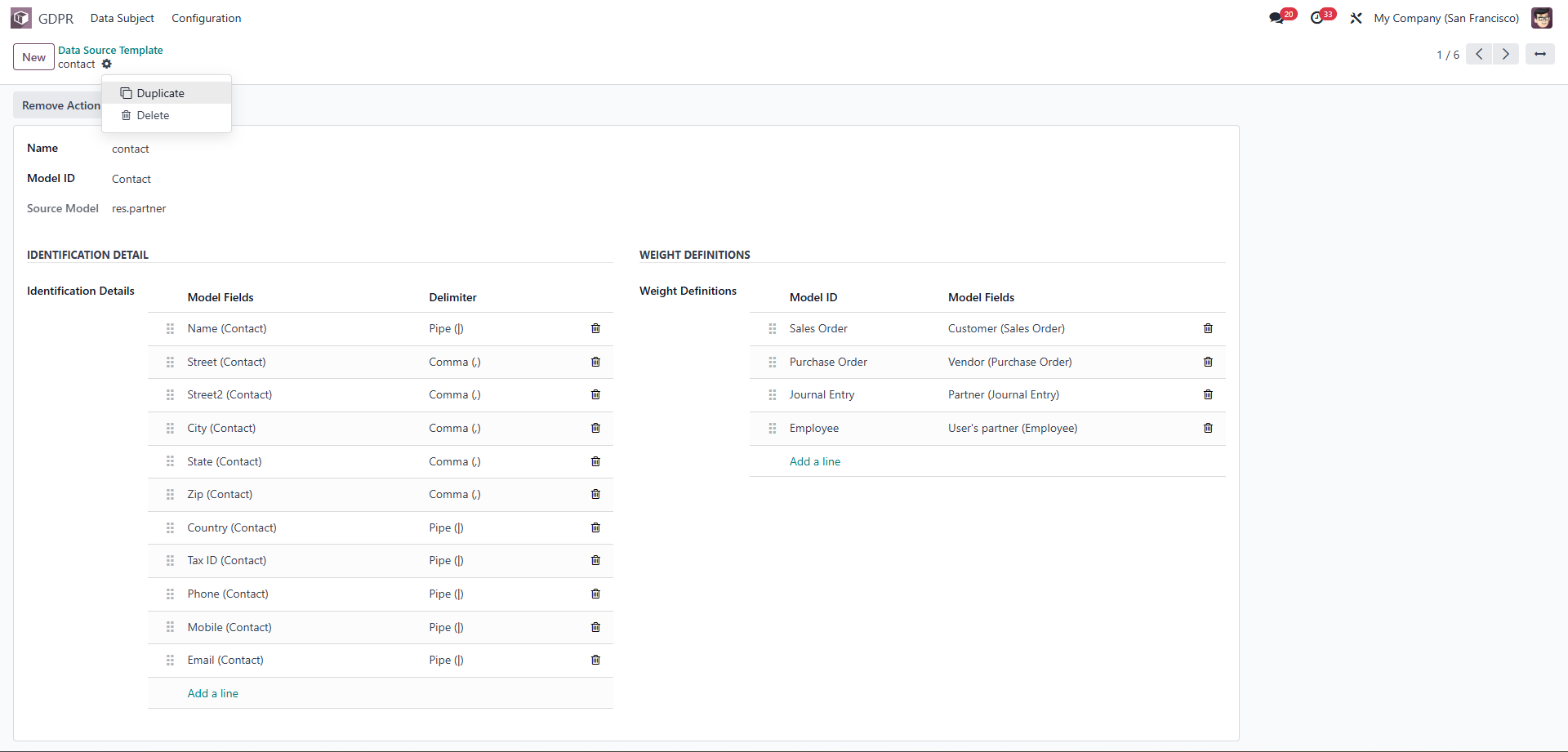
Duplicate: duplicate this template Delete: delete this template |
|
You can create GDRP from here | 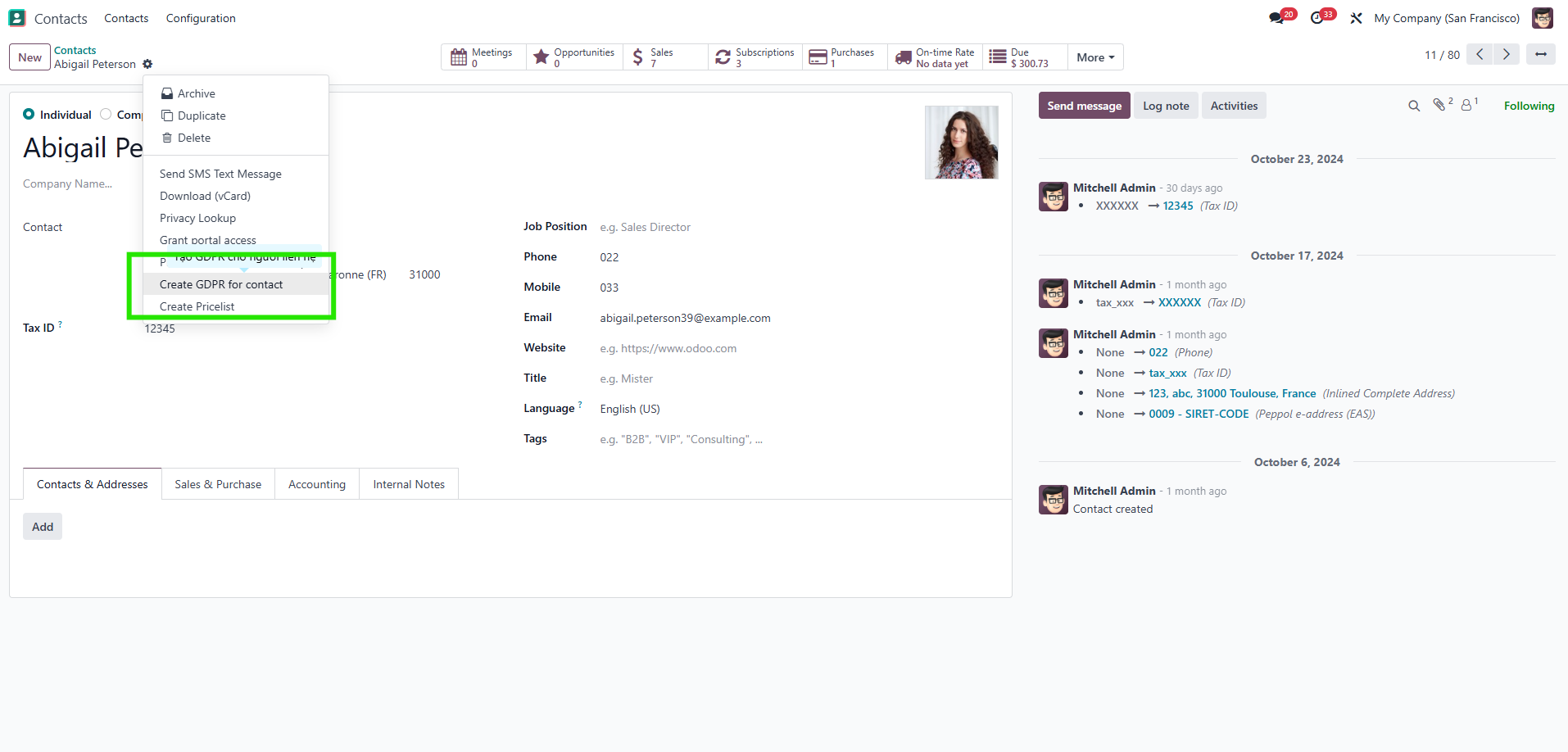 |
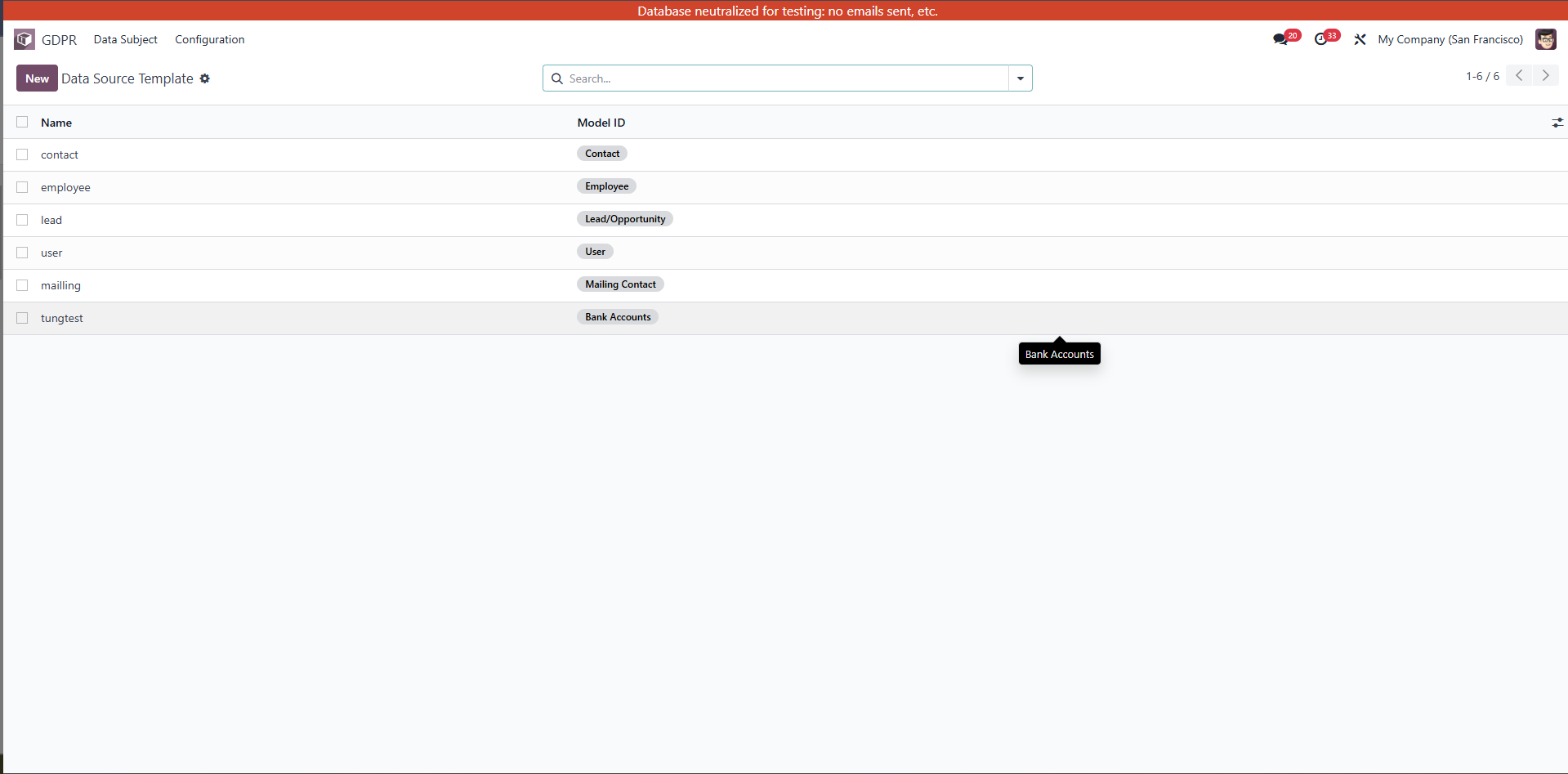
Main Information Columns Model ID: The name of the data model the object belongs to, e.g. Contact, User, Lead/Opportunity, Employee. Identification Details: The object's identification details, e.g. Deco Addict | 77 Santa Barbara Rd, ... Labels: The labels associated with the object, e.g. Sales Order, Purchase Order, Journal Entry, Employee. Weight List: A list of weights or associations to other models, e.g. Sales Order Purchase Order Features Search Box: Used to search for a specific object in the list. Select Box: Allows multiple objects to be selected for bulk actions (if applicable). List: Displays all objects in rows and related information. Actions available Filter, sort: Based on fields such as Model ID, Labels, or Weight List. Add new: Allows you to add additional objects if set up (create in Contact). This interface is a centralized list, used to track or manage personal data of users or related objects in the system. |
|
Export all: export to excel Spreadsheet: allows you link menu and insert list |
|
SOURCE section
INTERNAL section Related IDs:
DURATION section
WEIGHT Section Weight List:
The "Add a line" section in Related IDs and Weight allows adding new data to the configuration. |
|
Duplicate: duplicate this template Delete: delete this template |
|
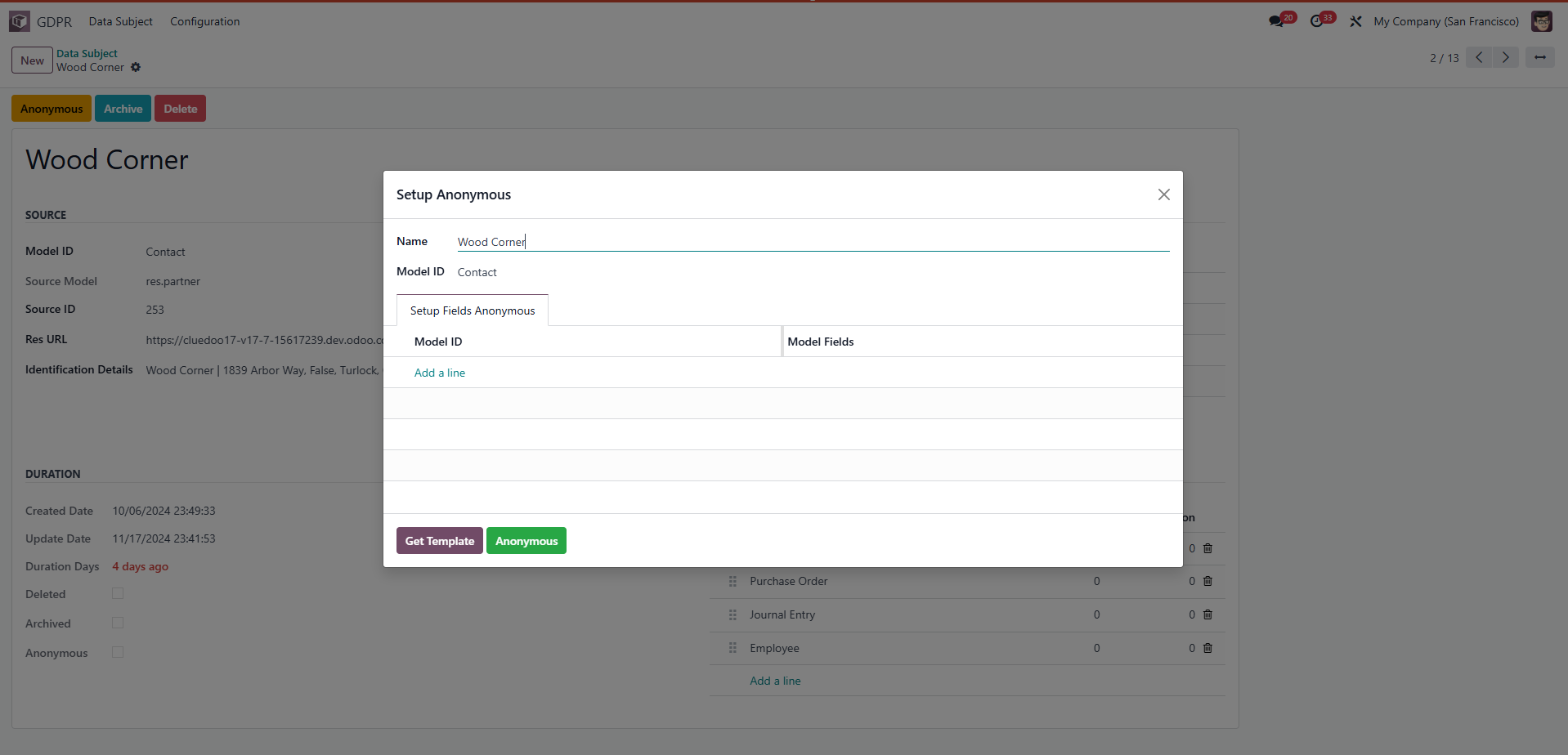
You can choose which model fields you want to anonymously. For example: Activity |
|