


ODOO'S FUNCTION
In Odoo, vendor assignment is limited to the product level. There is no native support for defining a vendor at the category level, even when products clearly share the same sourcing context. This forces repeated configuration and leaves vendor control fragmented across individual products.
CLUEDOO'S FUNCTION
With CLuedoo, vendors can be assigned directly at the product category level. This allows sourcing rules to be defined once and consistently applied across all related products, reducing redundancy and improving control in procurement management.
Go to a product's page, and add a Category to that product. | 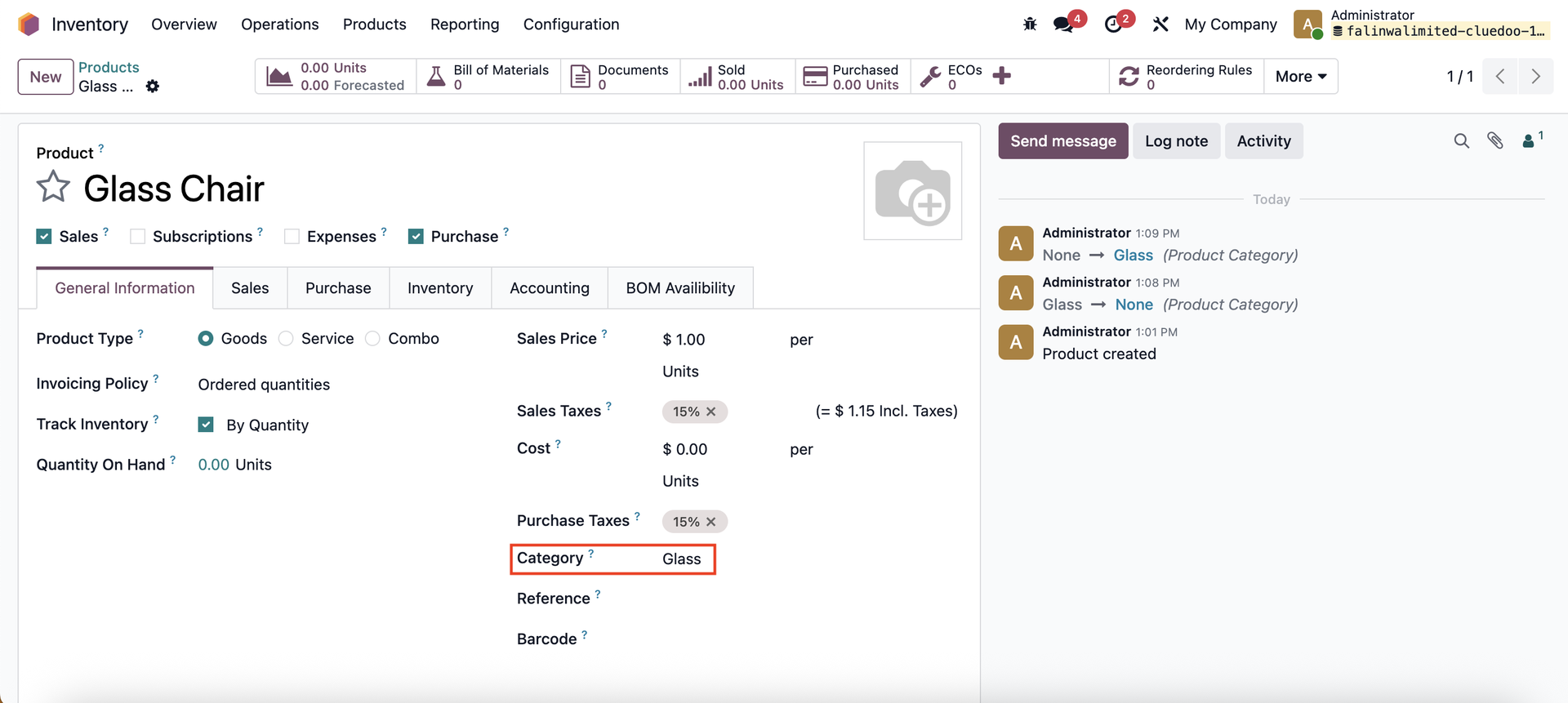 |
After that, configure the Category in the Configuration menu > Categories | 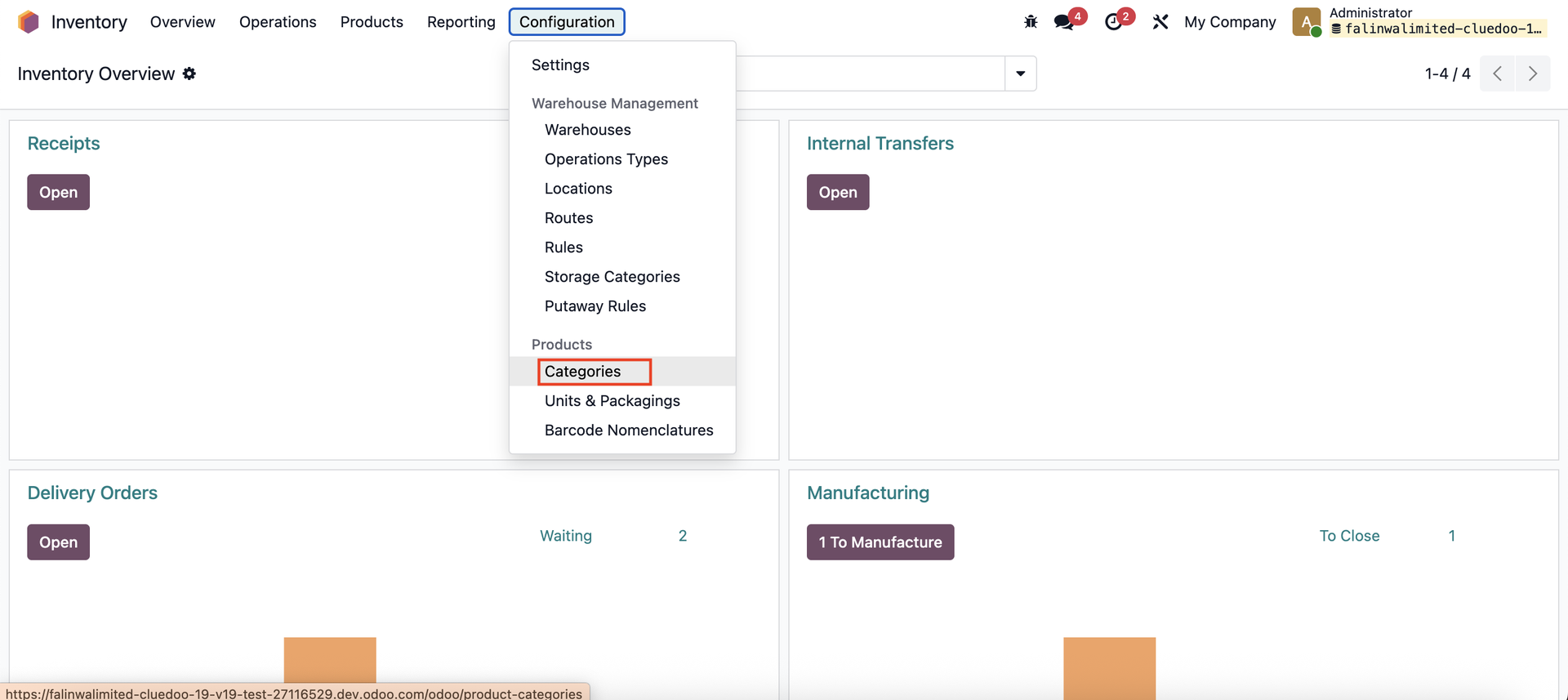 |
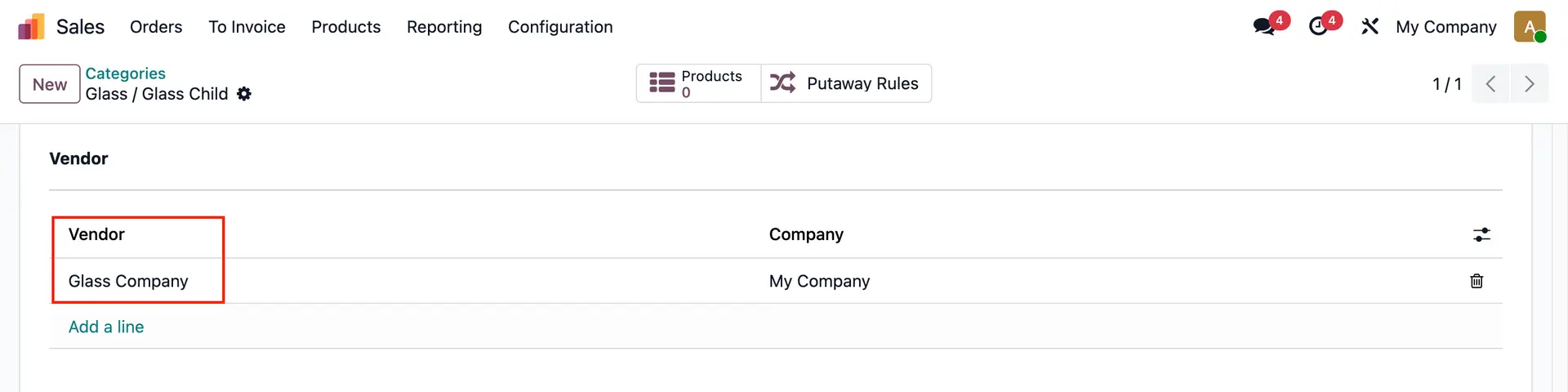
Pick one of the Categories, then scroll down to the Vendor section. Fill the Vendor and Company. | 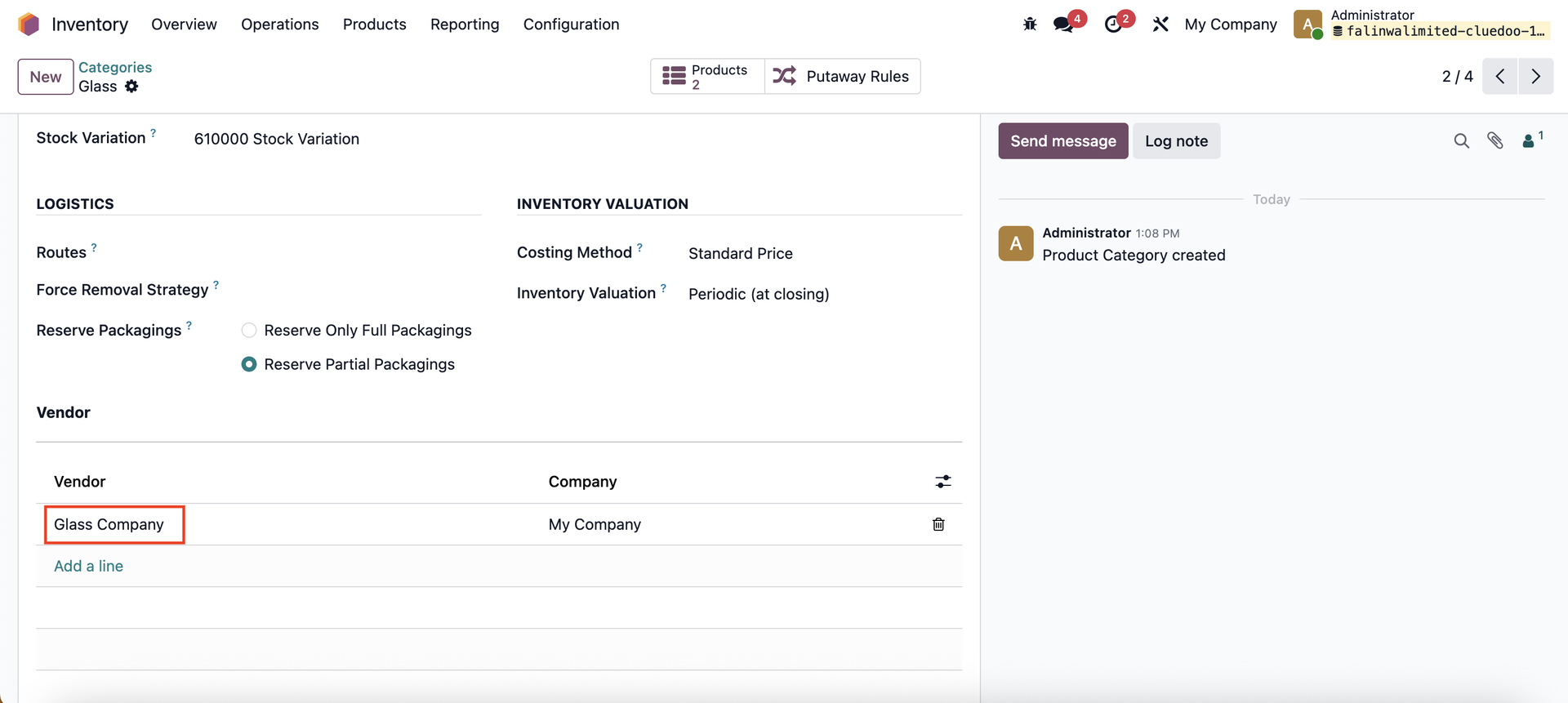 |
When you open a product, the assigned vendor will automatically appear in the Purchase tab. Note: This does not override existing vendors. If the product already has a vendor defined, it will remain unchanged. | 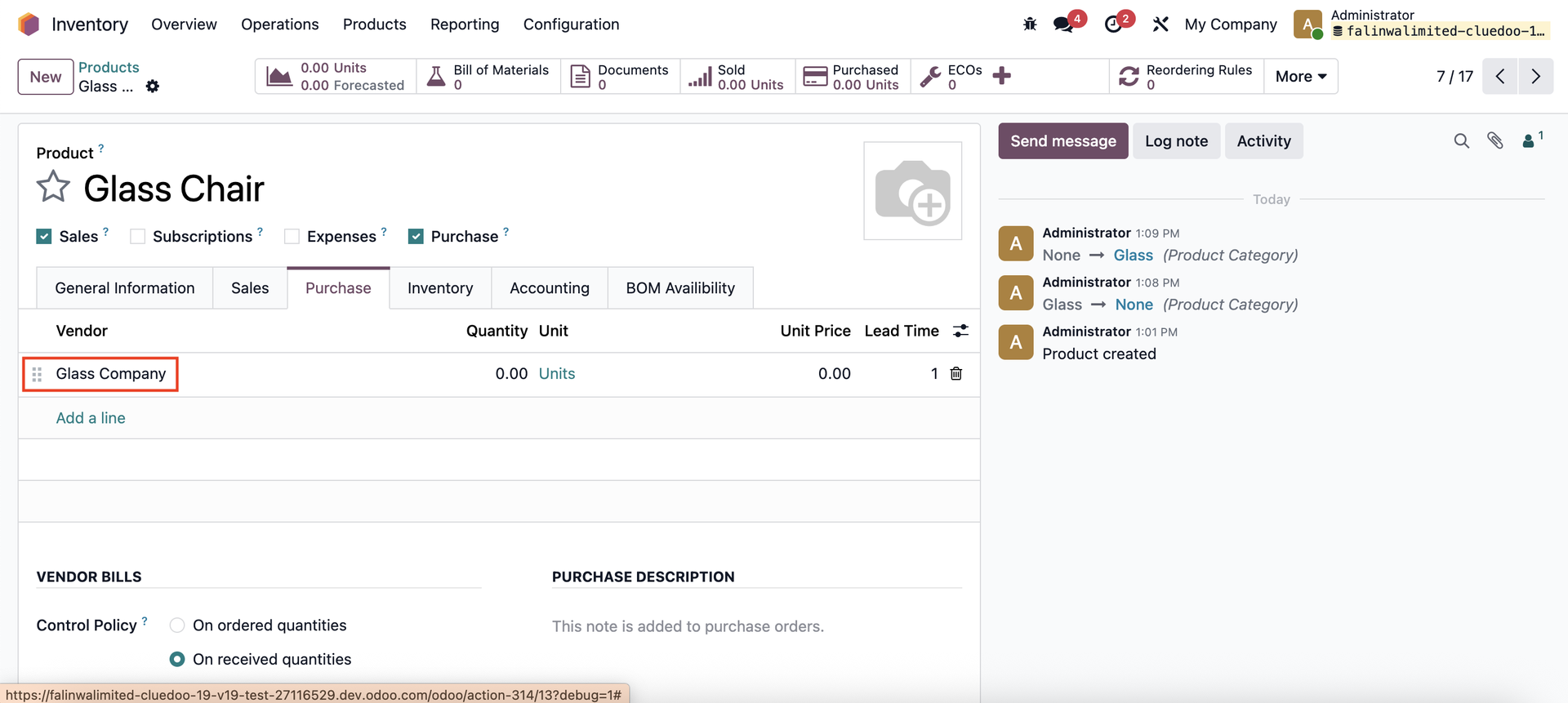 |
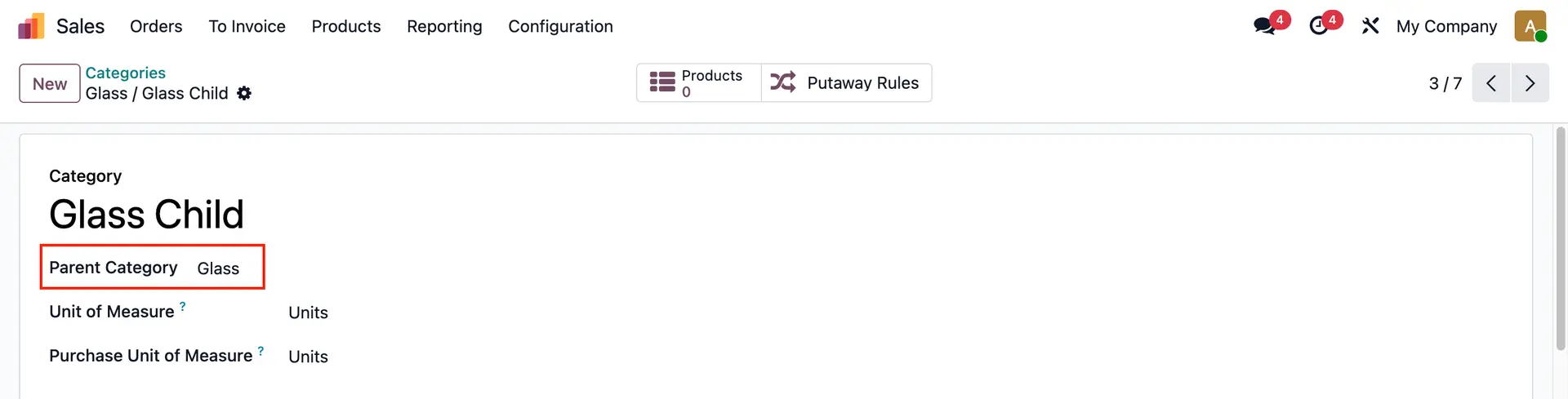
A child category will inherit its parent's vendor |
|