ODOO'S FUNCTION
In Odoo, when the Manufacturing Order is not yet fully produced, clicking Scrap only allows the user to select products from the Manufacturing Order Lines (MOL). Once the MO is completed, clicking Scrap will only display the finished product for selection.
CLUEDOO'S FUNCTION
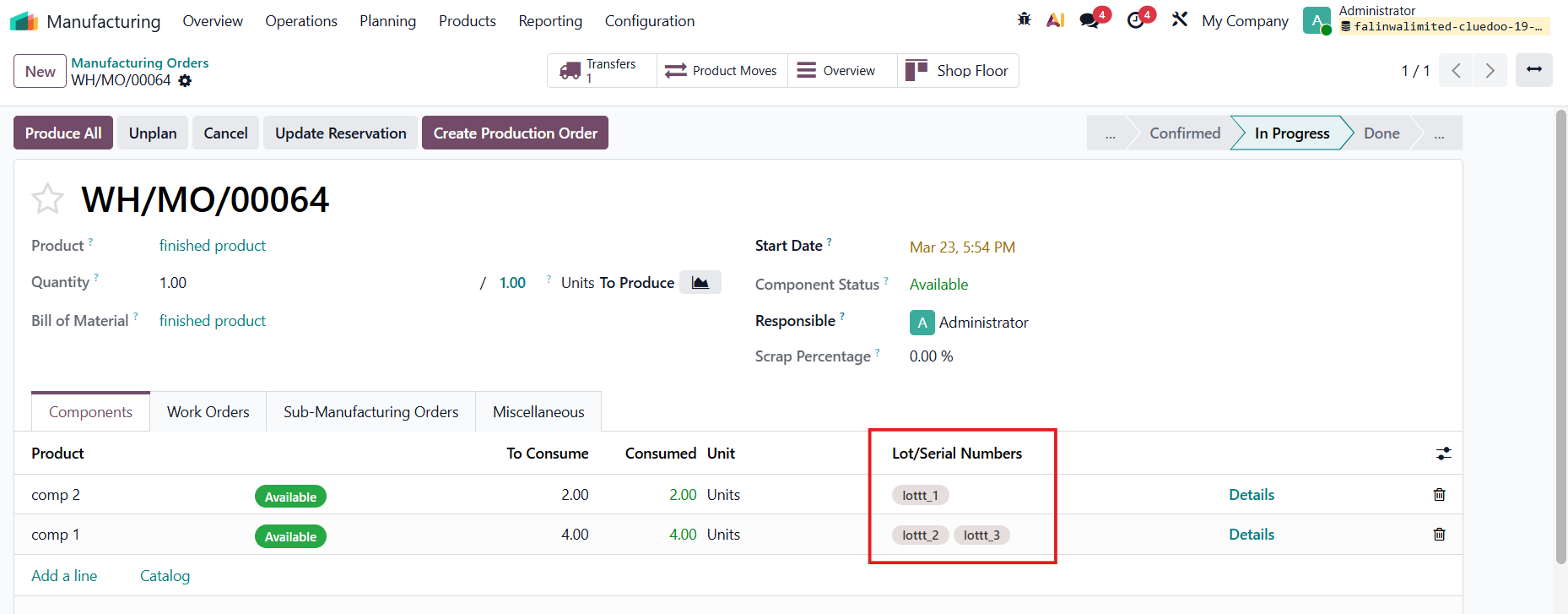
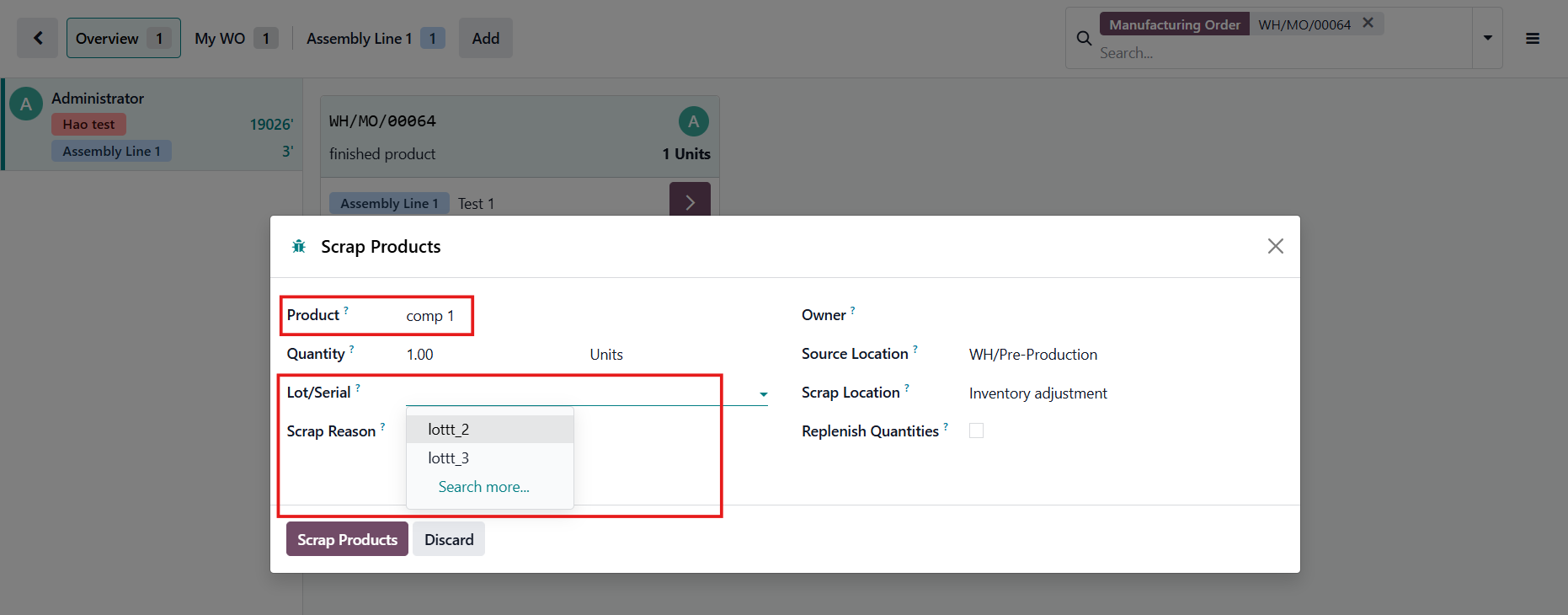
In addition to the product restriction, a domain is also applied to the Lot/Serial Number field, so that only the lots or serial numbers used in the Manufacturing Order Lines (MOL) can be selected when creating the scrap record.
1. Create a manufactured product with its component(s) tracked by Unique Serial Number / Lots | 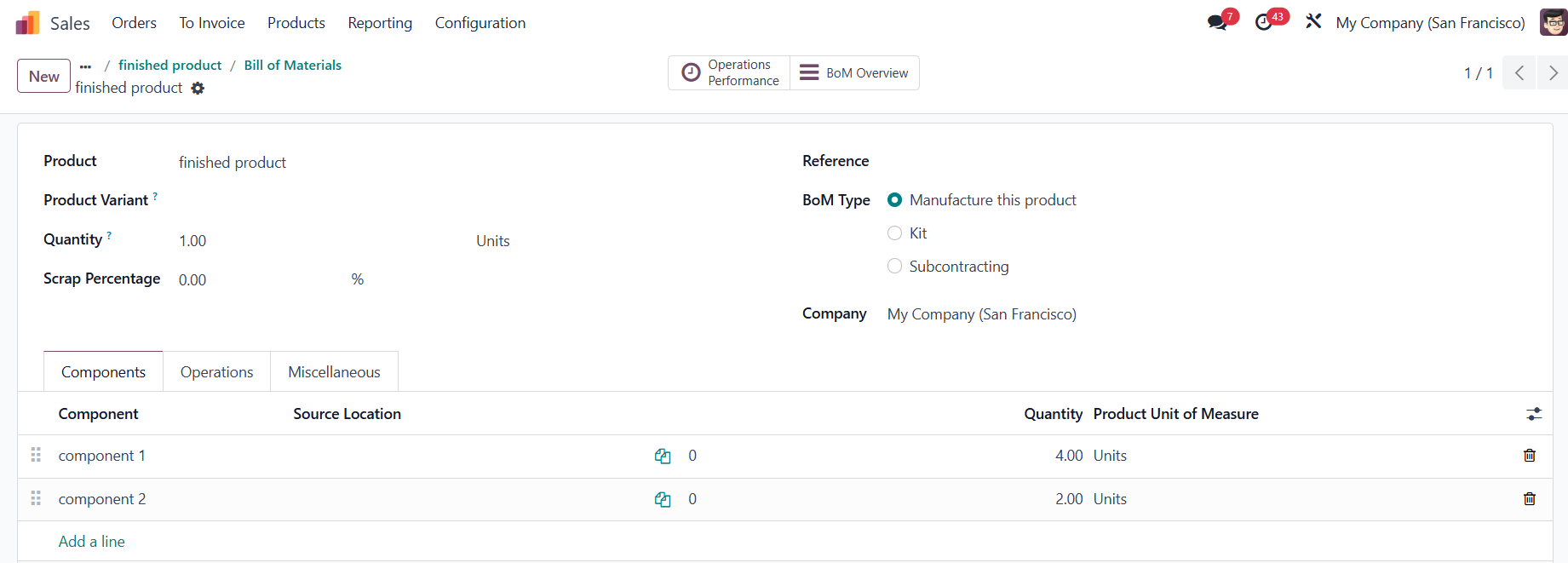  |
2. Create a Manufacturing Order > add the manufactured product > Confirm Fill in the L/SN for the components Click on the Scrap smart button | 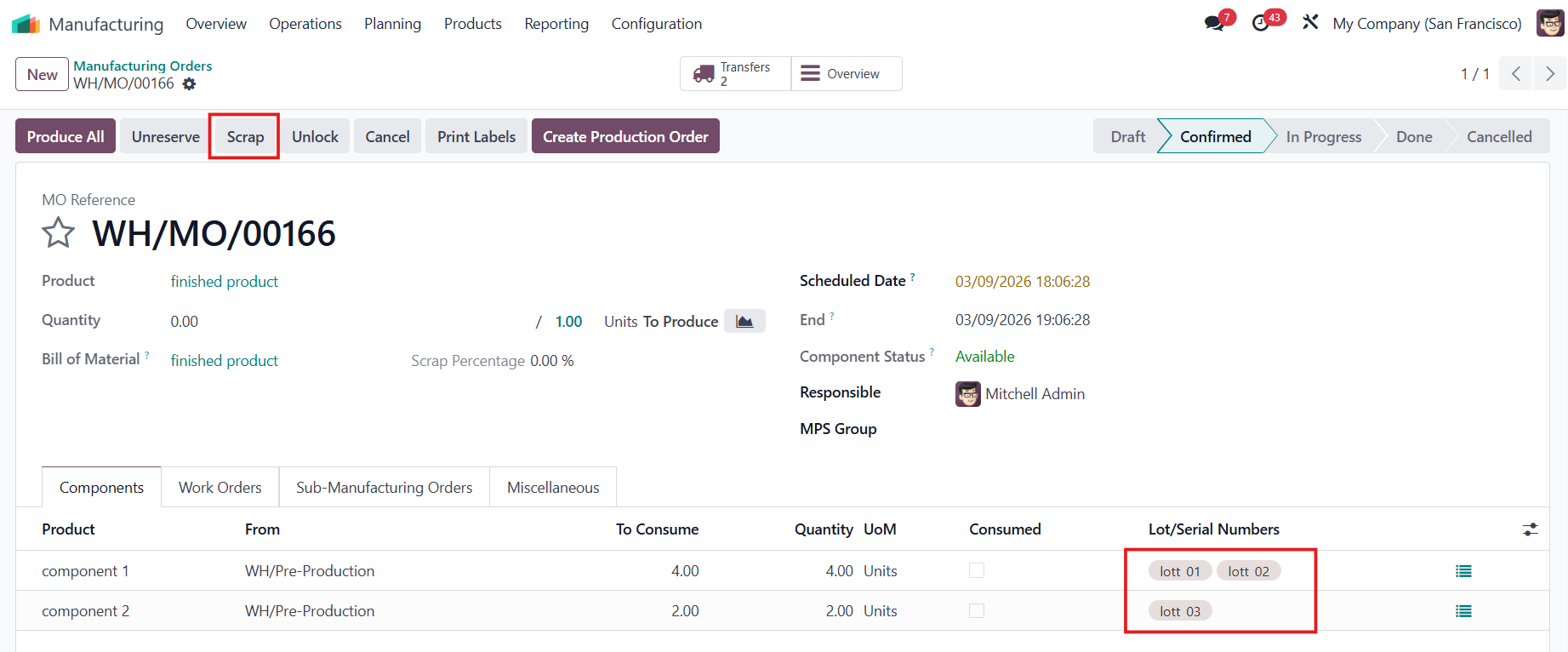 |
3. In the pop-up, after you choose the product, the Lot/Serial field will appear. Only the L/SN used in the manufacturing order lines will be available for selection. | 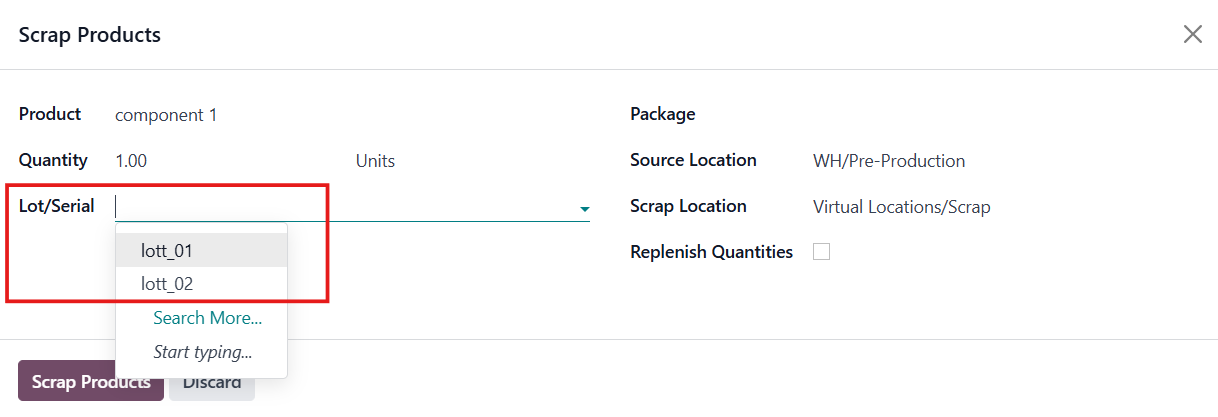 |
Same on the Shop Floor. |
|