


ODOO'S FUNCTION
In Odoo, Manufacturing Orders (MO) can be created directly through the replenishment rule or manually, without requiring any approval step.
This default behavior may lead to undesired or excessive production, especially in environments where production authorization must go through managerial or operational validation.
The lack of an approval flow for MO creation limits control over the manufacturing process and does not align with approval logic implemented in other Odoo processes like RFQ or Purchase Orders.
CLUEDOO'S FUNCTION
CLuedoo enhances the standard MO creation flow by introducing an approval flow before MO creation, utilizing the same logic as ODS Approval to create RFQs.
This enhancement enables companies to enforce production validation, thereby improving control over manufacturing operations and preventing unauthorized or automatic production orders. It supports a more robust workflow where MOs are only created after managerial approval, leading to better governance and traceability.
1. Go to Approvals > Configuration > Approval Categories > Create an Approval Category and choose 'Create Manufacturing Orders' in the Approval Type field. You can also set other options and approvers in this page. | 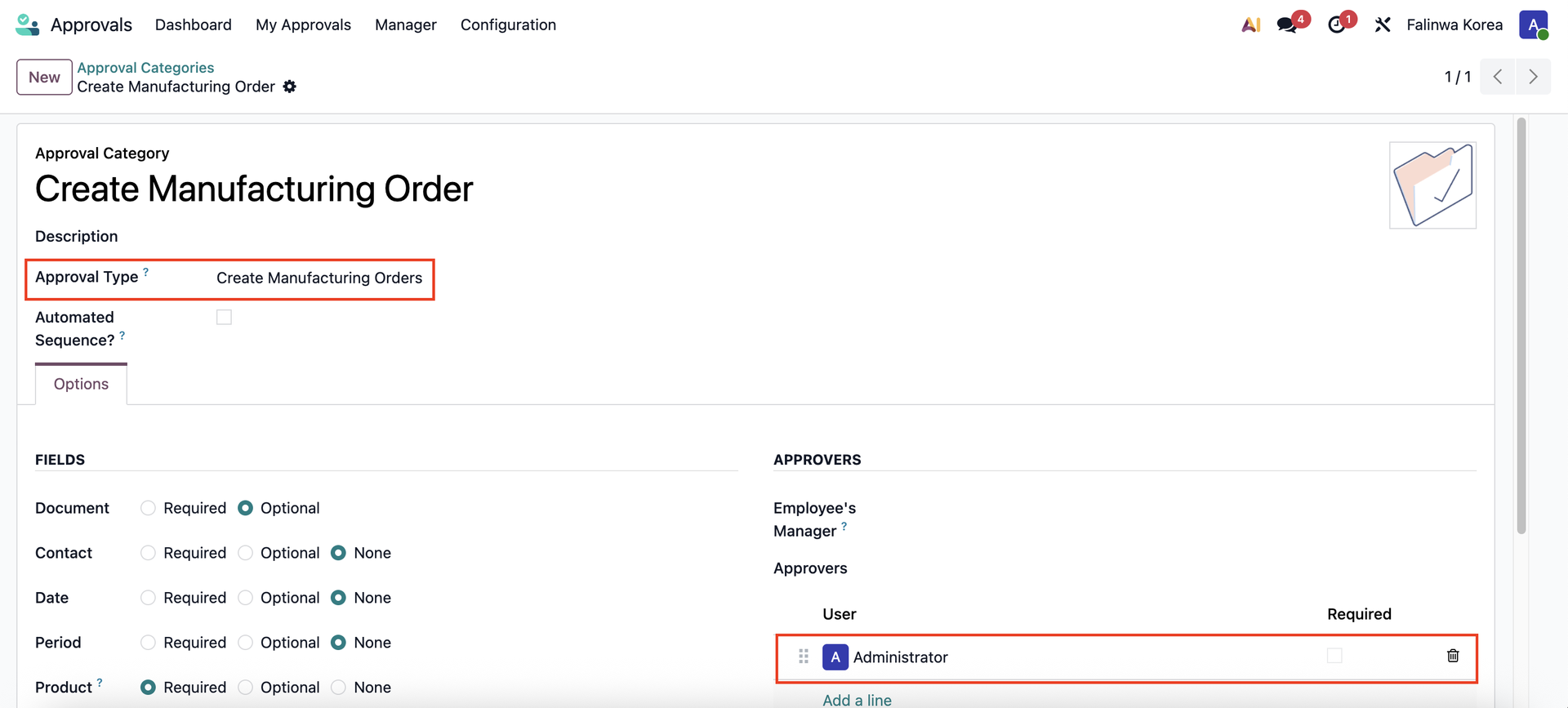 |
2. Click on the 'New Request' button in the Create Manufacturing Orders card in Approvals module. | 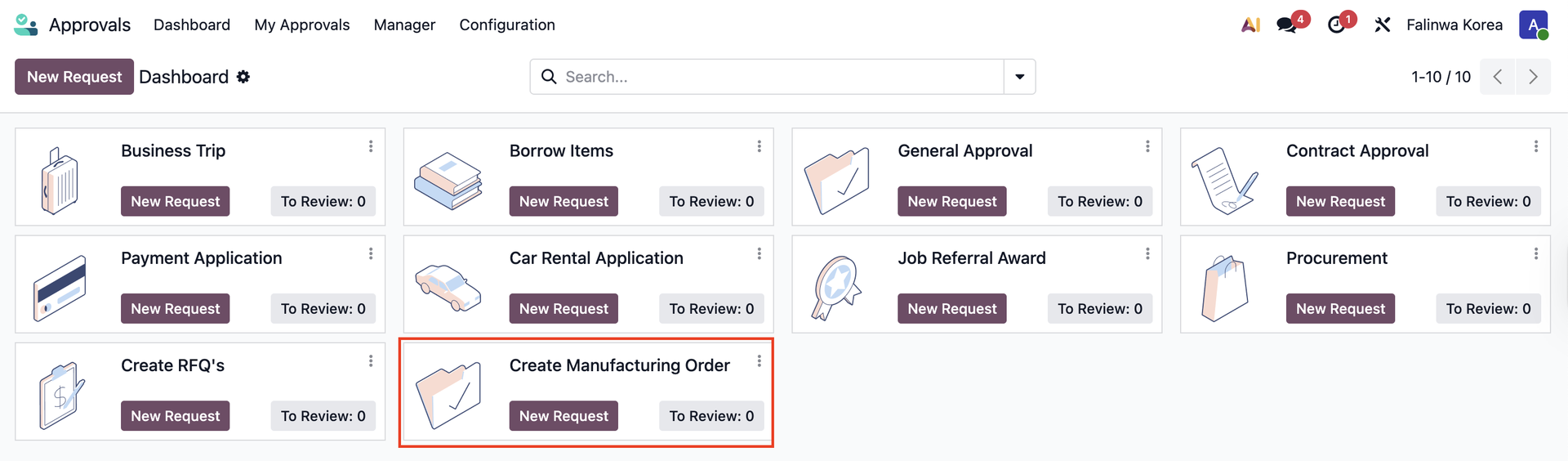 |
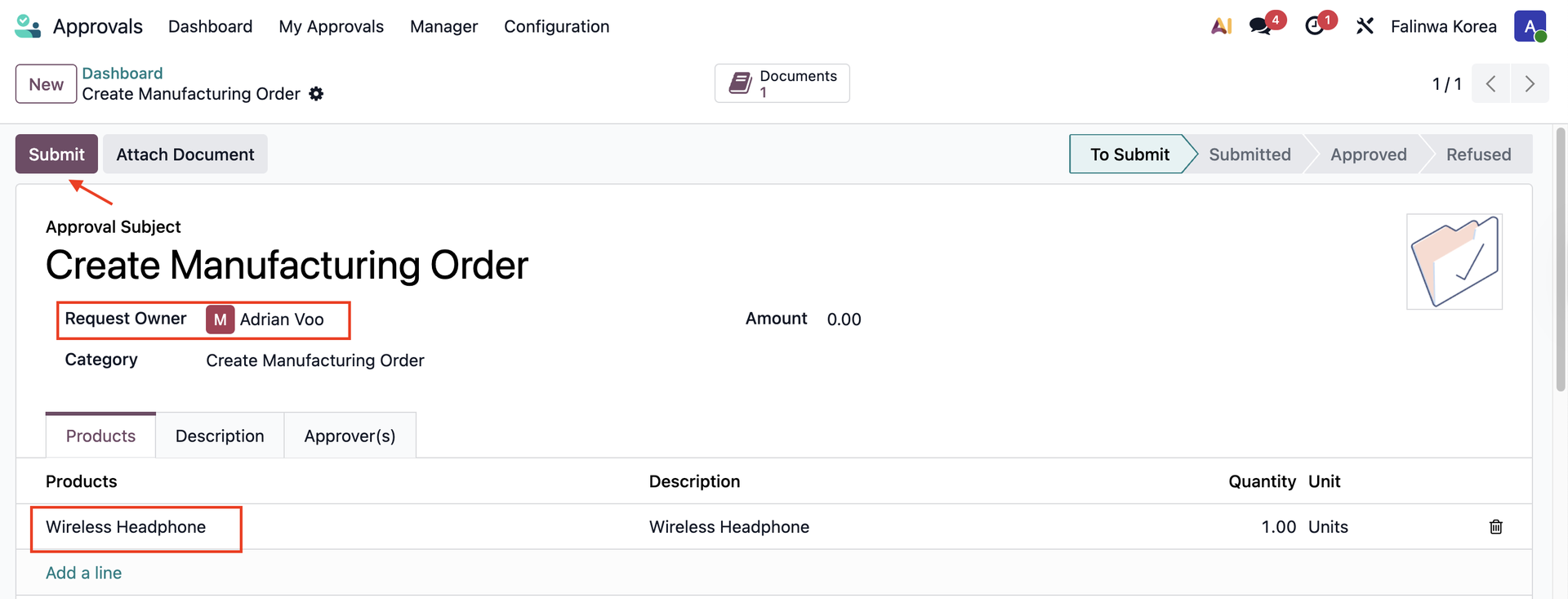
3. Choose the Request Owner and add the product to manufacture > Submit |
|
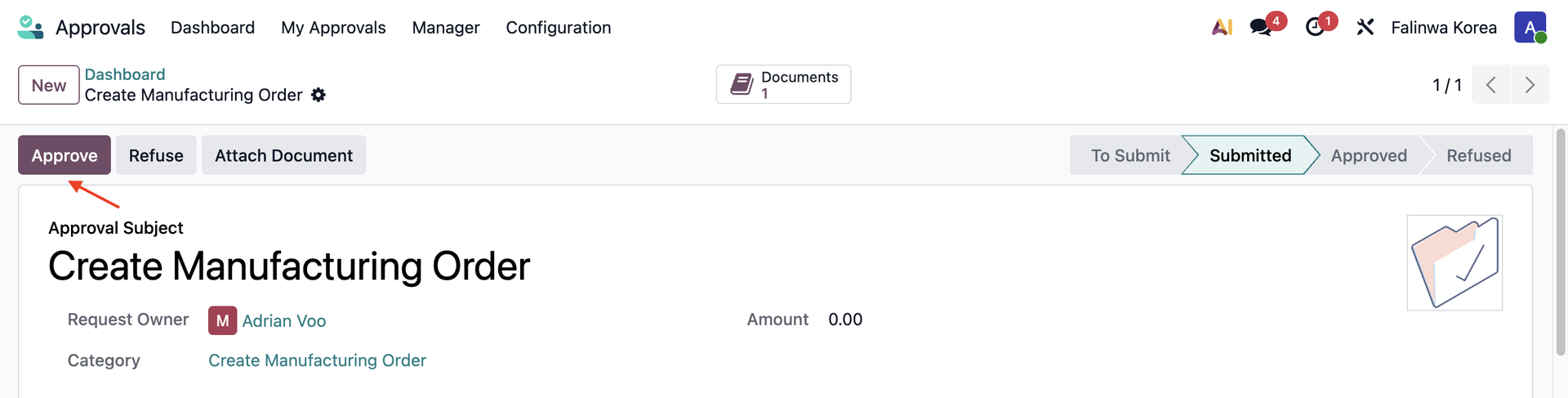
4. Approve the request. |
|
5. Click the "Create Manufacture Order and Production Order" button. | 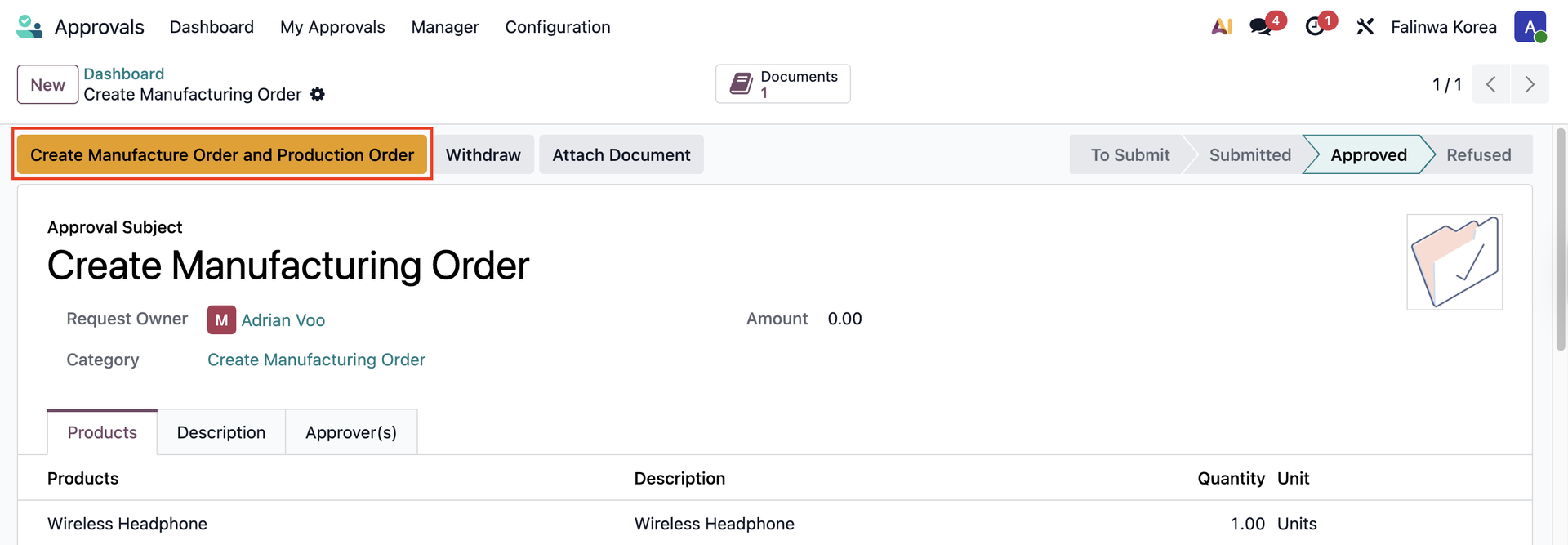 |
Manufacture Orders and Production Orders smart buttons will appear on the approval > Click on them to see the details | 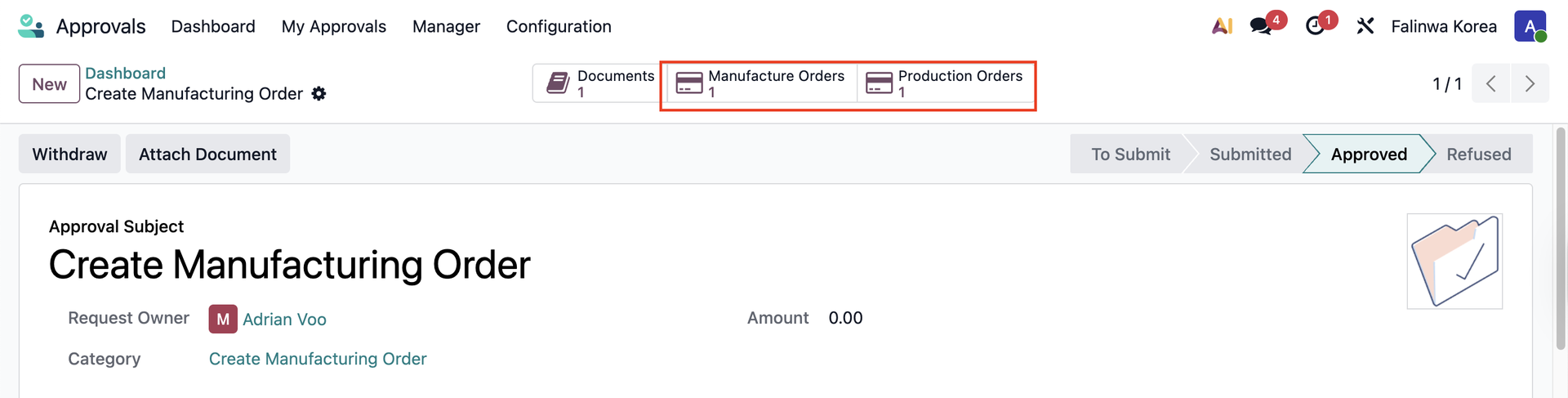 |
6. Both the Manufacturing Order and Production Order are in Draft state. |   |