



ODOO'S FUNCTION
When validating a Manufacturing Order, Odoo automatically assigns the effective date as the date of validation. This does not always reflect the actual done date, leading to discrepancies.
In real-life manufacturing or subcontracting operations, the delivery of components or finished products often happens on a different date than the system validation date. For example, a Manufacturing/Subcontracting Order may be confirmed today, but the actual delivery could be scheduled for next week. Without flexibility to adjust the effective date, companies face:
- Inaccurate reporting
- Misaligned planning
- Distorted analytics — especially in project-based or time-sensitive manufacturing
CLUEDOO'S FUNCTION
Cluedoo introduces the option to set a Force Delivery Date. This date can be manually adjusted to reflect the actual operational timeline.
This date flows through to:
- Transfers
- Stock Moves
- Stock Valuation Layers
- Journal Entries (if applicable)
By aligning the Manufacturing/Subcontracting Order records with the real-world process, companies benefit from:
- Improved data accuracy
- Better planning and forecasting
- Reliable financial and operational reporting
A. Manufacturing Order 1. Go to Manufacturing > create MO > assign Force Date in MO |  |
2. Mark as done MO > it will inherit force date to transfer, stock move, stock valuation layer and journal entry (if we have). Note: Force date = stock move date (both finished product and component) = stock valuation layer date = JE date (if there is) |    |
B. Subcontracting Order 1. Create a Purchase Order having a subcontract product > Confirm A Subcontracting is automatically created. You can find it in tab Subcontract Lines | 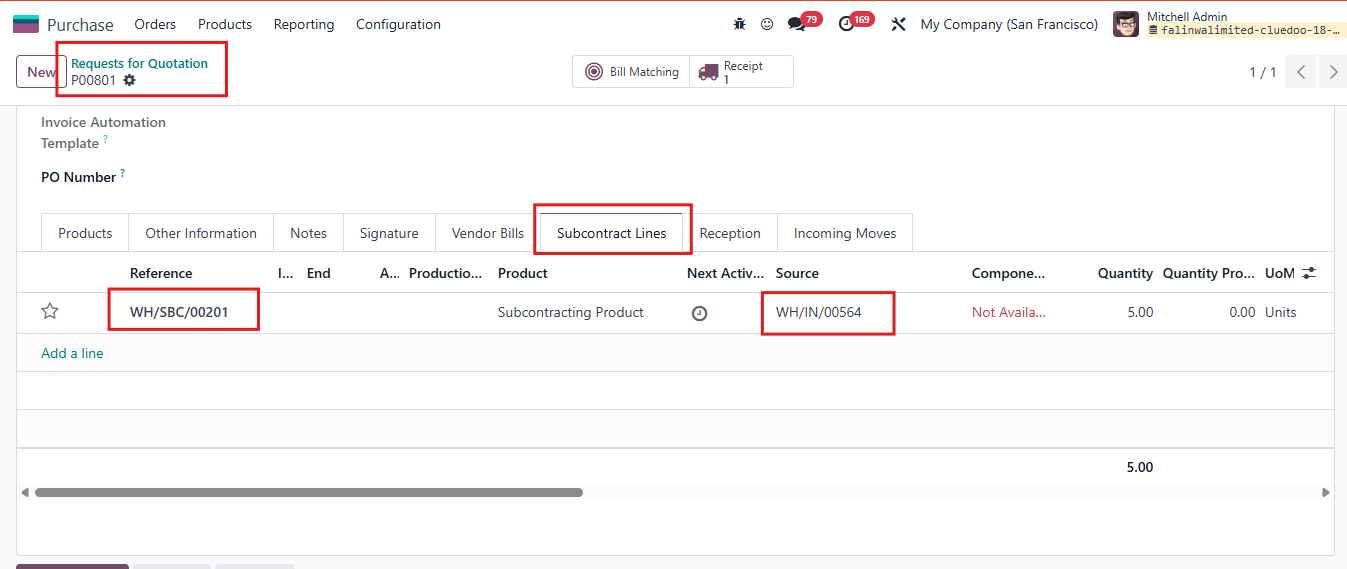 |
2. Go to Receipt of this PO Fill the Force Delivery Date Then Validate > The Effective Date and Max Delivery Date is set at date we set for Force Delivery Date | 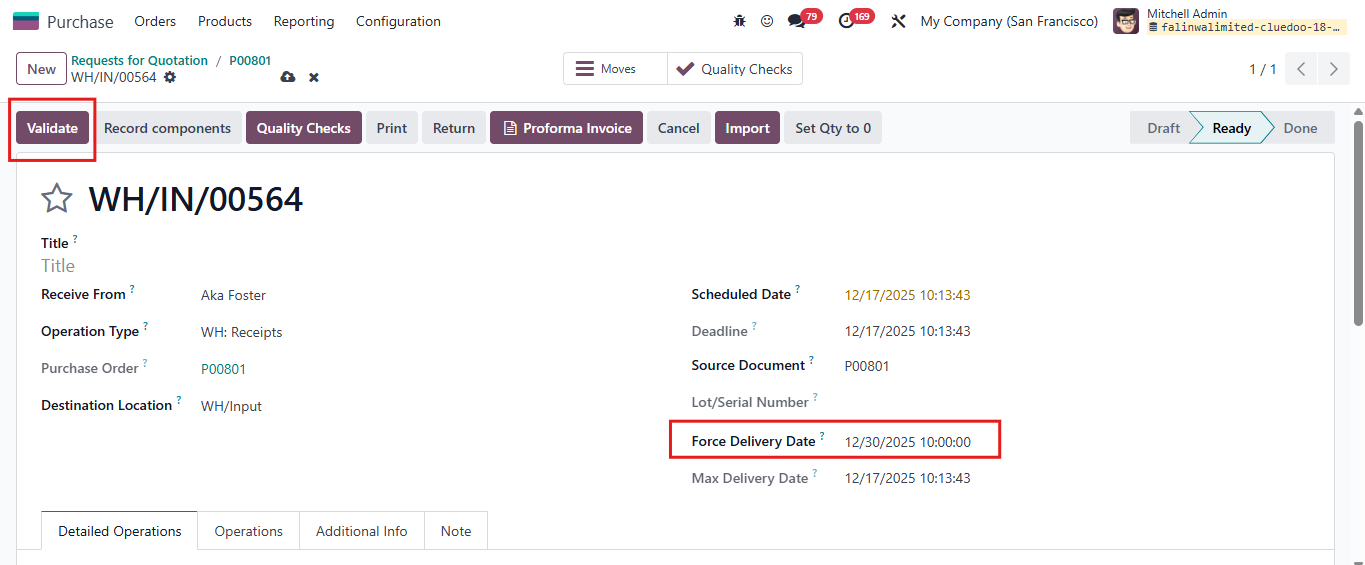 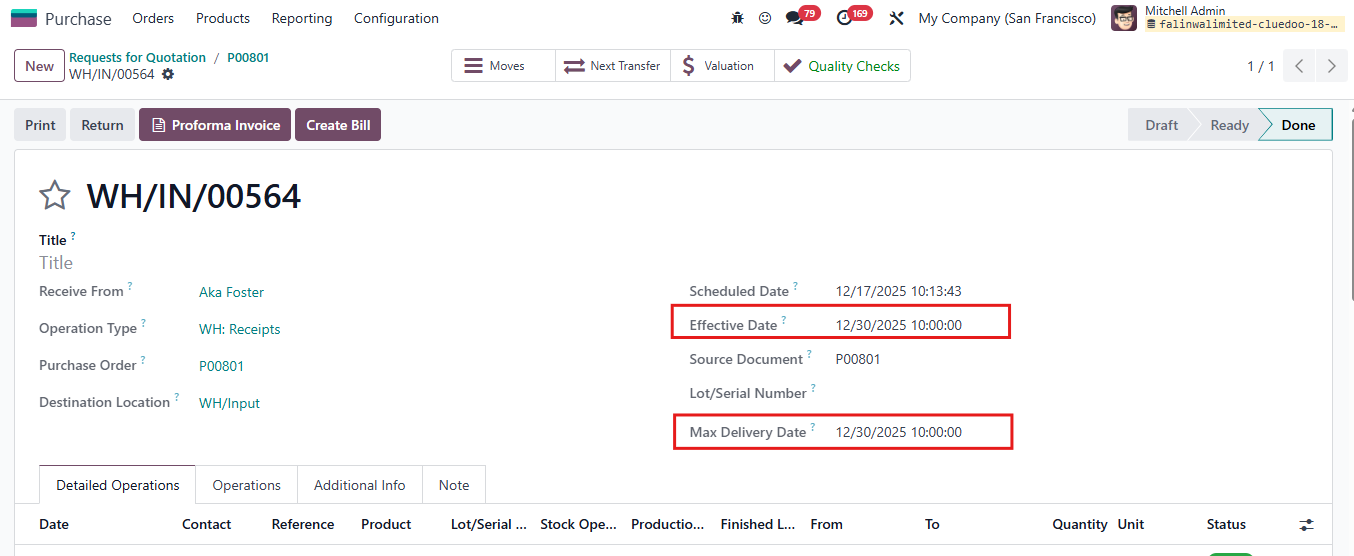 |
3. Go to Subcontracting It also inherit force date to the Force Effective Date and Start Date of Subcontracting Order, Tracebility Report, Inventory Moves, Stock Valuations, Move Date in Move Analysis. | 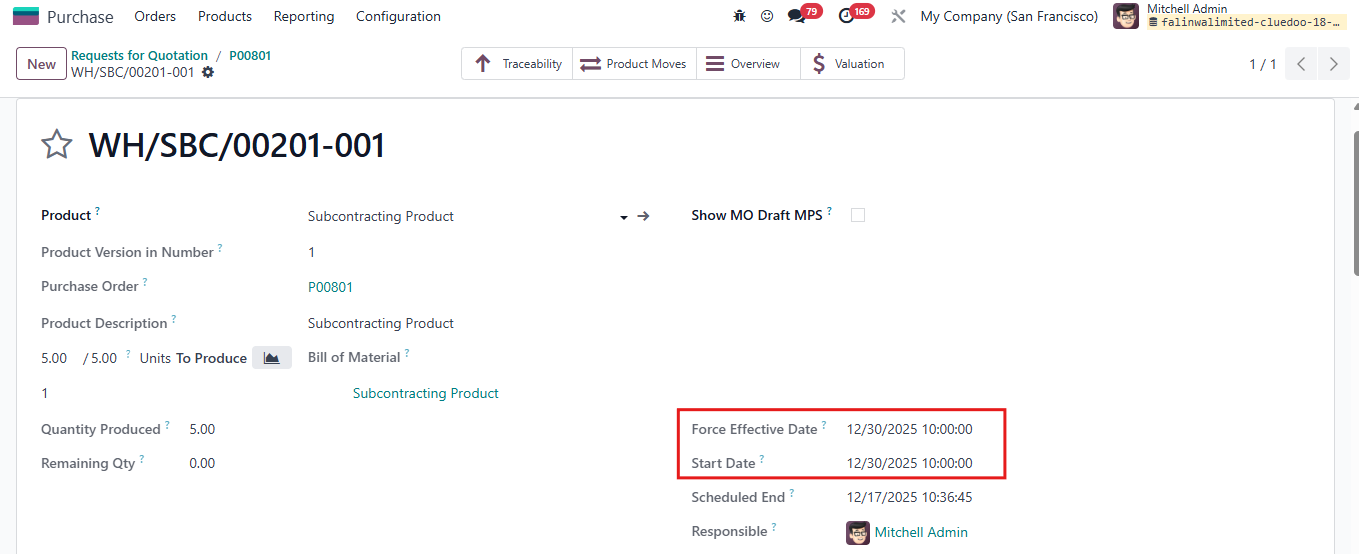 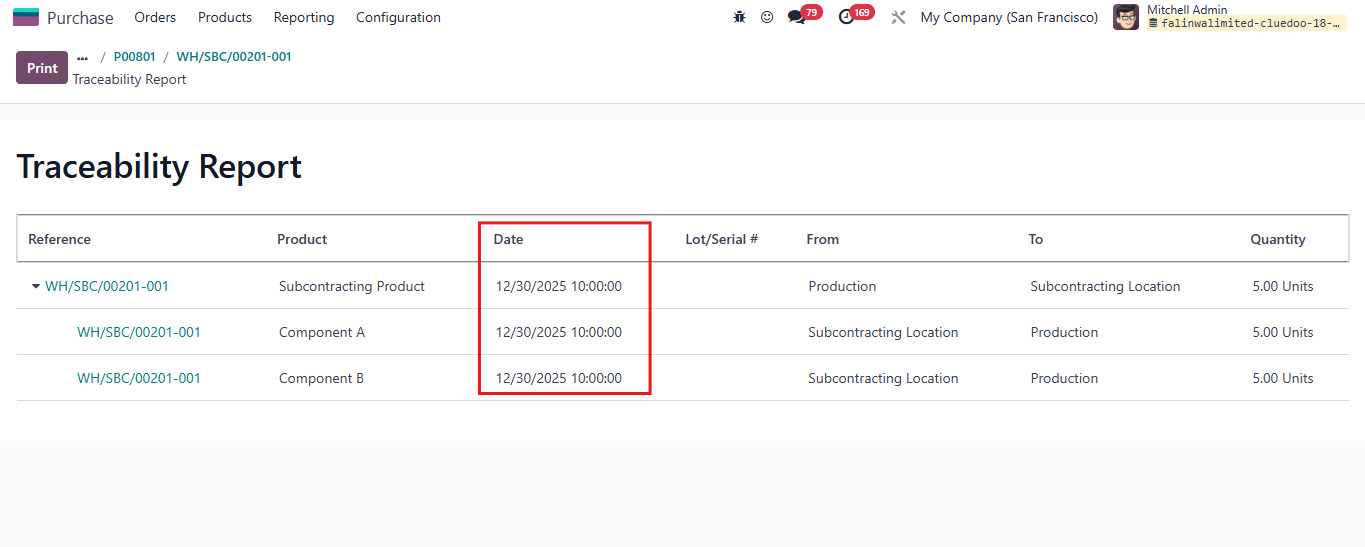 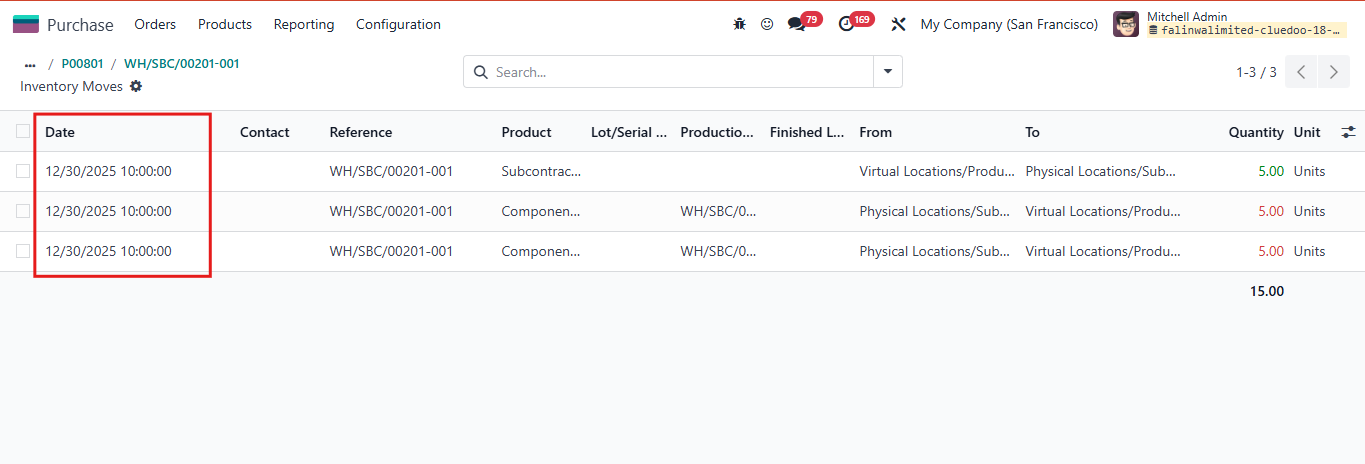 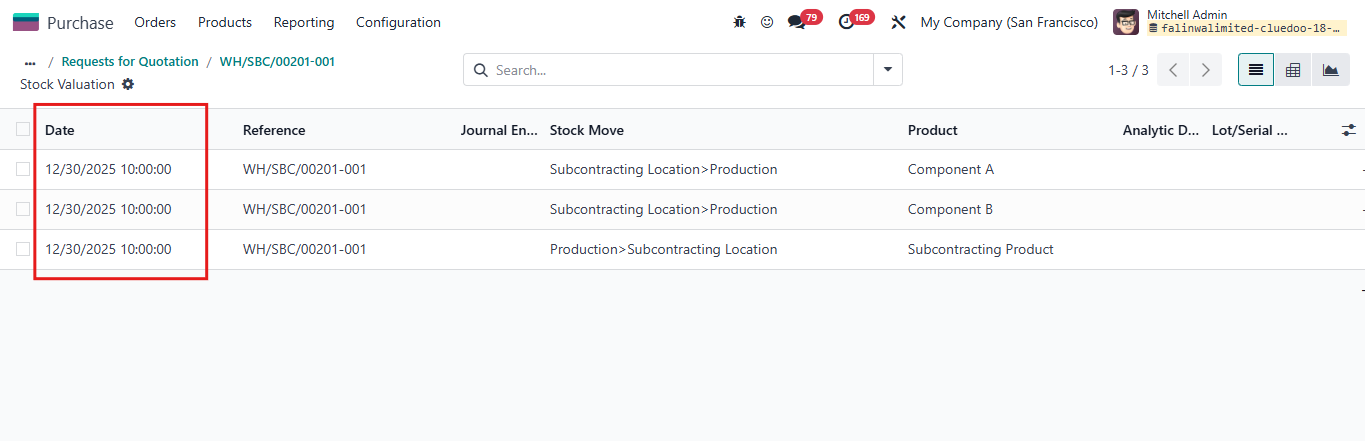 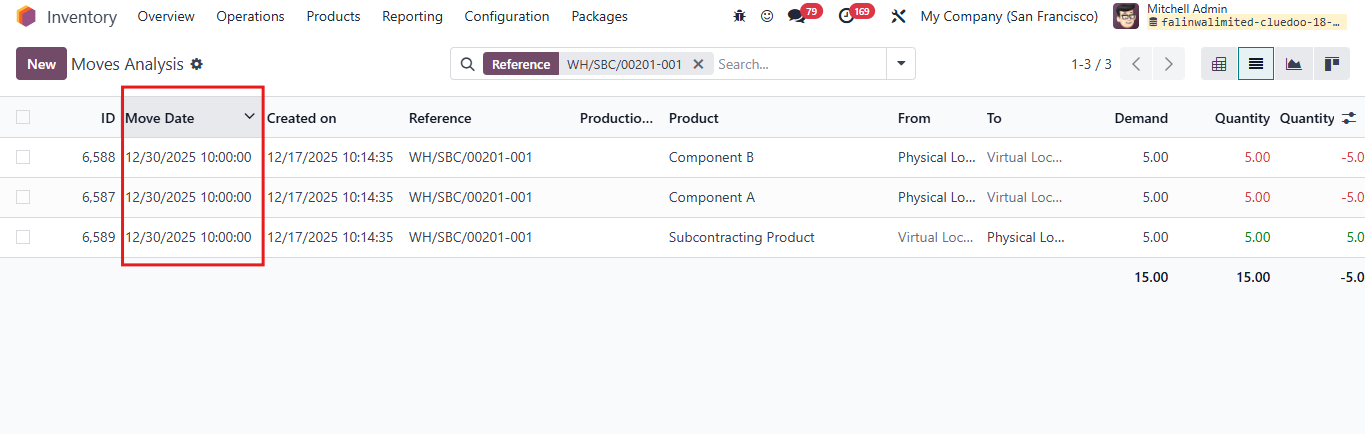 |
STORY BEHIND THE FEATURE
ODOO BEHAVIOUR
When validating a Manufacturing Order, Odoo automatically assigns the effective date as the date of validation. This does not always reflect the actual done date, leading to discrepancies.
In real-life manufacturing or subcontracting operations, the delivery of components or finished products often happens on a different date than the system validation date. For example, a Manufacturing Order may be confirmed today, but the actual delivery could be scheduled for next week. Without flexibility to adjust the effective date, companies face:
- Inaccurate reporting
- Misaligned planning
- Distorted analytics — especially in project-based or time-sensitive manufacturing
CLUEDOO BEHAVIOUR
Cluedoo introduces the option to set a Force Delivery Date. This date can be manually adjusted to reflect the actual operational timeline.
This date flows through to:
- Transfers
- Stock Moves
- Stock Valuation Layers
- Journal Entries (if applicable)
By aligning the Manufacturing Order records with the real-world process, companies benefit from:
- Improved data accuracy
- Better planning and forecasting
- Reliable financial and operational reporting
OUR FEATURES AS SOLUTIONS
Display and propagate force delivery date in MO
REQUIRED MODULE
To experience the complete package of the features, we recommend installing all the modules below. Here are the required modules and their corresponding purposes:
| MODULE | PURPOSE |
fal_force_delivery
| display and propagate force delivery date in delivery, stock move, stock valuation
|
HOW TO USE THIS MODULE
1 Go to Manufacturing > create MO > assign Force Date in PO |
|
2 Mark as done MO > it will inherit force date to transfer, stock move, stock valuation layer and journal entry (if we have). Note: Force date = stock move date (both finished product and component) = stock valuation layer date = JE date (if there is) |
|


