ODOO'S FUNCTION
In Odoo, simply hiding the inventory adjustment menu is not enough. Users can still bypass this and manually change stock quantities via the Product or Location views, causing security risks.
CLUEDOO'S FUNCTION
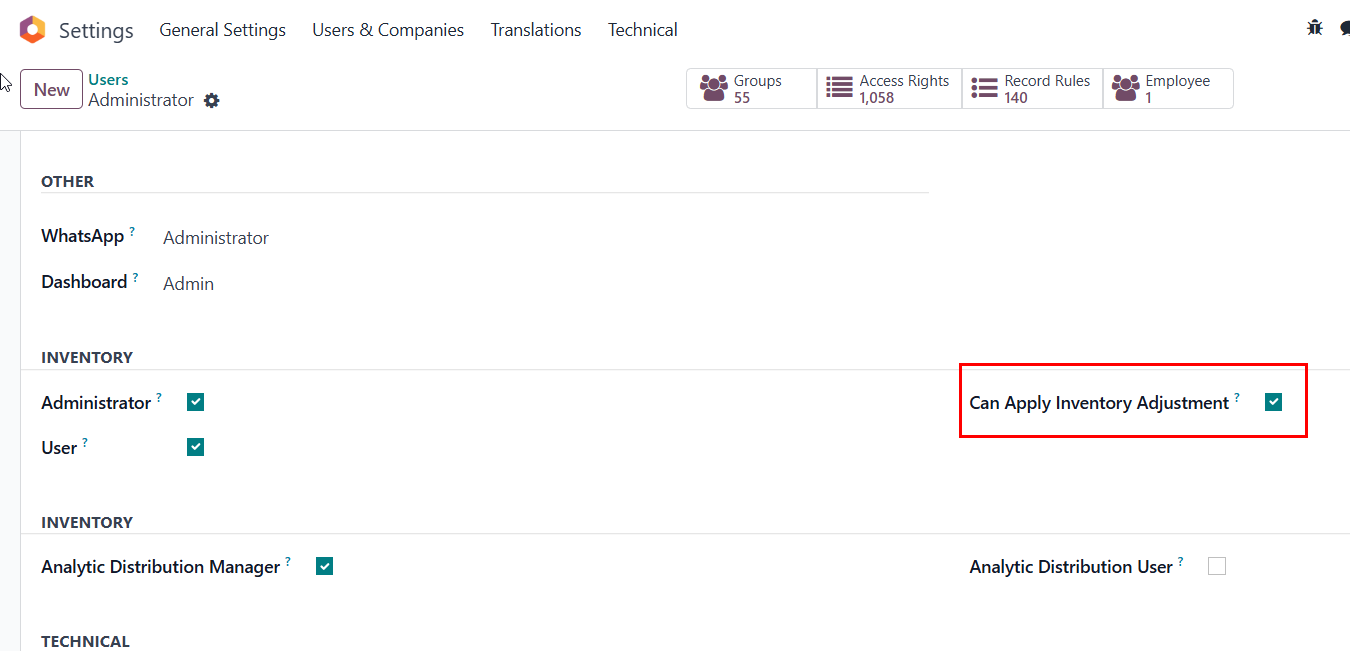
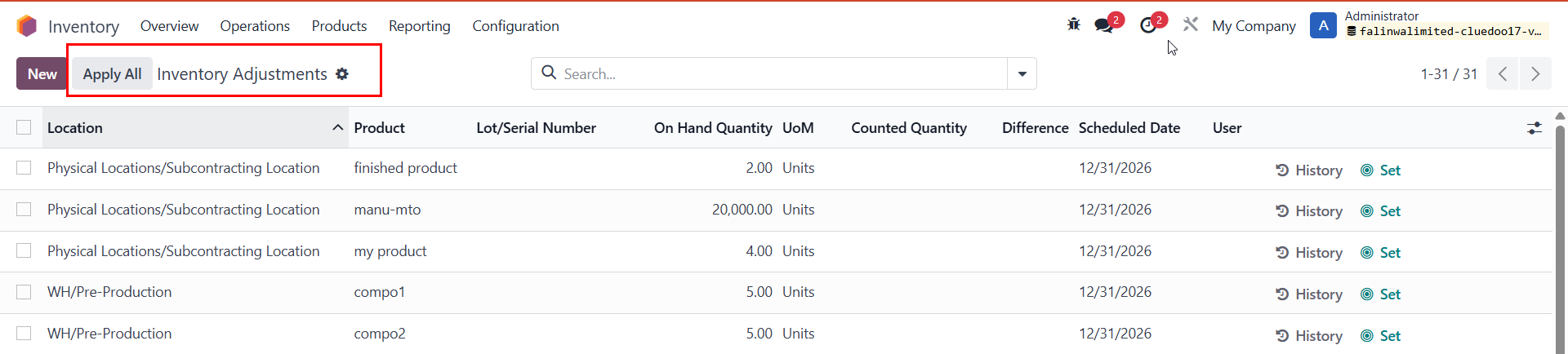
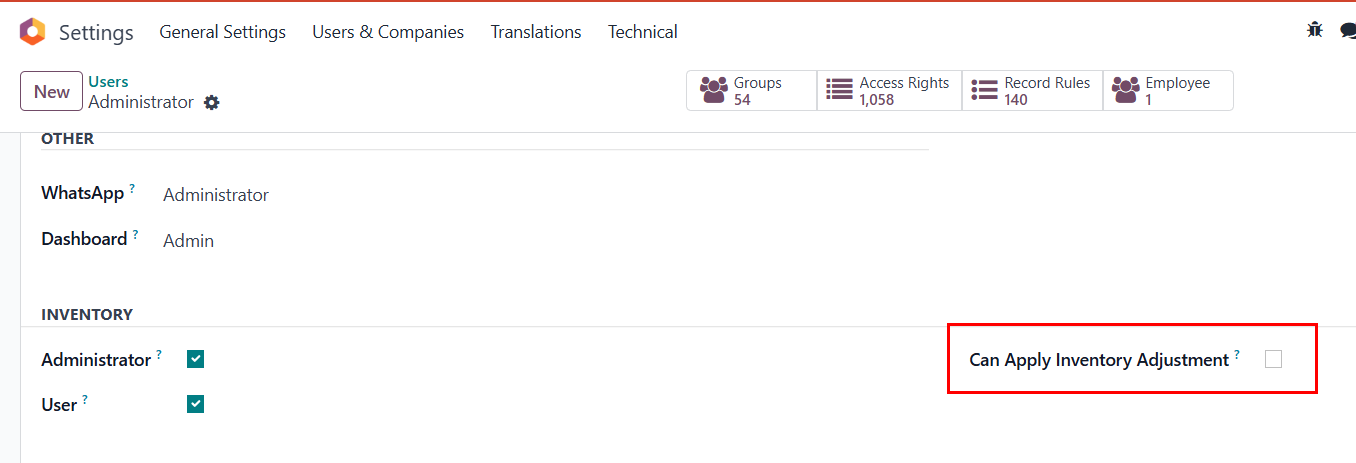
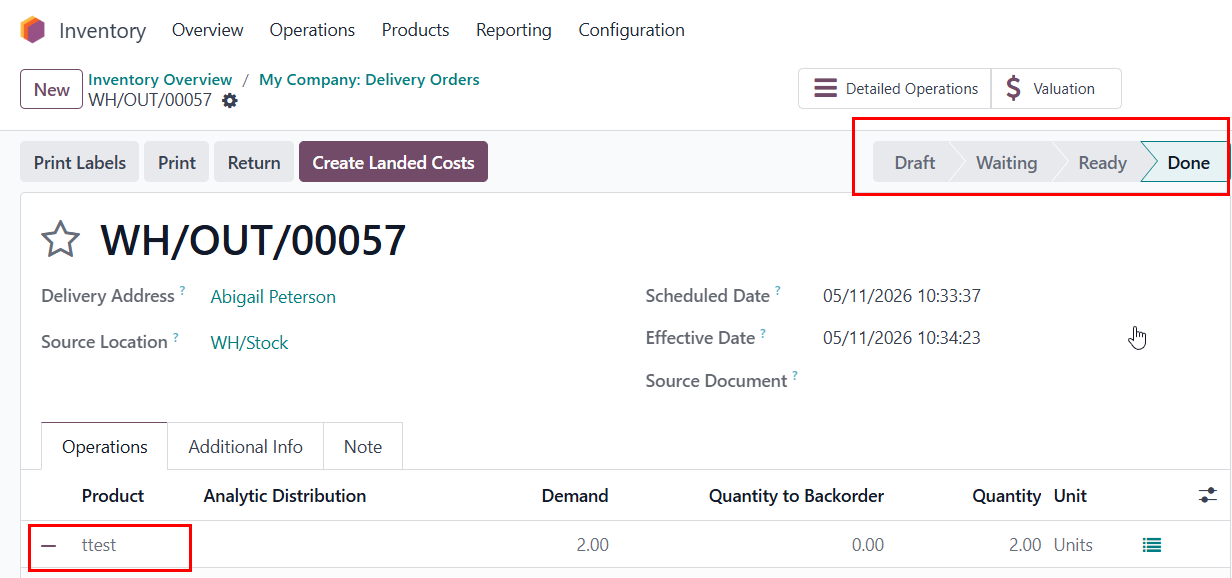
CLuedoo secures your stock by introducing a strict "Can Apply Inventory Adjustment" permission. It completely blocks unauthorized stock changes by hiding the "Apply" buttons across all views. Regular staff can still input the physical "Counted Quantity", but only authorized managers can validate it, all while standard warehouse tasks like validating Receipts or Deliveries remain completely unaffected.
AUTHORIZED USERS | |
CONFIGURATION1. Go to Settings > Users > Choose one user > Tick box 'Can Apply Inventory Adjustment' to authorize users who have the right to adjust Inventory. |
|
USAGE2. Go to Inventory > Physical Inventory > Users can see the button 'Apply All' in the Inventory Adjustments screen. |
|
3. Go to Sales > Products > Products. |
|
UNAUTHORIZED USERS | |
CONFIGURATION1. Untick the box 'Can Apply Inventory Adjustment' |
|
USAGE2. Now the user cannot see the button 'Apply All' in the Inventory Adjustments |
|
3. Go to Sales > Products > Products. User now cannot change the On Hand Quantity but can adjust Counted Quantity (This quantity will be updated automatically in Inventory Adjustment) |
|
4. Stock Picking Validation Normal users can still validate standard Receipts/Deliveries without any access rights errors. Go to Inventory > Overview > Delivery Orders > New. |
|