
ODOO'S FUNCTION
In Odoo, the "Relocate" wizard is strictly limited to moving stock between internal locations only. If a user wants to move products to a Virtual Location, they cannot use this wizard and are forced to create a Scrap Order instead.
CLUEDOO'S FUNCTION
CLuedoo enhances the Odoo Relocate wizard by introducing the capability to move stock from a physical warehouse location directly to a Virtual Location within the Relocate wizard itself.
This allows users to manage all stock movements from a single interface, providing a unified and flexible workflow without needing to switch between different buttons like "Scrap" for specific move types.
1. Go to Inventory > Reporting > Locations Choose products from Internal Location, then the button Relocate appears For example: Choosing iphone 17 from WH3/Input and glue from WH/Stock Click Relocate | 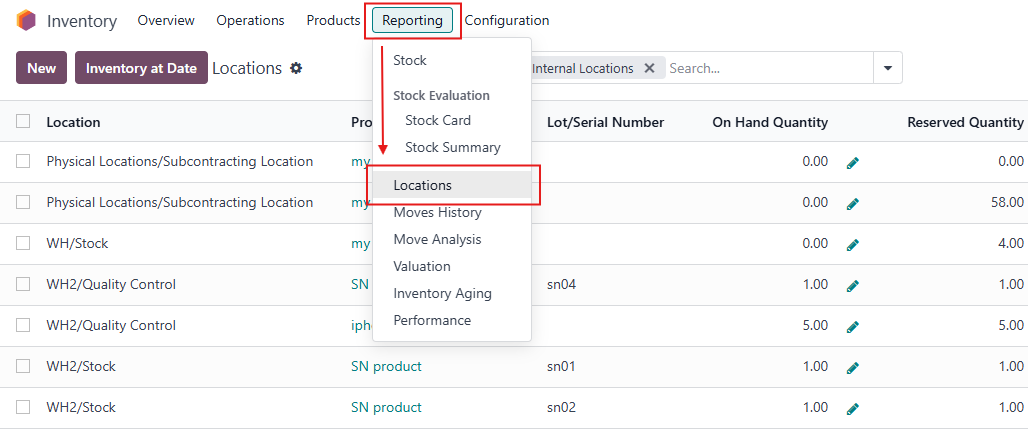 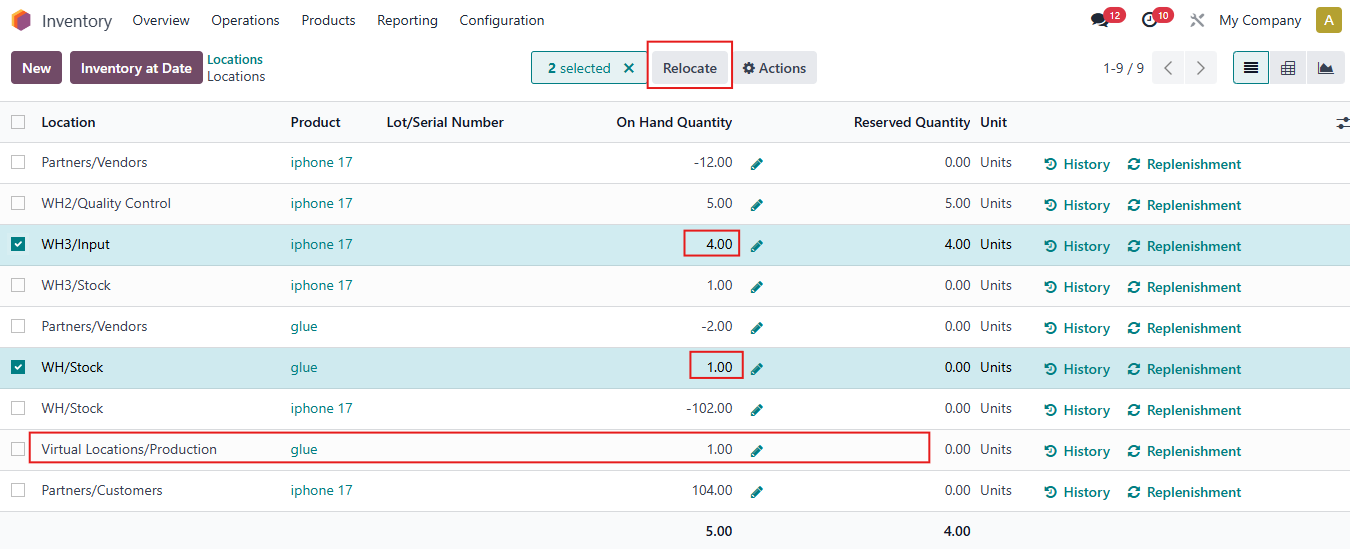 |
2. The Relocate wizard appears Choose the Virtual Location you want to move product to. Then Confirm. | 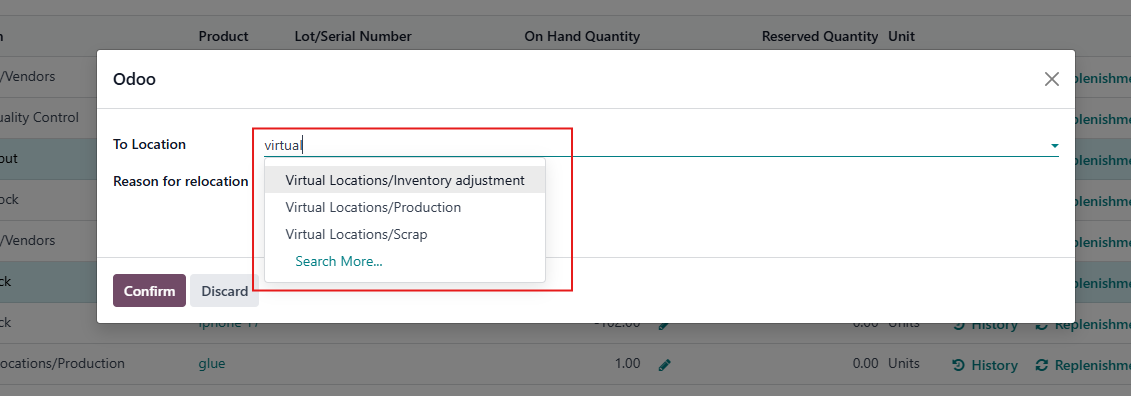 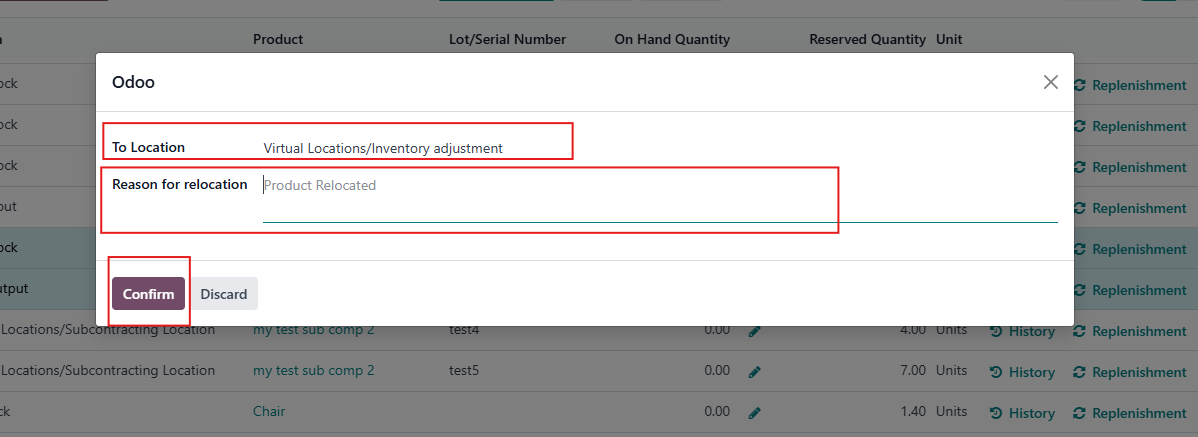 |
3. The product is successfully moved to the Virtual Location. For example, iphone 17 and glue is moved to Virtual Locations/Inventory adjustment. | 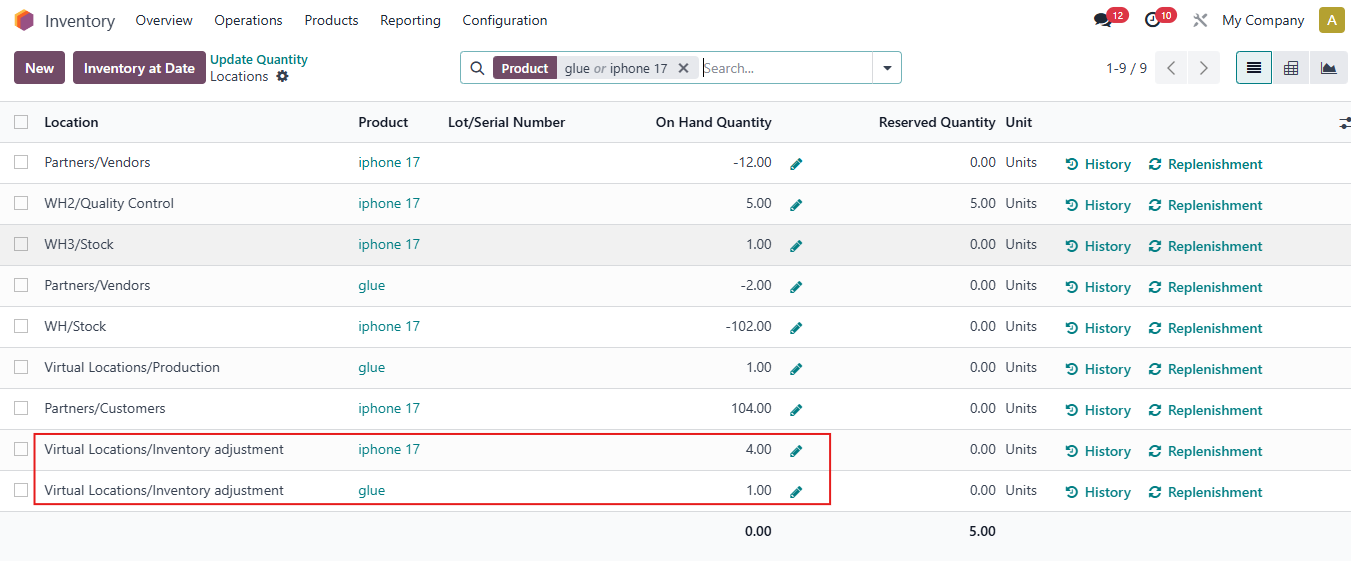 |