


STORY BEHIND THE FEATURES
ODOO'S FUNCTIONS
Odoo's Request A Count function on Inventory Adjustments allows counting products to one of two options:
1. Leaving the count blank.
2. Set it to the current quantity.
CLUEDOO'S FUNCTIONS
Cluedoo adds one more option: Set Count to 0. This can help tremendously with managing inventory after a clearance, as well as other scenarios.
CLUEDOO RECOMMENDATION
Install in 100% of your databases to assist warehouse managers.
OUR FEATURES AS SOLUTIONS
Adds the option "Set Count to 0" on the Inventory App
HOW TO USE THIS MODULE
User story:
As a warehouse manager, I need to do a recount of products in the current warehouse.
Many products are totally sold out, which means their count is 0. There is a way to do that quickly without having to go over each product.
Step 1:
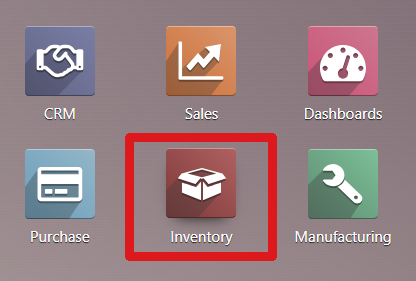
Go to Inventory.
Step 2:
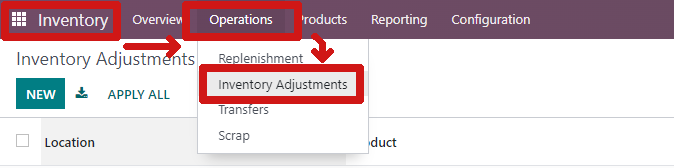
Go to Operations > Inventory Adjustments.
Step 3:
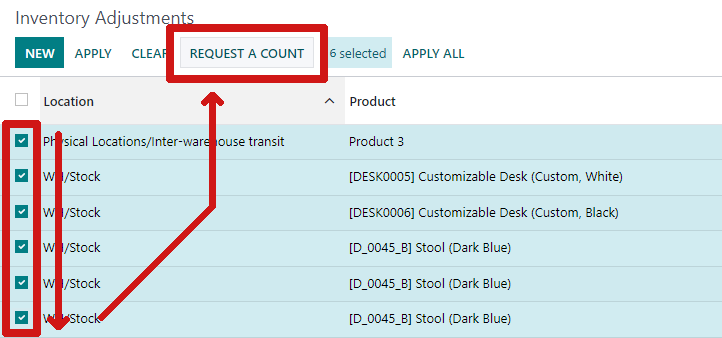
Check the products that need to be recounted.
Click on Request A Count.
Step 4:
Select the option Set Counted to 0.
Then click Confirm.
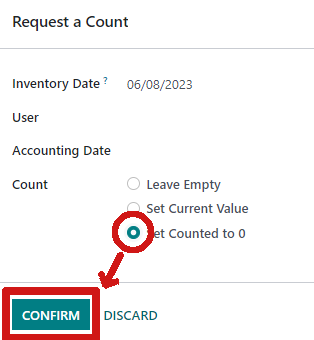
Result:
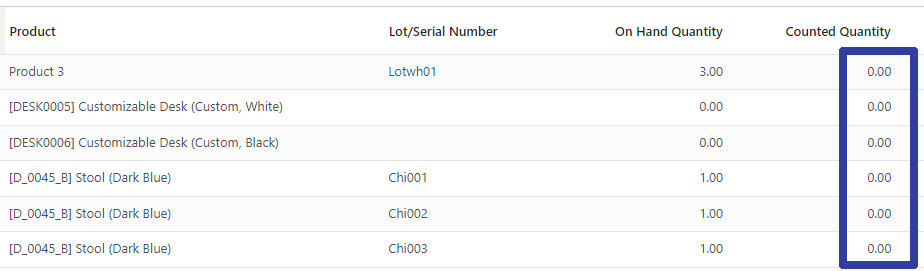
All of the selected products' counted quantity are now 0.