


STORY BEHIND THE FEATURE
ODOO'S FUNCTIONS
Efficient reconciliation processes are paramount for maintaining accurate records and informed decision-making. However, traditional systems like Odoo present challenges, particularly when auto-reconciliation fails, leaving users with the arduous task of reconciling transactions one by one - a daunting prospect, especially with large volumes of data.
CLUEDOO'S FUNCTIONS
Cluedoo offers solutions to a more efficient reconciliation workflow. By introducing a filter to select all bank statement lines "To Validate" and an action to mass validate, Cluedoo empowers users to reconcile transactions in batches, overcoming the hurdles posed by manual reconciliation and enabling smoother financial operations.
CLUEDOO RECOMMENDATION
Install this template in 100% of your databases as a useful tool for convenient bank reconciliation.
HOW TO USE THIS MODULE
1.
Go to Accounting Dashboard -> Bank reconciliation -> Reconcile items.
In this example, we have 9 reconciliations that needs to be checked and validated.
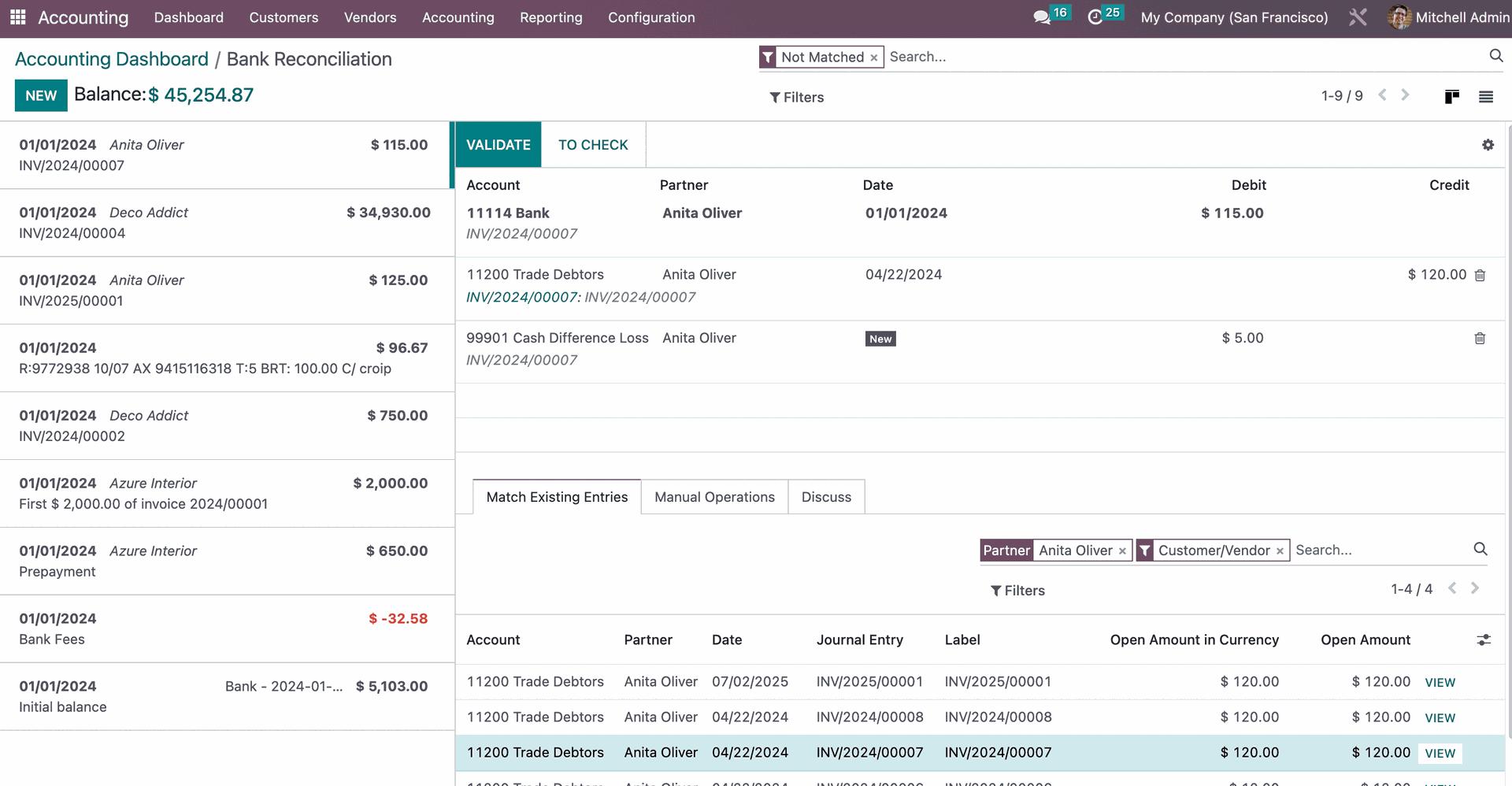
2.
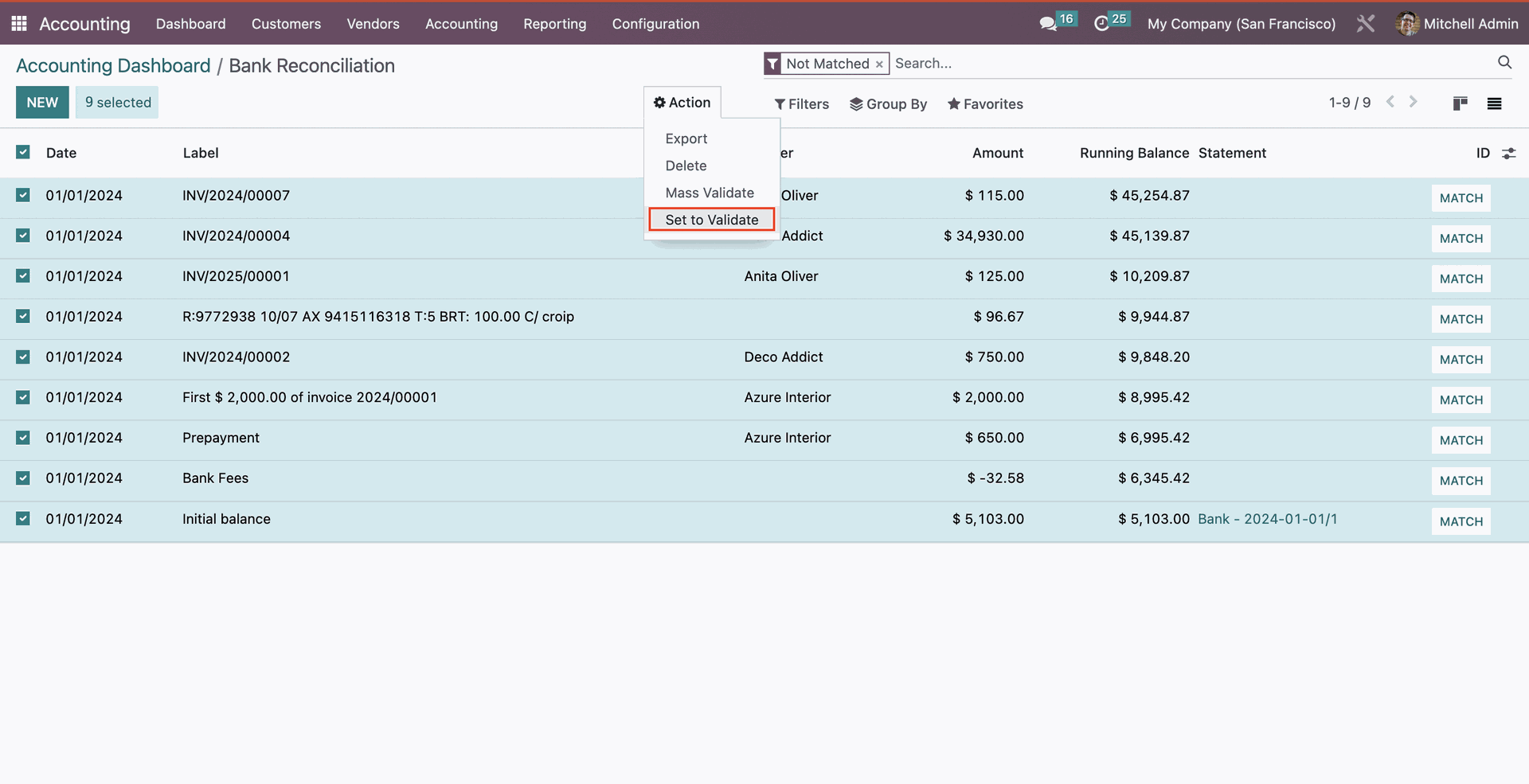
In the list view, applying the "Not matched" filter allows you to view all unreconciled transactions.
Select all transactions, go to action and choose "Set to validate".
3.
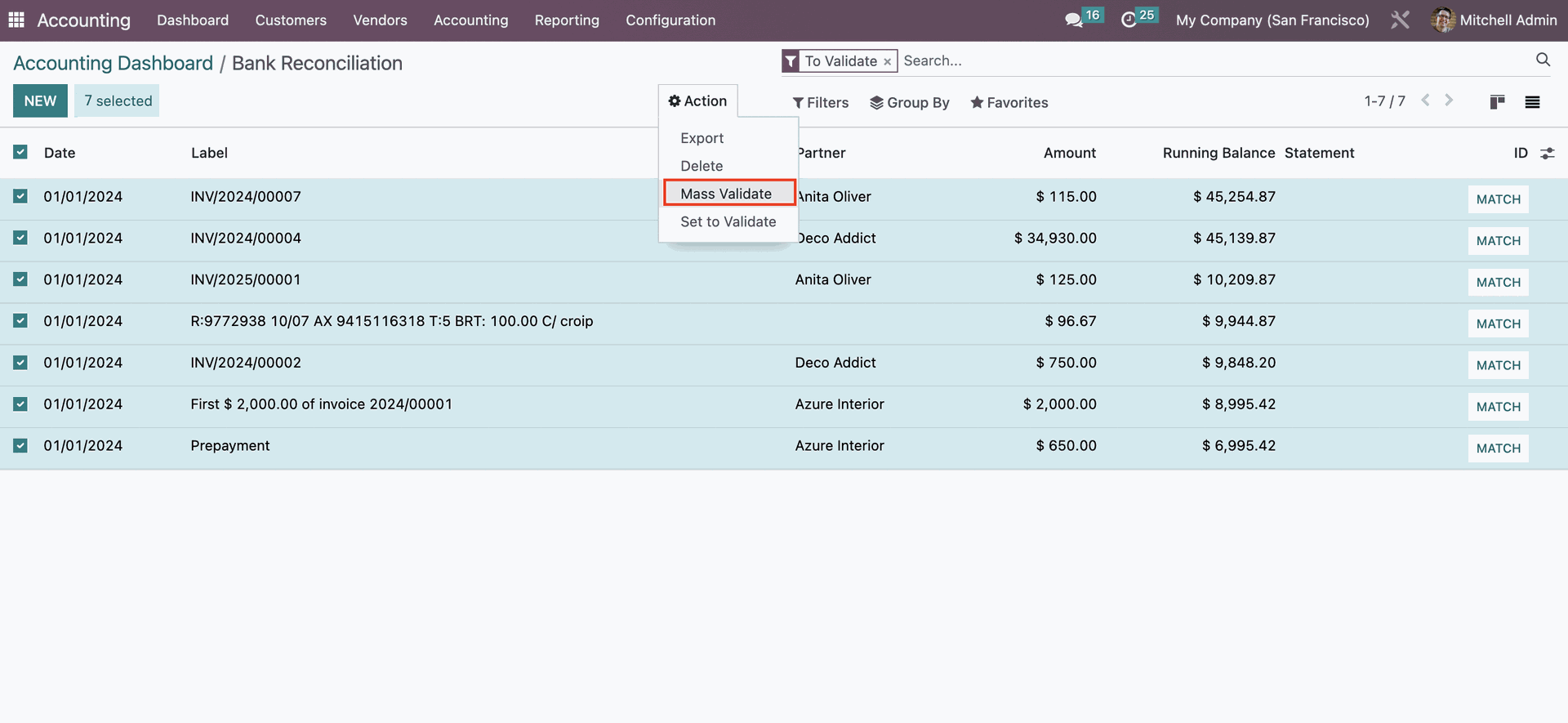
Once transactions are set to validate stage, apply the "to validate" filter.
Select all lines, go to Action and choose " Mass validate".
Result:
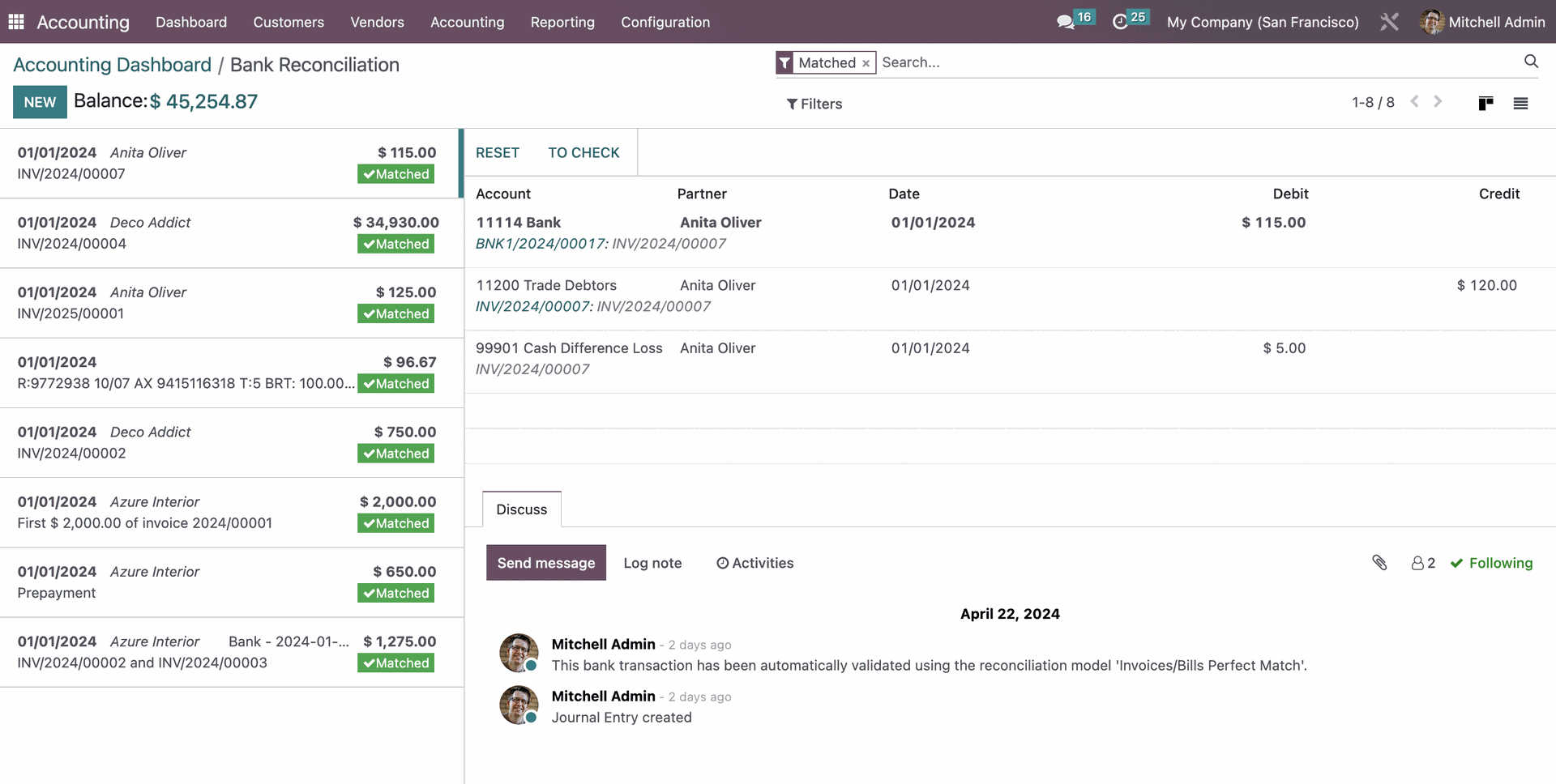
With the "mass validate" feature, all transactions will be validated immediately.
In Kanban view, these reconciliations are now recorded as "Matched"