


Bỏ qua để đến Nội dung

Sales Agreement - Blanket Order

Blanket Order: Create fixed priced sales contract 

128,87 € 128,87 € (Chưa gồm thuế)
US$ 150,00 (Chưa gồm thuế)

  • Versions
Điều khoản và điều kiện
Đảm bảo hoàn tiền trong 30 ngày
Giao hàng: 2-3 ngày làm việc


ODOO'S FUNCTION

Odoo offers clients the option to create blanket orders for purchases but overlooks providing the same functionality for sales.


CLUEDOO'S FUNCTION

CLuedoo introduces a feature enabling users to create fixed-price sales contracts with customers for set periods. This simplifies the management of recurring sales agreements and allows for the convenient generation of new quotations or sales orders directly from the established blanket agreement, streamlining workflow processes.

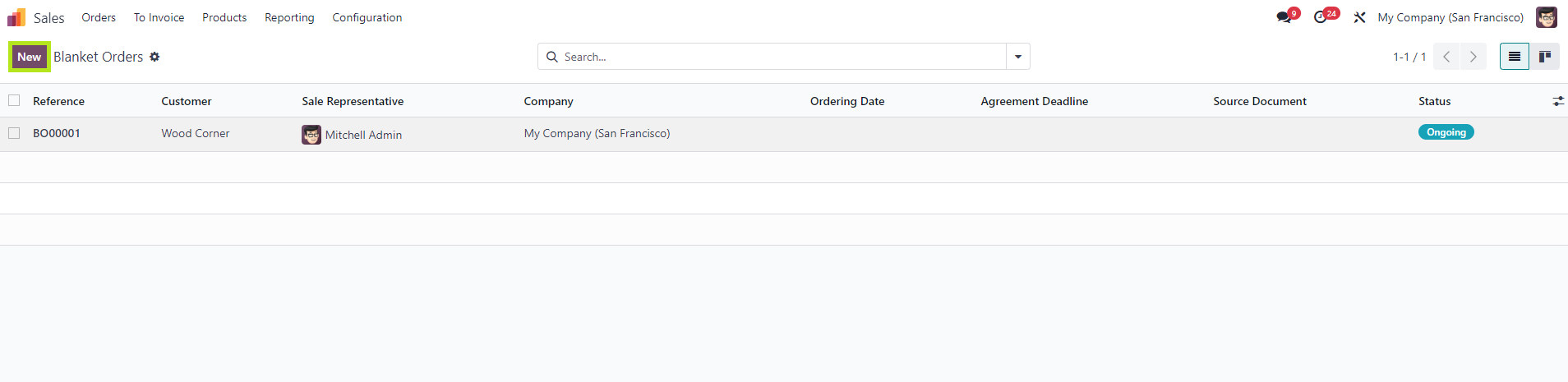
Go to Sales Orders →  Blanket Orders  → create a new blanket order by selecting New

Configuration of blanket order rules

1.

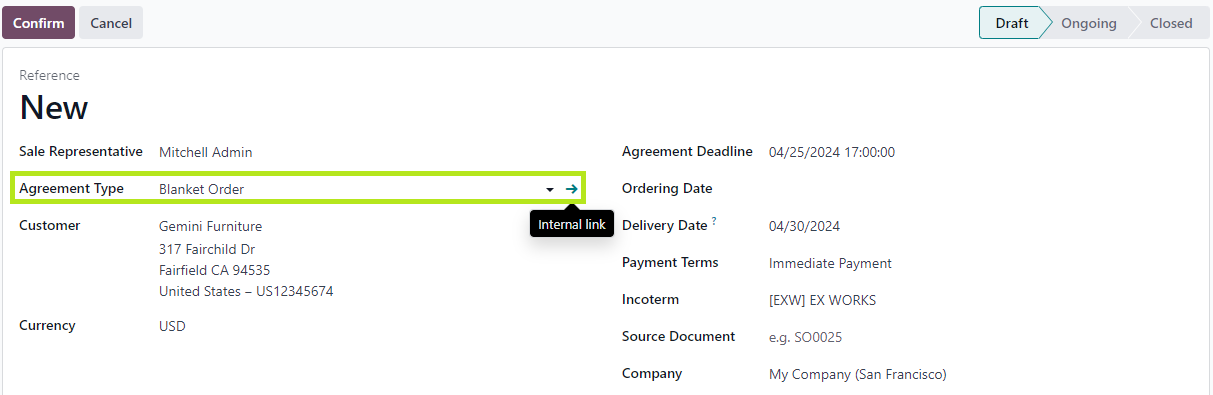
In the Agreement Type field, click on the arrow to go to the internal link configuration of Blanket orders.

There are 3 rules that users need to set for blanket order based on the nature of sales contract or management preferences.


Agreement Selection Type:
- Select only one Order (Exclusive):
For each blanket order, users can only create one Quotation/ Sales order.
- Select multiple Order (non-exclusive): users can create multiple Quotations/Sales orders from one particular blanket order.

Lines
- User lines of agreement: Values in Order line will be set exactly as blanket order.
- Do not create order lines automatically: Order line of new Quotation will be left blank.

Quantities:

- Use quantities of agreement: when a new Quotation/Sales order is created, the ordered quantity will be inherited from Blanket order.
- Set quantities manually: the quantity in new order line will be set back to 0.

2. Fill in the required fields and confirm the blanket order.


From this, users can choose:


  • New quotation: create a new quotation based on the blanket order. All information of new quotation will be automatically inherited from the blanket order.
  • Close: choose to close the blanket order. After this, the status will be moved to "Closed".
  • Lock: lock blanket order and prevent any other users from changing any information in blanket order. The status will be moved to "Locked".
  • Cancel: after cancelation, users can still choose to reactivate the blanket order by "Set to draft" > " Confirm".

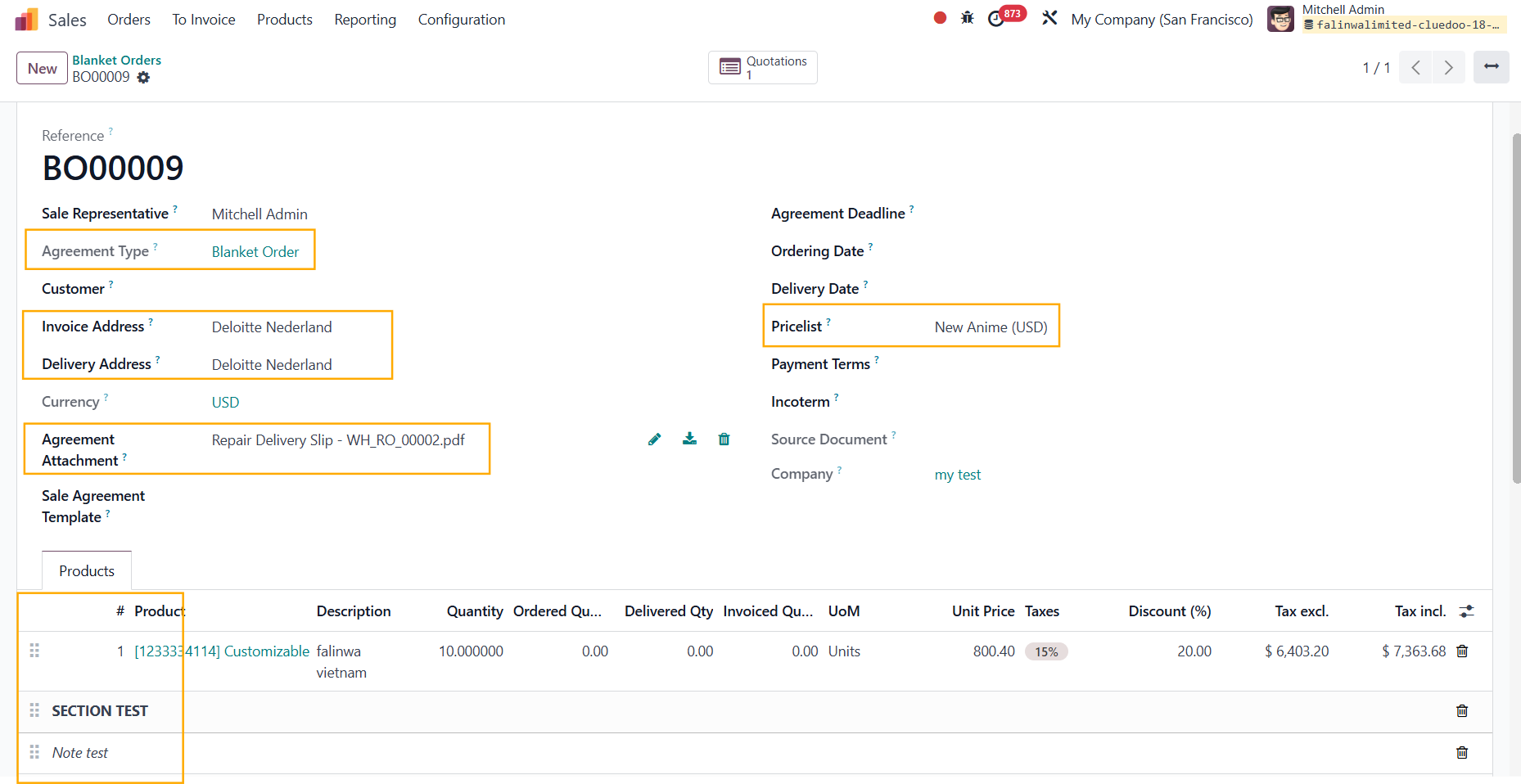
New added fields:

  • Sequence #, Section, Note in line
  • Invoice Address
  • Delivery Address
  • Agreement Attachment
  • Pricelist

3.

If you add a file in the Agreement Attachment field, it will be linked to the attachment in the chatter

4.

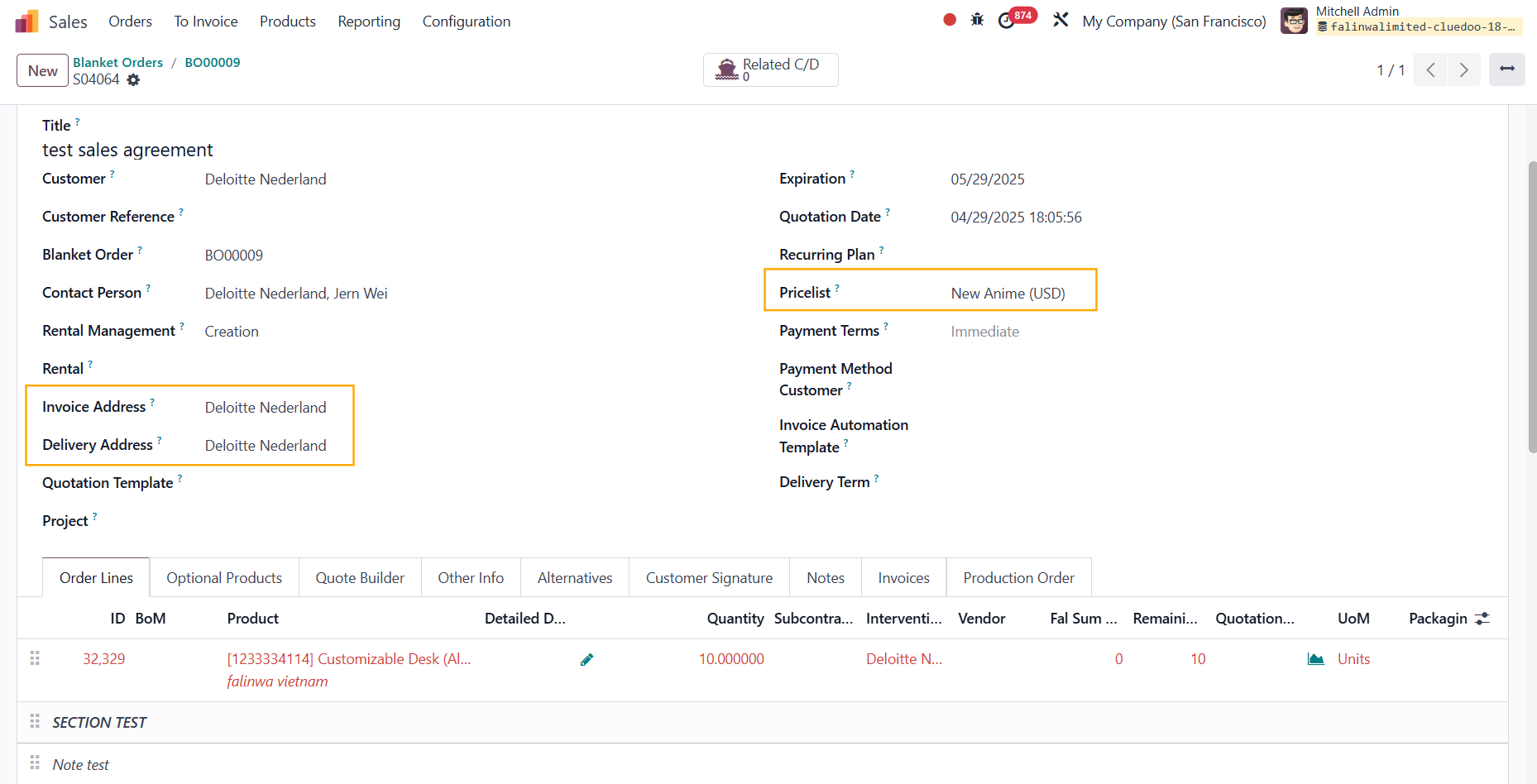
Create a New Quotation > The information that you set in the blanket order will be inherited to the Sales Order, including the Invoice Address, Delivery Address, the product's Description, Quantity, Unit Price, Discount %, and Pricelist

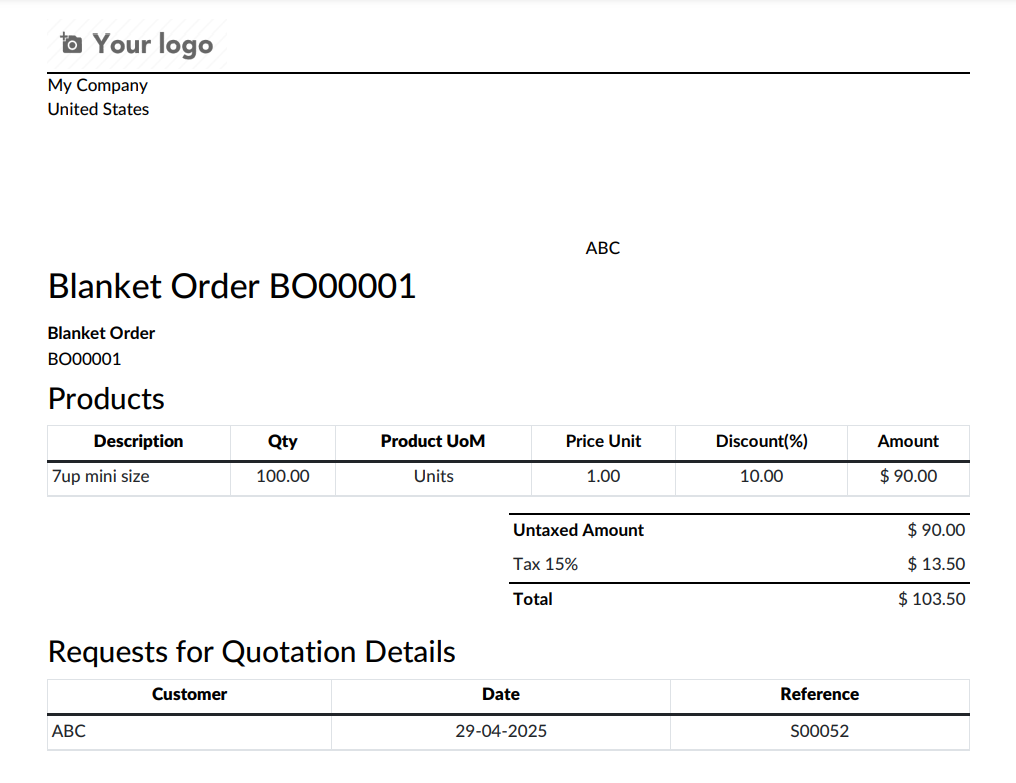
5. Print the blanket order

The format will look like this