
ODOO'S FUNCTION
In Odoo, you can scan products, SN and validate transfer or batch transfer in the Barcode App.
CLUEDOO'S FUNCTION
CLuedoo extends this function by creating a child transfer. Thereby moving the product's SN from one location to another.
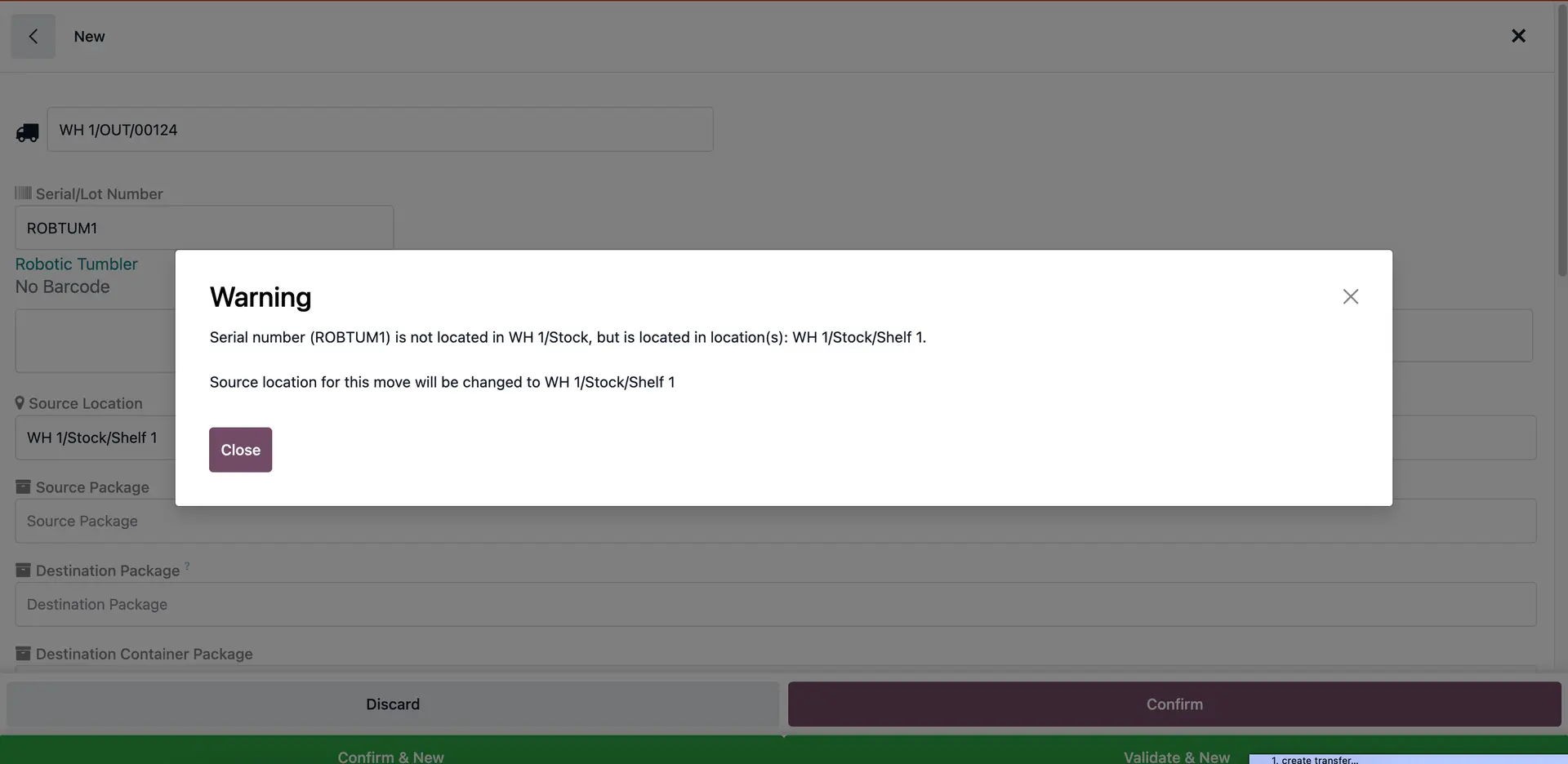
Creat a product with assigned SN located in a location different from the Source Location of the Deliveries (e.g., WH1/Stock/Shelf1) | 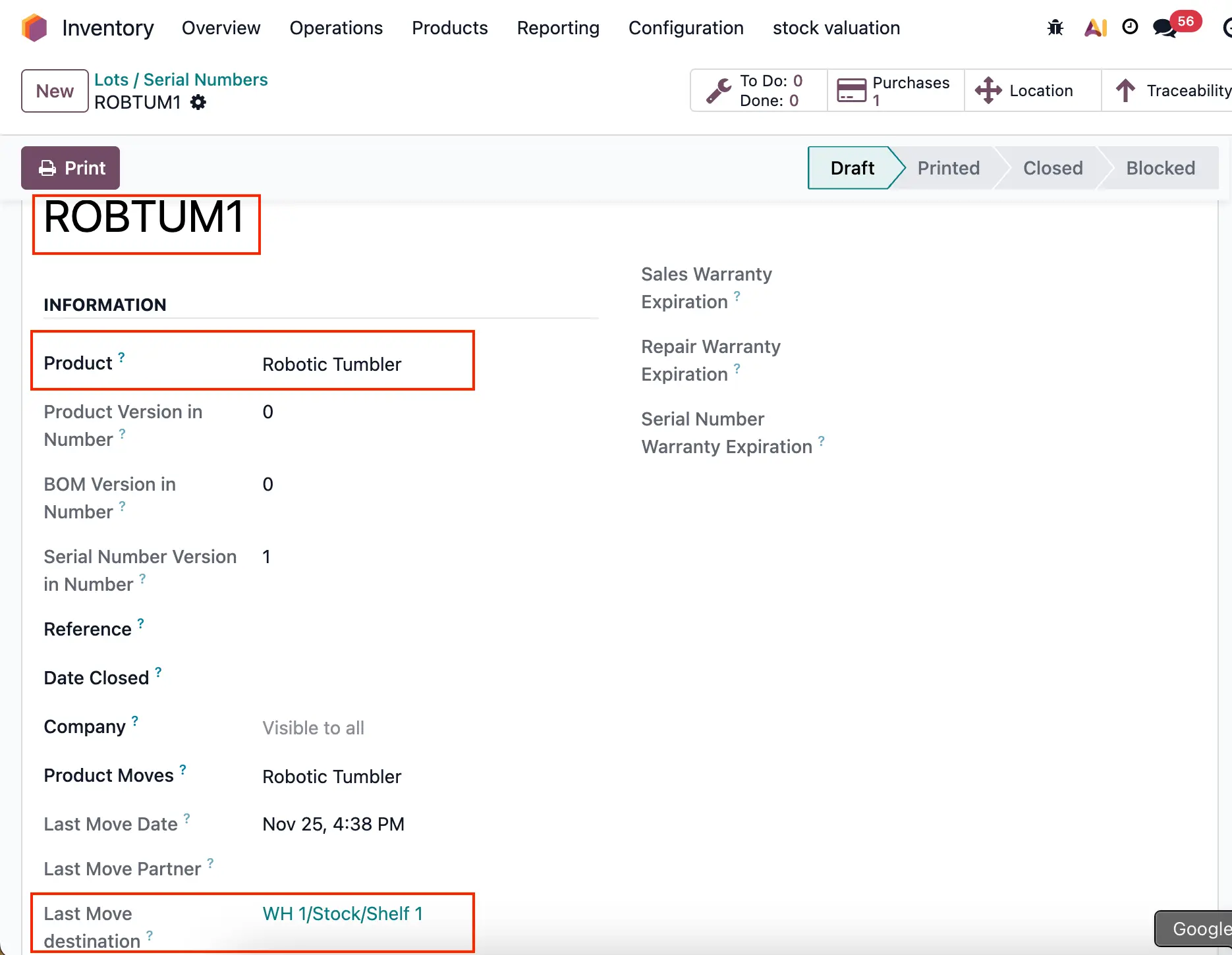 |
1. Go to the Barcode app, create a new Delivery Order. | 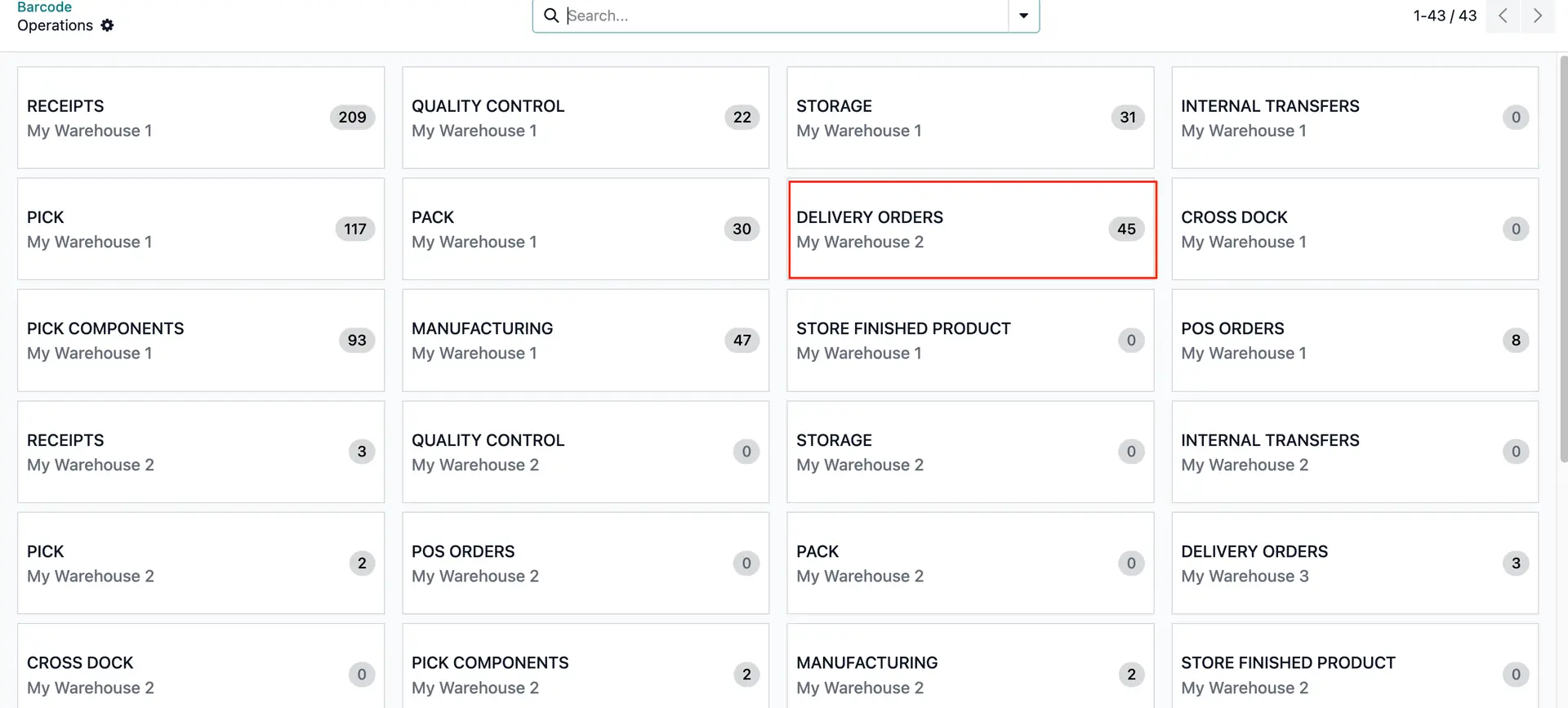 |
2. Add product that is not in the Source Location > Confirm | 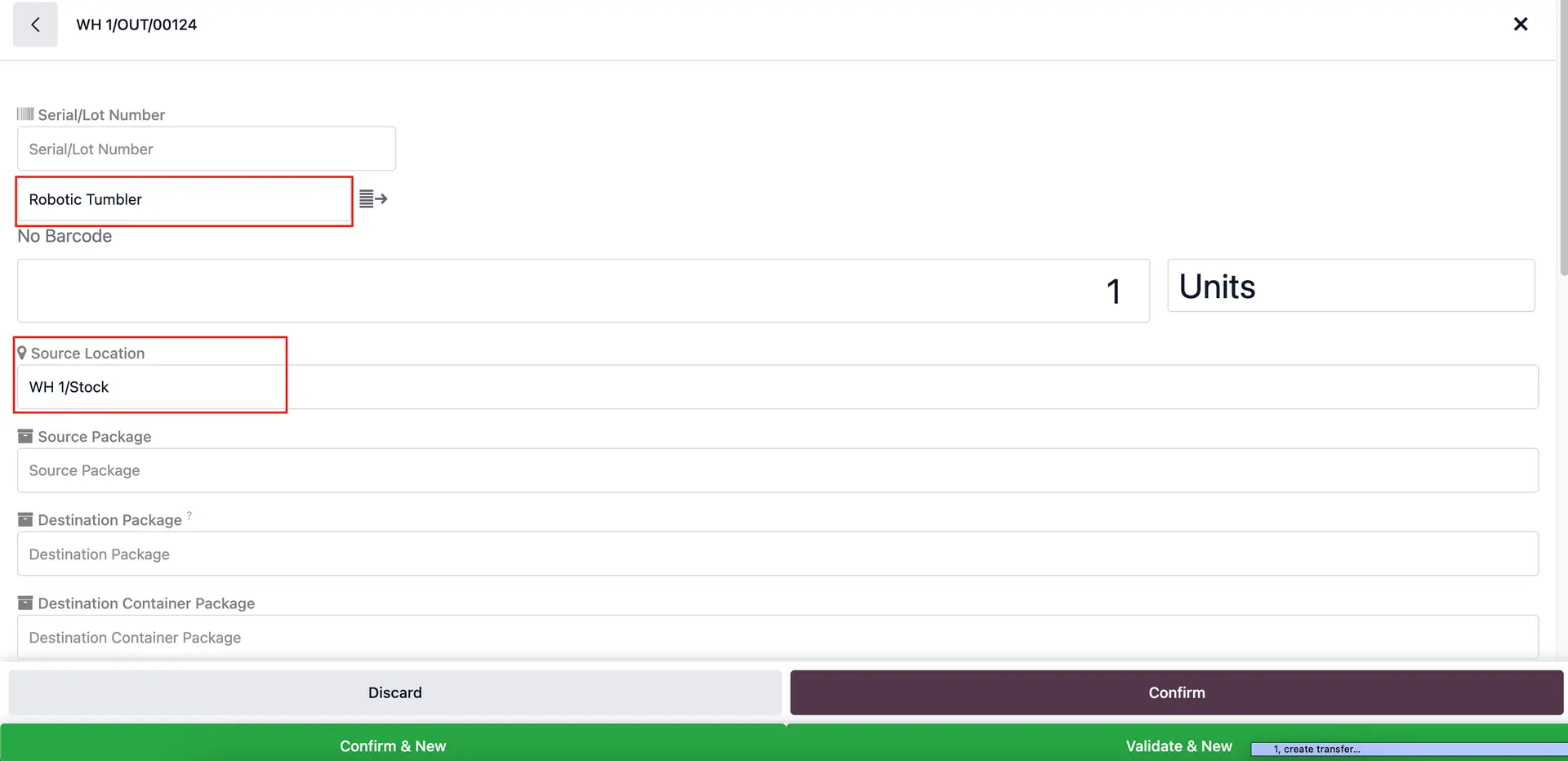 |
A warning will be raised > Confirm to proceed | 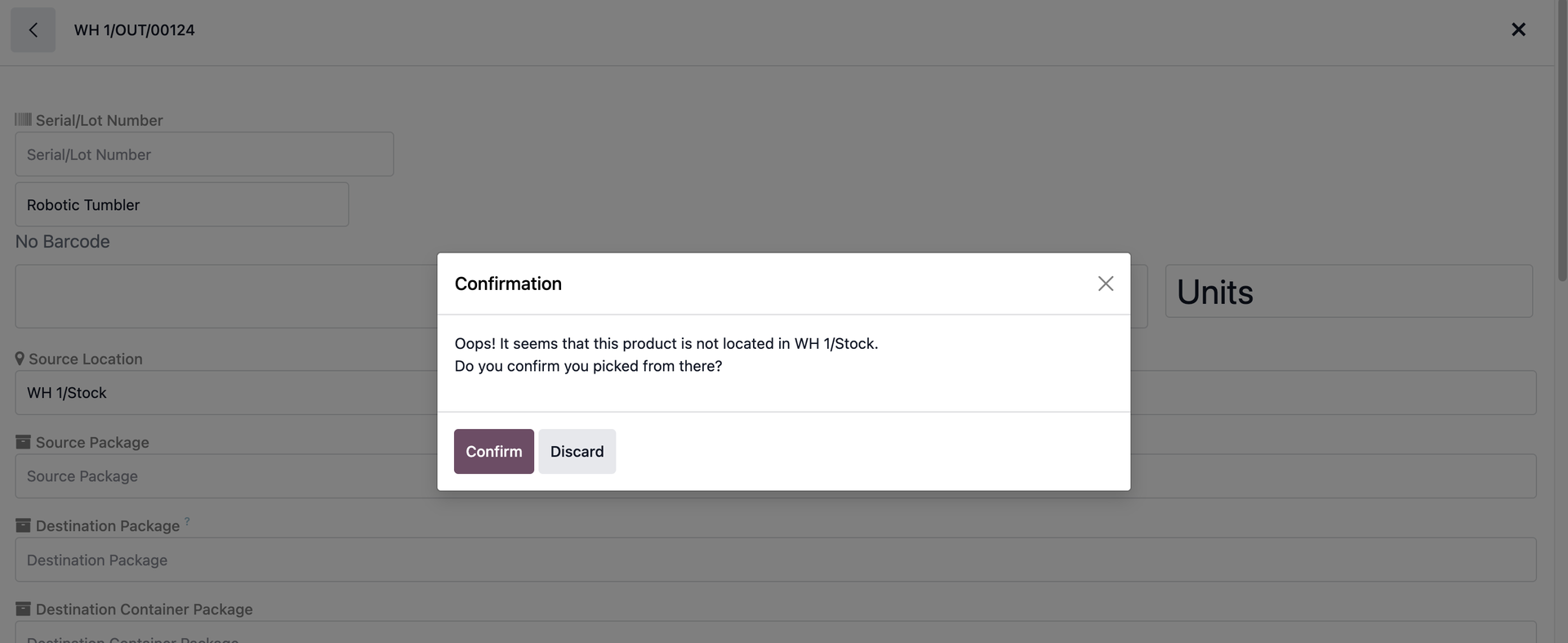 |
3. Go to Batch Transfers and create a new one | 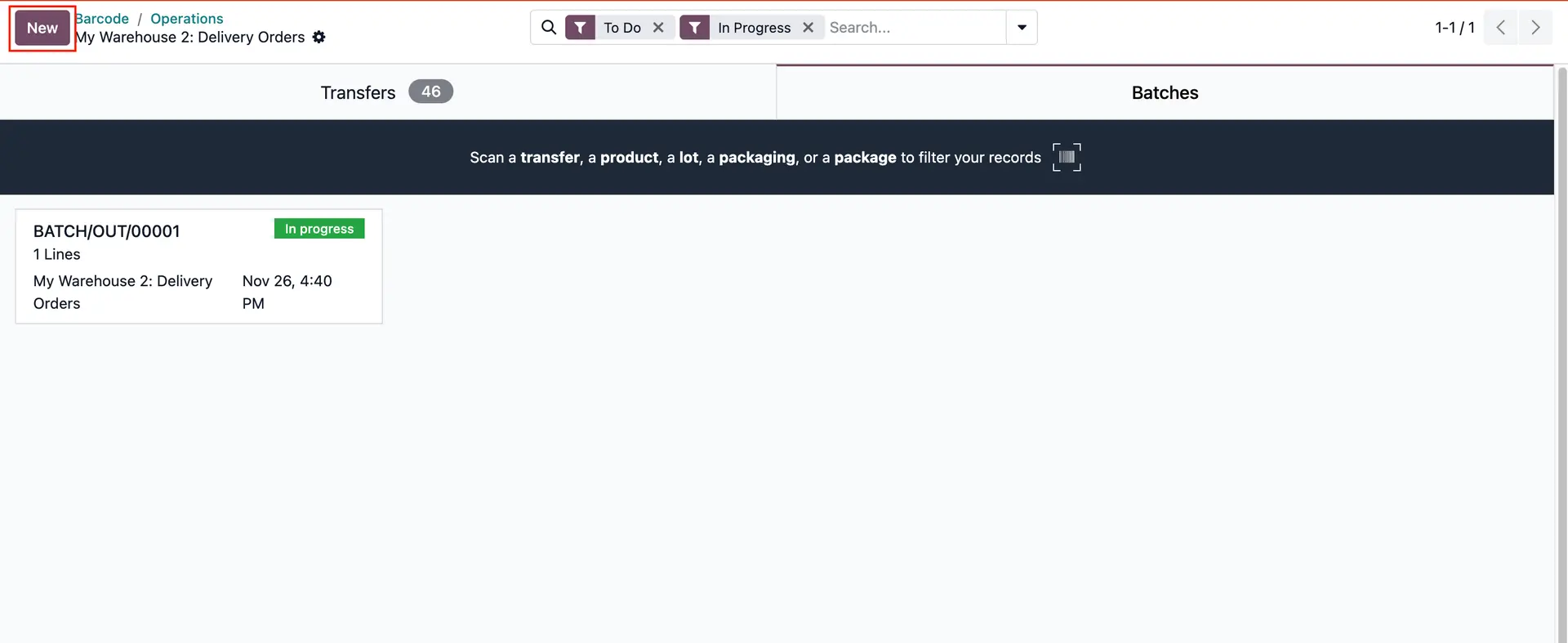 |
Choose the Delivery Order that has just been created | 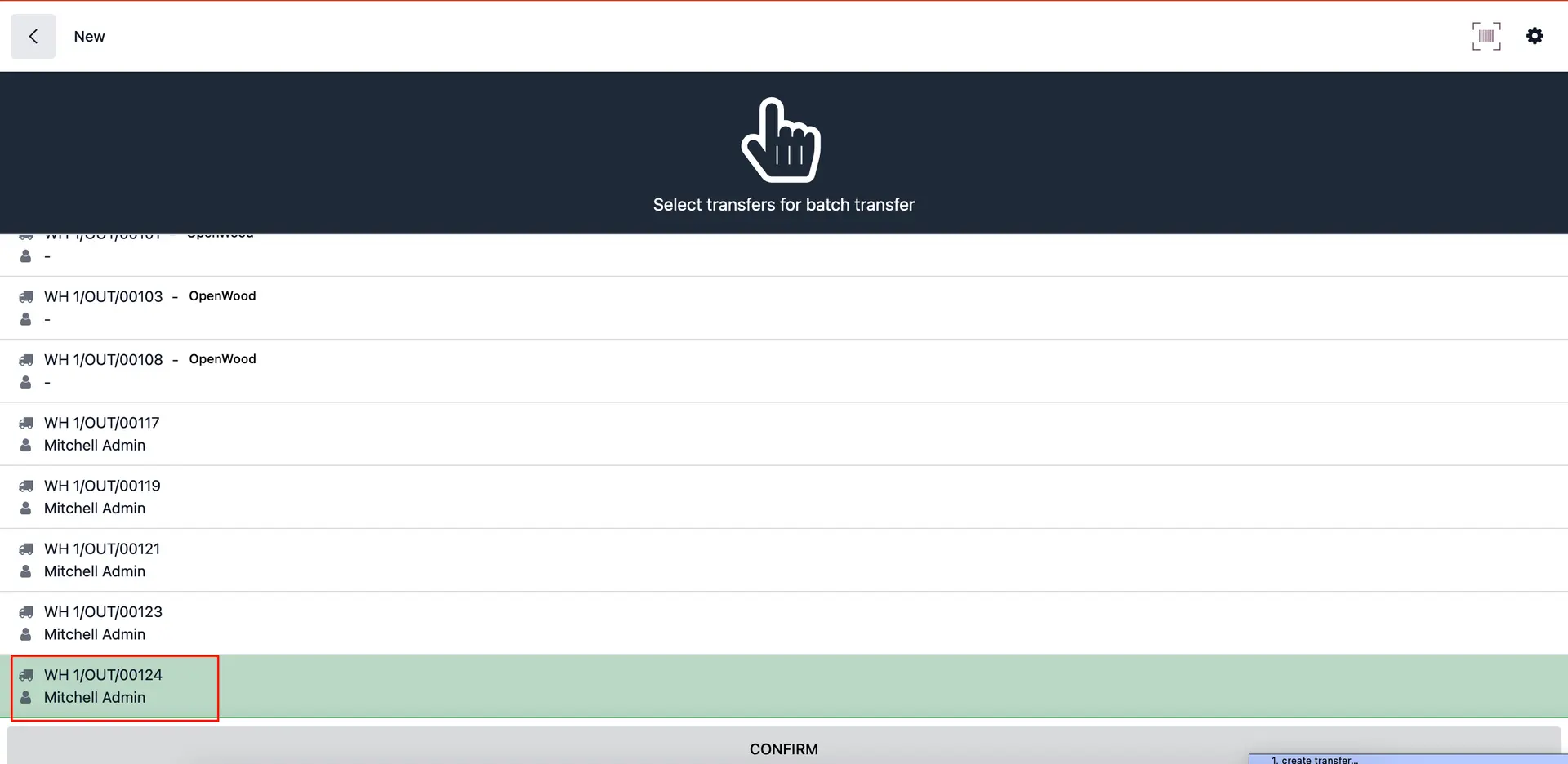 |
4. Assign the SN that is stored in a location different from the Source Location > A warning will be raised and the Source Location will change to the SN’s location | 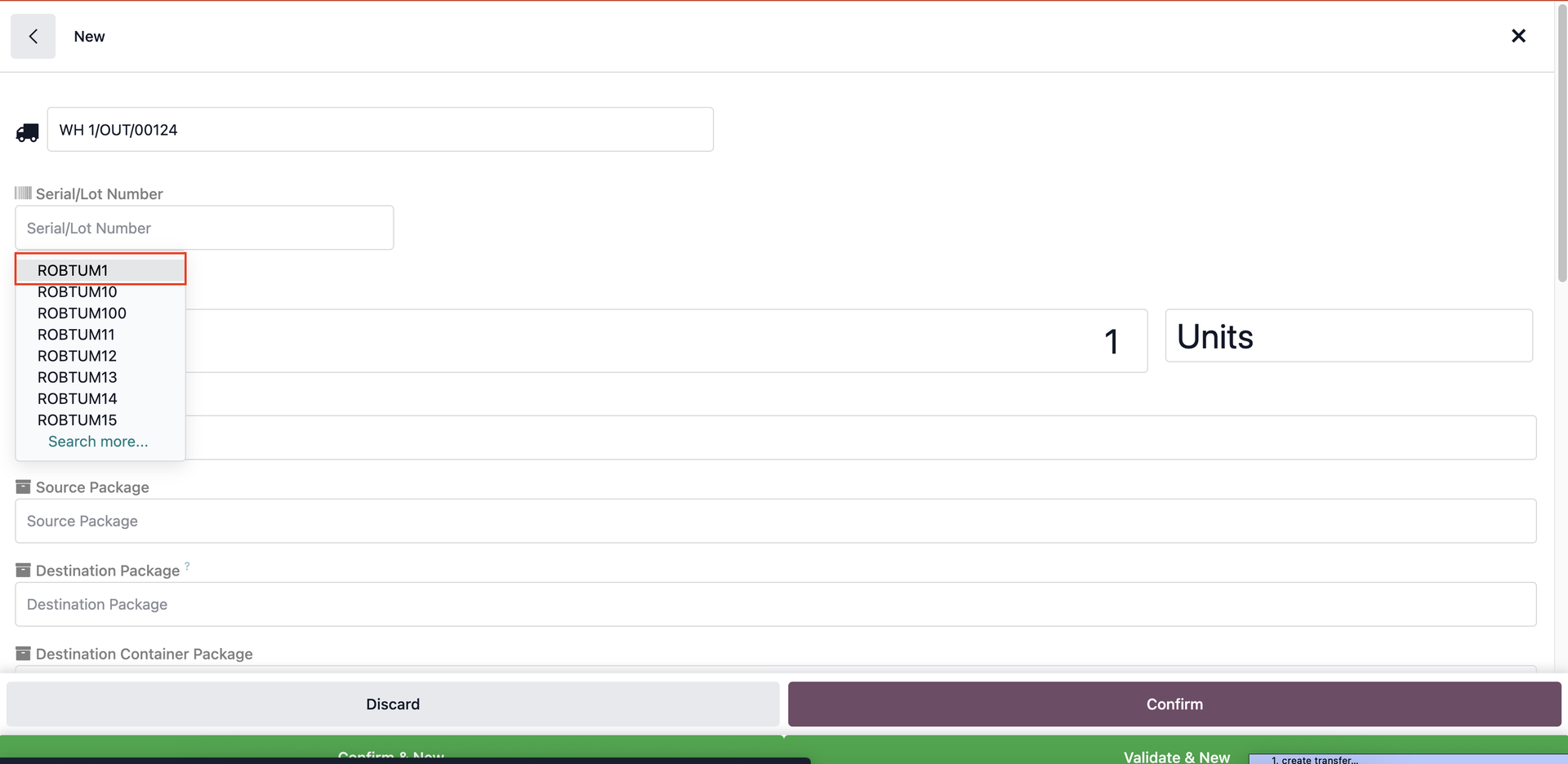
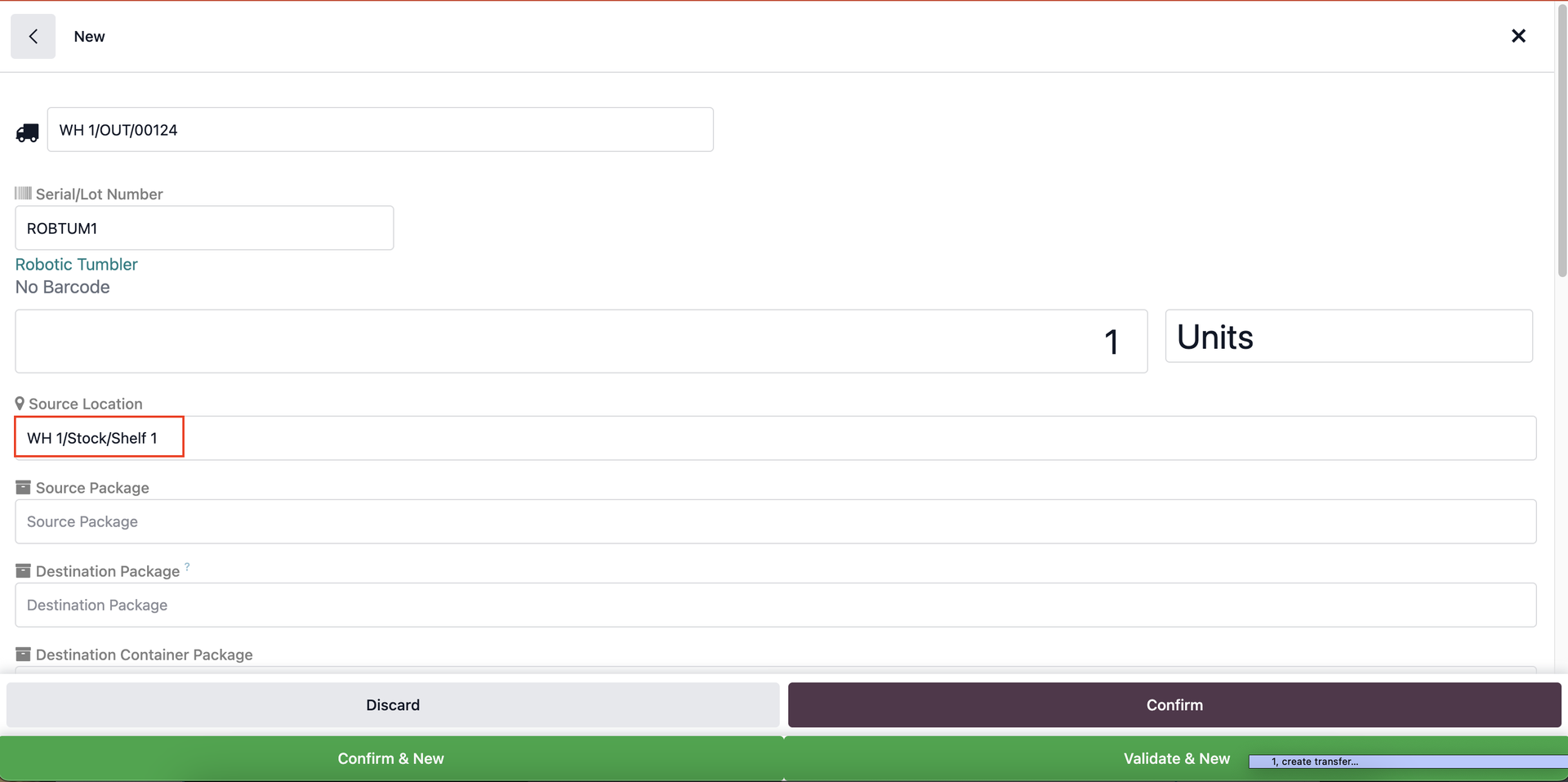 |
5. Validate the batch transfer > Go to Deliveries > we can see a child transfer has been created, moving from the stored location to the source location of the transfer. | 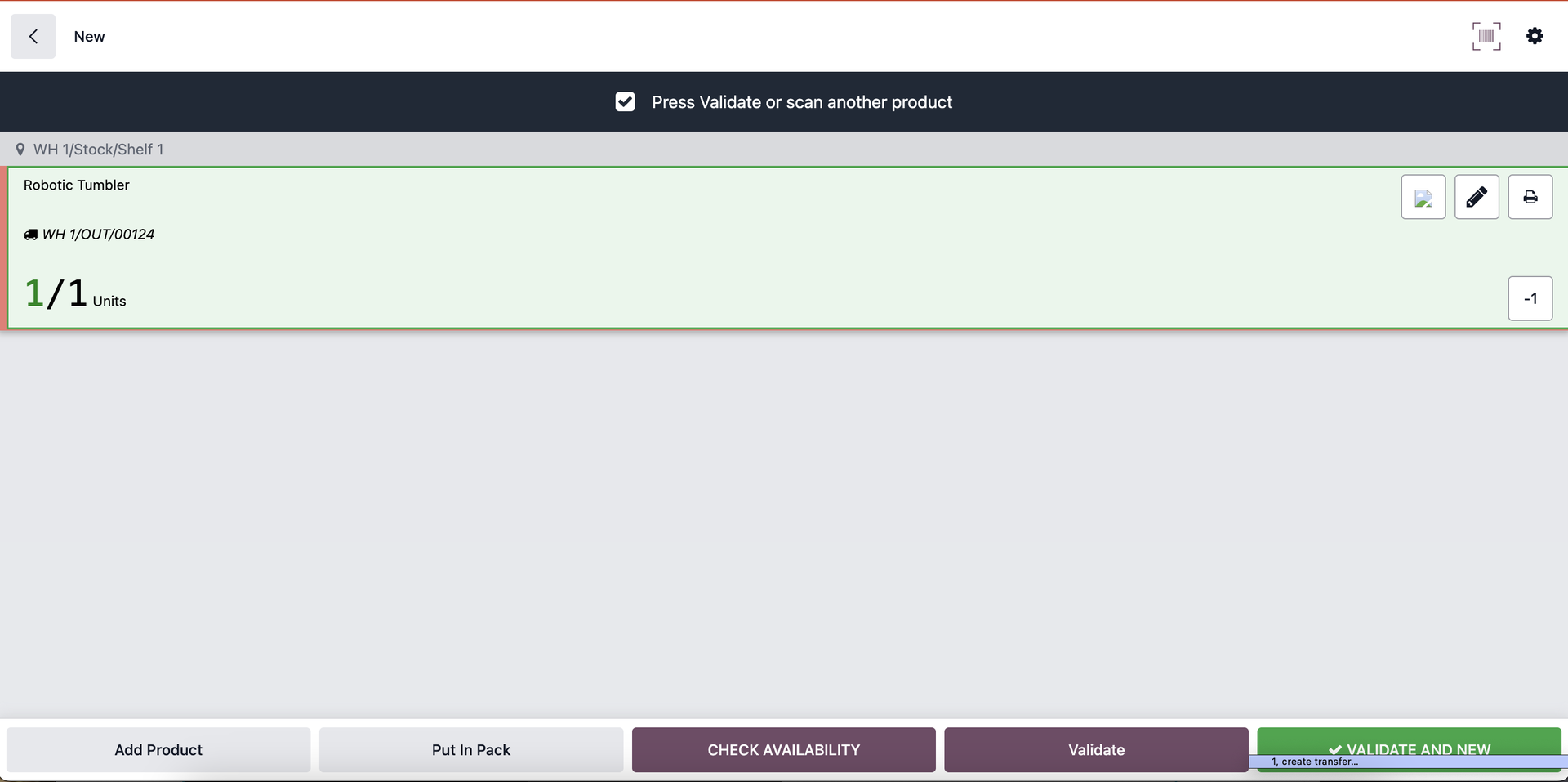 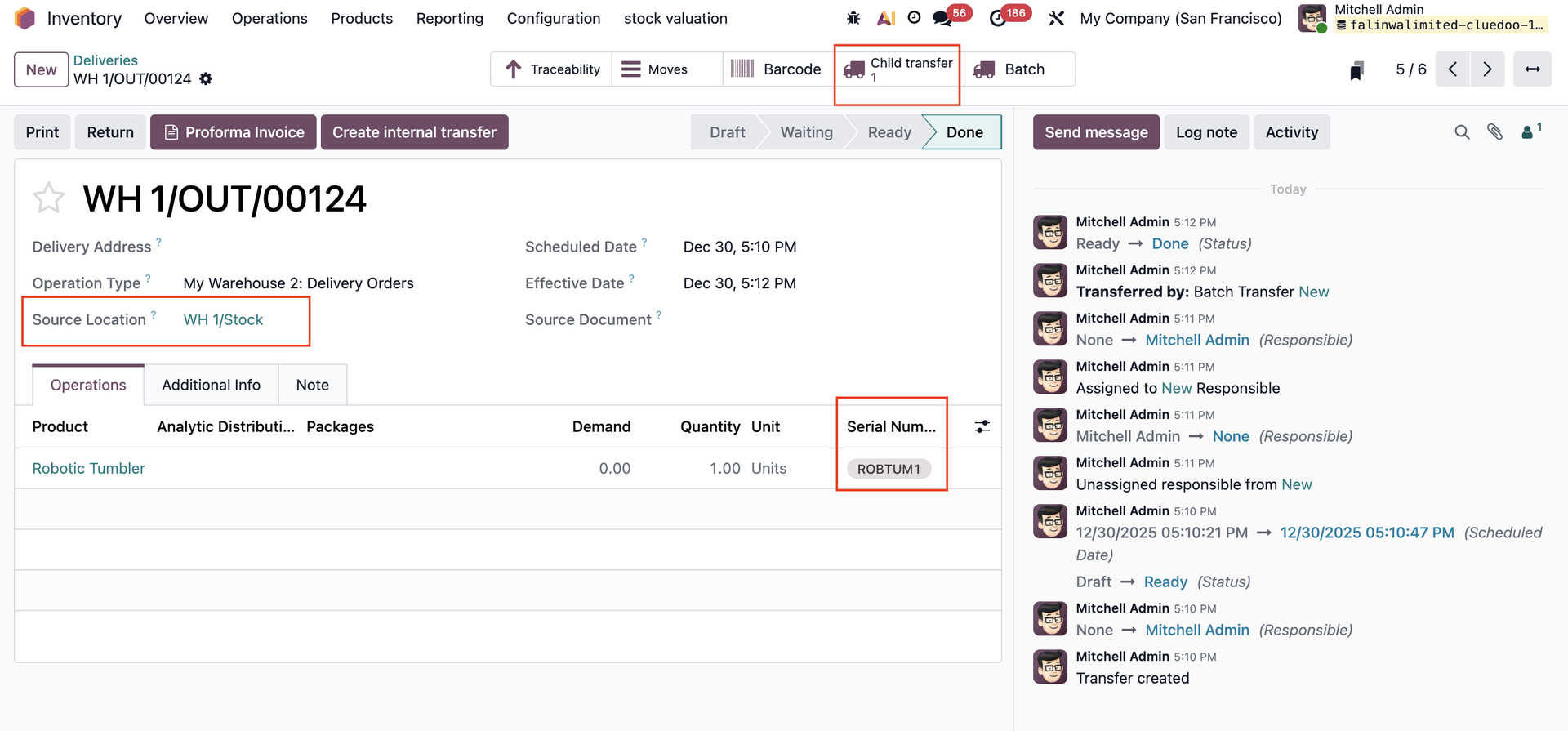 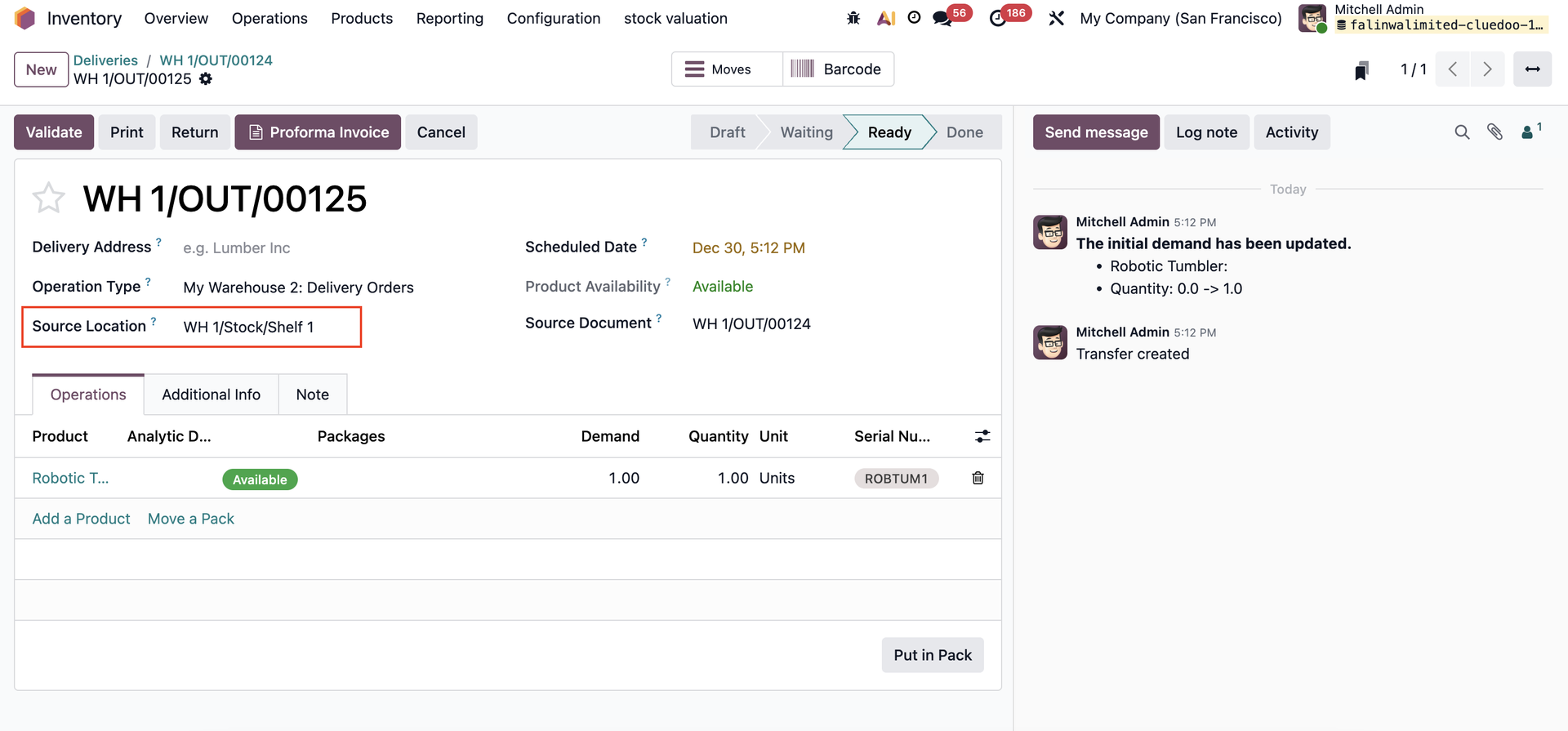 |