


STORY BEHIND THE FEATURES
ODOO BEHAVIOR
Odoo does not support displaying on-hand product quantities by warehouse when adding products to a Sales Order. This limitation can cause difficulties in inventory management, as users may struggle to select the appropriate warehouse based on real-time stock availability, which leads to inefficient order processing
CLUEDOO BEHAVIOR
Cluedoo provides the feature to display on-hand product quantities by warehouse when adding products to a Sales Order. This enhancement allows users to have real-time visibility of stock availability across different warehouses, making it easier to select the appropriate warehouse for order fulfillment
CLUEDOO RECOMMENDATIONS
Install on 100% of the database.
HOW TO USE THIS MODULE ?
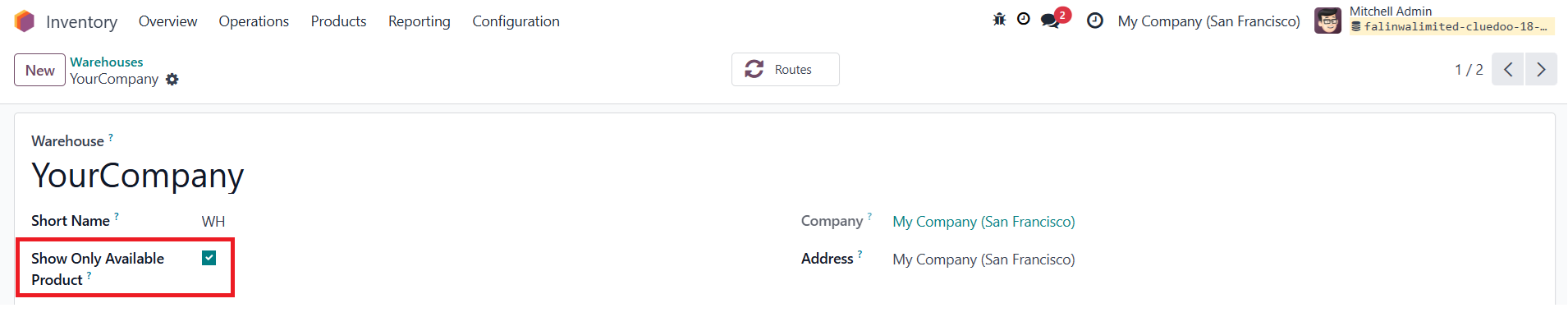
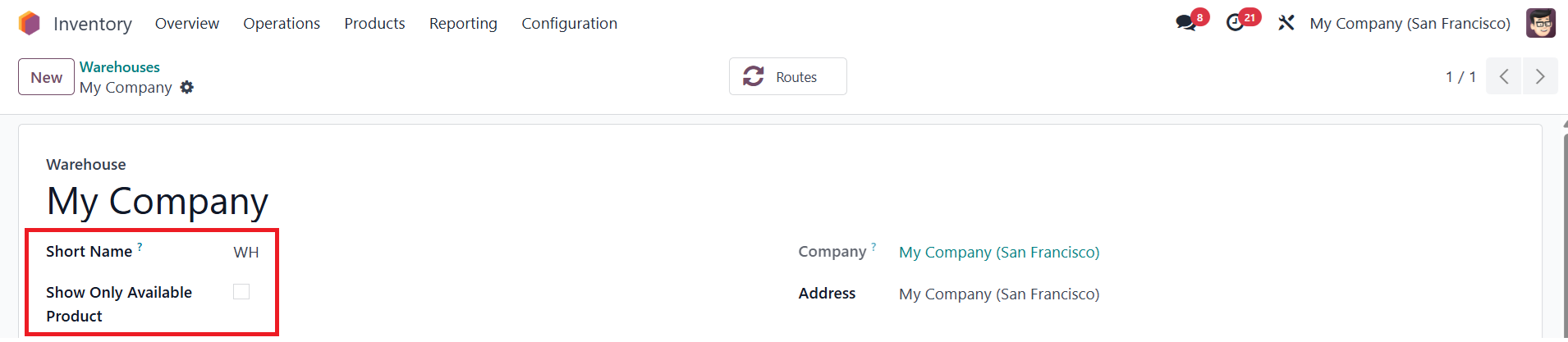
1Go to Inventory > Warehouses > Access a particular warehouse > Check the Show Only Available Product checkbox > Save |
|
2Go to Products > Create a new product > Set up Track Inventory: By Quantity/ By Lots/ By Serial Number > Click on the Forecasted button > We can see the value of On Hand Quantity according to the Warehouse EX: There are 33 On Hand Quantity in Your Company Warehouse | 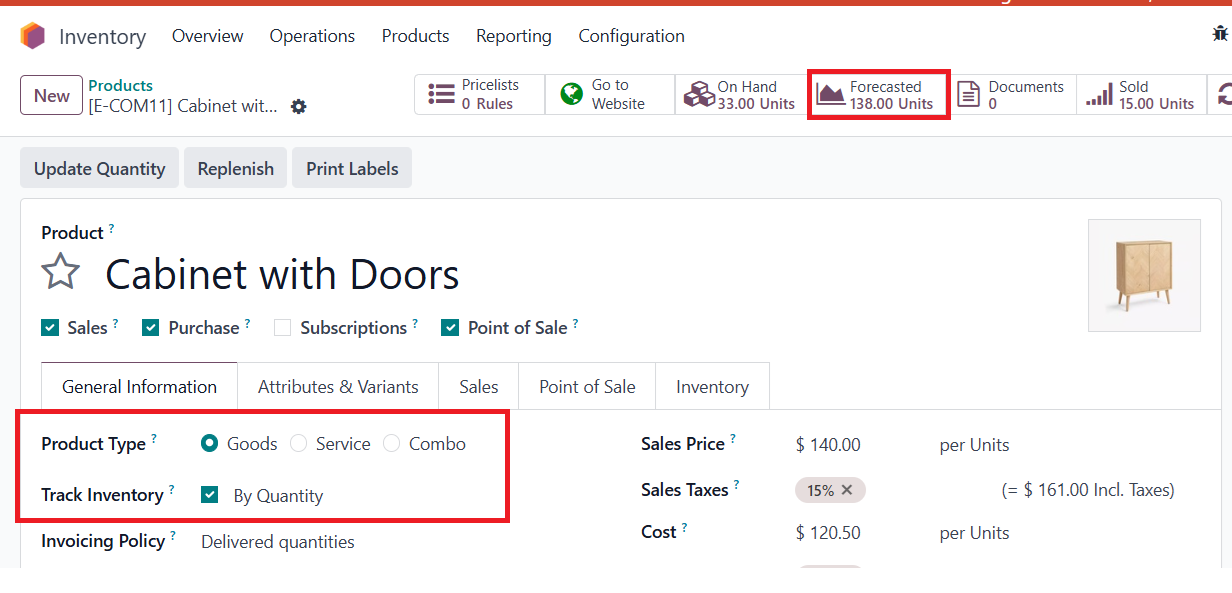 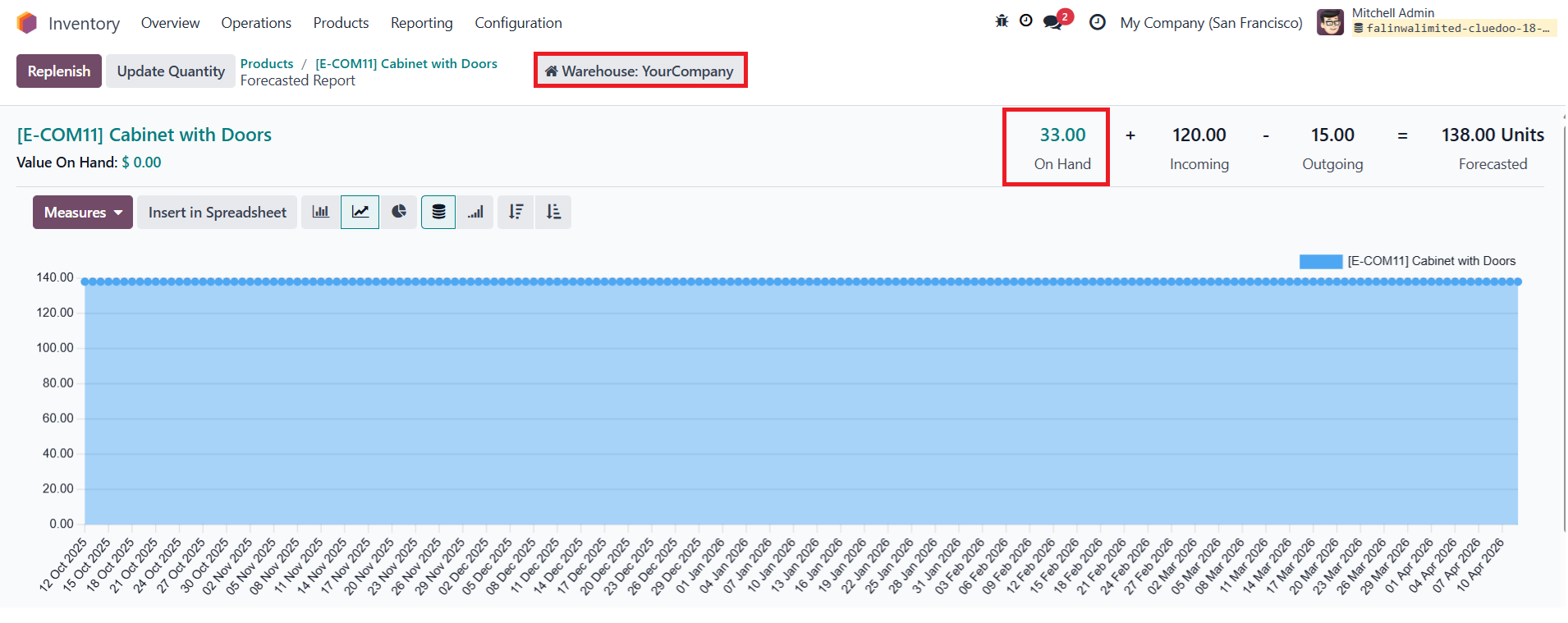 |
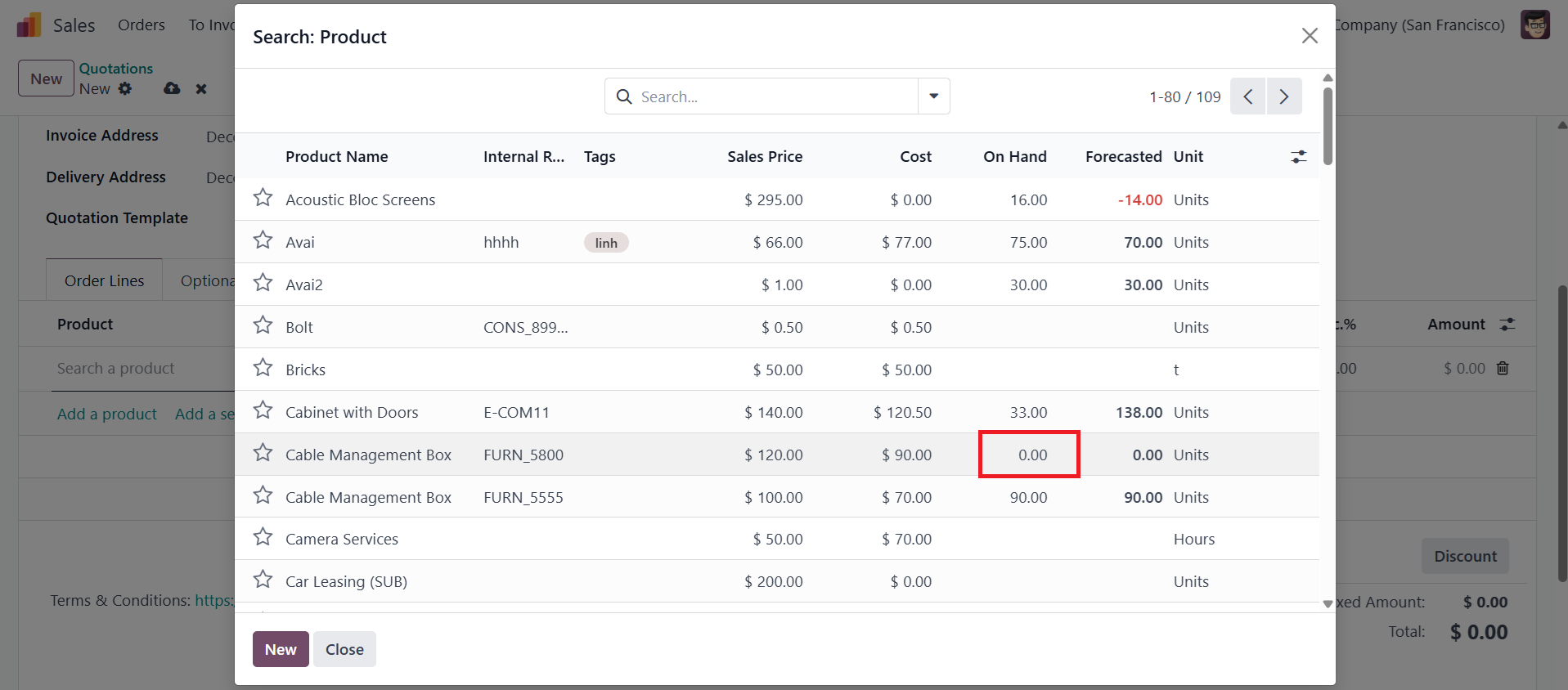
3Go to Sales > Create a new Quotation > Select the configured Warehouse > When adding a product, the List View only shows On-hand products, Service ones and Products which are not tracked inventory (Consumable Products) > Click on Search More to open the Catalog View > Only display On-hand products, Service ones and Products which are not tracked inventory Note: The information in the On Hand and Forecasted columns is displayed based on the selected Warehouse with checked Show Only Available Product checkbox | 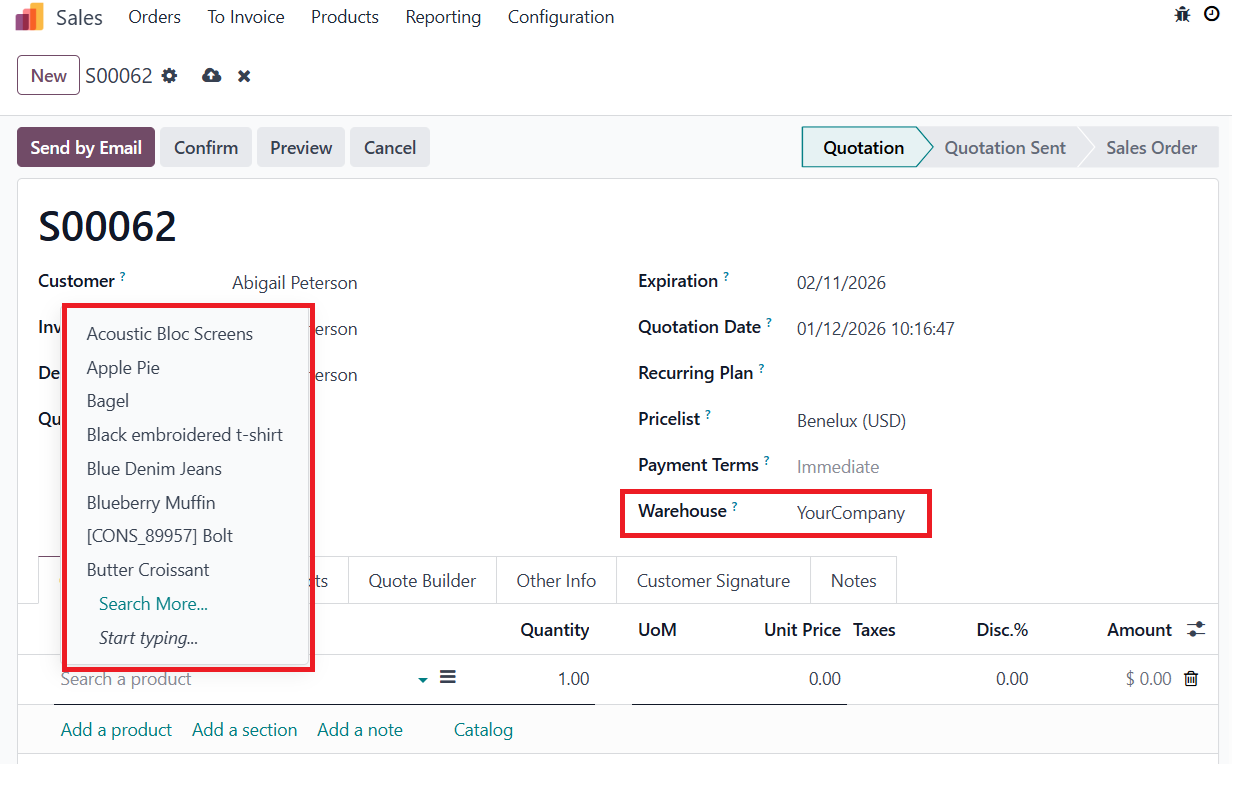 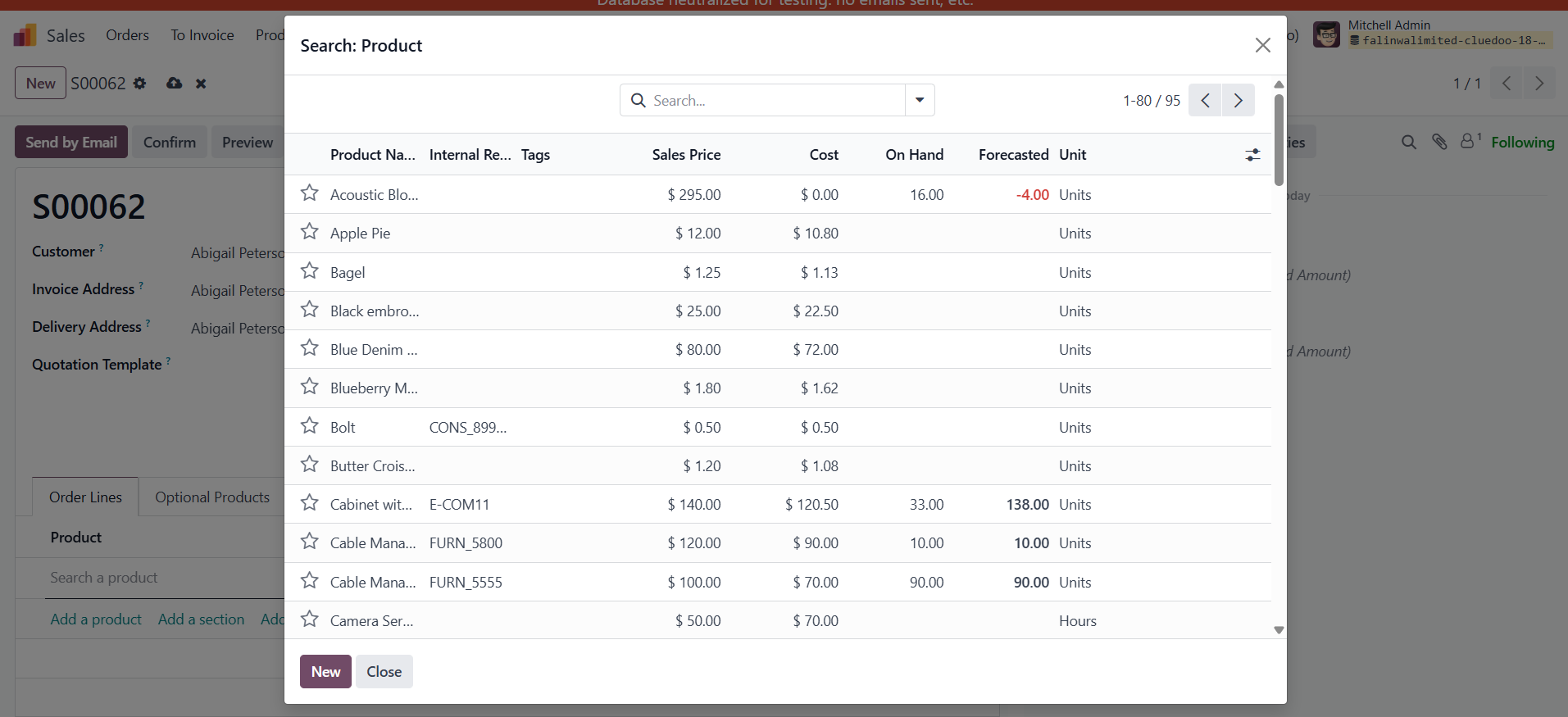 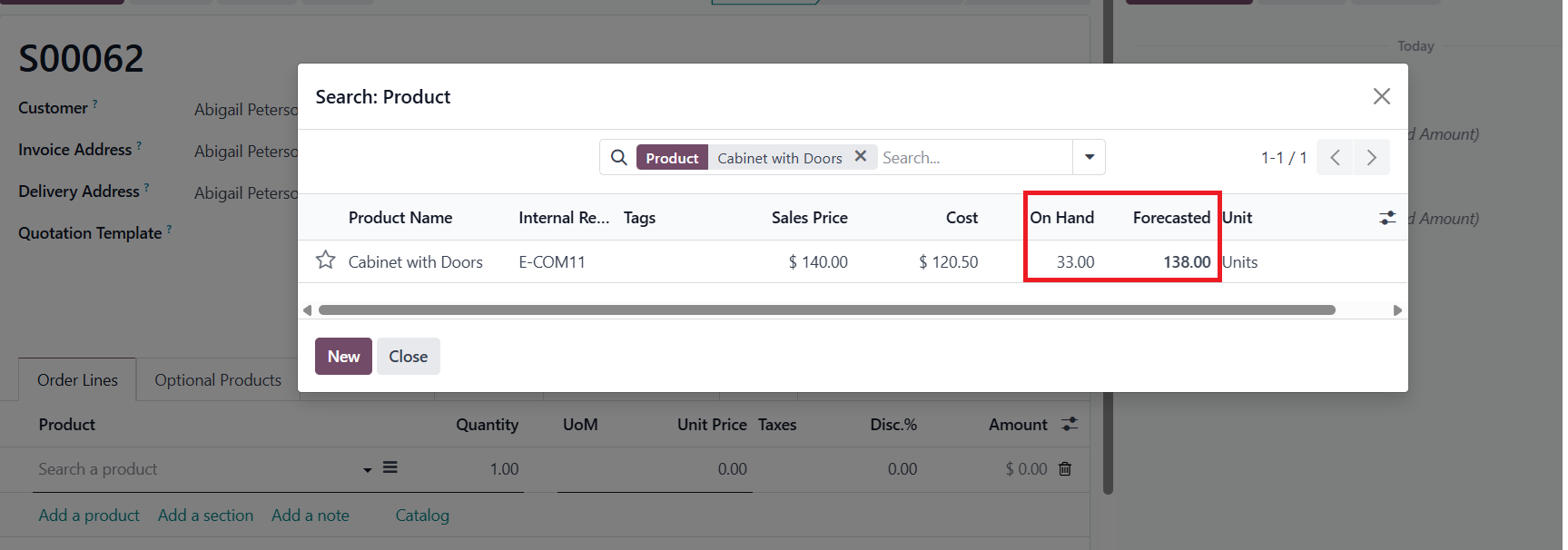 |
4If the Show Only Available Product checkbox is unchecked, all products will be displayed in the Sale Orders |
|