


Want to get Clued into Cluedoo?
STORY BEHIND THE FEATURES
ODOO'S FUNCTIONS
Odoo allows you to define stock locations in Inventory
CLUEDOO'S FUNCTIONS
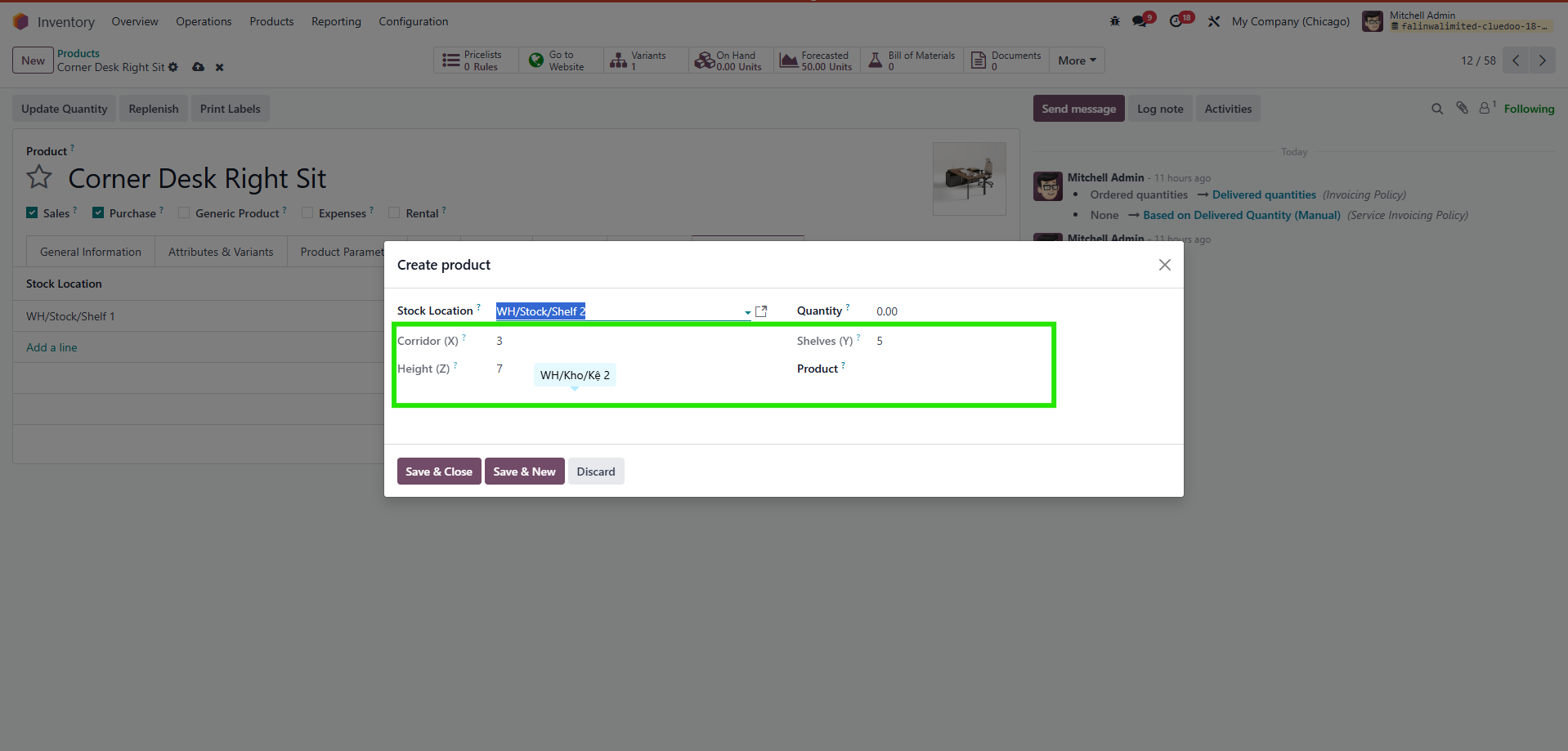
Cluedoo lets you configure the location and add it to the product detail.CLUEDOO RECOMMENDATION
Install on 100% of your database, both because it's important to make differences between canceled quotations and lost quotations, and because it's important to track the reason for losing quotations (to improve in the future).
OUR FEATURES AS SOLUTIONS
Cancel Reason
Lost Reason
HOW TO USE THIS MODULE
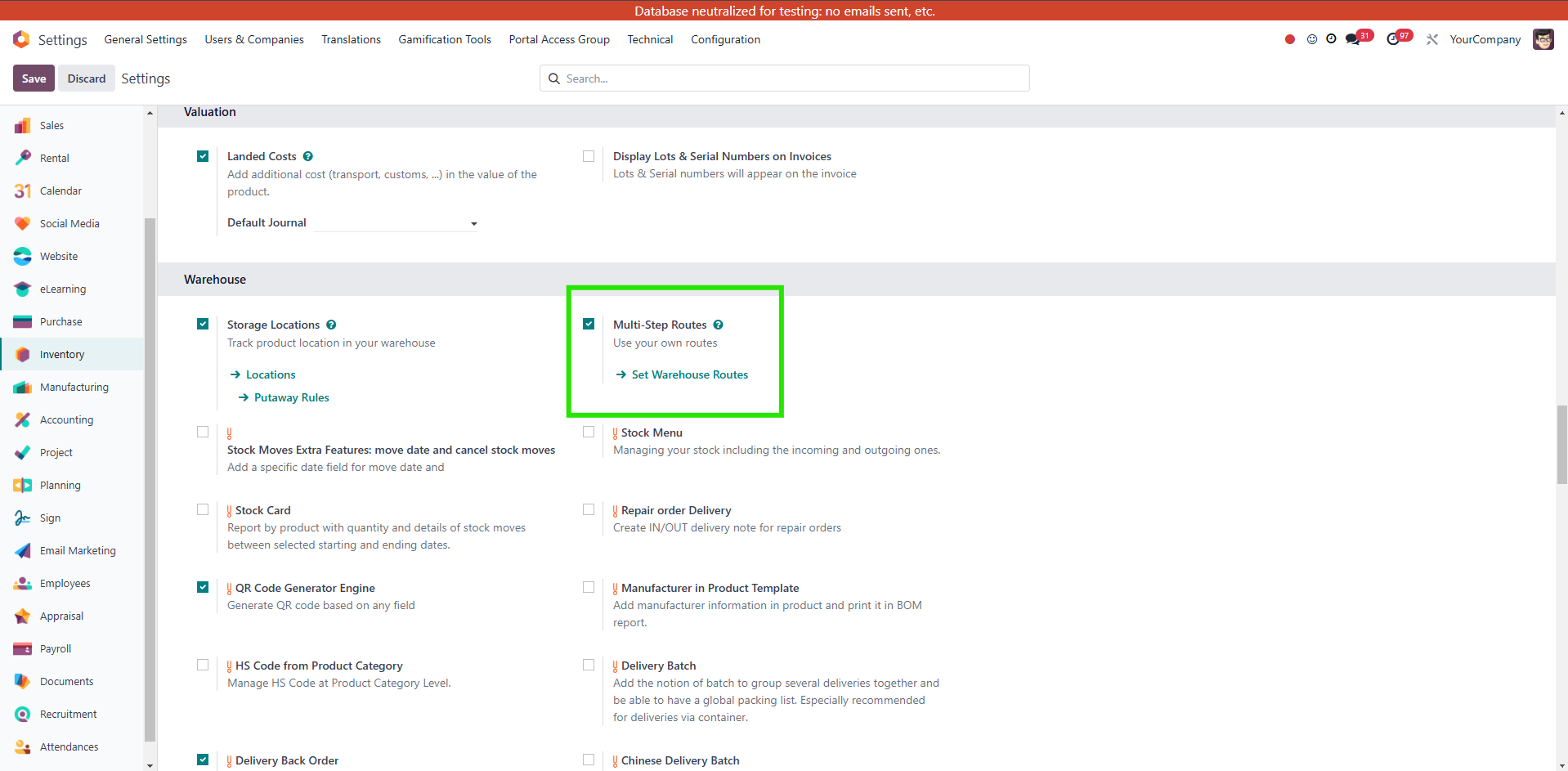
1. Activate Multi-step routes in settings if not yet. Otherwise, we can't see the locations. |
|
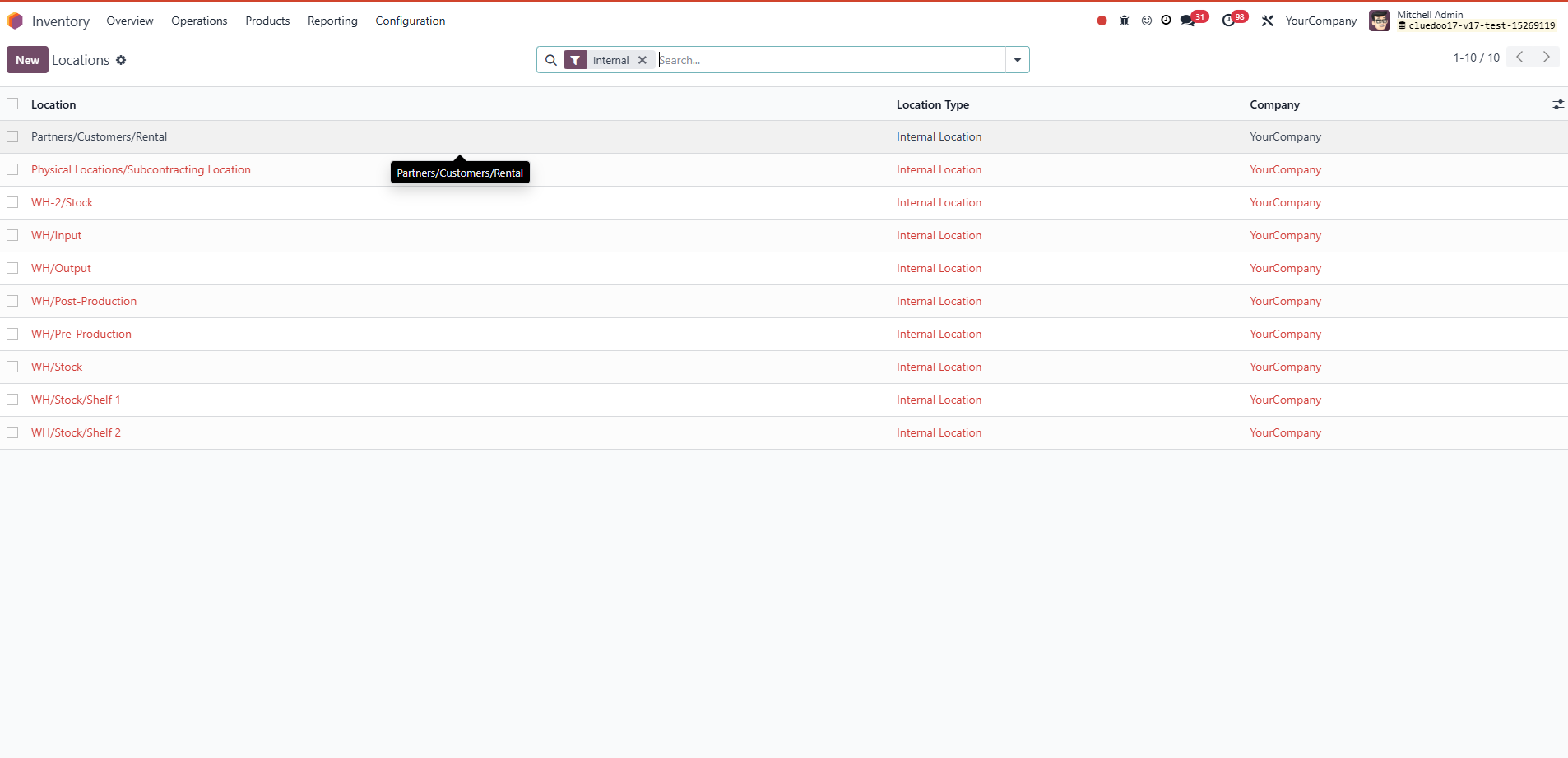
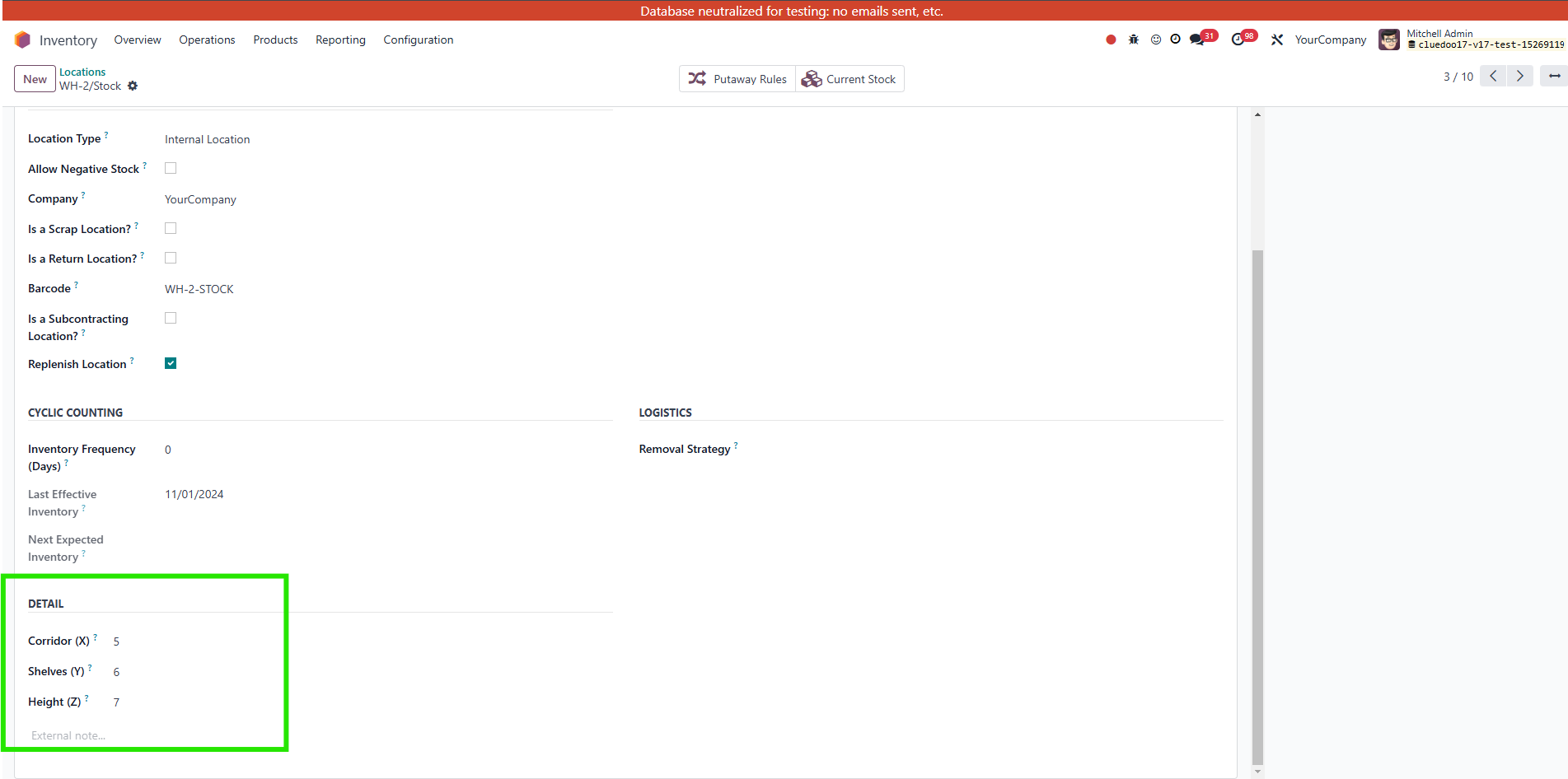
2. Go to Locations and then fill the Detail X,Y,Z. |
|
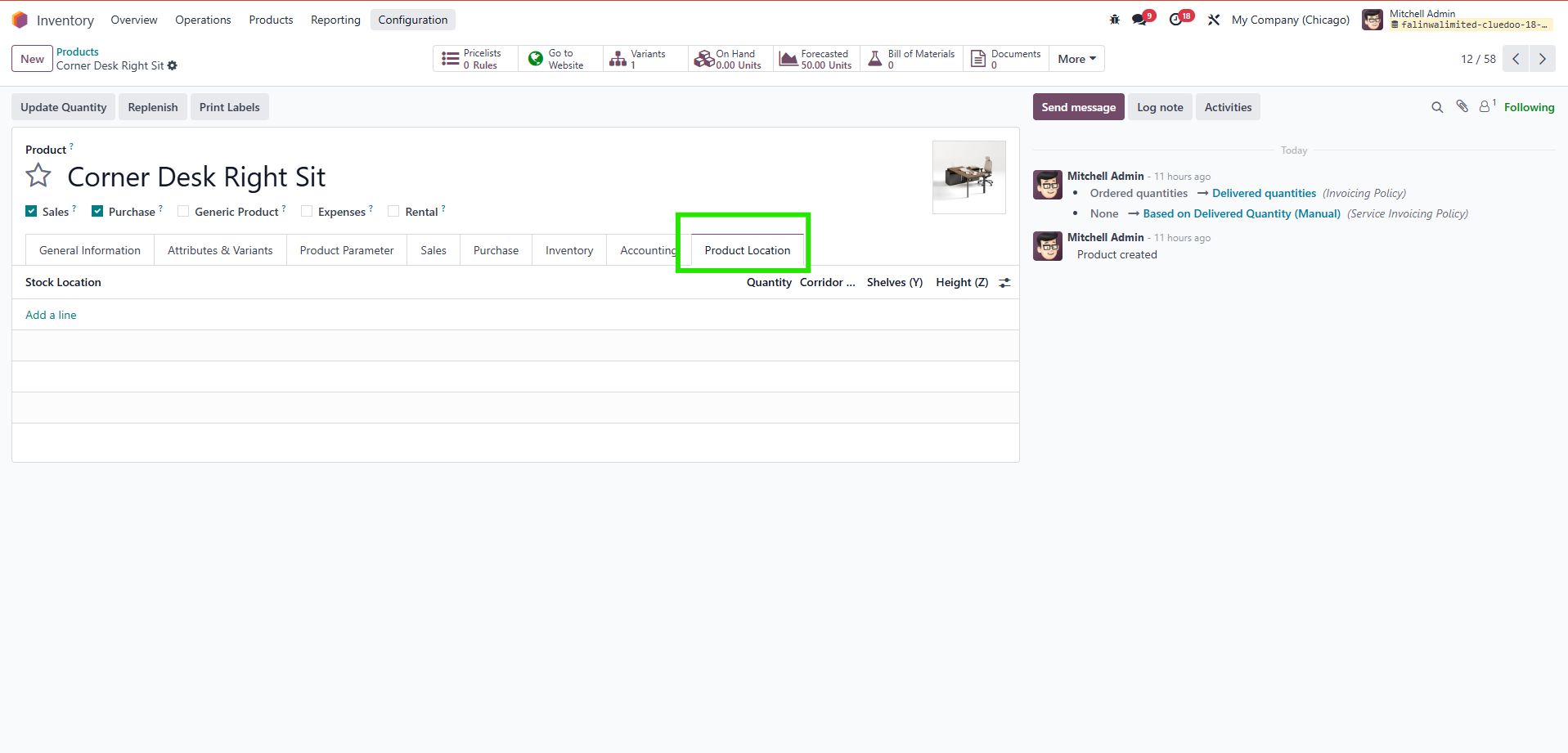
3. Go to Product Template. Now we have an additional tab Product Location. |
|
4. We can choose the Stock Location and the quantity. The Product Locations X,Y, Z will be automatically filled out according to the details we previously filled in the Locations. |
|