



ODOO'S FUNCTION
When a bill contains multiple taxes with different bases, Odoo merges them into a single base for calculation. This produces incorrect tax amounts, distorts journal entries, and creates discrepancies in financial records. The limitation often leads to compliance risks and forces additional manual corrections.
CLUEDOO'S FUNCTION
CLuedoo adds a multi-taxes feature that lets each tax rate use its own defined base within a single expense. The system calculates every tax independently, generating accurate amounts and journal entries. This ensures financial records remain correct, eliminates manual fixes, and strengthens compliance.
1. Go to Expenses > My Expenses > New and fill in the necessary information > Activate Manual Set Taxes and fill in the Base Amount > The Tax Amount and Total Amount (including tax) will be updated automatically > Save e.g. Total bill is $392.5 with 10% and 15% taxes | 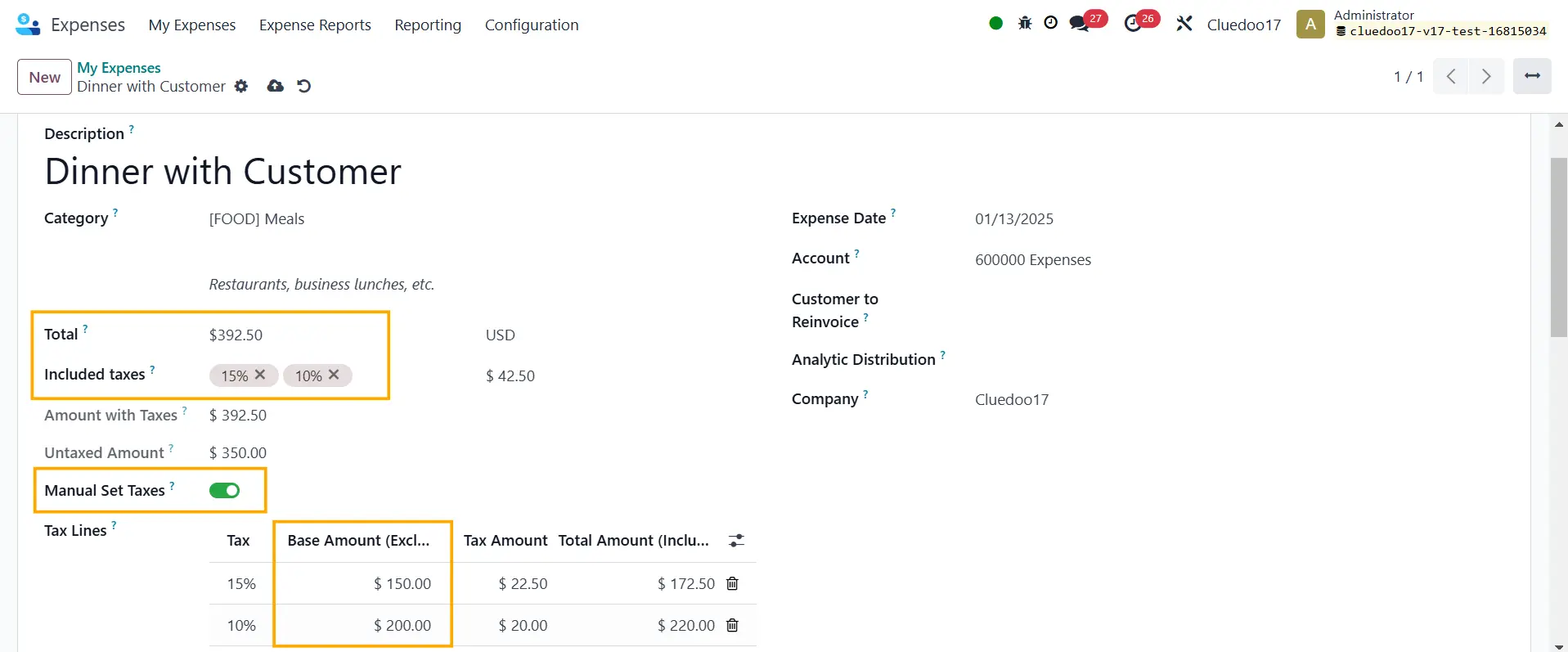 |
2. Create report > Submit to Manager | 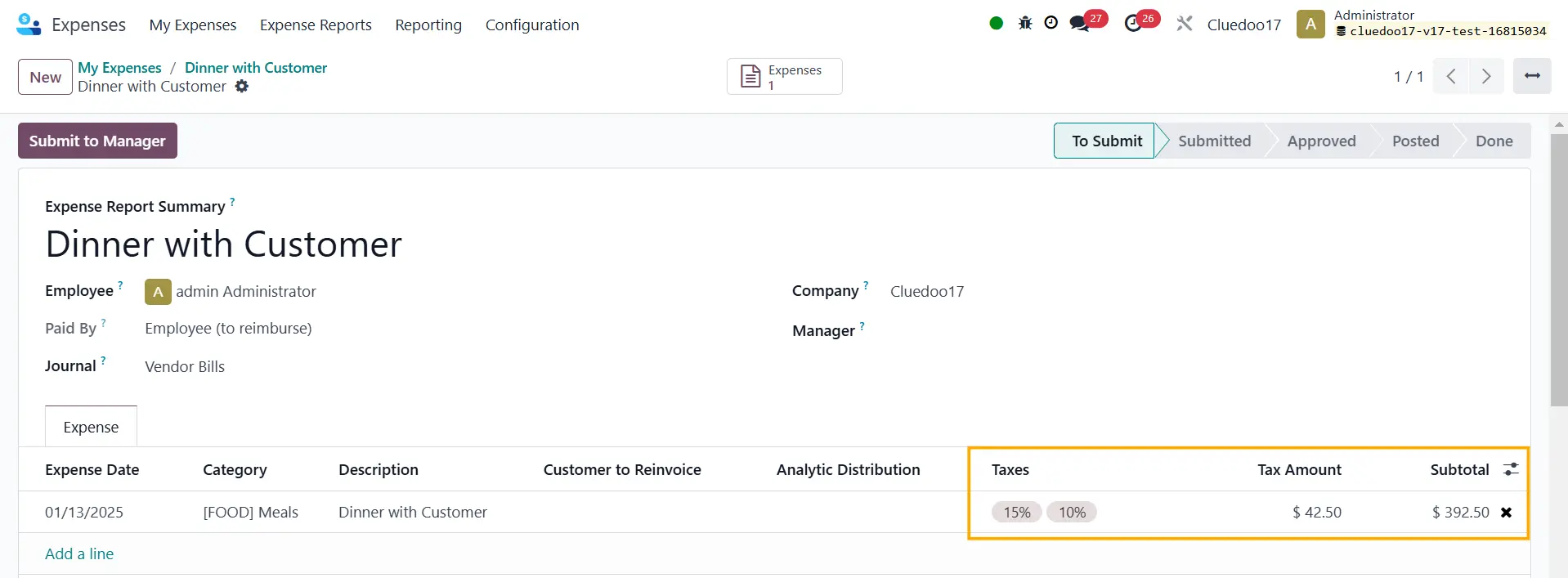 |
3. On the manager's side, Approve the report > Post Journal Entries | 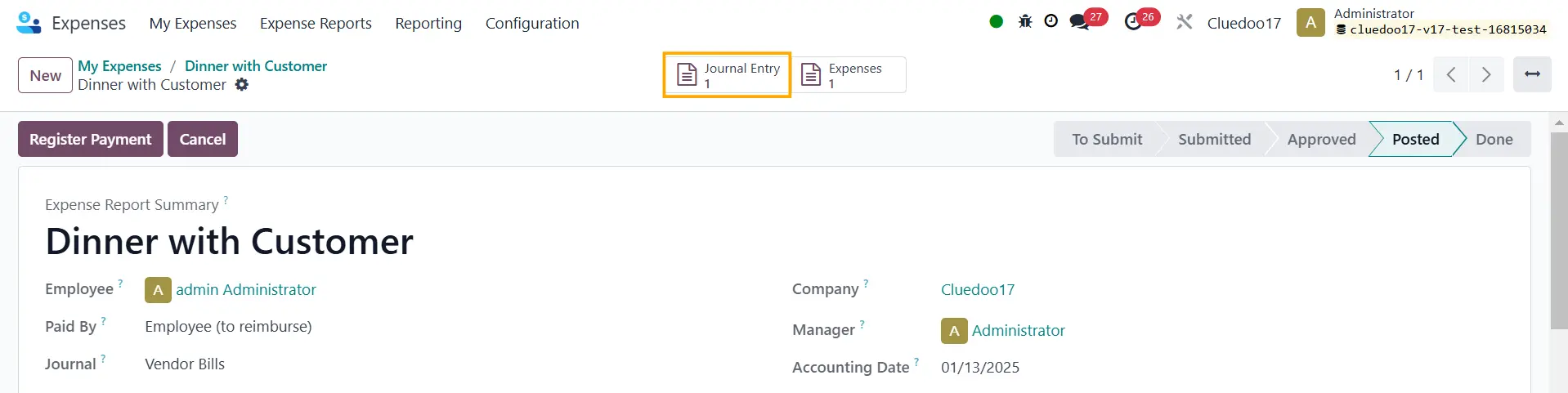 |
The Journal Items have been created based on the tax lines > Post | 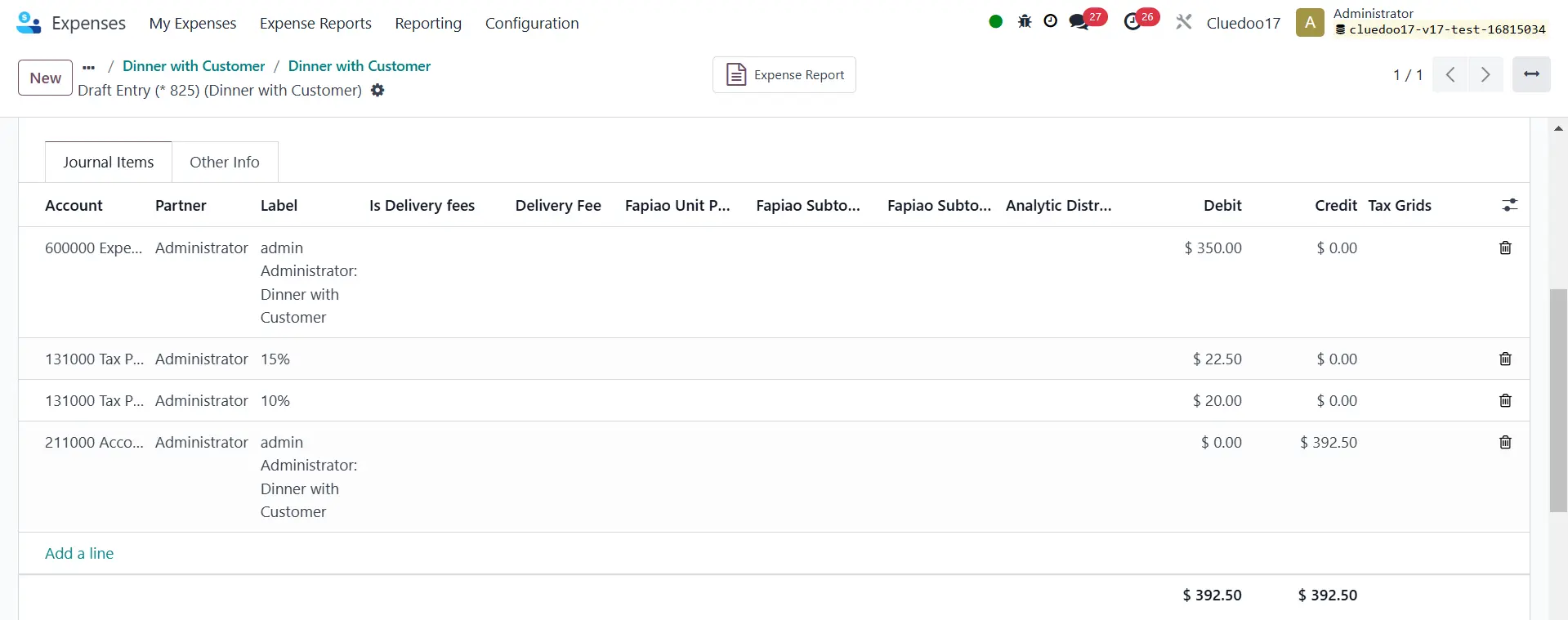 |
4. You can also go to Accounting > Journals > Journal Entries to check the posted entry |  |