

Bỏ qua để đến Nội dung

Purchase Invoice Automation: Downpayment & Subscription

Automate the bill creation process by setting the date and invoice type (down payment/regular)
128,87 € 128,87 € (Chưa gồm thuế)
US$ 150,00 (Chưa gồm thuế)

  • Versions
Điều khoản và điều kiện
Đảm bảo hoàn tiền trong 30 ngày
Giao hàng: 2-3 ngày làm việc


ODOO'S FUNCTION

Odoo standard does not propose any native solution for managing purchase subscriptions (recurring contracts) or purchase milestone management. Users are typically limited to standard invoicing controls and cannot define a specific billing schedule directly on the Purchase Order.


CLUEDOO'S FUNCTION

CLuedoo enhances the purchase order invoicing policy by introducing:

  1. The ability to select specific Invoicing Terms directly on the Purchase Order.
  2. Purchase Subscription Management: Define a full pre-defined vendor bill plan for recurring contracts (e.g., monthly invoices).
  3. Purchase Milestone Management: Define invoicing rules based on project milestones.

This allows users to manage all types of purchases (including complex contracts and projects) within the PO. It ensures that all vendor bills are created from a source document (the PO) at the required date rather than from scratch, ensuring a proper commitment of the related expenses.

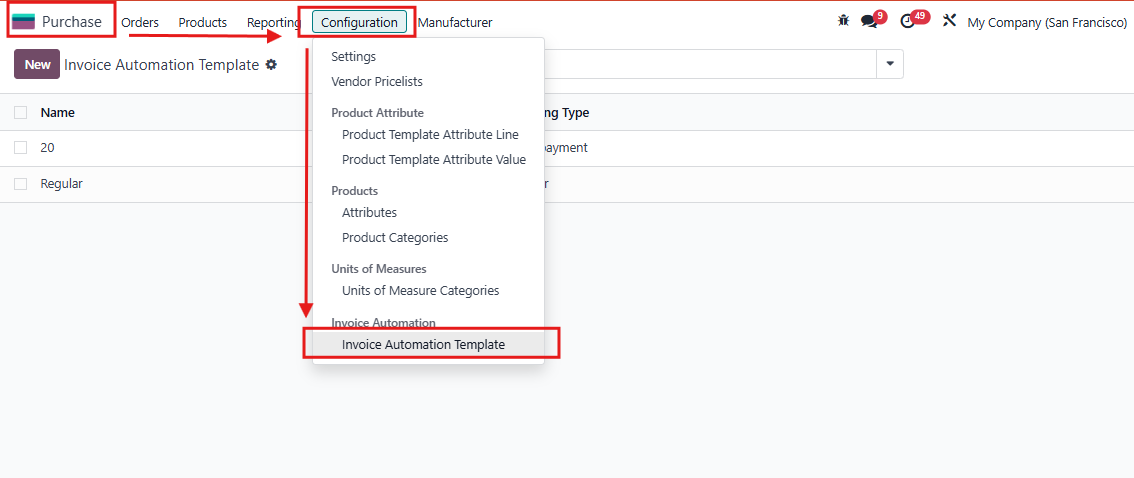
1. Go to Purchase > Configuration > Invoice Automation Template.

Create a new template.

2. To configure the invoice automation template:

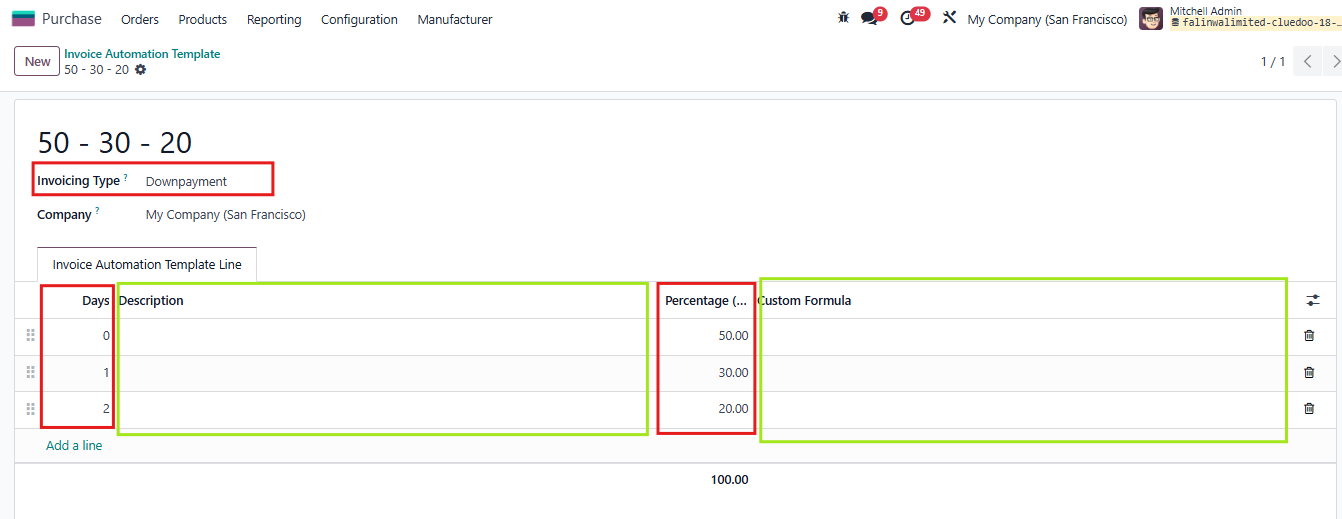
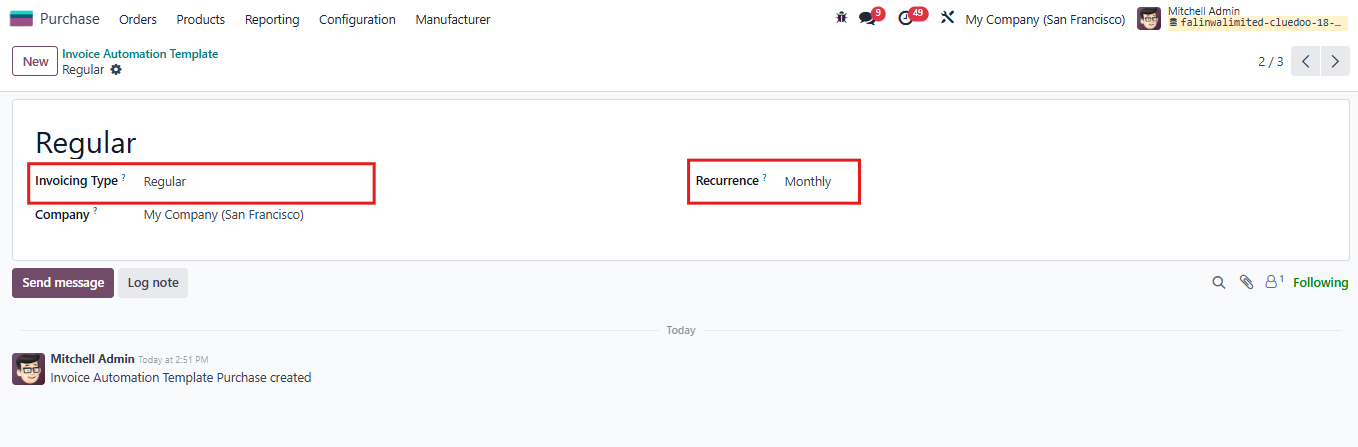
Choose invoicing type as Downpayment or Regular

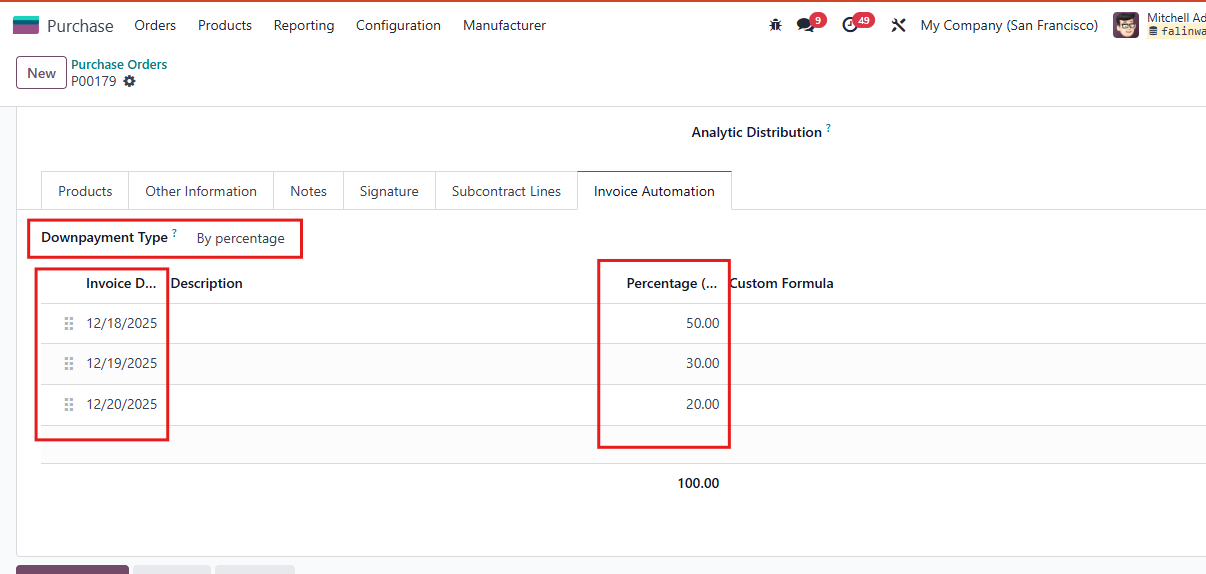
- If choose Downpayment, fill out payment periods and percentage. User can add description and custom formula.

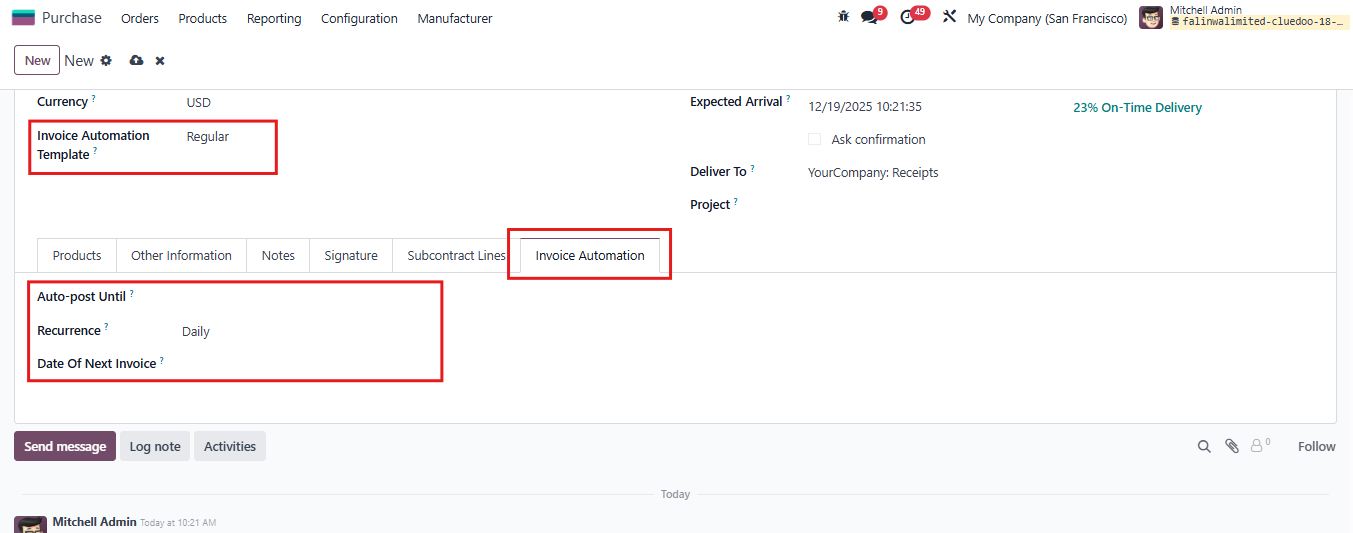
- If choose Regular, choose type Recurrence you want

Fill out template ame and save.


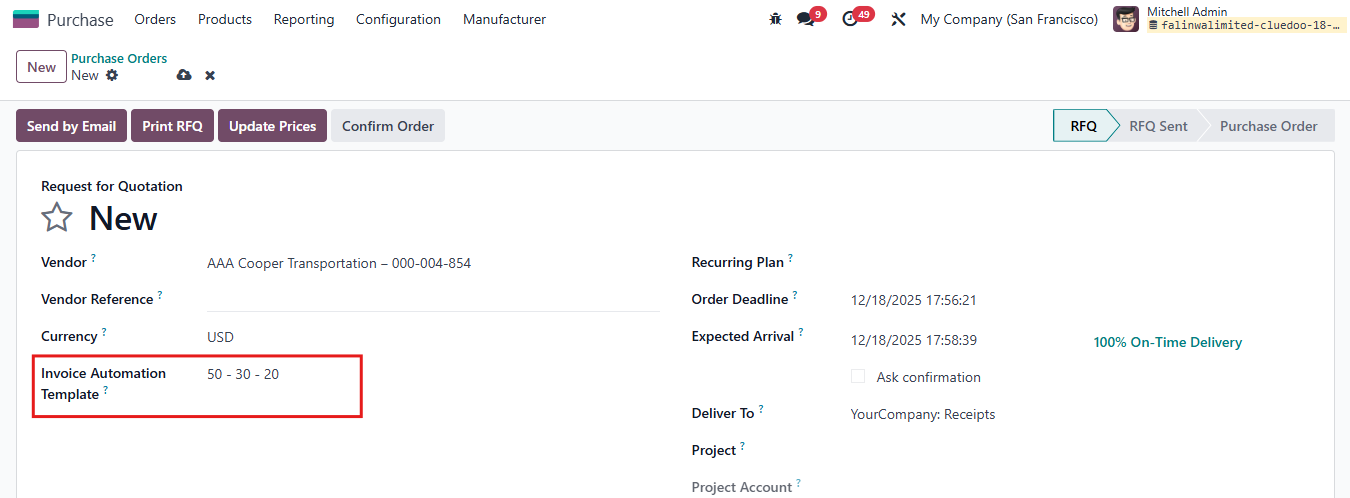
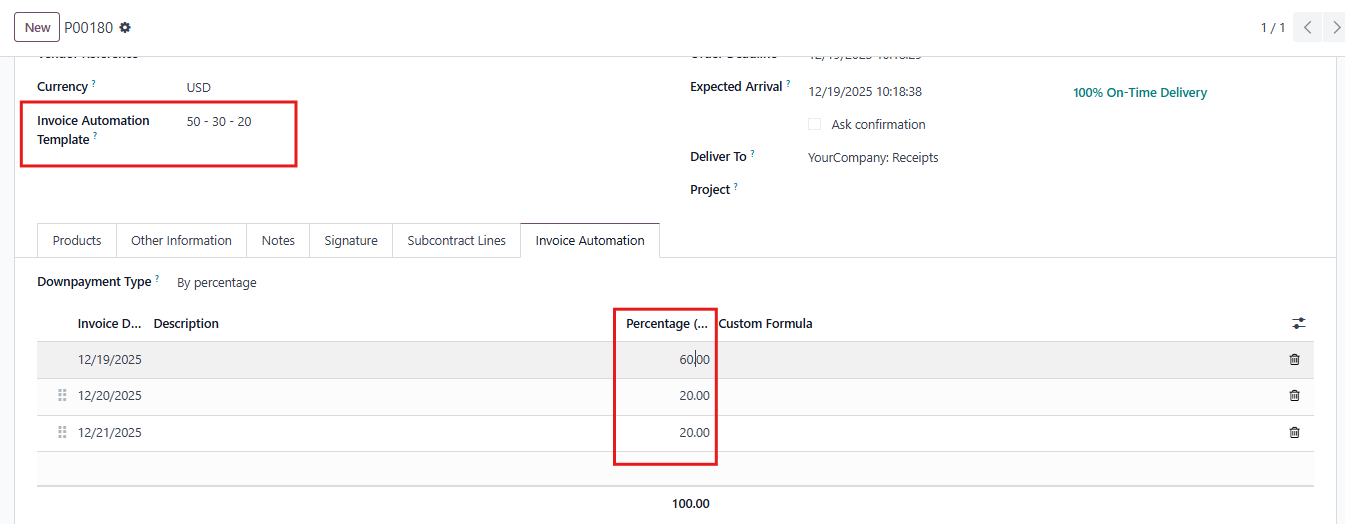
3. Create a Purchase Order using the invoice automation template. 

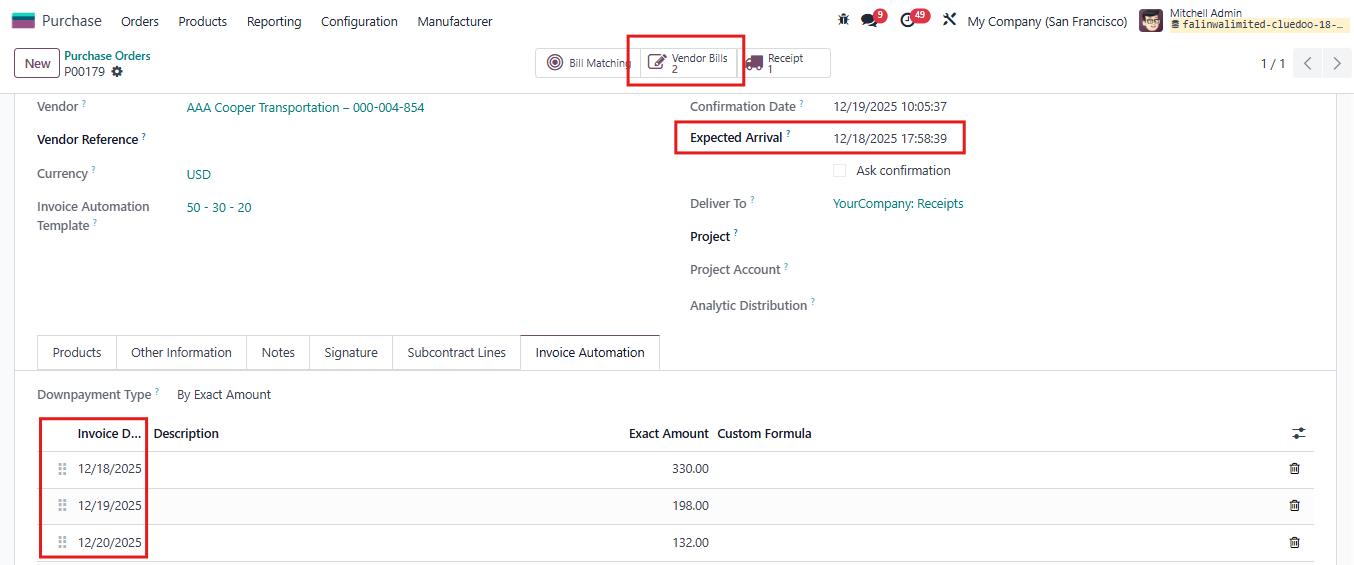
On the invoice automation tab, the exact date and percentage of automated vendor bills will be displayed. 

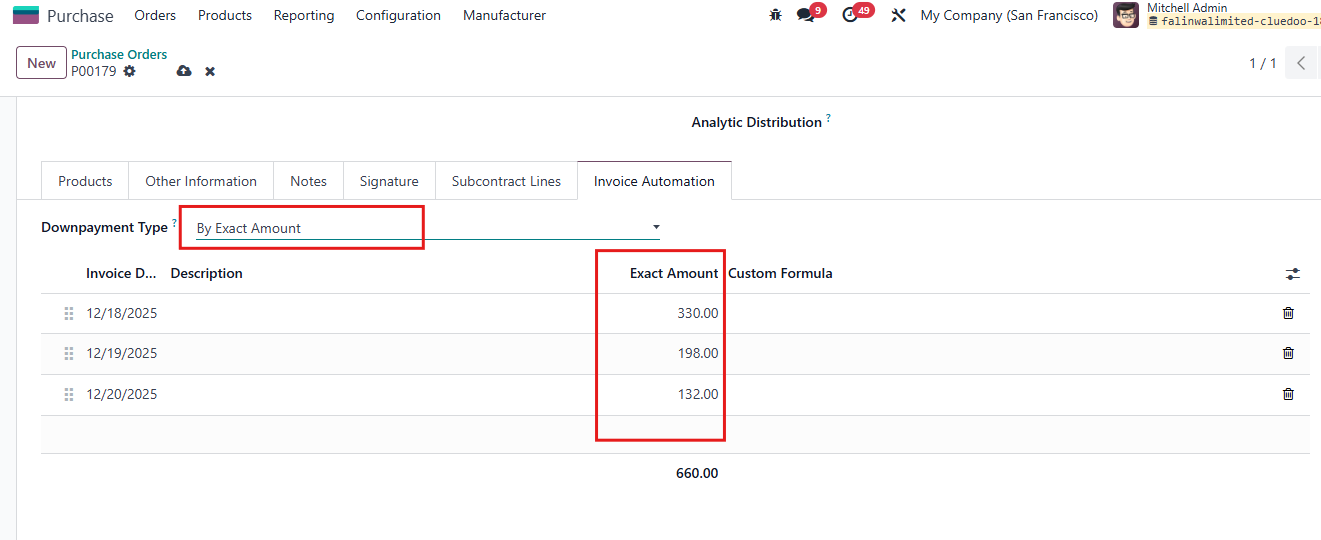
The user can switch downpayment type by Exact Amount


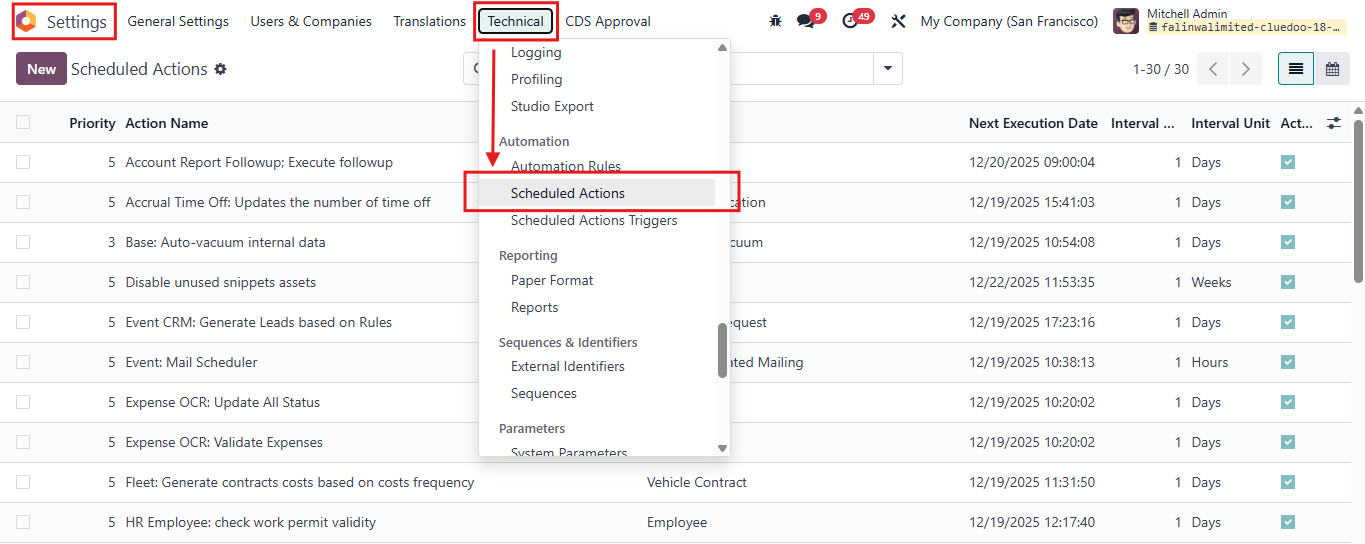
4. On debug mode, go to SettingsTechnical Scheduled Actions.


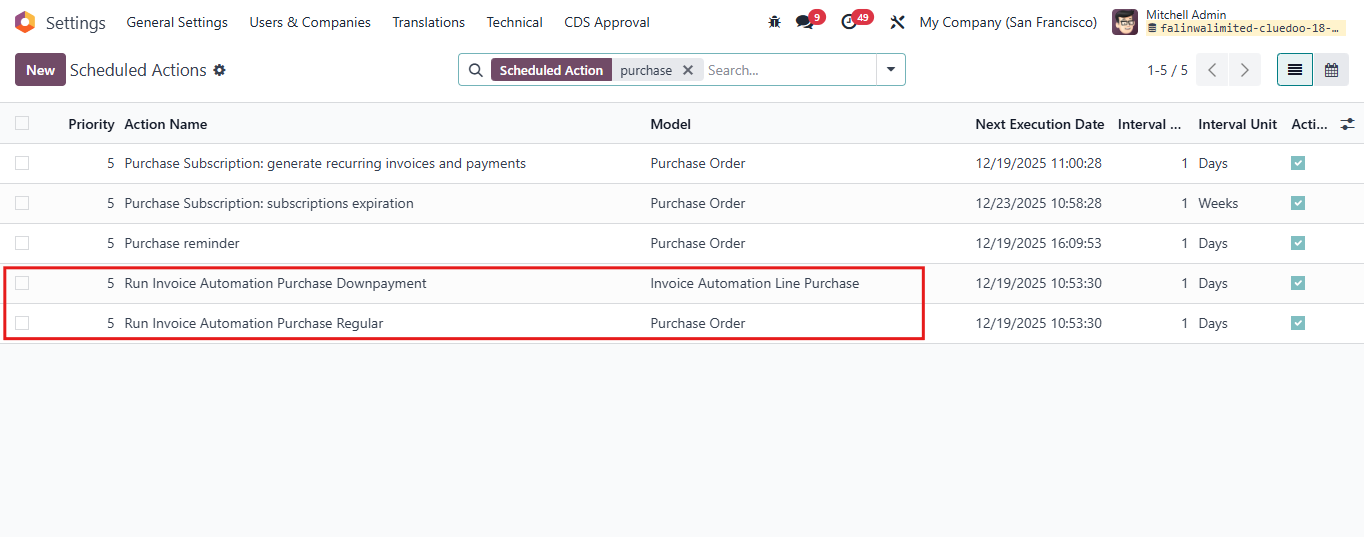
Search for "Purchase"
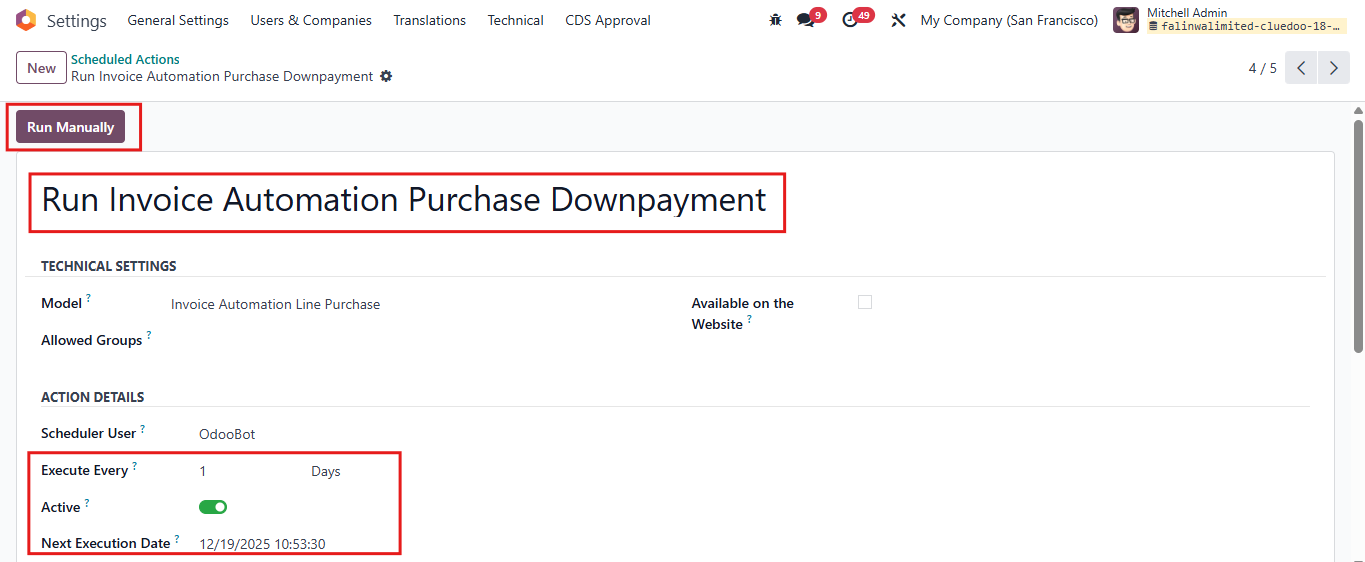
Click on Run Invoice Automation Purchase Downpayment / Regular. 

For example:
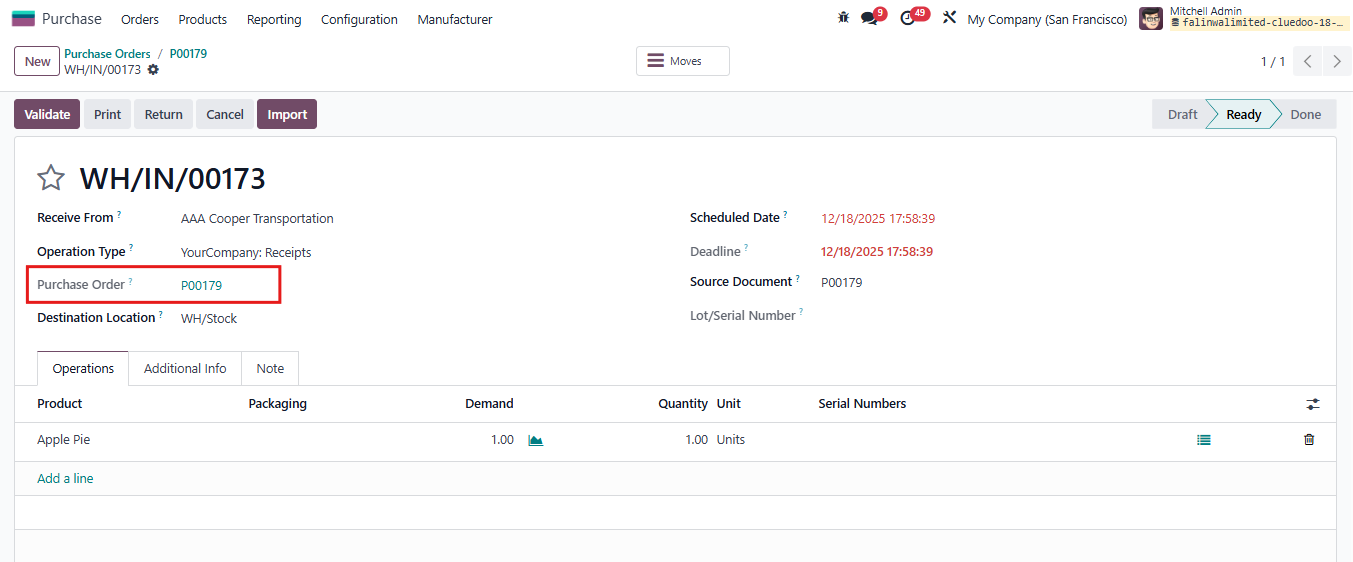
Want to create automation invoice for the Purchase Order P00179. 
Cause the invoice automation template of this order is Downpayment, in this step I will click on Run Invoice Automation Purchase Downpayment.


5. The action of generating vendor bills from invoice automation templates is scheduled to run every day at a pre-defined time. 

If the user does not want to wait, click Run Manually to generate vendor bills of the day right away.

Note: you can change the Excute Every field due to your company's requirement  


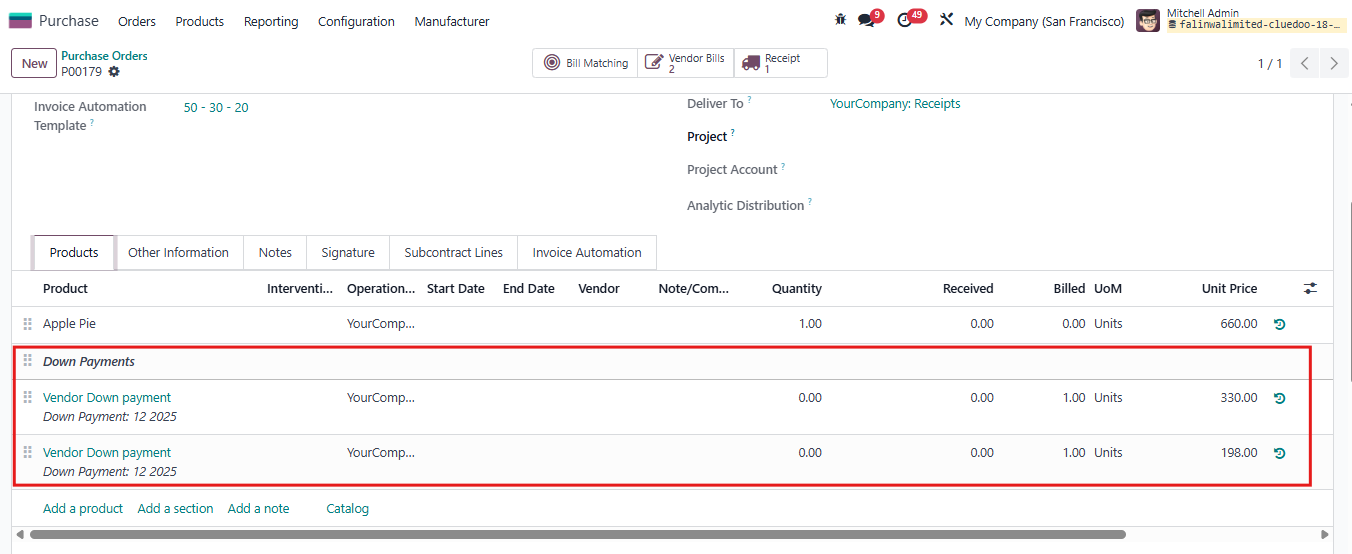
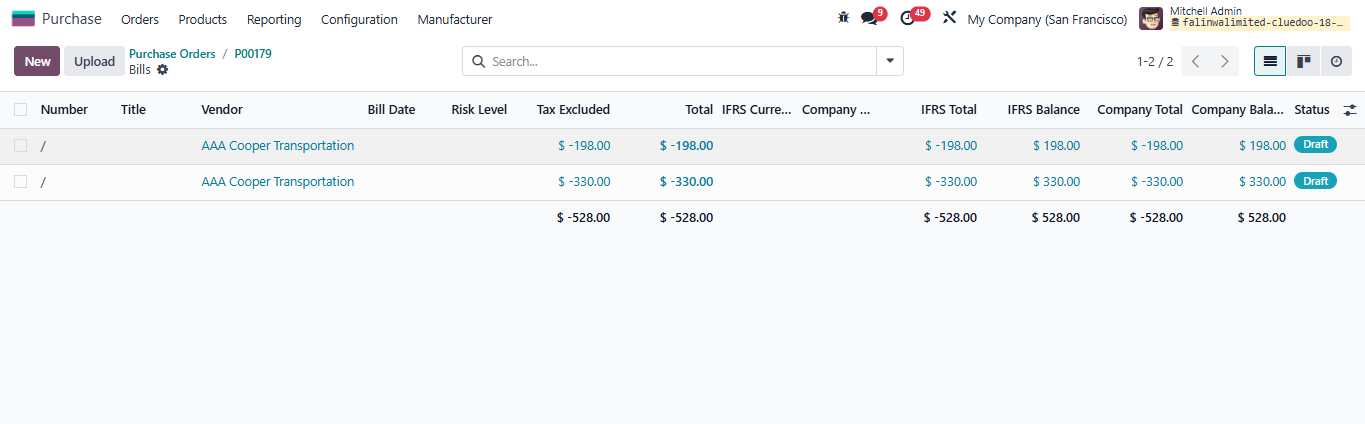
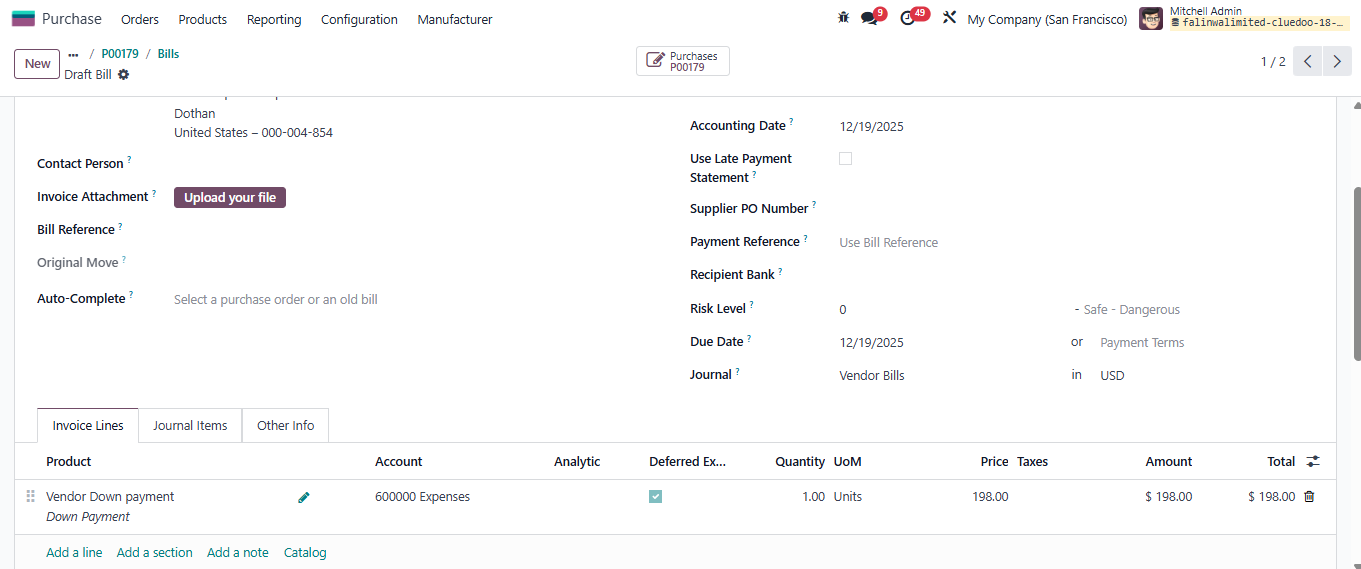
6. Go back to created PO, a draft vendor bill has been generated for intended date.
On the next intended dates, remaining vendor bills will be generated (as draft) automatically.  


Notes:

A. Downpayment

  • Automatically generates invoices without transfer validation, regardless of the control policy.
  • Invoice dates are calculated based on the PO’s invoice date + predefined days in the template.
  • Supports percentage-based or fixed-amount down payments, visible in the Invoice Automation Tab.
  • Ensures total percentage equals 100% before saving the template.
  • Prevents PO confirmation if the Invoice Automation amount does not match the PO’s untaxed amount.


B. Regular
  • Invoices are created only after transfer validation.
  • Invoices can be generated automatically even if fields like Recurrence, Auto-post Until, or Date of Next Invoice are blank. However, if Recurrence is blank, the Date of Next Invoice will not be updated.
  • Invoices are created automatically only up to the date specified in the Auto-post Until field. If this date is set before the current date, no invoices will be auto-generated.
  • Automatic invoice creation occurs only when the Date of Next Invoice is set to the current or a past date.
  • Automatically updates the next invoice date based on recurrence settings.
  • For products with "Delivered Quantities" policy: if the first invoice has been created, the Date of Next Invoice must be updated to enable automatic generation of subsequent invoices.