



ODOO'S FUNCTION
Odoo does not have the functionality to automatically centralize documents uploaded in purchase agreements into a configured location.
CLUEDOO'S FUNCTION
Cluedoo allows documents uploaded in purchase agreements to be automatically centralized into a configured location, helping users follow and manage them easily.
1. Go to Settings -> Access Documents > Configure the location that you want the uploaded file to be saved. Default Tags can also be set up for better management | 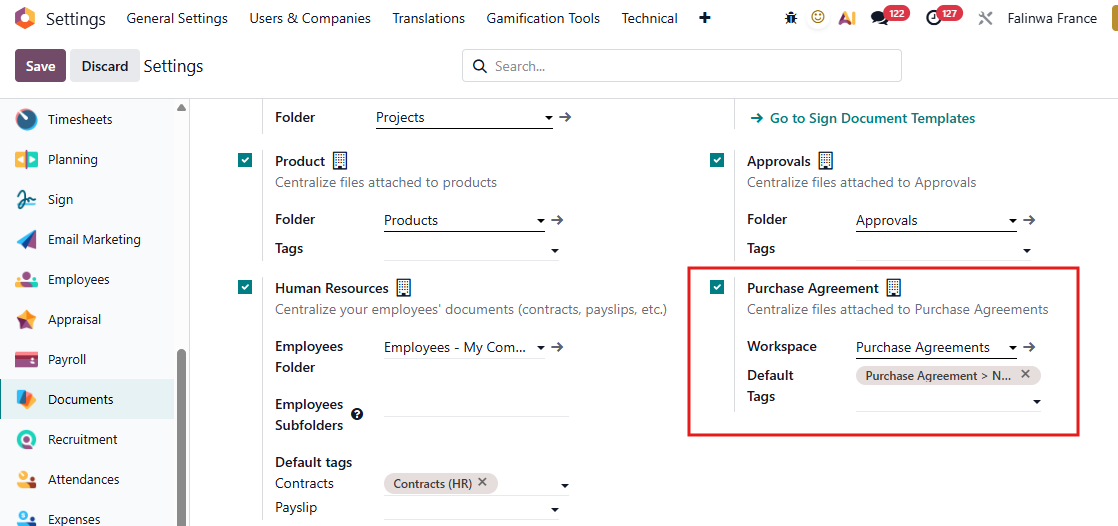 |
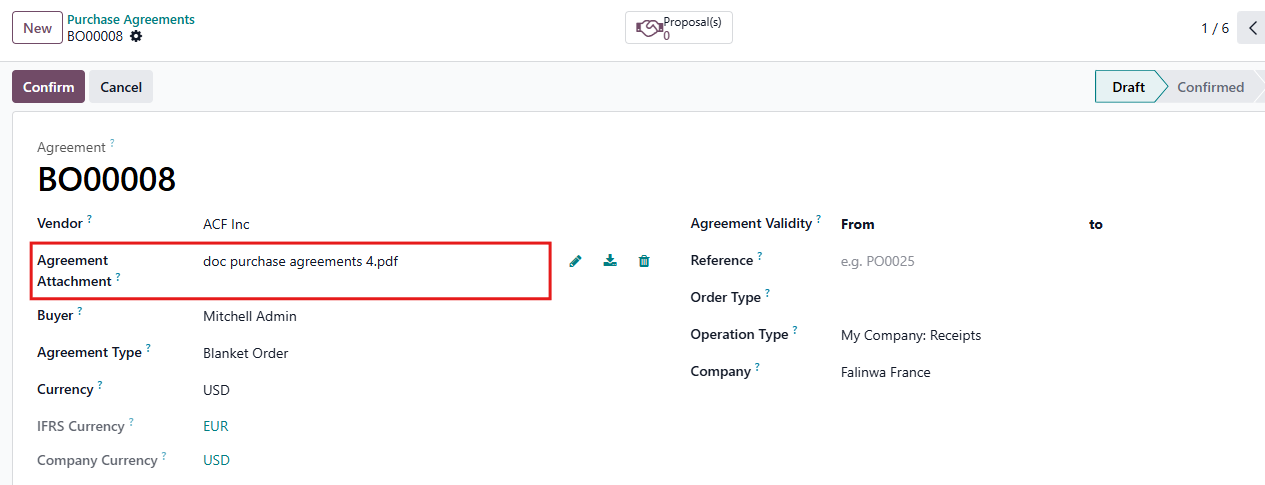
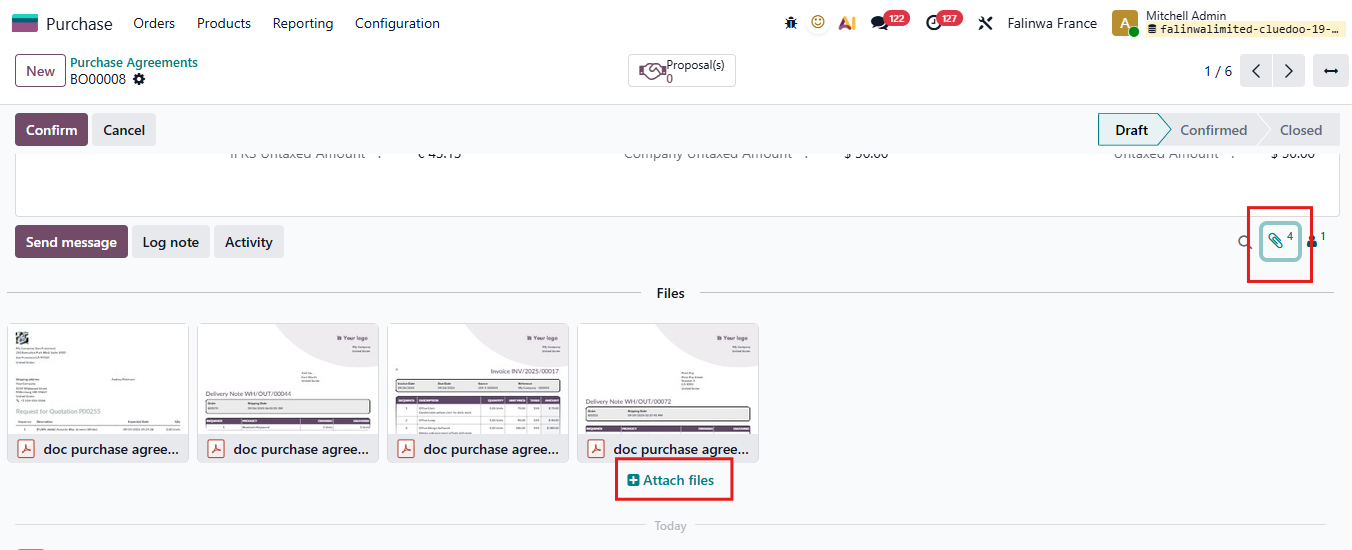
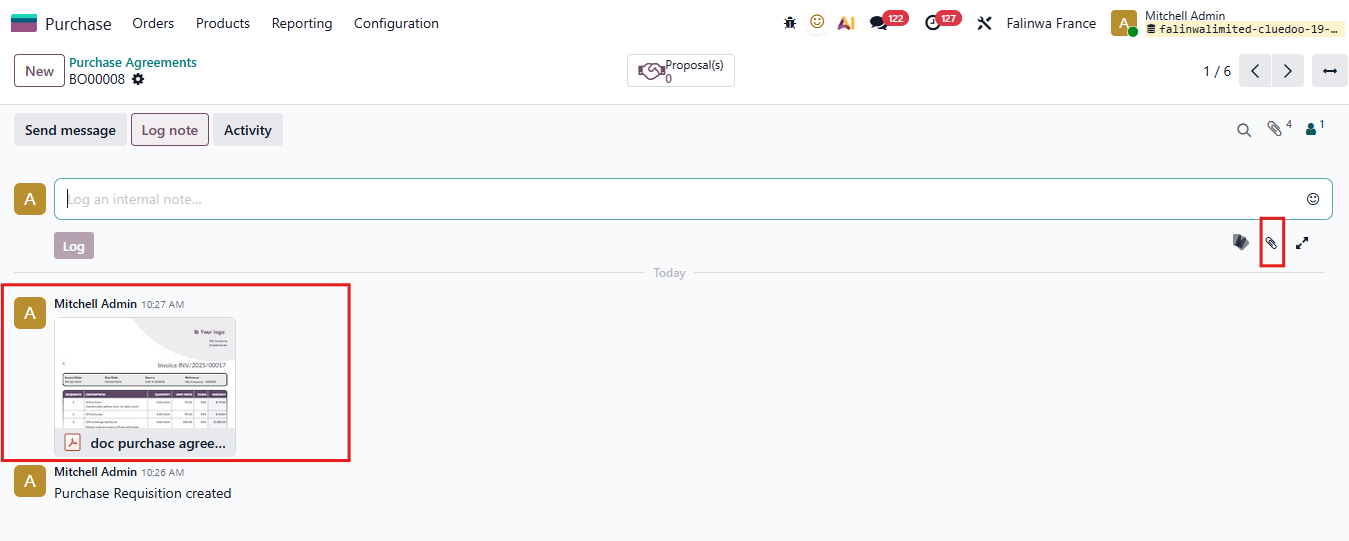
2. Go to Purchase Agreements You can create a new Purchase Agreements or choose an available Agreements In a Purchase Agreement, you have 3 ways to upload a file
|     |
Once the file is uploaded, we can see that it is automatically centralized in the workspace in the Documents app that we set up in Settings. | 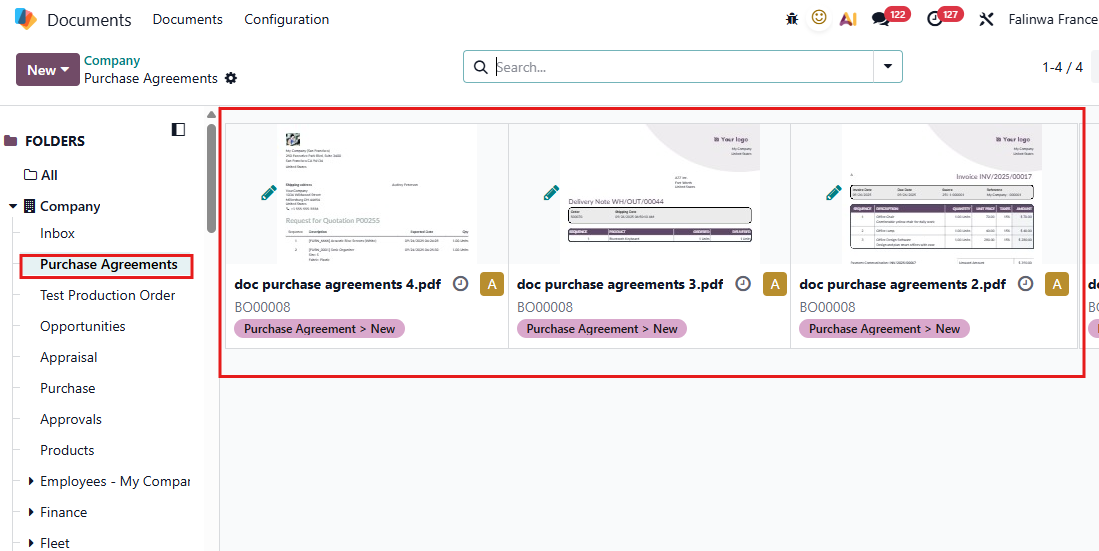 |