

ODOO'S FUNCTION
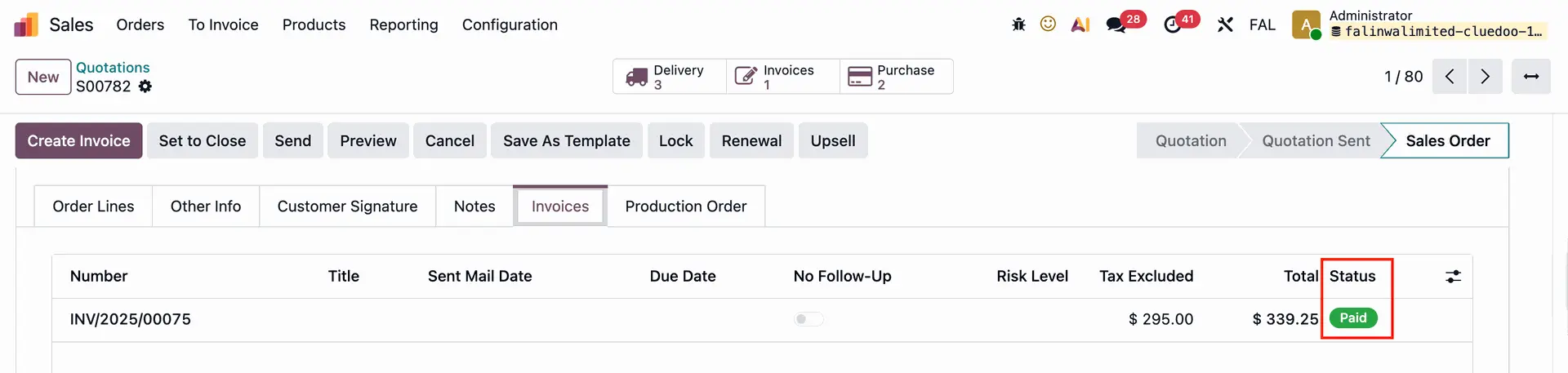
Odoo provides a shortcut from the Sales Order/ Purchase Order to Customer Invoice/Vendor Bills. However, you must navigate back and forth to view both the invoices and their payment statuses.
CLUEDOO'S FUNCTION
This module enables you to promptly and directly access invoice information on the order through an additional tab titled Invoices/Vendor Bills
SALES ORDERS | |
| 1. Go to Sales → choose a Sales Order Here we can view the invoice information directly from the sales order form view. Note: only work with a regular invoice | 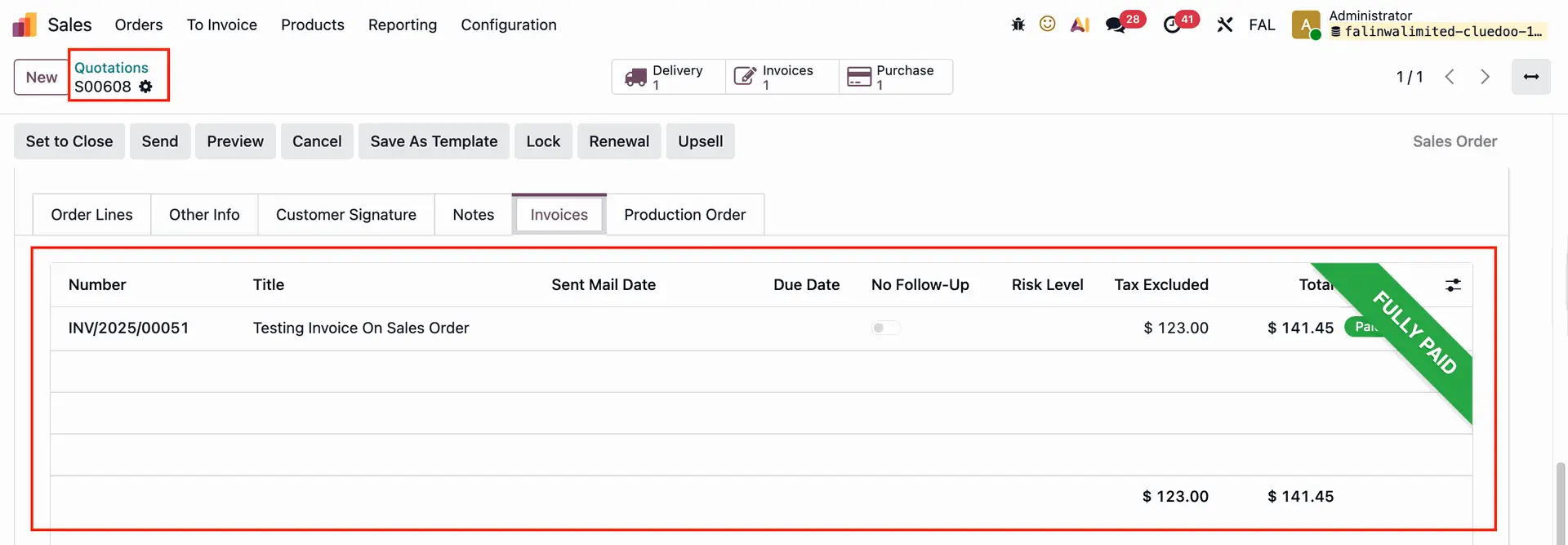 |
If the invoice is partially paid, then there is no Fully Paid banner |
|
2. On the SO list view, we also have the Fully Paid check box. | 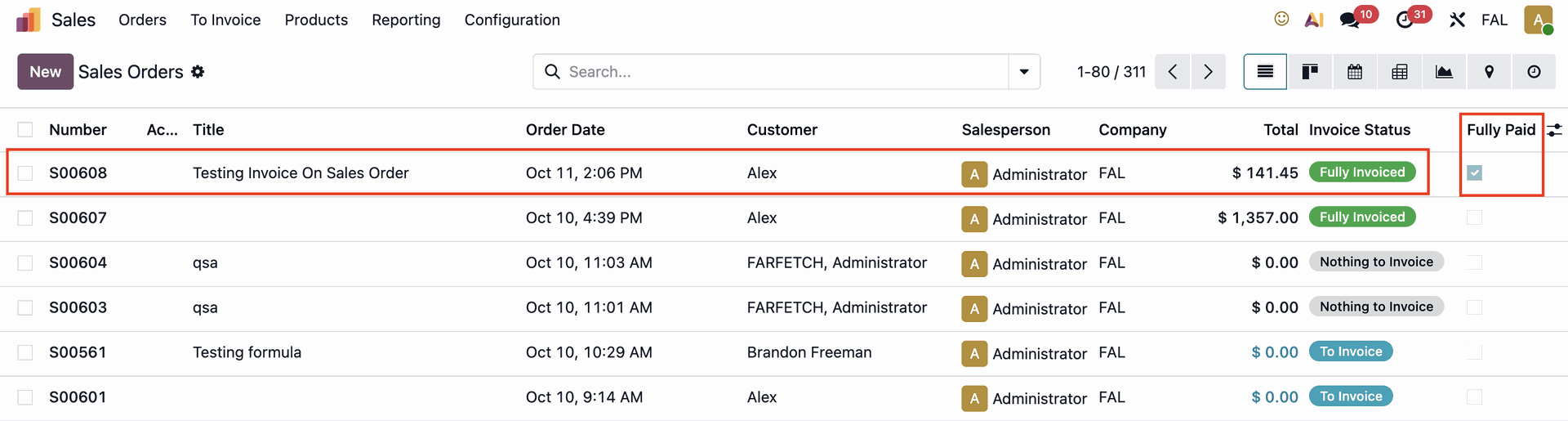 |
PURCHASE ORDERS | |
| 1. Same as in the sales order, we can view the vendor bill information directly from the purchase order form view. | 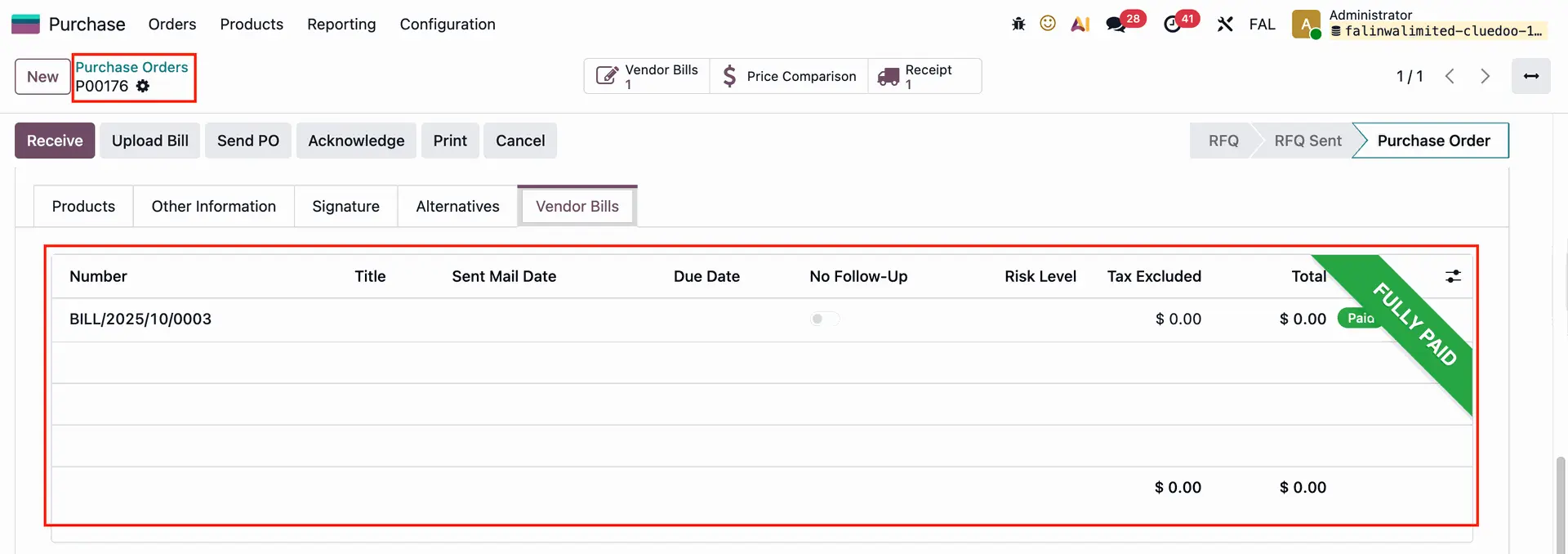 |
2. On the PO list view, we also have the Fully Paid check box. |  |