



ODOO'S FUNCTION
On models with mass editing (e.g., Contacts, Employees, Journal Items, etc.,), Odoo allows mass editing on posted records for safe (non-legal) fields (e.g., analytic distribution, label, tags) without any restrictions.
CLUEDOO'S FUNCTION
CLuedoo extends control by adding a “Mass Editing Groups” field under Enable Mass Editing in Studio. Only users belonging to the specified group(s) can mass edit the safe fields across models.
1. Go to Settings > Users & Companies > Groups > Search for the group(s) that you want to grant access rights to mass edit (e.g., Extra Rights Cluedoo - Limit mass editing) > Add your account under the Users tab | 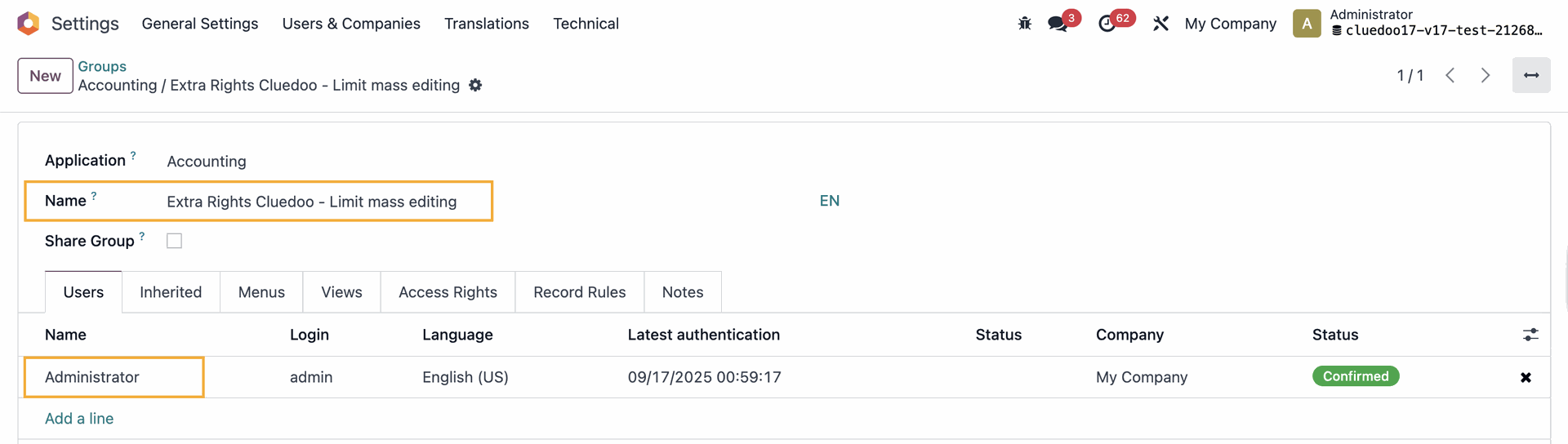 |
2. Go to Accounting > Journals > Journal Items > access Studio > List > View > Under Enable Mass Editing field, add the group Extra Rights Cluedoo - Limit mass editing | 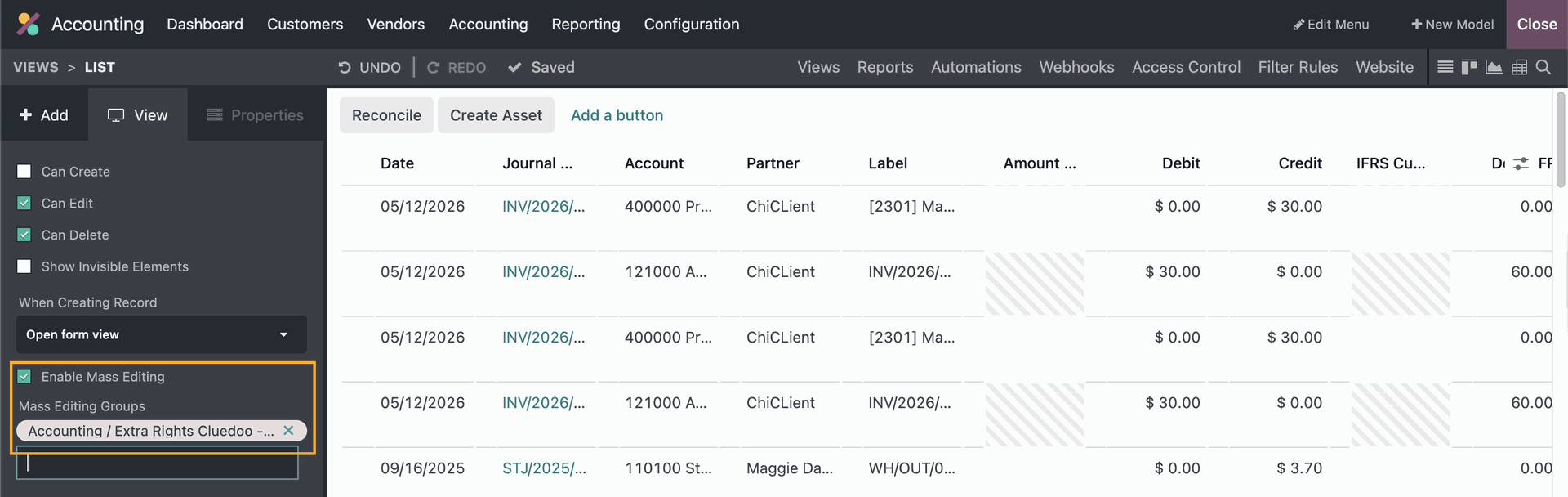 |
3. Choose some Posted journal items > You will be able to edit some non-legal fields like Analytic Distribution or Label because you are in the group | 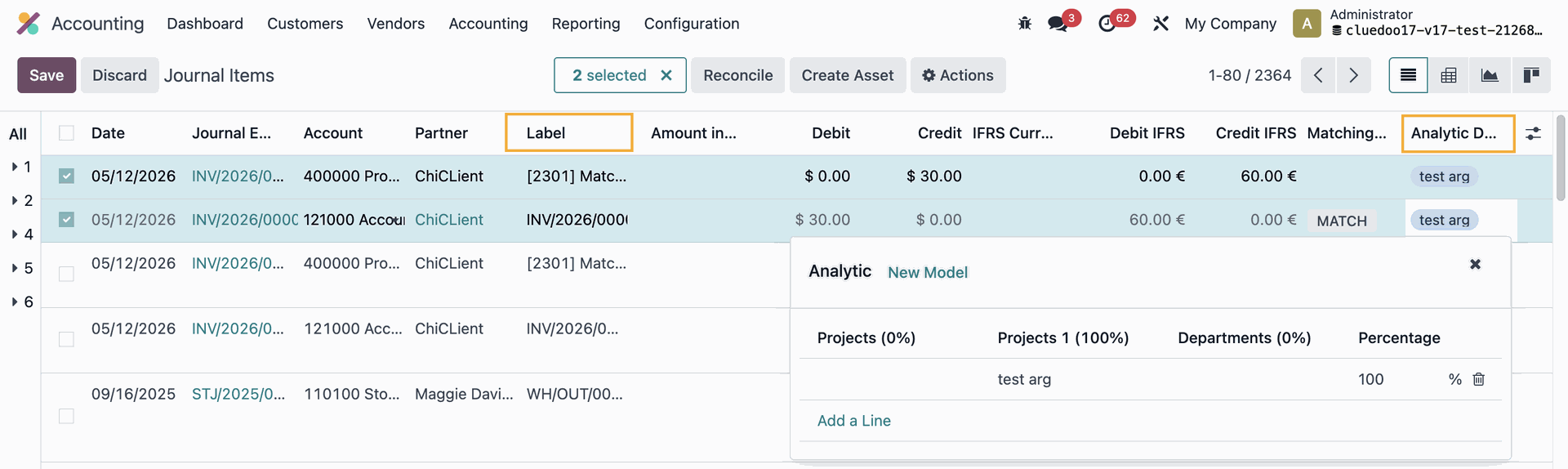 |
Someone who is not in this group will not be able to edit these fields Note: It can be applied to any models with mass editing, not just Journal Items | 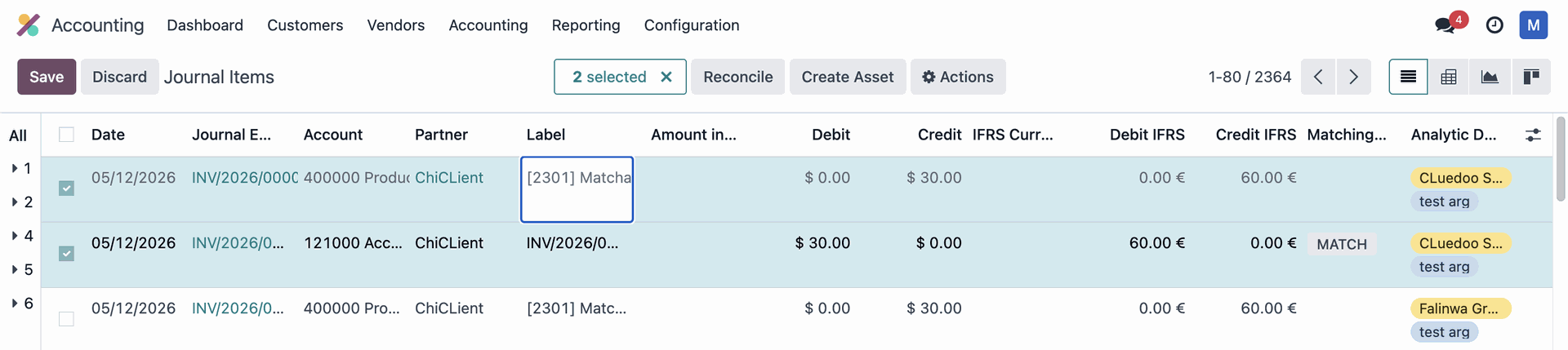 |