



ODOO'S FUNCTION
Odoo allows you to create a payslip/payment to a third party. Then, if you decide to send them a document as proof, you need to manually print a PDF version and send it to them via your mailbox.
CLUEDOO'S FUNCTION
Cluedoo provides the possibility to send documents directly from Odoo. You can customize your email template and send an email to your contact with the attached document in just one click - Send by Email.
ACCOUNTING PAYMENT 1. Go to Accounting > Customers/ Vendors > Payments. | 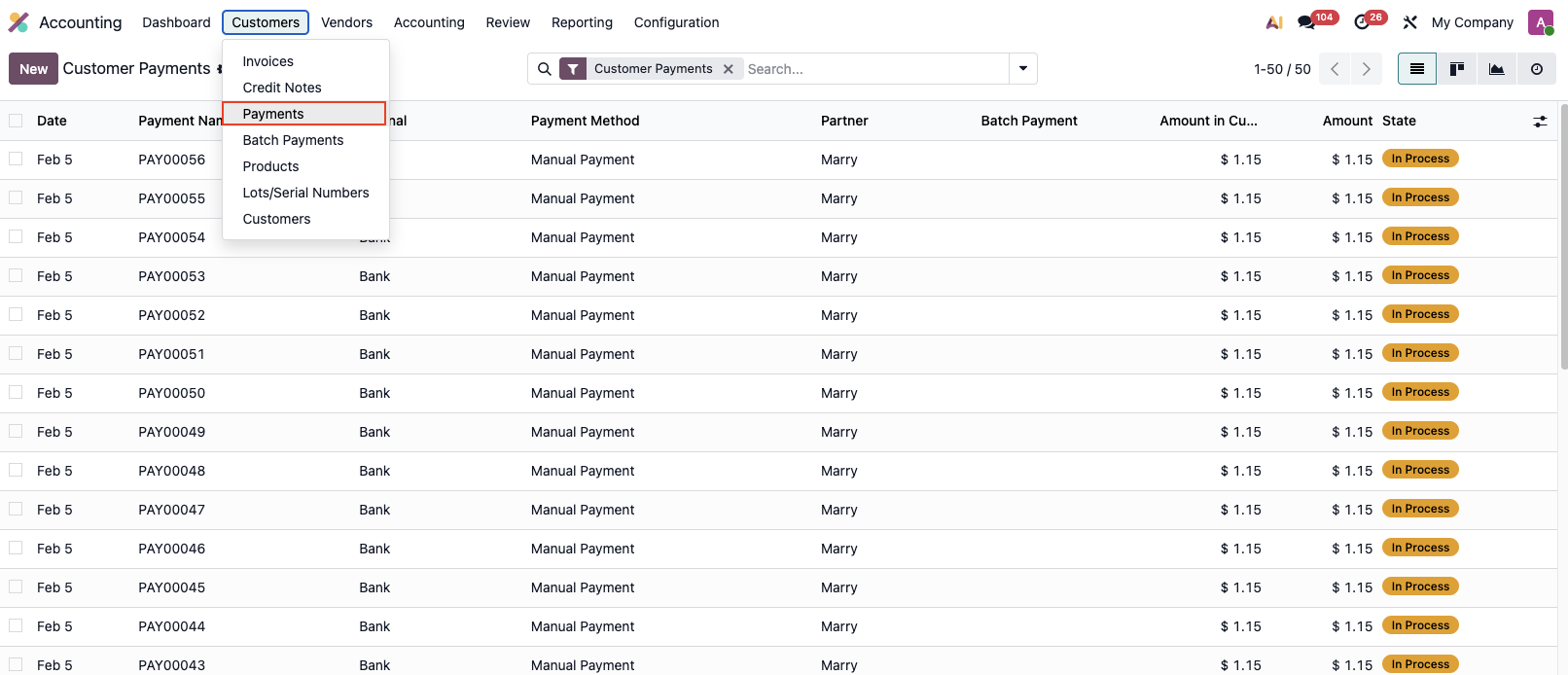 |
2. Create a new payment/ Access an existing one > Send by Email. | 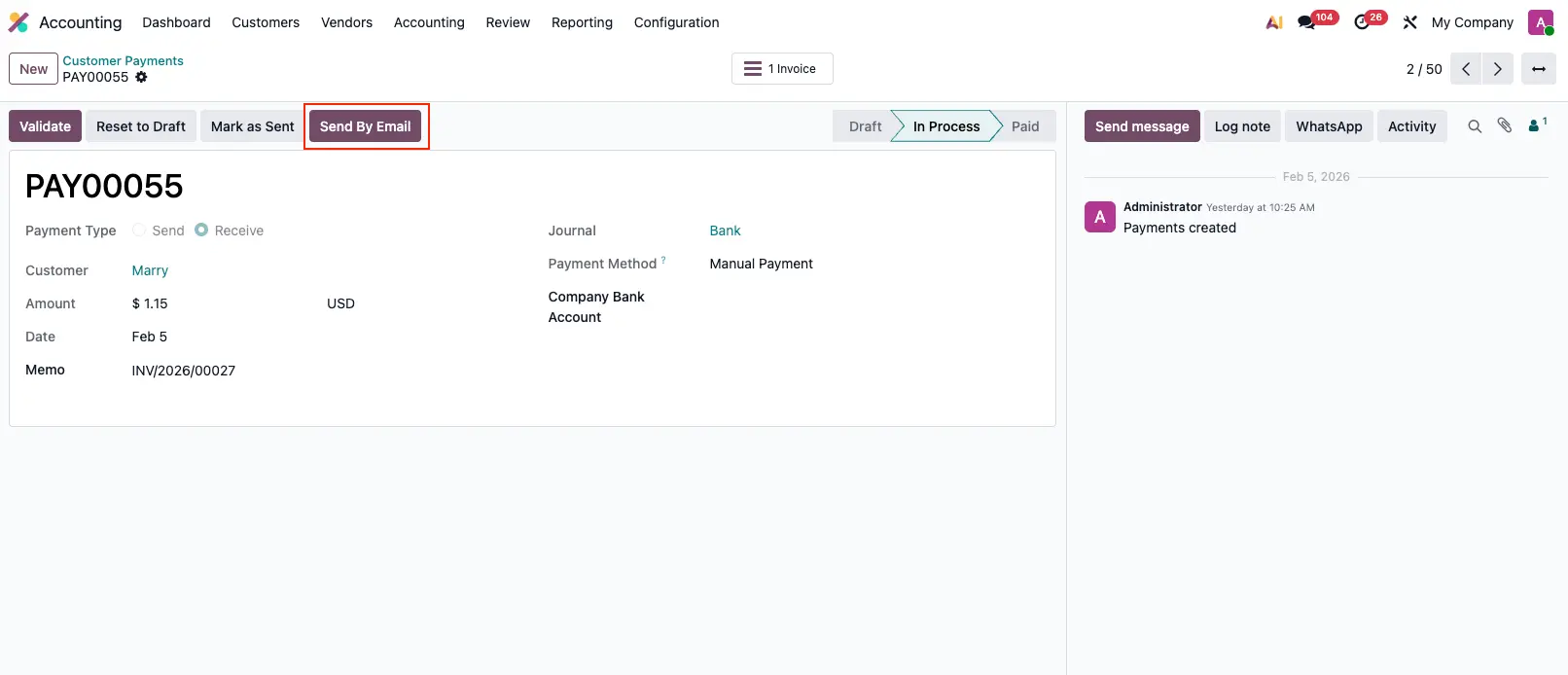 |
| 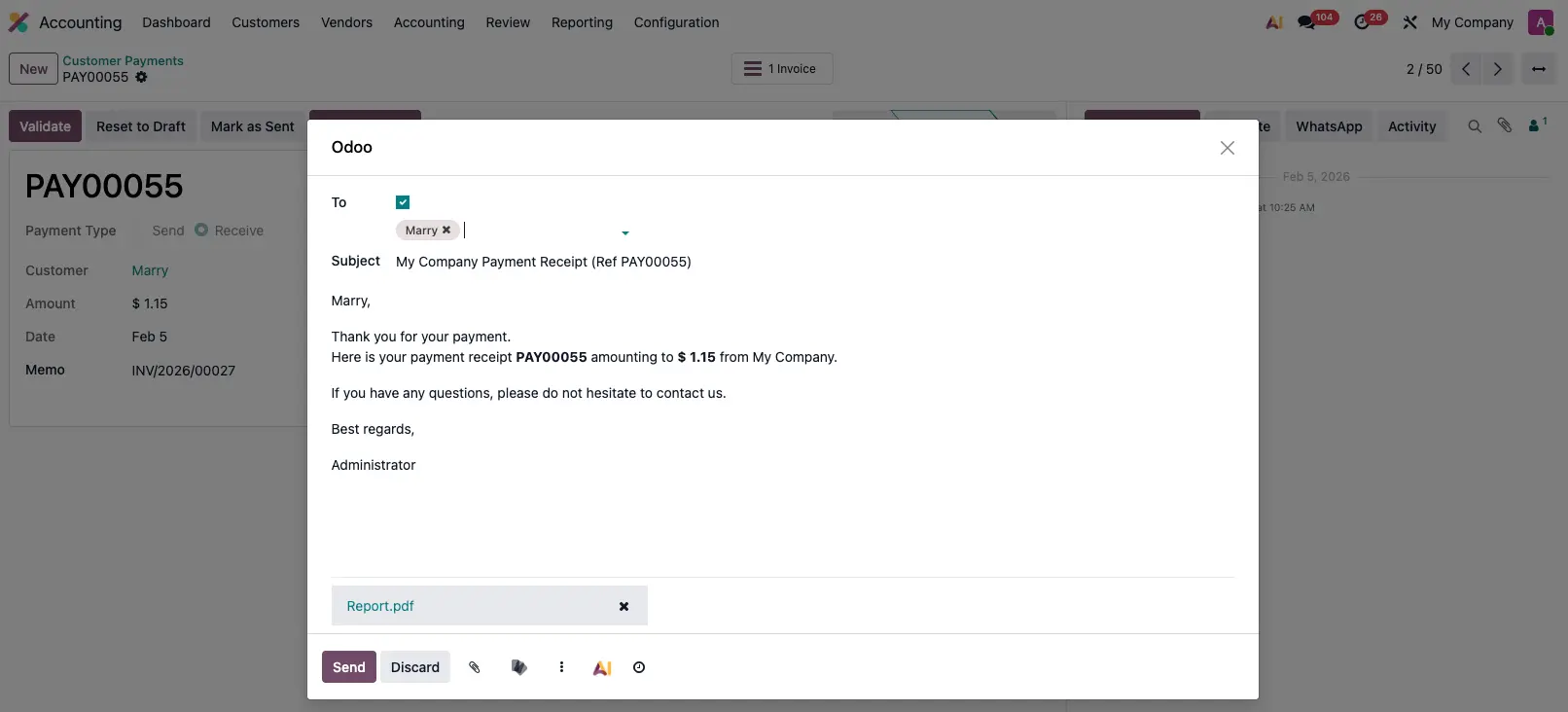 Result: 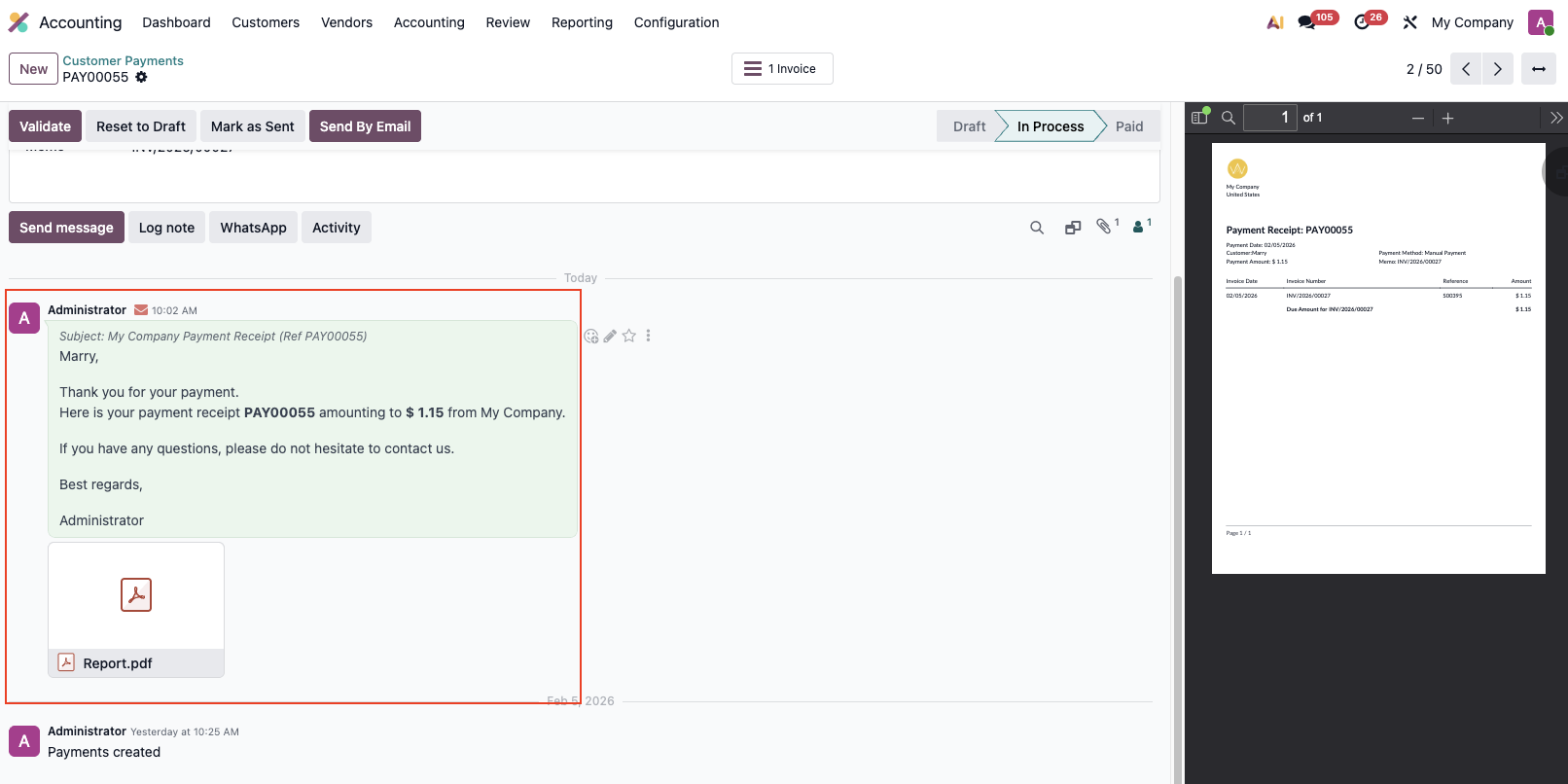 |
3. If you want payment document to be attached in email: Go to to Settings > Technical > Email Templates
| 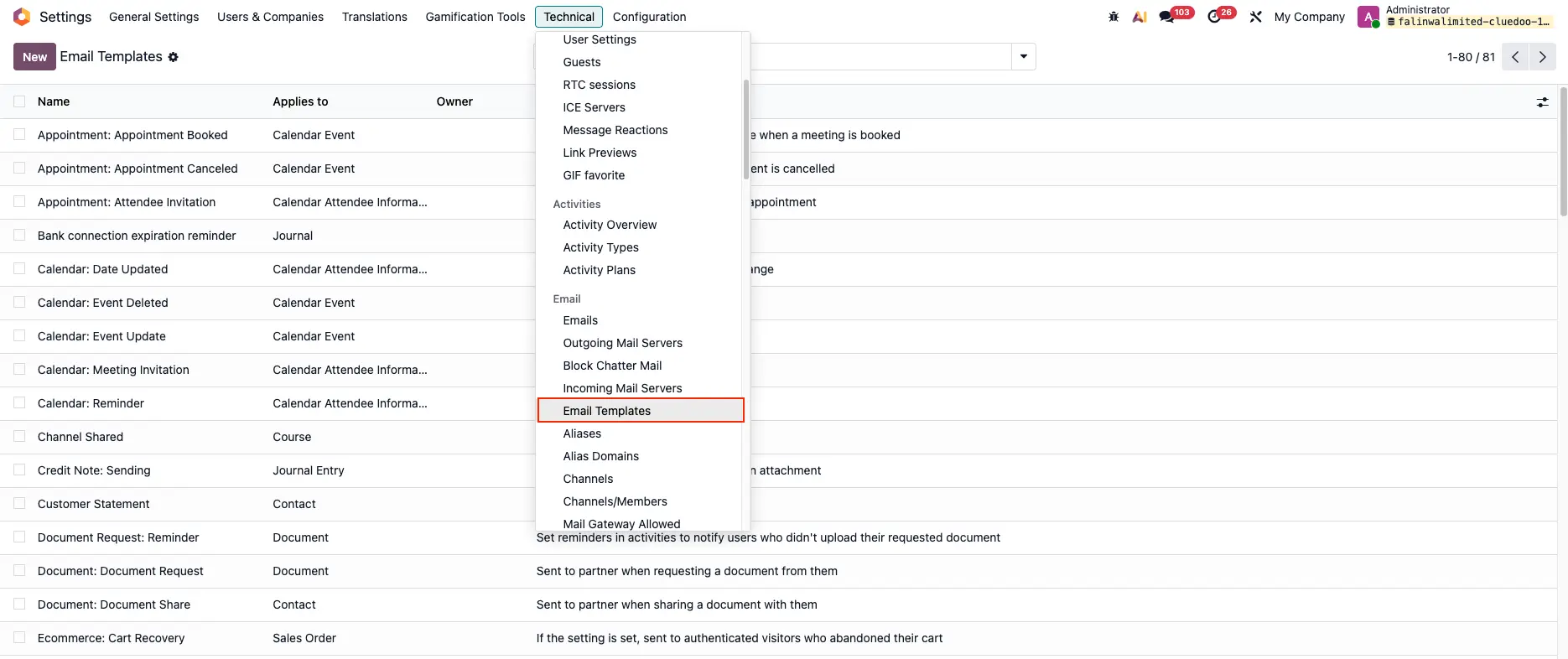 |
Search for Supplier Payment - Send by Email > Go to "Options" tab > Add Payment Receipt to Dynamic Reports field |  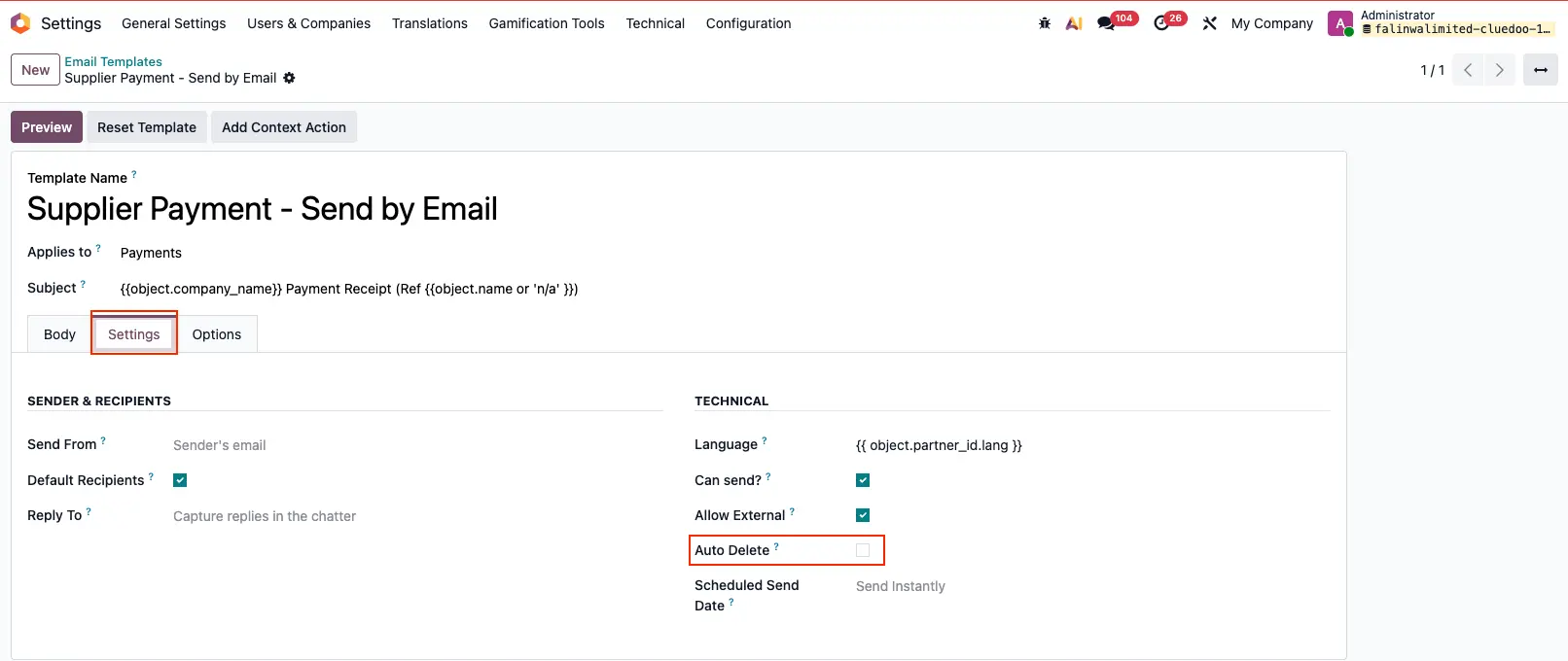 |
| 4. If you want the sent email to appear in Emails on Settings: Uncheck Auto Delete box
| |
Result: | 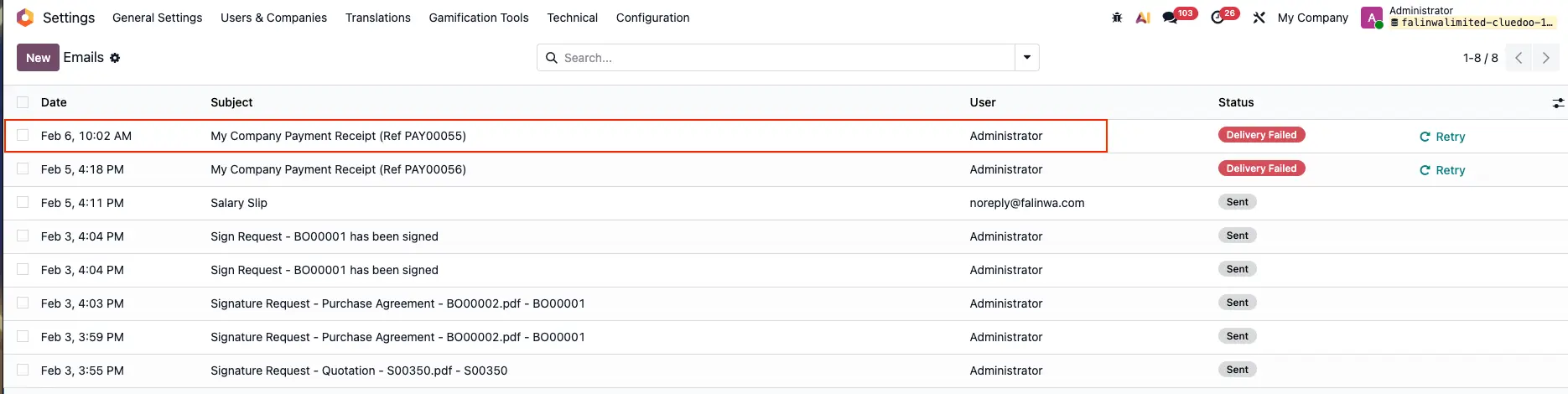 |
HR PAYROLL 1. Go to Payroll > Payslips > Create a new payslip/ Access an existing one > Send by Email | 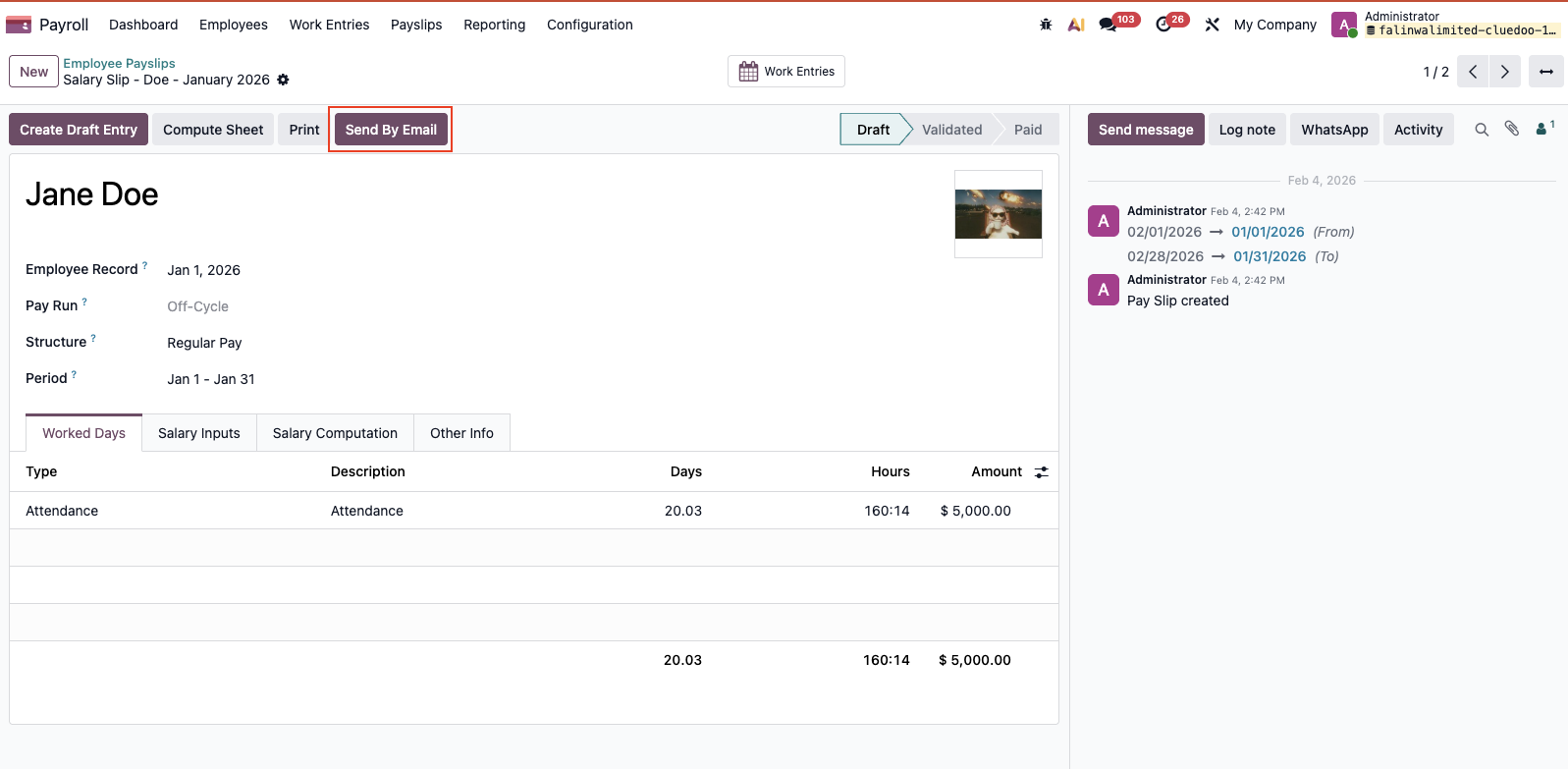 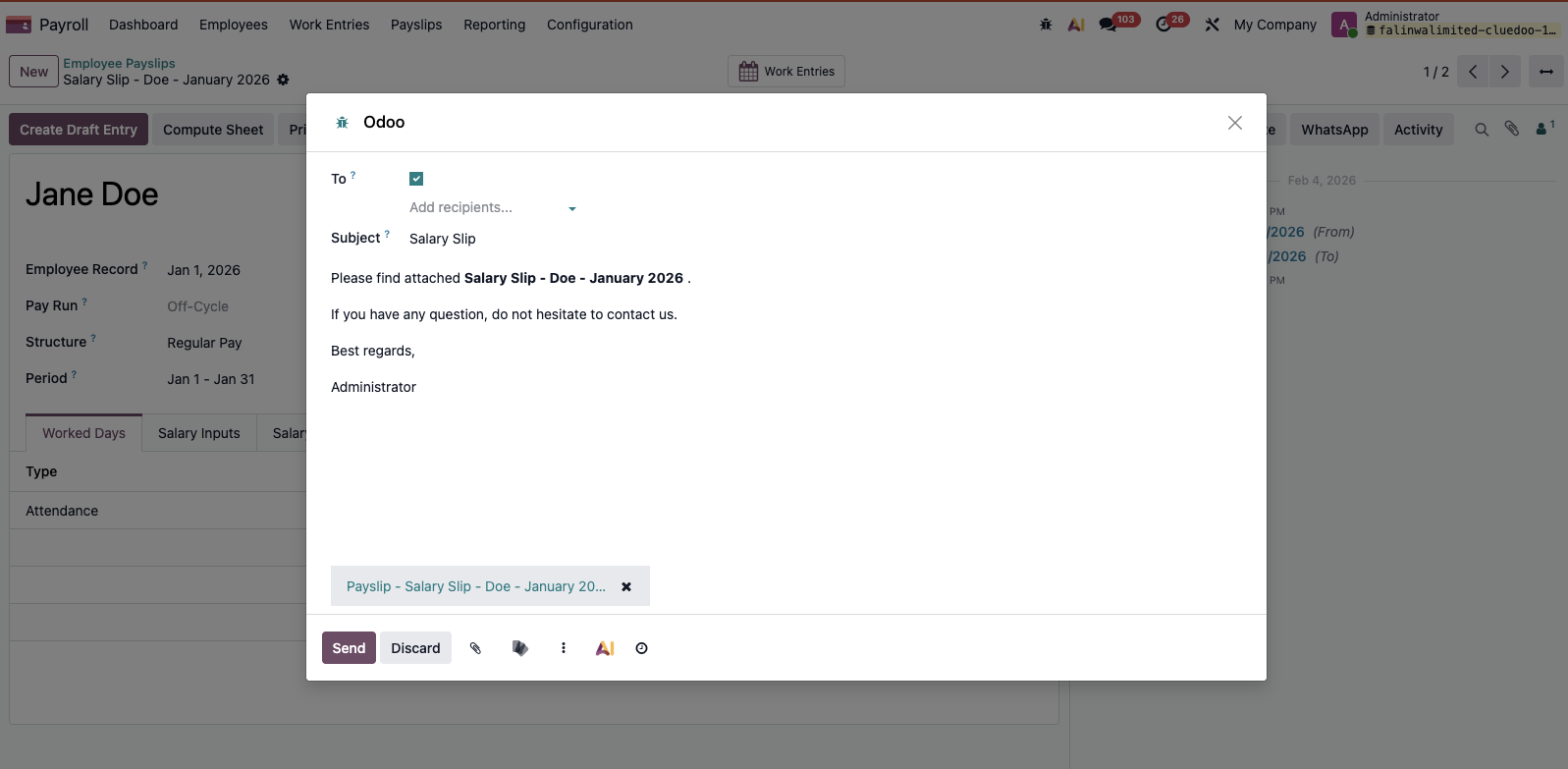 Result: 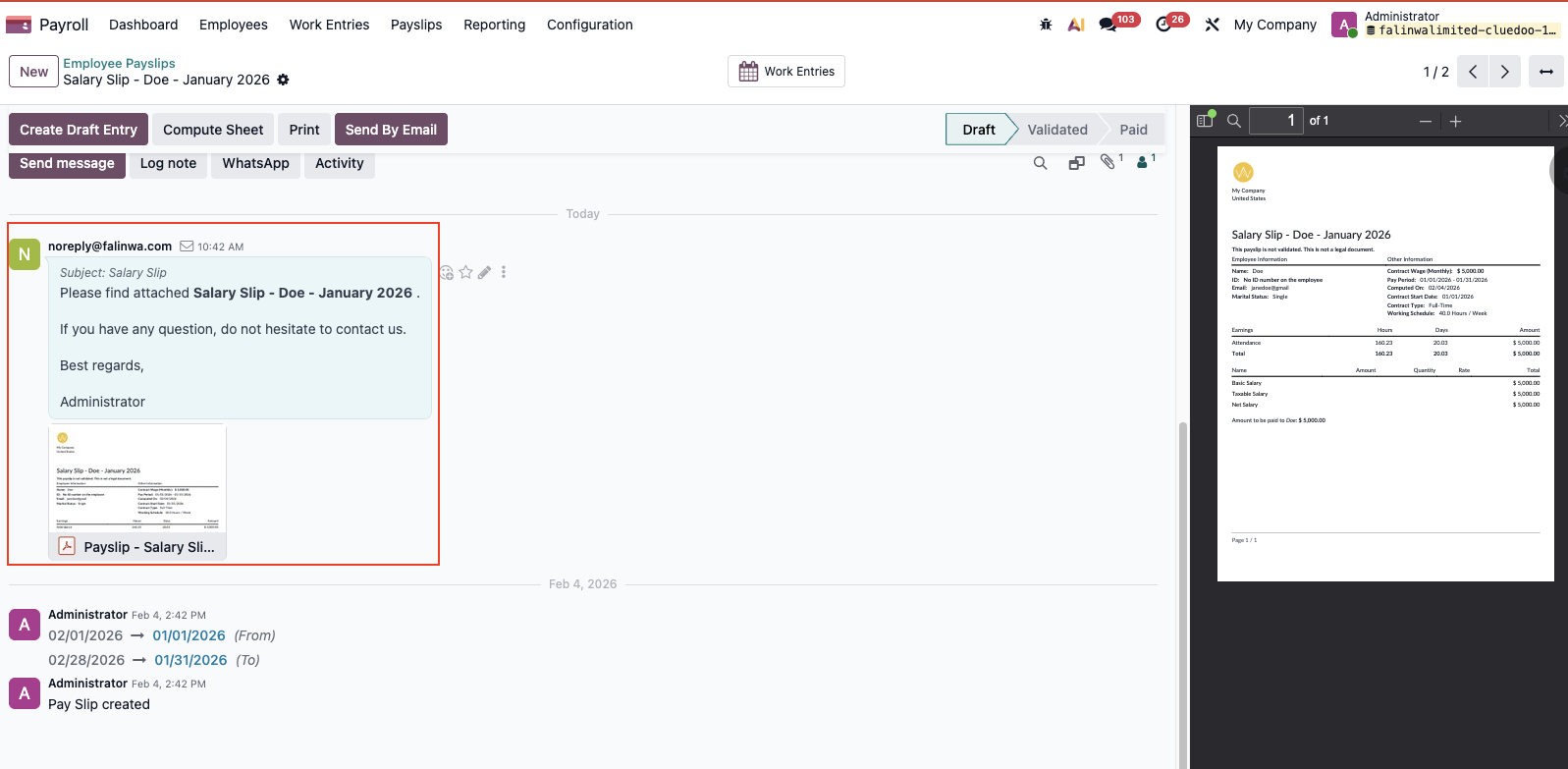 |
2. If you want payslip document to be attached in Email: Go to Email Templates > Search for Payslip - Send by Email > Go to "Options" tab > Add Payslip to Dynamic Reports field | 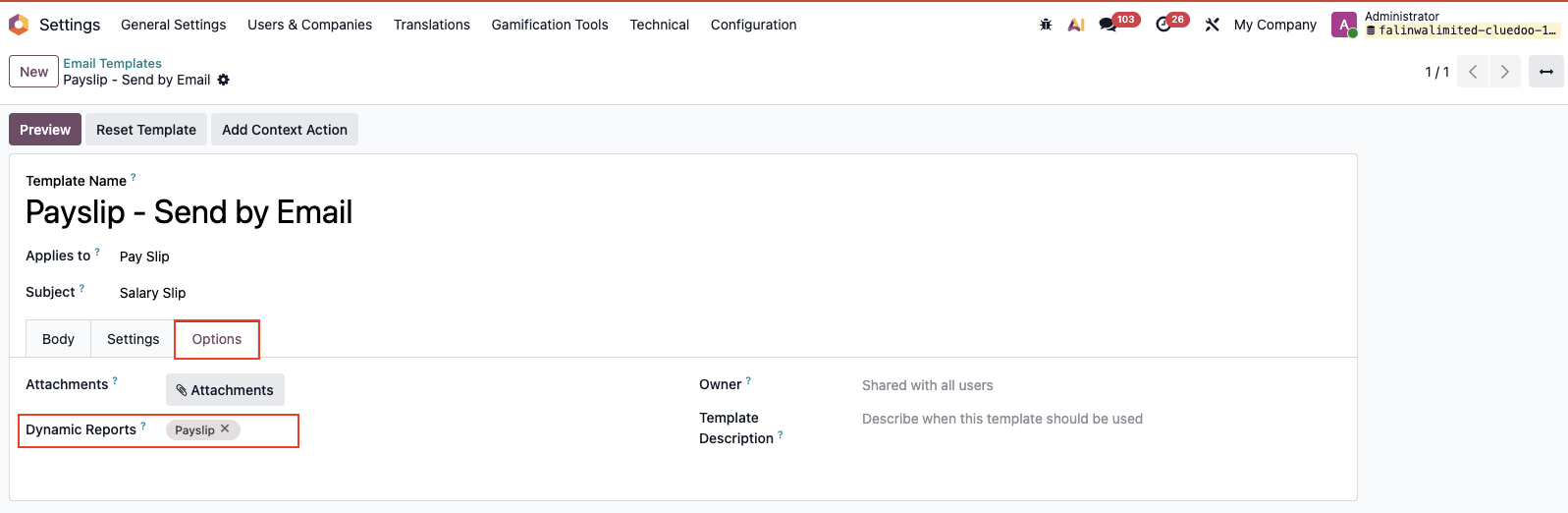 |
3. If you want the sent email to appear in Emails on Settings > Go to "Settings" tab > Uncheck Auto Delete box | 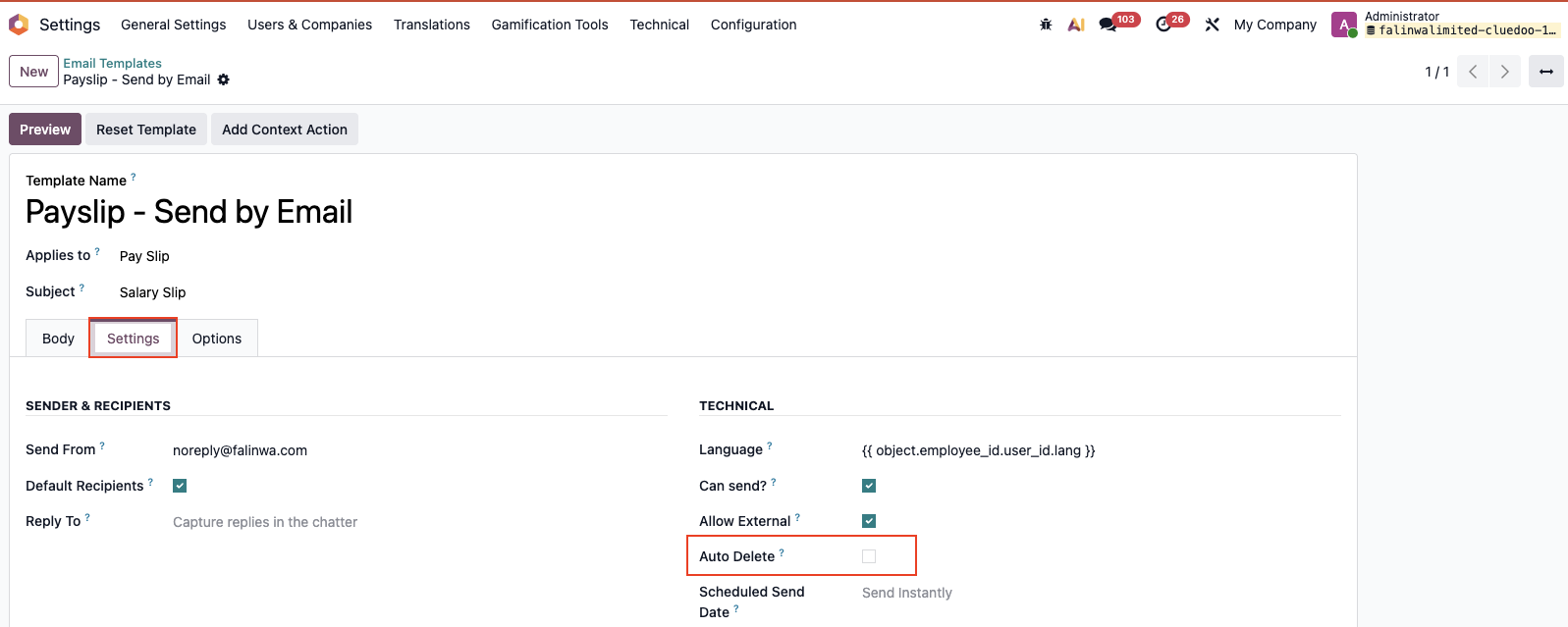 |
Result: | 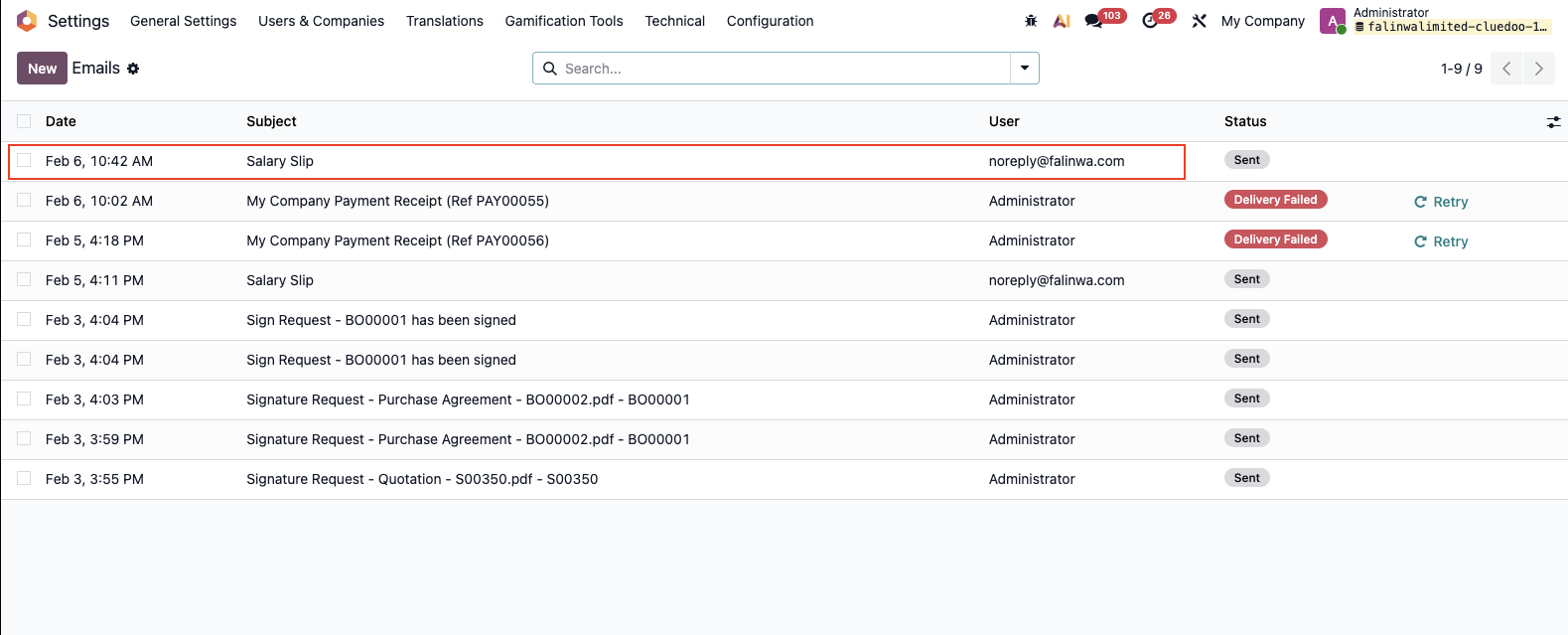 |