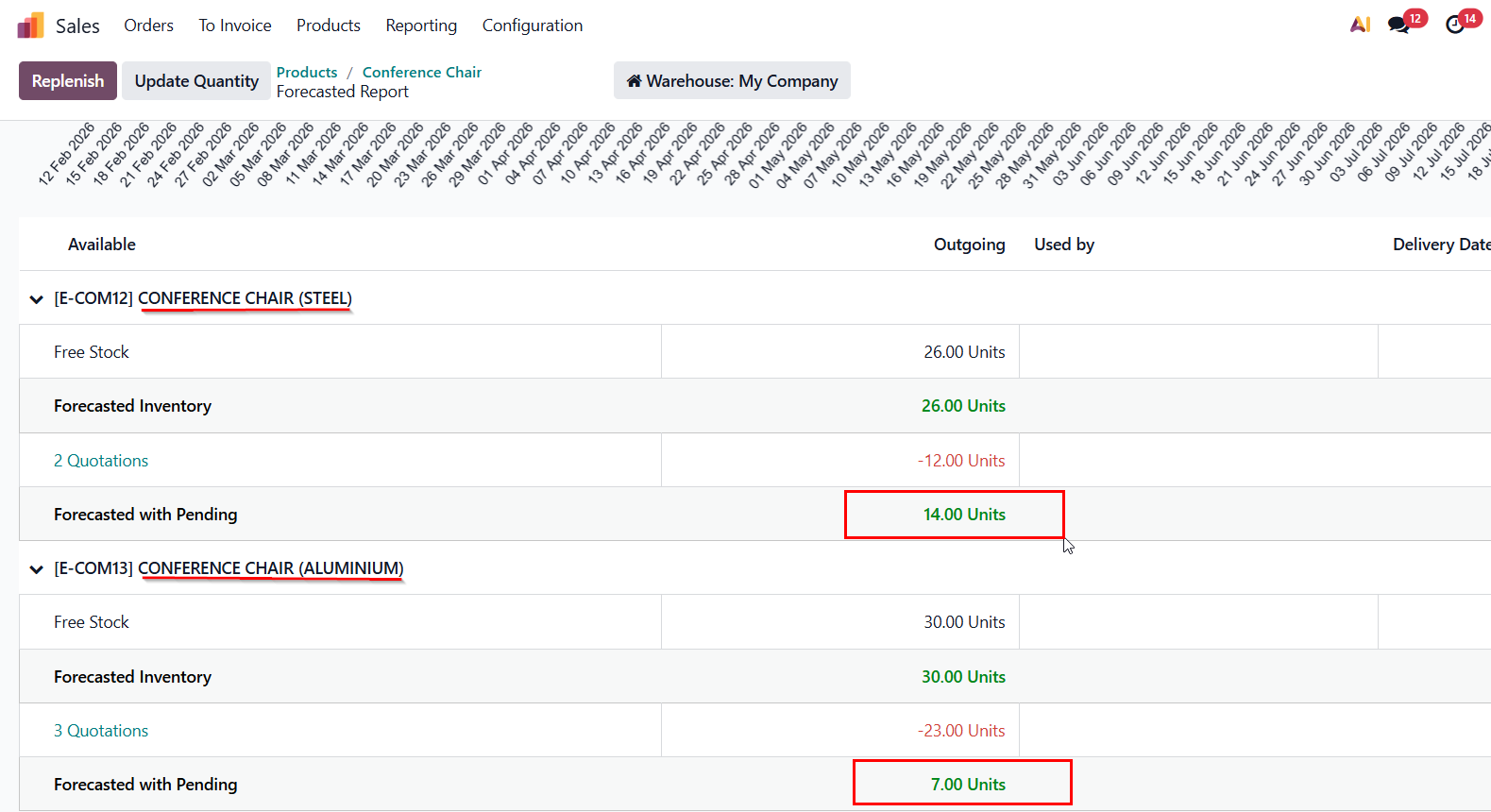
ODOO'S FUNCTION
Standard Odoo's "Forecast" often ignores products in Draft Quotes. This creates a "stock illusion" where a salesperson sees items as available, even if they are already promised in other pending quotations.
CLUEDOO'S FUNCTION
CLuedoo provides a "True Available" metric. It instantly deducts all quantities from every Draft SO. This ensures sales teams only see "free" stock, preventing over-commitment and maintaining customer trust.
CONFIGURATION | |
1. Users can check a product's Forecasted Inventory and Forecasted with Pending in Sales > Products > choose a product > On Hand button. | 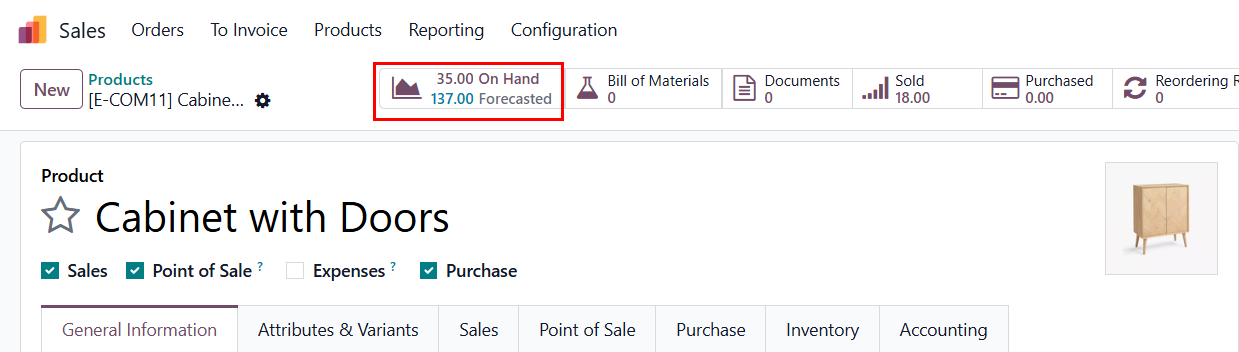 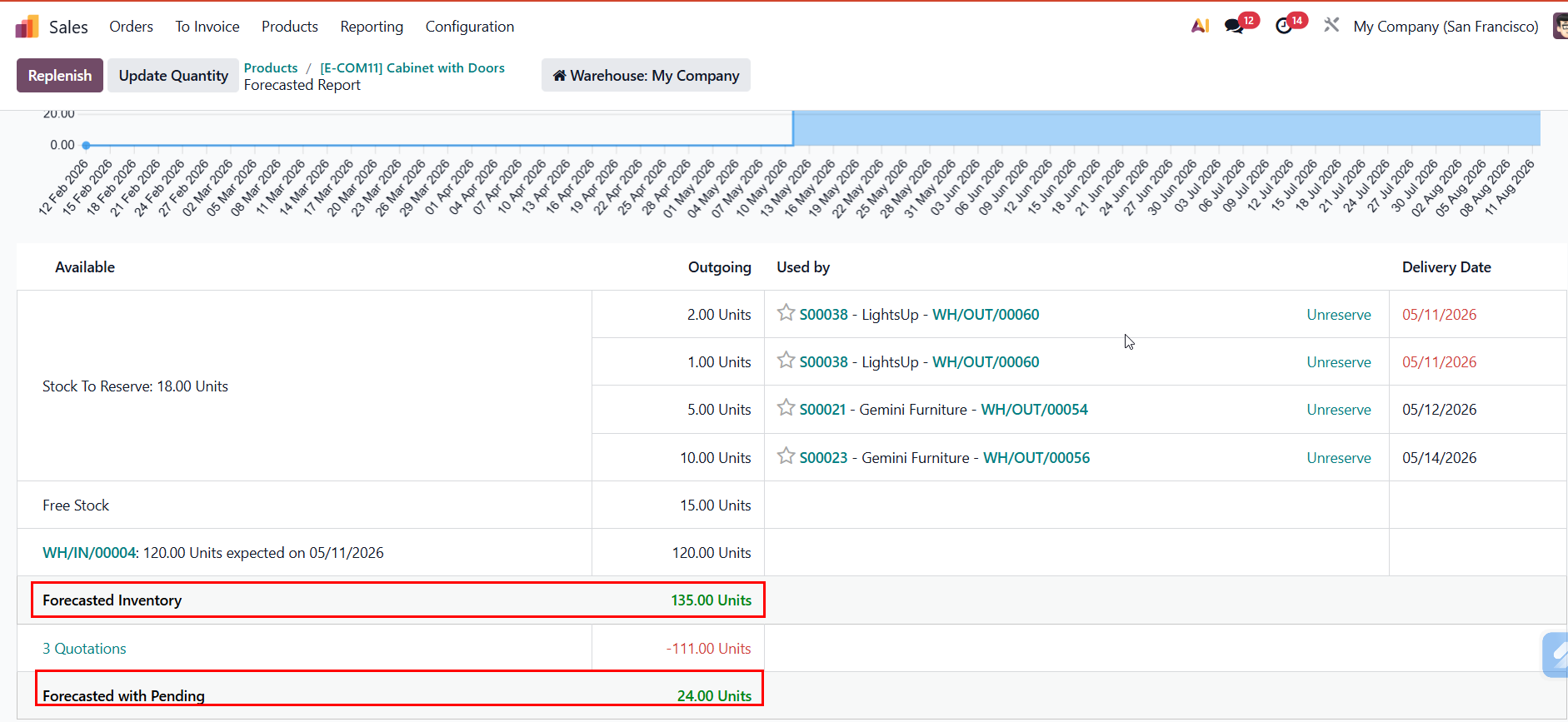 |
USAGE | |
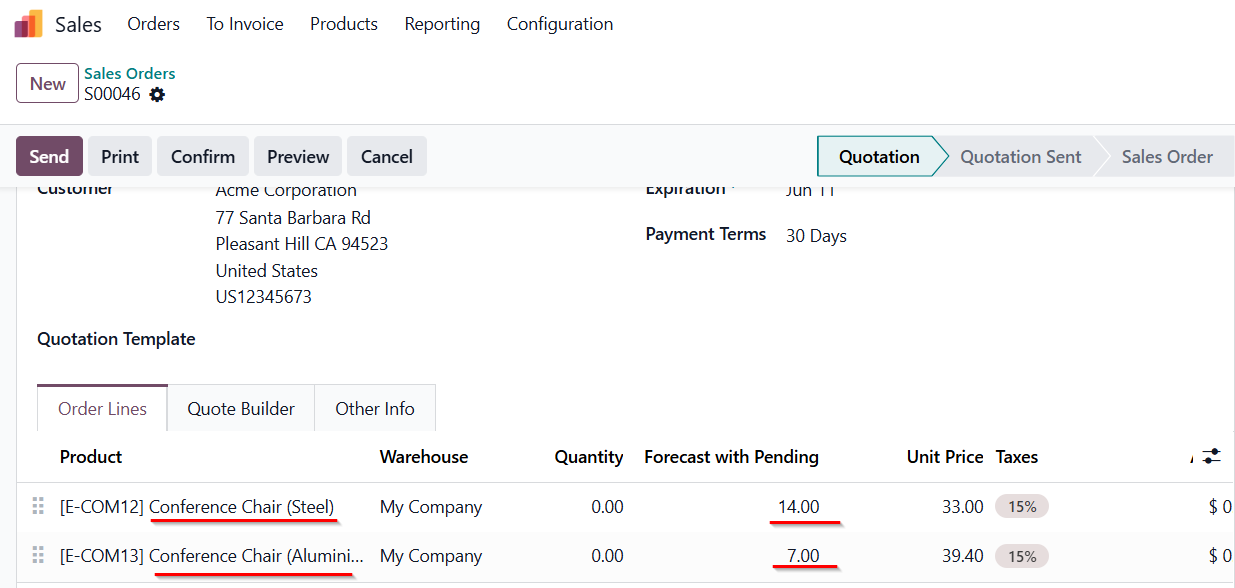
1. Calculation Create a Sales Orders > add products The "Forecast with Pending" column displays the value: Total On-hand - Total Reserved in other Draft SOs. Note: It calculates the total quantity across all locations within the selected warehouse. |
|
2. Real-time Update Modify the quantity on the SOL (increase, decrease, or set to 0). > The Forecast with Pending value will automatically deduct that amount and update in real-time without needing to save or refresh the page, ensuring you know exactly how much stock remains available. | 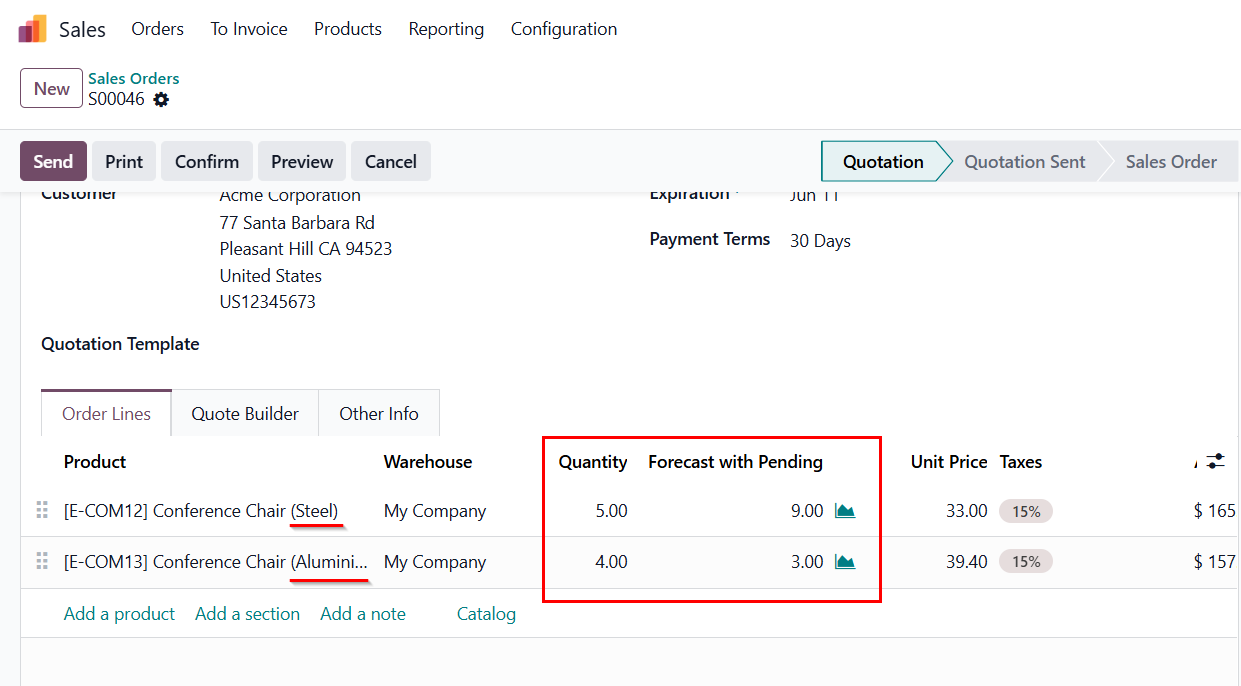 |
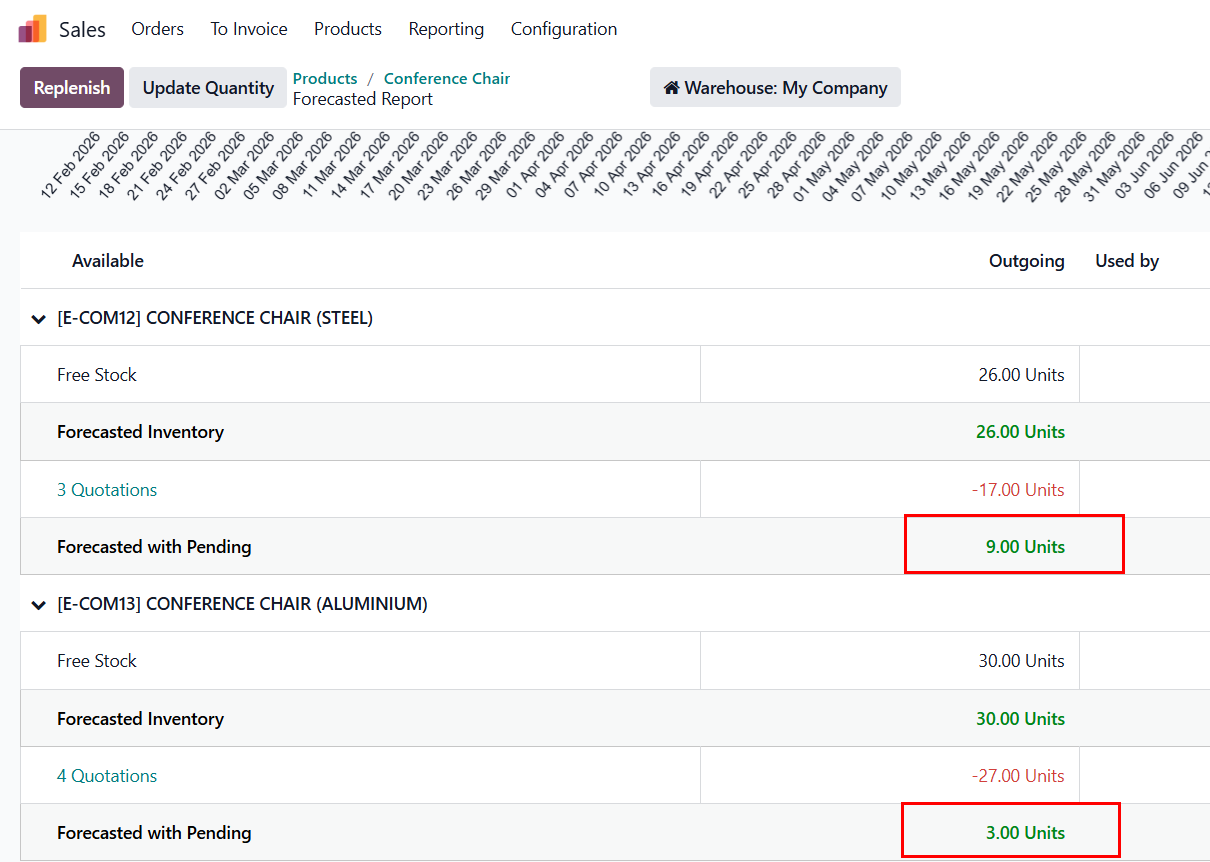
3. When back to the product's Forecasted report, the quantities are automatically updated to reflect these changes |
|