



ODOO'S FUNCTION
When creating an invoice in Odoo, the invoice date is the creation date by default.
CLUEDOO'S FUNCTION
With Cluedoo, the invoice date is the last effective date of the sales order, or the creation date if the effective date is not available.
1. Go to Sales Order > Create Sales Order > Confirm Sales Order > Delivery. | 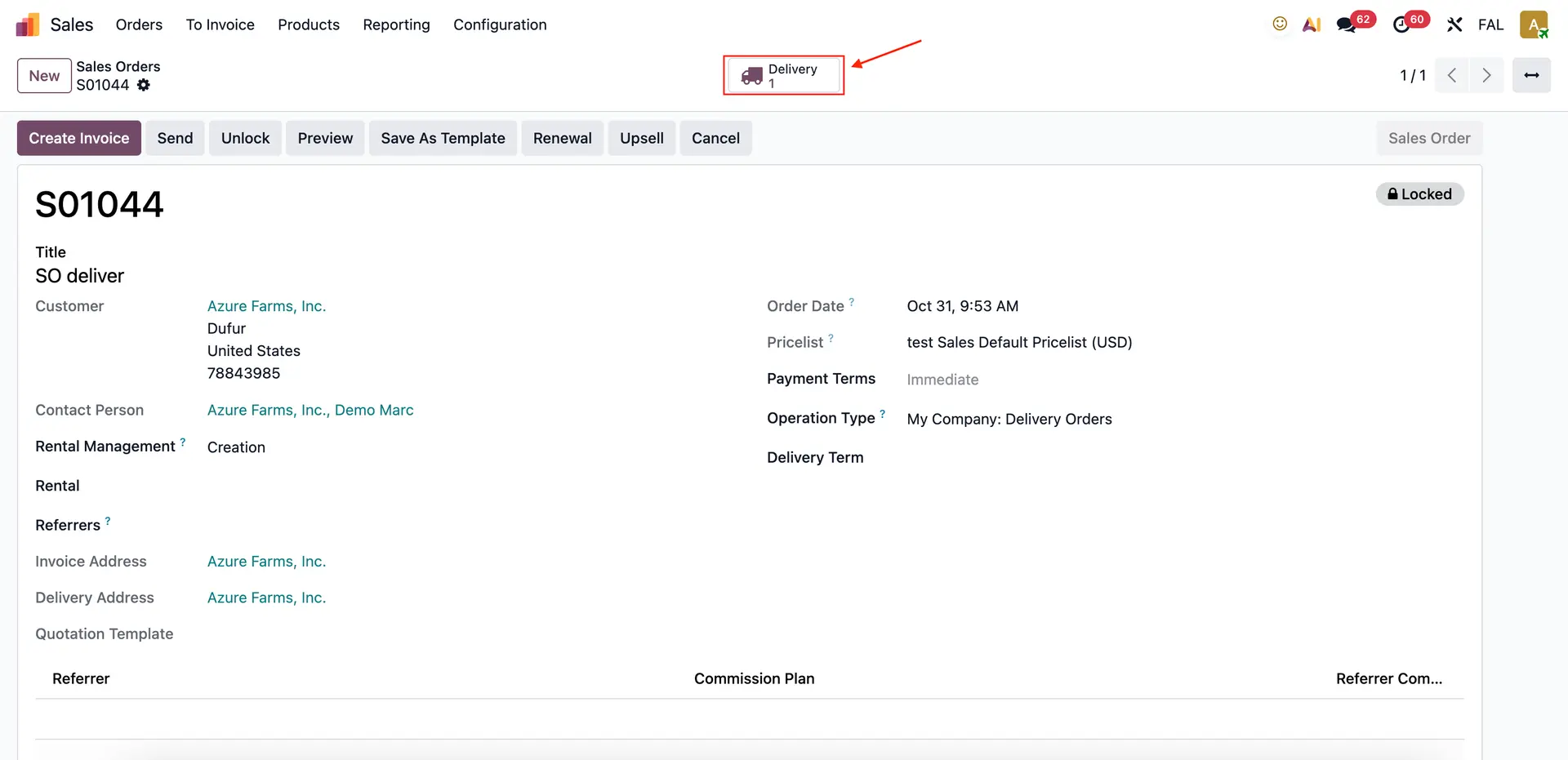 |
2. Go to Delivery (For this case we have 3 deliveries with different scheduled dates). | 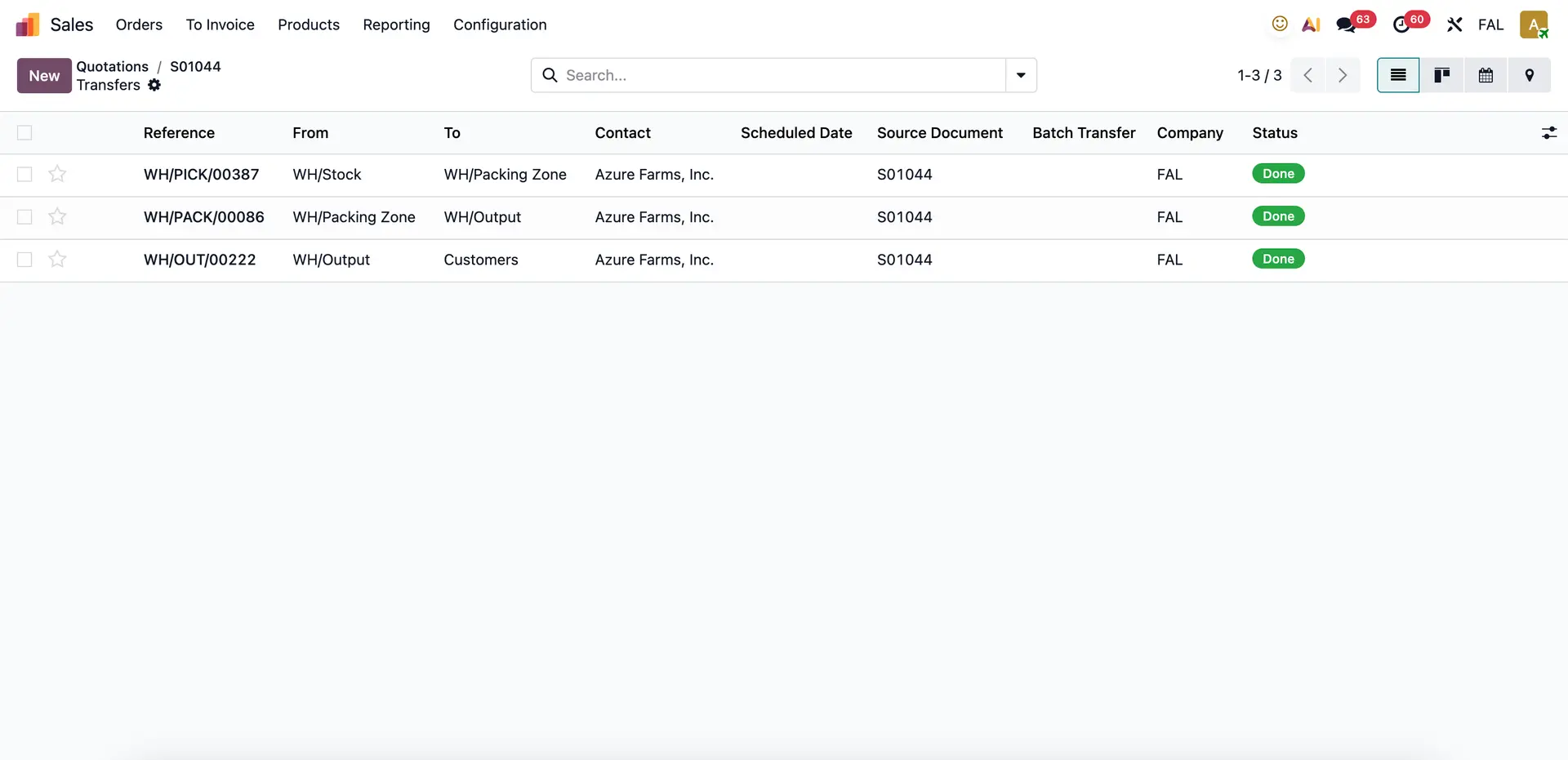 |
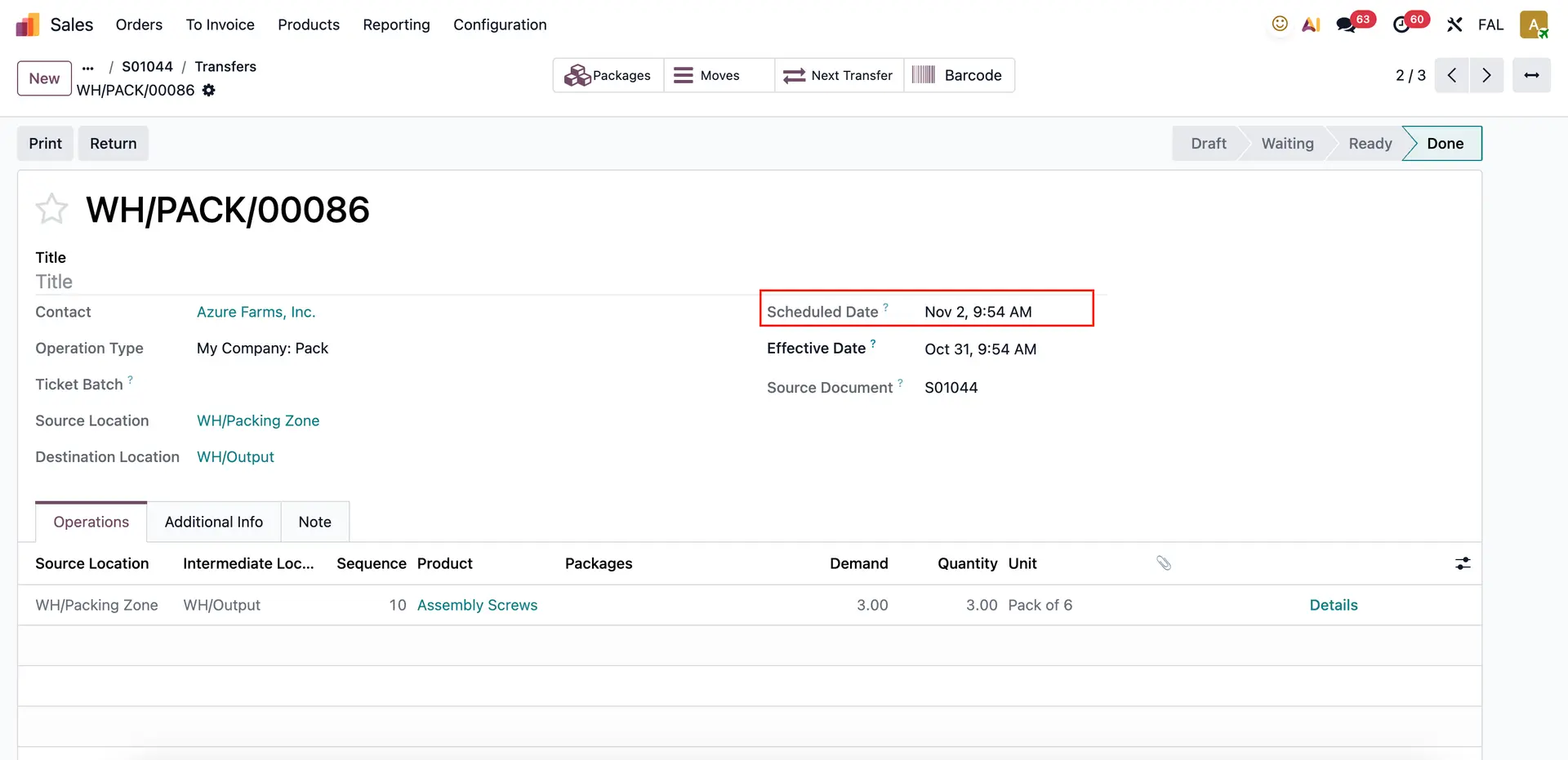
3. Validate all deliveries (in this case, 3 deliveries with the latest scheduled date 03/11/2025). | 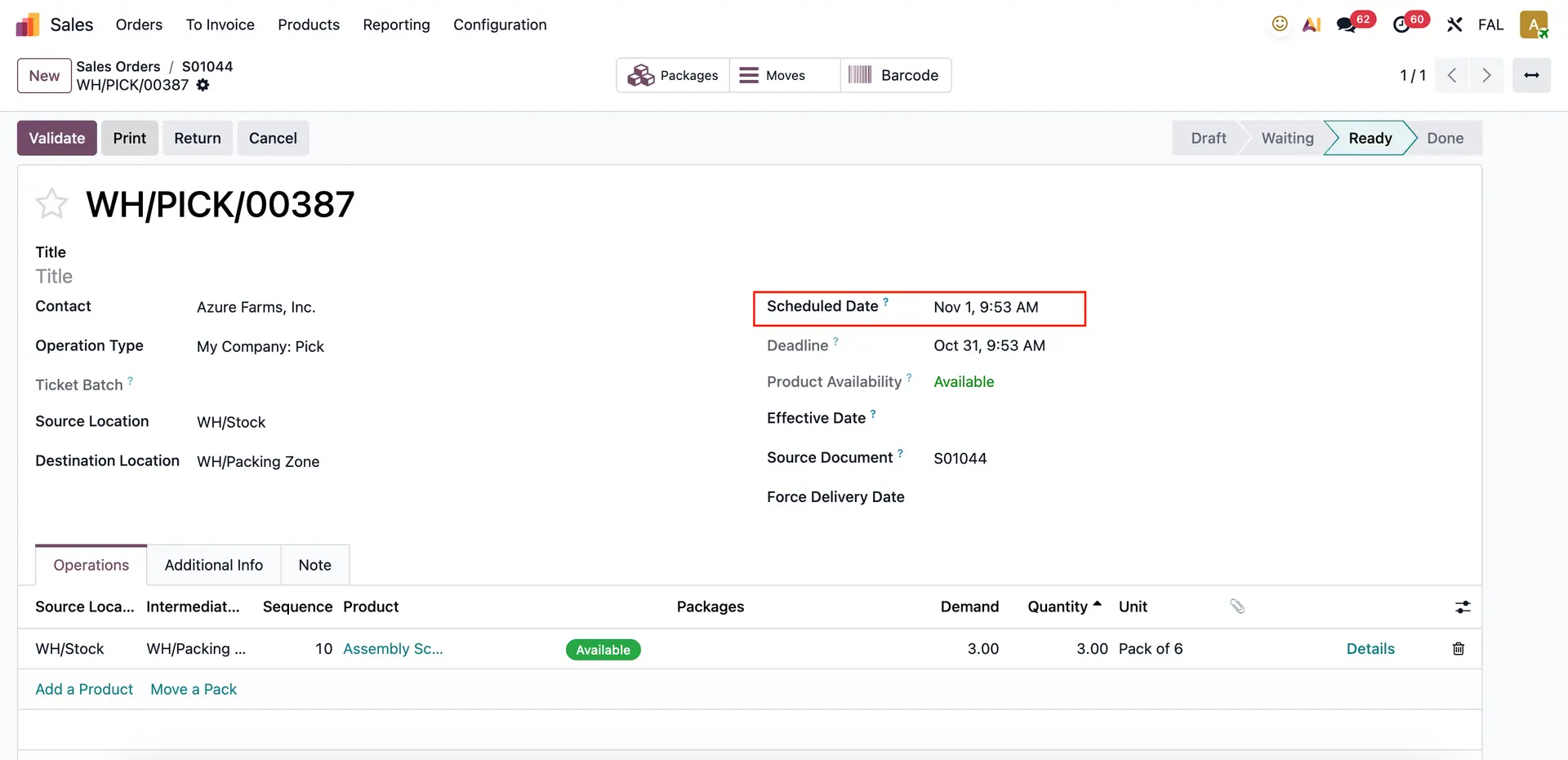 |
 | |
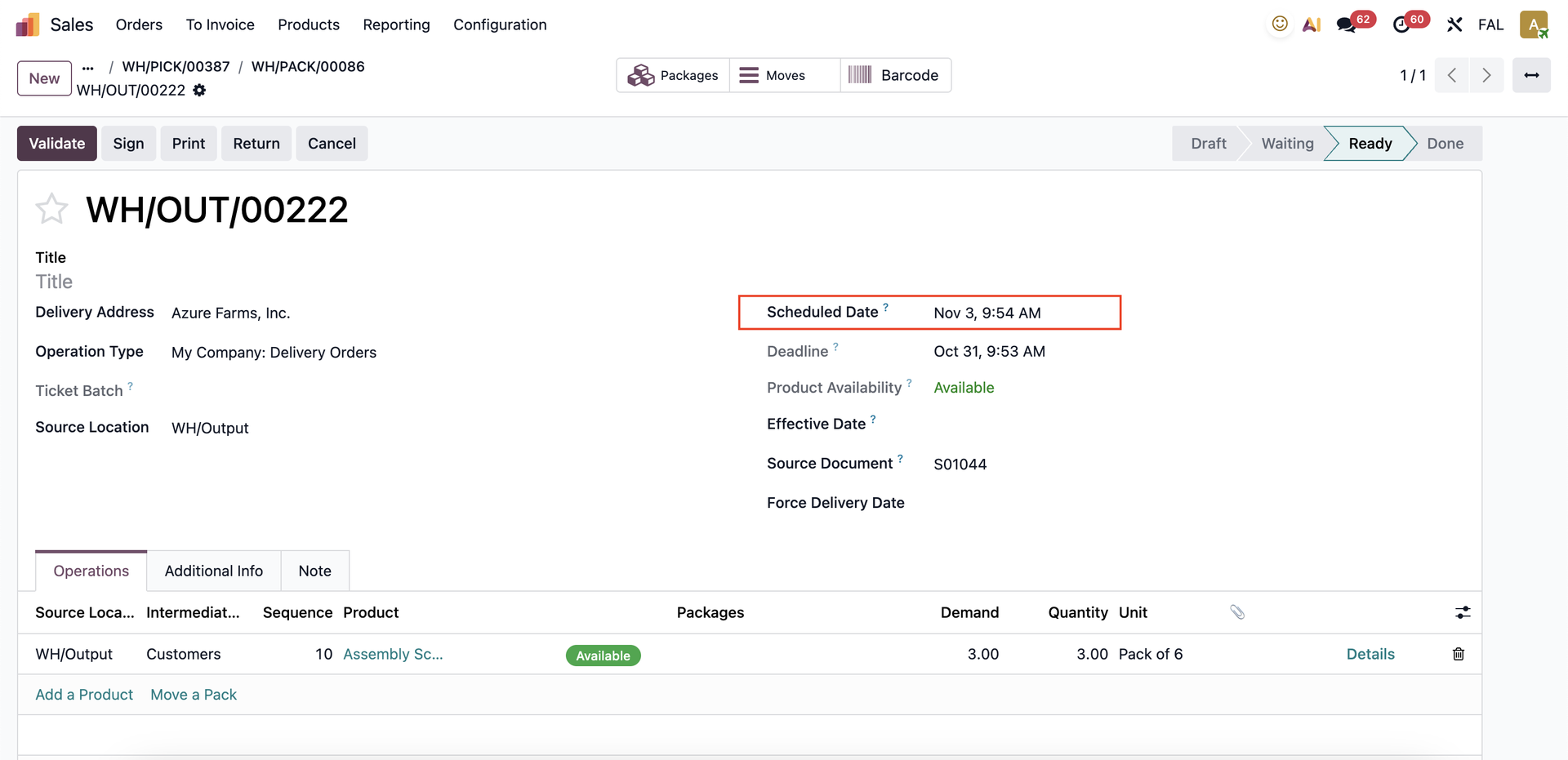 | |
4. Go back to your Sales Order and create an invoice. | 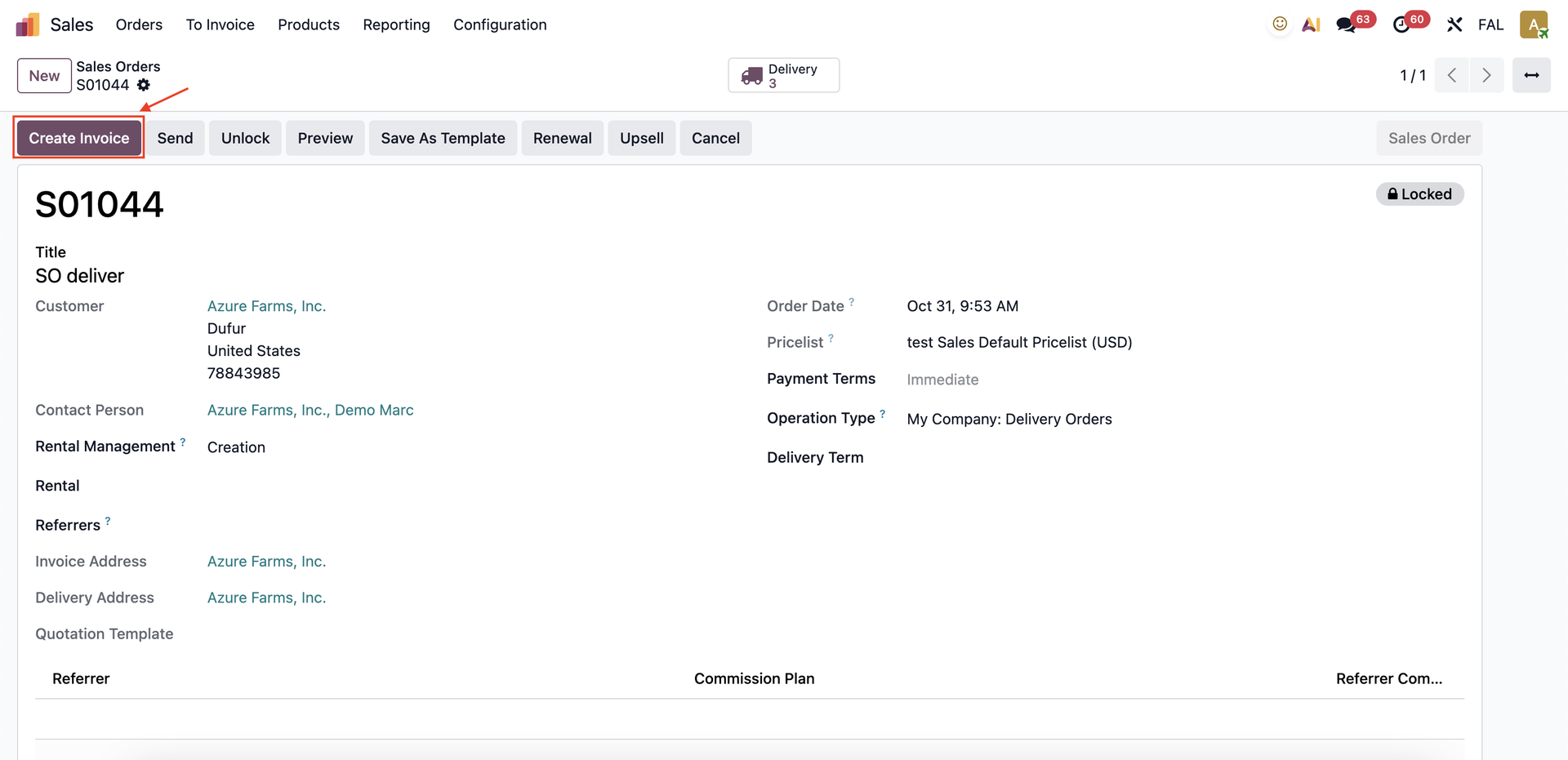 |
Go to your invoice and you will see that the invoice date is auto filled with the latest scheduled date of the sales order. | 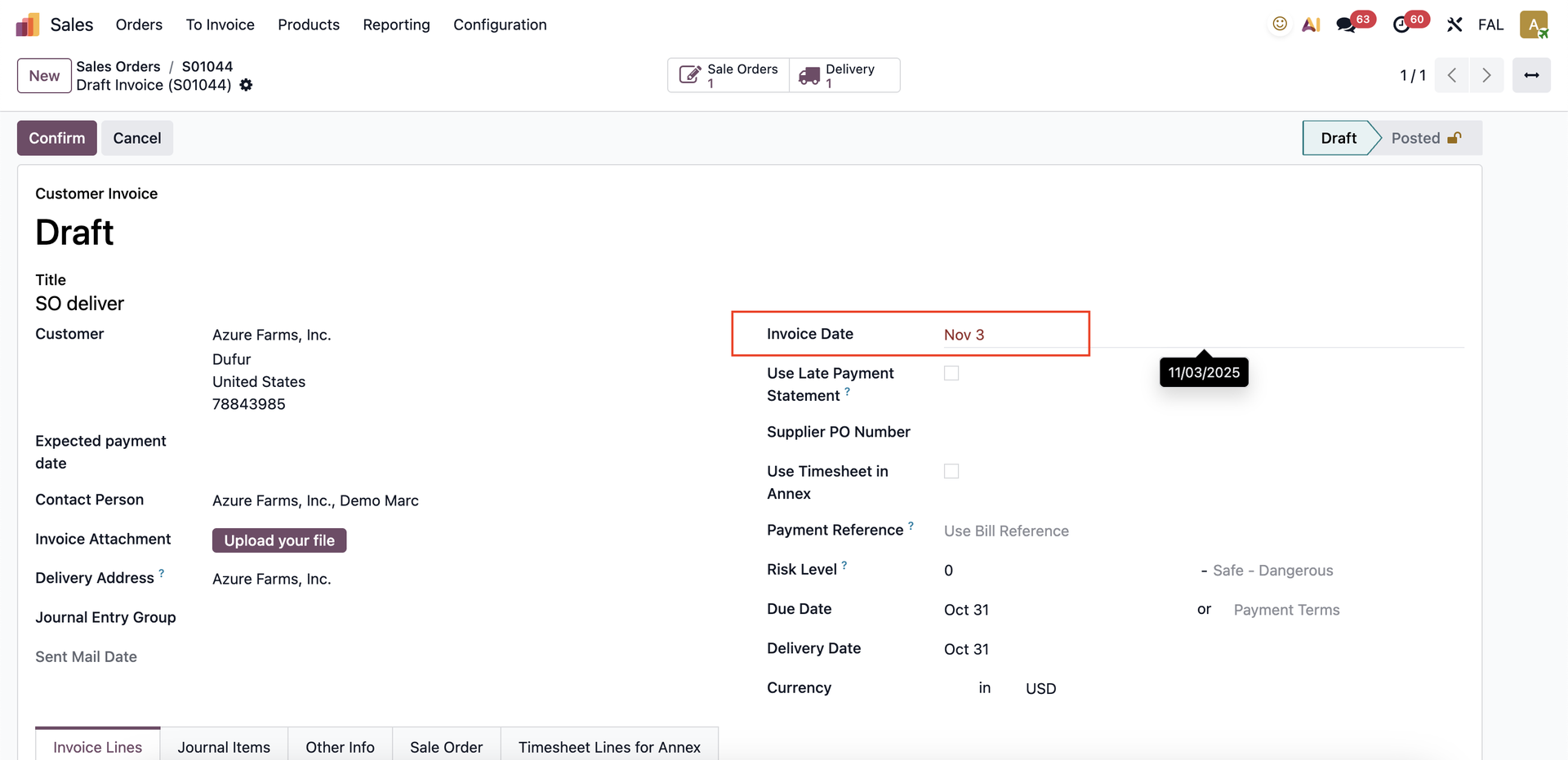 |