

ODOO'S FUNCTION
In Odoo, the standard function allows you to print customer invoices and vendor bills. However, these reports do not include the original attached source document (like a supplier's PDF bill) as part of the printout, requiring the files to be managed and sent separately.
CLUEDOO'S FUNCTION
Cluedoo enhances the standard printing process by introducing:
\t1️⃣ An additional report option called "Invoice with Attachment".
\t2️⃣ Automatic merging of the partner's original attached document as an annex to the standard Odoo report.
This allows users to generate a single, complete document that combines the official Odoo record with the original source file. This is particularly useful for vendor bills, ensuring the supplier's legal document is always included for accurate record-keeping and validation.
(This module only works with Attachment in PDF form)
1. Navigate to the Invoice form view, then locate and use the "Invoice Attachment" field to attach a file. This functionality is dependent on our "Invoice Additional Info" module. Click here to explore the module further. |  |
FROM V19, it looks like this | 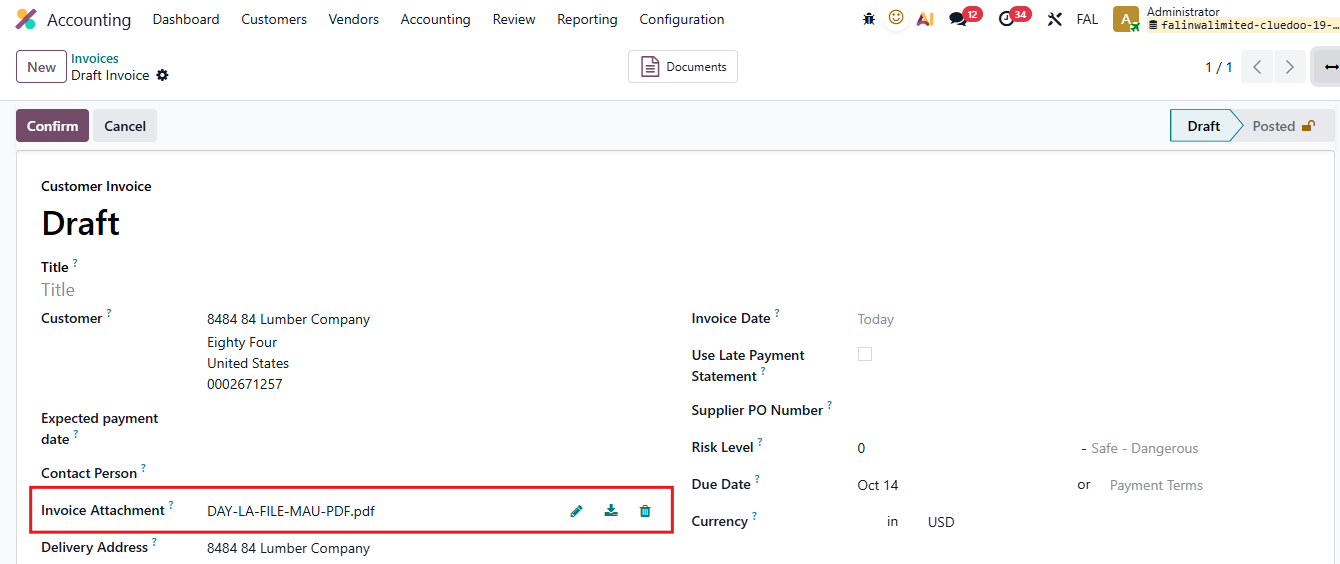 |
2. Both on list view and on form view, we can click Print and select Invoices with attachment (PDF Only). Doing so will print both the invoice from Odoo and the invoice from the attachment. |    |
FROM V19, it looks like this | 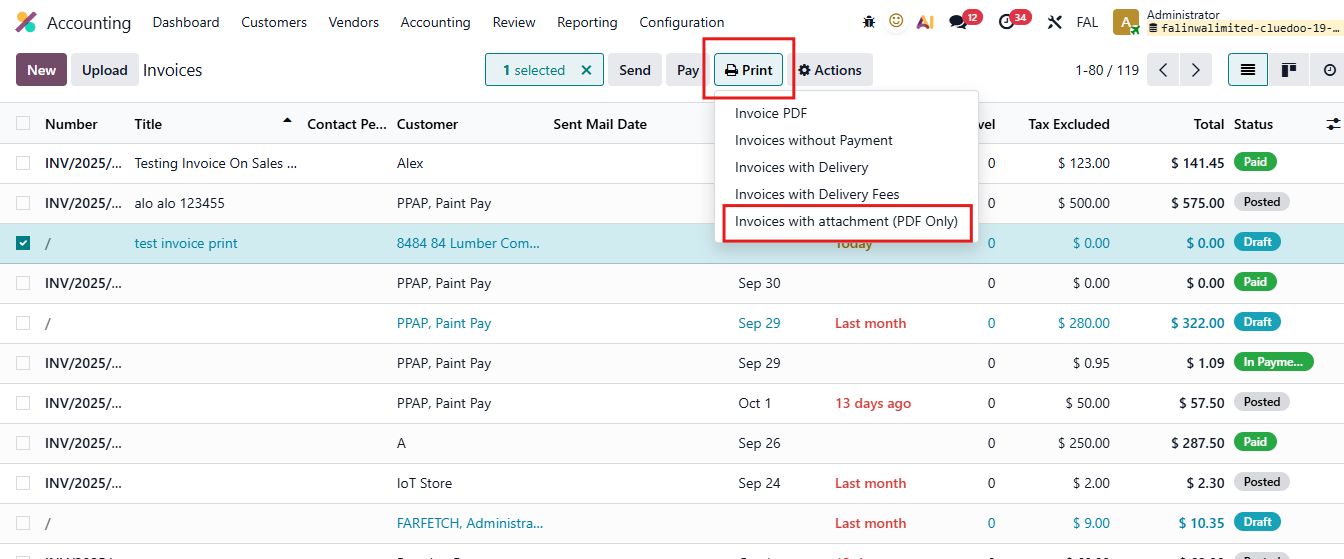 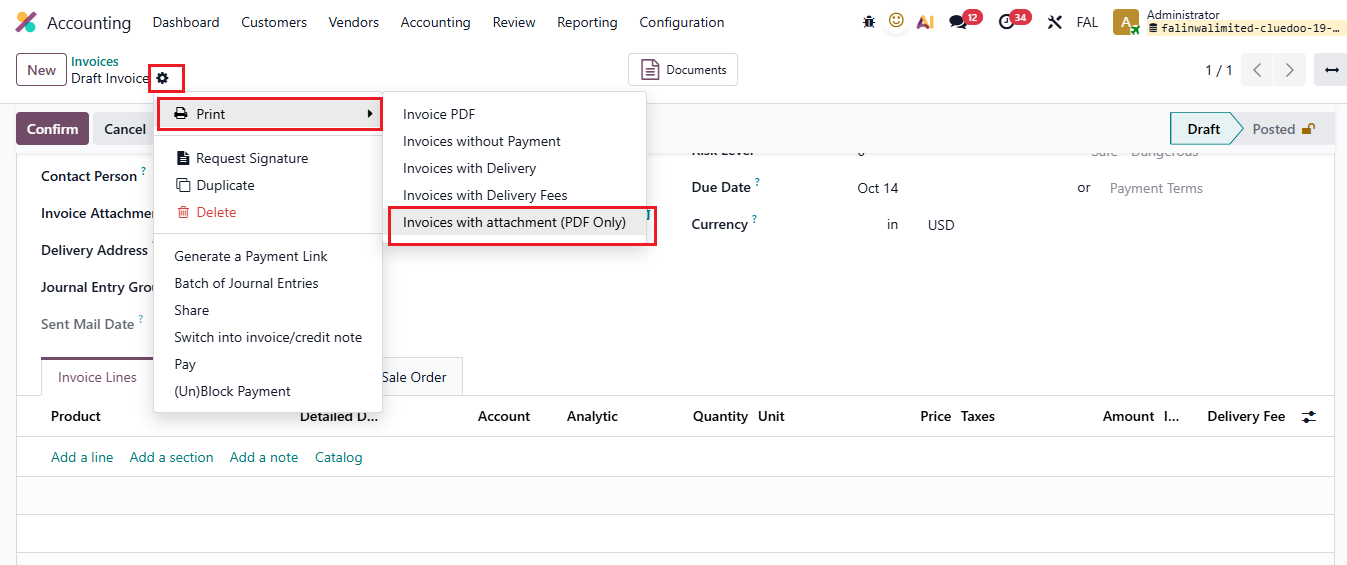 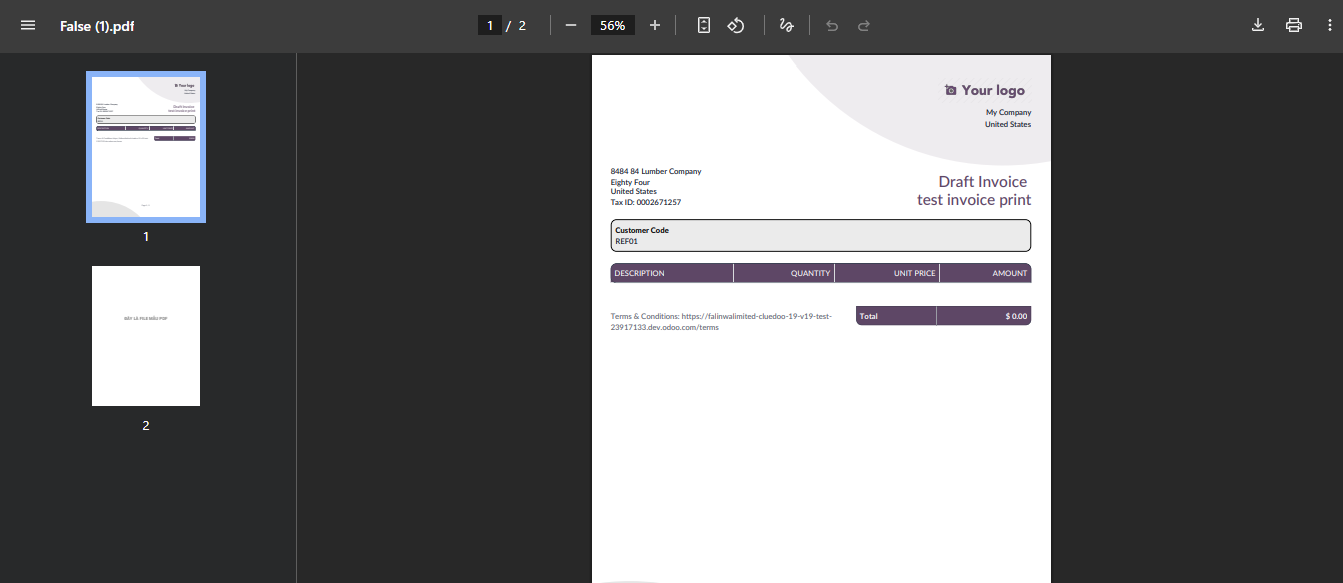 |