


ODOO'S FUNCTION
A standard invoice has numerous fields, making it challenging to locate crucial information, such as its nature and the original signed document.
CLUEDOO'S FUNCTION
CLuedoo optimizes invoice management by strengthening internal controls and professionalizing partner communication through key features. This ensures data consistency, simplifies document tracking, and minimizes financial discrepancies across your entire database.
Attachment Management: Easily track signed invoices, purchase orders, and essential contract documents.
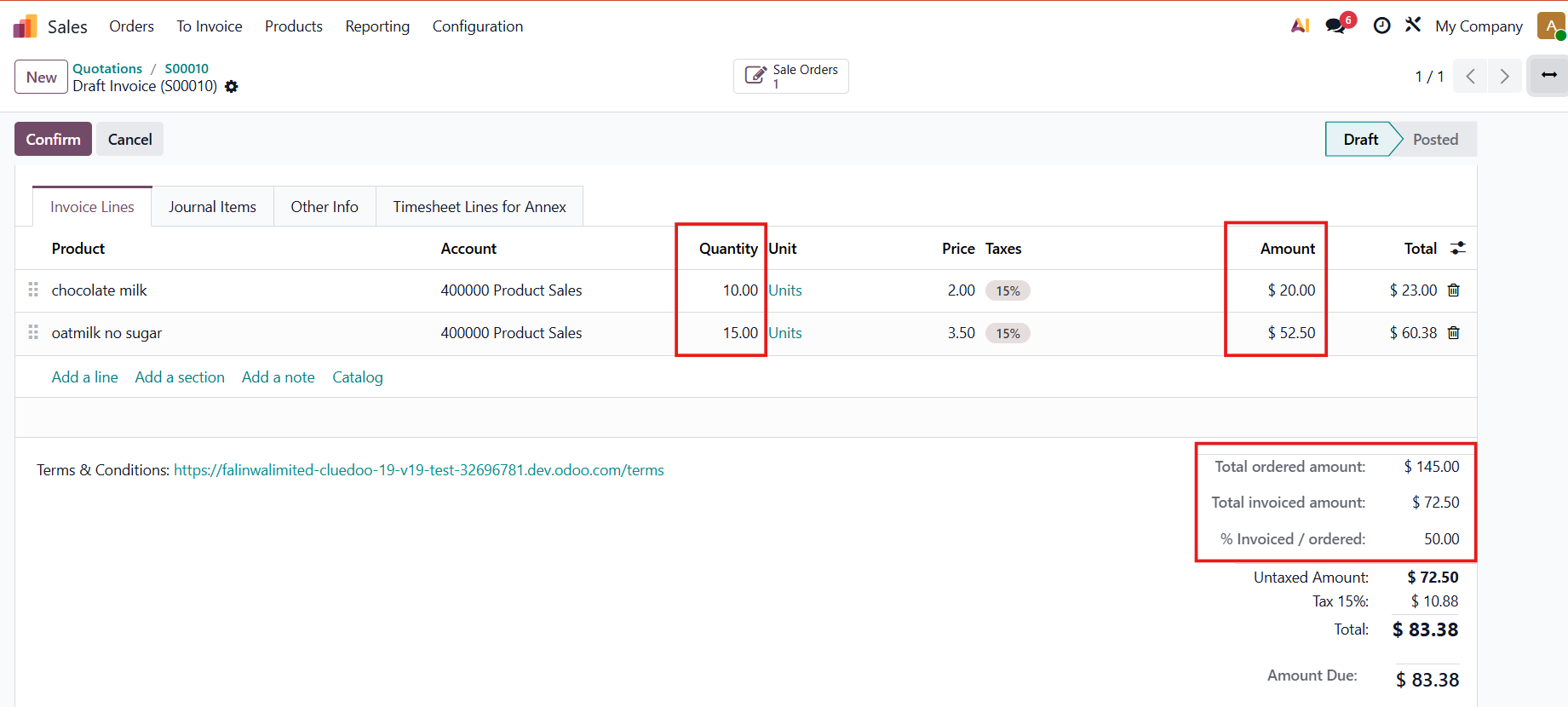
Order & Invoice Comparison: Ensures financial accuracy by automatically verifying that total amounts match between the Order (Sales/Purchase) and the corresponding Invoice.
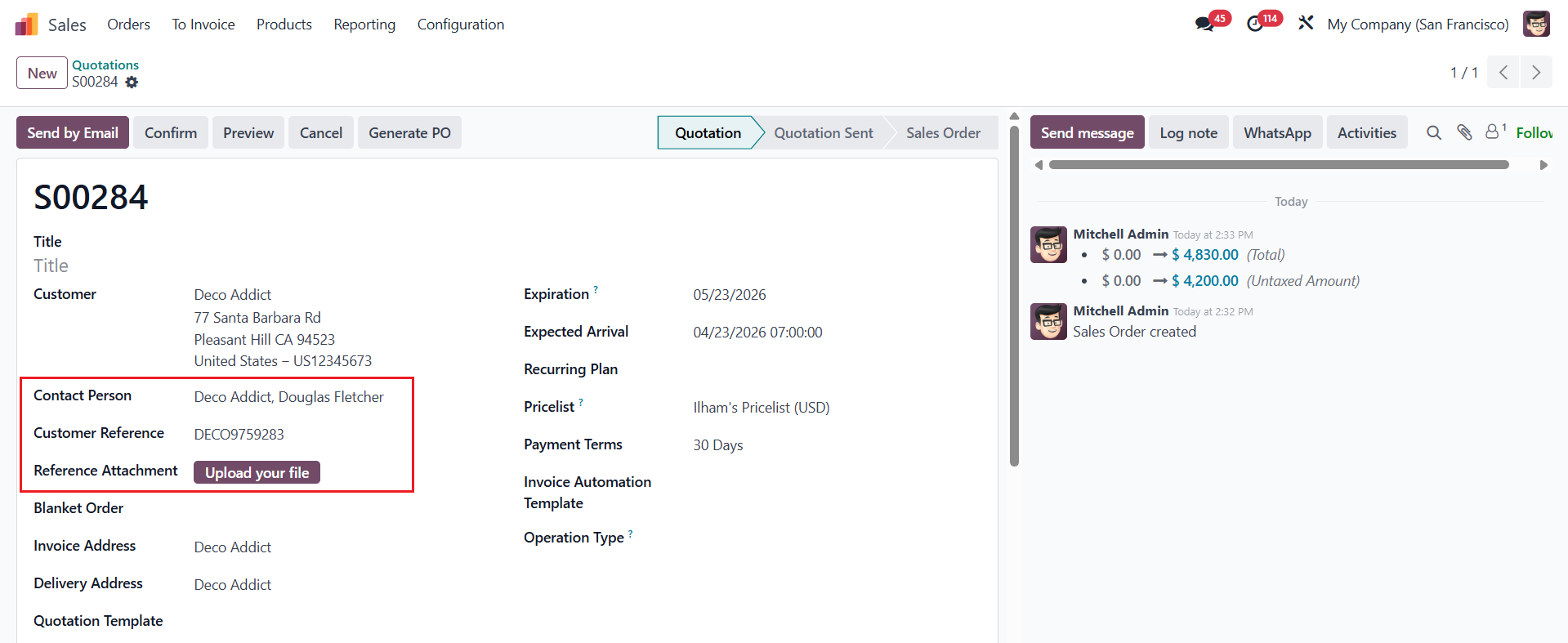
Extended Details: Adds specialized fields like Contact Person to improve clarity and accountability on every document.
Create a new Sales Order > Fill in Contact Person and Customer Reference |
|
The Customer Invoice form view now includes additional fields for Contact Person and Invoice Attachment. In the Other Information tab, the Customer Reference is inherited from the Sales Order, which is linked directly via the Sales Source field. | 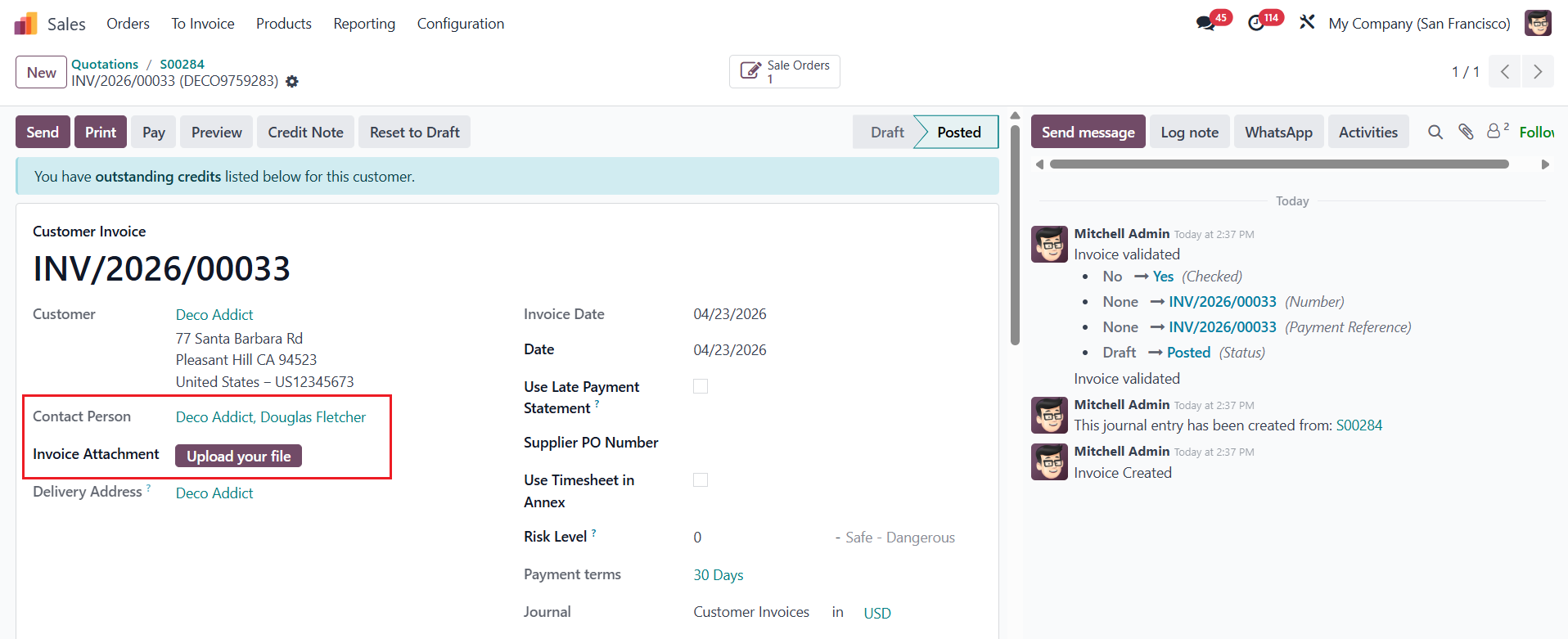 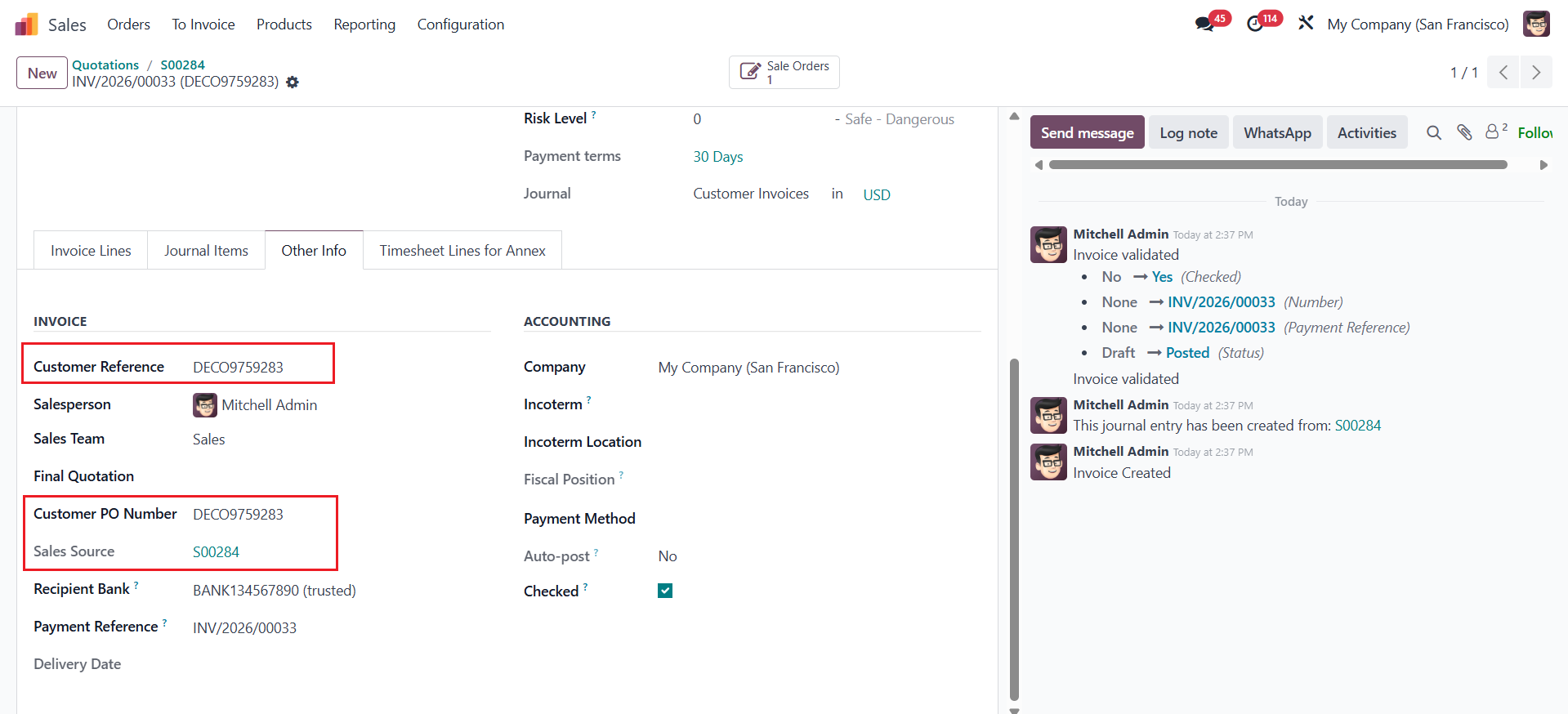 |
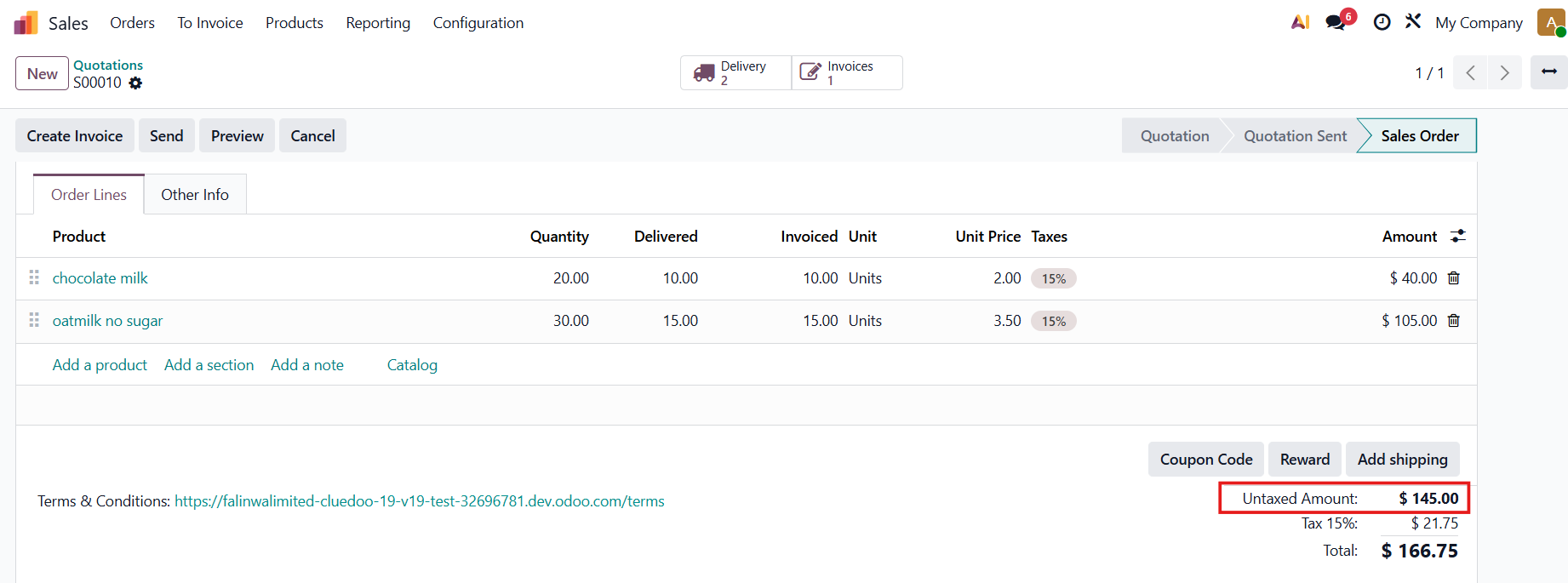
We have comparison between the invoice and the order, ensuring consistency in both the total ordered amount and total invoiced amount for both the customer invoice and vendor bill. Calculations:
It is essential to generate an invoice from either a sales order or a purchase order. |
|
On Customers Invoices list view, Customer Reference is also displayed. | 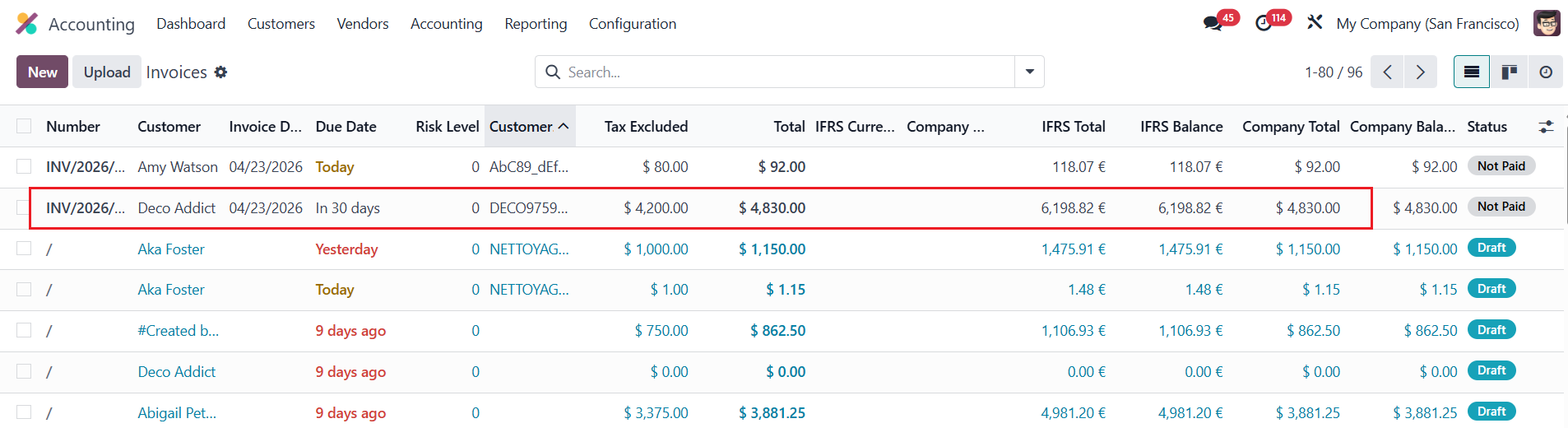 |
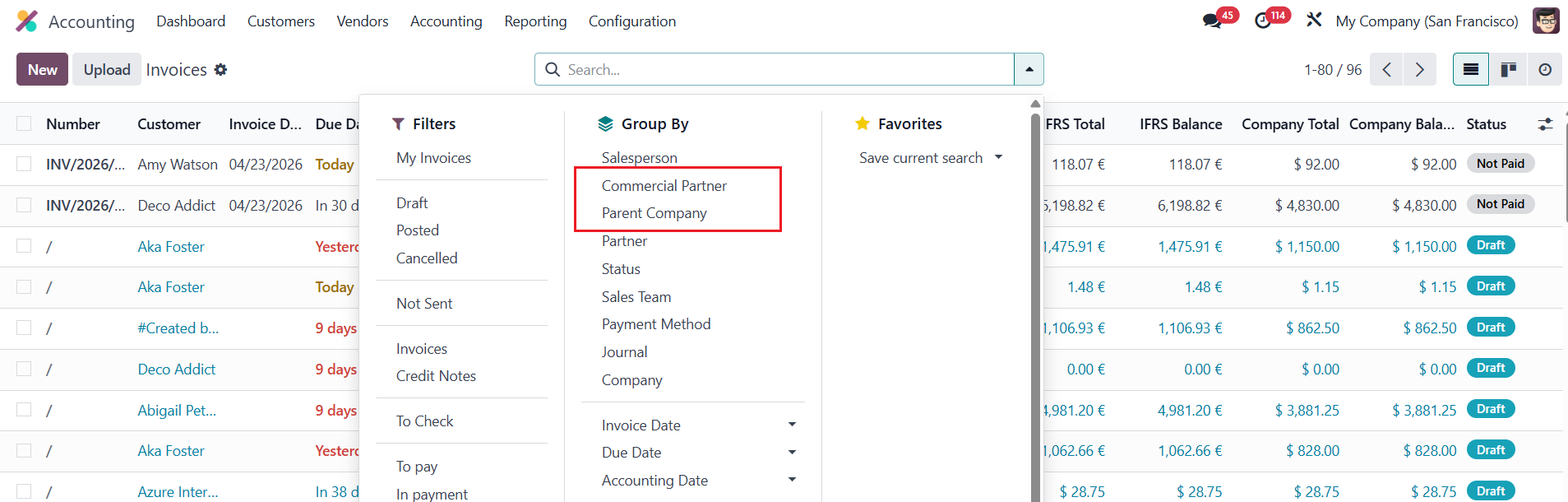
Invoices can also be grouped by Parent Company or Commercial Partner. |
|